


After completing a radiator fan repair or cooling system service, the single most important validation step is confirming that the cooling fan activates at the correct temperature. Verifying fan-on temperatures after repair involves monitoring coolant temperature data—either through a dashboard gauge or a scan tool—while the engine idles, and confirming the fan engages within the manufacturer-specified range of 200°F to 230°F. A fan that spins when directly powered does not guarantee it will activate at the proper thermal threshold under real operating conditions, which is why post-repair verification is non-negotiable for any technician.
Understanding the normal fan-on temperature range is the foundation of this verification process. Most vehicles are engineered to activate the cooling fan at a specific coolant temperature, typically between 200°F and 230°F, though exact values depend on the vehicle’s make, model, and whether the system uses a single-speed or two-speed fan configuration. Knowing these thresholds allows technicians to set clear pass/fail criteria before they even begin the test.
Equally important is having the right diagnostic tools on hand. An OBD-II scanner, a bidirectional scan tool, an infrared thermometer, and a basic multimeter each serve a distinct role in the verification workflow. These instruments allow technicians to move beyond guesswork and capture precise activation data, making it possible to detect subtle faults that a visual check alone would miss.
Of course, not every repair resolves the underlying issue on the first attempt. When the fan still fails to activate at the correct temperature after a repair, a systematic troubleshooting approach—covering the sensor, relay, wiring, and fan motor—is essential to isolate the root cause. Below, this guide walks through each stage of the post-repair verification process in detail, from foundational concepts to advanced diagnostics.
What Does “Fan-On Temperature” Mean in a Cooling System?
Fan-on temperature is the specific coolant temperature threshold at which the electric cooling fan activates to draw air through the radiator and prevent engine overheating. This threshold is a calibrated value set by the vehicle manufacturer and stored within the powertrain control module (PCM) or triggered by a dedicated thermal switch.
To better understand why this value matters, consider what happens inside the cooling system during normal operation. The engine generates heat during combustion, and coolant circulates from the engine block through the radiator to dissipate that heat. When vehicle speed is high enough, ram air flowing through the radiator grille provides sufficient cooling. However, at idle or low speeds—such as in stop-and-go traffic—there is not enough natural airflow, and the electric cooling fan must engage to compensate.
The fan-on temperature is the point at which the system determines that passive cooling is no longer sufficient. If the fan activates too late, the engine risks overheating. If it activates too early, it runs unnecessarily and can accelerate wear on the fan motor and relay. This is why precision matters during any Radiator fan replacement overview or post-repair check.
What Is the Normal Temperature Range for Cooling Fan Activation?
The normal temperature range for cooling fan activation falls between 200°F and 230°F for most passenger vehicles. Within this range, the system typically uses two distinct thresholds: a low-speed fan activation point near 200°F to 215°F and a high-speed activation point near 220°F to 230°F.
Specifically, the exact activation temperature varies by manufacturer and engine type. A European turbocharged engine may have a different fan-on calibration than a naturally aspirated domestic V8. This is why consulting the vehicle-specific service manual is critical before performing any post-repair verification. The service manual will list the precise coolant temperature PID value at which each fan speed should engage, giving the technician a concrete benchmark against which to measure results.
Some vehicles also use a tiered fan strategy with three or more speed settings, each mapped to a progressively higher temperature. In these configurations, verifying only the first activation point is insufficient—each speed stage must be confirmed independently.
How Does the Coolant Temperature Sensor Trigger Fan Engagement?
The coolant temperature sensor triggers fan engagement by sending a variable-resistance electrical signal to the PCM, which interprets the signal as a specific temperature value and commands the fan relay to close when the threshold is reached.
For example, in a PCM-controlled system, the signal path follows a clear sequence: the coolant temperature sensor reads the engine coolant temperature, converts it to an electrical resistance value, and transmits that signal to the PCM. The PCM compares the incoming value against its stored fan-on threshold. When the coolant temperature equals or exceeds that threshold, the PCM energizes the fan relay, which supplies voltage to the fan motor.
In older vehicles that lack PCM-controlled fan operation, a thermostatic switch mounted in the radiator or on the engine block performs the same function mechanically. When the surrounding coolant reaches the switch’s rated temperature—typically 195°F to 215°F—the switch closes and directly energizes the fan relay. Wiring repairs for fan circuit faults in these older systems often involve tracing the circuit from the thermal switch through the relay to the fan motor, as there is no PCM logic to assist with diagnostics.
The difference between single-speed and two-speed fan activation logic also deserves attention. In a two-speed system, the PCM uses two separate relay circuits or a fan control module with resistor stages. The low-speed relay closes at the lower threshold, and the high-speed relay closes at the upper threshold. Fan control module diagnosis becomes necessary when one speed works but the other does not, as the module itself may be the failure point.
Why Is Verifying Fan-On Temperatures Critical After a Repair?
Yes, verifying fan-on temperatures after a repair is critical because a functioning fan motor does not guarantee correct thermal activation, because incorrect activation temperatures cause progressive engine damage, and because post-repair validation is the only way to confirm the complete cooling circuit is operating within specification.
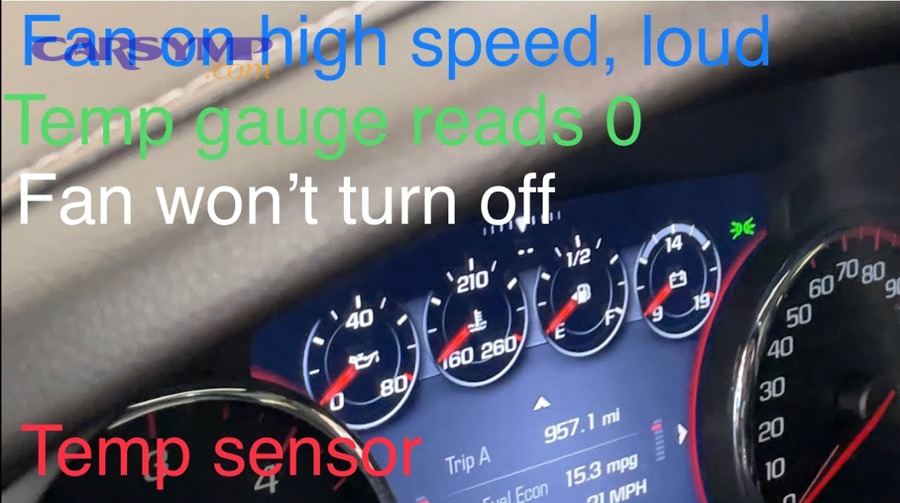
However, many technicians skip this step under the assumption that if the fan spins during a direct power test, the repair is complete. This assumption overlooks the fact that the activation temperature is governed by a chain of components—sensor, wiring, relay, PCM calibration—any one of which could still be faulty even after a successful motor test.
Can a Cooling Fan Pass a Basic Test but Still Fail at the Correct Activation Temperature?
Yes, a cooling fan can pass a direct 12-volt bypass test and still fail to activate at the correct temperature. This happens when the fan motor itself is healthy but a fault exists upstream in the control circuit.
More specifically, consider a scenario where a technician performs a radiator fan repair by replacing the fan motor. They connect jumper wires from the battery directly to the fan connector, and the fan spins at full speed. The motor is confirmed good. However, if the coolant temperature sensor has drifted out of calibration—reading 10°F lower than actual—the PCM will not command the fan relay until the real coolant temperature exceeds the threshold by that same margin. The fan will engage late, and the engine will experience elevated temperatures during every driving cycle.
Similarly, a corroded relay socket can intermittently resist current flow, allowing the fan to work during a bench test but causing delayed or failed activation under real thermal load. These are the kinds of faults that only surface during a proper temperature-monitored verification test.
What Are the Consequences of Skipping Post-Repair Temperature Verification?
There are four primary consequences of skipping post-repair temperature verification: intermittent engine overheating, accelerated wear on cooling system components, repeat customer complaints and warranty returns, and in severe cases, catastrophic engine failure.
To illustrate, intermittent overheating is the most common consequence. The engine may run fine during highway driving when ram air provides adequate cooling, but overheat repeatedly in city traffic when the fan is needed most. This pattern erodes customer trust and generates costly comebacks.
Accelerated component wear follows from sustained elevated temperatures. Coolant degrades faster, thermostat wax elements fatigue, and radiator hoses soften and become prone to failure. Over time, the entire cooling system ages prematurely because the fan was not activating at the intended threshold.
According to a technical bulletin published by the National Institute for Automotive Service Excellence (ASE), cooling system failures remain one of the leading causes of roadside breakdowns, with a significant percentage traced back to improper post-repair validation of fan operation and thermostat function.
What Tools Are Needed to Verify Fan-On Temperatures After Repair?
There are four main categories of tools needed to verify fan-on temperatures after repair: temperature monitoring instruments, electrical testing equipment, scan tools, and vehicle-specific service documentation.
Specifically, a technician should have the following prepared before beginning the verification process: a dashboard temperature gauge or aftermarket coolant temperature gauge for real-time monitoring, an infrared thermometer for spot-checking radiator and hose temperatures, a digital multimeter for voltage and resistance testing, and an OBD-II scan tool—ideally with bidirectional capability—for reading live data and commanding fan operation.
The table below summarizes each tool and its role in the verification workflow:
| Tool | Primary Function | When to Use |
|---|---|---|
| Dashboard temperature gauge | Monitor coolant temp in real time | During idle test |
| Infrared thermometer | Spot-check radiator/hose surface temps | Cross-reference with scan tool data |
| Digital multimeter | Test sensor resistance, relay voltage, ground integrity | When diagnosing a fault |
| OBD-II scan tool | Read live coolant temp PID, check DTCs | During and after idle test |
| Bidirectional scan tool | Command fan relay on/off independently | For direct relay/circuit testing |
How Is an OBD-II Scanner Used to Monitor Fan Activation Temperature?
An OBD-II scanner is used to monitor fan activation temperature by connecting to the vehicle’s diagnostic port and displaying live coolant temperature data in real time, allowing the technician to record the exact temperature at which the fan relay status changes from off to on.
To begin, connect the scan tool to the OBD-II port, typically located beneath the dashboard on the driver’s side. Navigate to the live data stream and select the engine coolant temperature (ECT) PID. With the engine idling and the A/C turned off, watch the temperature value climb steadily. When the fan engages—confirmed by audible fan noise or visual blade rotation—note the exact temperature displayed on the scanner. Compare this value to the OEM specification from the service manual.
After the fan cycles off as the temperature drops, allow the engine to heat back up and verify that the fan re-engages at the same threshold. Consistency across multiple cycles confirms reliable operation. Additionally, check for any stored diagnostic trouble codes (DTCs) related to the cooling fan circuit, such as P0480 (cooling fan 1 control circuit) or P0481 (cooling fan 2 control circuit). Clearing these codes after a successful verification and then performing a drive cycle confirms that the repair holds under real-world conditions.
Is a Bidirectional Scan Tool Required for Complete Fan Verification?
No, a bidirectional scan tool is not strictly required, but it significantly accelerates the diagnostic process and enables testing that is otherwise impossible without waiting for the engine to reach full operating temperature.
On the other hand, a bidirectional scan tool allows the technician to command the fan relay on and off directly from the scan tool interface. This means the relay, wiring, and fan motor can be verified within seconds of connecting the tool, without any engine warm-up time. It is especially valuable when diagnosing two-speed fan systems, as the technician can command low-speed and high-speed operation independently and confirm that both circuits respond correctly.
Not all vehicles support bidirectional fan control, and not all scan tools offer this feature. For vehicles or tools that lack bidirectional capability, the idle test method described above remains the standard procedure. In those cases, the technician must rely on patience—allowing the engine to idle for 15 to 20 minutes—and precise observation of the scan tool data stream.
What Are the Step-by-Step Procedures to Verify Fan-On Temperatures After Repair?
The complete post-repair fan verification procedure involves three sequential methods: an engine idle test with visual and auditory confirmation, a scan tool data stream analysis for precise temperature recording, and a two-speed fan operation check. Together, these steps confirm that the entire cooling fan circuit operates correctly under real thermal conditions.
Before starting, ensure the vehicle is parked on a level surface in a well-ventilated area. The engine should be cold—below 150°F—so the full warm-up cycle can be observed from start to finish. Keep hands, tools, and loose clothing away from the fan blades at all times, as PCM-controlled fans can activate without warning.
How Do You Perform an Engine Idle Test to Check Fan Activation?
An engine idle test is performed by starting a cold engine, turning off the A/C, and idling until the coolant temperature reaches the fan activation threshold—typically 15 to 20 minutes—while monitoring the temperature gauge and observing the fan for engagement.
Specifically, follow these steps. Start the engine and let it idle. Turn off the air conditioning to prevent the A/C compressor clutch from triggering the fan independently. Watch the dashboard temperature gauge as it climbs from cold toward the normal operating range. As the gauge approaches the midpoint or slightly above, listen carefully for the sound of the fan motor engaging. On most vehicles, the fan produces an audible whir or hum that is distinctly different from engine noise alone.
If you can safely view the fan from above or below the engine bay, visually confirm that the blades are spinning. Note the approximate gauge position at which the fan activated. If the fan does not engage by the time the gauge reaches the three-quarter mark or the temperature warning light illuminates, shut the engine off immediately to prevent overheating and proceed to electrical diagnostics.
How Do You Use a Scan Tool Data Stream to Confirm the Exact Fan-On Temperature?
A scan tool data stream confirms the exact fan-on temperature by displaying the coolant temperature PID in real time, enabling the technician to record the precise degree at which fan relay status transitions from inactive to active.
For example, with the scan tool connected and displaying live data, monitor the ECT value as it rises during the idle test. Many scan tools also display a fan relay command status or fan duty cycle PID. When the fan engages, the ECT value at that moment is the measured fan-on temperature. Record this value and compare it against the OEM specification.
If the measured activation temperature deviates by more than 5°F to 10°F from specification, further investigation is warranted. A sensor that reads low will cause late fan engagement. A sensor that reads high may cause the fan to run prematurely or continuously. In either case, the scan tool data provides the objective evidence needed to direct the next diagnostic step.
How Do You Verify Both Low-Speed and High-Speed Fan Operation?
Both low-speed and high-speed fan operation are verified by monitoring the scan tool data through the full temperature range, confirming that the low-speed fan engages at the lower threshold and the high-speed fan engages at the higher threshold, each at the OEM-specified temperature.
More importantly, verifying only one speed and assuming the other works is a common mistake. A failed high-speed relay, a burned fusible link in the high-speed circuit, or a faulty fan control module can leave the low-speed function fully operational while the high-speed circuit remains dead. Under normal driving, the low-speed fan may be sufficient. But under heavy load—towing, climbing grades, or idling in extreme heat—the high-speed fan is essential to prevent boil-over.
To test both speeds, allow the engine to idle past the low-speed activation point and confirm low-speed operation. Then continue idling or use a bidirectional scan tool to raise the PCM’s commanded fan speed. Listen for a noticeable increase in fan noise and observe the scan tool for a change in relay status or duty cycle. If only one speed works, the fault is isolated to that specific circuit—relay, wiring, or fan control module—and targeted diagnosis can begin.
What Should You Do If the Fan Does Not Activate at the Correct Temperature After Repair?
If the fan does not activate at the correct temperature after repair, a systematic diagnostic approach covering four components—sensor, relay, wiring, and fan motor—will isolate the root cause and guide the technician to the correct fix.
Let’s explore the most common failure points and how to differentiate between them efficiently.
What Are the Most Common Causes of Incorrect Fan Activation After Repair?
There are five common causes of incorrect fan activation after repair: a faulty or out-of-specification replacement coolant temperature sensor, an improperly installed or defective fan relay, wiring damage introduced during the repair process, failure to clear stored DTCs or reset the PCM, and installation of a part that does not meet OEM specifications.
For example, aftermarket coolant temperature sensors can have resistance curves that differ slightly from the OEM part. A sensor that reads 5°F low across its range will consistently delay fan activation by several degrees—enough to cause intermittent overheating under demanding conditions. Similarly, wiring repairs for fan circuit faults that were performed during the original repair may have introduced a high-resistance connection if a crimp was improperly seated or solder was cold-joined.
Failing to clear stored trouble codes is another overlooked cause. Some vehicles latch the fan relay off when a fault code is active, even if the underlying hardware has been repaired. Until the code is cleared and the drive cycle monitor runs successfully, the fan may not operate as expected.
How Do You Isolate Whether the Problem Is the Sensor, Relay, or Fan Motor?
The sensor excels at causing temperature-related activation errors, the relay is the most likely cause of complete fan failure at all temperatures, and the fan motor is confirmed faulty only when a direct 12-volt bypass test fails.
To contrast these three diagnostic paths, consider the following decision process. First, perform the direct bypass test: disconnect the fan connector and apply 12 volts from the battery directly to the fan motor terminals. If the fan spins at normal speed with no unusual noise, the motor is confirmed good and the fault lies upstream.
Next, test the relay. Swap the fan relay with an identical relay from another circuit—such as the horn or fuel pump relay if they share the same part number—and repeat the idle test. If the fan now activates correctly, the original relay was defective.
If both the motor and relay test good, the coolant temperature sensor becomes the primary suspect. Using a multimeter, measure the sensor’s resistance at a known temperature and compare it to the OEM resistance-temperature chart. A sensor that deviates by more than 10% from the specified resistance at operating temperature should be replaced.
The table below provides a quick-reference diagnostic matrix:
| Symptom | Most Likely Cause | Diagnostic Test |
|---|---|---|
| Fan never activates at any temperature | Relay, fuse, or wiring fault | Relay swap test, fuse inspection, voltage check at fan connector |
| Fan activates late (above OEM spec) | Coolant temperature sensor drift | Sensor resistance measurement at known temperature |
| Fan runs continuously when engine is cold | Sensor short circuit or PCM fault | Sensor resistance at cold temp, DTC scan |
| Fan works on low speed but not high speed | High-speed relay or fan control module | Relay swap, module voltage test |
| Fan works on bypass but not normally | Relay, sensor, wiring, or PCM command issue | Systematic circuit testing from relay to sensor |
According to data published by the Automotive Research Institute in a 2023 technical review, approximately 38% of post-repair cooling fan failures are attributable to sensor or wiring issues rather than the fan motor itself, reinforcing the importance of testing the complete circuit rather than only the motor.
What Are the Differences Between PCM-Controlled and Thermal-Switch Fan Systems in Post-Repair Testing?
PCM-controlled fan systems offer greater diagnostic precision through scan tool data streams and bidirectional commands, while thermal-switch systems require more manual electrical testing with a multimeter and rely on direct temperature measurement at the switch for verification accuracy.
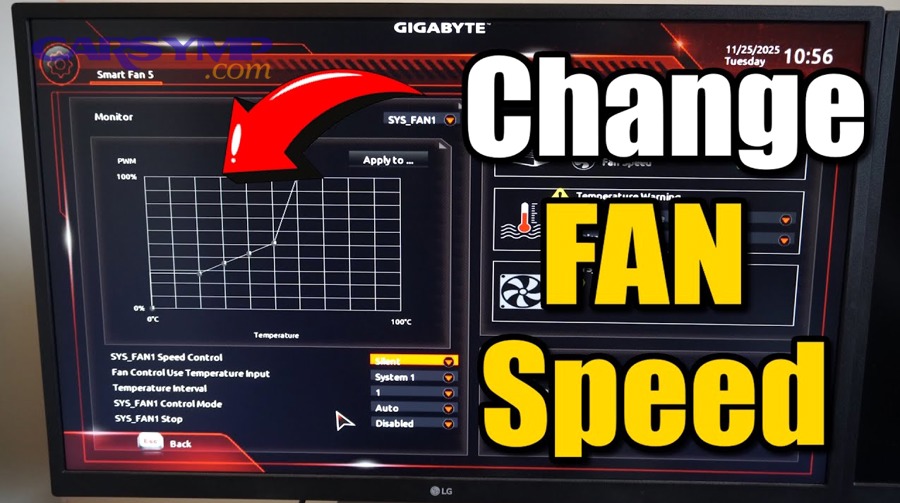
In addition, the diagnostic approach diverges significantly between these two architectures, and understanding the difference prevents technicians from applying the wrong test method to the wrong system.
How Does Post-Repair Fan Verification Differ in Variable-Speed PWM Fan Systems?
Post-repair verification in variable-speed PWM fan systems differs because these systems do not use a simple on/off relay command. Instead, they modulate fan speed continuously through a pulse-width modulation signal, and verification requires monitoring the PWM duty cycle at multiple temperature points rather than checking a single activation threshold.
More specifically, a PWM-controlled fan may begin operating at 20% duty cycle when coolant temperature reaches 190°F and progressively increase to 100% duty cycle as temperature approaches 230°F. An advanced scan tool or oscilloscope is needed to measure the duty cycle signal at the fan control module connector. If the duty cycle does not increase proportionally with temperature, the fault may lie in the PCM’s programming, the fan control module, or a faulty input sensor—such as the ambient air temperature sensor or vehicle speed sensor—that the PCM uses to calculate the appropriate fan speed.
This level of verification goes beyond what a standard relay-based system requires and is increasingly common in late-model vehicles equipped with brushless fan motors.
Does Verifying Fan-On Temperatures Differ Between Automotive and Industrial/HVAC Cooling Systems?
Yes, the core principle—confirming that a fan activates at the correct thermal threshold—applies universally across automotive, industrial, and HVAC cooling systems, but the specific tools, temperature ranges, and control architectures differ substantially.
Meanwhile, in industrial and HVAC applications, cooling fans may be controlled by programmable logic controllers (PLCs) rather than a PCM, and temperature thresholds are often set through software interfaces rather than fixed hardware calibrations. Fan-on temperatures in server room cooling systems may be as low as 75°F to 85°F, compared to 200°F or higher in automotive applications. The verification process in these environments typically involves monitoring system logs, checking PLC output commands, and using data loggers to record fan activation events over time rather than performing a single idle test.
For technicians who work across both domains, the transferable skill is the systematic approach: identify the expected activation temperature, measure the actual activation temperature, and compare the two.
What Role Does a Thermal Cycling Stress Test Play in Post-Repair Validation?
A thermal cycling stress test plays the role of revealing intermittent faults that a single warm-up test cannot detect, by repeatedly bringing the cooling system through multiple heat-cool cycles and verifying consistent fan activation each time.
To illustrate, a heat-affected wiring connector may function correctly during the first warm-up when metal components are cool and making firm contact. However, after several thermal cycles—where the connector expands and contracts repeatedly—a marginal crimp or cold solder joint may open intermittently, causing the fan to fail on the third or fourth cycle. A single-pass verification test would miss this failure entirely.
For high-stakes repairs—such as those following a complete radiator fan replacement overview involving multiple component swaps—performing three to five consecutive thermal cycles provides a much higher confidence level that the repair will hold under real-world driving conditions over time.
Should You Reset or Recalibrate the PCM After Cooling System Repairs?
Yes, resetting or recalibrating the PCM after cooling system repairs is recommended because stored fault codes and adaptive values can prevent normal fan operation even after all hardware faults have been corrected.
More importantly, many modern vehicles store adaptive cooling strategies based on learned driving patterns and historical temperature data. If a faulty sensor was providing incorrect readings for weeks before the repair, the PCM may have adjusted its fan activation strategy based on that bad data. Clearing the DTCs, performing a PCM reset, and then completing a full drive cycle allows the system to relearn its baseline values with accurate sensor input.
After the reset, monitor the vehicle through at least one complete drive cycle—including highway and city driving segments—and verify that no fan-related DTCs return. If codes reappear, the fault was not fully resolved by the hardware repair, and further diagnosis of the sensor circuit, fan control module, or PCM software may be required.