


When electrical accessories cut out intermittently, you can diagnose the root cause by separating the problem into three buckets—power supply (battery/alternator), power distribution (fuses/relays/junctions), and control/command (ACC/ignition feed)—then testing each bucket under load until the failure point reveals itself.
Next, you’ll learn how to interpret the most common symptom patterns (single accessory vs multiple, engine keeps running vs stalls, bumps/rain/heat triggers) so you stop guessing and start narrowing the fault to a shared circuit, a shared ground, or a shared control signal.
Then, you’ll use a practical DIY workflow with a multimeter and a few simple methods—voltage checks, voltage-drop testing, and a safe wiggle test—to confirm whether the culprit is a weak connection, a failing relay, a degraded ground, or an unstable charging system.
Introduce a new idea: once you understand the diagnostic sequence, the rest of the article walks you through each decision point with clear tests and “what the result means,” so you can fix the issue instead of chasing random Car Symptoms.
MAIN CONTENT
What does “electrical accessories cutting out intermittently” mean (and what does it not mean)?
“Electrical accessories cutting out intermittently” means the vehicle’s 12V accessory loads lose power briefly (or reboot) due to a voltage interruption, voltage drop, or module reset—not necessarily a dead battery or a single blown fuse.
More importantly, the pattern of what cuts out and when it returns is your fastest shortcut to the right circuit, because modern vehicles share power feeds and grounds across multiple systems.

To better understand the problem, treat “cutting out” as either (1) power interruption (the accessory goes dead) or (2) reset/reboot (the accessory restarts, clock resets, screen reboots). Those two behaviors often point to different failure modes.
A pure interruption is usually a bad contact (fuse/relay/socket/ground/connector). A reset often means voltage dipped low enough for a module to brown out, then recover.
Is it only one accessory, or do multiple accessories cut out together?
There are two main patterns of accessory cut-outs—single-load cut-outs and multi-load cut-outs—based on whether the affected items share the same power feed or ground.
Specifically, if only one thing fails (e.g., only the radio), you suspect the component, its connector, or its dedicated circuit. If several unrelated accessories fail together (radio + power windows + blower), you suspect a shared feed, shared relay, or shared ground. Intermittent multi-system problems commonly trace back to common power or ground points rather than multiple parts failing at once. (mangoautomotive.com)
A quick way to group the symptoms is to ask: “What do these accessories have in common?”
- Cabin comfort group: blower motor, HVAC controls, heated seats
- Body group: windows, locks, interior lights
- Infotainment group: radio, screen, USB ports
- Visibility group: wipers, washers, lights (serious safety concern)
When you see a group fail together, don’t replace the “most annoying” accessory first. Trace the shared path: battery → main distribution → fuse/relay → splice/junction → accessory → ground.
Does the engine keep running when accessories cut out?
Yes, the engine can keep running while accessories cut out, and that often points to an ACC/IGN feed problem rather than a total power loss—because engine management power is frequently separated from accessory power.
Then, use this fork:
- Engine keeps running: focus on accessory relay, ACC feed, ignition switch ACC contacts, body control command, fuse box/junctions feeding cabin loads.
- Engine stalls or dash goes dark: broaden to main power/ground, battery terminals, charging instability, or main distribution faults.
This distinction matters because it changes your priority list. A stall suggests the car lost critical power. A running engine with dead accessories suggests the car lost a non-critical branch.
Which quick checks can confirm a power-supply problem in 10 minutes?
You can confirm (or rule out) a power-supply issue in about 10 minutes by checking battery terminal integrity, main ground integrity, and charging voltage stability—because those three checks catch the most common “whole cabin went weird” failures first.
Next, you’ll use quick, non-invasive observations to decide whether you should start at the battery/alternator or jump straight to distribution (fuse/relay box).
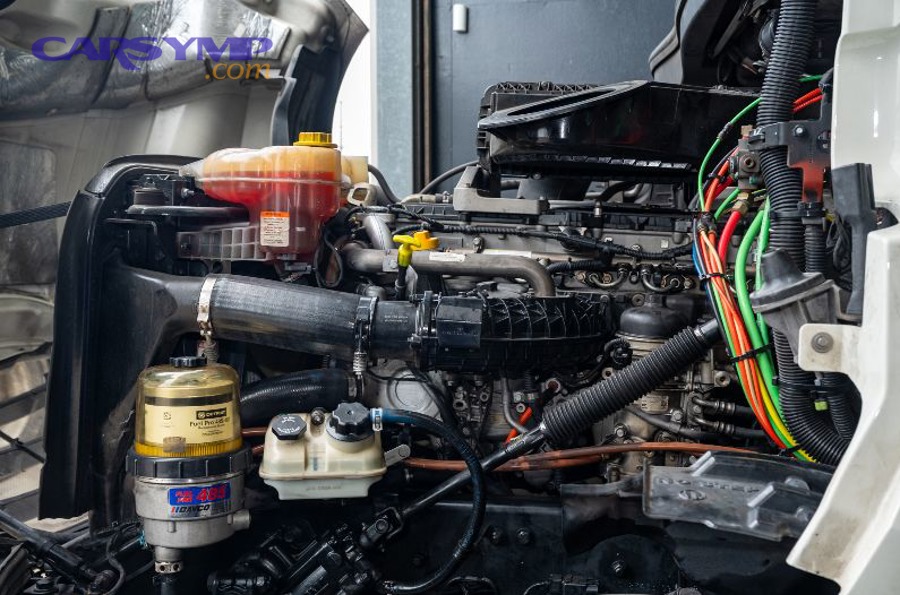
Start with a simple reality check: if accessories cut out more at idle with blower + lights on, suspect voltage supply. If cut-outs happen on bumps or after rain, suspect connections/grounds/connectors.
Are the battery terminals and main grounds clean, tight, and load-capable?
Yes—battery terminals and main grounds must be clean, tight, and load-capable, because even slight looseness or corrosion can create enough resistance to starve accessory circuits under load.
Besides, corrosion often hides where you can’t see it: between the battery post and the terminal clamp, or under cable insulation near the lug.
Do this quick triage:
- Visual: white/blue/green crust, wetness, cracked insulation, burned spots.
- Physical: attempt to rotate each terminal by hand (it should not move).
- Ground strap check: locate the engine-to-body ground strap; make sure it’s intact and not frayed.
If you fix a loose clamp and the issue disappears, you just saved hours of testing. If everything is clean/tight and the symptom remains, you move on without regret.
Is the charging voltage stable at idle with accessories on?
Yes—charging voltage should remain stable at idle with major loads on, because a healthy charging system maintains system voltage under typical accessory demand.
For example, a common DIY baseline is measuring at the battery with the engine running; guidance for a healthy charging system is often around the mid–14V range.
Here’s how to do it safely:
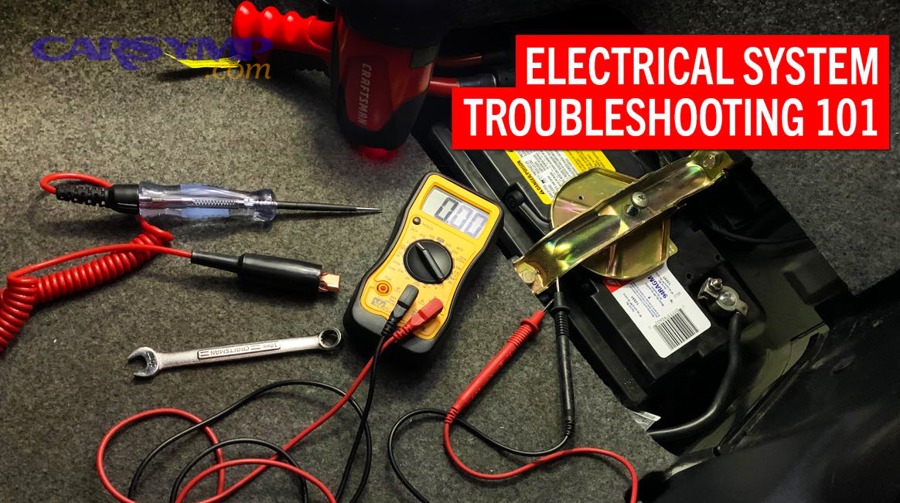
- Set multimeter to DC volts.
- Measure across battery posts (not the cable ends) with engine running.
- Turn on blower (high), rear defrost, headlights, wipers.
- Watch voltage for large dips, oscillation, or drop-to-battery-only behavior.
If voltage behaves normally but accessories still cut out, that points you away from alternator output and toward distribution/control/ground issues.
What is the most reliable step-by-step diagnostic workflow for intermittent cut-outs?
The most reliable workflow is: reproduce the cut-out → measure voltage at the battery → measure voltage at the affected circuit → perform voltage-drop tests across the power and ground path → isolate the faulty segment, because intermittent faults only reveal themselves under load and during the event.
Below, you’ll build a simple decision tree that prevents random part swapping and keeps each test meaningful.

A key mindset: do not start with “what part fails.” Start with “what path loses voltage.” Accessories are the endpoints; your job is to find where the voltage disappears before the endpoint.
What tools do DIY drivers need (and what can you skip)?
A multimeter wins for accuracy, a test light wins for speed, and a scan tool is optimal for module resets—so the best setup depends on whether you’re chasing a voltage drop, an open circuit, or a computer-driven shutdown.
However, for most intermittent accessory cut-outs, you can succeed with:
- Digital multimeter (high impedance preferred)
- Basic test light (optional)
- Back-probe pins or thin probes
- Fuse puller and flashlight
- Notebook/video on phone to capture the moment of failure
Skip expensive tools until you’ve proven you need them. Most DIYers fail not because they lack tools, but because they measure the wrong place at the wrong time.
How do you document the symptom so the test results are meaningful?
You document the symptom by recording when, how long, what loads were on, and what recovered automatically, because intermittent electrical problems often depend on heat, vibration, moisture, or load.
Then, log the trigger pattern:
- Hot soak: occurs after driving 20–30 minutes
- Cold start: occurs only first 5 minutes
- Bump-sensitive: occurs on potholes/turning
- Moisture-sensitive: occurs after rain/wash
- Idle-load sensitive: occurs with HVAC + lights on at stoplights
This symptom log tells you where to focus the wiggle test and whether to prioritize under-hood distribution or under-dash connectors.
Which circuit is failing: battery/charging, distribution, or the accessory control side?
Battery/charging wins when the whole system voltage sags, distribution is best when multiple loads lose power in a shared branch, and control-side faults are most likely when ACC behavior changes or an accessory relay is commanded off—so you isolate the bucket by measuring where voltage disappears.
More specifically, you’re trying to answer: “Is the battery voltage itself dropping, or is the accessory circuit losing voltage while the battery stays stable?”

Use this table as your mental model (this table groups outcomes by “where voltage stays normal” vs “where it vanishes”):
| Observation during cut-out | Most likely bucket | Why it fits |
|---|---|---|
| Battery voltage drops hard at the same time | Battery/charging | System supply collapses, modules brown out |
| Battery voltage stays steady but cabin fuse loses power | Distribution | Loss occurs after the battery, in the branch |
| Fuse has power but accessory still dies | Component/connector/ground at load | Power exists; delivery or return path fails |
| Accessories die/recover with key movement | Control side / ignition switch | ACC contacts or column harness intermittent |
Now you test with purpose rather than guessing.
Is it a charging/battery voltage dip that triggers accessory dropouts?
Yes, a voltage dip can trigger accessory dropouts, because modules and relays need minimum voltage to stay latched and stable, especially under heavy load.
So, if your cut-outs correlate with turning on high loads (blower + defrost), you test supply first.
Practical confirmation steps:
- Measure battery voltage at idle with loads on.
- Watch for dips when you rev slightly (should stabilize).
- Look for signs like dimming lights or infotainment rebooting.
If the system dips and the car “recovers” when you rev or reduce load, supply instability is likely.
Is it a distribution fault (fuse box, fusible link, junction, connector)?
Yes, distribution faults can cause intermittent cut-outs, because a weak contact in a fuse/relay socket, junction, or fusible link can open briefly under heat or vibration while the battery remains fine.
To illustrate, if the battery stays at normal voltage during the cut-out but multiple cabin accessories go dead, distribution becomes your primary suspect.
Common distribution failure points:
- Under-hood fuse/relay box (heat + vibration)
- Under-dash junction block
- Fusible links and main fuses
- Connectors on the bottom of fuse boxes (often overlooked)
Intermittent distribution faults often leave clues: warm plastic smell, slight discoloration, or a relay that’s unusually hot.
How do you test fuses, relays, and the accessory relay path correctly?
You test fuses and relays correctly by measuring voltage under load and distinguishing relay control-side failures from relay load-side failures—because continuity checks and “it clicks” checks can miss intermittent problems.
Next, you’ll treat the fuse/relay box like a voltage map: power in, power out, and control command.
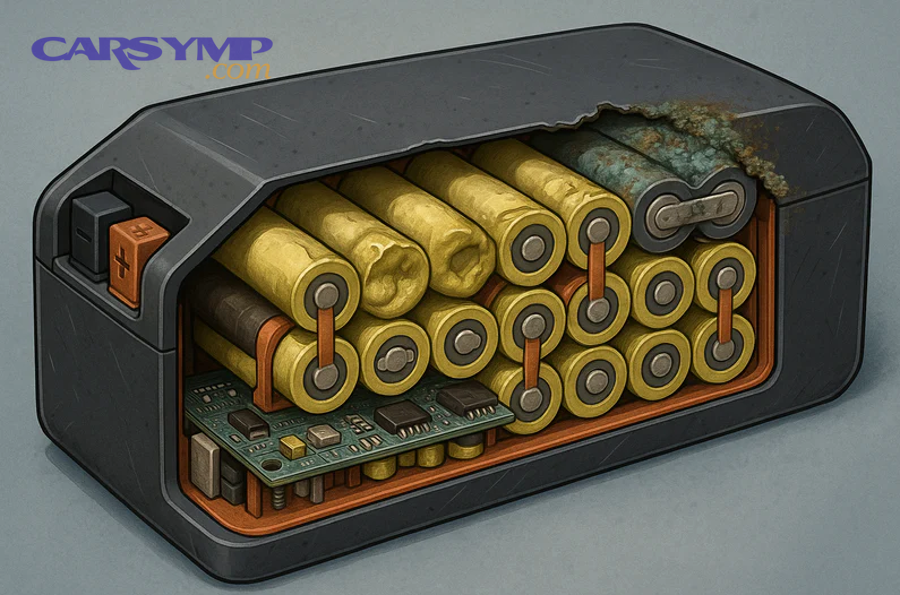
A major trap: pulling fuses/relays repeatedly can temporarily “fix” the connection and hide the real problem. Aim to test with the circuit in its normal state.
How do you test a fuse for voltage drop under load (not just continuity)?
A fuse drop test works like this: with the circuit turned on, there should be near-equal voltage on both test points of the fuse, because a good fuse and good contacts don’t steal meaningful voltage.
Specifically:
- Turn on the accessory (blower, lights, etc.).
- Touch black probe to battery negative.
- Touch red probe to each small test pad on top of the fuse.
- Compare readings.
If one side reads battery voltage and the other is much lower (or zero), you’ve found a failed fuse or a feed problem to that fuse. If both sides show low voltage during the event, the loss is upstream.
How can you tell if a relay is failing intermittently vs the control signal dropping?
A failing relay loses output despite a stable command; a control-side drop removes the command so the relay legitimately turns off—so you prove which side failed by checking coil command and output at the same time.
However, do it safely:
- Identify relay coil terminals and load terminals (diagram on box cover or service info).
- During the failure, verify:
- Coil has command voltage/ground?
- Relay output has power?
If the coil still has command but output drops, the relay or its socket is suspect. If coil command disappears, the problem is upstream: ignition switch, BCM logic, or a control feed.
How do you find bad grounds and loose connections using voltage-drop testing?
You find bad grounds and loose connections by performing voltage-drop tests while the circuit is loaded, because resistance testing alone can look “fine” until current flows and the connection heats up.

More specifically, voltage-drop testing reveals where voltage is being wasted across a bad connection, and many diagnostic guides recommend very low drops for sensitive circuits (often around a tenth of a volt for low-current paths). (fluke.com)
The big benefit: you don’t need to see corrosion to prove it’s stealing voltage.
What is “voltage drop,” and what numbers indicate a problem?
Voltage drop is the amount of voltage lost across wiring, connectors, or switches while current flows, and “problem” drop is any loss large enough to starve the load or reset electronics—especially in low-current control circuits.
Then, use a practical interpretation:
- Low-current/signal circuits: keep drops extremely low (often around 0.10V as a working limit in many diagnostic discussions). (fluke.com)
- Higher-current power circuits: small drops can be acceptable, but big drops signal resistance at a connection or wire.
How to measure a ground drop:
- Turn the failing accessory ON (e.g., blower).
- Put red probe on the accessory ground point (or component housing ground).
- Put black probe on battery negative post.
- Read the drop.
If you see meaningful voltage on the ground path during operation, the ground is not “zero.” That voltage is being lost at the ground connection.
Can the “wiggle test” safely reveal a connector/harness fault?
Yes, a careful wiggle test can reveal a harness or connector fault, because vibration-sensitive contacts can open/close with movement, especially near fuse boxes, door jambs, and steering columns.
Especially, you use it to reproduce the symptom on demand:
- Wiggle the harness near the fuse/relay box.
- Tap relays gently (do not force).
- Move door harness boots (common break points).
- Move the steering column wiring cover area carefully (avoid airbag wiring).
If the symptom changes when you move a specific harness segment, you’ve narrowed the fault to a physical location—then you confirm with a voltage-drop or direct voltage measurement.
Evidence: According to a study by Auburn University from the Department of Mechanical Engineering, in 2007, vibration-induced fretting corrosion was shown to develop in connector contacts once relative displacement thresholds were exceeded, supporting why vibration-sensitive connectors can fail intermittently. (etd.auburn.edu)
Is the ignition switch or ACC feed the culprit?
Yes, the ignition switch or ACC feed can be the culprit for accessory cut-outs because the accessory branch often depends on ignition switch contacts, column wiring, and an accessory relay that must stay energized for the cabin to remain powered.
Moreover, this is where ignition switch problems become very real: a worn contact can momentarily open, dropping ACC power while the engine keeps running on a separate IGN/RUN path.

This section matters because many DIYers misread the symptoms as “bad alternator” when the real issue is the key/ACC path.
Do accessories return when you move the key or steering column?
Yes—if accessories return when you move the key or steering column, that strongly suggests an ignition switch or column-harness intermittent, because movement changes contact pressure and harness strain.
Then, you validate it:
- If you can reproduce the cut-out by gently moving the key from RUN to the edge of ACC (without turning off the engine), you’ve found a huge clue.
- If turning the wheel or tilting the column triggers it, suspect column harness routing or connector tension.
Also consider Steering lock and ignition cylinder problems: a worn cylinder can create inconsistent key positioning, which changes how the ignition switch engages internally.
Is there a difference between ACC, RUN, and START behavior that narrows the fault?
Yes—ACC vs RUN vs START behavior can narrow the fault because different ignition switch contacts power different circuits in different key positions, and an intermittent contact may fail in one position but not another.
However, you have to interpret it correctly:
- Fails in ACC but fine in RUN: likely ACC contact path.
- Fails in RUN but fine in START (momentarily): could be a RUN contact that opens under vibration.
- Fails only during crank: that’s a different diagnostic path.
This is where “No crank vs no start ignition diagnosis” becomes important:
- No crank: starter circuit/neutral safety/ignition START contact.
- Cranks but won’t start: fuel/spark/immobilizer/engine management—often not the same as accessory cut-outs.
Testing ignition switch with multimeter (practical method)
To do Testing ignition switch with multimeter without tearing the car apart, you typically back-probe the ignition switch output circuits (ACC, IGN, START) and look for voltage loss during the event:
- Identify ACC output wire (service info, wiring diagram, or labeled connector if available).
- Back-probe the ACC output and battery negative.
- Drive or recreate conditions (idle with loads, bumps, heat soak).
- If ACC voltage drops during cut-out while battery voltage stays stable, the switch path (or its connector) is implicated.
This test beats guessing because you’re measuring the actual symptom at the source.
Could the alternator be “working” but still causing intermittent cut-outs?
Yes, the alternator can appear “working” yet still cause intermittent cut-outs if its output becomes unstable under load, its regulator behaves erratically, or voltage briefly sags enough to reset modules—especially at idle with heavy electrical demand.
Meanwhile, the goal is not to condemn the alternator quickly, but to prove whether system voltage is stable during the cut-out moment.
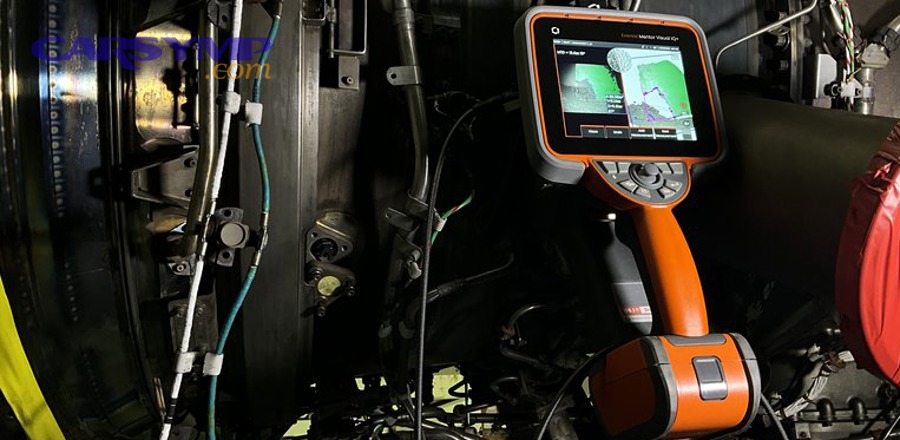
A healthy system typically shows charging voltage higher than resting battery voltage while running, and common DIY references cite mid–14V values as normal under many conditions.
Is alternator output unstable under load (blower + defrost + lights)?
Yes—unstable alternator output under load can cause accessory dropouts, because when demand rises, a weak alternator/regulator can’t maintain voltage and the system falls back toward battery-only voltage (or dips below stable thresholds).
So, perform a load-step test:
- Measure at battery, engine running.
- Turn on one high load at a time (blower high, then lights, then defrost).
- Watch whether voltage remains stable, gradually adjusts, or dips sharply.
If voltage dips sharply and accessories cut out at the same time, supply instability is likely.
How do you distinguish alternator failure from a bad battery or bad connection?
Alternator failure shows up as unstable or insufficient charging while running, a bad battery shows up as poor reserve and heavy voltage sag during high loads or cranking, and a bad connection shows up as normal voltage at one point but low voltage downstream—so the winner depends on where you measure.
In practice:
- Measure battery posts vs cable ends (a difference suggests connection issues).
- Measure battery voltage vs fuse voltage for the affected branch (a difference suggests distribution loss).
- If charging voltage is solid but branch voltage collapses, don’t blame the alternator.
This is why your workflow always measures at multiple points in the path.
When is it unsafe to keep driving, and when should you stop DIY troubleshooting?
Yes, it can be unsafe to keep driving with intermittent cut-outs because losing headlights, wipers, or critical systems can create immediate road risk—and because overheating connections can become a fire hazard.
Thus, you use a safety-first rule: if the failure affects visibility, steering assist warnings, or causes repeated electrical burning smells, stop diagnosing on the road and escalate.
Should you stop driving immediately if accessories cut out while driving?
Yes—stop driving immediately if accessory cut-outs remove headlights, wipers, or critical visibility systems, because the risk increases faster than your ability to “limp home.”
Then, use these hard-stop triggers:
- Headlights flicker or die at speed
- Wipers cut out in rain
- Burning smell near dash or fuse box
- Smoke, melted plastic, or hot spots you can’t touch briefly
- Dash goes dark or engine stumbles/stalls
If only a non-critical accessory cuts out (like the radio) and everything else remains stable, you may be able to diagnose safely later—but you still treat it as an electrical fault that can worsen.
Is it time for a shop if the issue is intermittent and you can’t reproduce it?
Yes—it’s time for a shop if the issue is intermittent and you can’t reproduce it, because intermittent faults often require advanced tools (scope, scan tool logging, module data) and controlled reproduction to avoid replacing good parts.
Moreover, you’ll save money by giving the technician your symptom log and your test results:
- “Battery voltage stayed at X when failure occurred”
- “ACC output dropped while battery stayed stable”
- “Voltage drop on ground path measured X under load”
- “Wiggle test near fuse box reproduced failure”
A good shop will treat that information like a map, not a guess.
Contextual border (transition): Up to this point, you have a complete diagnostic flow that answers the primary intent—how to diagnose intermittent accessory cut-outs using measurable tests. Next, the article expands into vehicle-specific systems and edge cases that can look like “random electrical issues” even when your basics test OK.
SUPPLEMENTARY CONTENT
What vehicle-specific systems can cause accessory cut-outs even when fuses and grounds test “OK”?
There are four common vehicle-specific causes of “everything seems OK but accessories still cut out”: power-management load shedding, BCM/TIPM distribution logic, aftermarket add-ons pulling down ACC voltage, and thermal/vibration connector degradation—based on how modern vehicles control and protect accessory power.

In addition, this section connects micro-level causes (connector fretting, module resets) to your macro workflow so you can recognize when the fault isn’t a simple blown fuse.
Can a BCM/TIPM or power distribution module intentionally shut off accessories (load shedding) due to undervoltage?
Yes—a BCM/TIPM or power distribution module can intentionally shut off accessories, because some vehicles reduce non-essential loads when system voltage falls or when energy management decides to protect starting reserve.
Then, look for the signature:
- No blown fuse
- Accessories return after restart or after voltage recovers
- Multiple body functions drop together
- The event often correlates with high load at idle
If you suspect load shedding, your priority becomes logging voltage during the event and checking whether the system is truly undervoltage (cause) versus the module falsely reacting (control fault).
Can aftermarket wiring (stereo amps, remote starts) create intermittent ACC voltage drops?
Yes—aftermarket wiring can create intermittent ACC drops, because add-ons often tap into ACC power and grounds with crimp connectors, marginal splices, or shared grounding that can loosen or corrode.
Especially, high-draw audio amplifiers and remote-start harnesses can stress circuits that were never designed for extra load.
A clean isolation test:
- Temporarily disconnect the aftermarket device (or its ACC trigger) and retest.
- Inspect add-on grounds: they should be on bare metal, tight, and protected from corrosion.
- Look for “vampire taps” or twisted-and-taped splices.
If the symptom disappears with the add-on disconnected, you’ve proven causality without guessing.
Are thermal faults (relays/modules) a real cause of “random” cut-outs?
Yes—thermal faults are real causes of random cut-outs, because heat can change resistance, weaken solder joints, and cause relay coils or contacts to behave differently once warmed.
More specifically, if the problem appears after 20–40 minutes and vanishes after cooling, thermal behavior is likely.
Thermal pattern checklist:
- Works cold, fails hot
- Fails more in summer / after long drives
- Fuse box area feels warmer than expected
- Relay output drops while command remains (relay internal fault)
In that case, your workflow still applies: measure during the fault, then confirm by substitution only after you’ve proven the location.
What’s the difference between an “accessory cut-out” and a “module reset” symptom pattern?
An accessory cut-out is usually a power interruption on a branch circuit, while a module reset is usually a brief system voltage brownout or a logic restart—so you can separate them by the “reboot clues.”
To illustrate:
- Accessory cut-out clues: device goes dead, returns exactly as before, no clock reset, no startup logo.
- Module reset clues: startup logo appears, clock resets, warnings flicker, multiple screens reboot.
Connector micro-motion and corrosion can contribute to intermittent behavior in automotive electrical contacts, which is why vibration and time can turn “rare” issues into real-world failures. (scispace.com)
Evidence (if any)

- According to a study by Auburn University from the Department of Mechanical Engineering, in 2007, connector vibration-induced fretting corrosion exhibited displacement thresholds associated with the onset of corrosion behavior, supporting why vibration-sensitive connectors can produce intermittent electrical symptoms. (etd.auburn.edu)