


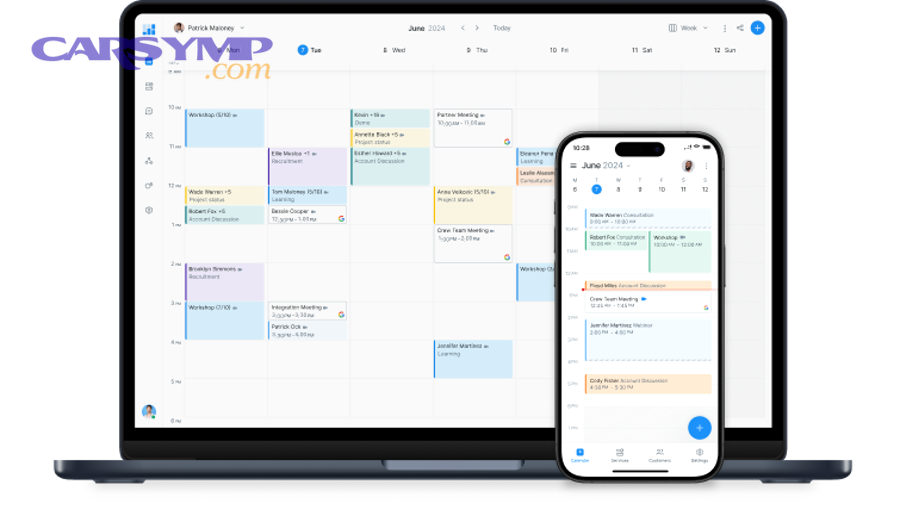
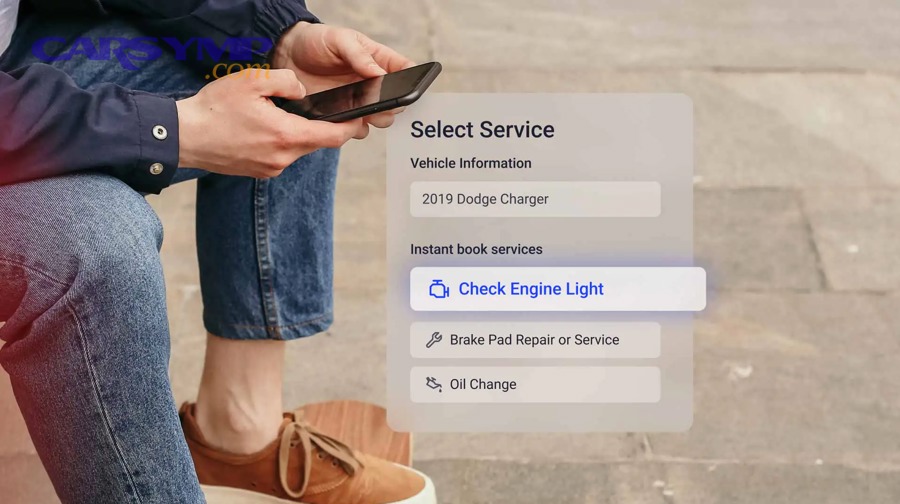
Online auto repair booking works like a guided checkout: you describe the problem or maintenance need, pick a shop and time slot, share vehicle details, and receive confirmation—often with reminders, messaging, and easy rescheduling built in.
To make a smooth service appointment, the system usually asks for your car’s basics (year/make/model, mileage, VIN optional) and your preferred timing, then matches that to shop capacity and technician availability.
You’ll also want to prepare for the handoff—documents, symptoms, keys, and expectations—so the shop can diagnose quickly and contact you for approvals if they uncover additional issues.
Giới thiệu ý mới: the best results come from understanding what happens before you click “Confirm,” what happens at the shop, and how to avoid common misunderstandings with pricing, timing, and authorization.
How does online auto repair booking work from search to confirmation?
It works by moving you through five steps—select service, choose shop, pick time, enter vehicle/contact details, then confirm—so the shop can reserve a bay and plan parts and labor. Next, the confirmation creates a shared record that both you and the shop can reference.
What information do booking forms collect, and why?
The form typically collects your name, phone/email, vehicle year/make/model, mileage, requested service, and preferred date/time because those inputs determine the right technician, estimated duration, and whether parts should be pre-ordered. After that, the same details also help the shop verify warranty eligibility and avoid quoting the wrong part number.
Common inputs that matter more than people realize: mileage (maintenance intervals), engine type/trim (parts fitment), warning lights (diagnostic priority), and symptom timing (cold start vs hot, while braking vs while accelerating). Next, attaching a short description of when the issue happens can reduce diagnostic time.
If the system allows photos or notes, include a picture of the dashboard warning light and a quick symptom timeline (when it started, whether it’s getting worse, and what conditions trigger it). Then the shop can pre-plan the first inspection steps instead of starting from zero.
What does “instant confirmation” really mean?
Instant confirmation usually means the shop has accepted your requested slot automatically based on capacity rules, not that the repair is fully diagnosed or the final price is locked. Next, treat confirmation as a reserved check-in time, while diagnosis and final authorization still happen after inspection.
Some platforms confirm immediately and follow up for details; others request approval from a service advisor first, especially for complex repairs. After that, you may receive a message asking clarifying questions to prevent a mismatched appointment length.
Why do some bookings become “pending review”?
Pending review happens when the system can’t confidently estimate time, staffing, or parts—often for “noise,” “electrical,” “intermittent,” or multi-symptom issues—so a human advisor reviews the request. Next, this review is meant to protect you from being scheduled into a slot that’s too short.
To speed it up, provide symptom specifics (speed, temperature, warning lights, recent repairs). After that, if you already have a diagnostic code (like a P0xxx), include it because it helps set the correct appointment type.
How do you schedule a service appointment online without surprises?
You schedule a service appointment without surprises by choosing the right appointment type (maintenance vs diagnostic), giving clear symptoms, and confirming policies for timing and authorizations. Next, aligning your request with the shop’s workflow reduces “we need the car longer” situations.

Which appointment type should you pick: maintenance or diagnostic?
Pick maintenance when the work is known (oil change, brakes, battery replacement), and pick diagnostic when the cause is unknown (warning light, vibration, intermittent stalling). Next, diagnostics often require an inspection window before an exact quote is possible.
If you select maintenance for an unknown problem, you may get reclassified at check-in, which can change timing. After that, the best practice is to choose diagnostic for uncertainty and add any likely related maintenance requests as notes.
How do time windows work: exact slot vs drop-off window?
Some bookings reserve a precise check-in time, while others reserve a drop-off window (for example, “8–10 a.m.”) that queues your car for diagnosis and later repair. Next, the difference affects whether you can wait onsite or should plan alternate transportation.
If the system offers “wait” vs “leave,” select honestly—waiting jobs are usually limited to shorter services. After that, ask whether the shop uses a first-in/first-out queue or triage rules for diagnostics.
What should you confirm immediately after booking?
Confirm the shop address, arrival instructions, estimated check-in duration, communication method (text/email/call), and whether a deposit is required. Next, this prevents no-show fees, missed after-hours procedures, and delays caused by unreachable approvals.
Also verify what “estimate” means in that system—initial range vs inspected quote—and whether taxes, shop fees, and disposal fees are included. After that, you can compare options more accurately.
How do platforms match your request to a shop, price range, and timing?
They match your request by mapping the selected service or symptom to an estimated labor block, then checking shop calendars, staffing, and sometimes parts availability to offer suitable times. Next, the system surfaces shops based on distance, ratings, specialties, and open capacity.

Why do price ranges appear before the car is inspected?
Price ranges appear because many repairs follow common patterns (parts + typical labor time), but real costs can vary with vehicle configuration and hidden damage. Next, treat ranges as budgeting guidance, not a final invoice.
For maintenance, ranges can be fairly stable; for diagnostics, they’re usually broader because the root cause is unknown. After that, the shop typically converts a range into a firm quote after inspection and testing.
How does estimated labor time affect the schedule?
Estimated labor time acts like a reservation size: a longer job blocks more capacity and shifts availability, while shorter services fit into smaller gaps. Next, this is why choosing the correct service type matters—misclassification can create delays or rescheduling.
Some systems also buffer for intake, road test, and parts procurement. After that, busy seasons and technician specialization (AC, electrical, diesel) can tighten availability even when the calendar looks open.
Why do some shops require pre-authorization thresholds?
Pre-authorization thresholds let a shop proceed with minor extras (like shop supplies or small hardware) without stopping the job for approval, while still requiring permission for bigger costs. Next, it’s a compromise between efficiency and your control over spending.
You can set a clear limit (for example, “Call me for anything over $X”). After that, you’ll get fewer interruptions while still preventing surprise charges.
What details should you enter so the shop can diagnose faster?
You should enter a short, structured symptom description—when it happens, what triggers it, and what changes it—because that helps the technician reproduce the issue and choose the right tests. Next, better inputs often mean fewer billable diagnostic steps.
How to describe symptoms in a mechanic-friendly way
Use a simple formula: condition → symptom → location → frequency → recent changes. Next, this reduces guesswork and prevents a “could not duplicate” result.
Examples: “Rattle at cold start for 10–20 seconds, front passenger side, daily,” or “Vibration at 60–70 mph only when accelerating, started after tire rotation.” After that, add whether the problem worsened, stayed stable, or comes and goes.
What vehicle details matter most for parts and timing?
Trim level, engine type, drivetrain (FWD/AWD), and whether the car has start-stop or hybrid components can change parts and procedures. Next, those details help prevent wrong-part delays and rework.
If you know your VIN, it’s the fastest way to reduce fitment ambiguity. After that, if you don’t want to share VIN online, you can provide it at check-in—just expect a slightly slower parts confirmation.
Should you upload photos or codes?
Yes, upload photos of warning lights, leaks, damaged parts, or tire wear patterns when possible, and share any diagnostic trouble codes if you have them. Next, visual evidence can direct the first inspection steps and speed up approvals.
If you used a scan tool, include the exact code and whether it’s “pending” or “confirmed.” After that, the shop can decide whether to prioritize electrical testing, sensor checks, or mechanical inspection.
What happens at check-in and how do you prepare for a smooth drop-off?
At check-in, the shop verifies your booking, confirms symptoms and contact preferences, documents vehicle condition, and starts the intake process so diagnosis can begin. Next, preparing a few essentials prevents delays and protects you from misunderstandings.

What to bring and what to remove
Bring your booking confirmation, preferred contact method, and any relevant records (recent repairs, warranty info, maintenance history). Next, remove valuables and personal documents because shops often move vehicles between bays and lots.
If you have wheel locks, key fobs, aftermarket alarm instructions, or a locking lug key, include them. After that, note any special starting procedure or quirks so the technician can start the vehicle safely.
How after-hours drop-off typically works
After-hours drop-off often uses a secure key drop, a written envelope, and a checklist so the shop can start intake before you arrive. Next, confirm whether you need to sign an authorization form digitally or leave a paper signature.
Include your best callback window and a spending limit for approval. After that, ask how the shop confirms possession of keys and vehicle condition if you’re not there in person.
How to set expectations for diagnosis vs repair timing
Diagnosis is the process of finding the cause; repair is the act of fixing it, and they don’t always happen the same day. Next, clarifying that timeline upfront reduces frustration.
Ask when you’ll receive the diagnostic results and whether parts can be sourced the same day. After that, you can decide whether to proceed immediately or schedule the repair later.
How do estimates, approvals, and updates work after you book online?
After you book, the shop typically performs an initial inspection, then sends a quote or recommended work list for your approval before major repairs begin. Next, online updates keep a written trail of what was recommended and what you authorized.

What an estimate usually includes (and what it may not)
An estimate commonly includes parts, labor, taxes, and shop fees, but it may exclude additional work discovered during teardown. Next, knowing the “what if” process helps you avoid surprise calls.
Some shops show line-item parts and labor; others bundle them. After that, you can request clarification on whether the part is OEM, aftermarket, or remanufactured, and whether labor is flat-rate or time-and-materials.
How digital approvals protect both sides
Digital approvals create a time-stamped record of what you accepted, including price and scope, which reduces disputes later. Next, they also help the shop schedule technician time confidently.
Read the scope carefully: confirm whether it includes diagnostics, parts sourcing, fluid top-offs, and test drive verification. After that, ask what happens if the repair doesn’t resolve the symptom.
How to handle “additional findings” without losing control
Additional findings are common because one visible symptom can have multiple causes, especially with leaks, suspension noise, and electrical faults. Next, you can keep control by asking for priority ranking and evidence.
Request photos, measurements (pad thickness, tread depth), or scan data where relevant, and ask which item is safety-critical. After that, approve only what aligns with your budget and urgency.
How do payment, receipts, and warranty records work in online bookings?
Payment usually happens after work is completed, with a final invoice that matches your approvals and includes warranty terms for parts and labor. Next, keeping digital receipts makes future warranty claims and resale documentation easier.

When you might pay a deposit or diagnostic fee
You may pay a deposit for special-order parts or a diagnostic fee for troubleshooting time, especially when the root cause is unknown. Next, this fee can sometimes be credited toward the repair if you proceed.
Ask whether the diagnostic fee covers a full charging-system test, road test, or deeper electrical tracing. After that, compare value, not just the dollar amount.
What to check on the final invoice
Check that the invoice matches approved line items, lists part numbers or descriptions, shows labor hours/rates, and includes taxes and fees transparently. Next, confirm that any declined work is clearly marked as declined.
If a system bundles charges, ask for a breakdown so you can compare future quotes. After that, save the invoice PDF and any photos attached to the work order.
How warranties are typically documented
Warranties are typically documented as a duration (months) and/or mileage limit, with conditions about normal wear, improper use, or unrelated failures. Next, knowing the warranty scope helps you decide between part options.
Ask whether labor is covered if a warranted part fails and whether warranty applies nationwide or only at that shop. After that, keep your service history because warranty claims often require proof of maintenance.
How do rescheduling, cancellations, and no-show policies usually work?
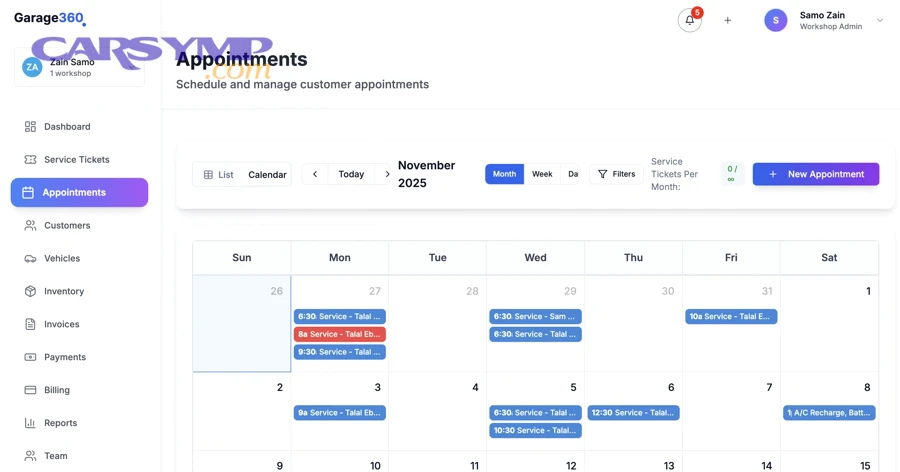
Most systems let you reschedule or cancel through a link or account portal, but policies vary by shop for late cancellations and no-shows. Next, understanding the cutoff time protects you from fees and keeps the calendar fair for other drivers.

What counts as a “late cancellation”?
A late cancellation is usually canceling within a short window (often 24 hours or less) because the shop may have reserved staffing and turned away other work. Next, if you’re unsure, cancel early and rebook rather than waiting.
If your car becomes undrivable, message the shop immediately—many will waive fees when you communicate promptly. After that, ask whether towing coordination changes the appointment type.
How to reschedule without losing your place
To reschedule smoothly, choose the nearest available slot and keep your original notes attached so the shop doesn’t lose context. Next, confirm that parts orders (if any) stay valid for the new date.
If you already approved work, ask whether pricing holds if the date changes. After that, request updated timelines so you can plan transportation.
How reminders and confirmations reduce mistakes
Automated reminders reduce missed appointments by confirming time, location, and instructions shortly before arrival. Next, you should use reminders to double-check the difference between “drop off” and “wait” scheduling.
If a reminder includes a checklist, follow it—small items like wheel lock keys or authorization limits can prevent day-long delays. After that, reply to confirmation prompts so the shop knows you’re still coming.
How do you choose the right shop online and avoid common pitfalls?
You choose the right shop by matching specialization, transparency, and communication style to your need, not just the lowest price. Next, evaluating a few signals upfront can prevent wasted diagnostic fees and repeated visits.
Which signals matter more than star ratings alone?
Look for detailed reviews that mention communication, written estimates, honoring warranties, and solving the problem on the first attempt. Next, prioritize shops that explain diagnosis steps and show evidence (photos, measurements, scan data).
Also consider whether the shop regularly services your vehicle type (European, hybrid, diesel, fleet). After that, ask if they have the right tools (programming, scan capabilities, alignment rack) for your specific job.
How to compare quotes fairly
Compare quotes by scope, parts quality, and warranty—not just total price—because a “cheaper” quote may exclude diagnostics, fluids, or related hardware. Next, ask whether the quote assumes additional parts that are commonly needed.
Ensure each quote is for the same outcome: “fix the vibration” vs “replace part X” are not the same promise. After that, request a prioritized plan if your budget is limited.
How to avoid upsells without missing necessary work
Avoid unnecessary upsells by asking for evidence, urgency level, and consequences of delaying each recommendation. Next, request a “safety first” list separate from “maintenance soon” and “nice to have.”
It’s reasonable to ask for old parts back (where legal) and to request photos of wear items. After that, you can decide confidently without feeling pressured.
How to finalize your booking confidently and communicate like a pro?
You finalize confidently by confirming scope, authorization limits, timeline, and contact method, then leaving clear notes that reduce back-and-forth. Next, a few smart questions upfront can prevent misaligned expectations and surprise delays.

Smart notes to add before you confirm
Add your symptom timeline, preferred callback times, whether you need the car by a specific hour, and whether you authorize test drives. Next, specify if the car has special wheels, aftermarket parts, or prior modifications.
If you’re sensitive to noise or vibration, describe it precisely and mention whether passengers can reproduce it. After that, ask the shop to contact you before ordering any special-order parts.
What to ask about timelines and transportation
Ask when diagnosis will start, when you’ll get the first update, and whether a loaner/shuttle is available. Next, confirm whether parts are sourced same-day or ordered, and how that affects completion.
If you must commute, ask whether the car can be safely driven if the repair is delayed. After that, plan a fallback ride to avoid last-minute stress.
Video: seeing a typical online scheduling flow
Watching a quick tutorial can help you recognize the steps, common form fields, and confirmation screens so you don’t miss important options. Next, use the ideas from the walkthrough to double-check your own booking details.
Inside many platforms, you’ll see a similar sequence: service selection, date/time, contact details, notes, then confirmation. After that, you typically receive reminders and a way to message the shop if your situation changes.
Supplementary: What’s different about online booking vs phone calls or walk-ins?
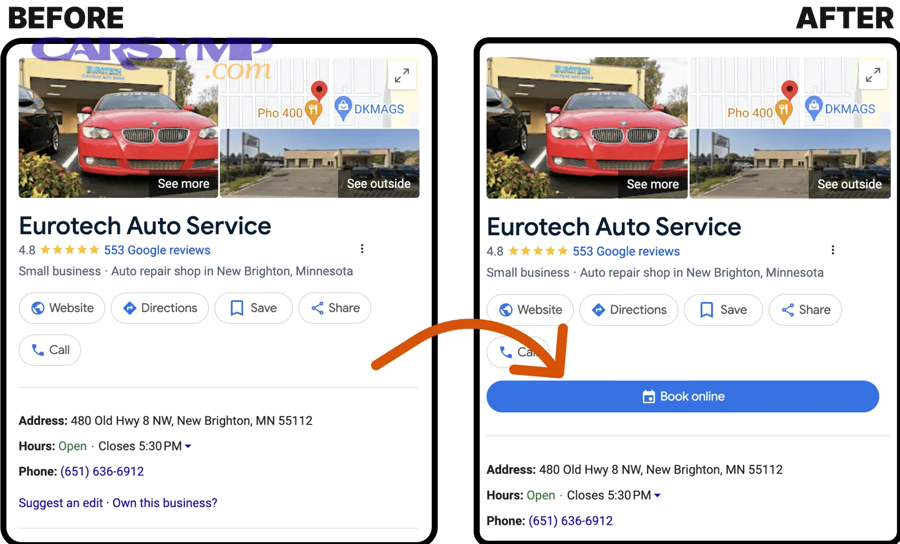
Online booking is faster and more traceable, phone calls are more flexible for complex problems, and walk-ins are the least predictable for timing and queue position. Next, choosing the right channel depends on how clearly the job can be defined in advance.
When phone calls are better than online forms
Phone calls are better when the symptom is complex, intermittent, or safety-critical, because a service advisor can ask follow-up questions and allocate the right diagnostic window. Next, calling can also help if you need immediate towing coordination or have multiple issues.
However, once you’ve clarified details, online confirmation can still be useful as a written record. After that, ask the advisor to note your call details on the work order.
When walk-ins work—and when they backfire
Walk-ins can work for quick tasks if the shop has open capacity, but they often backfire for diagnosis-heavy problems because you may wait without a guaranteed slot. Next, walk-ins also reduce the shop’s ability to plan parts and staffing.
If you must walk in, arrive early and be flexible about drop-off rather than waiting. After that, request the earliest realistic diagnostic start time.
How marketplaces differ from booking directly with a shop
Marketplaces can provide comparison and convenience, while booking directly may offer deeper shop-specific context and faster relationship-building. Next, whichever you choose, ensure the scope and authorization process are clearly stated in writing.
This is where the exact phrase appointment booking matters: confirm whether it reserves only check-in time or also reserves technician time. After that, you’ll interpret “available slots” correctly.
How to reduce friction at the counter
Reduce friction by confirming your communication preference, spending limit, and need-by time before you arrive, then repeating the key symptom description at check-in. Next, ask the advisor to read back the notes so you know they captured the right issue.
Also, if you’re unsure about the process, keep a short personal checklist titled What to expect at drop-off so you remember keys, records, and authorization limits. After that, your intake becomes faster and more accurate.
FAQ: Online auto repair booking questions drivers ask most
This FAQ clarifies practical details drivers face right before and right after they confirm an online repair appointment. Next, use it as a quick double-check so your booking matches the shop’s workflow.

Is an online booking a guaranteed repair completion time?
No—an online booking is usually a guaranteed check-in or drop-off time, while completion depends on diagnosis, parts availability, and approvals. Next, ask for an estimated completion window only after the shop inspects the vehicle.
Can you change the requested service after booking?
Yes, most shops can adjust the work order, but changing from maintenance to diagnosis can change timing and fees. Next, message the shop early so they can reserve the right labor block.
How do you avoid misunderstanding the estimate?
Ask whether the estimate is a pre-inspection range or a post-inspection quote, and whether it includes taxes and fees. Next, request a written scope statement describing the result you’re paying for.
What should you ask right before clicking “Confirm”?
Use a short list of Questions to ask before confirming an appointment: What fees apply (diagnostic, shop, disposal)? How will approvals happen? What is the timeline for the first update? What warranty applies to parts and labor? Next, set a spending limit that requires your permission before work proceeds.