


Freeze frame data plays a crucial role in automotive diagnostics, especially when diagnosing check engine light (CEL) issues. It serves as a snapshot of critical vehicle data at the moment a fault is detected. This guide will explain the basics of freeze frame data, its importance, and how beginners can use it to understand their vehicle’s health better.
In this article, we will also dive into the significance of freeze frame data in diagnosing vehicle issues. You will learn how to read OBD2 codes, why the data is important, and how it can help pinpoint specific problems that may not be obvious during regular vehicle operation.
Understanding how to read and interpret freeze frame data effectively can make a significant difference in diagnosing check engine light (CEL) triggers. We will explore its role in aiding auto diagnostics, detailing the necessary steps you can take to analyze this data accurately and efficiently.
Next, let’s look at how to properly access and analyze freeze frame data, and what tools are best suited for this task.
What is Freeze Frame Data in OBD Diagnostics?
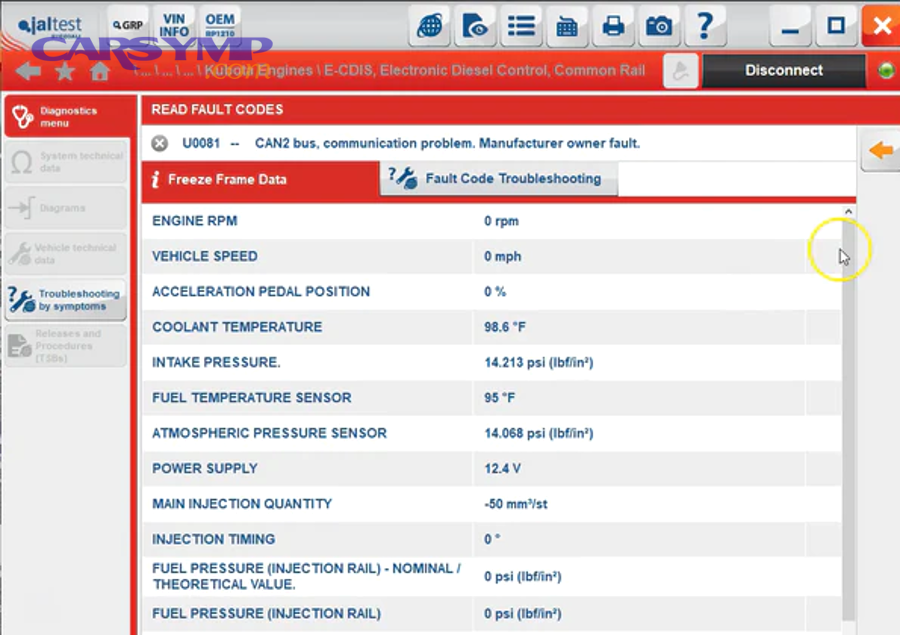
Freeze frame data is a snapshot of the vehicle’s sensor readings and parameters at the exact moment when a malfunction is detected by the vehicle’s on-board diagnostic (OBD) system. This data includes critical parameters like engine RPM, coolant temperature, fuel trims, and throttle position, which can provide valuable insights into what was happening when the trouble code (DTC) was stored.
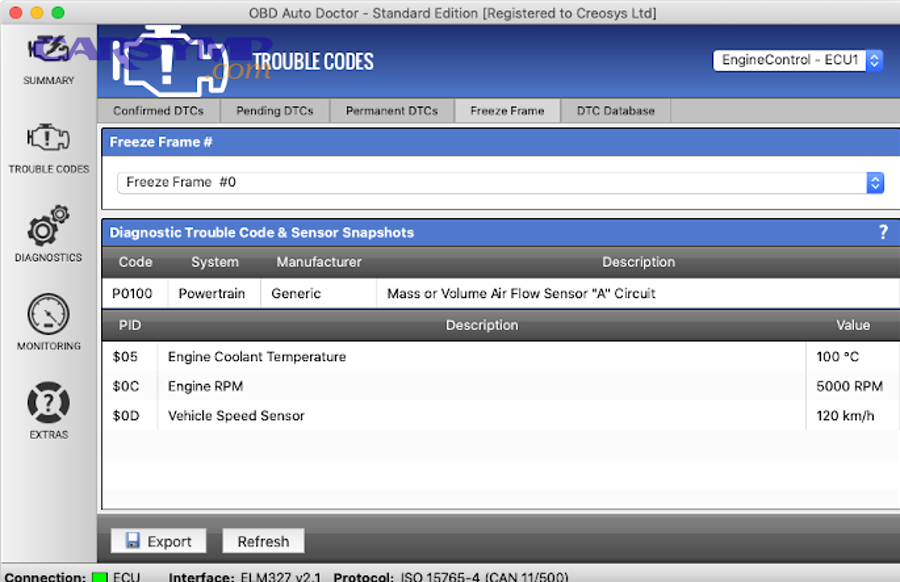
Freeze frame data is vital because it gives technicians a quick view of the conditions that led to the fault, making it easier to pinpoint the root cause. This snapshot serves as a reference point, allowing auto professionals to narrow down possible causes based on the engine’s performance at the time of the issue.
For example, if the engine misfires, the freeze frame data can show whether the misfire occurred at high RPMs or under load, helping technicians focus on the most relevant diagnostic areas.
How Does Freeze Frame Data Work in OBD-II?
Freeze frame data is automatically captured by the OBD-II system whenever the vehicle’s engine control module (ECM) detects an anomaly that triggers a Diagnostic Trouble Code (DTC). This snapshot captures multiple sensor values at the exact moment the issue occurs.
The system saves these readings even if the problem is intermittent, ensuring that critical data is available for technicians to analyze, even if the issue is not present when the vehicle is brought in for diagnostics.
What Information is Included in Freeze Frame Data?
Typically, freeze frame data includes parameters like:
- Engine RPM – shows the revolutions per minute of the engine
- Coolant Temperature – provides information on engine cooling status
- Fuel Trims – helps understand if the air-fuel ratio is correct
- Throttle Position – shows how open the throttle is at the time of the error
- Vehicle Speed – records the speed when the fault occurred
This information helps technicians identify whether certain conditions, such as high RPMs or extreme temperatures, contributed to the fault.
Why is Freeze Frame Data Important for Vehicle Diagnostics?
Freeze frame data is crucial in the diagnostic process because it provides context to the trouble codes stored by the OBD system. A DTC on its own may not offer much information, but when paired with freeze frame data, it gives insight into the vehicle’s condition at the moment of the fault, significantly improving the diagnosis process.
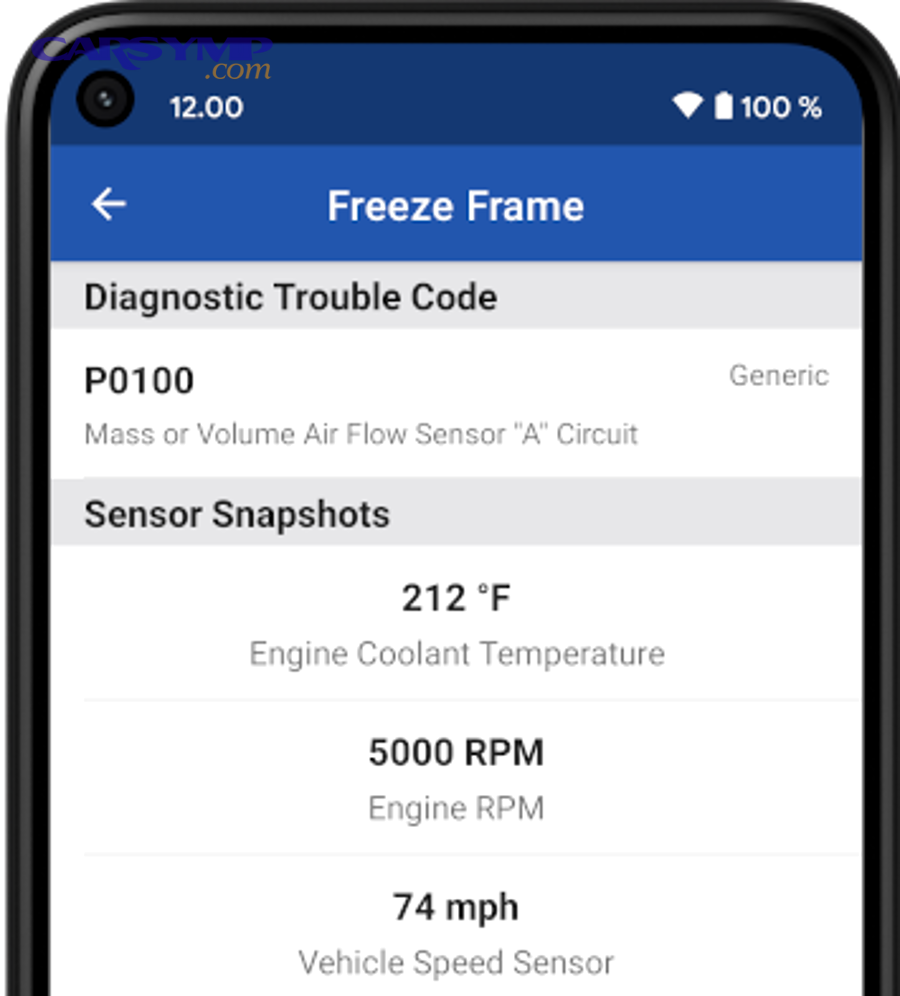
By analyzing the freeze frame data, mechanics can determine whether a malfunction was caused by external factors like weather or poor fuel quality, or if it’s a deeper mechanical or electrical problem within the engine or transmission.
How Does Freeze Frame Data Aid in Trouble Code Diagnosis?
The primary benefit of freeze frame data is that it provides real-time conditions at the moment a DTC is triggered. Without this context, the DTC might not fully explain the cause of the issue. For instance, a misfire code might indicate a problem with the ignition system, but freeze frame data showing low engine RPM or high temperature might suggest that the issue is related to the engine’s cooling system.
By considering freeze frame data alongside DTCs, mechanics can isolate problems more effectively and avoid unnecessary repairs.
Can Freeze Frame Data Help Prevent Future Issues?
Yes, freeze frame data can help prevent future issues by giving technicians the tools to identify emerging problems early. By looking at data trends—like consistent high coolant temperatures or abnormal fuel trims—mechanics can recommend preventative maintenance to avoid serious failures in the future.
Such proactive diagnostics can also save drivers time and money by addressing issues before they escalate into costly repairs.
How to Access Freeze Frame Data Using OBD-II Tools?
To access freeze frame data, you will need an OBD-II scanner or diagnostic tool that supports this feature. Many modern diagnostic tools can display freeze frame data along with the DTCs stored in your vehicle’s system.
Which OBD-II Scanners Are Best for Freeze Frame Data?
Not all OBD-II scanners offer freeze frame data access. For professional diagnostics, look for tools that support OBD-II Mode 2, which specifically handles freeze frame data. High-end scanners, such as those from brands like Autel or Innova, provide detailed insights into freeze frame data, along with other diagnostic features.
For DIY mechanics, there are more affordable options like Bluetooth-enabled OBD-II scanners that can connect to smartphone apps like Torque or Car Scanner, which can also retrieve freeze frame data.
What Are the Steps for Accessing Freeze Frame Data?
To retrieve freeze frame data using an OBD-II scanner:
- Connect the scanner to the vehicle’s OBD-II port.
- Turn on the vehicle and launch the scanner.
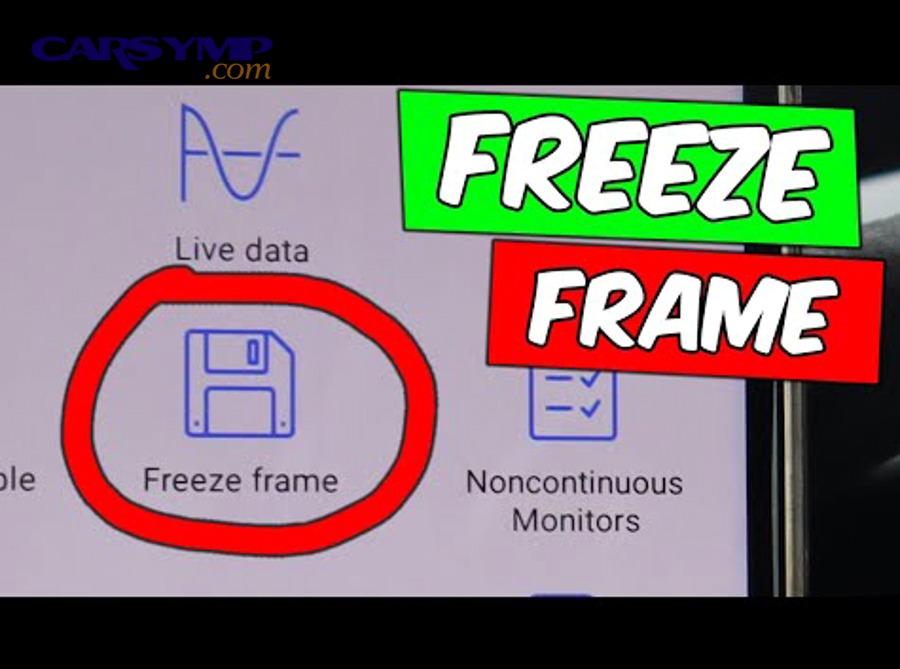
- Select “Freeze Frame Data” from the menu, if available.
- Review the recorded data, including parameters such as RPM, fuel trims, and coolant temperature.
If your scanner doesn’t have a dedicated freeze frame function, you may need to use the “Read Codes” option first and then access the freeze frame data through the retrieved DTC.
What Are Common Misinterpretations of Freeze Frame Data?
While freeze frame data is invaluable for diagnosing vehicle issues, there are several common misinterpretations that can lead to incorrect conclusions. Often, freeze frame data is misread if it is not viewed in context with the overall vehicle performance and conditions.
Can Freeze Frame Data Be Misleading Without Proper Context?
Yes, freeze frame data can be misleading without the proper context. For instance, a high coolant temperature in the freeze frame might be seen as an indication of a failing cooling system. However, if the vehicle was idling in a hot environment for an extended period, the data may just reflect the high ambient temperature rather than a malfunctioning part.
What Are the Limitations of Freeze Frame Data in Diagnosing Complex Issues?
Freeze frame data only captures information from the moment a fault is detected. It does not record every parameter continuously or over an extended period. As a result, intermittent issues that appear only under specific driving conditions may not always be recorded.
For example, a misfire that only occurs under high-speed driving conditions may not trigger a freeze frame unless the fault is severe enough to trigger a DTC.
Conclusion
In conclusion, freeze frame data is an essential tool for vehicle diagnostics, offering a snapshot of the vehicle’s condition when a fault is detected. By understanding and properly analyzing this data, both professional mechanics and DIY enthusiasts can make more informed decisions, diagnose issues more accurately, and prevent costly repairs in the future.
For more detailed information on diagnostic tools, check out guides like “How to read OBD2 codes correctly” and “Shop diagnostic process and costs,” which will help expand your understanding of automotive diagnostics.