


If your car is not detecting the key fob, the fastest way to stop guessing is to test the vehicle-side receiver module (also called the keyless entry control module or RF hub) with a simple, repeatable diagnostic path—so you can confirm whether the module is truly at fault and fix the right part.
Next, you’ll learn how to rule out the most common “false alarms” that make people think the receiver module is bad—like a weak fob battery, a low car battery, RF interference, a blown fuse, or a damaged antenna lead—before you spend money on parts.
Then, you’ll get clear options for what to do once the receiver module is confirmed: repair connector issues, address water intrusion, replace the module, and understand Reprogramming a key fob basics so the new module and fobs actually work together.
Introduce a new idea: you’ll also see how intermittent failures—especially Water damage and corrosion in fob diagnosis and in the vehicle’s receiver connectors—can mimic each other, and how to prevent repeat failures after you “fix” it once.
What is a car receiver module (keyless entry control module / RF hub) and what does it do?
A car receiver module is the vehicle’s radio signal “listener” that receives key-fob commands, verifies them through the car’s security system, and tells other modules (often the BCM) to lock, unlock, or enable starting.
To connect the symptom to the system, it helps to understand what the receiver module actually touches and what it doesn’t—because that distinction is what keeps “Car not detecting key fob” diagnosis from turning into random part swapping.
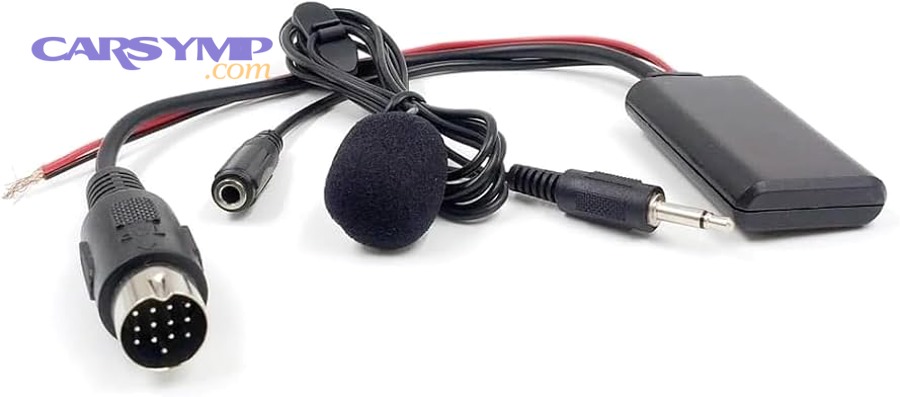
In most modern vehicles, your key fob transmits a coded RF signal; the receiver module captures it and forwards the validated message across the vehicle network (CAN/LIN, depending on design). Some vehicles combine the RF receiver into a larger body control unit; others use a dedicated RF hub. Either way, the logic chain is consistent: key fob → RF receiver → vehicle network → lock/unlock/start permission.
What signals does the receiver module handle (RF vs proximity vs immobilizer)?
The receiver module primarily handles RF messages from the fob (lock/unlock/trunk/panic), while proximity functions (hands-free unlock, push-to-start detection) may involve additional antennas and security handshakes that work alongside—or through—the RF hub depending on the vehicle.
Specifically, this matters because “key fob not working” can mean two different failures: the fob’s RF button commands can fail while push-to-start still works, or the proximity/start authorization can fail while lock/unlock still works. When you separate those behaviors, you narrow the suspect list immediately.
Common patterns you can observe without tools:
- Buttons don’t work at any distance but a physical key still unlocks: could be fob battery, receiver power, fuse, antenna, or module.
- Buttons work only inches away: often points to weak fob battery, local RF interference, or a receiver/antenna sensitivity issue.
- Push-to-start says “key not detected,” but lock/unlock sometimes works: could involve proximity antennas, immobilizer pairing, or receiver communication with the network.
Where is the receiver module located in the car and why does location matter?
Receiver module locations vary, but they commonly sit in areas where wiring harnesses converge—behind interior panels, under the dash, near the center console, in a rear quarter/trunk area, or near roof/headliner zones.
Next, location matters because water intrusion and corrosion tend to follow gravity and harness routing, which means a module can fail repeatedly if the leak source is never fixed. A receiver module near a hatch area or under carpeting is more likely to suffer moisture exposure than one mounted high and dry.
Quick location-based clues:
- Rear/trunk/quarter panel modules: higher risk from hatch seals, tail-light leaks, rear vent leaks.
- Under-dash modules: risk from windshield leaks, heater core moisture, wet floor mats, clogged drain paths.
- Under-seat/low-floor modules: high risk from wet carpet and long-term humidity.
Is the receiver module the same thing as the BCM or smart junction box?
The receiver module is not always the BCM, but it often communicates with it—and in some models it’s physically integrated into a BCM/smart junction box assembly.
However, the difference matters: a standalone receiver can fail while the BCM stays healthy, but an integrated design can make receiver symptoms look like “BCM failure.” Meanwhile, BCM issues usually cause multiple body electrical problems (lighting, wipers, windows), not only keyless entry.
A practical way to keep terminology consistent:
- Receiver module / RF hub: listens for key fob RF signals.
- BCM (body control module): coordinates body electronics; may validate commands and drive actuators.
- Immobilizer/security module (sometimes within BCM): authorizes start and key identity.
Is the receiver module really the problem when the car won’t detect the key fob?
Yes—the receiver module can be the root cause of “car not detecting key fob,” but you should only conclude that after you rule out the fob, voltage, fuses, and interference, because those causes are more common and far faster to fix.
To avoid chasing the wrong failure, you want a clean elimination sequence: confirm the fob can transmit, confirm the vehicle can receive, and confirm the receiver can talk to the rest of the car.
A simple mindset helps: two fobs + two environments + one power check. If two fobs fail in two places and power is good, the odds shift toward the vehicle-side receiver path.
Does the key fob work at close range or with the spare fob?
Yes, a spare fob test is one of the quickest ways to separate a fob problem from a car receiver problem, because two fobs failing identically is less likely than one fob failing.
Then, close-range behavior provides extra signal: if the fob only works with the fob pressed against the door or near a specific area, that can indicate weak transmission (fob battery) or poor receiver sensitivity (antenna/receiver issue).
Try this in order:
- Use the spare fob (if available) from the same spot.
- Move 5–10 feet closer and try again.
- Try different angles (metal body panels can block signal paths).
- If your car has a fob emergency start method (slot, inductive spot, or “touch fob to start button”), use it to see if the car can read the key identity even when RF buttons fail.
If both fobs fail the same way, vehicle-side diagnosis becomes the priority.
Can a weak car battery or blown fuse mimic a bad receiver module?
Yes—low vehicle voltage or a blown fuse can mimic a bad receiver module because the receiver and body modules may not wake reliably, even though other systems appear “mostly fine.”
Moreover, marginal voltage creates classic intermittent symptoms: locks work sometimes, range changes day-to-day, and the system “randomly” comes back after a drive or jump.
Do these checks before blaming the receiver:
- Measure battery voltage after the car sits: a healthy 12V battery is typically around 12.6V fully charged; much lower can cause module instability.
- Check related fuses (keyless entry/BCM/door locks): a fuse that looks intact can still fail under load if contacts are damaged.
- If the battery is old or the car starts sluggishly, treat battery health as part of the diagnosis—not a separate issue.
Can interference and signal blocking cause “car not detecting key fob” symptoms?
Yes—RF interference and signal blocking can cause “car not detecting key fob” symptoms because the receiver module may be overwhelmed by local noise or the fob signal may be attenuated by metal enclosures and electronics.
Next, the fastest interference test is relocation: if the fob works normally in another parking lot, your receiver module may be fine and the environment is the culprit.
Common interference/signal-blocking triggers:
- Parking garages with dense RF sources
- Charging stations and industrial equipment nearby
- Aftermarket electronics (dash cams, power inverters)
- Fob stored in a metal case or against other electronics (phones, laptops)
Evidence matters because interference is real—not imaginary. According to a 2023 paper from Virginia Tech’s aerospace and ocean engineering group, researchers identified spurious emissions from car key fobs as a source of interference during an investigation at a GNSS facility, illustrating how key-fob-related emissions can matter in RF environments. (aoe.vt.edu)
What are the most common symptoms of a failing receiver module?
There are 5 main symptom clusters of a failing receiver module: complete loss of remote functions, severely reduced range, intermittent operation tied to temperature or moisture, inconsistent response across doors/functions, and security/communication errors that show up during scanning.
However, symptoms alone aren’t proof—you use symptom clusters to decide which tests to run next and what to inspect first.
What symptoms suggest antenna or wiring issues instead of a bad module?
Antenna or wiring issues often look like a receiver problem, but they tend to produce range instability and movement-sensitive failures more than a true “dead system.”
Specifically, wiring/antenna faults show patterns like:
- Fob works when you stand near the rear quarter panel but not elsewhere (antenna placement clue).
- Keyless works until you hit bumps or close a door hard (connector intermittency).
- Range changes after rain or car washes (moisture in connectors or antenna lead).
- Works intermittently based on cabin humidity, not just outside temperature.
This is where “Water damage and corrosion in fob diagnosis” has a cousin on the vehicle side: moisture does not only harm fobs; it also attacks receiver connectors and antenna-related contacts. When you see green/white residue, swollen insulation, or damp carpeting near harness runs, suspect the path—not only the box.
What symptoms suggest BCM/security system issues rather than the receiver module?
BCM/security system issues typically affect more than keyless entry, and they often involve persistent warnings, multiple body functions misbehaving, or a start authorization issue that doesn’t match the RF button behavior.
Common BCM/security flags:
- Multiple unrelated body features fail (interior lights, wipers, power windows, locks).
- The car frequently enters a security alarm state after manual unlock.
- Start authorization fails even when you use the vehicle’s emergency fob detection method.
- Communication faults appear across multiple modules during scanning, not only in the keyless path.
A receiver module failure is usually narrower: lock/unlock reliability degrades, range drops, or the car stops reacting to the fob—while other body functions remain stable.
Evidence that connector integrity is a major root cause in automotive electrical reliability can help you prioritize inspections. A University of Southampton-hosted paper on road-tested automotive connectors notes field data indicating 30–60% of electrical failures are attributed to connector problems, underscoring why connector checks can outperform early module replacement. (eprints.soton.ac.uk)
How do you diagnose a receiver module step-by-step without guessing?
Diagnosing a receiver module works best as a 6-step method—observe symptoms, rule out fob issues, rule out environment issues, verify vehicle power/fuses, inspect connectors/antenna, and confirm with scan data—so you can reach a confident fix instead of a hunch.
To reconnect the symptom to a testable path, you’ll start with “no tools” checks and only move to tools when the earlier checks point to the vehicle side.

What quick checks can you do in 10 minutes (before tools)?
There are 6 quick checks you can do immediately: try the spare fob, replace the fob battery, remove signal blockers, relocate the car, use the emergency start method, and confirm the locks still work mechanically.
Then, each check tells you something specific:
- Spare fob test: If spare works, your primary fob is likely the issue.
- Battery swap in the fob: Many “key fob not working” complaints are solved here, especially if range shrank gradually.
- Remove blockers: Take the fob out of a metal case; separate it from other electronics.
- Relocate the vehicle: Move a few hundred feet or to an open lot to rule out RF hotspots.
- Emergency start/backup detection: If the car starts with the backup method but buttons don’t work, that suggests a narrower RF receive issue.
- Mechanical lock sanity check: If the physical key works, the door hardware is okay; your problem is electrical/communication.
If you open the fob to replace a battery and you see residue, moisture marks, or corrosion, fold that into water damage and corrosion in fob diagnosis: a compromised fob can transmit weakly or inconsistently. Drying a wet fob is not the same as restoring clean contacts.
How do you inspect the receiver module connector for corrosion or water intrusion?
You inspect the receiver module connector by disconnecting power safely, accessing the module, checking for moisture/corrosion at the pins, and verifying that the harness and surrounding area are dry—because corrosion causes resistance spikes that mimic “dead electronics.”
Next, inspection is where you turn a vague symptom into a visible cause.
A safe, practical connector inspection flow:
- Disconnect the negative battery terminal (especially if you’re near airbag wiring under dash).
- Access the receiver module (trim tools help avoid breaking clips).
- Look for: damp insulation, water tracks, green/white powder, rust staining, or a musty smell.
- Unplug the connector and check pin alignment, looseness, and discoloration.
- If moisture is present, find the source (seal/drain) before reinstalling—otherwise the problem returns.
If you find corrosion:
- Light corrosion may be addressed with proper electrical contact cleaner and careful pin inspection.
- Severe corrosion (pitted pins, missing plating, broken wires) usually requires terminal repair or harness replacement—cleaning alone won’t restore metal that’s gone.
What diagnostic trouble codes (DTCs) or scan-tool data points matter most?
The most useful scan-tool outputs are receiver/BCM communication codes, antenna open/short indicators, and keyless signal reception status, because they tell you whether the module is alive, powered, and talking on the network.
Then, focus on patterns instead of code names: a single “lost communication” plus low voltage history points you back to power/ground; repeated antenna-related faults point to wiring; repeated “no key signal received” with good fobs points to receiver sensitivity.
Scan-tool checks to prioritize:
- Module presence: does the tool “see” the receiver module/RF hub at all?
- Network health: are multiple modules dropping offline (suggesting network/power issue)?
- Live data: key signal received (yes/no), fob ID match, last command received, antenna status.
Even a basic scan tool can be useful if it shows body-related modules and network faults. If you can’t access body modules at all, that itself is a clue.
How do you verify power, ground, and antenna continuity to the receiver module?
You verify receiver power/ground/antenna by checking battery feed voltage at the module, ground integrity via voltage drop, and continuity of the antenna lead or related wiring, because a receiver cannot “hear” anything if it is underpowered or poorly grounded.
Next, this is the step where a multimeter earns its keep—and where you avoid replacing a perfectly good module.
Practical electrical checks (driver-level):
- Power feed: With key state as required (some circuits wake on unlock/door open), confirm you have expected voltage at the module supply pin.
- Ground quality: Measure voltage drop under load (activate locks/lights) to see if ground resistance spikes.
- Wiggle test: Gently move harness while monitoring readings; intermittent changes point to broken strands or loose terminals.
- Antenna path (where applicable): If there’s a separate antenna lead, inspect for damage and ensure connectors seat firmly.
If you’re unsure about pinouts, use a reliable service manual source for your exact model. The goal is not to memorize wiring; it is to prove power + ground + path.
What are your fix options if the receiver module is faulty?
There are 3 main fix paths for a faulty receiver module: repair the connection/environment causing failure, replace the module with a compatible unit, and complete the necessary pairing steps so the car and fobs recognize each other again.
To keep the hook chain tight, your fix should follow your diagnosis: if power/ground/connectors are bad, repair them first; if the module fails communication or reception despite good inputs, replacement becomes logical.
Can you repair the problem without replacing the module?
Yes, you can often restore keyless function without replacing the module when the real issue is corroded connectors, a wet mounting area, a damaged antenna lead, or a loose terminal, because the receiver module itself may be healthy but electrically isolated.
Next, repairs work best when you treat the cause, not only the symptom.
Repair-first opportunities:
- Clean and reseat connectors (only if pins are intact and not pitted).
- Repair or replace terminals with loss of tension.
- Dry and dehumidify the area, then fix the leak path.
- Replace damaged antenna coax/lead if the design uses one.
- Secure harness routing to reduce strain and vibration-induced intermittency.
If the car lives in wet climates or has a history of leaks, you should assume moisture is part of the story until proven otherwise.
Should you replace the receiver module with new, used, or refurbished?
New wins in long-term reliability, used is best for budget when compatibility is confirmed, and refurbished is optimal when it comes from a reputable rebuilder with testing and warranty—because receiver modules can be locked, mismatched, or already corroded.
However, the “right choice” depends on your risk tolerance and whether your vehicle requires coding.
Use this comparison table to match replacement type to your situation (it summarizes typical tradeoffs so you can decide quickly):
| Option | Best for | Main risk | What to verify |
|---|---|---|---|
| New (OEM/quality equivalent) | Keep the car long-term | Higher cost | Exact part number, return policy |
| Refurbished | Balanced value | Variable quality | Test report, warranty, corrosion-free housing |
| Used (salvage) | Lowest cost | Wrong part / locked unit | VIN compatibility, frequency, donor water exposure |
Key compatibility checks before buying:
- Exact part number and revision
- Frequency region compatibility (common differences exist)
- Whether the module is integrated with BCM or standalone
- Whether pairing/relearn is required and who can perform it
Will a replacement receiver module need programming or a key relearn?
Yes, many vehicles require programming or a relearn after receiver module replacement because the car’s security system must re-associate fob identities and synchronize rolling codes, especially on newer designs.
Then, understanding reprogramming a key fob basics keeps you from installing a good module and thinking it’s defective.
What “programming/relearn” often includes:
- Registering fob IDs to the vehicle’s receiver/security memory
- Synchronizing rolling codes for remote unlock functions
- Pairing steps for push-to-start authorization (if applicable)
- Clearing and rechecking DTCs to confirm the network recognizes the module
Who can usually do it:
- Dealerships (most consistent access to coding)
- Automotive locksmiths with advanced programmers (often faster and cheaper)
- Some DIY methods exist for older models (door-lock cycles/ignition sequences), but many newer vehicles are locked behind security access
If your replacement was used and refuses to learn, it may be incompatible or security-locked—not necessarily “broken.”
When should you stop troubleshooting and get professional help?
Yes, you should stop troubleshooting and get professional help when the car still won’t recognize any key, multiple modules show communication faults, or you risk immobilizer lockouts and battery drain—because professional tools can confirm security and network conditions quickly and safely.
Next, the moment diagnosis crosses into security authorization, towing and proper scanning often cost less than repeated trial-and-error.
Practical “stop now” triggers:
- The car is stranded and repeatedly says “key not detected” even with the emergency detection method.
- You see widespread module communication faults on a scan tool.
- You suspect wiring damage near airbags or critical harness zones.
- You already replaced batteries and checked fuses/voltage, but symptoms persist unchanged.
Is it safe to keep trying if the car won’t start and the key isn’t detected?
No, it is not safe to keep trying indefinitely when the car won’t start and the key isn’t detected because repeated attempts can drain the battery, trigger immobilizer timeouts, and create additional faults that complicate diagnosis.
Moreover, once the battery voltage drops further, even a healthy receiver module can behave erratically, making the problem look worse than it is.
Safer next steps:
- Stop repeated start attempts; preserve battery state.
- Use a stable power source (battery charger/maintainer) if you continue testing.
- If you suspect a security pairing issue, arrange locksmith/dealer service rather than cycling power repeatedly.
What uncommon issues can mimic a bad receiver module ?
There are 4 uncommon but important mimics of receiver module failure—hidden water leaks, aftermarket electronics interference, frequency/compatibility mismatches, and system confusion between receiver/proximity/immobilizer—and addressing them prevents the “fixed it… and it came back” scenario.
To shift from primary diagnosis to long-term reliability, you now focus on micro-causes that don’t show up in quick checks but can silently undermine a repair.
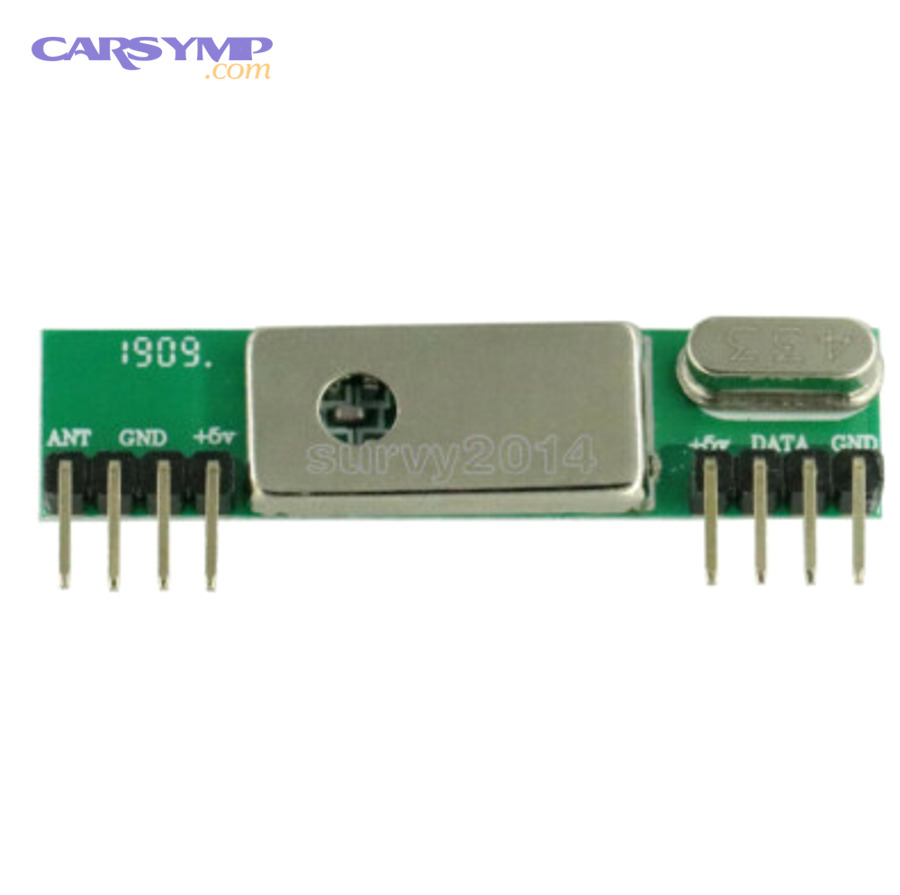
Can water leaks (sunroof drains, hatch seals) repeatedly kill the receiver module?
Yes, water leaks can repeatedly kill receiver modules and their connectors because moisture drives corrosion, raises resistance, and creates intermittent contact that worsens over time—even after a “successful” replacement.
Then, prevention becomes part of the repair: you fix the leak path, dry the area thoroughly, and protect connectors where appropriate.
Typical repeat-leak sources:
- Clogged sunroof drains overflowing into pillars and down harnesses
- Hatch seals and tail-light gaskets channeling water into rear panels
- Windshield leaks dripping into under-dash modules
If you find damp carpet or recurring fog/musty odors, treat that as a key diagnostic input, not an unrelated annoyance.
Can aftermarket alarms/remote starters interfere with the RF hub or vehicle network?
Yes, aftermarket alarms or remote starters can interfere with the RF hub or the vehicle network because they add RF transmitters, splice into harnesses, and sometimes inject CAN signals—creating symptoms that look like receiver failure.
Moreover, this can show up as intermittent “key fob not working” after an accessory install, or as strange behavior that only occurs when certain devices are powered.
Isolation strategies (do safely):
- Temporarily disable aftermarket modules if designed for it.
- Inspect splices for poor crimps and corrosion.
- Verify accessory grounds are solid and not shared poorly with sensitive modules.
If the problem began soon after an install, the install becomes a prime suspect.
Can the wrong frequency fob or mismatched module cause “not detected” even after replacement?
Yes, the wrong frequency fob or a mismatched module can cause “not detected” even after replacement because the receiver may literally be listening on a different band or expecting a different protocol/identity format.
Then, compatibility verification becomes the difference between a one-time fix and an endless loop of returns.
Practical prevention:
- Match part numbers and revisions, not only “fits model year.”
- Confirm the replacement module supports your region/spec.
- Ensure the fob is correct for the vehicle’s receiver design.
How do you avoid misdiagnosis: receiver module vs proximity antenna vs immobilizer?
Receiver module diagnosis wins when you map symptoms to systems: RF button failures point to receiver/antenna/fob transmission, proximity failures point to interior antennas and handshake, and immobilizer failures point to security pairing and authorization.
However, the safest approach is to confirm with both behavior and scan data—especially on push-to-start vehicles where multiple subsystems participate.
A quick mapping you can use:
- Buttons fail + spare fails + relocation doesn’t help: receiver power/ground/antenna/module.
- Only push-to-start fails + buttons sometimes work: proximity antennas/security pairing.
- Multiple body systems act up: BCM/network/voltage.
- Intermittent after rain: water intrusion and connector corrosion (vehicle side) plus possible fob contamination.
For deeper technical context on how modern keyless systems communicate—and why protocol-level behavior matters—security research has documented the RF and protocol characteristics of keyless entry implementations, reinforcing that “receiver behavior” is both electronic and protocol-driven. (ndss-symposium.org)
Evidence (if any)
According to a University of Southampton-hosted engineering paper on road-tested automotive connectors, field data shows 30–60% of electrical failures are attributed to connector problems, which supports prioritizing connector and corrosion inspection before replacing modules. (eprints.soton.ac.uk)