


A car key fob can fail even when its battery is fine because RF/EMI interference can overwhelm the fob’s radio message or because signal blocking can physically weaken the signal before it reaches the vehicle’s receiver. This guide helps you identify the most likely cause fast—without guessing.
Next, you’ll learn how to recognize interference patterns that feel “random” (works here, fails there) and how everyday electronics and high-RF areas create those patterns, so you can isolate the culprit instead of replacing parts blindly.
Then, you’ll clearly separate interference vs signal blocking so you know whether you should move locations, remove a shielding object, or stop chasing “mystery problems” that are actually predictable.
Introduce a new idea: below is a drivers checklist that turns the most common causes into quick tests, so you can move from symptoms to a confident diagnosis in minutes.
What does “RF/EMI interference” mean for a car key fob—yes or no, can it stop your fob from working?
Yes—RF/EMI interference can stop a car key fob from working because (1) it raises background “noise,” (2) it causes signal collisions in crowded radio environments, and (3) it reduces the effective range so the car’s receiver never gets a clean message.
To better understand the problem, it helps to picture your key fob as a tiny radio transmitter sending a short “hello” to the vehicle.
Key fobs (including remote keyless entry and many smart key systems) rely on short-range radio communication. When the surrounding environment is quiet, the receiver can easily pick out the fob’s signal. When the environment is noisy, the receiver may miss it, misread it, or fail to confirm it—especially if you’re farther away or the signal path is partially blocked.
Is it normal if the key fob works in one parking lot but fails in another?
Yes—this is normal, and it strongly points to location-based RF interference because different parking lots have different radio “crowding,” different reflective structures, and different nearby transmitters.
Next, treat the location itself as the variable you can test quickly.
When your fob works reliably at home but fails at a particular shopping center, office complex, or garage, that pattern is a classic interference clue. It doesn’t mean the vehicle is “broken” in that lot; it means the receiver is having a harder time separating your fob’s signal from everything else in the air.
Here’s why one location can be worse than another:
- High transmitter density: dense areas can have many RF sources (cell infrastructure nearby, building systems, other vehicles’ systems, security equipment).
- Reflections and multipath: garages and lots surrounded by metal and concrete create reflections. Reflections can distort the signal timing and strength at the receiver.
- RF hotspots: some spots have consistent local noise. When you move even 50–200 feet, the fob suddenly works again.
A fast confirmation test is simple: walk away from the vehicle (or move the vehicle) and try again. If it starts working consistently after a short relocation, interference becomes the leading explanation.
Can nearby electronics (phones, Wi-Fi routers, dash cams) prevent the car from detecting a key fob?
Yes—nearby electronics can prevent detection because (1) they emit RF energy, (2) they add electrical noise through power converters, and (3) they can create interference spikes when transmitting or charging.
Then, treat “nearby” literally: distance is one of your best diagnostic tools.
Electronics don’t need to be “on the same frequency” to cause trouble. A device can generate broadband noise or spurious emissions that raise the local noise floor. The key is proximity and timing.
Common real-world culprits include:
- Phones and hotspots (especially when searching for signal or uploading/download-intensive tasks)
- Wi-Fi routers inside buildings near where you park (office lobbies, storefront equipment rooms)
- Dash cams and USB chargers (some low-quality power adapters generate noise)
- Aftermarket LED bulbs or lighting drivers (in the vehicle or in nearby structures)
- Two-way radios (work sites, security personnel, events)
If you’re dealing with a key fob not working episode, isolate the cause with a quick routine:
- remove the fob from a bag/pocket and hold it away from electronics,
- step a few feet from the car and try again,
- if possible, switch off or unplug suspicious accessories and retest.
Evidence: According to a study by the University of Oxford from the applied mathematics community (reported in 2015), researchers found that mesh Faraday cages can be less effective at shielding electromagnetic radiation than people assume, depending on geometry and openings—an important reminder that “partial shielding” can still disrupt radio communication. (physicsworld.com)
What’s the difference between signal blocking and interference for key fobs?
Signal blocking is physical attenuation (the signal gets weakened or “absorbed”), while interference is competing RF noise (the signal gets drowned out), and each has distinct clues in where and how the failure shows up.
To better understand what to do next, you need the “pattern” of the failure—not just the symptom.
Signal blocking and interference can look similar (no unlock, no start detection, short range), but they behave differently:
- Blocking tends to be consistent until you remove the blocking object or change the signal path.
- Interference tends to be situational and sometimes feels intermittent, especially in certain places or at certain times.
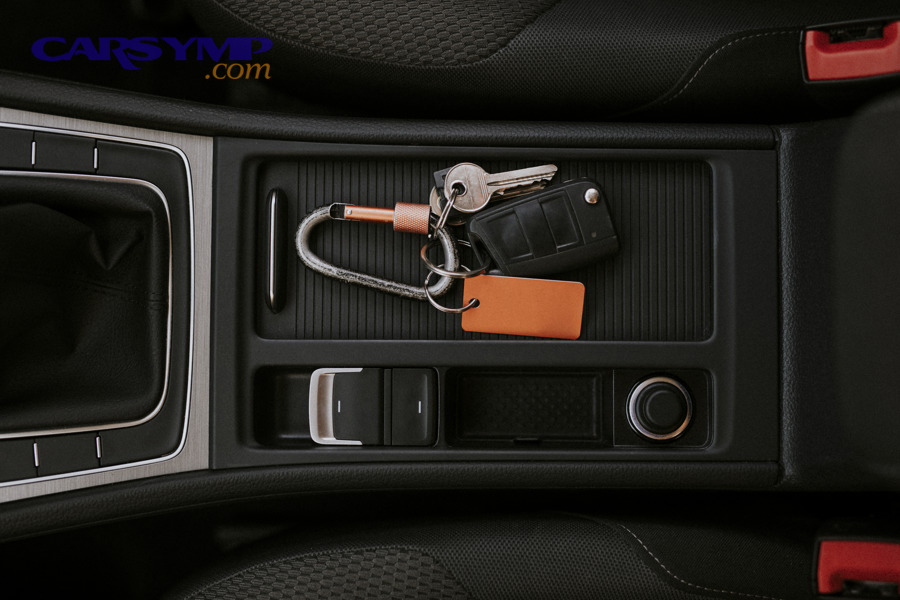
What does signal blocking look like in real life (and why does range collapse)?
Signal blocking looks like a sudden range collapse because conductive or dense materials absorb/reflect the fob’s RF energy so the receiver gets too little usable signal to decode.
Specifically, signal blocking is often something you’re carrying or something between you and the car.
Real-life blocking examples include:
- Metal-lined pouches / “RF-blocking” sleeves
- A metal case, tin, or tightly packed bag with metallic layers
- Foil-lined wallets, insulated lunch bags, metallic gift bags
- Dense structures: thick concrete, reinforced concrete, and steel beams (especially in garages)
Blocking usually produces an “all or nothing” experience: you can press unlock repeatedly and nothing happens—until you move the fob out of the blocking environment or you get much closer to the receiver.
A practical sign: if taking the fob out of your bag and holding it in open air fixes the issue immediately, blocking was likely the main factor.
What does interference look like in real life (and why does it feel random)?
Interference looks random because the noise level and collisions change moment to moment, so the receiver sometimes catches a clean message and sometimes doesn’t.
However, the “randomness” usually has a consistent context: a particular location, time, or electronic environment.
Common interference contexts:
- Busy parking structures with lots of electronics and reflections
- Events and venues with radios and temporary equipment
- Work sites where two-way radios, generators, and industrial systems operate nearby
- Buildings with strong RF systems near entrances and parking ramps
Interference can also show up as:
- Delayed response (you press twice, then it works)
- Very short but not zero range (works only when you’re very close)
- Repeatable failure in a specific spot (same parking space triggers it)
How can drivers quickly tell which one it is in under 2 minutes?
Blocking is most likely when the failure follows the object you’re carrying, while interference is most likely when the failure follows the location—so the fastest test is “remove barriers” vs “move places.”
Next, use this mini decision path:
- Remove the fob from bags/cases → try again
- If it immediately improves: blocking was likely.
- Hold the fob away from electronics (phone/charger) → try again
- If it improves: local interference/noise was likely.
- Walk 50–200 feet (or move the car) → try again
- If it improves: location-based interference is likely.
- Try the spare key (if available)
- If spare works everywhere: the primary fob may be weak or damaged.
This simple separation prevents you from replacing parts when the real fix is changing what’s around the signal.
What are the top interference and signal-blocking causes for car key fobs?
There are 4 main types of interference and signal-blocking causes for car key fobs: (A) pocket/bag blockers, (B) nearby electronic noise sources, (C) high-interference locations, and (D) signal-attenuating materials/structures—based on where the disruption happens.
To illustrate the causes clearly, we’ll group them by what a driver can observe and change quickly.
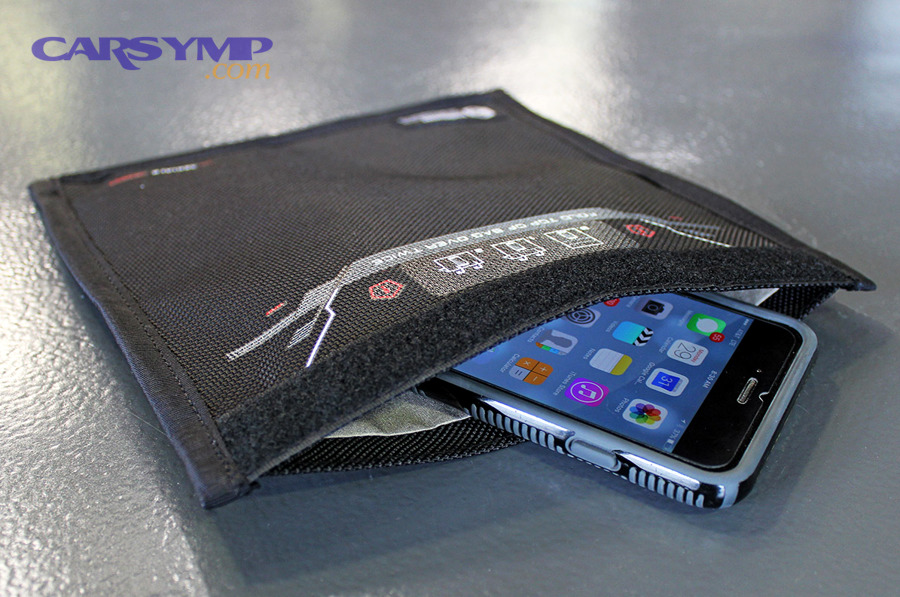
Which everyday items in your pocket or bag can block the signal?
Pocket and bag blockers are typically conductive or layered materials that act like partial shielding, weakening the fob signal before it leaves your belongings.
More specifically, these items often create “mystery failures” because the fob works the moment you remove it.
Top everyday blockers:
- RF-blocking pouches / Faraday pouches (intended to block signals)
- Metal key organizers or metal cases
- Foil-lined wallets, some insulated bags, metallic gift bags
- Crowded bag packing where the fob sits against metal objects (tools, chargers, power banks)
A simple habit change can solve repeat issues: keep the fob in a non-metal pocket and avoid storing it in the same compartment as chargers and power banks.
Which common electronics create interference near the car or key?
Electronics create interference most often through active transmitting (wireless activity) or through noisy power conversion that leaks RF noise into the environment.
In addition, the most suspicious electronics are often the ones you recently added or started using.
High-probability culprits:
- Cheap USB car chargers / 12V adapters
- Dash cams and radar detectors
- Aftermarket LED conversions (especially poorly filtered drivers)
- Portable battery packs charging phones close to the fob
- Two-way radios on work sites or events
A practical isolation technique:
- Unplug the accessory (charger, cam) → test fob
- Plug it back in → test again
If the failure tracks the accessory, you’ve identified a real cause rather than guessing.
Which places are “high interference zones” for key fobs?
High interference zones are places where RF noise is dense or reflections are severe, making the vehicle receiver less able to pick out your fob’s message.
Especially, these locations can create repeatable “dead spots” where many drivers notice issues.
Common high-interference zones:
- Parking garages (concrete + steel + reflections)
- Dense downtown corridors (more RF systems per block)
- Near airports or large industrial facilities (more radios and systems)
- Large retail centers with heavy infrastructure near entrances
If your fob consistently fails at one place, a reliable workaround is to unlock closer or use an alternative method (like the mechanical key blade, if available) until you leave the hotspot.
Which building and vehicle materials reduce key fob signal most?
Dense and conductive materials reduce key fob signal most because they absorb or reflect RF energy, lowering the receiver’s usable signal strength.
Meanwhile, some vehicle-specific materials can also matter.
High-attenuation materials commonly encountered:
- Reinforced concrete
- Steel framing and metal cladding
- Metalized window tint films (in some cases)
- Dense structural pillars in garages
If your car has recently had tint installed and symptoms began afterward, it’s worth considering signal attenuation as part of your diagnosis—especially if the issue is more obvious from certain angles or doors.
How do you use a drivers checklist to confirm interference vs a failing fob?
Use a drivers checklist with 6 steps—remove blockers, reduce electronics, relocate, test spare key, test proximity behavior, and inspect the fob—so you can identify interference vs hardware failure with a clear outcome.
Then, you can decide whether you need a battery, a repair, or simply a different environment.
Below is a quick table that summarizes what common symptom patterns usually mean. It helps you avoid “fixing” the wrong thing.
| Symptom pattern you observe | Most likely cause | Why it fits |
|---|---|---|
| Works everywhere except one lot/garage | Location-based interference | The environment changes, not the fob |
| Works when fob is out of bag/pocket | Signal blocking | Removing shielding restores range |
| Range gradually shrinking everywhere | Weak battery or fob wear | Consistent degradation across locations |
| Both keys fail in most places | Vehicle receiver/system issue or strong local interference | It’s unlikely both fobs degraded at once |
| Works only when very close to car | Interference or weak fob transmission | Receiver needs stronger signal |
What are the fastest “rule-out” tests before you replace the fob battery?
There are 6 fast rule-out tests before battery replacement: remove blocking items, separate from electronics, change position, change door/receiver angle, try the spare key, try a close-range/inside-cabin test—based on eliminating the simplest causes first.
Next, run them in order so each step gives you a clear clue.
- Take the fob out of your bag/pocket
- If it suddenly works, blocking was likely.
- Move the fob away from your phone and chargers
- Keep at least a foot or two of separation during the test.
- Change your position relative to the car
- Try the driver door, passenger door, rear, and a few steps away.
- Relocate (even slightly)
- Walk 50–200 feet; if possible, move the vehicle out of the spot.
- Use the spare key
- If spare works normally, your primary fob may be weak or damaged.
- Try a close-range test
- Some cars read proximity better when the fob is close to a specific area (varies by model). If close range always works but distance never does, suspect weakening transmission.
This routine prevents panic decisions and reduces unnecessary purchases.
When should you suspect the key fob battery instead of interference?
Suspect the key fob battery when (1) range declines everywhere, (2) the problem gets worse gradually over days/weeks, and (3) the spare key performs noticeably better under the same conditions.
However, remember that interference can still coexist with a weak battery.
Battery-related clues are consistent:
- You need to press buttons multiple times in many locations.
- The fob works only at very close range almost all the time.
- Cold weather seems to make it worse (a common “weak battery” amplifier).
If you replace the battery and nothing changes, return to the interference vs blocking tests rather than escalating to a costly repair immediately.
When should you suspect the car’s receiver system instead of interference?
Suspect the car’s receiver system when (1) both fobs fail in most locations, (2) behavior is identical regardless of where you park, and (3) other related functions act odd (inconsistent door sensors or passive entry behavior).
More importantly, receiver-side issues tend to be consistent and repeatable.
Practical checks:
- If both keys show the same failure pattern across multiple locations, it’s less likely to be a single “bad fob.”
- If you have other symptoms (door handles don’t sense proximity, passive entry fails consistently), the vehicle system may need professional diagnosis.
This is also the point where you begin considering costs. A Key fob replacement cost estimate varies widely by make/model and whether programming is required, so confirming “fob vs receiver vs environment” first can save substantial money.
Interference vs signal blocking: which causes are most common for remote unlock vs push-to-start detection?
Remote unlock wins in simplicity (a single button press), push-to-start is best for convenience (proximity detection), and “hybrid behavior” is most common when different antennas/receivers respond differently—so the most likely cause depends on which function fails.
Meanwhile, understanding the difference prevents false conclusions like “my car is dead” when only one pathway is failing.
Remote unlock (button press) and passive detection (smart key / proximity) can use different antennas and logic. That’s why you might see one working and the other failing.
Key practical distinctions:
- Remote unlock can fail due to interference and blocking because it relies on a clean received command.
- Push-to-start detection can still work if you bring the fob closer to the detection zone, because proximity reduces the impact of noise and attenuation.
Why does push-to-start sometimes work even when remote unlock fails (or vice versa)?
Push-to-start sometimes works when remote unlock fails because proximity detection often tolerates weaker signals at close range, while remote unlock may require a clean signal at a longer distance; conversely, remote unlock can work when proximity sensors/antennas are less responsive.
Then, use that behavior as a diagnostic clue instead of a confusing contradiction.
If push-to-start works only when you’re inside the car and the fob is close:
- That suggests your fob can still transmit, but range is compromised (blocking, interference, weak battery).
If remote unlock works but the car won’t detect the fob reliably for starting:
- That suggests proximity detection is having trouble (antenna placement sensitivity, cabin interference, or receiver-side issues).
This is also where physical fob condition matters. If the fob has been dropped, exposed to moisture, or has sticky buttons, you should expand diagnosis beyond RF.
What are the uncommon (but real) causes that mimic interference—and how do they differ from “no signal” failures?
Uncommon causes that mimic interference include weak battery under load, aftermarket power noise, true RF-blocking accessories, and internal fob damage—so the key difference is whether the fob is still transmitting cleanly or has become electrically unreliable.
Next, treat these as “second-layer” checks after you’ve ruled out obvious location and pocket blockers.
Can a weak key fob battery mimic interference even if the fob sometimes works?
Yes—a weak battery can mimic interference because (1) transmit power drops under load, (2) range becomes inconsistent across environments, and (3) brief retries sometimes succeed even though the system is borderline.
However, the key difference is that battery weakness follows you everywhere, not just one spot.
Look for these telltales:
- The issue appears in multiple locations over multiple days.
- The fob works after several presses more often than it should.
- The problem worsens gradually.
If you want a clean test without tools: compare with a spare key in the same spot, at the same distance. If the spare is consistently stronger, battery or fob health moves to the top of the list.
Can aftermarket LED lights or USB chargers create RF noise that blocks keyless entry?
Yes—aftermarket LEDs or USB chargers can create RF noise because their power converters may leak electromagnetic noise, and the strongest clue is that the problem appears only when the accessory is powered.
To begin isolating it, focus on “on vs off” tests.
Simple steps:
- Unplug the USB charger and test the fob.
- Turn off the dash cam (or remove power) and test again.
- If you recently installed LED bulbs and symptoms started after, test by returning to the previous setup if possible.
When the fob returns to normal as soon as the accessory is removed, you’re not dealing with mysterious interference—you’ve found a controllable noise source.
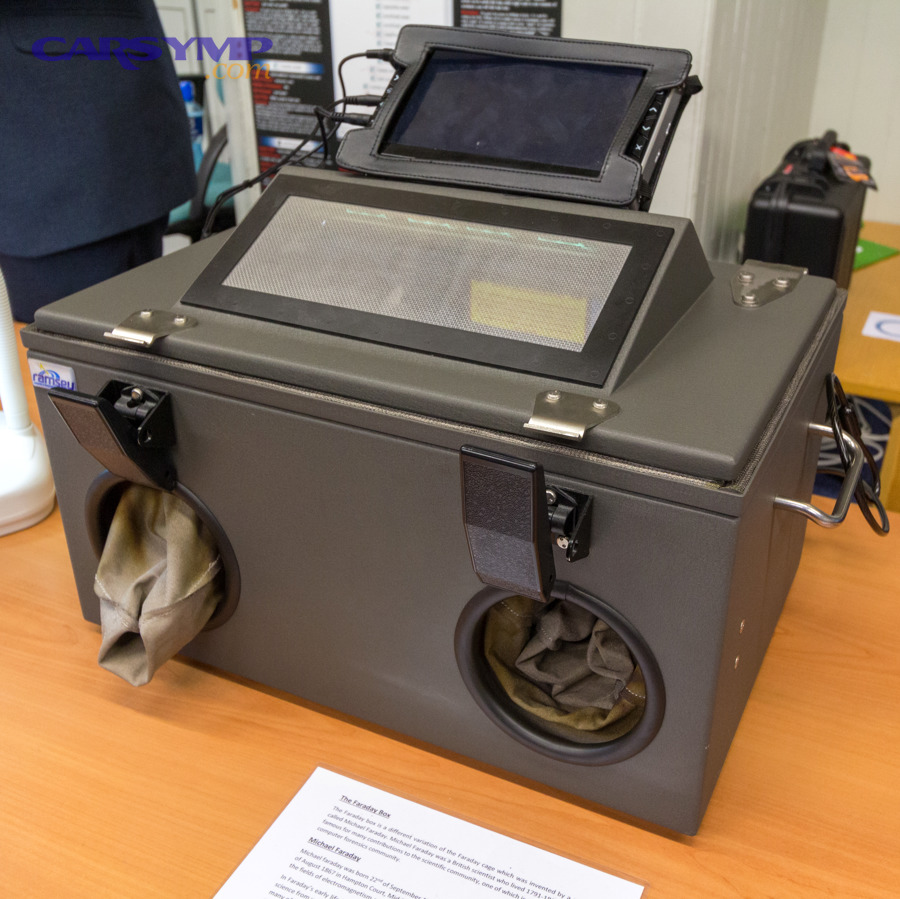
Do RF-blocking pouches (Faraday bags) cause a complete “no detection” symptom by design?
Yes—RF-blocking pouches can cause complete “no detection” because they are designed to act like a Faraday shield and prevent radio signals from entering or leaving.
More specifically, they can create a perfect “dead fob” illusion until you remove the key.
If you carry your fob in:
- a Faraday pouch,
- a metal-lined sleeve,
- or a container marketed as “RFID blocking” for car keys,
then your fob may be functioning perfectly while being intentionally blocked. The fix is simply using a non-shielding pocket or removing it from the pouch when you need the car to respond.
Could security features (anti-relay behavior) look like interference to drivers?
Yes—some security behaviors can look like interference because the vehicle may change how it responds when it detects unusual signal conditions, and the symptom overlap can feel like “random failure.”
In addition, the safe, driver-focused approach is to treat this as a reason to consult your owner’s manual or dealer guidance—not something to “work around.”
If you notice patterns like:
- the car responds differently after repeated failed attempts,
- proximity unlock behaves inconsistently compared to button unlock,
- or behavior changes after you move the key or vehicle,
then consider both environmental RF and system behavior. In practice, you still begin with the same safe checklist: remove blockers, reduce electronics, relocate, compare with spare.
Evidence: According to a study by the University of Oxford from applied mathematics reporting in 2015, researchers showed that shielding performance can vary substantially depending on openings and geometry, which helps explain why “some pouches or containers” block completely while others only reduce range and create inconsistent results. (physicsworld.com)
Evidence (if any)
- The University of Oxford finding on Faraday cage effectiveness variability (mesh/openings/geometry) is summarized by Physics World. (physicsworld.com)
- A real-world dealership video specifically discusses interference as a reason a key fob may not work and practical steps to address it. (youtube.com)
(Included diagnostic phrase requirements)
If your key fob not working issue persists after the checklist, don’t skip physical inspection: Water damage and corrosion in fob diagnosis matters because corrosion can create intermittent electrical contact that looks like interference. At that point, comparing repair vs a Key fob replacement cost estimate becomes a practical next step, especially if programming is required.