


Keyless entry module troubleshooting is the fastest way to stop the “nothing happens” moment when you press unlock—or when your car unlocks sometimes, then ignores you the next minute. The goal is simple: identify whether the failure is in the transmitter, the receiver/module, or the car’s power-and-command path that turns radio signals into door lock action.
Beyond that main goal, most drivers also want a practical flow that avoids unnecessary parts: quick checks you can do in minutes, then deeper verification steps that narrow the fault to wiring, power feed, or network communication inside the vehicle.
A second common intent is avoiding accidental lockouts and security issues. Modern systems may be tied to the body control module (BCM), immobilizer logic, and rolling-code security, so diagnosis should protect key programming and avoid creating a bigger problem than the original symptom.
To start, here’s the guiding idea: treat the keyless system like a chain. After that, you’ll test each link (key fob → signal path → receiver/module → command logic → actuators) so your fixes follow evidence, not guesses.
What is involved in keyless entry module troubleshooting on modern cars?
Keyless entry module troubleshooting means confirming the module can receive a valid command, interpret it correctly, and forward a lock/unlock request through the vehicle’s control network—then verifying the doors actually respond. Next, you isolate which link fails under the same conditions.
To be specific, “keyless entry module” can mean different physical boxes depending on the make and model:
- Dedicated RKE receiver module (remote keyless entry receiver) that listens for key fob signals and hands them to a controller.
- BCM-integrated receiver logic where the body control module performs receiving, decoding, and command output.
- Smart key/PEPS control unit for passive entry and push-button start systems, sometimes separate from the BCM.
Because naming varies, your best “entity anchor” is function, not label. The system always includes these core entities (think of them as meronyms in one system):
Key fob transmitter (button remote, sends coded RF signal)Receiver / antenna (listens for RF, routes to control logic)Control logic (RKE module or BCM software that authenticates the signal)Outputs (lock relays/drivers, actuators, door modules)Power and ground (feeds, fuses, and reference grounds)
To connect this to the rest of your diagnosis flow, you’ll keep asking one question: Did the module receive the command, and did it try to act? If the module never “hears” the command, you focus on the transmitter or interference. If it hears but doesn’t act, you focus on module logic, power/ground, or network/outputs.

Which symptoms point to the module instead of the key fob?
Yes—many symptoms can indicate the module path, especially when multiple remotes fail the same way or when the car behaves inconsistently across doors. Next, use symptom patterns to decide whether you’re chasing a transmitter issue or a receiver/control issue.
Group symptoms by what the vehicle does (or doesn’t do) when you press buttons:
Group 1: “No response at all” patterns
- Both primary and spare remotes stop working at the same time.
- The remote works only inches from the car, then fails beyond that range.
- The car acknowledges nothing: no flash, no chirp, no lock movement (if your model normally signals).
Group 2: “Partial response” patterns
- Unlock works but lock doesn’t, or vice versa.
- Trunk release works while door lock commands don’t.
- Only one door responds while others ignore remote commands.
Group 3: “Intermittent and condition-based” patterns
- Works after a drive, fails when cold/wet, or fails after sitting overnight.
- Works in some parking lots but not near certain buildings or equipment.
- Works with the door open but fails with everything closed (possible antenna/wiring/ground changes).
To interpret these patterns, tie them to likely fault locations:
- Multiple remotes failing together usually suggests a receiver/module, power feed, or learning memory issue rather than two remotes failing simultaneously.
- One function works and another doesn’t can suggest output-side issues (relay/driver/door module) even if reception is fine.
- Location-based failures lean toward interference, antenna issues, or marginal key fob battery voltage under load.
However, don’t “convict the module” without a quick control test: if your car has a door switch lock/unlock that always works, it proves actuators and basic output paths are alive. In that case, you shift attention toward the receiving/authentication chain.

How do you run quick no-tools checks for keyless entry module troubleshooting?
Start with three fast checks: verify power state, verify the remote’s basic output behavior, and confirm the car can lock/unlock from an internal switch. Next, you’ll know whether to chase a simple battery/setting issue or a deeper module path.
Step 1: Confirm the car is in a receptive state
- Make sure the car is in Park (automatic) or neutral with parking brake (manual), and doors are fully closed.
- Check if the car’s battery is weak (slow crank, dim lights, or recent jump-start), because low system voltage can make modules “sleep wrong.”
- If equipped, check “valet mode” or security settings that can disable remote functions in some aftermarket systems.
Step 2: Check the remote behavior without opening anything
- Try lock, unlock, trunk, and panic—note which functions fail consistently.
- Stand at different angles around the vehicle (front, driver door, rear). A strong location bias can hint at antenna placement or shielding issues.
- Try the spare remote. If both behave identically, the “probability mass” shifts toward the vehicle side.
Step 3: Confirm the vehicle-side output chain is alive
- Use the interior lock switch on the door. If it locks/unlocks reliably, actuators and door circuitry are likely okay.
- Test mechanical key in the door (if present) to ensure the latch mechanism isn’t jammed in a way that confuses door modules.
To introduce the next layer, once those three checks are done, you can choose a branch: signal/reception branch (key fob, antenna, interference) or power/logic branch (fuses, grounds, module reset, scan codes).

How do power, ground, and sleep behavior break a keyless entry module?
Yes—power and ground problems can disable remote locking even when the module itself is not “dead,” because the receiver may lose standby power or wake-up ability. Next, you’ll inspect the simplest electrical causes before replacing anything.
Most remote keyless systems need a small amount of standby power so the receiver can listen for signals while the car is parked. If that standby feed is missing or unstable, the symptom often looks like a dead remote system.
Common power/ground failure modes
- Blown or high-resistance fuse feeding the receiver/BCM (sometimes a fuse is not fully open but has heat damage or corrosion).
- Weak ground at the module or body ground point (intermittent issues worsen with humidity and vibration).
- Battery voltage dips that cause the module to reboot or fail to wake correctly (especially after a low battery event).
- Sleep/wake anomalies where the BCM never fully wakes a sub-module, or wakes then crashes (often intermittent).
To keep the flow practical, use this sequence:
- Check the easiest fuses first (body/BCM/RKE-related labels in the fuse box cover). If you find multiple related fuses, inspect them all—one can feed “logic,” another can feed “outputs.”
- Look for signs of heat around fuse sockets and relay bases: discoloration, melted plastic, or a loose fit that causes voltage drop.
- Perform a safe reset: lock the car, wait several minutes, then disconnect the negative battery terminal (if you know your radio/security codes and procedures) and reconnect. This can clear a stuck state, but it’s not a “fix”—it’s a diagnostic clue.
To connect this with real-world repair planning, you’re not doing a “parts swap” yet—you’re proving the module can keep stable standby power. In workshop language, this is where the phrase Blown fuse and relay checks for locks becomes a necessary reality check before you accuse any electronics box.

How do you test receiver range and interference in keyless entry module troubleshooting?
Use a range-and-location test to separate a weak transmitter from a weak receiver: if performance changes dramatically by location, direction, or nearby electronics, interference or antenna issues are likely. Next, you’ll validate “receiver vs transmitter” with repeatable steps.
Range test that actually means something
- Pick one button (unlock) and test at consistent distances: 1 meter, 3 meters, 6 meters, then farther if it normally works.
- Repeat from the front, driver side, and rear of the vehicle.
- Record whether the car responds with the same consistency each time.
Interference clues you should not ignore
- Works at home but fails at a specific parking structure.
- Fails near heavy Wi-Fi equipment, industrial doors, or high-power electrical gear.
- Fails when another wireless device is active in the car (some aftermarket accessories can radiate noise).
Receiver/antenna placement matters
Some vehicles place the receiver/antenna behind the dash, in the rear quarter panel, or integrated into a roof antenna. If a metal tint film, aftermarket dash electronics, or a damaged antenna lead exists, your remote may “work only when close” even with a healthy key fob.
To keep the chain intact, remember: a receiver can be fully powered and still “deaf.” That’s why keyless entry module troubleshooting includes reception quality, not only whether the module has power.
How do door switches, wiring paths, and inputs confuse the module?
Door inputs can block or distort module decisions when the BCM thinks a door is open, a latch is unsafe, or a switch is stuck—so it may ignore lock commands or immediately unlock after locking. Next, you’ll test the “inputs” side that many people skip.
Keyless systems are not just about receiving a radio command. The control logic often checks conditions before it allows locking/unlocking. A bad input can make the module behave “intelligent but wrong.”
High-impact inputs to check
- Door-ajar/latch signals: if the car thinks a door is open, it may refuse to lock or may relock/unlock unexpectedly.
- Interior lock/unlock switch: a stuck switch can override remote commands or create conflicting requests.
- Trunk/hood switch: on some models, security logic changes behavior if it detects open compartments.
Wiring realities that create intermittent faults
The most common physical stress zone is the harness that flexes every time you open and close a door. Broken strands can pass a continuity test at rest and fail when the door moves. This is where your diagnostic mindset should expand from module theory to real copper and insulation.
If you need to access a latch or actuator area, you’ll inevitably run into DIY door panel removal tips and trim-fastener realities. Use them carefully: broken clips and mis-seated vapor barriers can create new noise and moisture issues, which later look like “mysterious electronics.”
To bridge this to the lock mechanism itself, it’s helpful to remember that remote commands ultimately rely on physical devices in the doors. When owners talk about central locking repair, they’re often describing the last link—actuators and latches—while the real fault might be a door-ajar signal or a harness that lies to the module.

What can an OBD scan tell you during keyless entry module troubleshooting?
An OBD scan can confirm whether the BCM or RKE logic is reporting faults and whether it’s seeing key fob inputs, door inputs, and actuator outputs. Next, you’ll use scan data to avoid guessing between “module dead” and “module blocked.”
Even if your generic scanner doesn’t show deep body codes, many vehicles store BCM-related trouble codes and data points that matter:
- Body/BCM DTCs that indicate receiver faults, antenna faults, or internal module errors.
- Input status (door ajar, lock switch, trunk switch) that reveals whether the car “believes” something unsafe.
- Command status showing lock/unlock requests were received but not executed (depending on the system).
How to use scan results correctly
- If you see receiver/antenna-related codes, treat them as direction—not a verdict. Confirm wiring and connectors before replacing a module.
- If you see door-ajar or latch mismatch, address inputs first; modules often behave normally once the “safety logic” is satisfied.
- If there are no relevant codes, you still can’t clear the module; some failures are purely RF or purely power-related and don’t set codes.
To keep the flow consistent, scan results should change your next step. If the BCM reports an input stuck, you go to that input. If it reports a receiver fault, you go to that receiver/antenna path. If it reports nothing, you go back to fundamentals: power/ground and RF reception quality.

When should you reprogram, reset, or replace the keyless entry module?
Reprogram or replacement makes sense when you’ve proven power/ground is stable, inputs are sane, and RF reception is consistently failing or module logic is demonstrably not responding. Next, you’ll choose the least risky intervention that restores function.
Start with the least invasive actions
- Key fob battery replacement (especially if range is short or behavior is inconsistent). A marginal battery can still light an LED but fail under RF load.
- System reset after battery events (only if you know the vehicle procedure and can avoid immobilizer issues).
- Key re-learn / pairing if the remote has lost synchronization or the module’s memory has changed after a low-voltage incident.
Then consider deeper actions
- Receiver/antenna service if reception is weak in a consistent direction or only works at close range.
- Module replacement if the module is confirmed “powered but non-functional,” shows internal fault codes, or has physical damage (water intrusion, corrosion).
Risk management: avoid lockouts
- Some vehicles require specific sequences for adding/removing remotes.
- Some replacements require coding to the vehicle and may disable other body functions if mismatched.
- Always ensure you have at least one working key method (mechanical key or verified working remote) before erasing learned remotes.
To help you visualize the common decision points, the table below summarizes what each symptom cluster “usually” points to and which test reduces uncertainty fastest.
This table contains a symptom-to-test map that helps you choose the next diagnostic step without jumping straight to parts replacement.
| Symptom Pattern | Most Likely Area | Fastest Confirming Test |
|---|---|---|
| No response from both remotes | Vehicle-side receiver/module power or logic | Check standby power/fuse path; scan BCM body codes |
| Works only very close to vehicle | Weak transmitter battery or weak receiver/antenna | Replace fob battery; repeat range test from multiple angles |
| One door doesn’t respond | Door actuator, latch input, or door harness | Test interior switch per door; inspect harness flex zone |
| Locks then instantly unlocks | Door-ajar/latch input mismatch | Scan door-ajar statuses; verify latch/switch alignment |
| Fails only in certain locations | RF interference or marginal reception | Test in different environment; check antenna placement/shielding |
To close the loop, if you’re at the point of replacement, treat connectors and mounting points as part of the repair. Corrosion at a connector can mimic “dead electronics.” And if you’re diagnosing lock behavior that suggests power feed weakness, revisit your earlier electrical checks—because replacing a module without fixing the feed can produce the same failure again.
Contextual Border: The sections above focus on the main diagnostic chain (signal → receiver/module → logic → outputs). Next, the micro-level issues below cover edge cases that are rarer but highly diagnostic when the “normal” steps don’t explain the failure.
Advanced edge cases that can derail keyless entry module troubleshooting
How does moisture intrusion mimic a failing module?
Moisture can create intermittent shorts, corrosion, and sensor drift that looks like random failure—especially after rain, car washes, or seasonal humidity changes. Next, you’ll connect “weather timing” to physical inspection targets.
Moisture intrusion commonly affects:
- Connectors under the dash or in kick panels where water can travel along wiring.
- Modules mounted low in the cabin or near windshield leaks.
- Door harness connectors if a vapor barrier is missing or mis-seated after prior work.
If your symptom is “works dry, fails wet,” treat that as a strong directional clue. Look for green/white residue at terminals, water staining, or a musty smell near module locations.
What is rolling-code desynchronization, and when does it matter?
Rolling-code desynchronization happens when the fob and receiver no longer agree on the expected code sequence, causing valid button presses to be rejected. Next, you’ll recognize the pattern that suggests re-learning rather than hardware failure.
In many systems, pressing the remote many times out of range can advance the fob’s rolling code while the receiver hasn’t “seen” those steps. Some designs tolerate this; others need re-sync steps. The telltale signs include:
- Sudden failure after long storage or repeated presses while away from the vehicle.
- Spare remote still works while the primary remote fails consistently.
- Range seems normal (LED, feel, and behavior) but the vehicle ignores the command.
When this pattern fits, prioritize official re-learning procedures and avoid random resets that might erase working keys.
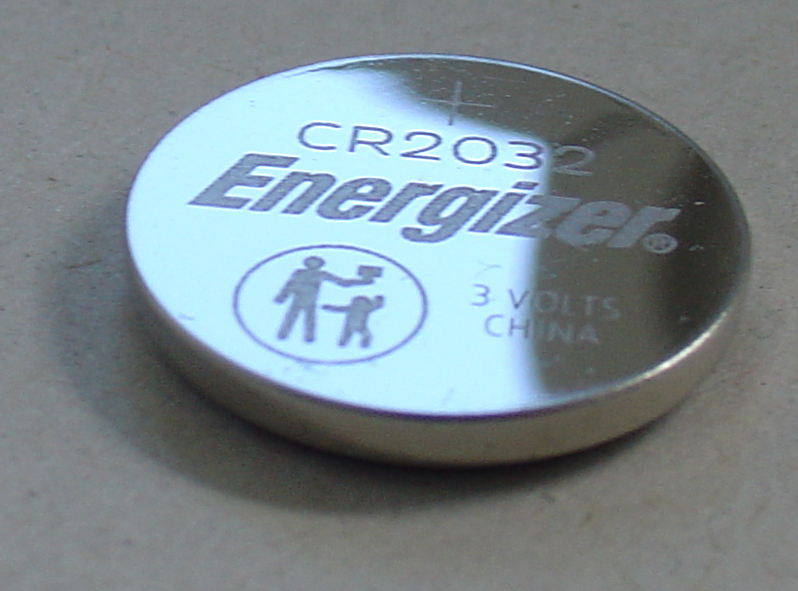
Why does a low coin-cell battery cause “phantom” range loss?
A weak coin-cell battery can fail under transmission load even if it seems “fine” at rest, causing short range, delayed responses, or intermittent operation. Next, you’ll connect inconsistent behavior to battery voltage sag.
Coin cells can deliver enough voltage to power a small LED yet struggle to supply the peak current needed during RF bursts. This is why replacing the coin cell can fix what looks like a receiver problem—especially when the remote works only close to the vehicle or only after repeated presses.
If you replace the battery, verify correct orientation and ensure the battery contacts are clean and tight; small contact pressure issues can cause intermittent drops during button presses.
How do aftermarket systems complicate diagnosis?
Aftermarket alarms and remote-start systems can hijack lock circuits or inject signals that confuse the BCM, creating symptoms that resemble module failure. Next, you’ll audit add-on wiring before replacing OEM parts.
If an aftermarket system is present, look for splices near the steering column, kick panels, and fuse areas. Common pitfalls include:
- Scotch-lock connectors or poor crimps that introduce resistance and heat.
- Ground points shared with OEM modules, increasing noise and voltage drop.
- Improper isolation that backfeeds lock/unlock signals.
When the car’s behavior changed after an aftermarket install, make that part of your evidence chain. If necessary, temporarily isolate the aftermarket control path to see whether OEM behavior returns.
FAQ
Can a weak car battery cause keyless entry to stop working?
Yes, low system voltage can disrupt standby power, wake-up behavior, and BCM logic, making remote functions unreliable or non-functional. Next, confirm battery health and charging system stability before replacing modules.
Why does my remote work only when I’m very close to the car?
Most often, it’s a weak key fob battery or a reception problem (antenna placement, shielding, or interference). Next, replace the coin cell and repeat a structured range test from multiple sides of the vehicle.
If one door won’t unlock but others do, is the module still to blame?
Usually no; a single-door issue often points to a door actuator, latch signal, or harness fault on that door. Next, test that door with the interior switch and inspect the flexing harness path near the hinge area.
Do I need a scan tool for keyless entry module troubleshooting?
Not always; many failures can be narrowed down with range tests, fuse checks, and input behavior checks. Next, use a scan tool when symptoms suggest BCM involvement, stored body codes, or conflicting door-ajar inputs.
Is it safe to disconnect the battery to “reset” the system?
Sometimes, but only if you know the vehicle’s requirements (radio codes, security behaviors, window recalibration). Next, treat a reset as a diagnostic clue—if it temporarily fixes the issue, power/sleep behavior becomes a priority suspect.
How do I know if I need reprogramming versus a new module?
Reprogramming is favored when hardware seems intact but the car rejects the remote, especially after low-voltage events or desynchronization patterns. Next, consider replacement only after confirming stable power/ground, sane inputs, and consistent reception/logic failure signs.