


Grinding or scraping after a fresh brake job is not automatically normal, but it is almost always diagnosable if you focus on when the noise happens, which wheel it comes from, and whether there are heat, vibration, or braking-performance changes. This guide explains the most likely causes and the exact fixes so you can stop the noise without guesswork.
Next, you’ll learn how to separate harmless break-in sounds from true contact problems like hardware rubbing, dust shield interference, caliper drag, or incorrect pad fit—because the first steps you take determine whether you solve the problem quickly or accidentally damage new parts.
Then, you’ll follow a practical DIY inspection checklist that starts with fast observations and moves to wheel-off checks, so you can pinpoint the rubbing surface with minimal tools and maximum certainty.
Introduce a new idea: you’ll also get clear safe-to-drive guidance so you know when to stop driving immediately and when a short controlled test drive is reasonable—then we’ll move into the main content and start with the most common question.
Is grinding (scraping) noise after new brakes normal? (Yes/No)
No—grinding or scraping noise after new brakes is not “normal” if it persists, grows louder, or comes with heat, vibration, or reduced braking, because these signs usually mean hardware contact, dust shield rubbing, or caliper drag rather than simple break-in.
Next, because the fastest way to diagnose the problem is to identify when the noise happens, let’s compare “braking-only” noise with “rolling” noise.
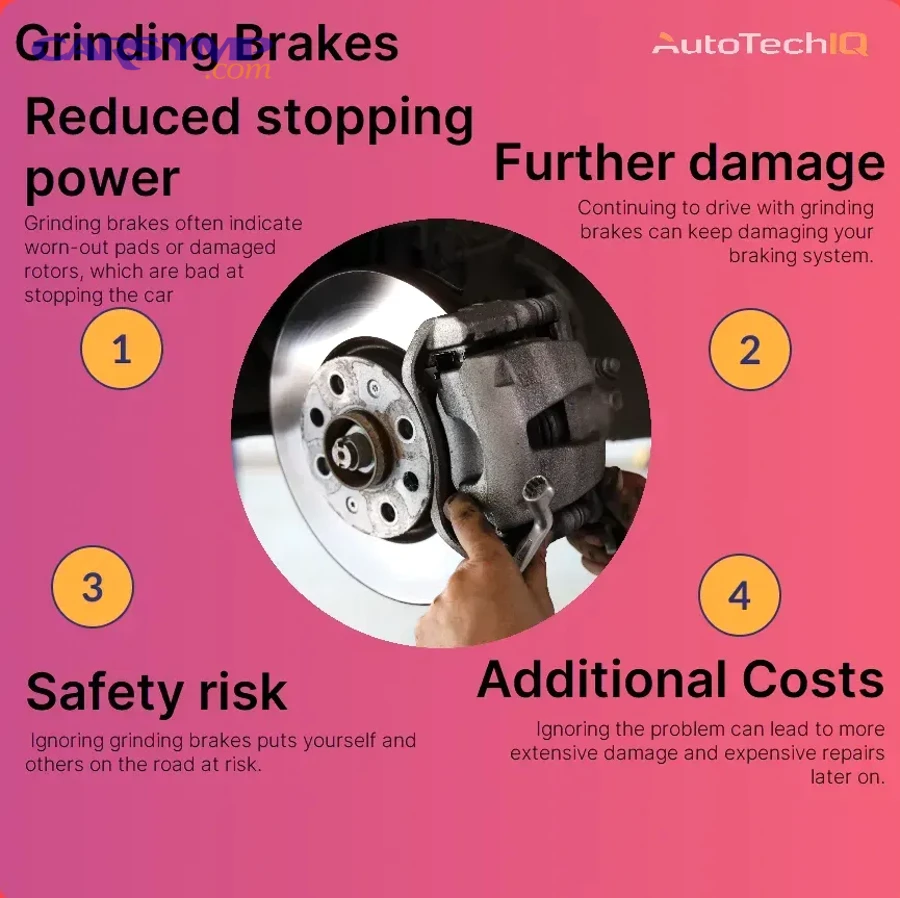
Does the noise happen only during braking, or also while rolling?
If the noise happens only when you press the brake pedal, the pad-and-rotor interface is the main suspect. If the noise happens even while rolling without braking, something is likely rubbing continuously—often the dust shield, a mis-seated pad, or a caliper that is not releasing.
Braking-only noise usually points to:
- Pad bedding/transfer layer settling (light, brief scraping early on)
- Pad compound characteristics (some pads make more low-speed noise)
- Uneven pad contact (pad not seated flat, missing shim, wrong hardware)
- Rotor surface issues (contamination, glazing, or improper cleaning)
Rolling (coasting) noise usually points to:
- Dust shield/backing plate contact (light scrape that changes with steering or bumps)
- Hardware rubbing (anti-rattle clip touching rotor edge, pad ear binding)
- Caliper drag (sticking slide pins or piston; wheel gets hot)
- Debris trapped (small stone between pad and rotor, intermittent grind)
A simple “feel test” helps: after a short drive, carefully compare wheel temperatures (without burning yourself). A single wheel noticeably hotter than the others often indicates constant pad drag, not normal break-in.
Does a new pad and rotor need a bedding-in process to stop noise?
Yes—new pads and rotors often need bedding-in, because proper bedding creates an even transfer layer that stabilizes friction, reduces noise, and improves bite.
Then, because bedding can be confused with a real fault, the key is understanding what bedding sounds like versus what it should never sound like.
What bedding-in can sound like (often acceptable early on):
- Light “shhh” or mild scraping for the first few stops
- Slight roughness that fades as temperatures stabilize
- Minimal vibration and no major change in pedal feel
What bedding-in should NOT sound like (treat as abnormal):
- Loud grinding noise when braking that continues after several stops
- Harsh metal-on-metal sound
- A rhythmic scrape that matches wheel speed even when not braking
- Strong steering pull, smoke, or burning odor
A good bedding approach for street pads is typically a sequence of moderate stops that gradually warms the brakes, followed by a cool-down drive. The exact procedure can vary by pad brand, but the principle stays the same: heat the system evenly, avoid holding the brakes when very hot, and allow cooling so the pad deposits form evenly instead of imprinting.
What does “grinding vs scraping vs rubbing” mean after a brake job?
Grinding, scraping, and rubbing after a brake job are different contact sounds: grinding usually implies aggressive contact (often metal-on-metal), scraping is commonly light interference (often dust shield or debris), and rubbing often indicates constant drag from hardware binding or a caliper that isn’t releasing.
Next, because terminology changes the diagnosis, let’s define the two most misunderstood noises first.

What is true metal-on-metal grinding and what causes it on fresh parts?
True metal-on-metal grinding is the harsh, abrasive sound that occurs when a metallic surface is directly contacting the rotor—and after new brakes, that typically happens because something was installed incorrectly or is positioned wrong.
Common post-install causes include:
- Pad installed incorrectly (pad not seated in bracket, pad cocked, pad ear out of its abutment)
- Missing or mispositioned shim/hardware (pad backing plate contacts caliper/bracket improperly)
- Wrong pad shape for the caliper bracket (fits “close enough” but binds or sits off-center)
- Anti-rattle clip contacting rotor (clip not fully seated or wrong kit)
- Rotor not seated on hub (tilted rotor causes abnormal contact angles)
True grinding often worsens quickly because it can cut grooves into the rotor and overheat the pad. That’s why it ties directly into Grinding brakes causes and urgency—the sound is not just annoying; it can accelerate damage.
What is light scraping and what usually causes it after installing rotors?
Light scraping is usually a thinner, higher “shh-scrape” sound that often comes from a thin metal shield or minor interference rather than friction material grinding into iron.
The most common causes are:
- Dust shield/backing plate rubbing the rotor hat or rotor edge
- Small debris (a stone) caught between rotor and shield or pad and rotor
- New rotor coating wearing off (short-lived, light sound)
- Slight pad drag during initial seating (if very mild and no heat)
A key differentiator is consistency: dust shield scraping often changes when you turn the wheel or drive over bumps, while pad drag stays more constant and often produces heat.
What are the most common causes of grinding after new pads and rotors?
There are 4 main types of causes of grinding after new pads and rotors—installation/hardware issues, dust shield interference, caliper drag, and rotor seating/alignment problems—based on which component is physically contacting or failing to release.
Next, because you want a fast diagnosis, start with the causes that are most common and easiest to confirm.

Are the anti-rattle clips, pad shims, and hardware installed correctly?
Yes—incorrect hardware installation is one of the top reasons for post-brake-job grinding because clips and shims control pad position, prevent vibration, and keep metal parts from contacting the rotor.
However, hardware problems are easy to miss because the brakes can still “work” while making noise.
Checklist for hardware correctness:
- Clips are fully seated in the bracket (not perched on top of rust)
- Pad ears slide smoothly on the abutments (no binding)
- Shims match the pad backing plate correctly (not upside down or mismatched)
- You used the correct hardware kit for your exact caliper/bracket
- No clip edge protrudes into the rotor path
If you reused old clips, rust can create uneven surfaces that push the pad into a crooked position. Cleaning the bracket abutments to bare metal and using the correct brake lubricant on the abutment contact points often stops the noise immediately.
Is the dust shield/backing plate rubbing the rotor?
Yes—dust shield rubbing is one of the most frequent causes of scraping or light grinding after brake work because the shield is thin, easy to bend, and often gets nudged when the rotor is removed or installed.
Then, because this is a classic “new brakes, new noise” problem, confirm it with a simple test.
How to confirm dust shield rub:
- With the wheel off, spin the rotor by hand and listen for a consistent scrape
- Look for a shiny rub mark on the rotor hat/edge or shield
- Gently pull the shield away and see if the sound stops
- Notice if the noise changes when turning left/right (shield clearance changes)
If you see clear contact marks, the fix is usually careful re-bending for clearance. Do it slowly—small changes matter.
Are the caliper slides/pins sticking or dry, causing pad drag?
Yes—sticking slide pins or a caliper that doesn’t retract properly can cause constant pad drag, which creates continuous scraping, heat buildup, and sometimes a burning smell even with brand-new pads and rotors.
Next, because caliper drag can destroy new parts quickly, you should treat it as high priority.
Signs of slide pin / caliper drag:
- The wheel is hard to turn by hand when lifted
- One wheel gets noticeably hotter than the others
- The vehicle pulls slightly to one side
- The outer and inner pads wear unevenly fast
- The noise is present even when you’re not braking
Common reasons it happens after a brake job:
- Pins weren’t cleaned before lubricating
- Boots are torn, allowing water intrusion
- Wrong lubricant used (swells rubber boots)
- Corrosion inside the bracket pin bores
- Piston doesn’t retract smoothly
This is a perfect moment for “DIY inspection for grinding noises” because a wheel-off spin test and a quick slide-pin check often reveal the problem in minutes.
Is the rotor seated flat on the hub, or is rust/debris causing misalignment?
Yes—rust or debris on the hub face can prevent the rotor from seating flat, causing slight wobble (runout), uneven pad contact, noise, and sometimes pedal pulsation even with new parts.
Moreover, rotor seating is frequently overlooked because the rotor “looks” installed even when it is not fully flush.
What causes poor rotor seating:
- Flakes of rust on the hub face
- Dirt trapped between rotor hat and hub
- Rotor set screws not aligning correctly (on some vehicles)
- Uneven torque pattern on lug nuts
Best practice:
- Clean the hub face thoroughly (wire brush, abrasive pad)
- Ensure the rotor sits flush and stable
- Tighten lug nuts in a star pattern to proper torque
To make this easier to follow, the table below summarizes symptoms → likely cause → first check so you can choose the fastest next step.
Table: Quick symptom-to-cause mapping for post-brake-job grinding
| Symptom | Most likely cause | First check |
|---|---|---|
| Light scraping only while rolling | Dust shield/backing plate contact | Spin rotor by hand; look for rub marks |
| Loud grinding noise when braking | Hardware/pad mis-seated or wrong parts | Inspect pad seating, clips, and rotor scoring |
| Constant scrape + hot wheel | Caliper drag / sticking slides | Check slide pins, piston retraction, wheel-off spin |
| Scrape that changes with steering | Dust shield or debris | Shield clearance and debris removal |
| Pulsation + noise after install | Rotor not seated flat / runout | Clean hub face; verify flush seating |
How do you diagnose the exact source of the grinding noise step-by-step?
Use a simple 3-stage method—observe conditions, isolate the corner, and confirm contact with wheel-off checks—to diagnose grinding noise after new brakes and identify the exact rubbing surface without replacing parts blindly.
To better understand the noise source, start with quick checks that require no tools, then move to wheel-off confirmation.

What quick checks can you do in 5 minutes without tools?
Start with information your car gives you for free:
- When exactly does the sound happen?
- Only during braking = pad/rotor interface or hardware under load
- While rolling = constant rub (shield, drag, debris)
- Which corner is it?
- Front noises often transmit loudly through the cabin
- Rear noises can sound like they’re “everywhere” because of body resonance
- Does steering change the sound?
- If turning changes it, the dust shield is a prime suspect
- Is there heat or smell?
- A hot wheel or burning smell suggests drag or severe contact
- Is braking performance affected?
- Longer stopping distance, pedal vibration, or pulling indicates a real mechanical issue
A practical technique: after a short, careful drive, hover your hand near each wheel (don’t touch hot parts). If one wheel radiates significantly more heat, you likely have caliper drag.
What should you inspect with the wheel off to confirm the cause?
Once you’ve isolated the likely corner, do a safe wheel-off inspection (use jack stands and wheel chocks).
Wheel-off checklist:
- Spin the rotor by hand and listen: is the scrape steady or intermittent?
- Look for fresh shiny contact marks on:
- Rotor hat/edge (shield rub)
- Rotor face (hardware or pad issue)
- Confirm pads are seated:
- Pad ears fully in abutments
- Pads slide smoothly
- Check hardware:
- Clips fully seated
- Shims aligned and not bent
- Inspect caliper movement:
- Slide pins move freely
- Boots intact
- Inspect rotor seating:
- Rotor flush on hub
- No debris trapped
If you see deep grooves on the rotor face right after installation, that’s a strong sign the pad was mis-seated or hardware was contacting the rotor.
How can you confirm whether the noise is pad drag vs a rubbing shield?
Pad drag and shield rub can both sound like scraping, but they behave differently.
Pad drag “wins” on heat and resistance:
- Wheel is harder to spin when lifted
- Wheel runs hotter than others
- Pads may show early uneven wear
- Noise tends to be consistent, often regardless of steering angle
Dust shield rub “wins” on lightness and steering sensitivity:
- Sound is lighter and more “tinny”
- Sound may change when turning left/right
- Wheel usually does not run hot
- Rub mark often appears on rotor hat or outer edge
If you’re still uncertain, remove the caliper (safely support it—don’t hang it by the hose) and spin the rotor again. If the noise persists with pads off the rotor, the shield or debris is almost certainly the cause.
How do you fix grinding noise after new brakes based on the cause?
There are 4 fix paths for grinding noise after new brakes—correct hardware fit, eliminate shield interference, restore caliper release, and re-seat/true rotor alignment—based on which component is creating unwanted contact.
Next, because you want the quickest success, start with the least invasive fix that matches your symptoms.

How do you correct hardware/clip-related grinding without replacing parts?
Hardware grinding is often solved by “resetting the foundation” so the pads sit correctly and move freely.
Step-by-step hardware correction:
- Remove pads and hardware
- Clean the bracket abutments to bare metal (rust here causes binding)
- Install the correct anti-rattle clips fully seated
- Confirm pad ears slide smoothly—no forcing
- Apply brake lubricant only where appropriate:
- Thin film on abutment contact points
- On slide pins (with correct pin grease)
- Avoid rotor face and pad friction material
A key principle: pads must be able to release slightly after braking. If pad ears bind, the pad stays in contact and creates continuous scraping.
How do you fix dust shield rubbing safely?
Dust shield rubbing is usually a clearance issue, not a “replace parts” issue.
Safe fix method:
- Identify the exact contact point (shiny rub mark)
- Use gentle hand pressure or a small tool to bend the shield away slightly
- Spin the rotor and confirm the scrape is gone
- Re-check after a short test drive
Because the shield is thin, small adjustments create big changes in clearance. The goal is a consistent gap, not a dramatic bend.
When should you re-bed pads, and when should you replace pads/rotors?
Re-bedding wins when the parts are healthy; replacement wins when there is visible damage or severe symptoms.
Moreover, re-bedding only helps if the noise is due to friction layer unevenness—not if metal is physically rubbing.
Re-bed pads when:
- Noise is mild and mostly during braking
- Rotor face is smooth with no deep grooves
- Pedal feel is normal and consistent
- No single wheel is overheating
Replace pads/rotors (or correct fitment) when:
- You have loud grinding noise when braking that persists
- Rotor shows deep scoring or gouges
- Pads have chunks missing or uneven wear immediately
- A caliper is dragging severely and overheated the new pad
- Parts are mismatched (wrong rotor offset, wrong pad shape)
If you suspect poor bedding, do not hold the brake pedal down at a stop when the brakes are very hot. That habit can create pad imprinting, which locks in uneven friction behavior and keeps noise alive.
Is it safe to drive with grinding noise after new brakes? (Yes/No)
No—it is not safe to keep driving if the grinding is loud, constant, or accompanied by heat, smoke, vibration, pulling, or reduced braking, because these signs indicate damaging contact or a brake component that is not releasing properly.
Next, because safety depends on symptoms, use the “stop now” list first, then the “short test drive may be okay” list.

What signs mean “stop driving and re-check immediately”?
Stop driving and inspect immediately if you notice any of the following:
- Loud, harsh grinding that starts quickly and does not fade
- Burning smell, smoke, or visible heat haze near a wheel
- Wheel is extremely hot compared to others
- Vehicle pulls to one side during braking
- Pedal feels soft, sinking, or inconsistent
- New warning lights (brake system/ABS) after the brake job
- Metal shavings or heavy dust concentrated on one wheel
These signals often indicate caliper drag, severe misalignment, or metal-on-metal contact. Continuing to drive can ruin rotors, cook pads, and overheat brake fluid.
What symptoms suggest it’s likely safe for a short test drive?
Yes—a short, controlled test drive can be reasonable if the noise is light, intermittent, not accompanied by heat or performance changes, and you’ve confirmed there are no deep rotor grooves or hardware contact marks.
Then, because you still want to limit risk, follow a controlled method.
Safe short test-drive method:
- Drive at low speed in a low-traffic area
- Perform a few gentle stops
- Avoid hard braking until you confirm normal feel
- Re-check for heat at the suspect wheel afterward
- Listen for change: fading noise supports break-in; worsening noise indicates a fault
This section is where “Grinding brakes causes and urgency” becomes practical: the same sound can mean “minor shield rub” or “serious drag,” and your decision should always follow the symptoms, not hope.
Why can new brakes be noisier than old brakes even when installed correctly?
New brakes can be noisier than old brakes because fresh friction surfaces, new rotor coatings, and different pad compounds can create temporary vibration and sound until a stable transfer layer forms—even when everything is installed correctly.
In addition, understanding this explains why some vehicles develop noise with one pad brand but not another.

How do ceramic vs semi-metallic pads change “quiet vs noisy” behavior?
Ceramic pads tend to be quieter in everyday driving, semi-metallic pads often handle heat well but can be noisier, and organic/NAO pads can feel smooth but vary by formulation—so pad choice changes the probability of noise even with perfect installation.
However, noise is not just about the label; it’s about the full friction system.
General tendencies:
- Ceramic: often quieter, less dust, stable feel; can still squeal if bedding is poor
- Semi-metallic: strong bite, heat tolerant; can produce more audible friction noises
- NAO/Organic: smooth engagement; can be quiet but may vary in wear/noise depending on formulation
If you switch pad types, you may need a different bedding style to establish a stable transfer layer with the new compound.
What is an uneven transfer layer and how does it create noise or vibration?
An uneven transfer layer is a patchy film of pad material that deposits on the rotor face during braking, and it can create noise or vibration because the pads encounter inconsistent friction as the rotor rotates.
How uneven transfer forms:
- Incomplete or improper bedding
- Overheating new pads early
- Holding the brakes while hot (imprinting)
- Contaminants on rotors or pads
The fix often involves re-bedding or, in severe cases, resurfacing/replacing parts if the rotor face is damaged.
When do you need measurement tools like a dial indicator for rotor runout?
Yes—you may need a dial indicator when noise persists after hardware and shield checks and you also feel pulsation or uneven braking, because rotor runout or hub-related seating issues can’t always be confirmed by sight alone.
Moreover, measurement matters most when symptoms suggest alignment variation rather than simple rubbing.
Situations where measurement is helpful:
- Persistent noise plus pedal pulsation
- Repeated uneven pad wear on one side
- Rotor “wobble” sensation during wheel-off spin
- You’ve already cleaned the hub face and confirmed correct parts
A dial indicator can quantify runout so you can decide whether re-seating, indexing the rotor, or replacing the rotor is the right move.
What rare edge cases can cause grinding after a brake job?
Rare causes are uncommon, but they matter when the basics check out:
- Stone trapped between pad and rotor (intermittent harsh scrape)
- Wrong rotor offset/hat depth (rotor sits too close, causing bracket contact)
- Wheel bearing play mimicking brake rub (noise changes with load)
- Bent caliper bracket ears or damaged mounting surfaces
- Parking brake interference (especially rear systems and some EPB setups)
If you’ve confirmed hardware, shield clearance, caliper release, and rotor seating, these edge cases become the next logical tier.
Evidence (if any): According to a study by Mahasarakham University from the Department of Mechanical Engineering, in 2022, dynamometer testing reported brake squeal occurrences in the 4–16 kHz range with a dominant high-frequency noise around 15.9 kHz under specific braking conditions, supporting that brake noise can persist even when braking performance remains acceptable.
Evidence (if any): According to a study by the University of Southampton from a mechanical/tribology research program (PhD thesis), in 2018, measurements on a test rig suggested that stick-slip and/or falling friction can be at the origin of squeal in certain conditions, reinforcing why friction behavior and bedding strongly influence perceived noise even with correctly installed components.