


Fan failure causing overheating manifests through seven critical warning signs: unusual noises (grinding, rattling, buzzing), reduced airflow, consistently high temperature readings, burning smells, visible component damage, failure to engage, and irregular operation patterns. Detecting these signs early prevents complete system breakdown, costly repairs, and potentially dangerous equipment failure across automotive, industrial, and HVAC applications.
Understanding what each symptom reveals about your fan’s condition helps you diagnose problems before they escalate. Strange noises indicate bearing wear or motor damage, while reduced airflow signals declining performance that forces your system to work harder. Temperature spikes at idle reveal the fan’s inability to provide necessary cooling when natural airflow is absent, and burning odors warn of overheating components that pose fire hazards.
Visual inspection methods and operational pattern monitoring provide additional diagnostic layers. Cracked blades, corrosion, loose connections, and debris accumulation all compromise fan effectiveness, while a fan that won’t start or cycles erratically points to electrical failures or sensor malfunctions. Each sign carries different severity levels, with some requiring immediate shutdown and others allowing time for scheduled maintenance.
Recognizing these failure indicators empowers equipment owners, vehicle operators, and facility managers to take preventive action. Below, we’ll explore each warning sign in detail, explaining what causes it, how to identify it, and what it means for your system’s health.
What Are the Critical Signs That Fan Failure Is Causing Overheating?
Fan failure causing overheating presents seven critical warning signs: abnormal operational noises, diminished airflow performance, elevated temperature readings, burning odors, visible physical damage, failure to activate, and irregular speed patterns. These indicators appear progressively as fan components deteriorate, with early detection preventing complete failure and protecting expensive equipment from heat damage.
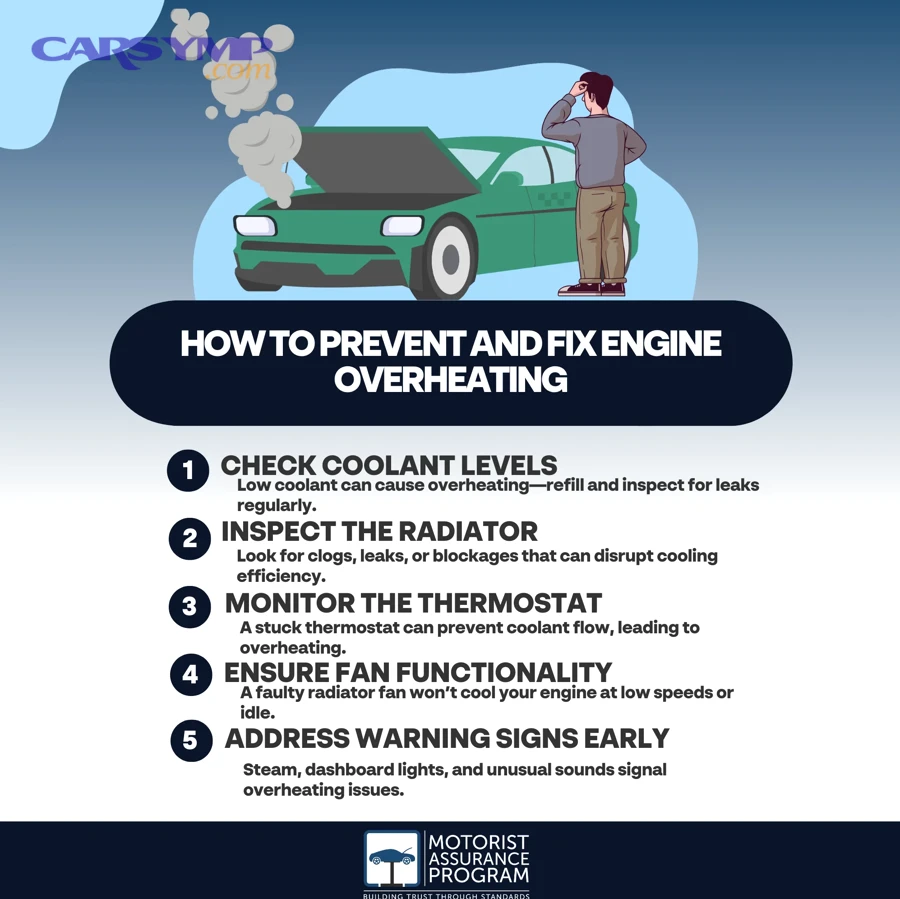
Understanding why early detection matters reveals the cascading consequences of fan failure. To begin, the fan serves as your cooling system’s primary active component, forcing air through radiators, heat exchangers, or ventilation systems when natural airflow proves insufficient. When this critical component begins failing, temperatures rise uncontrollably, causing warped metal components, melted plastics, degraded lubricants, and in automotive applications, blown head gaskets or cracked cylinder heads.
The seven-sign framework provides a comprehensive diagnostic approach covering sensory detection (sounds and smells), performance monitoring (airflow and temperature), visual inspection (physical damage), and operational analysis (startup and speed regulation). Each sign corresponds to specific failure mechanisms within the fan assembly, from bearing degradation and motor overheating to electrical malfunctions and blade damage. By recognizing these patterns, you can differentiate between minor issues requiring simple cleaning and major failures demanding immediate replacement.
Temperature regulation depends entirely on the fan’s ability to move sufficient air volume across heat-dissipating surfaces. In automotive systems, the radiator fan must activate when coolant temperatures rise above approximately 195-220°F (90-104°C), pulling ambient air through the radiator core to cool the circulating fluid. Industrial and HVAC fans maintain similar critical functions, removing heat from electrical cabinets, machinery, and occupied spaces. When any fan begins showing the seven critical signs discussed below, the entire thermal management system becomes compromised, leading to equipment failures, production downtime, or vehicle breakdowns.
How Do You Recognize Unusual Noises Indicating Fan Failure?
Unusual fan noises—grinding, rattling, and buzzing sounds—indicate specific mechanical and electrical failures within the fan assembly, with grinding suggesting bearing deterioration, rattling revealing loose or damaged components, and buzzing pointing to electrical problems or motor overload. These sounds emerge as normal wear components exceed their service life or when contamination accelerates degradation.
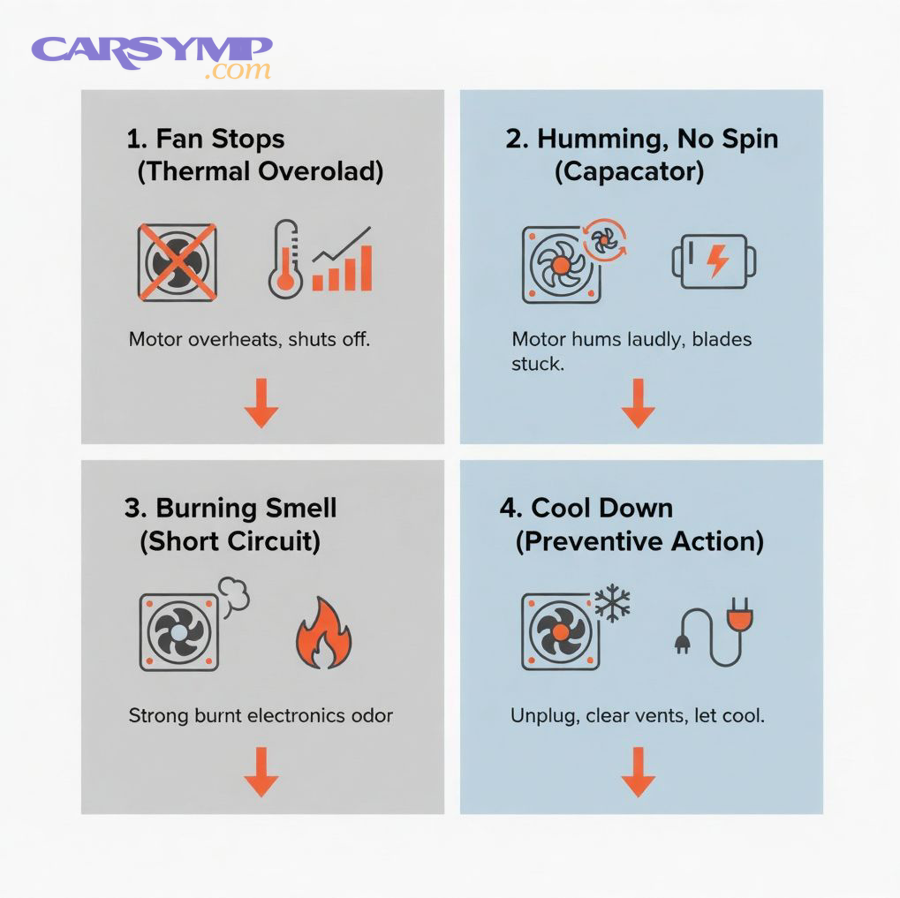
Recognizing these auditory warnings requires understanding what produces each sound type. More specifically, each noise pattern corresponds to distinct failure modes that progress at different rates and carry varying urgency levels.
What Do Grinding, Rattling, or Buzzing Sounds Mean?
Grinding sounds emanate from worn bearings where metal-on-metal contact replaces smooth rolling action, producing a continuous scraping noise that worsens under load. The bearing’s lubricant has either evaporated, leaked out, or become contaminated with debris, causing the rolling elements or sleeve surfaces to directly contact the bearing races. This condition generates excessive heat that accelerates wear, and if left unaddressed, results in bearing seizure and complete motor failure. Grinding typically appears gradually, starting as a faint whisper during startup and progressing to a loud, constant scrape during operation.
Rattling indicates loose or damaged components vibrating against housing or nearby parts, creating an intermittent clacking or knocking sound. Common sources include fan blades that have cracked and partially separated, mounting bolts that have worked loose due to vibration, or housing panels that no longer secure properly. Blade damage proves particularly concerning because imbalanced rotation creates destructive vibration that damages motor bearings and mounts. The rattling frequency often correlates with fan speed—faster rotation produces more rapid knocking as the loose component strikes its surroundings more frequently.
Buzzing emerges from electrical issues within the motor windings or power supply system, manifesting as a humming or vibrating sound at 50-60 Hz (depending on your electrical system frequency). This sound indicates the motor is receiving power but cannot rotate properly, often due to a seized rotor, failed start capacitor, or shorted windings. In three-phase industrial motors, buzzing can also signal single-phase operation where one power leg has failed, forcing the motor to attempt running on reduced power. Unlike grinding and rattling which indicate mechanical problems, buzzing demands immediate investigation of electrical systems and often precedes complete motor burnout.
The timing of these noises provides diagnostic clues. Sounds appearing only during startup suggest lubrication issues or increased static friction, while noises that worsen with runtime indicate progressive overheating. Sounds that change frequency with temperature variations point to thermal expansion issues affecting clearances between moving parts.
How Can You Distinguish Normal Fan Noise from Failure Sounds?
Normal fan operation produces a consistent whooshing or humming sound at steady volume and pitch, changing only when fan speed adjusts in response to temperature demands. This baseline sound remains relatively quiet, typically measuring 40-60 decibels from several feet away, and maintains a smooth, even quality without sudden changes or harsh overtones. Establishing this baseline when your fan is new or freshly serviced provides a reference point for detecting future degradation.
Failure sounds differ fundamentally in their character, volume, and consistency. They introduce harsh, grating, or metallic qualities absent from normal operation, often increasing in volume over time as damage progresses. Recording your fan’s sound periodically using a smartphone allows side-by-side comparison, making subtle changes obvious when played back sequentially. Pay particular attention to sounds that pulse, cycle, or vary randomly rather than maintaining steady characteristics.
Location-based identification helps isolate the sound source. Standing near different parts of the fan assembly—motor housing, blade area, mounting points—reveals where the loudest sound originates. Grinding concentrates near bearing locations (motor shaft ends), rattling emanates from the blade area or housing panels, and buzzing localizes to the motor body itself. Using a mechanic’s stethoscope or even a long screwdriver as a sound conductor can pinpoint the exact component producing noise in complex assemblies.
Progressive monitoring reveals failure patterns before they become critical. A noise barely perceptible this week that becomes clearly audible next week indicates rapidly deteriorating components requiring immediate attention. Documenting when sounds appear relative to operating conditions—only when cold, only after extended runtime, only under high load—helps mechanics diagnose the root cause and predict remaining service life.
Is Reduced Airflow a Sign of Impending Fan Failure?
Yes, reduced airflow definitively signals impending fan failure because declining air movement indicates the fan cannot generate sufficient pressure differential to move air through the system, resulting from motor speed reduction, blade damage, or obstruction accumulation that progressively worsens until complete failure occurs. Detecting airflow reduction early allows intervention before overheating damage occurs.
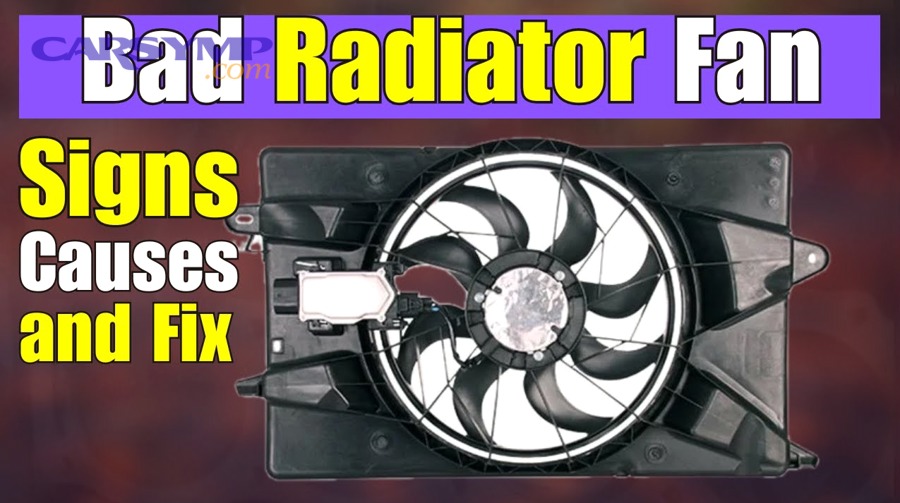
The connection between airflow and fan health centers on the fan’s fundamental purpose. Moreover, airflow reduction rarely happens suddenly except in catastrophic failures; instead, performance gradually degrades as internal wear accumulates.
What Causes Decreased Air Movement from the Fan?
Slowing motor speed represents the most common cause of reduced airflow, occurring when bearing resistance increases, windings overheat, or power supply voltage drops. The fan motor maintains rotational speed through a balance between electromagnetic torque and mechanical resistance. As bearings wear or lubrication degrades, friction increases, requiring more torque to maintain the same speed. When available torque cannot overcome this resistance, rotational speed declines, directly reducing air movement since airflow volume correlates with blade velocity. A fan operating at 80% of design speed delivers approximately 64% of design airflow (following the cube relationship between speed and flow).
Blade damage or deformation reduces airflow even when motor speed remains constant by altering the blade’s aerodynamic properties. Cracks in blades allow air to escape through the damaged area rather than being pushed forward, while bent blades create turbulence that wastes energy. Debris accumulation on blade surfaces changes their aerodynamic profile, reducing lift generation and increasing drag. In severe cases, missing blade sections completely eliminate that blade’s contribution to air movement. Each damaged blade reduces total airflow proportionally—a four-blade fan losing one blade loses approximately 25% of its air-moving capacity.
Obstruction accumulation in the airflow path creates back-pressure that reduces effective air movement even when the fan operates normally. Dust, leaves, dirt, and other debris collect on radiator fins, heat exchanger surfaces, or ventilation grilles, blocking the passages through which air must flow. As restriction increases, the fan must work harder to push air through smaller openings, and beyond a certain point, cannot generate sufficient pressure to overcome the blockage. This situation forces the motor to work against increased load, accelerating wear while simultaneously reducing airflow.
Measurable indicators quantify airflow reduction. Temperature differential across the heat exchanger decreases as less air carries away heat—where you might have measured a 15°F temperature drop across a radiator with good airflow, you might now measure only 8°F. CFM (cubic feet per minute) measurements taken with an anemometer at ventilation outlets directly quantify air movement, with readings significantly below specification indicating problems. System operating pressures also change, with static pressure increasing while airflow decreases in restricted systems.
How Do You Test for Inadequate Airflow?
Visual inspection provides the first testing method, examining the fan while operating to assess blade rotation speed and air movement visibility. With the system running, observe whether the fan rotates at the expected speed—slow rotation is often obvious compared to normal operation. For radiator fan not working scenarios, the fan may not spin at all despite the system being hot. Look for visible airflow indicators like moving grass, leaves, or paper placed near the fan discharge; weak movement or no movement indicates insufficient airflow. Check whether debris, bent fins, or obstructions block the airflow path, as these restrictions become immediately apparent during visual examination.
The hand-test method offers tactile airflow assessment without specialized equipment. Carefully position your hand several inches from the fan discharge (never contact moving blades), feeling for strong, steady air pressure. Normal operation produces noticeable air movement that you can feel from 12-18 inches away, while failing fans generate weak or intermittent airflow barely perceptible even when close. Compare the airflow sensation between multiple fans in the same system or against memory of the fan when new to establish relative performance. Exercise caution with this method, maintaining safe distance from rotating components and hot surfaces.
Temperature monitoring techniques reveal airflow problems through thermal patterns. Using an infrared thermometer, measure surface temperatures on the heat exchanger inlet and outlet—adequate airflow produces significant temperature differences (typically 15-30°F depending on application), while inadequate airflow shows minimal temperature change. Monitor how quickly temperatures rise when the system operates—rapid temperature increases indicate insufficient cooling from poor airflow. In automotive applications, watching the temperature gauge while stationary versus moving reveals fan effectiveness; if temperatures drop significantly while driving (when ram air supplements or replaces fan airflow) but rise when stationary, fan performance is clearly insufficient.
Professional airflow measurement tools provide quantitative data. Anemometers measure air velocity directly in feet per minute (FPM) or meters per second, allowing comparison against manufacturer specifications. Pitot tubes measure static and velocity pressures in ductwork, calculating airflow from pressure readings. Manometers detect pressure differences across filters or heat exchangers, indicating restriction levels that affect airflow. While these tools exceed typical homeowner resources, professional mechanics and facility maintenance teams use them to diagnose airflow problems definitively, establishing whether fan replacement is necessary or whether cleaning and maintenance can restore performance.
According to research published in the ASHRAE Journal, proper airflow testing can identify cooling system inefficiencies causing up to 30% capacity loss, with many cases resulting from fan performance degradation rather than refrigerant issues.
What Does It Mean When Your Temperature Gauge Reads Consistently High?
Consistently high temperature gauge readings indicate your fan cannot provide adequate cooling, particularly during idle or low-speed operation when natural airflow through the heat exchanger is minimal or absent, signaling either fan motor failure, control system malfunction, or insufficient fan capacity for the thermal load. This pattern distinguishes fan problems from other overheating causes.
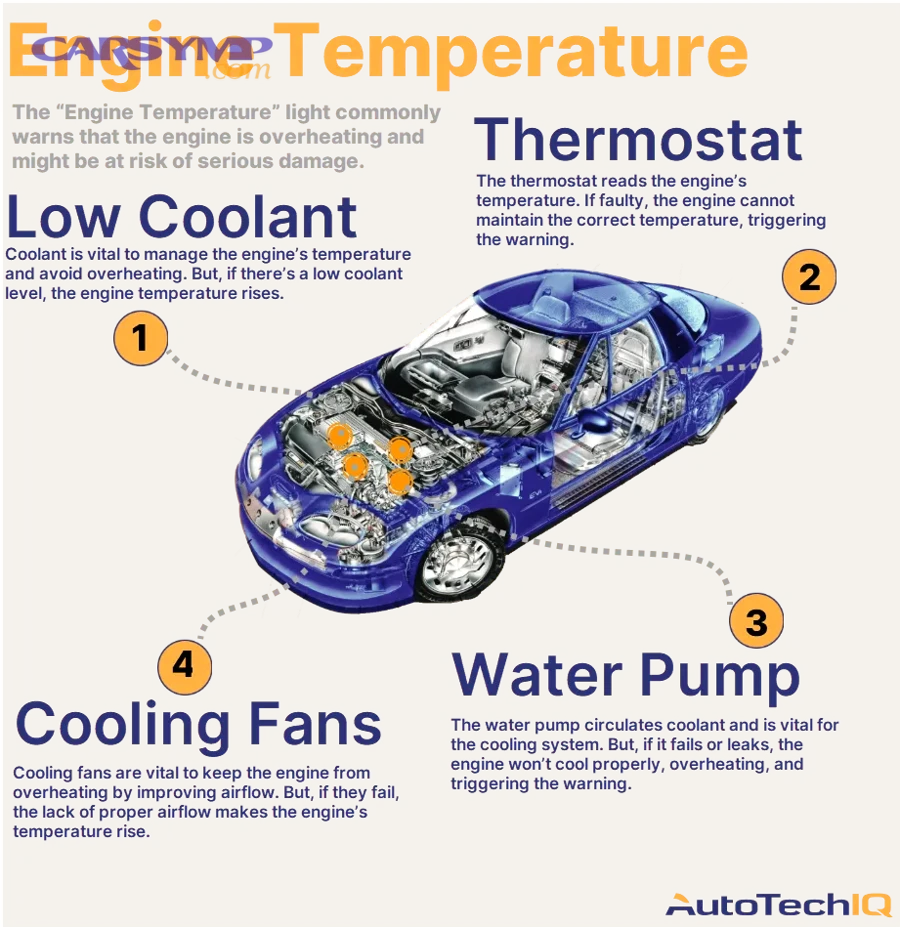
Understanding temperature patterns requires examining when and how temperatures rise. Specifically, fan-related overheating shows distinct characteristics that differ from coolant leaks, thermostat failures, or blocked passages.
Why Does Fan Failure Cause Temperature Spikes at Idle or Low Speeds?
Temperature spikes at idle occur because stationary or slow-moving vehicles, equipment, or systems lack ram air effect—the natural airflow created by forward motion that supplements or replaces fan cooling. When driving on highways, air rushes through the radiator grille at velocities matching vehicle speed, providing substantial cooling independent of fan operation. At 60 mph, approximately 88 feet per second of air flows through the radiator, overwhelming any contribution the fan might make. However, when stopped at traffic lights or in parking lots, this ram air disappears completely, making the fan solely responsible for pulling air through the cooling system.
The fan’s critical role during stationary operation explains why fan failure manifests most obviously at idle. Engine heat production continues regardless of vehicle speed—the combustion process generates similar thermal output whether moving or stationary. Without the fan to force air through the radiator, heat cannot dissipate, causing coolant temperatures to climb rapidly. Within 2-3 minutes of idle operation, temperatures may rise 20-30°F above normal, triggering dashboard warning lights and potentially causing damage if sustained. Once the vehicle resumes moving, ram air immediately cools the system, and temperatures drop back toward normal operating range.
This temperature pattern provides diagnostic confirmation of fan problems. If your temperature gauge climbs toward the red zone while sitting in traffic but returns to normal when accelerating onto highways, fan failure is almost certainly the cause. Conversely, if temperatures remain high regardless of speed, other problems like low coolant, stuck thermostats, or blocked passages are more likely. Monitoring this pattern over several drive cycles establishes whether the problem is speed-dependent (fan issue) or constant (other issues).
Dashboard warning lights and gauge behavior reflect fan performance. Modern vehicles illuminate a temperature warning light or message when coolant exceeds approximately 240-250°F (115-121°C), indicating imminent overheating danger. The gauge itself should remain steady in the normal range (typically marked around the center position) during all operating conditions. Watching the gauge climb slowly while idling, then drop quickly when accelerating, creates a characteristic pattern unique to fan problems. Some vehicles with Fan not working with AC on diagnosis issues show additional symptoms—the air conditioning blows warm air when stationary but cools properly when moving, since the same fan cools both the radiator and A/C condenser.
How High Is Too High? Understanding Critical Temperature Thresholds
Normal operating temperature ranges vary by system type but generally fall within predictable bands. Automotive engines operate optimally between 195-220°F (90-104°C), with thermostats opening near the low end of this range to begin coolant circulation. HVAC systems maintain lower temperatures, typically 140-180°F (60-82°C) for heating water or 35-55°F (2-13°C) for refrigerant. Industrial equipment varies widely but usually specifies maximum continuous operating temperatures in technical documentation. Staying within these ranges ensures proper component function, appropriate viscosity for lubricants, and efficient system operation.
Warning zone temperatures indicate developing problems requiring attention before damage occurs. For automotive systems, temperatures reaching 230-240°F (110-115°C) suggest cooling system inadequacy—the system cannot remove heat as fast as the engine generates it. At these temperatures, coolant begins approaching its boiling point (varies with pressure cap rating, typically 250-265°F), and some heat-sensitive components experience accelerated wear. Warning lights typically illuminate at these thresholds, providing operator notification. Operating briefly in this zone during extreme conditions (mountain climbing in summer heat) may be acceptable, but prolonged exposure indicates problems requiring diagnosis.
Critical damage zone temperatures create immediate risk of catastrophic failure. Above 240-250°F (115-121°C) in automotive engines, coolant boiling becomes likely, creating steam pockets that prevent liquid coolant from contacting hot metal surfaces. Aluminum cylinder heads warp at sustained temperatures above 250°F, creating permanent damage requiring expensive machining or replacement. Gasket materials deteriorate rapidly, leading to blown head gaskets that allow coolant into cylinders or combustion gases into the cooling system. Engine oil loses viscosity and protective properties, accelerating bearing wear. Operating in this temperature range for even 5-10 minutes can cause damage costing thousands of dollars to repair.
The difference between steady high temperatures and fluctuating readings carries diagnostic significance. Steady temperatures indicate a consistent problem—the cooling system capacity matches thermal load at some elevated temperature. The system has reached equilibrium, albeit at an unhealthy level. Fluctuating temperatures suggest intermittent problems where cooling capacity varies, such as a fan that operates sporadically or a thermostat that sticks partially. Rapidly rising temperatures with no stabilization indicate acute failure where cooling capacity has completely disappeared, requiring immediate shutdown to prevent destruction.
Should You Be Concerned About Burning Smells from Your Fan System?
Yes, burning smells from your fan system demand immediate concern because they indicate overheating components that have reached temperatures where materials decompose, producing smoke and fumes that warn of impending motor failure, electrical fire risk, or complete system breakdown within hours or minutes. Unlike other warning signs allowing delayed response, burning odors require immediate investigation and potential system shutdown.
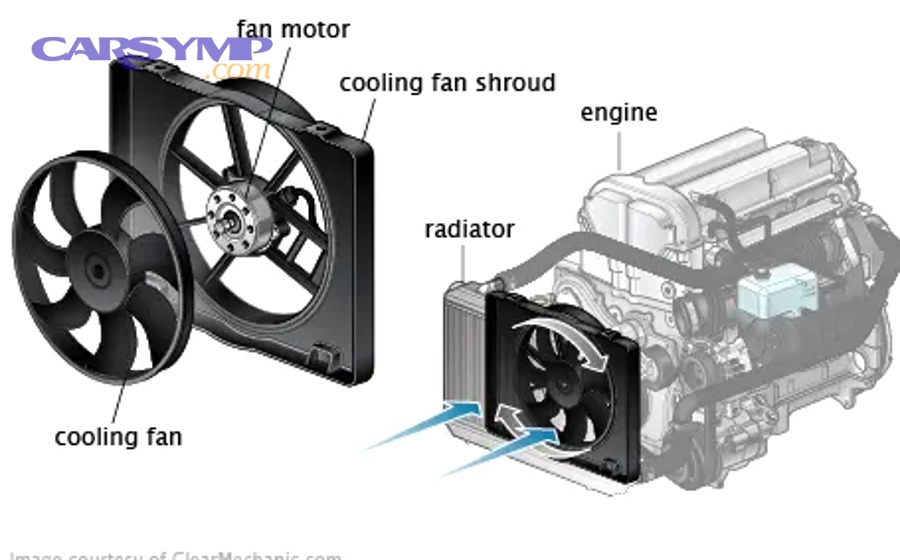
The severity of burning smells compared to other warning signs stems from what they reveal about component temperatures. To illustrate, materials must reach substantial temperatures before producing noticeable odors—electrical insulation begins smoking around 300-400°F, oils and lubricants vaporize near 400-500°F, and plastics decompose between 250-450°F depending on type.
What Causes a Burning Odor When the Fan Is Running?
Overheating motor components produce burning odors as operating temperatures exceed design limits, causing insulation, lubricants, and nearby materials to decompose. The motor’s electromagnetic windings rely on wire insulation to prevent short circuits between adjacent coils. When the motor overworks due to mechanical resistance, voltage problems, or continuous operation, winding temperatures rise beyond the insulation’s thermal rating (typically 200-250°F for class B insulation). This causes the enamel coating to break down, producing a distinctive acrid smell resembling burnt electronics. As insulation fails, adjacent wires may contact each other, creating short circuits that generate intense localized heat and accelerate damage.
Melting wire insulation creates one of the most dangerous burning smells because it precedes electrical failure and potential fire. The insulation protecting wiring harnesses, motor leads, and connector terminals melts when subjected to excess current, poor connections creating resistance heating, or external heat sources. As the plastic or rubber insulation softens and melts, it releases chemical odors ranging from sweet (burning PVC) to sharp and chemical (burning polyethylene). Exposed conductors can contact grounded metal surfaces or each other, creating arcs that ignite nearby flammable materials. Fan motor vs temperature sensor vs module issues sometimes cause continuous fan operation that overheats wiring not designed for constant duty cycles.
Friction from seized bearings generates extreme heat that vaporizes remaining lubricant and scorches nearby components. When bearings completely fail, metal-on-metal contact creates temperatures approaching 800-1000°F at contact points. This heat vaporizes any residual grease or oil, producing blue smoke and burnt oil odors. The extreme temperatures can melt plastic components adjacent to the bearing, add metallic smells to the burning odor, and discolor metal parts. Bearing seizure often happens rapidly once friction heat reaches critical levels, progressing from faint burning smell to complete motor lockup within minutes.
Burning dust or debris accumulated on hot motor surfaces produces a different, less concerning burning smell. Motors and heat exchangers collect dust, dead insects, leaves, and other organic material during operation. When systems operate after periods of disuse, or when excessive buildup accumulates, this material contacts hot surfaces and begins smoldering. While unpleasant, this burning produces temporary odors that dissipate after the accumulated debris burns off. You can distinguish this from serious problems by the transient nature—if the smell disappears after 5-10 minutes and doesn’t return, accumulated debris was likely the source.
Is a Burning Smell an Emergency?
Yes, burning smells constitute an emergency requiring immediate action because they indicate temperatures have reached levels where permanent damage is occurring and fire risk is present, necessitating system shutdown, power disconnection, and professional evaluation before resuming operation. The margin between detecting a burning smell and experiencing catastrophic failure may be only minutes.
Immediate action steps include shutting down the system through its normal controls, then disconnecting electrical power at circuit breakers or fuses to eliminate energy sources. Do not restart the system to “test” it or see if the smell returns—any burning smell indicates damage already occurred that requires repair. Open windows or doors to ventilate the area, clearing smoke and fumes. Inspect visually for smoke, glowing components, or charred materials, but do not disassemble anything while electrical power remains connected. For automotive systems showing Radiator fan repair cost estimate concerns, continued operation risks far more expensive engine damage.
Severity compared to other warning signs places burning smells near the top of the urgency hierarchy. Strange noises allow hours to days for response, reduced airflow permits continued operation while scheduling repairs, and high temperatures can be managed through reduced usage. Burning smells, however, indicate active thermal damage occurring at that moment. Components currently burning will not improve with continued operation—they will only fail more catastrophically. The chemical breakdown producing the smell is irreversible, and the conditions causing it are intensifying with every minute of operation.
Safety protocols demand treating burning smells as potential fire precursors. Keep fire extinguishers accessible near equipment that develops burning odors. Evacuate personnel from enclosed spaces where smoke accumulates. Contact emergency services if flames appear, smoke intensifies, or if you cannot safely disconnect power. Document the smell’s characteristics, timing, and associated conditions for later diagnosis—was it present only under specific conditions, did it appear suddenly or gradually, what were the operating parameters when detected?
According to the National Fire Protection Association, electrical malfunctions account for approximately 13% of non-residential building fires, with motors and fans representing significant contributors. Early detection through smell recognition prevents many potential fires before ignition occurs.
How Can Visual Inspection Reveal Fan Failure Signs?
Visual inspection reveals fan failure through observable physical damage including cracked or missing blades, corrosion forming rust deposits on metal components, loose mounting hardware allowing excessive movement, worn bearings showing play or wobble in the shaft, debris accumulation blocking airflow, and deteriorated electrical connections creating resistance. These visible indicators confirm mechanical and structural degradation before complete failure occurs.
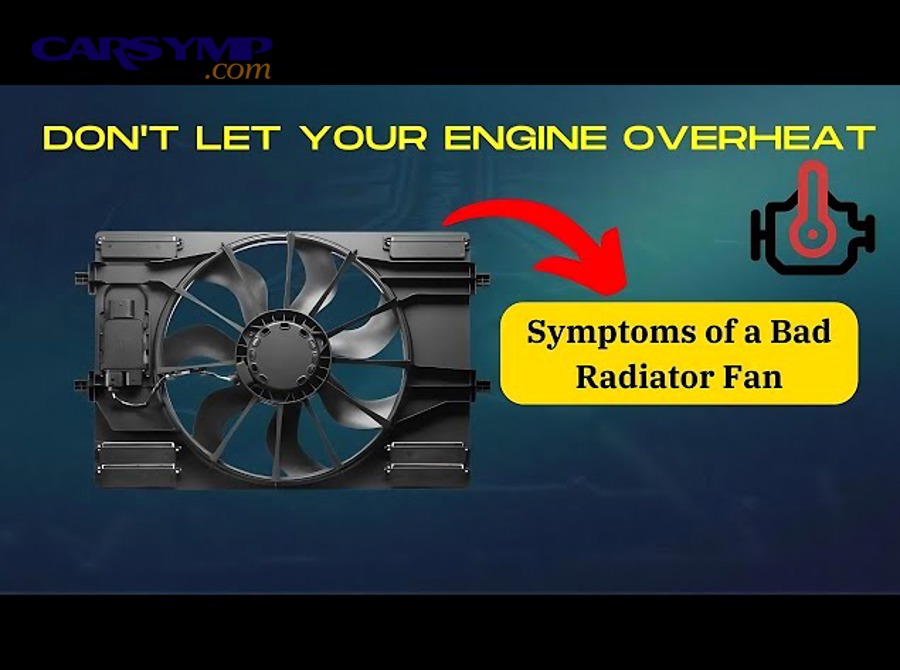
Systematic visual examination provides comprehensive failure detection. Let’s explore what specific indicators reveal about fan condition and how to identify them even with limited access to components.
What Should You Look for During a Fan Inspection?
Cracked or missing blades represent obvious structural failures visible during inspection. Fan blades endure continuous centrifugal stress during rotation, vibration from motor operation, and impact from debris entering the fan assembly. Over time, fatigue cracks develop at stress concentration points—typically near the hub where blades attach, at blade tips where stress is highest, or along previous damage sites. Cracks appear as dark lines across lighter blade material or as separations visible from certain angles. Missing blade sections are unmistakable, leaving gaps in the blade array. Even small cracks compromise structural integrity and create imbalanced rotation that accelerates bearing wear. Inspect each blade individually from hub to tip, looking for any discontinuities or damage.
Corrosion and rust on the fan assembly indicate moisture exposure and material degradation. Metal components exposed to humidity, coolant leaks, or environmental moisture develop oxidation that appears as orange-brown rust on steel parts or white powdery deposits on aluminum. Severe corrosion creates pitting, surface roughness, and material loss that weakens structures. Fan blades thinned by corrosion may crack during operation, while corroded motor shafts can bind in bearings. Electrical terminals suffering corrosion develop high-resistance connections that create heat and eventually fail. Check blade surfaces, motor housing, mounting brackets, and all metal fasteners for corrosion indicators, paying special attention to areas where moisture accumulates.
Loose mounting or connections manifest through movement, gaps, or backed-out fasteners. Fan assemblies rely on rigid mounting to minimize vibration and maintain proper clearance between rotating and stationary components. Walk around the fan assembly checking each mounting bolt for tightness, looking for gaps between the motor mount and its supporting surface, and observing whether the entire assembly can be moved by hand (it should be completely rigid). Electrical connections similarly must remain tight—loose wire terminals create resistance that generates heat, while connector backs that have separated allow moisture ingress. Wiggle test each electrical connector and wire terminal, ensuring they remain firmly seated.
Worn bearings show measurable play or wobble in the motor shaft. With power disconnected, grasp the fan blade assembly and attempt to move it perpendicular to the shaft axis—any motion indicates bearing wear. Properly functioning bearings allow only rotation with no radial movement. Excessive play appears as the shaft visibly shifting within the motor housing, while wobble manifests as the blade assembly oscillating off-axis during hand rotation. Advanced bearing wear may be audible as a grating feeling during rotation. Measure radial play with dial indicators for precise quantification; anything exceeding 0.010-0.020 inches suggests bearing replacement is necessary.
Debris buildup on blades and housing reduces efficiency and increases motor load. Dust, dirt, leaves, insect nests, and other contamination accumulates on fan blades, particularly on the leading edges and surfaces. This buildup has three negative effects: it adds weight creating imbalance, it disrupts aerodynamic flow reducing efficiency, and it increases motor load requiring more power for the same airflow. Inspect blade surfaces for coating thickness, looking for heavy deposits that feel rough or flaky to the touch. Housing accumulation blocks air passages, particularly evident on radiator fins or heat exchanger surfaces where gaps become filled with matted debris.
Electrical connection deterioration appears as discolored terminals, melted plastic housings, or burnt wire insulation. High-resistance connections generate heat that oxidizes metal contacts, turning them from bright metal to dark brown or black. Connector housings near poor connections may show heat damage—melting, warping, or brittleness. Wire insulation near terminals may show cracks, hardening, or charred areas. These indicators predict imminent electrical failure and require immediate repair. Shine a flashlight on all electrical connections, looking for discoloration or damage distinct from normal weathering.
Can You Spot Fan Damage Without Removing Components?
Hood or access panel inspection provides substantial diagnostic information without disassembly. In automotive applications, simply opening the hood allows direct observation of the radiator fan assembly while the engine runs. Watch for vibration, listen for noises, and observe whether the fan engages at appropriate temperatures. In industrial settings, viewing windows or removable access panels permit inspection without complete system shutdown. Use these access points to observe operation, looking for abnormal movement patterns, checking that mounting remains rigid, and verifying that no obvious damage is visible.
Flashlight examination reveals details in poorly lit areas common around fan installations. Many fans operate in shadowed locations—behind radiators, inside electrical cabinets, within HVAC units—where ambient light cannot reach. A bright LED flashlight allows inspection of blade condition, bearing areas, and mounting hardware from multiple angles. Move the flashlight to create shadows that highlight cracks, corrosion, or deposits otherwise difficult to see. Using a mirror on an extending handle allows viewing surfaces not directly visible, such as the back side of blades or hidden mounting points.
Photo comparison over time documents gradual degradation not obvious during single observations. Photograph your fan assembly from consistent positions every few months, creating a visual record of condition. Reviewing photos side-by-side makes subtle changes apparent—increasing corrosion, growing cracks, progressive dirt accumulation, or developing leaks become obvious when comparing images months apart. This technique proves particularly valuable for expensive equipment where trending wear guides planned maintenance scheduling. Date and label photos clearly, including operating hours if available.
Professional inspection becomes necessary when accessibility limitations prevent adequate examination, when symptoms appear without visible cause, or when determining repair versus replacement economics. Mechanics and technicians possess specialized tools—endoscopes for internal viewing, vibration analyzers for bearing condition assessment, thermal cameras for overheating detection—that exceed homeowner capabilities. They also have experience distinguishing normal wear from failure-indicating damage and can provide cost estimates comparing repair to replacement. Schedule professional inspection when DIY examination proves inconclusive or when dealing with expensive critical equipment where failure carries substantial consequences.
Does a Fan That Won’t Start Indicate Complete Failure?
A non-starting fan indicates severe malfunction but doesn’t guarantee complete failure—the problem might be electrical system issues (blown fuses, failed relays, sensor malfunctions, wiring breaks) rather than motor destruction, with approximately 40-50% of no-start conditions resulting from easily repairable electrical faults rather than catastrophic motor failure requiring replacement. Proper diagnosis distinguishes fixable problems from true motor death.
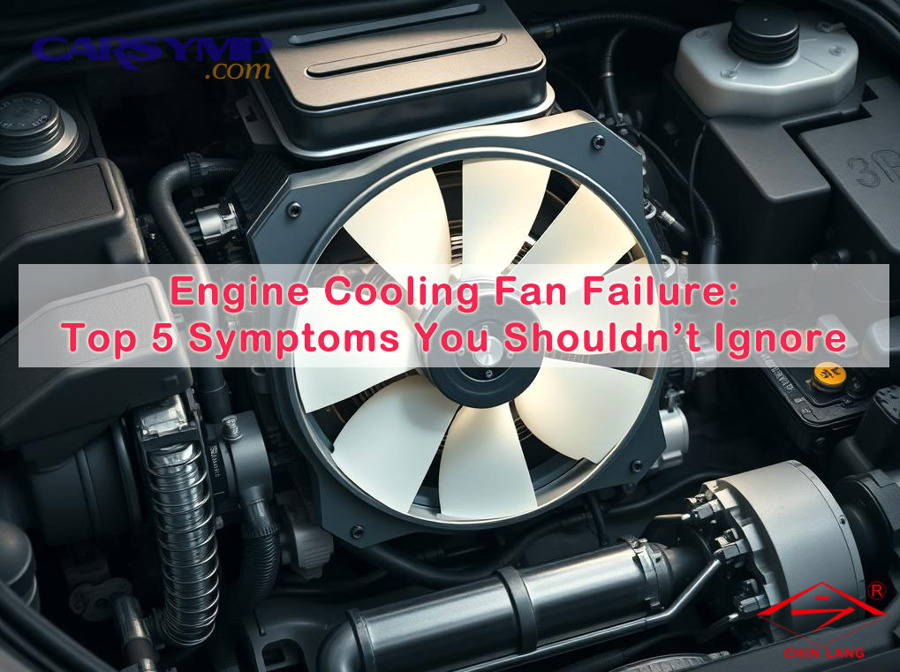
Determining whether repair or replacement is necessary requires systematic diagnosis. In addition, understanding the difference between electrical and mechanical failure guides appropriate troubleshooting steps.
What Are the Differences Between Motor Failure and Electrical Issues?
Complete motor burnout symptoms present as a motor that cannot rotate even when power is directly applied, often accompanied by burnt insulation smell, discolored motor housing from heat exposure, and continuity testing showing open or shorted windings. When motor windings fail, either the circuit opens completely (no continuity between motor leads) or windings short together (lower than normal resistance between leads). Testing with a multimeter reveals these conditions—normal motors show 3-100 ohms depending on size and design, open windings show infinite resistance, and shorted windings show near-zero resistance. A motor with burnt windings cannot be repaired economically; replacement is mandatory.
Relay and fuse problems preventing start appear as no voltage reaching the fan motor despite the control system requesting operation. Relays are electromagnetic switches that use low-current control signals to switch high-current loads. When relays fail, their contacts either weld closed (fan runs continuously) or fail to close (fan never runs). Testing requires checking for voltage at the relay coil, verifying the relay clicks when energized, and measuring voltage at output terminals during operation. Blown fuses show obvious visual breaks in their filament or register infinite resistance during continuity testing. These components cost a few dollars and take minutes to replace, making them essential first checks before condemning the motor.
Sensor malfunction, particularly temperature sensor failure, prevents the control system from knowing when to engage the fan. Modern fans activate based on temperature readings from thermistors or thermocouples monitoring coolant, air, or component temperatures. When sensors fail, they may read artificially low (fan never turns on) or high (fan runs constantly). Diagnostic scan tools read sensor values in real-time, allowing comparison between actual and displayed temperatures. Disconnecting the sensor often triggers default fan operation (constant running) as a fail-safe, which tests whether sensor problems prevent normal operation. Sensor replacement typically costs $20-80 and requires no specialized skills.
Wiring and connection issues manifest as intermittent operation, voltage drops, or complete circuit opens. Corroded connectors create high resistance that both reduces available voltage and generates heat that further damages connections. Broken wires, often where flexing occurs repeatedly, create opens that prevent current flow. Pinched or abraded insulation allows wires to short against ground, blowing fuses. Systematic voltage testing along the circuit path—from battery or power source through relays, switches, and connectors to the motor—identifies where voltage disappears. Wiring repairs range from simple connector cleaning to complete harness replacement depending on damage extent.
Can a Non-Starting Fan Be Repaired or Must It Be Replaced?
The diagnostic decision tree for non-starting fans begins with simple checks before progressing to complex testing. First, verify power supply by measuring voltage at the power source—low battery voltage or tripped breakers prevent operation regardless of fan condition. Second, check all fuses in the fan circuit, replacing any blown fuses and observing whether they blow again (indicating short circuits) or hold (indicating transient overload). Third, test the relay by swapping it with an identical relay from another circuit or jump starting the fan by bypassing the relay temporarily. Fourth, measure voltage at the fan motor connector while the system should be operating—presence of correct voltage indicates motor failure, absence of voltage confirms electrical supply problems.
Repair versus replacement cost analysis depends on component pricing, labor requirements, and remaining system lifespan. If diagnosis reveals a $5 fuse, $20 relay, or $50 sensor as the culprit, repair is obviously economical. Even wiring repairs costing $100-200 in labor make sense if the motor itself remains functional. However, if the motor has failed, replacement costs must be weighed. Small automotive fans range from $80-300, industrial fans from $200-2000, and HVAC motors from $150-800. Labor for motor replacement typically runs 1-3 hours depending on accessibility. Compare total replacement cost against the value of equipment being cooled—replacing a $200 fan to protect a $5000 industrial controller is clearly worthwhile.
Temporary solutions versus permanent fixes present different risk profiles. Bypassing a failed relay with constant fan operation protects against overheating but drains batteries and wastes energy. Jury-rigging damaged wiring with household wire and tape might work temporarily but creates fire risk. These temporary approaches suit emergency situations—getting home after roadside diagnosis or maintaining production through a weekend until parts arrive—but should never be considered permanent repairs. Radiator fan repair cost estimate questions often arise here; spending $50 on proper diagnosis and $100 on quality parts beats spending $3000 on engine repairs after improper temporary fixes cause overheating.
Professional capability distinguishes feasible DIY repairs from those requiring expert service. Fuse and relay replacement requires only basic tools and electrical knowledge. Sensor replacement demands some mechanical aptitude but remains straightforward. Motor replacement may require specialized tools for bearing presses, electrical knowledge for proper wiring, and diagnostic equipment to verify repair. Wiring diagnosis and repair requires multimeters, wiring diagrams, and systematic troubleshooting skills. Honestly assess your capabilities; paying $100 for professional diagnosis that prevents incorrect parts purchases or further damage often proves economical compared to trial-and-error parts replacement.
What Does Irregular or Continuous Fan Operation Tell You?
Irregular or continuous fan operation indicates control system malfunction where the fan no longer responds appropriately to temperature signals, with continuous operation suggesting stuck relays or failed temperature sensors reading constant high values, while erratic cycling points to intermittent electrical connections, marginal component failures, or control module errors. Both patterns indicate the automatic control system has failed even though the motor functions.
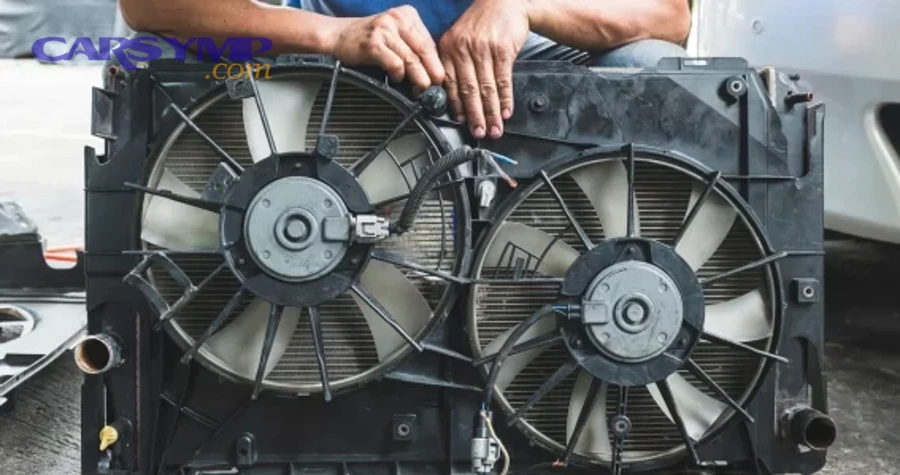
These operational irregularities create secondary problems beyond their diagnostic implications. Particularly, continuous operation and short cycling each stress different system components and provide specific diagnostic clues.
Why Would a Fan Run Constantly Even When Cool?
Stuck relays causing continuous operation occur when relay contacts weld together due to arcing, pitting from high current switching, or contamination preventing separation. Relays switch fan motors on and off hundreds or thousands of times over their service life, and each switching event creates a small arc that erodes contact surfaces. Eventually, the contacts may weld into the closed position, creating a permanent electrical path that energizes the fan regardless of temperature. This manifests as the fan running from the moment you turn on the ignition (automotive) or apply power (industrial/HVAC) and never stopping. The relay feels hot to the touch due to continuous current flow, and tapping it may temporarily break the stuck contacts before they re-weld.
Faulty temperature sensors sending incorrect signals maintain fan operation by falsely indicating high temperatures. Temperature sensors are resistive devices whose resistance changes with temperature—resistance decreases as temperature rises (negative temperature coefficient type) or increases (positive temperature coefficient type). When sensors fail, they may report fixed resistances that the control module interprets as extreme temperatures. A sensor reading as though coolant is 250°F when it’s actually 180°F keeps the fan running continuously. Testing requires comparing sensor readings to actual measured temperatures; mismatches exceeding 10-15°F indicate sensor failure. Some systems throw diagnostic trouble codes for sensor rationality, flagging values outside reasonable ranges.
Control module malfunction disrupts the logic controlling fan operation. Modern vehicles and equipment use electronic control modules that process temperature sensor inputs and execute programmed logic to control fan operation. These modules can fail due to internal component breakdown, moisture intrusion causing corrosion, or software corruption. Failed modules may default to maximum cooling output (fan always on) as a fail-safe strategy. Diagnosis requires scan tools that communicate with control modules, reading diagnostic trouble codes and monitoring real-time data streams showing input signals and output commands.
Battery drain and fuel efficiency impacts from continuous fan operation prove substantial. A typical automotive cooling fan draws 15-25 amperes at 12 volts, equating to 180-300 watts of continuous power consumption. Running overnight in a parked vehicle can completely drain the battery, leaving you stranded. During vehicle operation, the alternator must generate this power, increasing the load on the engine and reducing fuel economy by 0.5-1 mpg depending on driving conditions. Industrial applications see similar energy waste; a 1-horsepower fan running continuously when needed only 25% of the time wastes $200-400 annually in electricity costs at typical commercial rates.
What Causes a Fan to Cycle On and Off Rapidly (Short Cycling)?
Intermittent electrical connections create brief opens in the circuit that momentarily de-energize the fan before reconnecting. Loose terminals, corroded connectors, and damaged wires flex during vibration, temperature changes, or mechanical movement, alternately making and breaking contact. The fan runs when contact is good, stops when connection opens, then resumes when contact restores. This rapid cycling stresses the motor by imposing repeated starting surges (starting current is 5-7 times running current), stresses electrical connections with arcing, and indicates failing wiring requiring immediate repair before complete failure occurs.
Overheating motors triggering thermal protection switches cycle rapidly when thermal overload persists. Motors incorporate thermal overload protection—bimetallic switches that open the circuit when motor windings exceed safe temperatures (typically 250-300°F). When the switch opens, the fan stops, the motor cools for 30-60 seconds, the switch resets and the fan restarts. If the underlying cause of overheating (mechanical binding, low voltage, high ambient temperature) remains, the motor immediately overheats again, trips again, and repeats the cycle. This protection prevents motor destruction but indicates a serious problem requiring correction. Measuring motor temperatures with infrared thermometers during operation quantifies whether thermal protection is activating.
Thermostat or control cycling issues cause the fan to turn on and off in response to small temperature fluctuations. Some control strategies engage fans at precise temperature thresholds—fan on at 205°F, off at 195°F. When temperatures hover near these thresholds, the fan may cycle frequently as temperature oscillates above and below the setpoint. While not inherently damaging, excessive cycling (more than once per minute) suggests incorrect control parameters, hysteresis settings that are too narrow, or unstable temperature readings from failing sensors. Reprogramming control modules or adjusting thermostatic switch settings reduces cycling frequency.
System overload indicators appear when cooling capacity cannot match thermal load. If a system generates more heat than the fan can remove, temperatures rise toward the fan activation point. The fan turns on, temporarily reducing temperature below the threshold, then turns off. Immediately, temperature begins rising again, quickly reaching the threshold and reactivating the fan. This cycle repeats continuously, indicating the fan operates at its capacity limit with no margin. Solutions involve reducing thermal load, increasing fan capacity through larger or faster fans, or improving heat exchanger effectiveness to lower required fan runtime.
How Can You Prevent Fan Failure Before Overheating Occurs?
Fan failure prevention requires scheduled maintenance including cleaning debris from blades every 3-6 months, inspecting bearings for wear annually, lubricating serviceable bearings per manufacturer specifications, replacing air filters monthly in harsh environments, and monitoring operating temperatures to detect degradation before failure. These proactive steps extend fan lifespan by 50-100% compared to neglected units.
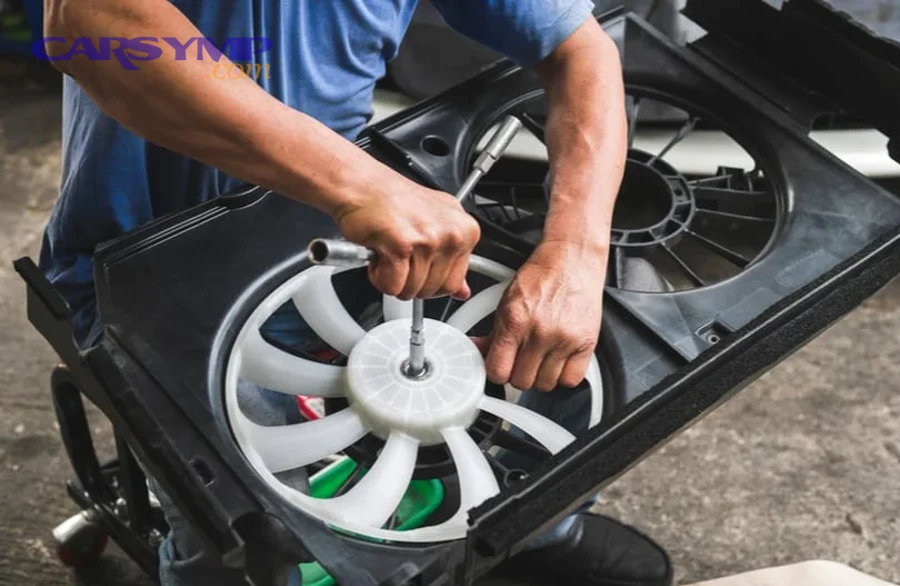
Prevention strategies differ significantly between fan types and applications. Moreover, understanding how environmental conditions accelerate wear guides appropriate maintenance scheduling.
What Is the Recommended Maintenance Schedule for Cooling Fans?
Inspection frequency varies by fan type and application severity. Automotive radiator fans require visual inspection every oil change (5,000-10,000 miles) checking for blade damage, debris accumulation, and electrical connector condition. Industrial fans in manufacturing environments demand monthly inspections where airborne particulates accelerate wear, versus quarterly inspections in clean office environments. HVAC systems benefit from pre-season inspections—checking fans before summer cooling and winter heating seasons begin. Equipment operating in critical applications (data centers, medical equipment) justifies weekly automated monitoring versus manual monthly checks.
Cleaning protocols for blades and housing prevent performance degradation and reduce motor load. Power down the system and lock out electrical supply before cleaning. Remove loose debris with soft brushes or compressed air, working from hub to blade tips on both sides. For caked-on deposits, use mild detergents and soft cloths, avoiding abrasive materials that scratch blade surfaces. Clean motor cooling fins and housing ventilation slots where heat escapes. For radiator fans, clean the radiator itself by gently straightening bent fins and flushing debris from between fin spacing. Document cleaning date and visual condition to track accumulation rates.
Lubrication schedules for bearing-equipped fans extend service life dramatically. Sealed bearing motors require no lubrication—they’re lubricated for life during manufacture and cannot be serviced. Serviceable bearings feature grease fittings (zerk fittings) or oil ports accepting periodic lubrication. Apply appropriate lubricant types specified in manufacturer documentation—typically lithium-based greases for motor bearings or specific weights of motor oil for sleeve bearings. Over-lubrication proves as harmful as under-lubrication, causing churning losses and seal damage; add only specified amounts. Annual lubrication suits moderate-duty applications, while heavy-duty or high-temperature applications may require quarterly or even monthly service.
Filter replacement timing significantly impacts fan and overall system health. Air filters prevent debris from reaching fan blades, motor internals, and downstream heat exchangers. Filters gradually load with captured material, increasing airflow resistance and forcing fans to work harder. Manufacturers specify filter replacement intervals, commonly monthly in dusty environments, quarterly in normal conditions, or based on differential pressure measurements across the filter. Dirty filters reduce airflow by 20-50%, increase energy consumption proportionally, and allow fine particles to pass through damaged filter media. Mark filter installation dates and replace on schedule regardless of visual appearance—internal loading isn’t visible.
Environmental factors affecting maintenance needs include temperature extremes, humidity, chemical exposure, and particulate loading. High ambient temperatures accelerate lubricant degradation, requiring more frequent replacement. Humidity promotes corrosion on exposed metal components, demanding inspection for rust and protective coating touch-ups. Chemical vapors attack motor insulation and plastic components, shortening service life. Dusty, dirty, or fibrous environments load filters rapidly and coat all surfaces, necessitating more frequent cleaning. Assess your specific environment and adjust generic maintenance schedules accordingly, potentially doubling or tripling frequency in severe conditions.
According to research published by the American Society of Heating, Refrigerating and Air-Conditioning Engineers in 2018, proper preventive maintenance can extend HVAC equipment lifespan by up to 50%, with fans and motors showing particular sensitivity to maintenance quality.
How Do Ambient Temperature and Operating Conditions Affect Fan Lifespan?
High-heat environment accelerated failure occurs because elevated temperatures degrade all organic materials and change mechanical properties of metals. Fan motors contain electrical insulation rated for specific temperature classes—class A (105°C/221°F), class B (130°C/266°F), or class F (155°C/311°F). Operating continuously near these limits accelerates insulation aging through thermal degradation, reducing the expected 20-year lifespan to perhaps 5-7 years. The Arrhenius equation quantifies this relationship—every 10°C temperature increase roughly doubles chemical reaction rates, including degradation reactions. Bearings suffer similarly; lubricants oxidize faster, viscosity decreases, and thermal expansion changes clearances. Fans in engine compartments, near industrial furnaces, or in non-conditioned spaces face the harshest thermal environments.
Dust and debris exposure considerations reveal how particulate contamination accelerates multiple failure modes. Particles entering motor housings abrade bearing surfaces, creating grooves and scoring that promote rapid wear. Dust accumulation on motor windings and internal components creates insulating layers that trap heat, raising operating temperatures and accelerating thermal degradation. Conductive dust can create electrical leakage paths between windings or to grounded motor frames. Fibrous materials wrap around motor shafts and bind against stationary components, increasing mechanical load. Industries facing severe particulate exposure—woodworking, textile manufacturing, grain handling—must specify enclosed motor designs with inlet filtration and implement aggressive cleaning schedules.
Humidity and corrosion factors create both electrical and mechanical problems. Moisture condenses on cold surfaces when humid air contacts components below the dew point, particularly during thermal cycling. This condensate promotes oxidation on ferrous components, creating rust that binds bearings, increases friction, and weakens structures. Aluminum components develop white oxide that looks powdery but provides some corrosion protection. Electrical effects include tracking across insulators, creating carbon paths that conduct current where it shouldn’t flow, and corrosion of terminals that increases resistance. Coastal environments with salt-laden air prove particularly destructive. Protective measures include conformal coatings on electrical components, stainless steel or coated hardware, and sealed enclosures with desiccant moisture absorbers.
Operating hours versus calendar age provides the proper metric for maintenance scheduling. A fan running continuously accumulates 8,760 hours annually (24 hours/day × 365 days), while one operating only during business hours accumulates 2,600 hours (10 hours/day × 260 workdays). Components wear based on operating hours, not calendar time. Bearing manufacturers rate life in hours—perhaps 50,000 hours L10 life (90% survive to this point). That’s 5.7 years of continuous operation but 19 years of business-hours operation. Similarly, motors accumulate thermal stress based on runtime, and mechanical wear correlates with operating hours. When possible, track actual runtime with hour meters and schedule maintenance by hours rather than months.
What Are the Differences Between Ball Bearing and Sleeve Bearing Fan Failures?
Ball bearing fans fail primarily through bearing race damage, ball wear, or lubricant degradation, manifesting as rough rotation, grinding noises, and increasing friction that gradually slows fan speed before complete seizure occurs, with typical lifespans reaching 50,000-100,000 hours in moderate conditions. Ball bearings contain hardened steel balls rolling between inner and outer races, supporting loads while minimizing friction. Failure begins with microscopic pitting on ball or race surfaces, progresses to visible tracks and spalling (material flaking off), and culminates in balls becoming rough or bearings seizing. These bearings maintain performance across wider temperature ranges (operating successfully -40°F to 250°F in quality units) and handle higher thrust and radial loads, making them suitable for demanding applications.
Sleeve bearing fans fail through lubricant loss, journal wear, and increased clearances, presenting as wobbling rotation, slight squeaking or chirping, and accelerated wear once the bronze bushing contacts the steel shaft directly, with typical lifespans of 20,000-40,000 hours under ideal conditions that plummet to 5,000-10,000 hours in adverse environments. Sleeve bearings use bronze or sintered metal bushings surrounding the motor shaft with a thin oil film providing lubrication. Performance depends critically on maintaining this oil film—temperature extremes cause evaporation or thickening, contamination degrades lubricating properties, and time alone allows oil to migrate away. Once the oil film fails, metal-to-metal contact generates heat that accelerates failure exponentially.
Lifespan differences under various conditions show sleeve bearings are highly temperature-sensitive while ball bearings prove more robust. At 77°F (25°C) ambient temperature with the fan horizontal, quality sleeve bearings achieve their rated 40,000-hour lifespan. Increasing ambient to 104°F (40°C) reduces lifespan to approximately 20,000 hours, while 122°F (50°C) drops it to perhaps 10,000 hours. Ball bearings show much less temperature sensitivity, maintaining rated life unless temperatures exceed their lubrication limits. Orientation affects sleeve bearings significantly—vertical mounting where the shaft runs vertically rather than horizontally reduces lifespan by 20-30% due to gravity working against the oil film. Ball bearings show minimal orientation sensitivity.
Cost versus longevity trade-offs guide bearing selection. Sleeve bearing fans cost 20-40% less than equivalent ball bearing units, making them attractive where replacement is easy and fan failure has minimal consequences. Ball bearing fans cost more initially but last 2-3 times longer and prove more reliable in harsh conditions, justifying their premium in critical or difficult-to-service applications. Total cost of ownership calculations must include replacement labor costs and downtime expenses—a $30 sleeve bearing fan requiring replacement every two years with one hour of labor (perhaps $75) costs $127.50 annualized, while a $50 ball bearing fan lasting six years with the same labor costs $58.33 annualized.
Warning sign variations by bearing type help diagnose problems early. Ball bearing degradation announces itself clearly through grinding noises as damaged races and balls create vibration and noise, providing weeks or months of warning. Sleeve bearing failure proceeds more quietly, beginning with faint chirping or squeaking as the oil film breaks down, progressing to wobble visible when observing the fan blade assembly. Ball bearing failures allow more time for planned replacement, while sleeve bearing failures may offer only days of warning between first symptoms and complete seizure.
Can Thermal Imaging or Vibration Analysis Detect Fan Problems Earlier?
Yes, thermal imaging detects developing fan problems by revealing temperature patterns indicating bearing friction, motor overheating, electrical resistance, and airflow blockages weeks or months before traditional symptoms appear, with temperature increases of 15-30°F above baseline suggesting impending failure requiring investigation. Infrared cameras visualize heat, producing images showing temperature gradients across equipment. Normal fans display expected hot zones (motor housing slightly warmer than ambient) and cool zones (well-ventilated areas). Abnormal patterns include hot spots on bearings (friction heating), extremely hot motor housings (winding problems), overheated electrical terminals (high resistance connections), and unexpectedly cool areas downstream (blocked airflow). Regular thermal surveys, perhaps quarterly, establish baseline patterns that future surveys compare against.
Vibration analysis measures oscillation frequencies and amplitudes that characterize mechanical condition, detecting imbalanced fans, worn bearings, misalignment, and looseness through frequency spectrum analysis requiring specialized equipment but providing extremely early problem detection. Every rotating machine generates characteristic vibration signatures—frequency components corresponding to rotational speed, bearing frequencies, blade pass frequencies, and harmonics. Healthy equipment shows low amplitude vibrations dominated by rotational frequency. Degrading bearings add frequency components matching bearing defect frequencies, appearing months before traditional symptoms. Imbalanced fans show high 1× rpm vibration (one times rotational speed). Portable vibration analyzers capture these signatures, with trending software flagging abnormal changes.
Professional diagnostics using these technologies prove cost-effective for expensive critical equipment. A thermal camera costs $3,000-30,000 depending on resolution and features, while vibration analyzers run $5,000-50,000. These investments make sense for facilities managing dozens or hundreds of motors where preventing even one unexpected failure justifies the equipment cost. Consulting services offer periodic surveys at $100-500 per session, suitable for smaller operations. Critical equipment—data center cooling, hospital HVAC, manufacturing process ventilation—warrants the investment, while residential or small commercial applications generally cannot justify professional predictive maintenance.
DIY alternatives provide scaled-down early detection for homeowners and small businesses. Inexpensive infrared thermometers ($20-50) allow manual temperature checks, though they lack the spatial information of thermal cameras. Smartphone attachments like FLIR One ($200-400) add basic thermal imaging capability suitable for simple diagnostics. For vibration, smartphone accelerometer apps provide crude measurements, while handheld vibration pens ($50-200) detect excessive vibration qualitatively without frequency analysis. These tools won’t match professional capabilities but offer better-than-nothing monitoring for non-critical applications where sophisticated diagnostics aren’t justified.
Understanding these seven critical signs of fan failure—unusual noises, reduced airflow, high temperature readings, burning smells, visible damage, failure to start, and irregular operation—empowers you to detect problems before complete breakdown occurs. Each warning sign indicates specific failure mechanisms progressing toward catastrophic failure, but early detection allows intervention preventing expensive equipment damage. Regular visual inspections, attentive monitoring of sounds and smells, and proactive maintenance scheduling protect your investment whether you’re maintaining vehicles, industrial equipment, or HVAC systems. When symptoms appear, systematic diagnosis distinguishes easily repaired electrical issues from motors requiring replacement, guiding cost-effective repair decisions. By recognizing these patterns and responding appropriately, you transform unexpected failures into planned maintenance, minimizing downtime and extending equipment lifespan.