


A weak key fob signal is usually fixable once you diagnose whether the range problem is coming from the fob (battery, contacts, transmitter) or the vehicle (receiver/antenna/module), and you can confirm that in minutes with a structured test order instead of guessing.
Next, you’ll use a “most-likely-first” checklist to isolate the cause—starting with the easiest, highest-probability fixes like Key fob battery replacement steps and interference checks, then moving to pairing and module-related possibilities.
Then, you’ll learn how to spot interference and signal blocking patterns (the “only works in this parking lot” or “works better outside” problem) and how to separate a weak signal from a normal range fluctuation.
Introduce a new idea: once you’ve narrowed the cause, you’ll apply the right fix—simple DIY when possible, and smart escalation when the Car Symptoms point to a receiver/antenna/module issue rather than the fob itself.
What does “weak key fob signal” mean in keyless entry systems?
Weak key fob signal is a reduced radio-frequency transmission from the fob that causes keyless entry range issues—typically “works only up close,” intermittent locking/unlocking, or delayed response—often triggered by battery voltage drop or signal obstruction.
To connect this to real-world diagnosis, you first need to recognize what “weak” looks like and what “normal variation” looks like so you don’t replace parts unnecessarily.
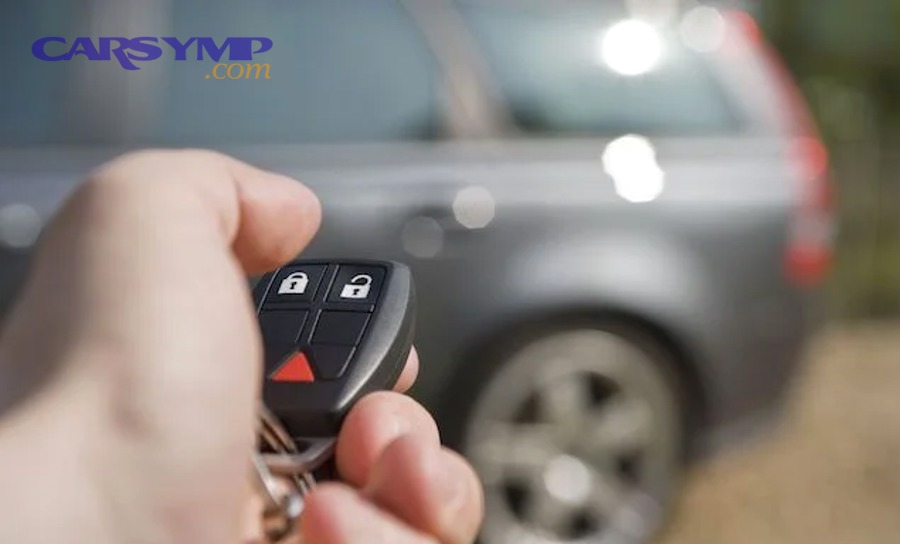
A key fob communicates with your vehicle using a low-power RF signal. When that signal reaches the receiver cleanly, the car unlocks consistently at a predictable distance. When the signal gets weak, noisy, or blocked, you get “close range only” behavior or intermittent success.
Common Car Symptoms that fit “weak key fob signal” include:
- You must stand within 1–3 feet of the door for unlocking to work.
- The fob works better at certain angles (pointed at the car, held higher, or pressed repeatedly).
- It works outside but fails in garages, apartment lots, or crowded RF environments.
- It works after a new battery, then quickly degrades again (often a contact or battery-quality issue).
Just as important: don’t confuse “weak” with “dead.” A fob can be not fully dead and still create major range problems—this is why “it lights up” isn’t a valid diagnostic conclusion.
Is it normal for keyless entry range to vary by location and weather?
Yes—keyless entry range can vary, and weak key fob signal complaints often spike in certain locations because (1) RF interference changes by environment, (2) cold reduces battery output under load, and (3) physical obstructions block or reflect the signal.
However, normal variation has a boundary: if your range suddenly drops from “across the driveway” to “touching the door handle,” that’s not normal variability—that’s a diagnosable fault.
Specifically, here’s what “normal variation” looks like versus a true range issue:
Normal variation
- Slightly reduced distance in underground garages or dense urban areas.
- Occasional delayed unlock when you’re surrounded by other electronics.
- Minor season-related changes (especially cold mornings).
True range issue
- Consistent “works only up close” behavior in multiple locations.
- The spare key behaves the same way (vehicle-side suspicion).
- You must press multiple times for one response (signal reliability drop).
An evidence-based way to think about location variability is “background RF noise.” According to a study by University of Nebraska–Lincoln from Department of Computer & Electronics Engineering, in 2005, background radio frequency interference measurements showed that RF environments can vary significantly by location, affecting how reliably low-power signals are received. (digitalcommons.unl.edu)
What’s the difference between remote keyless entry (RKE) and passive keyless entry when diagnosing range?
Remote Keyless Entry wins for simpler diagnosis, Passive Keyless Entry is best for convenience-based access, and diagnosing range is optimal when you first identify which system you’re dealing with because the failure patterns differ.
However, many owners mix the two together and chase the wrong fix.
RKE (button-press fob)
- You press Lock/Unlock.
- Diagnosis focuses on the transmitter, battery, and RF path.
- Range issues often show up as “needs multiple presses” or “works only close.”
Passive Keyless Entry (proximity / keyless go)
- The car detects the fob nearby and unlocks when you touch the handle (varies by model).
- Diagnosis includes interior/exterior antennas and “request” zones.
- Range issues may show up as “won’t detect the fob unless it’s in a specific pocket/bag position.”
In practical terms: if your complaint is “touch-to-unlock doesn’t detect the key unless the fob is nearly touching the handle,” you may be diagnosing passive entry antennas more than the fob’s button RF.
What are the most common causes of keyless entry range issues?
There are 5 main types of keyless entry range issues causes—battery weakness, fob contact/transmitter faults, interference/signal blocking, vehicle receiver/antenna problems, and pairing/module faults—based on whether the failure follows the fob or stays with the vehicle.
To keep the diagnosis accurate, you should rank causes by probability and test cost: do the easiest, cheapest, most common checks first.
Here’s the high-probability map:
- Fob battery weakening under load (most common)
- Dirty/bent battery contacts or internal button wear
- Interference and signal blocking causes (environment + pocket clutter)
- Receiver/antenna or module sensitivity issues
- Programming/synchronization edge cases (after battery swap, repairs, or replacements)
Is a weak key fob battery the #1 cause of short range?
Yes—weak key fob signal is most often caused by a weak fob battery because (1) low voltage reduces transmitter output, (2) voltage sag under button press is worse than “resting voltage,” and (3) marginal power causes intermittent bursts that the receiver can’t decode consistently.
Moreover, “the battery is new” doesn’t automatically mean “the battery is good.” Battery brand quality, shelf age, and contact pressure matter. A battery can also be fine electrically but poorly seated mechanically, which mimics a low-voltage problem.
Practical clues that battery weakness is likely
- Range dropped gradually over weeks.
- The LED (if present) looks dimmer or inconsistent.
- Pressing harder, longer, or multiple times improves success.
- After battery replacement, it works immediately—then declines again (often contact pressure).
Important diagnostic nuance
- A multimeter reading without load can mislead you.
- The fob needs stable voltage when transmitting; low internal resistance is key.
Can interference and signal blocking cause a key fob to work only up close?
Yes—interference and signal blocking can create close-range-only unlocking because (1) nearby electronics raise the noise floor, (2) metal objects and certain materials attenuate RF, and (3) reflections/multipath can produce “dead zones” where reception is unreliable.
Especially, this shows up when the fob works fine in one place but becomes “key fob not working” in another—same battery, same car, different RF environment.
Typical interference and signal blocking causes:
- Phone, smartwatch, wireless earbuds case, or portable charger pressed against the fob.
- A bag with metallic lining or a crowded key ring.
- Dense parking garages, high-rise lots, industrial zones with RF activity.
- Aftermarket devices in the vehicle that add noise (less common, but real).
An evidence-based reminder that RF devices can create unexpected interference: according to a study by Virginia Tech from Aerospace & Ocean Engineering, key fobs operating at 315 MHz can generate emissions relevant enough to be measured as interference in testing contexts, reinforcing that fobs and RF environments matter in real systems. (aoe.vt.edu)
How do you diagnose key fob range issues step-by-step (fast checklist)?
A reliable diagnosis uses a 7-step fast checklist—symptom pattern, spare fob comparison, battery swap, contact inspection, interference isolation, location repeat test, and vehicle-side confirmation—to identify the cause and expected fix without guessing.
Then, you’ll apply one rule: only change one variable at a time so your conclusion stays trustworthy.
Here’s the checklist in the order that prevents wasted effort:
- Describe the symptom precisely (“only close,” “only certain door,” “only in one location,” “only passive entry,” etc.).
- Test the spare fob (if available).
- Replace the battery with a known-good cell (and seat it correctly).
- Inspect and clean contacts (battery terminals + case fit).
- Isolate interference (empty pockets, move locations, turn off nearby devices).
- Repeat a controlled distance test (same spot, same orientation, 10 presses).
- If both fobs are affected, pivot to vehicle-side checks (receiver/antenna/module).
Does the problem follow the key fob or stay with the vehicle? (Spare fob test)
A spare fob test is the fastest comparison because it separates causes into two buckets: fob-side (one fob fails) versus vehicle-side (both fobs fail) with minimal tools and high confidence.
However, the test only works if you run it correctly.
How to run it
- Use the same location.
- Stand at the same starting distance.
- Press the same button 10 times with each fob.
- Note consistency, not just “it worked once.”
How to interpret outcomes
- Spare works normally, primary fob is weak: likely battery/contact/transmitter wear in the weak fob.
- Both are weak in multiple locations: suspect receiver/antenna/module sensitivity or systemic interference.
- Both weak in one location only: suspect interference and signal blocking causes (environment).
This single step often cuts the diagnostic path in half.
How do you test for interference vs a failing transmitter at home?
You can test interference versus transmitter failure by running a controlled A/B test: remove electronics and metal from the fob’s environment, change locations, and track repeatable distance success—then compare whether performance changes with the environment.
Specifically, run these mini-tests:
Test 1: Pocket purge
- Put the fob alone in an empty pocket (no phone, no keys).
- Try unlocking at your “normal” distance.
- If range improves, pocket clutter and shielding were part of the problem.
Test 2: Location swap
- Try the same distance test at:
- an open lot,
- a garage,
- your driveway,
- a store parking area.
- If the problem is location-dependent, you’re seeing RF environment effects.
Test 3: Orientation consistency
- Hold the fob the same way each time.
- If success depends on angle, you may have:
- weak transmitter output,
- poor battery contact pressure,
- or reception sensitivity variation.
When the fob fails consistently in all locations, the transmitter/battery/contact category rises in probability. When it fails only in certain locations, interference rises.
How do you fix weak key fob signal problems safely and correctly?
The best fix method depends on the diagnosis, but most weak key fob signal problems resolve with 4 fix tracks—battery replacement, contact restoration, synchronization, or fob replacement—producing stable range and consistent lock/unlock response.
Next, you apply fixes in the same order as diagnosis: easiest first, irreversible last.
How do you replace a key fob battery the right way to restore range (not just power)?
Key fob battery replacement steps restore range when done correctly because (1) a fresh cell increases transmitter stability, (2) clean contact pressure prevents voltage sag, and (3) correct seating prevents intermittent resets that look like range loss.
More specifically, follow this sequence:
- Open the fob carefully
- Use the slot designed for separation (often near the key ring area).
- Avoid bending the case, which can reduce contact pressure later.
- Remove the old battery
- Note polarity before removing.
- Avoid scraping or bending the metal spring contacts.
- Clean contact points
- Wipe the battery and contacts with a dry cloth.
- If corrosion is visible, use a small amount of isopropyl alcohol on a cotton swab and let it dry fully.
- Install the new battery
- Use the specified size (often CR2032, but not always).
- Seat it firmly so it doesn’t rock.
- Close and retest
- Run the same distance test (10 presses at the same spot).
If your fob becomes “key fob not working” right after replacement, suspect reversed polarity, a bent contact, or a case that didn’t fully snap shut.
When should you reprogram/relearn the key fob after a battery change or low range?
Yes—reprogramming or relearning is sometimes needed after battery issues or resets because (1) some systems lose synchronization, (2) certain vehicles require re-initialization after power interruption, and (3) replacement fobs always require pairing—but it is not the default fix for simple weak range.
Moreover, owners often jump to programming when the real issue is mechanical contact pressure or interference.
Reprogramming a key fob basics (when it applies)
- You replaced the fob (new or refurbished).
- The fob has power but the vehicle does not respond at all.
- The car responds to one button but not others after repair work.
- You see system messages about key detection (varies by vehicle).
When relearn is usually NOT needed
- Range is short but the car still responds consistently up close.
- The spare fob works fine (points to fob hardware, not pairing).
If your vehicle requires specific steps, the owner’s manual is the safest authority because procedures vary widely. As a general consumer reminder about keyless systems and safety-related behavior, NHTSA advises checking your driver’s manual for detailed instructions on proper operation for keyless systems. (nhtsa.gov)
When is it a vehicle-side problem (receiver/antenna/module) and what should you check next?
There are 3 main categories of vehicle-side faults—receiver/antenna sensitivity, wiring/connector issues, and body control module (BCM/RFA) logic problems—based on whether both fobs are affected and whether symptoms are consistent across locations.

Then, you confirm vehicle-side suspicion with simple checks before spending money on parts.
If both fobs have short range, is the receiver/antenna more likely than the fobs?
Yes—if both fobs show the same short range across multiple locations, the receiver/antenna/module side becomes more likely because (1) two fobs failing identically is statistically less common, (2) the receiver sets the sensitivity threshold, and (3) shared environmental conditions can’t explain consistent multi-location failure.
However, don’t skip the battery/contact step: two fobs can share the same “old battery age” pattern if they’re rarely used.
Use this quick decision rule:
- Both fobs weak everywhere + fresh batteries tested: vehicle-side suspicion is strong.
- Both fobs weak only in one area: interference/signal blocking suspicion is stronger.
- One fob weak, one normal: fob-side is strongest.
What checks can confirm a receiver/antenna issue before you replace parts?
You can confirm a receiver/antenna issue by checking power paths, visible connector health, and diagnostic feedback because those steps can reveal “obvious faults” without guesswork or unnecessary module replacement.
More specifically, do these checks in order:
- Check related fuses (vehicle manual)
- A blown fuse can reduce or disable receiver function.
- Don’t guess fuse positions—use the manual or cover diagram.
- Look for water intrusion clues
- Damp carpet, windshield leak history, or condensation near module locations can lead to corrosion and sensitivity loss.
- Inspect what you can access safely
- Loose antenna connectors or damaged harness routing can degrade reception.
- If you’re not comfortable removing panels, stop here and escalate.
- Scan for body/network codes (best at a shop)
- A professional scan tool can reveal RKE/BCM-related faults that aren’t visible.
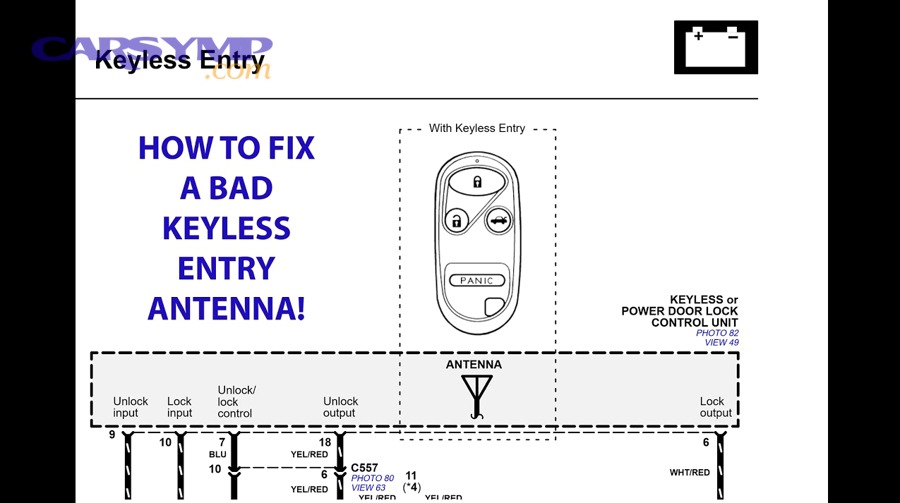
If you want a visual concept of how vehicles distribute keyless antennas (especially in passive systems), service diagrams often show multiple antenna zones that create detection areas, which explains why some doors detect the fob better than others.
How do you decide between DIY fixes and professional diagnosis for keyless range issues?
DIY wins in speed and cost for battery/contact/interference fixes, professional diagnosis is best for receiver/module confirmation and programming, and the optimal path is to DIY the low-risk steps first, then escalate when results point vehicle-side.

In addition, the “right” decision depends on whether you’re dealing with inconvenience or a lockout risk.
Should you replace the key fob, repair it, or diagnose the car first?
Replace the key fob wins when one fob clearly fails and the spare works, repair is best when contact pressure or case damage is obvious, and diagnosing the car is optimal when both fobs show the same range issue across locations.
However, you should base the choice on test outcomes, not intuition.
Choose “replace or repair the fob” when:
- Spare fob works normally.
- New battery + contact cleaning improves range only for that one fob.
- Buttons feel mushy or inconsistent (internal wear).
Choose “diagnose the car” when:
- Both fobs behave the same way.
- The problem is consistent in multiple locations.
- The car shows additional symptoms (random lock cycling, warning messages, detection failures).
If you’re considering aftermarket keys, remember compatibility and programming quality vary; for some vehicles, OEM pairing and synchronization are tightly tied to security systems.
What symptoms suggest you should stop troubleshooting and get help now?
There are 4 main “stop and escalate” symptoms—complete non-response, immobilizer/key detection failures, repeat lockouts, and signs of water damage—based on risk to access and vehicle operability.
More importantly, these symptoms can turn a convenience problem into a stranded problem.
Stop DIY and get help if:
- No buttons work at all even with a verified good battery and spare fob attempts.
- The vehicle reports key not detected or won’t start reliably (keyless ignition overlap).
- Locks cycle unpredictably or alarms trigger unexpectedly.
- You suspect water intrusion near electronics (musty smell, wet floor, recent leak repair).
As a practical consumer note, many keyless systems have fallback options if a fob battery dies away from home (procedures vary by manufacturer), which is why reading the manual matters when symptoms escalate beyond range. (enterprisecarsales.com)
At this point you’ve identified whether the range problem comes from the battery/fob, interference, or the vehicle receiver side. Next, we’ll expand into rare and system-specific factors that can reduce range—and a security-related “opposite problem” that owners often confuse with weak signal issues.
What rare or system-specific factors can reduce keyless entry range ?
There are 4 rare categories that can reduce keyless entry range—vehicle glass/coatings, water/corrosion at connectors, compatibility/frequency mismatches, and security-related signal behaviors—based on specialized environments and system-specific design.
To avoid chasing myths, you’ll look for clear patterns that don’t fit the common-cause checklist.
Can a heated/metal-coated windshield or aftermarket tint reduce key fob range?
Yes—specialty glass coatings or certain aftermarket tints can reduce effective range because (1) metallic layers attenuate RF, (2) coatings change how signals pass through the cabin boundary, and (3) the “best reception spot” shifts to areas with less shielding.
However, this tends to show up as a pattern, not a total failure.
Clues this may apply:
- Passive entry works better near certain doors than others.
- The fob works better when held near side glass than near the windshield area.
- The issue started after a tint install or windshield replacement.
What you can do:
- Re-test range at each door consistently.
- Note whether the problem is stronger when the fob is inside the cabin versus outside.
- If the windshield was replaced, confirm the correct glass type was installed for your trim.
Can water ingress or corrosion at the receiver/antenna connector cause intermittent short range?
Yes—water ingress or corrosion can cause weak key fob signal behavior because (1) corrosion increases resistance and degrades signal integrity, (2) moisture changes connector impedance and sensitivity, and (3) intermittent contact produces “works sometimes” symptoms that mimic interference.
Moreover, this issue often worsens over time, which makes it look like a mysterious gradual range decline.
Clues:
- The problem appeared after heavy rain, car wash issues, or leak repairs.
- You notice dampness, fogging, or musty odors in the cabin/trunk.
- Range is worse in wet conditions and better after dry weather.
The practical takeaway: if you suspect moisture around electronic modules, escalation is wise, because repeated moisture exposure can create broader electrical problems beyond keyless entry.
Can frequency mismatch or aftermarket key fob replacements create range and reliability issues?
Yes—frequency mismatch or low-quality aftermarket fobs can create range and reliability problems because (1) the vehicle receiver expects a specific frequency and protocol, (2) some replacements have weaker transmitters, and (3) poor programming/synchronization increases errors even when the battery is good.
However, not all aftermarket options are bad—your risk depends on source quality and correct pairing.
What to watch:
- A replacement fob that “works sometimes” even with a fresh battery.
- Range that is inconsistent day-to-day without a location pattern.
- Features that don’t fully match (lock works, trunk doesn’t, passive entry fails).
If you’re not sure whether you have a programming issue or a hardware limitation, that’s where Reprogramming a key fob basics plus a professional tool check can save money.
What’s the opposite problem—can keyless systems be “too easy” to trigger (relay attacks) and why does that matter?
Relay attacks win for extending detection range, weak signals are best explained by battery/contact/interference, and the optimal takeaway is to avoid confusing a security risk (range amplified by relays) with a reliability fault (range reduced by weak transmission).
Meanwhile, this matters because some owners buy “signal boosters” after experiencing weak range—without realizing that “boosting” can create security and compliance issues and does not fix the real root cause.
How to keep the concepts separate:
- Weak-signal problem: you must get closer and closer; unlocking becomes unreliable.
- Relay/security problem: the car unlocks even when the fob seems far away (because a relay device is extending it).
If you want security improvements without guessing, focus on storage habits (keeping the fob away from entry doors, using approved shielding methods) rather than chasing unverified electronics.
According to a study by Virginia Tech from Aerospace & Ocean Engineering, key fobs operating around 315 MHz produce measurable RF behavior in test conditions—reinforcing that keyless entry is a real RF system where both performance and security can be affected by how signals are propagated and received. (aoe.vt.edu)
Evidence (if any)

- According to a study by the University of Nebraska–Lincoln from the Department of Computer & Electronics Engineering, in 2005, background radio frequency interference measurements show that RF noise environments vary by location, which can impact the reliability of low-power wireless reception in practical settings. (digitalcommons.unl.edu)
- According to a study by Virginia Tech from Aerospace & Ocean Engineering, key fobs operating at 315 MHz can generate emissions measurable in spectrum analysis contexts, supporting the idea that interference and RF environment can influence keyless system behavior. (aoe.vt.edu)
- For operational and safety context on keyless systems, NHTSA advises consumers to consult their driver’s manual for detailed operating instructions for keyless ignition systems. (nhtsa.gov)