


If you need reprogramming a key fob basics, the fastest path is simple: confirm you have the right fob and a good battery, put the car into programming mode, then pair each fob in the same session and verify the locks (and start function if applicable) respond consistently.
Next, you’ll learn how to tell whether your vehicle supports DIY programming or whether built-in security means you’ll need a locksmith, dealer, or a tool-assisted method—before you waste time repeating steps that will never work on your model.
Then, you’ll get a practical troubleshooting flow for the moments when the key fob not working problem isn’t the procedure at all, but a battery, compatibility, interference, or “all fobs at once” requirement that silently blocks pairing.
Introduce a new idea: once you understand the basics and the DIY limits, you can make a confident decision—either complete the pairing at home or pivot early to professional programming and avoid lockouts, lost time, and mismatched parts.
What does it mean to “reprogram,” “program,” or “pair” a key fob?
A key fob “reprogram” is the process of registering a fob’s identity with your vehicle’s receiver so the car recognizes its signals, and it’s commonly described with the synonyms program, pair, or sync depending on the car and the shop.
To better understand why the same action has multiple names, it helps to know what’s happening behind the scenes: your car’s Body Control Module (BCM) or a dedicated receiver stores approved fob IDs and listens for a correctly formatted radio signal. When you “pair” a fob, you are typically placing the vehicle into a temporary learning state and then sending a signal from the fob so the vehicle saves it as authorized.
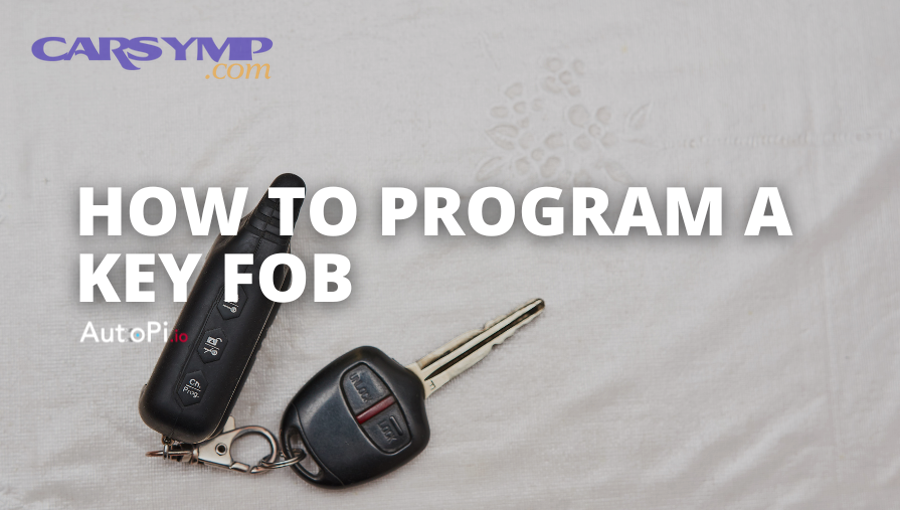
What “reprogramming” changes—and what it does not
Reprogramming usually changes authorization, not hardware. In practical terms, it can:
- Add a new fob to the vehicle’s memory
- Replace a lost or damaged fob by registering a replacement
- Restore function after a module reset or memory wipe
But it does not fix physical problems such as a cracked circuit board, corroded battery contacts, or worn buttons. When people say “my fob needs reprogramming,” the root issue may be a dead battery, a damaged transmitter, or a mismatched fob—so the best strategy is to verify basics first before you chase programming steps.
How “pair” and “sync” fit into the same idea
Many manufacturers and tutorials use “sync” to describe the same outcome—your car responds to the fob again—especially after battery changes or when range becomes inconsistent. The key difference is that some situations require a true “programming mode” (where the car learns IDs), while others only need a quick re-synchronization (where the fob and receiver align timing or rolling codes again).
According to a study by University of Birmingham from its School of Computer Science, in 2016, researchers highlighted security weaknesses in certain keyless entry implementations and reinforced why many modern systems restrict programming to authenticated, controlled procedures.
Can you reprogram a key fob at home without special tools?
Yes—you can reprogram a key fob at home on many older and some mid-range vehicles because they support onboard programming, but you often cannot on newer smart-key systems because security design, immobilizers, or encrypted access procedures block DIY pairing without authorized tools.

Next, the real question becomes: which side of that line is your vehicle on? Some cars let you enter programming mode with an ignition/door sequence; others require a diagnostic tool connected to the vehicle, plus proof of ownership, PIN access, or a security handshake that only a locksmith/dealer tool can perform.
Here are three common reasons DIY programming works (or doesn’t):
- Onboard programming exists (DIY-friendly)
If your vehicle supports onboard programming, it’s designed to accept new remotes through a timed sequence (ignition cycles, door locks, button presses). This is common on many older keyless entry remotes. - Your “fob” is actually a smart key (DIY-limited)
Push-to-start proximity systems often integrate with an immobilizer and require secure programming. DIY may not be possible, even if the lock/unlock buttons look similar. - The vehicle requires authenticated access (tool-required)
Some vehicles require a scan tool session to enter “learn mode,” manage key slots, or perform security authorization.
In short, DIY is possible when the manufacturer intentionally exposes a safe consumer method, and it’s blocked when security or immobilizer design demands controlled access.
Which type of key fob do you have (remote-only vs smart/proximity)?
There are two main types of key fobs—remote-only fobs and smart/proximity keys—based on whether the fob only controls locks or also authenticates the vehicle for push-to-start driving.
Below, the fastest way to avoid wasted steps is to correctly classify what you have, because the programming path and DIY feasibility change immediately when a transponder or proximity function is involved.

Is your key fob a remote-only fob (lock/unlock) or a smart key (push-to-start)?
Remote-only fobs win for simple DIY pairing, while smart keys are best for convenience and security features but usually require tool-assisted programming—so your next step depends on which category you’re holding.
Use this practical checklist:
You likely have a remote-only fob if:
- You insert a physical key into the ignition to start the car
- The fob mainly has lock/unlock/trunk/panic
- The car does not require the fob to be inside the cabin to start
You likely have a smart/proximity key if:
- You start the car with a push button
- The car senses the fob inside the cabin (and may warn “Key Not Detected”)
- Door handles may unlock when you touch them with the fob nearby
Once you identify the type, you can choose the right “program/pair” expectations: remote-only tends to be onboard-programmable; smart keys often require immobilizer-level pairing.
Does replacing the battery require reprogramming or just re-syncing?
Replacing the battery usually requires no full reprogramming, but it may require re-syncing if the car and fob temporarily fall out of alignment—especially if the battery was dead for a while or you pressed buttons repeatedly out of range.
To separate the two scenarios, look at symptoms:
More like “just re-sync”:
- The fob works sometimes, but range is short
- The car responds after multiple presses
- Lock/unlock works, but it feels delayed or inconsistent
More like “needs programming/pairing”:
- A replacement fob never worked on this car
- You lost all working fobs and now have none to initiate onboard programming
- The vehicle shows a persistent “Key Not Detected” (smart key) even with a fresh battery
If you’re stuck with a dead fob and the car won’t start, check your owner’s manual for Emergency start procedures with dead fob—many push-to-start vehicles allow starting by holding the fob near a specific sensor area (often the start button or a designated pocket) to read a low-power transponder.
What do you need before you start programming a key fob?
You need a fresh fob battery, the correct compatible fob, and the ability to place the vehicle into programming mode—plus, in many cases, you must have all fobs present to avoid losing access.
Then, if you treat preparation like a checklist, you dramatically reduce “it won’t program” failures caused by preventable issues. Think of it as the foundation of reprogramming a key fob basics: correct part, correct power, correct timing, correct sequence.
Here’s the practical pre-flight list:
- Fresh battery in the fob (and clean contacts)
- Vehicle battery is healthy (low vehicle voltage can disrupt programming mode)
- Correct fob compatibility (part number/FCC ID family matters)
- All existing working fobs are present
- A quiet RF environment (avoid heavy interference)
- Doors, locks, and switches are functioning (some sequences require door/lock actions)
Do you need to program all key fobs in the same session?
Yes—on many vehicles, you must program all key fobs in the same session because entering programming mode can erase the old list and rebuild it, and any fob not reintroduced may stop working afterward.
Next, this one detail explains a huge number of “my spare fob stopped working” stories. Some systems wipe memory when you enter learn mode; others don’t—but because it’s common, the safest approach is to assume you need all fobs on hand unless your vehicle instructions explicitly say otherwise.
If you don’t have all fobs:
- You may accidentally disable a missing fob (which is good if it was stolen)
- You may accidentally disable a spare you wanted to keep
- You may end up needing a locksmith to restore the missing slot
What basic checks prevent most programming failures?
There are five checks that prevent most failures: battery power, compatibility, timing, vehicle readiness, and environment.
More specifically, use this Key fob not working causes checklist before you try again:
- Fob battery and contacts
- Battery is new and installed correctly (+/− orientation)
- Contacts are not corroded or bent
- Buttons aren’t stuck or cracked
- Correct fob identity
- The fob matches your vehicle’s required ID family (often linked to FCC ID or part number)
- You’re not mixing “look-alike” remotes
- Vehicle battery health
- Weak vehicle battery can prevent locks from cycling or programming mode from initiating
- Timing window
- Programming sequences often require steps within seconds
- Pausing too long can exit programming mode silently
- Interference and distance
- Stand close to the driver area
- Avoid metal containers, dense electronics, or signal-heavy garages
If the key fob not working issue persists after these checks, the odds increase that the fob is incompatible or the vehicle requires tool-assisted programming.
How do you reprogram a key fob step-by-step using common DIY methods?
The most reliable DIY method is to enter the vehicle’s programming mode, send the pairing signal from each fob, and then exit programming mode to lock in the new list—usually in one session—so the car recognizes your remote(s) immediately.
Below, the goal is not to guess your exact manufacturer sequence, but to give you a structured, universal “map” you can follow while using the correct year/make/model instructions for your vehicle.

How do you put the car into “programming mode”?
You put the car into programming mode by following a timed sequence that signals the BCM/receiver to temporarily accept new fob IDs—commonly using ignition cycles, door open/close actions, lock/unlock switches, or an infotainment menu.
Specifically, most DIY-friendly vehicles use one of these patterns:
Pattern A: Ignition cycle + lock switch
- Sit in the driver seat
- Close all doors
- Cycle ignition from OFF to ON a set number of times
- Press the driver lock/unlock switch
- Listen/observe for lock cycle or beep confirmation
Pattern B: Door sequence + ignition
- Open driver door
- Perform a door/lock toggle pattern
- Cycle ignition
- Receive a confirmation (locks cycle) indicating learn mode
Pattern C: Menu-based pairing (some newer models)
- Use an infotainment or instrument cluster menu
- Navigate to keys/remotes settings
- Follow prompts to add a remote
Your correct steps depend on your model, but the logic stays consistent: the car must enter a short-lived state where it is listening to learn new fobs.
What is a safe, general “pairing sequence” once you’re in programming mode?
A safe general pairing sequence is to press a primary button (often LOCK) on the fob to transmit its identity, wait for the car’s confirmation (lock cycle/beep), repeat for each additional fob, and then end programming mode so the vehicle saves the set.
For example, your sequence often looks like this:
- Confirm you’re in programming mode
- Locks cycle or a chime indicates the receiver is ready
- Pair the first fob
- Press LOCK (or LOCK+UNLOCK depending on model)
- Hold for a short time if instructions say so
- Wait for the vehicle to confirm (locks cycle)
- Pair additional fobs (if needed)
- Pair each fob one-by-one, in the same session
- Keep steps within the time window
- Exit programming mode
- Turn ignition OFF, open the door, or follow the exit step
- The car may cycle locks again to confirm completion
This “pair-confirm-repeat-exit” model works across many DIY programming designs even when exact button choices differ.
How do you confirm the key fob successfully programmed?
Yes—you can confirm success when the vehicle consistently responds to the fob’s lock/unlock actions, gives the expected visual/audio confirmation, and (for smart keys) allows starting without “Key Not Detected” warnings.
In addition, test like a professional rather than guessing:
- Test lock/unlock from close range first
- Test trunk/panic if your fob has it
- Step away and test range to ensure the battery and transmitter are healthy
- For push-to-start, verify the car starts normally; if it doesn’t, you may need to use Emergency start procedures with dead fob temporarily while addressing programming or compatibility
According to a study by University of Birmingham from its School of Computer Science, in 2016, researchers demonstrated that keyless entry systems can be targeted in ways that bypass proximity assumptions, which is one reason manufacturers increasingly gate smart-key programming behind authenticated tools.
Why won’t your key fob program—what are the most common causes?
There are seven common causes of key fob programming failure: weak fob battery, wrong fob compatibility, missed timing windows, not programming all fobs together, vehicle battery issues, interference, and security restrictions that prevent onboard pairing.
Next, if you approach the problem as a diagnostic tree instead of random retries, you’ll usually solve it faster—or you’ll quickly recognize the moment DIY won’t work.
Here’s a clean, high-yield troubleshooting order:
- Battery and hardware
- Compatibility
- Procedure timing
- All-fobs requirement
- Vehicle battery/locks
- Interference
- Security/tool-required
Is the problem the key fob, the car, or the programming steps?
The fob is the most likely culprit when no signals work at all, the car is suspect when no remote works but locks still function mechanically, and the steps are suspect when a known-good fob works but a new fob won’t pair.
More specifically, run this triage:
- If an old working fob still locks/unlocks: the car receiver is likely fine, so focus on the new fob’s compatibility and the programming sequence.
- If no fob works but the car battery is weak: stabilize vehicle voltage first; a low vehicle battery can disrupt learn mode.
- If the car won’t respond to door/lock actions used to enter programming mode: the sequence may not apply to your model, or a lock/door switch is malfunctioning.
This is also where the phrase key fob not working becomes too broad; you want to narrow it to “transmitter problem,” “receiver problem,” or “procedure mismatch.”
What interference and signal-blocking issues can stop pairing?
Interference can stop pairing when the fob signal is too weak or the RF environment is too noisy, which prevents the car from reliably receiving the fob’s transmission during the short programming window.
For example, these real-world scenarios commonly block pairing:
- Trying to program in a garage full of wireless devices
- Keeping the fob in a metal tray, bag, or pocket with other electronics
- Standing too far from the driver seat area or outside the vehicle
- A nearly-dead fob battery reducing transmission strength
If you suspect interference:
- Move the car (or yourself) to a quieter area
- Hold the fob closer to the driver area
- Remove other remotes from your pocket
- Replace the battery again if uncertain
When does failure mean you likely need a locksmith or dealer?
Yes—failure likely means you need a locksmith or dealer when you have a smart/proximity key, when the vehicle never offers an onboard programming mode, when all keys are lost, or when the vehicle requires security authorization to add keys.
More importantly, you should pivot early in these cases:
- Push-to-start vehicles with proximity authentication
- Vehicles that require a security PIN or online authorization
- Situations where you cannot start the vehicle at all with any key
If you keep repeating DIY steps on a system that blocks onboard programming, you only increase the risk of lockouts, confusion, and wasted replacement fobs.
When DIY won’t work, what are your options (locksmith vs dealer vs tool-assisted programming)?
Locksmiths are usually best for fast, on-site key programming, dealers are best for OEM-only workflows and warranty alignment, and tool-assisted programming is optimal when the vehicle requires a diagnostic session to enter secure learn mode and manage key slots.
Below, the easiest way to choose is to match your problem to the service that can actually complete it—especially when your vehicle integrates the remote with an immobilizer.

Is a locksmith better than a dealership for key fob programming?
A locksmith wins for speed and convenience, while a dealership is best for OEM parts ecosystems and brand-specific procedures—so the better choice depends on whether you need immediate restoration or manufacturer-aligned service.
Specifically, compare them by the criteria that matter most:
- Speed: locksmiths often come to you; dealers may require appointments
- Cost structure: locksmiths may be lower for common keys; dealers may be higher but include OEM parts and programming packages
- Capability: both can program many systems, but some newest models may be dealer-only depending on authorization systems
- Proof of ownership: both typically require it, especially for immobilizer-related programming
If your concern is “I just need lock/unlock back,” a locksmith often solves it quickly. If you’re dealing with the newest smart key or warranty constraints, dealer workflows may be safer.
What is OBD/immobilizer programming in simple terms?
OBD/immobilizer programming is a secure process where a diagnostic tool communicates with the car’s computers to authorize a new key or fob, often involving security access, key slot management, and a handshake that goes beyond simple button presses.
To illustrate, onboard programming is like teaching the car a new remote via a short “learn mode,” while immobilizer programming is like updating the car’s security list so the vehicle will actually allow starting. That’s why some people can get lock/unlock working but still can’t start the vehicle with a newly purchased smart key.
According to a study by University of Birmingham from its School of Computer Science, in 2016, researchers documented real security weaknesses in certain remote keyless systems, which supports why many manufacturers restrict key authorization functions to controlled programming channels.
How do you avoid buying the wrong replacement key fob (and what’s the difference between OEM and aftermarket)?
You avoid buying the wrong replacement key fob by matching the fob’s required identifier (often FCC ID/part number family), confirming your vehicle’s exact key type (remote-only vs smart key), and choosing OEM vs aftermarket based on compatibility risk rather than price alone.
Next, this is the hidden reason many “programming failures” happen: the steps are fine, but the fob is not the right transmitter for the vehicle’s receiver or security system.
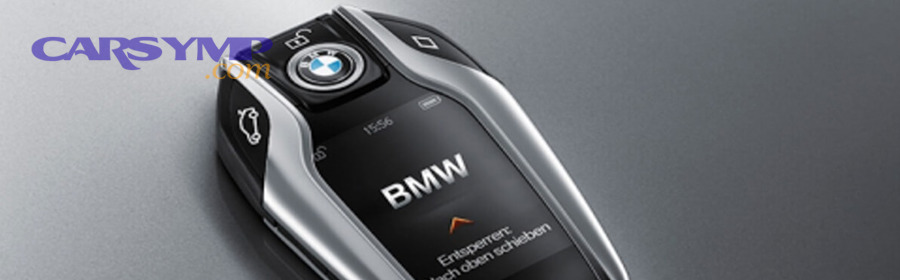
Does the FCC ID/part number have to match exactly for programming to work?
Yes—matching the FCC ID/part number family is one of the strongest predictors that programming will work because the vehicle expects a specific radio protocol and encoding, and a look-alike remote can transmit something the car simply ignores.
More specifically, treat this as your “fitment” check:
- Use year/make/model compatibility lookups from reputable sellers
- Match FCC ID when possible (or match the manufacturer part number family)
- Confirm button layout is not your only criteria; internal firmware/protocol matters more
When this match is wrong, you can see classic symptoms:
- The car never enters confirmation (no lock cycle)
- The fob appears to “pair” but has inconsistent function
- The remote locks/unlocks but won’t remote-start or won’t start the car (smart key mismatch)
Is OEM always better than aftermarket for reprogramming success?
No—OEM is often the safest for compatibility, but high-quality aftermarket can work well when it matches the correct specifications and identifiers, while cheap or poorly documented aftermarket options raise failure risk.
However, the practical strategy is simple:
- Choose OEM when you have a smart key, a newer vehicle, or you want minimum risk
- Consider aftermarket when you have a remote-only fob and the seller provides exact ID compatibility and easy returns
If the cost gap is large, prioritize vendors that provide clear compatibility filters and return policies, because the “wrong fob” problem can’t be solved by repeating programming steps.
Can a used key fob be reprogrammed to another car?
Sometimes—used fobs can be reprogrammed on certain systems, but many smart keys become locked or require specialized procedures, so success depends on the vehicle platform and whether the fob’s security identity can be cleared and re-registered.
Specifically:
- Remote-only fobs are more likely to be reusable
- Smart keys may be “married” to a vehicle and not fully transferable
- Even when lock/unlock can be restored, start authorization may remain blocked
If you’re considering used, be strict about compatibility identifiers and expect that a locksmith may be required even if the fob physically matches.
What are rare reasons a new fob still won’t pair even when it matches?
There are four rare reasons a matching fob still won’t pair: key slot memory limits, a receiver/antenna fault, unstable vehicle voltage during programming, or a security policy that blocks onboard learning for your trim or region.
More importantly, these edge cases show up when you’ve already done the fundamentals correctly—fresh battery, correct ID, correct steps—and the vehicle still refuses confirmation.
Look for clues like:
- The vehicle confirms “program mode” but never confirms “fob learned” (possible memory/slot issue)
- No remotes work after a module repair or battery event (possible receiver/BCM issue)
- Range is extremely short even after pairing (possible antenna or interference issue)
In these situations, a locksmith or dealer diagnostic session is usually faster than endless retries because they can read module status, key counts, and security access requirements.
According to a study by University of Birmingham from its School of Computer Science, in 2016, researchers showed that weaknesses in some keyless entry systems can be exploited without proximity, reinforcing why authorization and key management are tightly controlled in modern vehicles.