


Reading real-time OBD2 live data (PIDs) is the fastest way for beginners to understand what the engine computer “sees” right now—so you can interpret numbers like coolant temperature, fuel trims, and airflow as evidence, not guesswork, and make smarter next checks.
Next, you’ll learn which live data items matter most first and how to use practical “normal range” baselines without falling into the trap of expecting one perfect number that applies to every vehicle and every driving condition.
Then, you’ll follow a simple, repeatable workflow for accessing and reading live data correctly—warming the engine, confirming closed loop when appropriate, and comparing idle vs cruise so your interpretation stays grounded.
Introduce a new idea: you’ll also see where live data fits compared to diagnostic trouble codes, so you can use codes as a direction and live data as the proof that confirms (or disproves) the suspected cause.
What is real-time OBD2 live data (PIDs), and what can it tell you as a beginner?
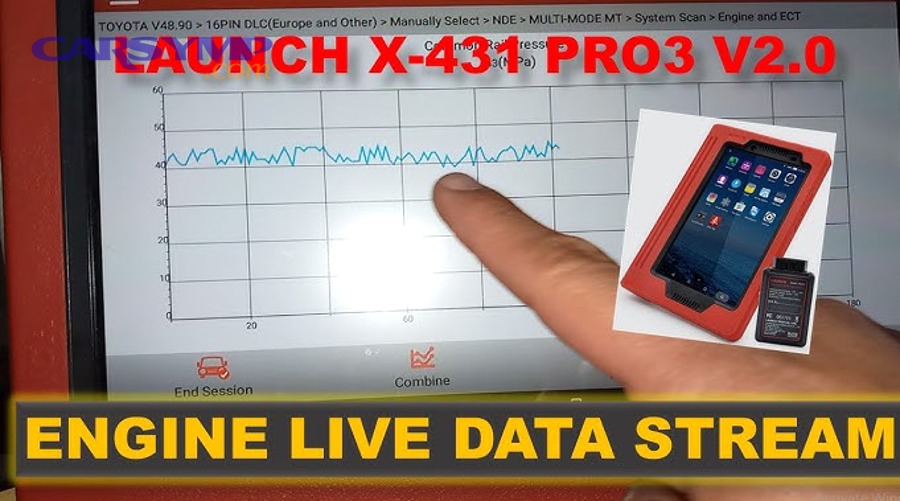
OBD2 live data (PIDs) is a standardized set of real-time values the vehicle’s computer reports—like temperature, airflow, and fuel correction—so you can see how the engine is operating right now instead of guessing from symptoms alone.
Next, once you understand what live data represents, you can stop “reading numbers” and start reading patterns that connect directly to drivability and emissions behavior.
Does live data show the real cause of a problem every time?
No—live data does not show the real cause every time, because (1) many PIDs show symptoms rather than the root failure, (2) values change with operating conditions, and (3) some issues are intermittent and may not appear during your test.
However, live data still gives you a powerful advantage because it turns “maybe” into measurable evidence.
Reason 1: Live data often shows the engine’s reaction, not the broken part.
For example, a vacuum leak can cause a lean condition. The ECU reacts by adding fuel, so you may see fuel trims rise. The trims are real and useful, but they are not “the vacuum leak PID.” You still have to confirm the reason the ECU is correcting.
Reason 2: The same PID can look “wrong” in one condition and “normal” in another.
A slightly high idle fuel trim might disappear at cruise, or vice versa. That difference is not noise—it’s diagnostic information that helps you separate airflow leaks, fuel delivery limits, and sensor bias.
Reason 3: Intermittent faults may not show up on a short driveway test.
A failing crank sensor or wiring issue can drop out for milliseconds. If your scanner refreshes slowly, you might miss it unless you use graphing/logging later (covered in Supplementary Content).
Which units, abbreviations, and labels do beginners need to recognize first?
There are 10 main “starter” PID labels beginners should recognize first—RPM, ECT, IAT, STFT, LTFT, O2/AFR, MAF, MAP, TPS, and LOAD—based on how directly they reflect airflow, temperature, and fuel correction.
Specifically, this short list prevents overwhelm while still covering the majority of common drivability problems.
- RPM (Engine Speed): Context for everything else; use it to compare tests consistently.
- ECT (Engine Coolant Temperature): Tells you warm-up status and thermostat behavior.
- IAT (Intake Air Temperature): Helps with plausibility checks and density-related changes.
- STFT (Short-Term Fuel Trim): Immediate fuel correction response.
- LTFT (Long-Term Fuel Trim): Learned correction over time (adaptation).
- O2 / AFR (Oxygen sensor or Air-Fuel Ratio sensor): Closed-loop feedback signal (varies by vehicle).
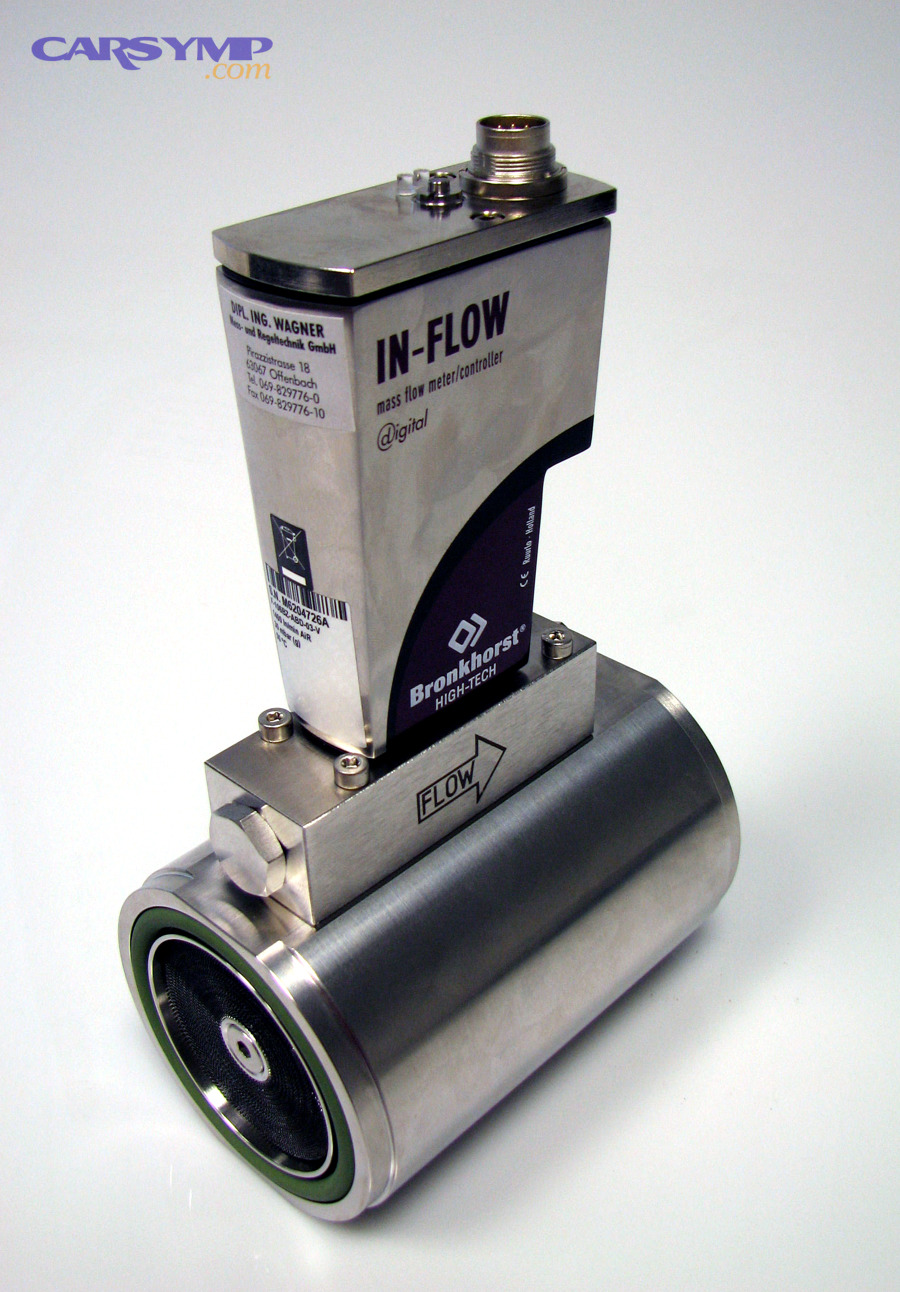
- MAF (Mass Air Flow): Measured airflow (usually g/s); great for load validation.
- MAP (Manifold Absolute Pressure): Intake pressure (kPa); strong for vacuum/load insights.
- TPS (Throttle Position) / APP: Driver demand and throttle opening context.
- Calculated LOAD: ECU’s estimate of engine load; helpful when MAF/MAP is missing.
How to read “Bank” and “Sensor” labels (quick beginner rule):
Bank 1 is the side of the engine containing cylinder #1.
Sensor 1 is upstream (before the catalytic converter).
Sensor 2 is downstream (after the catalytic converter).
This matters because upstream sensors influence fuel control, while downstream sensors primarily help the ECU evaluate catalyst performance.
Is live data useful even if you have no trouble codes?
Yes—live data is useful even with no trouble codes because (1) some issues don’t meet the threshold to set a code, (2) “pending” behavior can still show in trims and sensor responses, and (3) baseline checks can reveal slow-developing problems early.
More importantly, live data helps you validate normal operation, which is often the fastest way to narrow the problem to one system.
Common examples where live data helps without codes:
- Rough idle with no MIL: fuel trims, MAP, misfire counters (if available)
- Poor fuel economy: trims, MAF, O2/AFR behavior, coolant temp staying too cool
- Hesitation: throttle/load agreement, AFR response, timing behavior (if available)
According to a report by Chalmers University of Technology (Department of Signals and Systems), in 2011, misfire detection testing discussed how combustion irregularities create measurable speed/torque fluctuations that diagnostic methods can detect from engine-related signals, reinforcing why “no code” does not mean “no measurable abnormality.”
How do you correctly read live data on an OBD2 scanner or app step-by-step?
The best way to read live data is to use a simple 6-step workflow—connect, select a small PID set, warm the engine, verify operating mode, test in repeatable conditions, and interpret patterns—so your readings stay consistent and meaningful.
Then, once your workflow is stable, the numbers start telling a story instead of creating confusion.
Step 1: Connect and confirm communication.
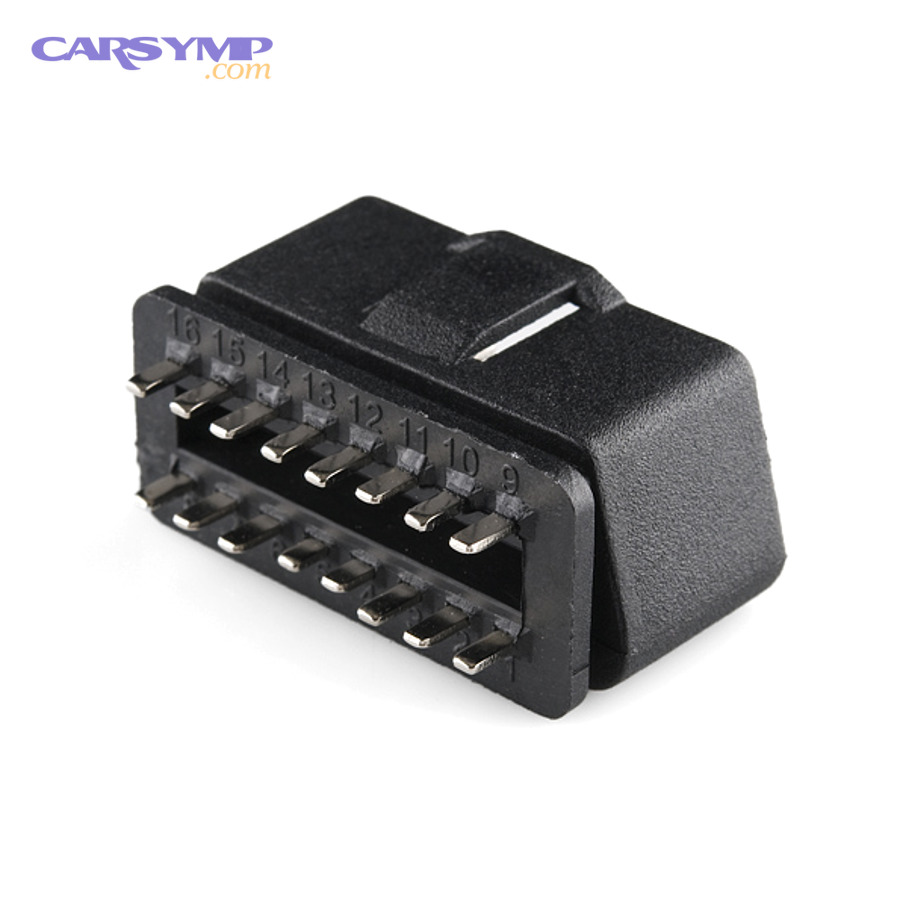
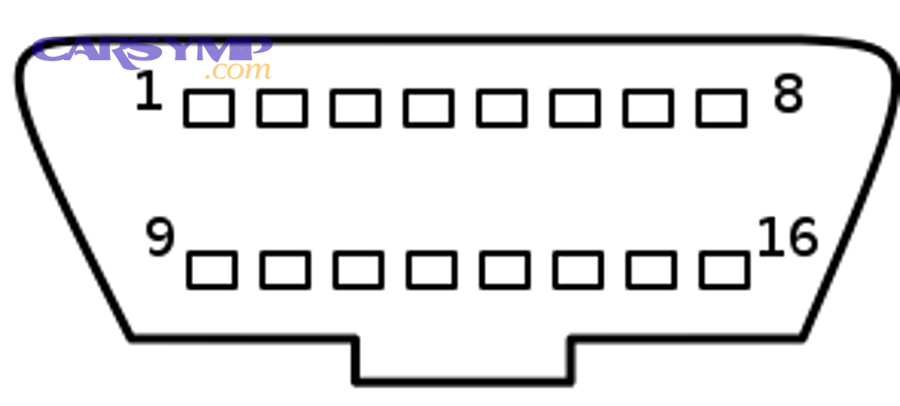
- Plug into the OBD port (usually under the dash).
- Confirm the scanner shows data updating (not frozen).
Step 2: Start with a small “starter PID set.”
Choose: RPM, ECT, IAT, STFT, LTFT, O2/AFR, MAF (or MAP), and LOAD.
Too many PIDs can slow refresh rate and hide brief spikes.
Step 3: Warm the engine to stable operating temperature.
- Watch ECT rise steadily.
- Wait until idle stabilizes (and fans may cycle normally).
Step 4: Confirm operating mode relevant to what you’re testing.
Closed loop vs open loop matters most for fuel-control interpretation.
Step 5: Test in repeatable conditions.
- Idle (in Park/Neutral, accessories off if possible)
- Light cruise (steady speed)
- Gentle acceleration (smooth throttle)
Step 6: Interpret patterns, not single numbers.
- Compare trims at idle vs cruise
- Cross-check airflow/load with throttle and RPM
- Use plausibility checks (ECT vs IAT at cold start)
Should you warm the engine and confirm closed-loop before trusting the numbers?
Yes—you should warm the engine and confirm closed loop (when fuel control is the focus) because (1) cold-start enrichment changes normal ranges, (2) many sensors behave differently before stabilization, and (3) comparing readings without consistent conditions leads to wrong conclusions.
Specifically, beginners often misdiagnose a “lean” issue simply because the engine is still in warm-up strategy.
What to look for:
- ECT rising smoothly: indicates thermostat and sensor plausibility.
- Fuel system status / closed loop indicator: shows when the ECU is actively using feedback from O2/AFR sensors.
- Idle stabilization: a steady idle makes trim interpretation far more reliable.
Important nuance: Some vehicles intentionally run open loop under heavy acceleration, during certain warm-up phases, or in specific power-enrichment strategies. That is normal—your job is to interpret it in context.
Which driving conditions should you check (idle, 2,500 rpm no-load, cruise, acceleration)?
There are 4 main driving conditions you should check—warm idle, steady 2,500 rpm no-load (optional), steady cruise under light load, and gentle acceleration—based on how each condition reveals different airflow and fuel-delivery behaviors.
To better understand why, think of each condition as a different “test environment” for the same engine.
- Warm idle: Best for vacuum leaks, idle control issues, and some sensor plausibility checks.
- 2,500 rpm no-load (optional): A quick mid-range check that can reveal certain airflow biases without road testing.
- Steady cruise: Best for fuel-trim stability, MAF accuracy, and closed-loop behavior.
- Gentle acceleration: Best for response checks—does airflow rise smoothly, does AFR respond, do trims react logically?
A helpful habit: Write down the exact conditions (RPM, speed, throttle position) when you note an abnormal value. That keeps your interpretation consistent.
Is graph view better than list view for beginners?
Graph view wins for spotting trends, list view is best for quick snapshots, and logging is optimal for catching intermittent spikes—because each format reveals different diagnostic signals.
Meanwhile, beginners should still start with list view until they know what “normal” looks like, then graduate to graphs for deeper clarity.
- List view strengths: quick checks, less visual noise, easier for “is this plausible?” questions.
- Graph view strengths: reveals oscillation, lag, dropouts, and “lazy” sensor behavior.
- Logging strengths: captures momentary faults; creates repeatable evidence you can compare later.
According to the SAE J1979 framework, standardized “current data” requests (Service $01) and “freeze frame” snapshots (Service $02) explain why scanners can show both live streams and stored snapshots across many vehicles.
Which live data PIDs should beginners prioritize first for most cars?
There are 10 main PIDs beginners should prioritize—ECT, IAT, RPM, STFT, LTFT, O2/AFR, MAF or MAP, LOAD, TPS/APP, and VSS—based on how quickly they confirm engine state, airflow, and fuel correction.
Next, once you can interpret these ten, you can add advanced signals without losing clarity.
What are the “top 10” live data PIDs that cover the most common issues?
There are 10 main “high-value” PIDs: ECT, IAT, RPM, STFT, LTFT, O2/AFR, MAF (or MAP), Calculated LOAD, TPS/APP, and VSS—based on the criterion of maximum diagnostic usefulness across idle, cruise, and acceleration.
More specifically, each one answers a different “core question” about what the engine is doing.
- ECT: Is the engine truly warm and stable?
- IAT: Does intake temperature make sense for ambient and heat soak?
- RPM: What operating point are we analyzing?
- STFT: What is the ECU doing right now to correct mixture?
- LTFT: What has the ECU learned over time?
- O2/AFR: What feedback does the ECU see in closed loop?
- MAF or MAP: Is airflow/pressure behavior logical for load?
- Calculated LOAD: Does ECU load estimate match reality?
- TPS/APP: Does demand match airflow and load response?
- VSS: Confirms road-test consistency and helps compare sessions.
A beginner-friendly rule: If you see an abnormal trim, immediately look at airflow/load and temperature context before making any guess about parts.
Which PIDs help the most with fuel/air mixture problems (rough idle, poor MPG)?
There are 6 main PIDs that help most with mixture problems—STFT, LTFT, O2/AFR, MAF/MAP, LOAD, and ECT—based on the criterion of directly representing mixture control inputs and corrections.
For example, fuel trims tell you what the ECU is correcting, while airflow tells you why it might be correcting.
How to “pair” PIDs for faster insight:
- High positive trims + low MAP vacuum at idle: often suggests unmetered air/vacuum leak.
- High positive trims at cruise + fuel pressure concerns: can suggest fuel delivery limits.
- High negative trims: can suggest rich conditions, leaking injectors, biased sensors, or over-reporting airflow (vehicle-dependent).
- O2/AFR behavior: confirms whether feedback is active and whether response looks normal.
A practical workflow:
- Check ECT (engine warm?).
- Check closed loop status.
- Read STFT/LTFT at idle, then at cruise.
- Cross-check MAF/MAP and LOAD.
- Use O2/AFR to validate feedback behavior.
Which PIDs are most useful for overheating and cooling system checks?
There are 5 main PIDs useful for cooling checks—ECT, IAT, RPM, vehicle speed, and (if available) fan command or thermostat-related status—based on the criterion of showing heat generation, heat rejection, and airflow through the radiator.
Besides, cooling issues are often pattern-based, not single-number-based.
What to watch for:
- ECT climbs fast and keeps climbing at idle: suspect fan operation, airflow, or coolant flow.
- ECT runs cool and stays cool on highway: suspect thermostat stuck open.
- ECT spikes under load but recovers quickly: can point to flow restrictions or borderline cooling capacity.
- IAT extremely high after heat soak: can affect fueling and knock control, creating drivability symptoms that mimic other issues.
The U.S. Environmental Protection Agency (EPA) has long used OBD-based inspection and maintenance approaches for emissions-related monitoring, which reinforces why temperature and readiness-related signals matter in real-world compliance programs.
What are “normal ranges” for common live data PIDs, and how do you interpret abnormal patterns?
Normal ranges are best treated as “behavior windows,” not exact numbers, because PIDs change with temperature, altitude, load, and engine design—so you should interpret patterns (steady, oscillating, pegged, slow) rather than chase a single perfect value.
Then, once you know what normal behavior looks like at idle and cruise, abnormal behavior stands out quickly.
What are normal fuel trim ranges (STFT/LTFT) at idle vs cruise?
Fuel trim “wins” at showing correction, idle vs cruise comparison is best for locating the condition where the issue appears, and cross-checking with airflow is optimal for avoiding misdiagnosis.
However, beginners can use these general baselines as a starting point.
General baseline (gasoline engines, warmed up, closed loop):
- STFT: often fluctuates around 0% and may move quickly as the ECU corrects.
- LTFT: usually closer to 0% and changes more slowly as a learned correction.
Pattern interpretation (the beginner-friendly way):
- Trims higher at idle than cruise: commonly suggests unmetered air/vacuum leak affecting idle airflow.
- Trims higher at cruise than idle: can suggest fuel delivery weakness, airflow measurement bias, or exhaust leak influences (context-dependent).
- Both STFT and LTFT significantly positive: the ECU is adding fuel overall (lean tendency).
- Both significantly negative: the ECU is removing fuel overall (rich tendency).
The key habit: Always write down the condition you measured—warm idle vs steady cruise—because trims are meaningless without that context.
According to engineering research literature discussing adaptive air/fuel ratio control, short-term correction reacts quickly while long-term correction reflects learned adaptation, which matches the functional behavior represented by STFT and LTFT in many scan tools.
What are normal coolant temperature and intake air temperature readings once warmed up?
Warm coolant temperature is typically in a stable operating band while intake air temperature often tracks ambient plus heat soak, because modern ECUs control fueling and emissions most effectively once the engine reaches designed thermal conditions.
Specifically, you’re looking for stability and plausibility, not a single universal degree value.
Coolant temperature (ECT) practical expectations:
- ECT should rise steadily from cold start and then stabilize.
- A thermostat-related issue often shows as a “never quite warms up” pattern or an “overheats at idle” pattern.
Intake air temperature (IAT) practical expectations:
- At a true cold start, IAT should be close to ambient.
- After idling or a hot soak, IAT can rise significantly due to under-hood heat.
Plausibility checks beginners can do immediately:
- Cold start: ECT ≈ ambient and IAT ≈ ambient (they don’t have to match exactly, but they should be believable).
- If ECT reads unrealistically high or low at cold start, suspect sensor/wiring bias.
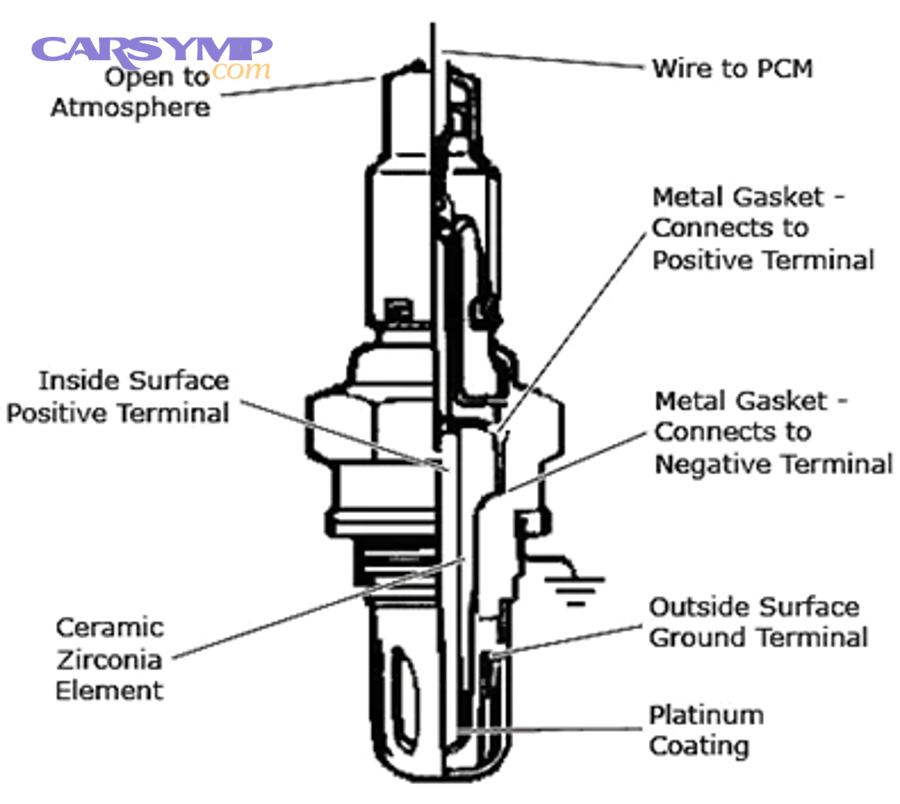
How should O2 sensor / AFR sensor readings behave in closed loop?
Upstream O2/AFR feedback should respond quickly to mixture corrections, downstream O2 should be steadier if the catalyst is working, and wideband AFR signals provide more precise mixture information—because different sensor types serve different control roles.
More importantly, you must identify whether you have narrowband O2 or wideband AFR before interpreting “normal.”
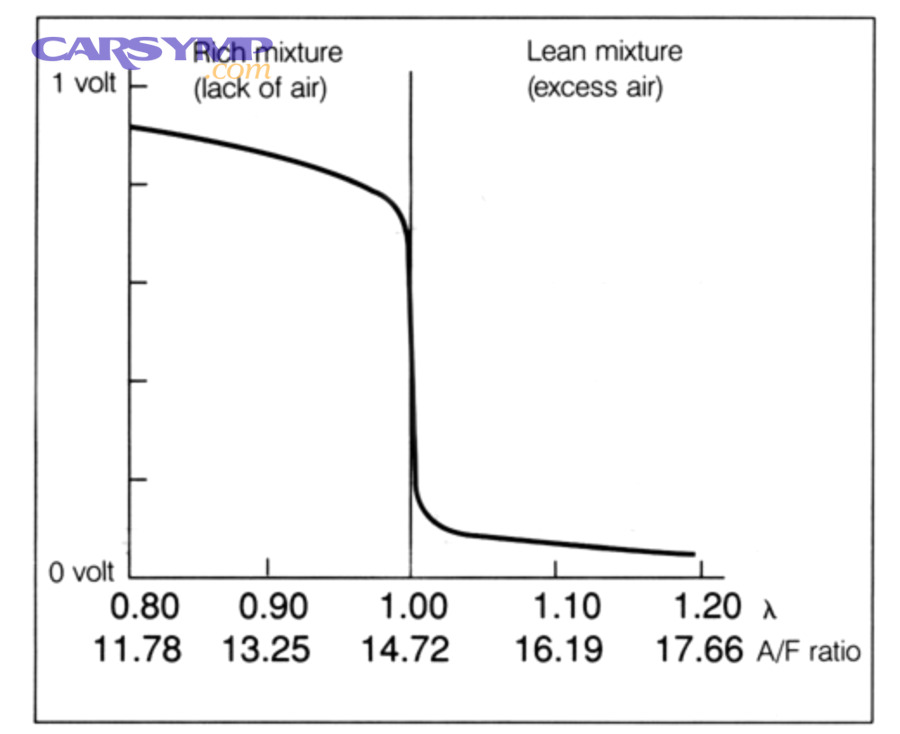
If it’s a narrowband upstream O2 sensor (many older/typical setups):
- The signal tends to switch as the ECU toggles slightly rich/lean in closed loop.
- The pattern matters: steady switching suggests feedback is active; very slow switching can be “lazy” behavior.
If it’s a wideband AFR sensor (common in newer vehicles):
- The ECU uses it for more precise control.
- You may see an equivalence ratio or AFR-related parameter rather than simple voltage switching.
Downstream O2 (after catalyst):
- Often steadier than upstream.
- If downstream mirrors upstream too closely, that can suggest catalyst efficiency issues (context-dependent and not a standalone conclusion).
How do you spot sensor faults vs real engine problems from live data alone?
Sensor faults win in plausibility failures, real engine problems are best identified through cross-PID agreement, and a combined approach is optimal—because a single “bad number” can come from a bad sensor, bad wiring, or a real condition the sensor is correctly reporting.
To better understand the difference, use quick validation rules.
Rule 1: Plausibility check against reality.
- Cold start: ECT and IAT should not be wildly unrealistic.
- MAP at idle should be consistent with a normal idle vacuum pattern (vehicle-dependent), and changes with throttle should be logical.
Rule 2: Correlation check across PIDs.
- If throttle increases, airflow/load should rise.
- If airflow rises, fueling feedback should respond in a logical direction.
Rule 3: Consistency check across conditions.
- A sensor that reads wrong in every condition is more suspicious than a value that becomes abnormal only under one load condition.
According to the SAE J1979 standard for OBD-II diagnostic services and parameter IDs, many common PIDs (including temperatures and fuel trims) are defined in a standardized format, which is why cross-checking multiple related PIDs is a reliable diagnostic habit rather than guesswork.
What are the most common mistakes beginners make when interpreting OBD2 live data?
Beginners most often misread live data by (1) ignoring operating conditions, (2) trusting a single PID without cross-checking, and (3) confusing labels/units—so they chase parts instead of confirming patterns first.
In addition, a few simple habits—like writing down the test condition—prevent most of these errors.
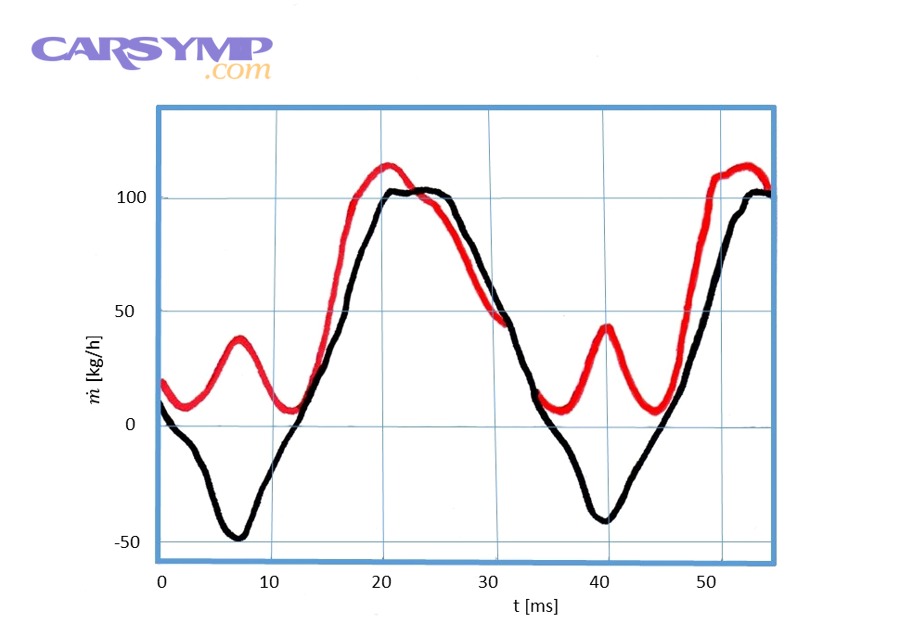
Can incorrect units, scaling, or PID labels lead to wrong diagnosis?
Yes—incorrect units, scaling, or labels can cause wrong diagnosis because (1) the same measurement can be displayed in different units, (2) some apps map generic labels imperfectly, and (3) bank/sensor naming confusion can make you test the wrong side of the engine.
However, you can avoid this quickly with a few checks.
Common unit traps:
- kPa vs psi for MAP/pressure readings
- °C vs °F for temperature
- g/s vs lb/min for MAF
- Bank 1 vs Bank 2 confusion
- Sensor 1 vs Sensor 2 confusion
Beginner fix: If a number looks impossible, confirm units and compare it to a physical expectation (ambient temperature, idle behavior, etc.).
Is it a mistake to judge a PID without matching driving conditions?
Yes—it is a mistake because (1) many PIDs change naturally with load and RPM, (2) comparing idle to cruise without noting conditions destroys meaning, and (3) warm-up strategies skew “normal.”
Specifically, consistency is what turns live data into evidence.
A simple practice that works:
- Record ECT, RPM, and vehicle speed when you record any “abnormal” PID.
That one habit makes your later comparisons honest and repeatable.
Should you chase one abnormal PID without cross-checking others?
No—you should not chase one abnormal PID alone because (1) a single PID can be misleading, (2) cross-checking reveals whether the abnormality is cause or reaction, and (3) multiple PIDs together reduce false positives.
More importantly, cross-checking is how you avoid the common “replace the sensor because the sensor number looks weird” mistake.
Quick cross-check pairs:
- High trims → check MAF/MAP + LOAD + O2/AFR behavior
- Overheating complaint → check ECT pattern + vehicle speed + fan command (if available)
- Hesitation complaint → check TPS/APP + LOAD + airflow response
According to technical research and industry discussions on misfire detection, interpreting faults relies on patterns and correlated signals rather than single measurements, which reinforces the value of cross-checking.
What is the difference between live data and trouble codes, and which should you use first?
Live data wins for verifying what’s happening now, trouble codes are best for pointing you toward the affected system, and using both together is optimal—because codes provide direction while live data provides proof.
Next, this is where an OBD2 scan becomes more than “pulling codes,” and where many beginners finally understand What an OBD2 scan can and can’t tell you.
Do trouble codes tell you what part to replace?
No—trouble codes do not tell you what part to replace because (1) codes describe a system’s detected abnormality, (2) multiple root causes can trigger the same code, and (3) codes often reflect downstream effects rather than the initiating failure.
However, codes are still valuable because they narrow your search and tell you what the ECU noticed.
A practical mindset:
- Treat codes as a headline.
- Use live data as the evidence that confirms the story.
This is also where the Free scan vs full diagnosis differences becomes obvious: a free readout may list codes, but a real diagnosis confirms causes using live data patterns, test conditions, and cross-checking.
How does freeze frame data differ from live data?
Live data wins for real-time behavior, freeze frame is best for capturing conditions at the moment a code set, and combining them is optimal—because the engine may not behave the same now as it did when the fault was detected.
To illustrate, freeze frame is a snapshot; live data is a stream.
- Freeze frame: stored conditions when the ECU decided the fault was significant enough to record.
- Live data: current readings, which may look normal if the issue is intermittent.
A strong beginner move: Compare freeze frame conditions (RPM, load, ECT) to your current test so you can recreate the same environment.
Should you clear codes before checking live data?
No—you should not clear codes before checking live data because (1) clearing often deletes freeze frame data, (2) it resets readiness status, and (3) it can remove clues you need for accurate diagnosis.
Besides, clearing should be an intentional step after you’ve collected evidence and completed repairs or testing.
When clearing makes sense:
- After capturing freeze frame and baseline live data
- After repairs to confirm the issue does not return
- When directed by a test procedure that requires a reset
According to OBD standards for diagnostic services, vehicles support reading current data, reading freeze frame, and clearing DTCs, which is why sequence matters if you want to preserve diagnostic context.
How can you go beyond the basics with live data logging, enhanced PIDs, and advanced tests?
Going beyond basics works best when you add (1) data logging for intermittent faults, (2) manufacturer-enhanced PIDs for deeper visibility, and (3) advanced checks like Mode $06 or readiness monitors—so your diagnosis becomes more accurate without becoming overwhelming.
In short, this is where a beginner workflow becomes a reliable diagnostic method.
How do data logging and graphing help diagnose intermittent problems better than snapshot readings?
Graphing and logging win because they reveal timing, spikes, and dropouts that a snapshot can miss, while snapshots are only best for quick static checks.
More specifically, intermittent faults often happen faster than your eyes can catch in a numeric list.
Beginner-friendly logging approach:
- Log a small PID set (RPM, ECT, STFT, LTFT, O2/AFR, MAF/MAP, LOAD, TPS).
- Drive the condition that triggers symptoms.
- Look for correlations: does the symptom moment match a sensor dropout, a load jump, or a fuel correction swing?
What’s the difference between generic Mode $01 PIDs and manufacturer-enhanced data?
Generic Mode $01 wins for broad compatibility, manufacturer-enhanced data is best for deeper system coverage, and using both is optimal—because not every important signal is included in the generic standard.
Meanwhile, many higher-end tools access enhanced PIDs (often through different services) to show parameters your basic scanner may not display.
Examples of enhanced visibility (varies by make/model):
- Fuel rail pressure detail
- Catalyst temperature models
- More granular misfire counters
- Module-specific temperatures (hybrid systems, transmissions)
Do PID update rates and scanner latency affect what you think you’re seeing?
Yes—update rate and latency affect your interpretation because (1) slow refresh can hide brief events, (2) polling too many PIDs can reduce speed, and (3) Bluetooth/Wi-Fi adapters vary in performance.
More importantly, if your refresh is slow, reduce the PID list and focus only on the signals relevant to the symptom.
Practical tips:
- Use fewer PIDs for faster updates.
- Prefer graphing for seeing trends even with moderate refresh rates.
- Repeat tests to confirm patterns.
When should beginners use Mode $06, misfire counters, or readiness monitors as next-step checks?
There are 3 main next-step tools—Mode $06 results, misfire counters (when available), and readiness monitors—based on the criterion of confirming borderline faults and verifying completion of self-tests.
Especially, readiness monitors help you know whether the vehicle has run enough checks after clearing codes or repairs.
- Mode $06: can show test results for certain monitored systems (tool support varies).
- Misfire counters: useful when the engine feels rough but codes aren’t set yet.
- Readiness monitors: confirm whether emission-related self-tests have completed.
According to a 2015 technical overview from the International Council on Clean Transportation, OBD monitoring frameworks emphasize verification through standardized monitoring concepts, reinforcing why readiness-style monitoring exists as part of broader OBD compliance and verification approaches.