


Clearing OBD2 codes is safe only when you use it as the final step of a repair-verification process, not as a shortcut to make the Check Engine Light disappear—because clearing resets valuable diagnostic information and can create new problems like “Not Ready” emissions monitors.
Next, you’ll learn what clearing codes actually resets (including freeze-frame snapshots and monitor status), so you understand exactly what you’re trading away every time you press “Erase.”
Then, you’ll see how clearing codes affects inspection readiness, why a car can be “code-free” but still fail an OBD-based inspection, and how to avoid the common timing mistakes that cause last-minute test failures.
Introduce a new idea: below is a practical, DIY-friendly decision framework—when to clear, when not to, and how to do it safely—so your next reset supports diagnosis instead of sabotaging it.
What does it mean to “clear (erase) OBD2 codes,” and what exactly gets reset?
Clearing OBD2 codes is the scan-tool command that erases stored diagnostic trouble codes and resets emissions-related diagnostic data, including the Check Engine Light status and many readiness flags, so the vehicle starts monitoring again from a “fresh baseline.”
More specifically, this “fresh baseline” is exactly why clearing can help after repairs—and exactly why clearing can hurt when you still need clues.
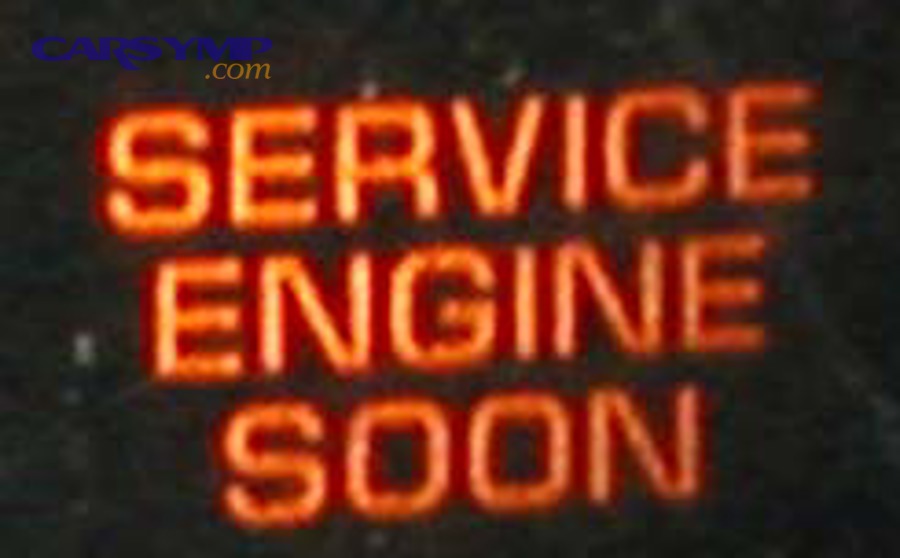
When you run an OBD2 scan, the computer may show multiple kinds of information at once: the code itself, whether it’s confirmed or pending, any freeze-frame snapshot, and readiness monitor status. Clearing is not “turning off a bulb.” It’s a broad reset of emissions diagnostic memory, and that has consequences.
A simple way to keep terminology consistent is this:
- “Scan” = read what the vehicle is reporting right now (codes + context).
- “Clear/Erase” = reset what the vehicle has stored so it can re-test systems again.
That is why the safest habit is: Scan → Save → Diagnose → Repair → Verify → Clear → Re-scan.
What are stored, pending, and permanent codes—and can all of them be erased?
Stored codes are confirmed faults that met the vehicle’s criteria to be recorded; pending codes are early-warning faults that have been detected but may not be confirmed yet; permanent codes are emissions-critical records designed to remain until the system verifies the fault is truly gone.
Then, the key practical point is this: stored and pending codes often clear immediately, but permanent codes often do not—even if your scanner says “Erase successful.”
Here’s the plain-English breakdown (including “Pending codes vs stored codes explained” in the way DIY drivers actually need):
- Pending codes (early detection): The computer saw a condition that might be a fault, but it hasn’t happened enough times or under enough conditions to confirm it. Pending codes often show up before the light turns on. Clearing can hide a trend you should be watching.
- Stored/confirmed codes (fault confirmed): These are the ones that typically trigger the MIL/CEL. They’re what most drivers see at a parts store “free scan.”
- Permanent DTCs (verification-required): These are meant to prevent quick “clear-and-test” behavior. The system generally requires the relevant monitor to run and pass before the record disappears. In other words, you don’t “erase” your way out; you repair and prove your way out.
If you’re clearing codes because you’re trying to “make the car pass,” permanent codes are the system’s way of saying: prove it with successful self-tests.
Does clearing codes delete freeze frame and diagnostic clues you may need later?
Yes—clearing OBD2 codes typically deletes freeze-frame data and other stored diagnostic clues, which is why you should capture that information first if you’re still diagnosing.
Besides, freeze frame is often the only snapshot you get of what the engine was doing at the moment the fault was detected—RPM, coolant temp, load, fuel trims, and more.
Why this matters in real life:
- A car can drive “fine” most of the time and fail only cold, only hot, only on highway cruise, or only on deceleration.
- Freeze-frame data tells you which situation triggered the fault, so you don’t waste hours trying to recreate symptoms blindly.
- If you clear too early, you may spend more money on guesswork—especially if you later pay OBD2 scan cost at shops and parts stores for a re-diagnosis that could have been easier with the original snapshot.
Practical tip for DIY workflow:
- Perform an OBD2 scan.
- Write down the codes, “pending vs stored” status, and freeze-frame highlights (coolant temp, RPM, speed, load).
- Only clear after you’ve either repaired the fault or made a deliberate choice to restart monitoring for confirmation.
Do readiness monitors reset to “Not Ready” after clearing codes?
Yes—clearing codes commonly resets non-continuous readiness monitors to “Not Ready,” which can cause an inspection failure until the vehicle completes enough self-tests again.
More importantly, readiness resets are not a “maybe”; they’re a predictable result of wiping emissions diagnostic memory.
This is where many DIY drivers get trapped:
- You clear the light.
- The car feels okay.
- You go to inspection.
- The test fails because monitors are incomplete—even though no light is on.
That’s why “clear codes” and “pass inspection” often conflict unless you plan the timing and complete readiness first.
When is it safe (and smart) to clear OBD2 codes?
There are 3 main safe times to clear OBD2 codes—after a verified repair, after you’ve captured diagnostic data for troubleshooting, or when you intentionally need to reset monitoring to confirm an intermittent fix— and each one protects your time, your data, and your inspection readiness.
To better understand this, think of clearing as a tool for verification, not for avoidance.
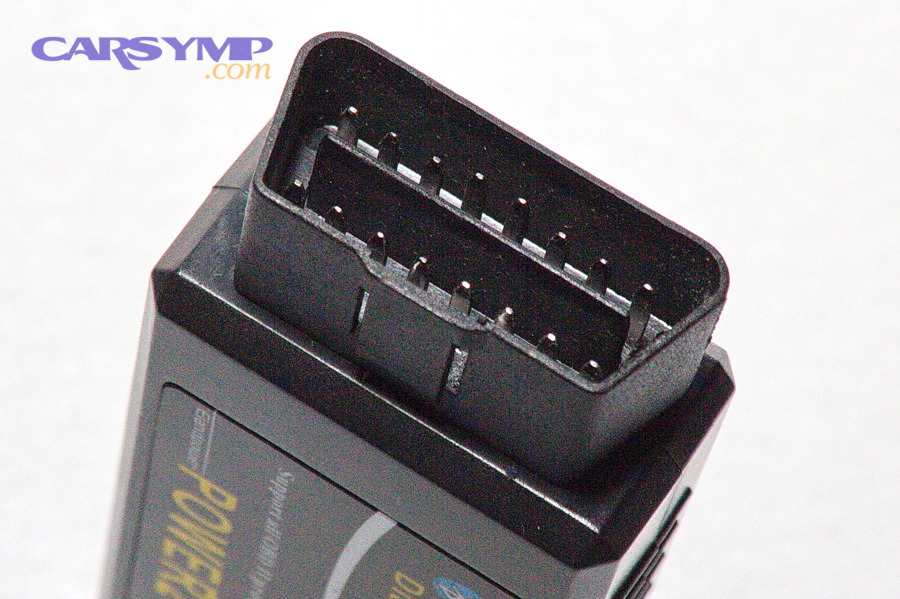
A “safe clear” is usually paired with a purpose:
- Confirm the repair worked (codes don’t return and monitors complete).
- Start a clean test window after you’ve recorded all diagnostic clues.
- Track an intermittent issue by controlling what “new” data is created.
Should you clear codes only after a repair is completed and verified?
Yes—clearing codes is safest after repair and verification because it prevents repeated data loss, proves the fault is resolved, and reduces the risk of masking an active problem that could cause damage.
Moreover, this method avoids the common trap of “clear → light returns → clear again,” which erases the evidence you needed to fix it quickly.
A simple verification checklist before clearing:
- You fixed or replaced the suspected cause (part, connector, vacuum leak, sensor wiring, etc.).
- The symptom that matched the code is gone (rough idle, misfire, hesitation, fuel smell, etc.).
- You re-scanned and confirmed no new major codes are present (especially misfire-related).
- You understand the inspection timing (readiness may reset).
Which situations are legitimate reasons to clear codes (after-service reset, post-repair confirmation, intermittent monitoring)?
There are 4 legitimate reasons to clear codes: post-repair confirmation, after-service housekeeping, controlled intermittent monitoring, and post-battery/ECU event cleanup—based on whether you need a clean baseline for future detection.
Specifically, here’s what each looks like in the real world:
- Post-repair confirmation (most common and best practice): You repaired the issue and want the car to re-run monitors without old history muddying the results. This supports a clean “pass/fail” check of the fix.
- After-service housekeeping (only when appropriate): Some maintenance actions can trigger temporary faults (for example, unplugging sensors or low battery voltage during service). Clearing after you confirm everything is reconnected and stable can be reasonable.
- Intermittent monitoring (diagnosis strategy, not avoidance): If a fault happens rarely, you may clear after recording everything so you can see exactly how quickly it returns and under what conditions. This is controlled testing, not denial.
- Post-battery replacement / memory reset situations: If the battery was disconnected and the vehicle already lost readiness and adaptives, you may clear codes after you’ve stabilized voltage and corrected any low-voltage-related faults.
A quick warning: “Free scan vs full diagnosis differences” matter here. A parts-store scan usually reads generic powertrain codes and prints likely causes, but full diagnosis adds freeze-frame interpretation, wiring checks, live data analysis, and system testing—so you clear with confidence instead of hope.
Is it safe to clear codes if the car is driving normally but the light is on?
It depends: clearing can be safe only if you first scan, understand the risk level, and confirm the fault is not severe, but clearing is unsafe if it hides a condition that can damage the engine, catalytic converter, or emissions system.
However, “driving normally” is not proof that the risk is low—many emissions faults don’t feel dramatic until they become expensive.
Use this decision filter after an OBD2 scan:
- Higher-risk examples (don’t clear to “see what happens”): active misfire, catalyst efficiency warnings tied to misfire, overheating-related codes, low fuel pressure patterns, or anything that comes back immediately.
- Lower-risk examples (still scan first): small EVAP leak type issues that don’t affect drivability—but can affect readiness and inspection planning.
If you’re unsure, don’t use clearing as your first move. Use it as your last move—after you’ve captured data and chosen a path.
When should you NOT clear codes—and what can go wrong if you do?
There are 4 high-risk times you should not clear OBD2 codes—before diagnosis, right before inspection, when severe faults may cause damage, and when you need freeze-frame evidence for troubleshooting—because clearing can erase clues, reset readiness, and mask urgent problems.
In addition, a “bad clear” often forces you to pay for diagnosis twice.
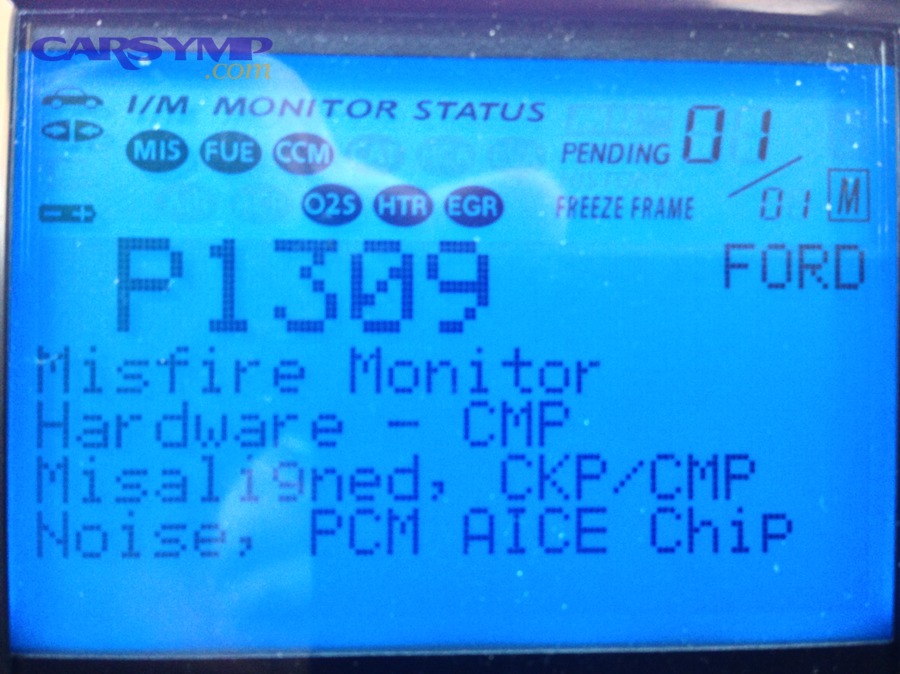
Clearing codes is not morally “wrong,” but it becomes functionally wrong when it blocks the next correct step. The goal is to keep your diagnostic chain intact: symptom → code → context → test → repair → confirm.
Should you avoid clearing codes before diagnosing the cause?
Yes—you should avoid clearing before diagnosis because it deletes freeze-frame context, can erase history patterns, and may delay correct testing by forcing you to reproduce the exact failure conditions again.
Besides, many codes are not “bad parts”; they’re “bad conditions” (vacuum leaks, wiring issues, intermittent connectors), and the original data matters.
Before you clear, save at least:
- All codes (including pending)
- Freeze frame (if available)
- Readiness monitor status
- Any notes about when the issue occurred (cold start, highway cruise, rain, etc.)
This is also where “OBD2 scan cost at shops and parts stores” sneaks in: if you erase the clues and then need professional help, you may pay for the same scan again—plus additional diagnostic labor to recreate conditions.
Should you avoid clearing codes right before an emissions/inspection test?
Yes—you should avoid clearing right before an inspection because clearing resets monitor readiness and can cause an automatic fail for “Not Ready” even when no codes are present.
More importantly, inspections are timing-dependent: a clean dashboard does not guarantee a “ready” computer.
What typically happens after you clear:
- Non-continuous monitors reset to incomplete.
- The car needs a mix of conditions (cold start, steady cruise, decel, idle, specific fuel level windows for EVAP) before monitors complete again.
- You might need multiple drive cycles—sometimes over days—depending on the monitor and the vehicle.
So if your inspection date is close, the safest move is often: scan and diagnose, don’t clear, unless you have time to complete readiness.
Which warning-sign codes make clearing risky (misfire, overheating, low oil pressure, catalyst-damaging conditions)?
There are 3 main risk groups of codes where clearing is especially dangerous—damage-risk faults, safety/operation faults, and catalyst-destroying misfire patterns—based on how fast they can escalate.
Especially with misfires, the risk is not theoretical: unburned fuel can overheat the catalytic converter.
Use these groups to triage your decision:
- Damage-risk faults (stop-and-think codes)
- Persistent misfire codes
- Fuel trim extremes suggesting lean/rich conditions
- Overheat-related codes
- Low fuel pressure patterns
Clearing doesn’t remove the risk; it removes the warning.
- Safety/operation faults
- Throttle control issues
- Critical sensor faults that trigger limp mode
These can change how the car behaves suddenly, which is a safety concern.
- Catalyst-damaging patterns
- Misfire + catalyst efficiency codes
- Misfire that returns immediately after clearing
In these cases, clearing can encourage “drive it until it comes back,” which can be the worst possible plan.
If you see these patterns, treat clearing as a diagnostic tool only after you’ve captured data and made a repair decision.
How do you clear OBD2 codes safely, step by step, without creating new problems?
Clearing OBD2 codes safely is a 7-step process—scan, save data, fix the cause, confirm stability, clear, re-scan, and verify readiness—so the outcome is a verified reset instead of a hidden unresolved fault.
Then, the key is to perform the steps in order so you don’t erase the very information you need.
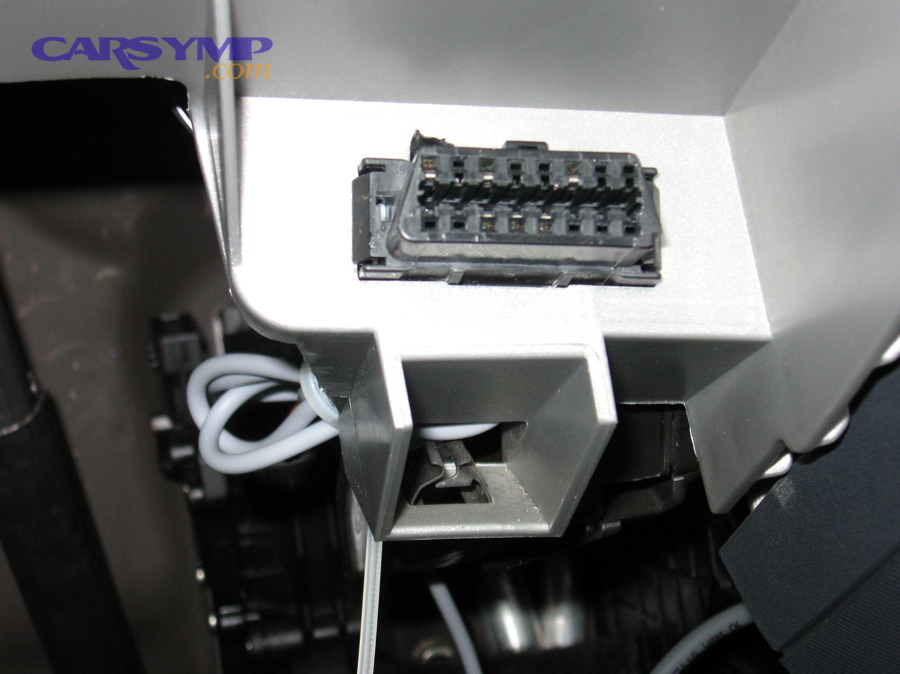
Before you clear anything, stabilize the basics:
- Battery voltage should be healthy (low voltage can trigger false or secondary codes).
- The connector is fully seated in the OBD-II port.
- You know whether you’re reading engine codes only or multiple modules.
What’s the safest step-by-step sequence for clearing codes with an OBD2 scanner?
The safest sequence is: (1) run an OBD2 scan, (2) record codes and freeze-frame, (3) check pending vs stored, (4) repair the root cause, (5) confirm the symptom is gone, (6) clear codes, (7) re-scan and monitor readiness.
To better understand why this works, notice how it protects your diagnostic trail at every step.
Step 1: Perform a full OBD2 scan (not just “read codes”)
- Read stored codes and pending codes.
- Capture freeze-frame if the tool supports it.
Step 2: Save what matters before you erase it
Write down or screenshot:
- Code numbers (e.g., P0xxx)
- Status (pending vs stored)
- Freeze-frame highlights
- Readiness monitor status
Step 3: Interpret code status correctly
- A stored code says the fault was confirmed.
- A pending code says the fault is trending and may become confirmed.
This “Pending codes vs stored codes explained” step prevents you from ignoring early warnings.
Step 4: Repair the cause—not the code
Examples of “cause-first” thinking:
- A lean code might be a vacuum leak, not “buy a sensor.”
- An EVAP code might be a loose cap, cracked hose, or purge issue.
- A misfire code might be plugs, coils, injector issues, vacuum leaks, or compression.
Step 5: Confirm stability before clearing
- Does the engine idle smoothly?
- Does the symptom repeat under the same conditions?
- Do new codes appear immediately?
Step 6: Clear the codes once, intentionally
Use the scanner’s Erase/Clear function once you’re ready for a clean retest window.
Step 7: Re-scan and verify readiness after driving
- Check for returning pending codes.
- Check monitor status rather than guessing.
If your workflow skips Step 2, you lose context. If it skips Step 4, you’re using clearing to hide problems. If it skips Step 7, you don’t know whether you actually solved anything.
Is disconnecting the battery the same as clearing codes with a scanner?
No—battery disconnect can reset more than emissions diagnostic data, can create relearn issues, and is less precise than clearing with a scan tool, while scanner clearing targets the diagnostic memory and allows immediate verification.
However, both can reset readiness monitors, so neither is an inspection shortcut.
Here’s the practical comparison DIY drivers care about:
- Scanner clear (preferred): Controlled, repeatable, and lets you re-scan immediately to confirm what changed.
- Battery disconnect (blunt tool): Can reset radio settings, clock, and learned values; may trigger rough idle or shift behavior until the vehicle relearns; and may create confusion because it can introduce new drivability symptoms unrelated to the original code.
If you’re tempted to pull the battery cable because you don’t have a scanner, consider the real tradeoff: the money you save today may become OBD2 scan cost at shops and parts stores tomorrow—plus time lost chasing relearn behavior.
How long should you drive before you re-scan for pending codes and readiness?
You should re-scan twice—once after a short drive (10–20 minutes) to catch immediate returns, and again after several normal trips over a few days to confirm readiness monitors complete, because different monitors require different conditions.
In addition, EVAP-related readiness commonly takes longer because it needs specific enable conditions.
Use a simple schedule:
- After the first drive: check if codes return immediately (often indicates the issue is still active).
- After 2–5 days of normal mixed driving: check readiness status and pending codes again.
- Before inspection: confirm monitors are “Ready/Complete” according to your local rules.
If you’re trying to time an inspection, the only reliable method is to watch readiness in the scanner—not to guess miles.
How do you get back to “inspection ready” after clearing codes?
Getting back to “inspection ready” is a monitor-completion process where the vehicle must run and pass its emissions self-tests, and it usually requires multiple trips with the right conditions rather than a single long drive.
More importantly, your goal is not “no codes”—your goal is completed readiness monitors.
Clearing codes resets the “testing history,” so the car needs to re-run non-continuous monitors such as catalyst, oxygen sensor, EGR (if equipped), and EVAP. Some monitors run quickly; others are picky.
What is a drive cycle, and why does it matter after clearing codes?
A drive cycle is a set of operating conditions—often including a cold start, steady cruise, and deceleration—that allows the vehicle’s OBD system to run self-tests and set monitors from “Not Ready” to “Ready.”
Then, the key is that the “right conditions” matter more than the total distance.
A DIY-friendly way to approach drive cycles:
- Include at least one cold start (car sits long enough to cool).
- Do mixed driving: city + steady highway cruise.
- Include gentle deceleration events (coast down without aggressive braking when safe).
- Avoid clearing codes repeatedly—each clear restarts the process.
Which readiness monitors commonly take the longest to complete (and why)?
There are 3 monitors that commonly take the longest—EVAP, catalyst, and oxygen sensor/heater-related monitors—because they require stricter enable criteria like fuel level windows, stable speeds, specific temperatures, and sometimes longer soak times.
Especially EVAP, many vehicles require the fuel level to be in a specific range and conditions to be “just right.”
In practice:
- Catalyst monitor: often needs steady cruise at operating temperature.
- O2 sensor/heater monitors: may need warm-up and stable conditions.
- EVAP monitor: may require an overnight cold soak, a fuel level window, and a stable drive pattern.
If you’re failing readiness over and over, it’s often because one picky monitor hasn’t seen its enable conditions—not because the car “needs more miles.”
Can you be “code-free” but still fail inspection due to “Not Ready” monitors?
Yes—you can have no active codes and still fail an OBD-based inspection if the required monitors are “Not Ready,” because the test checks readiness status in addition to the presence of stored faults.
In short, a clean dashboard is not the same as a ready computer.
This is exactly why last-minute clearing is a common DIY mistake:
- Clearing makes the light go out.
- Clearing also wipes the proof that the system has tested itself.
If inspection is your goal, the safest plan is: repair → verify → clear (if needed) → complete readiness → test.
Evidence: According to a study by Georgia Institute of Technology from the School of Civil and Environmental Engineering, in 2013, the dissertation Improvement of the Efficiency of Vehicle Inspection and Maintenance Programs… reports that emission inspection was associated with an estimated 18% reduction in hydrocarbons and that inspected fleets were estimated to be 25% cleaner for nitrogen oxides compared with uninspected areas—showing why readiness-based inspection depends on completed monitoring rather than a recently cleared memory.
What advanced edge cases and tool differences can change the “clear codes” outcome?
Advanced edge cases matter because different tools clear different modules, some “permanent” records don’t erase on command, and clearing can trigger relearn behaviors, which can confuse DIY troubleshooting if you don’t plan for it.
Next, you’ll see why two people can “clear codes” and get two different outcomes—simply because their tools and vehicles behave differently.
Do cheap code readers differ from bidirectional scan tools for clearing and verifying repairs?
Basic code readers win on simplicity, bidirectional scan tools win on capability, and professional tools are optimal for deep verification—because they differ in module access, live data depth, readiness visibility, and the ability to run functional tests.
However, even a basic reader can be enough if your goal is to read/clear powertrain codes and check readiness.
A practical comparison for DIY drivers:
- Basic code reader / parts-store scan: Often reads generic powertrain codes; may not show deep data; good for quick triage.
- Consumer scan tools / phone dongles: Often add better monitor visibility and data logging; useful for DIY verification.
- Bidirectional tools: Can run actuations, tests, and module-level functions; valuable when the issue is intermittent or complex.
This is where “Free scan vs full diagnosis differences” becomes real: a free scan helps you identify a direction; a full diagnosis confirms the cause with testing.
Why might a “permanent code” stay even after you clear everything else?
A permanent diagnostic trouble code can stay because the system is designed to keep it until the specific monitor that detected the fault runs again and confirms the fault is no longer present.
More specifically, permanent records are meant to prevent “erase-and-pass” behavior and force real verification.
So if your scanner shows:
- No stored codes
- No pending codes
- But a permanent code remains
…your next step is not “buy a better scanner.” Your next step is complete the monitor conditions so the system can confirm the repair.
Should you clear codes in other modules (ABS, SRS, transmission), or only the engine ECU?
It depends—clear only the module you’ve repaired when possible, and avoid clearing safety-critical modules (like SRS/airbag) without proper diagnosis because you can hide urgent faults and lose valuable event data.
Moreover, many “Check Engine” problems are powertrain-related, so engine ECU is usually the primary focus.
A safe DIY rule:
- Engine codes: clear after repair verification.
- ABS/traction codes: clear only after you’ve confirmed sensor/wiring fixes.
- SRS/airbag codes: treat as safety-critical; diagnose first and don’t clear “just to see.”
Can clearing codes trigger relearns (idle, fuel trims, transmission adaptives), and what symptoms might appear afterward?
Yes—clearing codes or resetting memory can trigger relearn behaviors because the vehicle may rebuild fuel trim, idle control, and sometimes transmission adaptives, which can temporarily change idle quality, shift feel, or throttle response.
In addition, these behaviors can look like “new problems” even when the original issue is fixed.
What you might notice after clearing or battery disconnect:
- Slightly rough idle that smooths out after a short drive
- Different shift points for a day or two
- Fuel trims that take time to stabilize
- EVAP readiness taking longer than expected
If the symptom is severe or persists, treat it as a new diagnostic event and run another OBD2 scan—but don’t panic over mild, temporary adaptation.