


Freeze frame data is the fastest way to turn a vague check-engine light into a specific, testable hypothesis, because it captures a “snapshot” of key engine conditions at the moment a diagnostic trouble code (DTC) set—so you can diagnose the scenario, not just the symptom.
Freeze frame also answers the next question DIYers always ask: what is this data, when was it recorded, and what does it actually include? Once you understand capture timing and the most important PIDs (like coolant temperature, load, RPM, and fuel trims), you can stop guessing and start narrowing causes logically. (obdautodoctor.com)
Then, you’ll need a repeatable method to interpret the snapshot like a technician: a consistent order to read values, a way to translate them into a driving condition (idle, cruise, acceleration, cold start), and a way to connect clues to likely fault categories (air, fuel, spark, sensors).
Introduce a new idea: after you’ve narrowed the cause with freeze frame, you’ll confirm it with a quick OBD2 scan workflow and targeted checks—because the goal isn’t to “read codes,” it’s to solve the problem without replacing good parts.
What is OBD2 freeze frame (“snapshot”) data, and why does it matter for diagnosing a check-engine light?
OBD2 freeze frame data is a standardized “snapshot” of engine and emissions-related parameters (PIDs) recorded when a fault meets the conditions to set a DTC, giving you the operating context that caused the check-engine light. (innova.com)
To make freeze frame useful, you must treat it like a photograph of the moment the failure happened—not a live feed—because that single distinction determines whether you diagnose accurately or chase the wrong system.
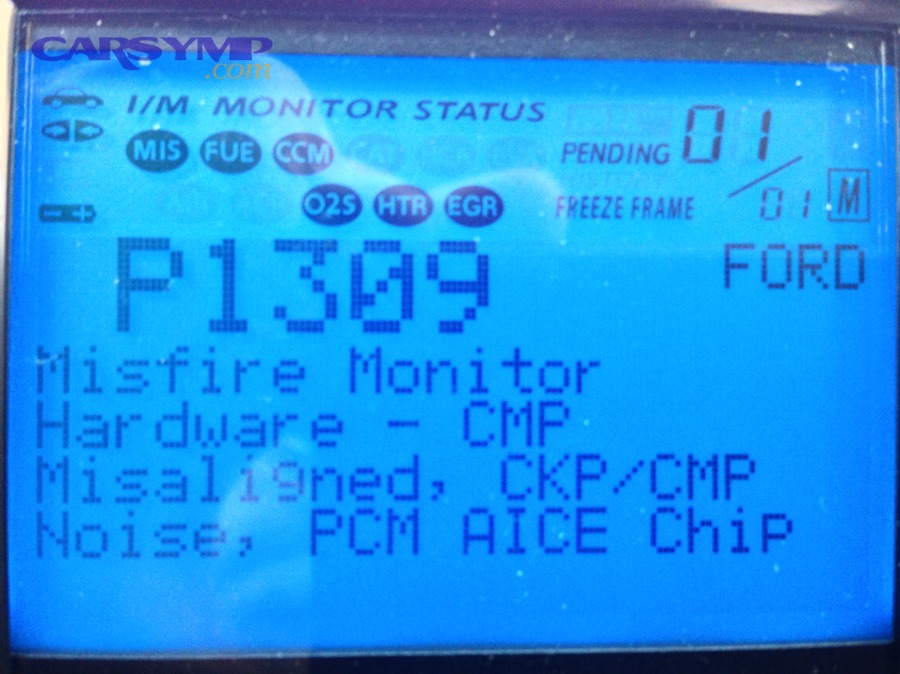
What exactly gets captured in a freeze frame (which PIDs are typically included)?
Freeze frame usually includes the PIDs that best describe engine state, load, temperature, and fuel control at the time the code set. The exact list varies by vehicle and scan tool, but a typical “useful core” looks like this:
- Engine RPM
- Vehicle speed
- Calculated load
- Throttle position (driver demand / airflow request)
- Coolant temperature and often intake air temperature (cold start vs warmed up)
- Fuel system status (open loop vs closed loop)
- Short-term fuel trim (STFT) and long-term fuel trim (LTFT) where supported
- Manifold pressure (MAP) or airflow-related data (depending on system)
- Sometimes battery voltage, O2/AFR sensor signals, and other emissions-related values (innova.com)
Why this matters: most DTC descriptions are generic (“System Too Lean,” “Catalyst Efficiency Below Threshold”), but the freeze frame tells you when and under what conditions the ECU decided the problem was real. That is the difference between diagnosing a vacuum leak that only shows up at idle versus a fuel delivery problem that only appears under load.
When is freeze frame recorded: at “pending,” “confirmed,” or when the MIL turns on?
Freeze frame is recorded when a fault reaches the ECU’s criteria to store a relevant record, which commonly corresponds to when the DTC is set (often emissions-priority logic), and this can vary by manufacturer and fault type. (x-engineer.org)
Practically, here’s what a DIYer needs to know:
- Pending code: may appear on the first detection, but the ECU may or may not store the same level of snapshot detail at this stage (depends on vehicle and fault).
- Confirmed (stored) code: usually means the fault met the required conditions (often across driving cycles), and freeze frame is more likely to be meaningful and complete.
- MIL timing: the check-engine light may illuminate after the ECU confirms the fault; the freeze frame often aligns with the event that triggered the stored DTC rather than the moment you first noticed the light. (innova.com)
Key takeaway: if you clear codes too early, you often erase the most valuable context. Read and save freeze frame before any reset—especially if you’re doing your own OBD2 scan at home.
Can freeze frame data diagnose the root cause by itself?
Yes—freeze frame data can narrow the root cause significantly, but it rarely proves the root cause by itself because (1) it’s a snapshot, not a trend, (2) some PIDs are missing or generic, and (3) faults can be intermittent or secondary effects. (innova.com)
So, instead of treating freeze frame as a “final answer,” treat it as a high-confidence filter that turns a long list of possibilities into a short list worth testing.
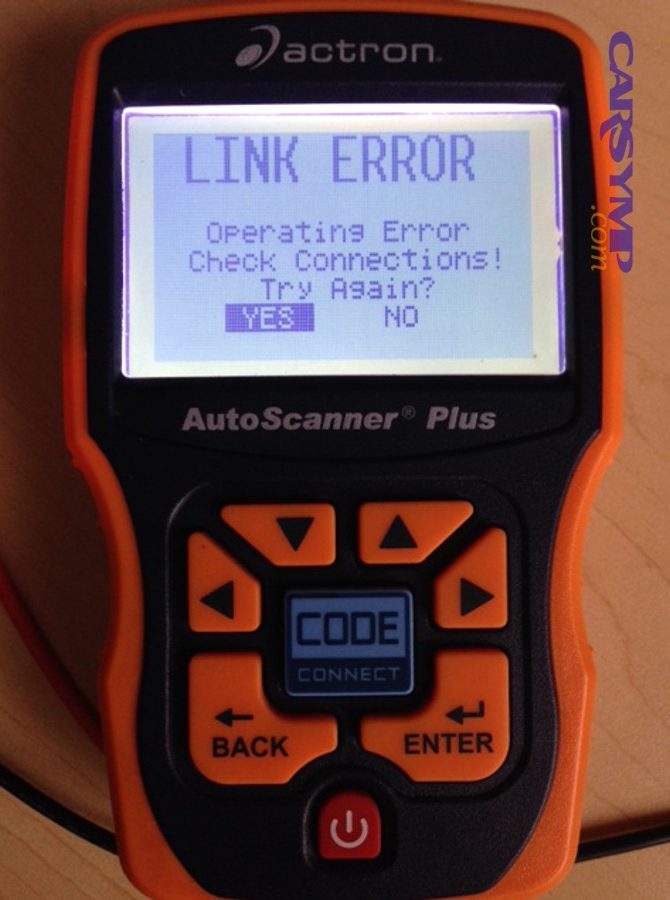
What can freeze frame reliably tell you (and what can it’t tell you)?
Freeze frame reliably tells you the conditions that made the ECU unhappy. That includes:
It can reliably tell you:
- Whether the fault happened cold or hot (coolant temp)
- Whether it happened at idle, cruise, or load (RPM + speed + load)
- Whether fuel control was closed loop or open loop
- Whether the ECU was adding fuel or pulling fuel (fuel trims)
- Whether the pattern suggests airflow, fuel delivery, ignition, or sensor plausibility issues (context-based inference)
It cannot reliably tell you:
- Which specific part failed without confirming tests (sensor vs wiring vs air leak vs fuel pressure, etc.)
- Whether the fault is intermittent due to vibration/heat unless you reproduce it
- Whether the recorded snapshot is “clean” (some ECUs store minimal or prioritized data)
- Whether the first code is the real cause (cascade failures are common)
This is where DIYers get trapped in “code reading culture,” where they replace the named component and hope. That’s exactly why the phrase Common mistakes interpreting codes belongs in every freeze frame guide: the code is a complaint, not a verdict.
What should you do next after reading freeze frame to confirm the diagnosis?
There are 5 next steps that keep your diagnosis logical and cheap:
- Record everything: DTCs (stored + pending), freeze frame PIDs, and any I/M readiness status.
- Decide the operating condition: idle vs cruise vs load; cold vs hot.
- Check for “supporting codes”: misfire, fuel trim, O2 sensor, EVAP, etc. (supporting codes often explain the primary code event).
- Reproduce the condition with live data (safely): if freeze frame says “idle, warm, closed loop,” check trims and O2 behavior at warm idle.
- Do one targeted physical test based on your narrowed hypothesis (smoke test for vacuum leak, fuel pressure test for delivery, coil swap pattern test for ignition, etc.).
Done this way, freeze frame becomes the bridge between “I saw a code” and “I proved the cause.”
How do you read freeze frame like a technician: a step-by-step interpretation workflow?
The best way to use freeze frame is a repeatable 4-step workflow—(1) identify the scenario, (2) prioritize the PIDs, (3) translate PID patterns into fault categories, and (4) validate with live data—so you reach a testable diagnosis instead of a guess. (innova.com)
To better understand why this matters, consider that many faults only occur in a narrow window (cold start, steady cruise, heavy load), and freeze frame is often the only record of that exact window.
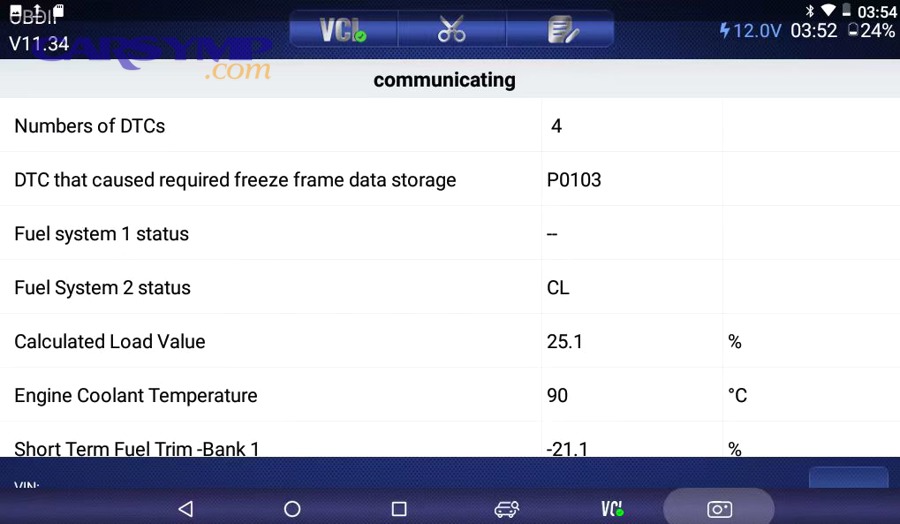
Which 8–12 freeze frame values should you check first, and in what order?
Use a fixed order so you don’t miss context:
- Coolant temperature (cold start vs fully warm)
- RPM (idle range vs driving)
- Vehicle speed (0 mph vs moving)
- Calculated load (light load vs heavy load)
- Throttle position (driver demand clue)
- Fuel system status (open loop/closed loop)
- STFT/LTFT (fuel correction direction/magnitude)
- MAP/MAF-related PID if available (airflow plausibility)
- O2/AFR sensor behavior if shown (mixture feedback plausibility)
- Battery voltage if shown (low voltage can trigger weird sensor issues)
Why this order works: coolant temp + RPM + speed give you the scene. Load + throttle explain demand. Loop status tells you whether the ECU was actively correcting. Trims and O2/AFR show you what correction the ECU attempted.
How do you translate the snapshot into the driving condition that caused the fault (idle, cruise, acceleration, cold start)?
Turn the numbers into a plain-English scenario:
- Cold start: coolant temp near ambient; higher idle RPM; often open loop early.
- Warm idle: coolant at normal operating temp; speed 0; RPM stable at idle; typically closed loop.
- Steady cruise: speed > 30 mph; RPM steady; moderate load; closed loop.
- Acceleration/load: higher load; rising throttle; RPM climbing; sometimes richer commanded mixture or different loop behavior.
Then ask one diagnostic question: “What system is stressed in this scenario?”
- Idle stresses vacuum integrity and air metering stability.
- Cruise stresses fuel trim control and O2 feedback stability.
- Load stresses fuel delivery and ignition strength.
This is why freeze frame beats “read the code and replace the part.” The scenario points you to the system.
How do you connect freeze frame clues to likely fault categories (air, fuel, spark, sensors, emissions)?
Use a “category mapping” approach:
A. Air / vacuum / unmetered air (often idle-biased)
- Higher positive trims at idle, improved trims with RPM/load
- Idle-specific codes or lean codes with low load snapshot
B. Fuel delivery / injector / pressure (often load-biased)
- Lean indication under load (high load snapshot) with trims driven positive
- Misfire under load, hesitation, fuel pressure unable to keep up
C. Spark / ignition strength (often load or moisture/heat related)
- Misfire recorded at high load or during acceleration
- Cylinder-specific misfire patterns (when supported)
D. Sensor plausibility / feedback errors
- O2/AFR readings inconsistent with trims/loop status
- Coolant temp implausible for the situation (e.g., warm engine but low coolant reading)
E. Emissions system faults
- Catalyst/O2 monitor related codes with specific warm cruise snapshot patterns
- EVAP codes often require specific enabling conditions (not always obvious from freeze frame alone)
If you connect the snapshot to the stressed system first, you’ll test smarter and replace fewer parts.
How do you interpret fuel trims and O2/AFR signals in freeze frame to spot air/fuel problems?
Fuel trims in freeze frame show whether the ECU was adding or subtracting fuel at the moment the fault set, which makes them one of the most direct clues for diagnosing lean/rich conditions, vacuum leaks, and fuel delivery issues. (innova.com)
More specifically, trims are not “the problem”—they are the ECU’s reaction to the problem. That reaction points toward the direction of the underlying fault.
Do high positive or negative fuel trims point to lean vs rich conditions?
Yes—high positive fuel trims generally point to a lean condition (the ECU is adding fuel), while high negative fuel trims generally point to a rich condition (the ECU is pulling fuel), because trims represent the ECU’s corrective action. (wikipedia.org)
Then apply three quick reasons (so you don’t overinterpret one number):
- Trims reflect correction direction, not necessarily the root cause (air leak, fuel pressure, injector flow, sensor bias can all push trims).
- STFT reacts quickly while LTFT stores learned correction, so a big LTFT indicates a longer-standing issue.
- Loop status matters: in open loop, trims may be irrelevant or frozen, so always check whether the ECU was actively correcting.
A practical “DIY rule”: if you see strong positive trims at warm idle in freeze frame and the problem improves off-idle, suspect unmetered air first.
How do you use RPM + load + trims to separate vacuum leaks from fuel delivery issues?
A vacuum leak and a fuel delivery problem can both set “lean” codes, but freeze frame helps you split them:
Vacuum leak pattern (most common):
- Snapshot shows warm idle or light load
- Positive trims are worst at idle
- As RPM/load increases slightly, trims often improve because the leak becomes a smaller percentage of total airflow
Fuel delivery pattern:
- Snapshot shows higher load or acceleration
- Trims go positive under load, and symptoms appear when demand increases
- The vehicle may feel okay at idle but stumbles under power
This is where a structured OBD2 scan routine pays off: pull the snapshot, identify the scenario, then compare live trims at idle vs 2,500 RPM no-load. If trims swing dramatically, you’ve found a strong directional clue.
Evidence (diagnostic workflow support): According to a study briefed as the “CE-CERT Study” by the University of California, Riverside (College of Engineering Center for Environmental Research and Technology), in 2001, testing 77 OBDII-equipped vehicles with illuminated MILs found that verified pre/post repair testing could identify emissions-related malfunctions and confirm repair effectiveness across standardized cycles. (4cleanair.org)
How do you use freeze frame to diagnose misfires and ignition-related codes?
Freeze frame helps diagnose misfires by revealing whether the misfire happened under cold start, warm idle, steady cruise, or heavy load—because different misfire causes dominate in different conditions, especially ignition breakdown under load. (innova.com)
In addition, misfires can become expensive fast (catalyst damage risk), so the snapshot is not just about diagnosis—it’s about deciding how urgently to act.
Is a misfire more likely ignition, fuel, or mechanical based on the freeze frame conditions?
Ignition, fuel, and mechanical causes tend to show up in different “stress windows,” and freeze frame identifies the window:
Ignition-leaning conditions
- Misfire recorded during acceleration/high load
- Often worse under demand because spark must jump a higher-pressure mixture
- May be heat-sensitive (warm engine snapshot)
Fuel-leaning conditions
- Misfire under load plus trims going strongly positive
- May correlate with fuel pressure/volume limits or injector delivery imbalance
Mechanical-leaning conditions
- Misfire present at idle and load consistently
- Often accompanied by rough idle, low vacuum, or compression-related symptoms (freeze frame alone won’t prove it)
Use freeze frame to choose the first test. For example:
- Load misfire? Start with ignition strength (coil, plug, boot, gap) and fuel pressure under load.
- Cold start misfire? Look for fuel delivery on startup, intake leaks, or temperature-sensor plausibility.
When does freeze frame suggest “stop driving” risk (catalyst damage / severe misfire)?
Yes—freeze frame can suggest an urgent risk when it aligns with severe misfire conditions and the vehicle behavior confirms it, for three reasons:
- Severe misfires can dump unburned fuel into the exhaust, overheating the catalyst.
- Misfires under load can become violent and persistent, rapidly increasing damage risk.
- Continued driving can turn a simple ignition repair into a catalytic converter replacement.
If you have obvious shaking, power loss, or a flashing MIL behavior (vehicle-specific), minimize driving and diagnose immediately. Freeze frame helps you pinpoint when it happens so you can reproduce and confirm quickly instead of “driving it until it gets worse.”
What are the most common mistakes DIYers make when interpreting freeze frame data?
There are 6 common mistakes DIYers make when interpreting freeze frame data—treating it as live data, ignoring loop status, reading the code as a verdict, skipping validation, clearing too early, and forgetting readiness status—which leads to wasted parts and repeated check-engine lights. (obdautodoctor.com)
Besides, most frustration comes from trying to force a snapshot to do a live-data job. Freeze frame is excellent at capturing the scene—but you still need to validate the story.
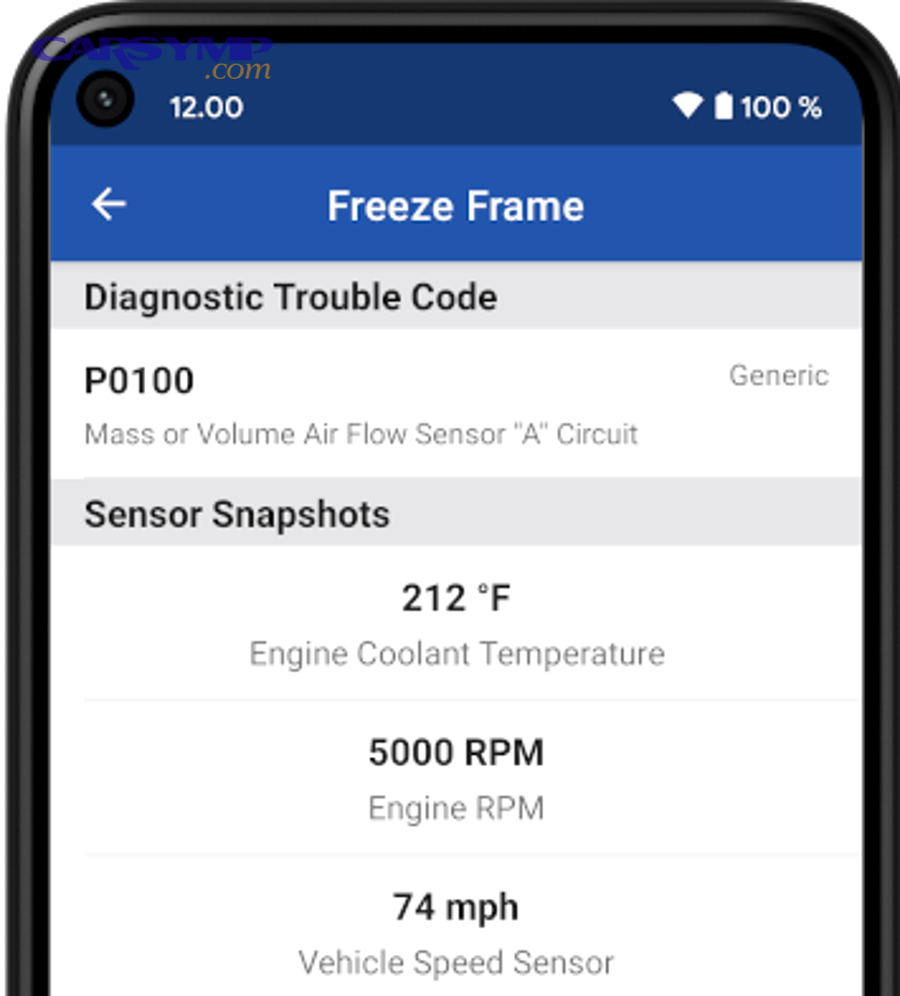
Are you reading “snapshot values” as if they’re live data?
No—you should not read freeze frame values as if they’re live data, because freeze frame is stored from a past moment and may reflect a condition that is no longer present right now. (wikipedia.org)
Then consider why this mistake is so common:
- The scan tool displays freeze frame on the same screen style as live data.
- DIYers naturally assume “the car says this now.”
- Some faults are intermittent, so the current engine state looks normal.
This is the fastest way to fall into Common mistakes interpreting codes: you see a lean code, you see trims in the snapshot, you buy a sensor, and you never confirm the conditions that created the trims in the first place.
Do you need to compare freeze frame with live data at the same condition to validate it?
Yes—you should compare freeze frame with live data under the same operating condition for at least three reasons: it confirms repeatability, exposes intermittency, and helps separate cause from effect. (motor.com)
A simple validation routine:
- Warm the engine if the snapshot was warm (or start cold if it was cold).
- Hold the same general condition (idle, 2,500 RPM no-load, steady cruise).
- Compare trims, loop status, and sensor behavior.
- If live data matches the snapshot pattern, your hypothesis strengthens.
- If it doesn’t match, suspect an intermittent fault, different enabling conditions, or a secondary code event.
This is also where a good scan tool helps: one that can show both stored freeze frame and live graphs makes your diagnosis faster and less error-prone.
How does freeze frame relate to Mode $02, Mode $06, and readiness monitors after clearing codes?
Freeze frame typically lives in OBD Service/Mode $02 and connects directly to readiness and monitor logic, so clearing codes can erase not only the snapshot but also reset monitor status—affecting both diagnosis and “pass/fail” outcomes for Readiness monitors and inspection readiness. (x-engineer.org)
In addition, these modes form a “diagnostic triangle”: Mode $02 tells you what was happening when a fault set, Mode $06 can show monitor test results that hint at marginal components, and readiness status tells you whether the ECU has re-tested systems since a reset.
What is OBD2 Mode $02, and is it the same thing as freeze frame data?
Mode $02 is the standardized service used to request freeze frame data (a snapshot of certain PIDs captured when a DTC was set), so while “freeze frame” is the concept, Mode $02 is the access method in the OBD2 standard. (x-engineer.org)
In plain terms: your scan tool may show a menu item called “Freeze Frame,” but under the hood it’s often querying Mode $02 to retrieve that stored snapshot.
How can Mode $06 test results complement freeze frame for intermittent faults?
Mode $06 can complement freeze frame by exposing monitor test results and “near-fail” behavior even when a fault doesn’t consistently set a stored DTC, which makes it valuable for intermittent issues and marginal components. (egr.msu.edu)
Here’s how to use it with freeze frame:
- Freeze frame tells you the scenario when the DTC set.
- Mode $06 can tell you whether the relevant monitor is trending toward failure even when the car “seems fine.”
- Together, they help you avoid “no fault found” dead ends.
(Scan tool capability varies. Some generic tools don’t expose Mode $06 clearly; others label it as “On-board Monitoring” or “Test Results.”)
After you clear codes, how do readiness monitors change what you can diagnose (and your inspection readiness)?
Clearing codes typically resets diagnostic information and monitor readiness status, which means the ECU must re-run its self-tests before monitors return to “ready”—and until then, you may lose both diagnostic context and inspection readiness. (obdautodoctor.com)
This matters for two reasons:
- Diagnosis impact: you erase freeze frame and any stored context that explains why the fault set.
- Inspection impact: if monitors are “not ready,” many inspection programs will not pass the vehicle.
Evidence (readiness timing): According to a U.S. Environmental Protection Agency best-practices document, a gasoline OBD system may typically run all monitors within about two weeks, while a diesel OBD system can take eight weeks or more to run all monitors. (epa.gov)
That’s why it’s smart to save freeze frame and readiness status before any reset, especially if you’re close to a test date.
Why do some vehicles show multiple freeze frames or manufacturer-specific “failure records”?
Some vehicles store multiple freeze-frame-like records or manufacturer-specific “failure records” because ECUs may prioritize emissions-critical faults, store data from multiple events, or provide enhanced PIDs beyond generic OBD2 to support more precise diagnostics. (innova.com)
For DIY use, the best approach is:
- Start with the generic freeze frame tied to the DTC that concerns you.
- If your tool shows multiple records, compare scenarios (cold vs hot, idle vs load).
- Use the repeated pattern to identify enabling conditions and confirm with live data.
Evidence (if any)
According to a study briefed as the “CE-CERT Study” by the University of California, Riverside (College of Engineering Center for Environmental Research and Technology), in 2001, a total of 77 OBDII-equipped vehicles with illuminated MILs and non-evaporative DTCs were tested before and after repair using standardized test cycles to evaluate malfunction identification and repair effectiveness. (4cleanair.org)