


If your scanner shows a pending code and a stored (confirmed) code, the difference is simple: pending codes are early warnings the computer has detected but not fully “proven,” while stored codes are confirmed faults the computer has decided are real enough to keep on record (often with the MIL logic behind them). That one distinction changes how urgently you react and how you plan your next diagnostic step.
Then, the next thing DIY drivers need is the path from pending to stored—because code status is not random. It’s tied to how often a fault repeats, what conditions must be met, and how OBD monitors run during real driving. Understanding that flow helps you avoid the most common mistake: treating a pending code like “nothing” or treating a stored code like “replace this part.”
In addition, you need a practical workflow. A code status is not a repair plan. You want a repeatable routine that captures the right clues (freeze frame, readiness, symptoms), reduces guesswork, and tells you whether to monitor, test, repair, or seek help—especially after an OBD2 scan on a car that still drives “fine.”
Introduce a new idea: once you know the pending-vs-stored fundamentals, you can also decode the other categories your scan tool may display—like permanent or history—so you don’t clear the wrong thing, fail an emissions check, or lose the data that would’ve made diagnosis easy.
What are “pending” and “stored (confirmed)” OBD2 trouble codes?
Pending and stored (confirmed) OBD2 trouble codes are two “maturity levels” of the same diagnostic system: pending codes record a detected fault that hasn’t met confirmation rules yet, while stored/confirmed codes record a fault the vehicle computer has verified and decided to keep as an actionable DTC. Next, that difference matters because it changes what the car “believes” about the problem—and what you should do with the information.
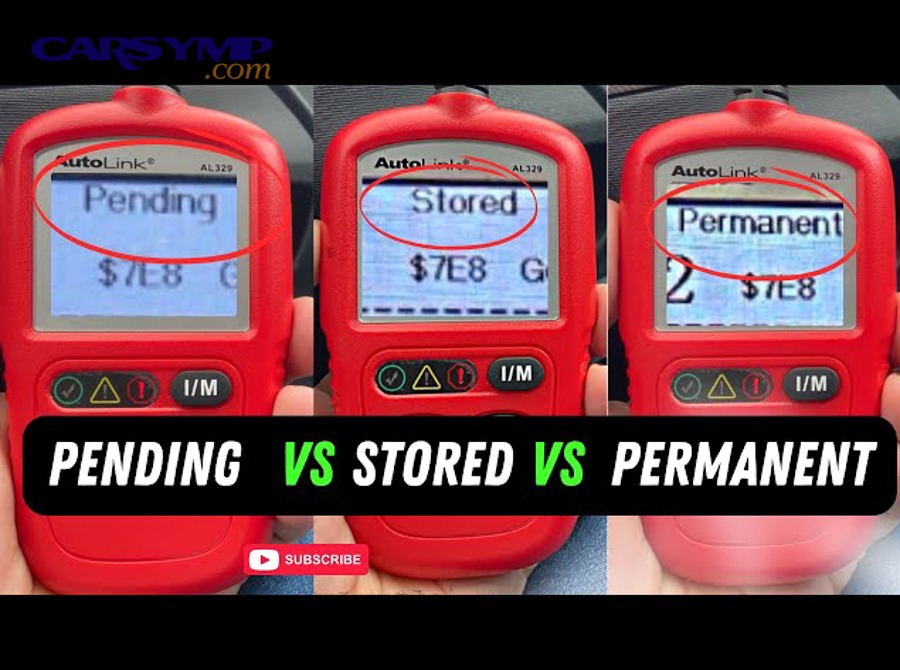
When you run a scan, your tool may show separate lists such as Stored/Confirmed, Pending, and sometimes Permanent. This is not just a UI choice; it maps to how OBD reports DTCs. Many tools and references describe Mode $03 as stored DTCs and Mode $07 as pending DTCs, with Mode $0A as permanent DTCs in the standard service mode set. (obdsol.com)
In plain English:
- Pending code = “I saw something wrong under certain conditions, but I’m not fully convinced yet.”
- Stored/confirmed code = “I saw the problem often enough (or severely enough) that I’m logging it as a real fault.”
That’s the macro meaning. The micro details—like whether the MIL turns on, or whether freeze frame is captured—depend on the fault category, monitor type, and manufacturer strategy. But you can still use status as a reliable first triage tool.
Is a pending code a “real problem” or just a temporary glitch?
Yes—pending codes can be real problems, because (1) they are triggered by measurable out-of-range data, (2) they often repeat under the same driving conditions, and (3) they can mature into stored codes if the fault returns. Specifically, the reason pending codes cause confusion is that they often appear without a check engine light, and the car may feel normal—so drivers assume the code is meaningless.
A pending code is best viewed as an early warning, not a verdict. It can be caused by:
- Intermittent faults (loose connector, marginal sensor, wiring rub, moisture intrusion) that appear and disappear.
- Condition-dependent faults (EVAP leaks that appear only at certain fuel levels/temps, oxygen sensor performance that shows up at steady cruise, etc.).
- Threshold-based detection where the system needs to see the issue again to confirm it.
In fact, some scan-tool guidance explains pending codes as either intermittent faults or faults that must be observed in consecutive warm-up cycles before the code “matures” into a stored DTC and may trigger the check engine light. (innova.com)
DIY rule of thumb:
- If a pending code appears once and never returns, it might be a glitch.
- If it returns under the same conditions, it’s a pattern—and patterns are diagnosable.
What does a stored/confirmed code tell you that a pending code does not?
Pending codes are best for early detection, while stored/confirmed codes are best for prioritizing diagnosis—because stored codes have met confirmation rules, are retained more consistently, and more often correlate with MIL logic and captured diagnostic context. However, a stored code still does not mean “replace the named part,” because DTCs often identify a system or circuit behavior, not the root cause.
A confirmed/stored code typically gives you:
- Higher confidence the fault is repeatable (or severe enough to log immediately).
- Better diagnostic context (many systems capture freeze frame when a confirmed/MIL event occurs, depending on the vehicle).
- A more stable starting point for troubleshooting (you can reproduce it more predictably).
That’s why many support references frame confirmed codes as issues requiring attention, while pending is earlier detection. (support.bluedriver.com)
How does a pending code become a stored/confirmed code?
A pending code becomes stored/confirmed when the vehicle’s OBD monitoring logic sees the same fault again (or meets a severity threshold) under the required conditions, so the fault “matures” from detected-once to confirmed. Then, this process matters because it tells you how to reproduce the problem: the same conditions that created pending are usually the conditions that confirm it.
OBD systems don’t test every component all the time. Some monitors are continuous, while others only run when prerequisites are met (coolant temp, speed, load, fuel level, etc.). This is why “it happened once” can stay pending for a while—it may take time for the monitor to re-run and see the same failure again. (motor.com)
Does a code need to happen twice to become stored?
Yes, often—but not always—because (1) many faults follow a two-trip confirmation strategy, (2) some faults can confirm on one trip due to severity, and (3) monitor type and manufacturer strategy change the exact rule. More specifically, the popular “two-trip” idea exists for a reason: pending can represent the first failure, while stored represents the repeated failure that proves it is not a one-off.
A diagnostic manual explanation of service modes notes that “pending” codes are often associated with two-trip logic: the code is stored as pending at the initial malfunction, but the MIL is not activated unless the malfunction happens again, at which point it becomes stored in the confirmed list. (snapon.com)
So what do you do with that?
- If you have a pending code and you want to confirm whether it’s repeatable, you can aim to recreate the conditions (within safe driving).
- If you have a stored code, you can assume the system has already “proven” repeatability enough to log it.
Which systems are most likely to generate pending codes first?
There are 5 common system groups that generate pending codes first—EVAP, O2 sensor performance, catalyst efficiency, fuel/air metering, and misfire monitoring—based on which monitors require specific conditions to run and which faults tend to be intermittent. In addition, knowing the group helps you interpret why a pending code might show up “randomly.”
Here’s a practical grouping for DIY troubleshooting:
- EVAP (Evaporative emissions)
- Often needs: specific fuel level range, stable temps, steady driving or soak conditions.
- Common reason for pending: small leaks that appear intermittently (cap seal, purge behavior).
- Oxygen sensor / fuel trim performance
- Needs: closed-loop operation and stable conditions.
- Pending triggers: slow response, marginal heater circuits, vacuum leaks that show at idle.
- Catalyst efficiency
- Needs: warmed-up exhaust and certain cruise/idle transitions.
- Pending triggers: borderline catalysts, exhaust leaks, O2 sensor issues that mimic catalyst failure.
- Fuel/air metering (MAF/MAP-related behavior)
- Needs: load changes and predictable airflow modeling.
- Pending triggers: dirty MAF, intake leaks, inconsistent sensor signals.
- Misfire monitoring
- Runs frequently, but can be load/rpm dependent.
- Pending triggers: borderline ignition components, moisture, low fuel quality.
This grouping doesn’t diagnose the car for you, but it makes the status meaningful: a pending EVAP code behaves differently than a pending misfire code, and your “monitor vs act now” decision should reflect that.
What are the practical differences between pending vs stored codes for DIY drivers?
Pending codes win for early warning, stored codes are best for diagnosis priority, and permanent codes (if present) are optimal for verifying a real repair—because each status represents a different confidence level and different consequences for MIL, drivability, and inspection readiness. However, the status alone is not the full story, so you should tie it to symptoms, frequency, and basic data.
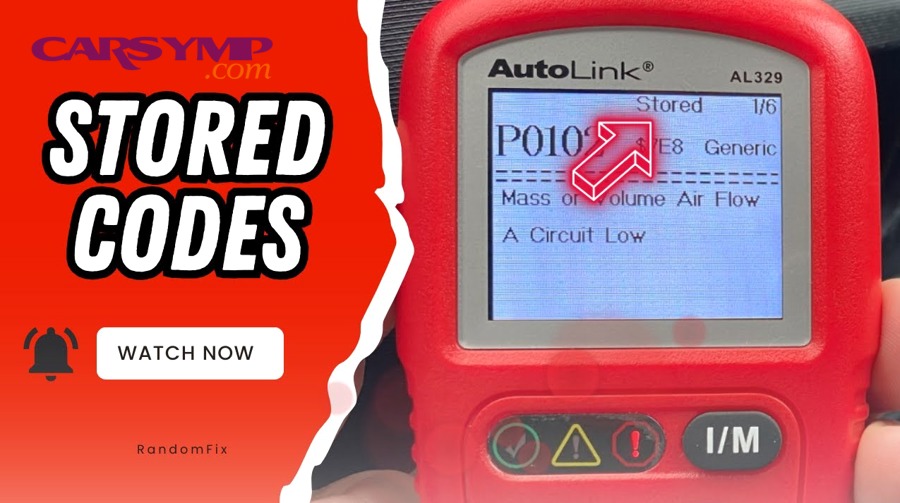
The biggest real-world differences DIY drivers feel are:
- Urgency: Stored generally deserves faster action than pending.
- Repeatability: Stored is usually easier to reproduce.
- Data richness: Stored is more likely to come with useful snapshot context (depending on vehicle/tool).
- Inspection risk: Clearing or ignoring the wrong status can affect readiness and emissions testing.
Should you keep driving if you only have a pending code and no check engine light?
Yes, usually you can keep driving—but only if (1) the car has no dangerous symptoms, (2) the pending code does not repeat rapidly, and (3) you can monitor it with a plan instead of ignoring it. Besides, “no MIL” does not equal “no problem,” so your goal is controlled observation, not denial.
A safe DIY triage looks like this:
Okay to drive and monitor (most cases):
- No flashing MIL, no overheating, no fuel smell, no severe loss of power.
- The code is pending only and appears once.
- You can recheck after a few trips.
Stop driving or limit driving and diagnose soon:
- Flashing check engine light (often indicates severe misfire risk).
- Overheating, severe shaking, stalling, loud mechanical noises.
- Strong fuel smell, obvious smoke, major power loss.
This is where an OBD2 scan is most useful: you’re not just reading a code—you’re determining whether you’re seeing an early signal or a confirmed fault pattern.
How should you prioritize diagnosis when you have both pending and stored codes?
Stored codes should be diagnosed first, pending codes should be used as supporting clues, and permanent codes (if shown) should be treated as verification markers—because stored codes represent confirmed failures, while pending codes often explain how the fault is evolving or what conditions trigger it. Meanwhile, you’ll get the fastest results when you prioritize by system relationship, not by code order.
Use this priority strategy:
- Address safety and drivability first
- Misfire + rough running beats everything else.
- Cooling-related issues beat everything else.
- Start with the stored/confirmed code that best matches symptoms
- If the car hesitates and you have fuel trim codes stored, don’t chase an unrelated pending EVAP first.
- Use pending codes to sharpen the hypothesis
- Example: stored catalyst efficiency + pending O2 sensor performance suggests you must validate sensor behavior before replacing a catalyst.
- Don’t treat “multiple codes” as “multiple parts”
- One vacuum leak can trigger fuel trim, misfire, and catalyst-related codes across different statuses.
If your tool supports it, this is also where Reading live data basics for beginners becomes powerful: you can watch whether fuel trims, O2 switching, MAF readings, and misfire counters change under the same conditions that set the pending code. (cert.ucr.edu)
What should you do after you see a pending or stored code?
The best response is a repeatable 5-step workflow—scan, capture context, check basics, test the most likely causes, and only then clear codes—because this prevents parts-swapping and preserves the evidence you need for an accurate diagnosis. To better understand why this matters, remember that clearing codes can erase clues and reset readiness monitors.
Here’s the workflow DIY drivers can actually follow:
What information should you record before clearing anything?
There are 6 things you should record before clearing: stored/pending lists, freeze frame, readiness monitors, symptoms/conditions, mileage/time, and a quick live-data snapshot—because clearing can remove context and force you to “rediscover” the problem from scratch. Next, this record becomes your map: it tells you what changed after repairs and whether the fix is real.
Record this checklist:
- All DTCs + status (stored vs pending vs permanent if available)
- Freeze frame (when provided)
- Readiness monitor status (complete/incomplete)
- Driving conditions when symptoms occurred (speed, load, fuel level, temp)
- Mileage + date/time (for tracking recurrence)
- Live data snapshot (even basic PIDs like coolant temp, fuel trims, O2 sensor signals, MAF/MAP)
This is also where “beginner-friendly” live data matters: even if you don’t know every PID, you can still capture trends (like fuel trims being strongly positive at idle). That’s the core of Reading live data basics for beginners, and it’s one of the fastest ways to avoid guessing.
Evidence: According to a study by University of California, Riverside from the Center for Environmental Research and Technology, in 2022, SAE J1979 service modes are organized so that Mode $01 requests live data PIDs and Mode $02 provides freeze-frame “snapshot” data captured when a fault is stored—showing why recording live data and freeze-frame context strengthens diagnosis. (cert.ucr.edu)
Is clearing codes a good idea before repairs?
No, clearing codes before repairs is usually a bad idea, because (1) it can erase freeze frame and history that explains the failure, (2) it resets readiness monitors that you may need for inspection, and (3) it can hide whether the fault is intermittent or repeatable. More importantly, the only time clearing helps is when you’re using it deliberately as a verification step, not as a “make the light go away” move.
Here’s Clearing codes safely and when not to in practical terms:
When you should NOT clear (most of the time):
- You still need to diagnose the cause.
- You haven’t recorded freeze frame and readiness.
- You’re close to an emissions test date and readiness matters.
When clearing can be useful:
- After you repair something and want to confirm the code does not return.
- When you need to confirm whether a pending code matures again under the same conditions.
- When a technician instructs you to clear as part of a structured test plan.
Even many scan-tool how-tos emphasize that clearing codes does not fix the problem; it only resets stored data and MIL status until the monitor runs again. (youtube.com)
How do pending and stored codes affect emissions testing and readiness monitors?
Stored codes usually increase your risk of failing emissions (especially if they command the MIL), pending codes can still matter if they mature during the test window, and clearing codes almost always resets readiness monitors—because OBD inspections check both fault status and monitor completion. Then, once you connect codes to readiness, you can make smarter choices about timing, repairs, and retesting.
Most modern emissions programs rely on OBD readiness and MIL status rather than tailpipe-only measurements. A readiness monitor is basically a “self-test completed” flag for emissions-related systems. Guidance documents explain that vehicles perform diagnostic checks while driven, and those checks report through readiness monitors. (ohioecheck.info)
Can you pass inspection with pending codes?
Yes, sometimes—but you should not plan on it, because (1) a pending code can become stored during normal driving, (2) some programs fail vehicles for MIL-commanded conditions and monitor status rather than “pending presence,” and (3) clearing codes to hide issues often causes an automatic readiness failure. In addition, the exact rule depends on your state/region, so your safest strategy is to repair the root cause and confirm readiness rather than gambling on code status.
What usually causes failure in the real world isn’t “pending exists.” It’s one of these:
- MIL is commanded on (check engine light logic active)
- Stored/confirmed emission-related DTCs present
- Too many readiness monitors incomplete (especially right after clearing)
So if you see a pending code and you have an inspection coming up, your best move is to avoid clearing unless you’ve repaired the issue and you’re prepared to drive enough for monitors to complete.
How long does it take for monitors to reset after clearing codes?
It does not take a fixed number of miles or minutes; monitor completion depends on drive cycle conditions, monitor type (continuous vs non-continuous), and the vehicle’s specific requirements—so the fastest approach is to repair first, then drive under varied conditions and recheck readiness. Specifically, non-continuous monitors only run when conditions are right, which is why clearing codes can create a “not ready” situation even if the car feels normal. (motor.com)
Some official guidance for readiness best practices notes that drivers may need extended driving time after codes are cleared to allow readiness monitors to set before an inspection, emphasizing that the window can be longer than many people expect. (epa.gov)
A practical DIY approach:
- Don’t clear unless repair is done (or you’ve recorded everything and have a plan).
- Drive mixed conditions: city + steady highway + idle periods.
- Re-scan readiness after several trips rather than guessing.
If you want a visual walkthrough, here’s one relevant video you can embed in your learning flow:
What other code categories get confused with pending and stored codes?
The three categories most commonly confused with pending and stored are permanent codes, history codes, and manufacturer-specific code definitions—because scan tools label them differently, OBD service modes separate them into different lists, and each category behaves differently when you clear codes. Next, once you understand these categories, you stop misreading your scanner and you stop “fighting the car” with repeated clears.
What is a permanent code, and why won’t it clear like stored codes?
A permanent code is a DTC stored in non-volatile memory that does not disappear just because you cleared codes, because it is meant to prove an emission-related fault truly stopped happening after real driving verifies the fix. Many OBD references list Mode $0A as the request for permanent trouble codes, separate from stored and pending lists. (obdsol.com)
Practical implications for DIY drivers:
- If you fixed the issue, the permanent code may remain until the car runs the monitor and confirms the fault is gone.
- Re-clearing repeatedly usually does not help; it just resets readiness again.
Are “history” codes the same as stored codes?
No—“history” codes are often a tool- or OEM-labeled record of faults that occurred since the last clear but may not be currently active or currently confirming, while “stored/confirmed” refers to a confirmed DTC list. Scan-tool explanations describe history codes as useful for diagnosing intermittent failures and leaving a trace for technicians. (innova.com)
So if you see “history”:
- Treat it like a trail of past evidence, especially for intermittent faults.
- Use it to connect symptoms to conditions rather than replacing parts blindly.
What’s the difference between generic (P0) and manufacturer-specific (P1) codes in pending/stored form?
Generic and manufacturer-specific codes can appear as pending or stored, but manufacturer-specific codes are more likely to have vehicle-dependent meanings, test thresholds, and diagnostic trees. That’s why a code lookup that works for a generic P0 code can be misleading for a P1 code.
A practical best practice:
- For P1 codes, use a vehicle-specific source (service info, factory descriptions, or a reputable database) before you decide what the code “means.”
Where do Mode $03, $07, and $0A fit in—why does your scanner show different “lists”?
Your scanner shows different lists because OBD service modes separate types of DTC reports: stored/confirmed DTCs are typically retrieved through one mode, pending through another, and permanent through another. Many OBD mode references summarize this directly (Mode $03 stored, Mode $07 pending, Mode $0A permanent). (obdsol.com)
For DIY reading:
- If a code is in the stored list, prioritize diagnosis.
- If it’s only pending, treat it as early warning and focus on recurrence + conditions.
- If it’s permanent, focus on verifying the repair and completing monitors rather than trying to “erase” it.
Evidence (if any)
According to a study by University of California, Riverside from the Center for Environmental Research and Technology, in 2022, SAE J1979 diagnostic service modes distinguish live data (Mode $01) from freeze frame snapshot data (Mode $02) and from confirmed DTC reporting (Mode $03), supporting the DIY best practice of recording live data and freeze-frame context before clearing codes. (cert.ucr.edu)