


Battery terminal cleaning is a fast, practical way to restore strong starting power because it removes the crusty corrosion that steals voltage right where your car needs it most: the connection between the battery posts and cable clamps.
Besides fixing today’s weak connection, you also want anti-corrosion habits that stop the white/blue buildup from coming back, especially if you drive in heat, humidity, or winter road salt.
And because battery acid, hydrogen gas, and metal tools can make a dangerous mix, the real goal is not just “clean,” but clean without sparks, burns, or broken terminals.
To introduce a new idea, the sections below move from “why corrosion happens” to “how to clean,” then to “how to protect,” so your battery system stays reliable longer.
What causes battery terminal corrosion, and why can it make your car crank slowly?
Battery terminal corrosion forms from battery vapors, moisture, heat, and chemical reactions at the post-and-clamp joint, and it can cause slow cranking by adding electrical resistance right at the power gateway. Next, it helps to understand what you’re actually seeing before you scrub it off.
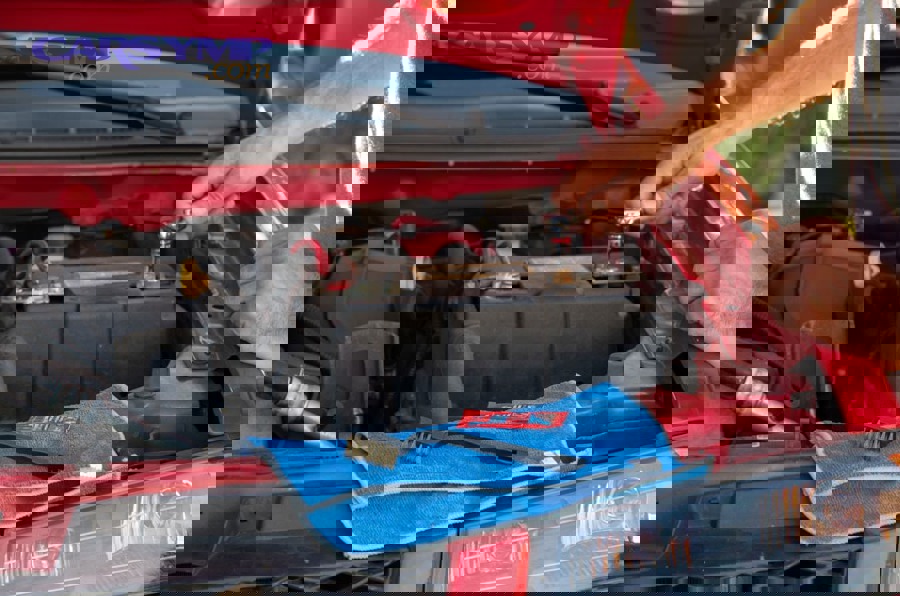
What are the most common “looks” of corrosion, and what do they usually mean?
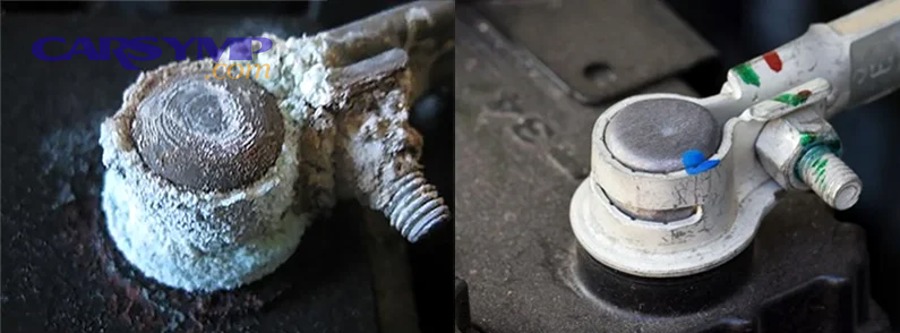
Yes—color and texture can hint at the source: white/ashy often points to acid vapor reaction, blue/green often suggests copper salt corrosion on the clamp/cable end, and wet/oily residue may indicate leakage or contamination. To connect the dots, match the corrosion pattern to where it concentrates.
Corrosion piled on the top of the post and clamp usually means vapors are escaping and reacting in the open air. Corrosion creeping down the cable, under insulation, can signal a cable issue (wicking) that cleaning alone won’t solve. Corrosion that returns quickly after cleaning often means the joint is loose, the battery is venting more than normal, or the protective layer was applied incorrectly.
If you smell a sharp “acid” odor, see swelling, or notice a wet battery top, treat it as a higher-risk case: clean cautiously, and consider testing the battery and charging system so you don’t keep fighting symptoms.
How does corrosion steal voltage even if the battery is “good”?
Yes—corrosion can cause a no-start or weak-start even when the battery tests fine, because the starter needs high current and even small resistance at the terminals can create a big voltage drop. Next, think of corrosion as a sponge layer between metals, not just dirt on top.
During starting, current demand spikes. If the post-to-clamp contact is compromised, energy turns into heat at the bad joint instead of turning the starter. That’s why you may see: a single click, rapid clicking, dim lights during crank, or a car that starts only after wiggling the cable.
A quick clue is temperature: after cranking, carefully touch near (not on) the clamp area—excess warmth suggests resistance. Another clue is inconsistency: it may start fine on warm days but struggle in cold weather, because cold thickens engine oil and increases required cranking current.
Which driving and climate conditions accelerate corrosion fastest?
Yes—heat, humidity, short trips, and road salt are top accelerators because they increase vapor release, moisture film on metals, and chemical activity at the joint. To move from theory to prevention, identify which condition matches your use.
Short trips are sneaky: you shut the engine down before the battery fully recovers from starting, and the charging system may run higher output more often, warming the under-hood area. Coastal air adds chloride exposure. Winter salt residues can migrate under the hood and cling to damp surfaces. If your battery sits for long periods, small parasitic loads can deepen discharge and stress the battery, sometimes increasing venting and corrosion risk over time.
How do you clean battery terminals step-by-step without damaging posts or electronics?
Use a simple, controlled process—disconnect safely, neutralize corrosion, scrub the metal contact surfaces, rinse carefully, dry fully, then reassemble with correct order and tightness—so you remove resistance without breaking parts. Next, follow the sequence exactly to avoid sparks and memory-loss headaches.
What should you do before you touch anything?
Yes—prepare first: wear eye protection and gloves, remove metal jewelry, ventilate the area, and gather tools so you don’t “improvise” with risky shortcuts. Next, set your workspace to prevent accidental short circuits.
Park on level ground, ignition off, keys out of range, and lights/accessories off. If the battery is in the trunk or under a seat, open panels carefully and keep the area well lit. Keep water away from exposed electronics and do not smoke or create sparks near the battery—hydrogen gas can ignite.
Tool checklist: wrench or socket for terminal bolts, stiff nylon brush or battery terminal brush, baking soda, water, small container, shop towels, and a small spray bottle. If corrosion is heavy, a dedicated terminal brush tool can make surface prep faster and more consistent.
What is the safest disconnect order, and why does it matter?
Yes—disconnect the negative terminal first and reconnect it last, because the negative side is tied to chassis ground and removing it first reduces the chance your tool completes a circuit to the body. Next, keep the cable ends from springing back onto the posts.
Step-by-step: loosen the negative clamp bolt, twist gently to free the clamp (avoid prying on the post), then tuck the cable away so it cannot touch the battery. Repeat for the positive clamp second. If your vehicle has sensitive electronics, consider maintaining power with an appropriate memory saver device—but only if you know the correct procedure for your vehicle.
Never let a metal tool bridge from the positive terminal to any grounded metal part. That’s how sudden sparks happen.
How do you neutralize corrosion correctly with a baking soda solution?
Use a mild baking soda-and-water mix to neutralize acidic residue, then scrub the joint surfaces until bare metal contact areas are clean; this removes the “insulating” layer safely. Next, control where the liquid goes so you clean the terminals—not flood the battery.
Mix roughly 1 tablespoon of baking soda into about 1 cup of water, stir, then apply sparingly to the corroded areas with a small brush or controlled pour. Bubbling is normal—it means neutralization is happening. Scrub the clamp interior and the post surface until the contact area is bright and smooth, not pitted and crumbly.
Important: avoid pushing paste or liquid into battery vents. Keep runoff minimal. Use towels to catch drips and wipe away residue.
How do you finish the job so corrosion doesn’t return immediately?
Drying and reassembly are not optional: rinse lightly, dry completely, reinstall clamps fully seated, and tighten properly so you restore full contact pressure. Next, confirm that the joint is stable before applying protectant.
Rinse with a small amount of clean water on a cloth (not a hose blast), then dry thoroughly. Reinstall the positive clamp first, then negative. The clamp should sit fully down on the post, not perched high. Tighten so the clamp does not rotate by hand, but do not overtighten to the point you deform or crack the clamp.
After you confirm a solid mechanical connection, apply your chosen anti-corrosion method (spray, grease, felt washers, or a combination) as described in the protection section.
Which cleaners and tools work best: baking soda, spray cleaner, or specialty brushes?
Baking soda solution is the best all-around neutralizer for acidic corrosion, commercial terminal cleaners are fast and convenient for heavy buildup, and specialty brushes deliver the cleanest metal-to-metal contact surfaces with less guessing. Next, choose based on severity and what you can apply safely.
When is baking soda “enough,” and when is it not?
Yes—baking soda is enough for most routine terminal corrosion because it neutralizes acid residue and loosens the crust so you can scrub it away. Next, recognize the limits before you waste time.
If corrosion has migrated deep under the clamp, if bolts are seized, or if the cable strands are turning green under insulation, baking soda won’t fix the underlying mechanical damage. In those cases, you may need clamp replacement, cable replacement, or a more thorough teardown.
If you recently did a battery replacement and corrosion returns quickly, treat that as a signal to check clamp fit, post condition, and whether the battery is venting normally—new parts can still corrode fast if the joint is loose or contaminated.
Do commercial aerosol cleaners add real value?
Yes—commercial battery terminal cleaners can save time on heavy crust because they cling, foam, and reach awkward areas, but you still must scrub the contact surfaces to restore low resistance. Next, treat the can as a helper, not a magic fix.
These cleaners are especially useful when corrosion is thick around bolt heads and clamp seams. They can also help loosen residue so your brush work is more efficient. After the foam reaction, wipe and rinse sparingly, then dry fully.
Choose products designed for battery terminals and follow label directions. Use eye protection; aerosol drift is real, and the chemicals are not friendly to your eyes.
Which brush style gives the best “contact surface” result?
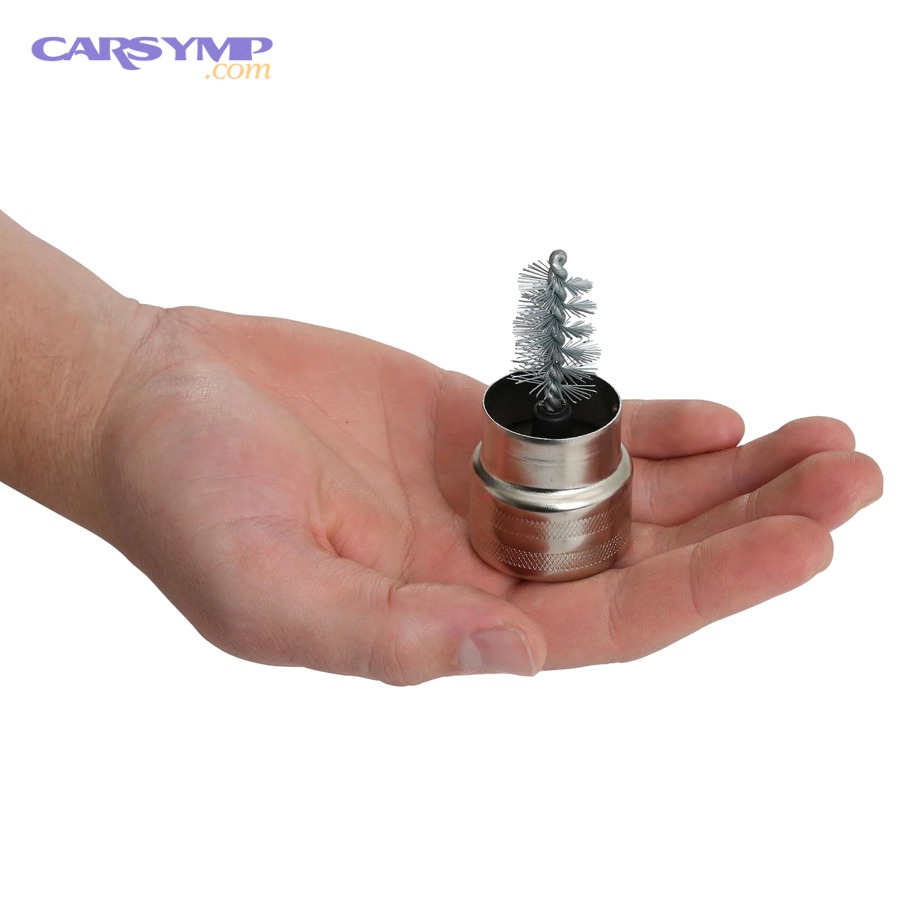
A dedicated terminal brush tool cleans both the post (round internal brush) and the clamp interior (outer brush) so you can restore uniform, shiny contact surfaces quickly. Next, use the tool gently so you clean metal without grinding it away.
Rotate the post brush around the post with light pressure to remove oxide and residue. Then clean inside the clamp so it mates evenly when reinstalled. If you only clean the outside, you can end up with a clamp that looks fine but still has corrosion inside where it matters most.
Finish with a quick wipe to remove loose debris—debris left behind can trap moisture and restart corrosion.
Table: Which cleaning approach should you pick for your situation?
This table helps you choose the right cleaning method based on corrosion severity, speed, and risk of recurring problems.
| Method | Best for | Pros | Watch-outs |
|---|---|---|---|
| Baking soda + water | Routine white/ashy corrosion | Neutralizes acid residue, cheap, widely available | Must control runoff; still requires scrubbing and drying |
| Aerosol terminal cleaner | Heavy crust and hard-to-reach buildup | Fast coverage, clings/foams, reduces manual effort | Still needs brushing; avoid overspray; follow label safety |
| Terminal brush tool | Restoring metal-to-metal contact quickly | Cleans post and clamp interior evenly | Don’t over-scrub; avoid removing excessive metal |
| Vinegar (acidic) | Light alkaline residue on some surfaces | Can dissolve some deposits | Not ideal for acid-related corrosion; rinse and neutralize carefully |
How do you prevent corrosion after cleaning: grease, sprays, felt washers, and correct torque?
Preventing corrosion is a combination of sealing out moisture/vapors and maintaining firm contact pressure, so use a proven protectant (spray or grease), consider felt washers, and ensure the clamp is properly seated and tight. Next, pick a protection strategy that matches your climate and maintenance style.
Should you use terminal protectant spray or dielectric/silicone grease?
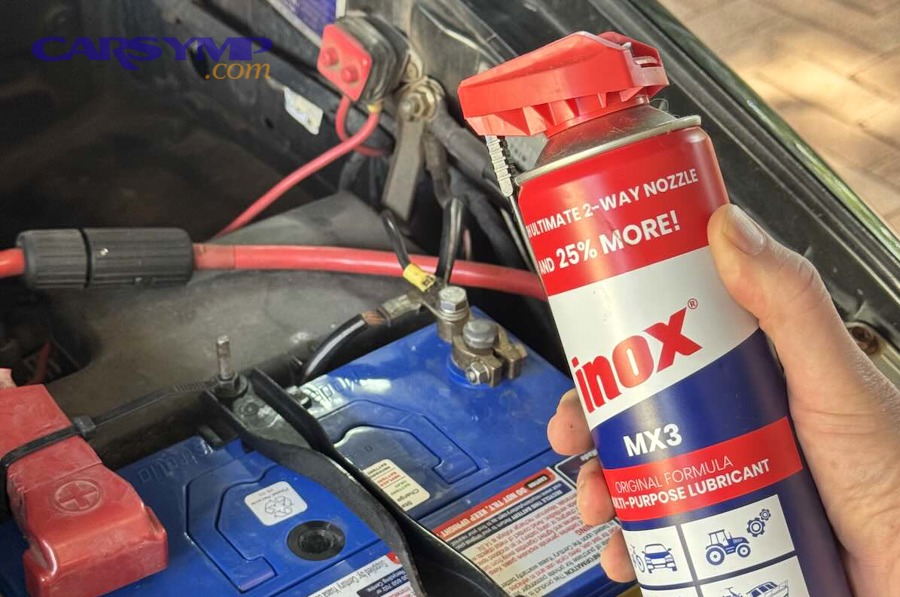
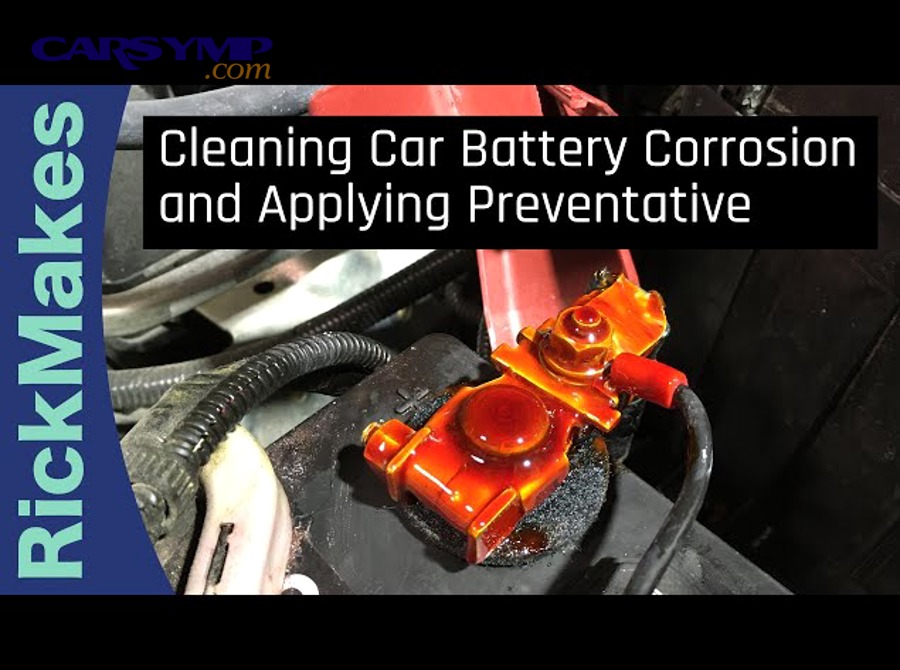
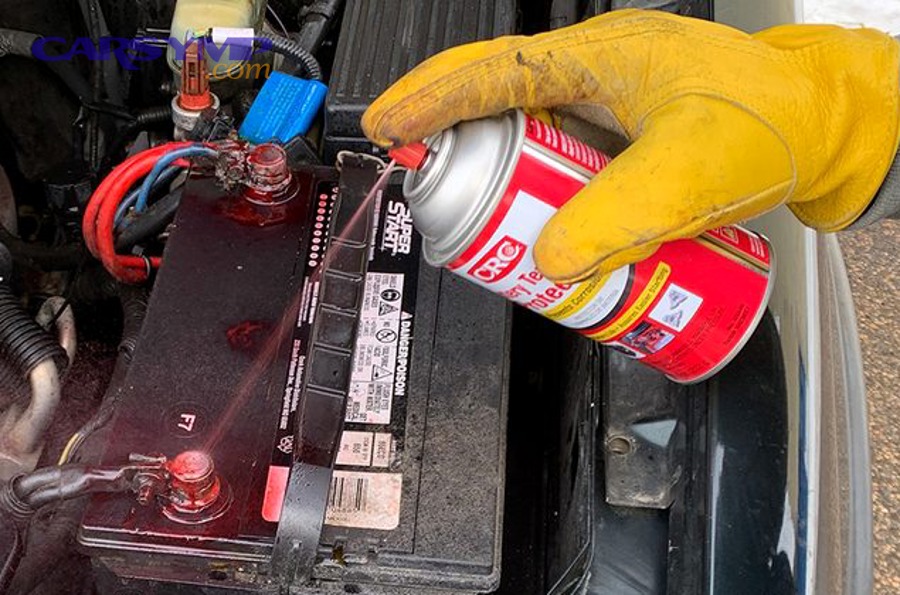
Yes—either can work: sprays are quick, evenly coat exposed metal, and are easy to reapply; silicone-based or dielectric-style greases create a durable moisture barrier, especially at the clamp seam. Next, apply the right product in the right place.
Sprays are excellent for covering the finished joint, including the clamp exterior, bolt heads, and nearby exposed metal. Grease is best applied as a thin film on the post and inside the clamp after the connection is clean and secure, then lightly around the outside as a moisture barrier.
According to research supported by the Korean Institute of Science and Technology Evaluation and Planning, in February 2008, lubricated electrical contacts showed stable contact resistance for several thousand fretting cycles at 27°C, highlighting how a protective film can help preserve reliable electrical contact under movement and vibration.
Do felt washers really help, or are they just “extra stuff”?
Yes—felt washers can help by absorbing and neutralizing vapors at the base of the post, which reduces the chance those vapors react at the clamp joint. Next, install them correctly so they don’t interfere with clamp seating.
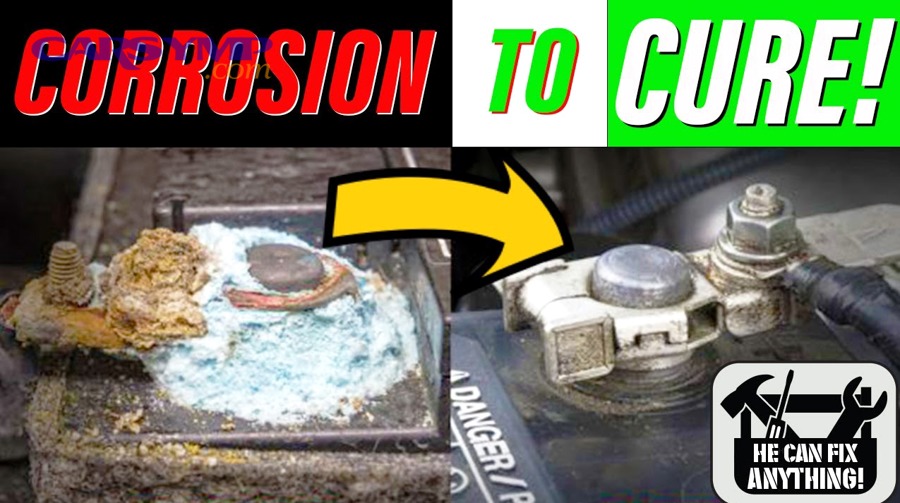
Place the washer flat at the base of the post, then seat the clamp fully down. If the clamp ends up riding high because the washer is bunched, you create a loose connection—exactly what you’re trying to prevent. Replace washers when they look saturated, brittle, or deformed.
What “tightness” prevents corrosion without cracking the clamp?
Proper tightness means the clamp does not rotate or lift by hand and the cable feels solid, but the bolt is not forced past resistance; good contact pressure reduces micro-movement that can accelerate oxidation. Next, treat clamp integrity as part of corrosion prevention.
Loose clamps allow tiny motion during engine vibration and cranking. That motion can abrade protective films and expose fresh metal, encouraging oxidation and fretting-like wear. Over-tightening can crack the clamp or strip the bolt, leaving you with an unreliable connection that corrodes quickly.
If your clamp is thin, deformed, or cannot tighten securely, replace it—no spray can compensate for a joint that won’t clamp correctly.
Table: Anti-corrosion options and when to use them
This table summarizes the most common anti-corrosion strategies and what problem each one solves best.
| Protection method | Best use case | Strength | Common mistake |
|---|---|---|---|
| Terminal protector spray | Fast protection after cleaning | Quick coverage, easy reapply | Spraying over a loose/dirty connection |
| Dielectric/silicone grease | Moisture barrier at clamp seams | Durable film, good in wet climates | Applying before metal is clean and tight |
| Felt washers | Vapor neutralization at post base | Helps reduce recurring crust | Installing so clamp can’t seat fully |
| Correct clamp seating + tightness | Every vehicle | Reduces micro-movement and resistance | Over-tightening until clamp cracks |
When should you replace terminals, cables, or the battery instead of cleaning?
Replace parts when corrosion is no longer superficial—if clamps are cracked, posts are badly pitted, bolts are seized beyond safe removal, or the cable strands are corroded under insulation—because a compromised joint will keep failing and keep corroding. Next, use simple inspection tests to decide objectively.
What terminal damage means “cleaning won’t hold”?
Yes—replace the terminal if the clamp cannot tighten securely, if it’s cracked, if the bolt threads are stripped, or if the clamp interior is so enlarged that it won’t grip the post evenly. Next, check both mechanical grip and metal condition.
A clamp that bottoms out (bolt fully tight but still loose) will repeatedly arc microscopically and oxidize. A clamp with deep pitting loses true contact area. If you see chunks missing or the clamp looks thin and flaky, treat it as a replacement part.
How can you spot cable corrosion hidden under insulation?
Yes—hidden cable corrosion is likely if you see swelling under insulation, stiff “crunchy” sections near the clamp, green/blue staining creeping down the cable, or repeated corrosion despite proper cleaning and protectant. Next, confirm by inspecting the cable end if possible.
Corrosion can travel by capillary action (wicking) inside the cable strands. That reduces effective conductor area and raises resistance. In severe cases, you’ll get intermittent electrical faults that mimic alternator or starter problems.
When is the battery itself the root cause of recurring corrosion?
Sometimes—if the battery is leaking, bulging, or venting excessively, corrosion will return quickly no matter how well you clean, because the chemical source keeps feeding the reaction. Next, look for physical signs plus performance clues.
Signs include wetness around caps or seams, swelling, strong acid smell, and repeated heavy crust near one post. Performance clues include frequent jump-start needs, slow crank even after cleaning, or electrical instability. In those cases, get the battery tested and check charging voltage so you don’t install new parts into a system that will damage them again.
How do you verify the fix with quick voltage-drop checks and simple inspections?
Confirming the repair is straightforward: do a visual recheck, then use a basic multimeter test during cranking to detect voltage drop across each connection, because a clean-looking terminal can still have high resistance inside the clamp. Next, use a simple method that tells you “good joint” or “still bad joint.”
What visual checks should you do immediately after reassembly?
Yes—check clamp seating, cable strain, and stability: the clamp should be fully down, the cable should not be pulled sideways, and the clamp should not rotate by hand. Next, confirm the protectant layer isn’t masking a loose fit.
Also verify that nothing can rub through insulation near the battery tray, and that any hold-down bracket is secure. A battery that moves can stress terminals and recreate corrosion and intermittent faults.
How do you do a basic voltage-drop test at the terminals?
Use the multimeter while cranking: measure from the battery post to the cable clamp on the same terminal; a low reading indicates a good connection, while a higher reading points to resistance at that joint. Next, repeat on both positive and negative sides.
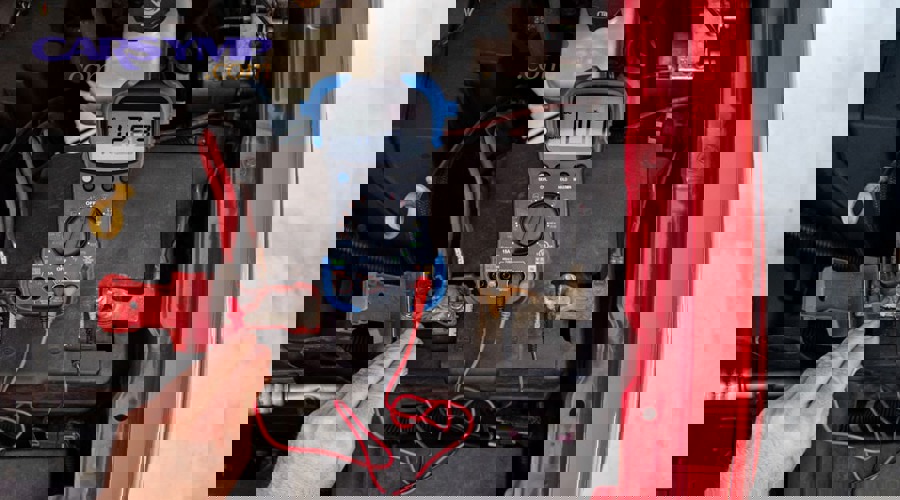
Set the meter to DC volts. Place one probe on the battery post (not the clamp) and the other probe on the cable clamp metal. Have someone crank the engine briefly. The reading is the voltage “lost” across that joint. Repeat on the other terminal.
If the reading is noticeably elevated on one side, clean again or replace the clamp/cable as needed. This test is powerful because it checks the connection under real load, not just at rest.
What if the car still won’t start even after cleaning?
Yes—it can still be a no-start if the battery is weak, the starter draws too much current, the alternator/charging system is compromised, or there is a parasitic drain; cleaning fixes the connection, not every possible failure. Next, separate “connection problem” from “system problem.”
Recheck the ground path: the negative cable must be solid where it bolts to chassis/engine. If you cleaned only the battery end but the ground bolt is corroded, you can still have high resistance. Also check the main positive cable at the starter and any fuse links near the battery.
If this issue appeared after a battery replacement, recheck that the terminals match the posts correctly and that you didn’t leave protective shipping caps or insulators in place. For modern vehicles, also confirm whether the car requires a battery management reset or registration after installation (procedure varies by make/model).
What safety rules and mistakes matter most when cleaning battery terminals?
Yes—battery work is safe when you prevent sparks, protect your eyes/skin, and control tools and liquids, but it becomes risky when you short the terminals, pry on posts, or ignore acid exposure. Next, use the “no surprises” rules below every time.
What are the top mistakes that create sparks or damage electronics?
Yes—three common spark mistakes are: disconnecting the positive first while grounded, letting a wrench bridge positive to metal body parts, and reconnecting with accessories on. Next, treat your tool as a potential “wire” and keep it isolated.
Also avoid using excessive water that can carry conductive residue into nearby electrical components. Don’t hammer or pry against the battery case. And don’t attempt to clean a battery that is visibly cracked, swollen, or leaking—remove it safely and replace it.
How do you handle acid residue on paint, metal trays, and nearby parts?
Yes—neutralize and clean surrounding areas too, because acid residue on the tray and hold-down hardware can keep corroding and can re-contaminate your fresh terminals. Next, keep neutralizer away from vents and electronics.
Wipe the battery top, tray, and nearby brackets with a lightly damp cloth and a small amount of baking soda solution if needed, then wipe again with clean water on a cloth and dry. If you find rusted hold-down hardware, replace it—battery movement is a corrosion multiplier.
When is it safer to stop and let a professional handle it?
Yes—stop if you see active leaking, severe swelling, melted terminals, seized hardware that requires force, or if you’re unsure about maintaining power for sensitive vehicle electronics. Next, prioritize safety over saving a few minutes.
A small misstep can turn into a broken post, a cracked battery case, or an electrical short. Professional help is especially wise when batteries are located in trunks or under seats where ventilation is limited and access is awkward.
Contextual border: how to go beyond basic cleaning for long-term reliability
Once you can clean and protect terminals confidently, the next step is managing the “edge cases” that make corrosion return—battery type, connection design, and end-of-life handling—so your fix stays effective across seasons and vehicle upgrades.
Supplementary: long-term protection strategies and edge cases you should plan for
Long-term reliability comes from pairing correct parts with correct maintenance habits, especially when you change battery type, live in extreme climates, or handle old batteries incorrectly. Next, use the focused edge cases below to avoid repeating the same corrosion cycle.
How does battery type influence corrosion risk in real life?
Battery type can influence venting behavior, charging sensitivity, and under-hood heat tolerance, which affects how often vapors and moisture create terminal deposits. Next, treat “AGM vs flooded battery comparison” as more than a price debate—connection health matters too.
In many vehicles, an AGM battery may tolerate certain operating patterns better than a flooded battery, but either type can still corrode terminals if the clamp is loose, the battery is aging, or the environment is harsh. If you switch types, confirm that charging parameters and fitment are appropriate, and keep your terminal protection routine consistent.
Why does battery group size and fitment affect terminal corrosion?
Yes—fitment affects stress and movement: the wrong size can shift in the tray, tug cables, and loosen clamps over time, which accelerates corrosion by micro-movement and poor contact pressure. Next, treat “How to choose the right battery group size” as a corrosion-prevention step, not just a “will it fit?” question.
A battery that isn’t clamped down firmly can vibrate, stressing posts and clamps. Cable routing can become strained, pulling clamps sideways and reducing even contact area. Correct group size and correct hold-down hardware reduce these issues and make your protectant strategies actually stick.
What seasonal routine best prevents corrosion from returning?
A simple seasonal routine works: inspect every 6 months, clean early buildup immediately, and refresh the protectant film before harsh seasons (winter salt or summer humidity). Next, make it a two-minute habit instead of a once-a-year emergency.
Look for early haze around the base of the clamp, dull metal surfaces, or crust forming near bolt heads. A quick wipe and a thin reapplication of protectant can prevent the heavy crust that later requires disassembly and scrubbing.
According to research by Tribology International authors published in February 2008, the stability of electrical contact resistance improved dramatically at 27°C when a protective lubricating film was present, reinforcing why maintaining a barrier layer can support consistent electrical performance under vibration.
How should you handle recycling and disposal responsibly?
Old car batteries should be handled as hazardous items—avoid tipping, keep terminals from shorting, and use established collection or retailer return programs for safe processing. Next, treat “Recycling and disposal of old batteries” as part of the maintenance workflow, not an afterthought.
Before transporting an old battery, cover terminals so they cannot touch conductive metal objects. Keep the battery upright in a sturdy container and avoid leaving it in high heat for extended periods. Many parts stores and recycling centers accept lead-acid batteries because the materials are widely recyclable, and proper handling prevents acid leaks and environmental harm.
FAQ
Can you clean battery terminals without disconnecting the battery?
No—it’s not recommended, because you increase the risk of short circuits and sparks while scrubbing near conductive metal. Next, disconnecting properly is the safest way to restore a clean, low-resistance connection.
Is petroleum jelly the same as dielectric grease for corrosion prevention?
No—petroleum jelly can provide a basic moisture barrier, but purpose-made dielectric or silicone-based products and dedicated terminal protectants are generally more stable under under-hood heat. Next, choose a protectant designed for electrical environments and reapply as needed.
Why does corrosion come back within weeks after a “perfect” cleaning?
Yes—it can return quickly if the clamp is slightly loose, the battery is venting more due to age or charging issues, or the protective layer was applied over residue instead of clean metal. Next, recheck clamp seating, cable condition, and consider a battery/charging test if recurrence is fast.
Should you replace the terminal clamp if it looks slightly pitted?
Maybe—light surface pitting can be acceptable if the clamp still tightens firmly and the contact surface is uniform, but deep pitting, cracking, or inability to clamp securely means replacement is the better long-term move. Next, a quick voltage-drop test under crank can confirm whether the joint is truly healthy.
Video: a practical terminal cleaning walkthrough