


Caliper hardware and shims inspection is a practical way to stop recurring brake squeaks, clicks, and uneven pad wear by verifying that every sliding, clamping, and anti-rattle part is clean, seated, and moving as designed.
Beyond noise control, this inspection helps you catch early signs of binding (sticking slides, rust-jacked abutments, bent clips) that can overheat a rotor and shorten pad life long before the friction material is “worn out.”
It also supports consistent pedal feel by ensuring the caliper can self-center and release properly, which reduces drag and keeps braking torque predictable from side to side.
Giới thiệu ý mới: below is a step-by-step inspection flow that starts with safety and ends with a quick road-test logic so you can confirm the fix instead of guessing.
What does “caliper hardware and shims” mean in a disc brake, and why inspect it?
Caliper hardware and shims are the small metal components that guide pad movement, reduce vibration, and keep the caliper sliding smoothly, so inspecting them prevents binding, noise, and uneven wear.
To start, think of these parts as the “interface” that lets friction parts behave like precision parts, and that’s why a careful look matters.
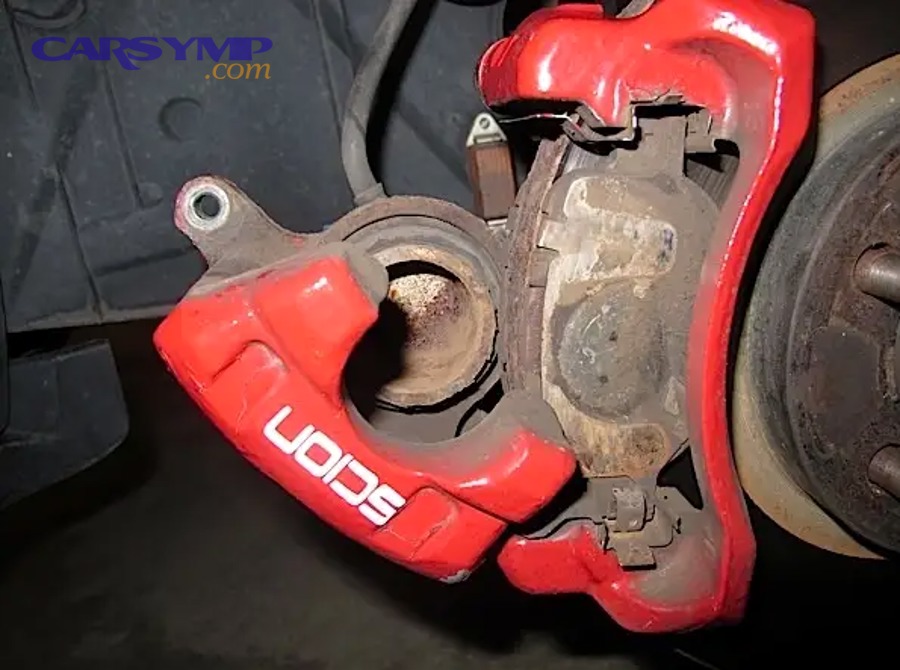
Which parts count as hardware and which count as shims?
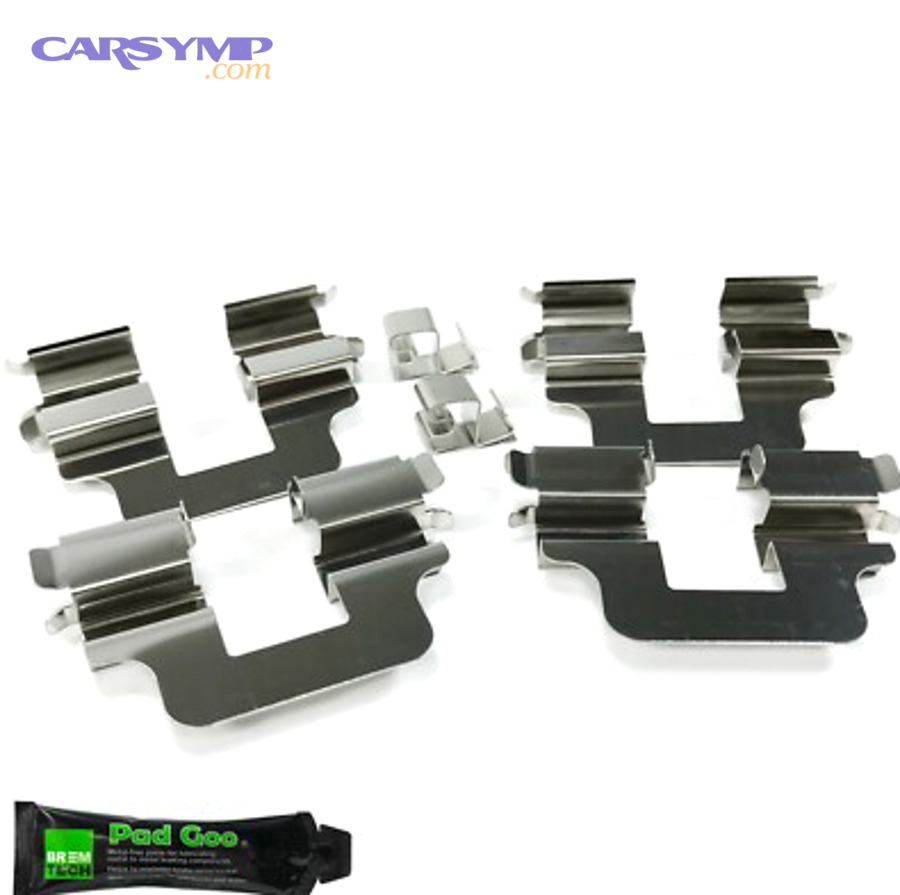
Hardware usually includes abutment clips, pad retaining springs, anti-rattle clips, slide pins/boots, and sometimes pad pins, while shims are thin layers (often stainless or coated) that sit behind pads to damp vibration.
Next, treat each piece as a separate “job role,” because mixing up roles is how grease ends up in the wrong place.
- Abutment clips: provide a low-friction track where pad ears slide.
- Anti-rattle springs/clips: add preload so pads don’t chatter.
- Slide pins & boots: allow the caliper to float and self-center.
- Pad backing shims: reduce squeal by changing vibration behavior.
What problems does poor hardware condition create?
Poor hardware condition creates noise, tapered pad wear, dragging brakes, and heat spots because the pad cannot retract and the caliper cannot equalize force across both pads.
To connect this to what you feel as a driver, the brake may seem “fine” in a quick stop but still run hot or squeak at low speed.
- Rust-jacked abutments: squeeze pad ears so pads stick.
- Collapsed boots: trap moisture and corrode slide pins.
- Bent clips: preload pads unevenly and cause clicks.
- Missing shims: raise the chance of high-frequency squeal.
When should you do this inspection?
You should inspect hardware and shims whenever pads are replaced, whenever one wheel runs hotter than the other, or whenever a new noise appears after recent brake work.
To move from timing to execution, the next section covers the exact tools and setup that keep the inspection safe and repeatable.
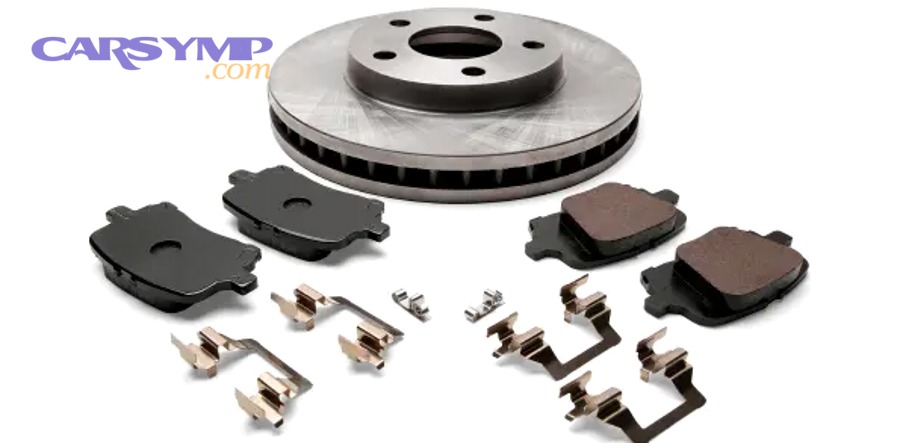
How do you set up safely before inspecting the caliper hardware?
You set up safely by securing the vehicle on stands, removing the wheel on a stable surface, and protecting yourself from dust and pinch hazards while keeping the caliper supported.
Next, treat this like a controlled procedure: stable vehicle, controlled parts, and clean handling.
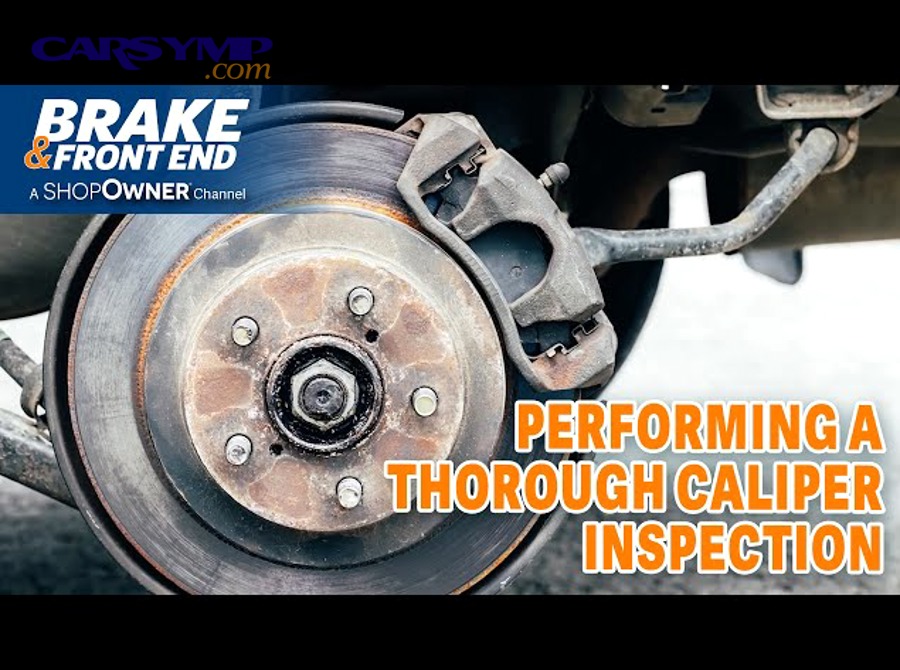
What tools and supplies make inspection easier?
Useful tools include a flashlight, small wire brush, torque wrench, brake cleaner, silicone-based brake grease (for pins/boots), and a caliper hanger or hook to prevent hose strain.
To keep the flow smooth, stage everything within reach so you aren’t searching while the caliper hangs in the air.
- Torque wrench: ensures correct reassembly torque.
- Pick or small screwdriver: lifts clips without bending them.
- Wire brush/emery cloth: cleans rust from brackets.
- Brake cleaner: removes old grease and debris (use carefully).
- Hanger: supports caliper to protect the hose.
What should you avoid doing during setup?
Avoid letting the caliper hang by the hose, blowing dust with compressed air, or smearing grease everywhere because these mistakes create hose damage, contamination, and recurring noise.
Next, once the wheel is off, your inspection starts with a fast “visual sweep” before you disassemble anything.
What is the fastest visual check before you disassemble anything?
The fastest visual check is to look for uneven pad wear, torn slide-pin boots, missing clips, and shiny rub marks that indicate movement where it shouldn’t happen.
Next, this quick scan tells you where to focus, so you don’t waste time cleaning what isn’t the root cause.
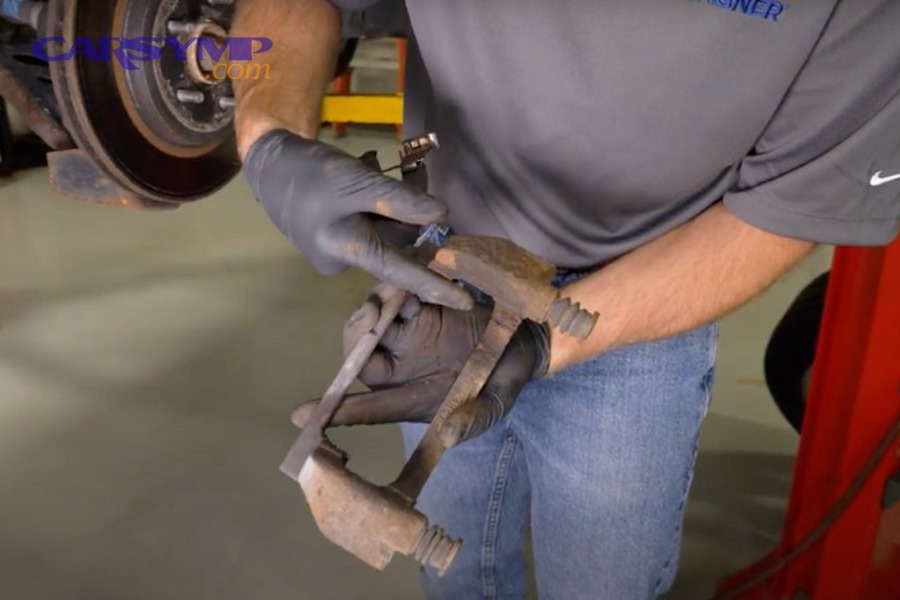
How can you spot uneven pad wear patterns that hint at hardware issues?
You can spot hardware-related wear by comparing inner vs outer pad thickness and looking for tapered edges, because binding slides usually wear one side faster while sticky pad ears can taper the pad.
To deepen that diagnosis, pay attention to the “direction” of taper and where the pad ear sits on the bracket.
- Inner pad thinner: can indicate piston-side issues or sticking slides (caliper not floating back).
- Outer pad thinner: often suggests slide pins seized (caliper not moving toward rotor).
- Tapered wear: commonly from stuck pad ears or uneven clip pressure.
- Glazed pad face: can be heat/drag related, often hardware-driven.
What visual clues suggest clips or shims are rubbing or loose?
Clues include polished metal on clips, small metal dust trails, or a repeating shiny line on the rotor hat/backing areas, because vibration and contact leave consistent witness marks.
Next, if you see marks, you’ll confirm them during the bracket and clip inspection where fitment matters most.
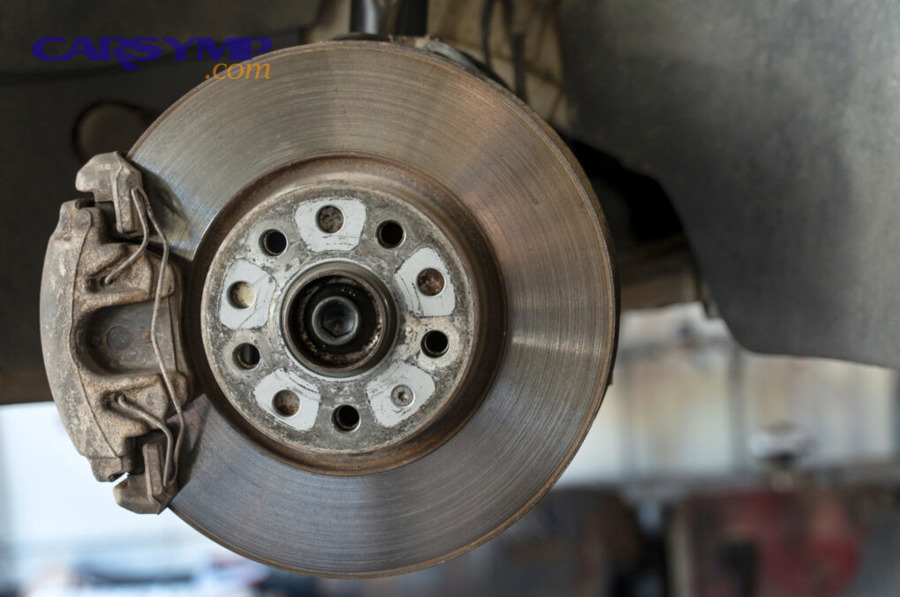
How do you inspect the caliper bracket, abutment clips, and pad “ears” correctly?
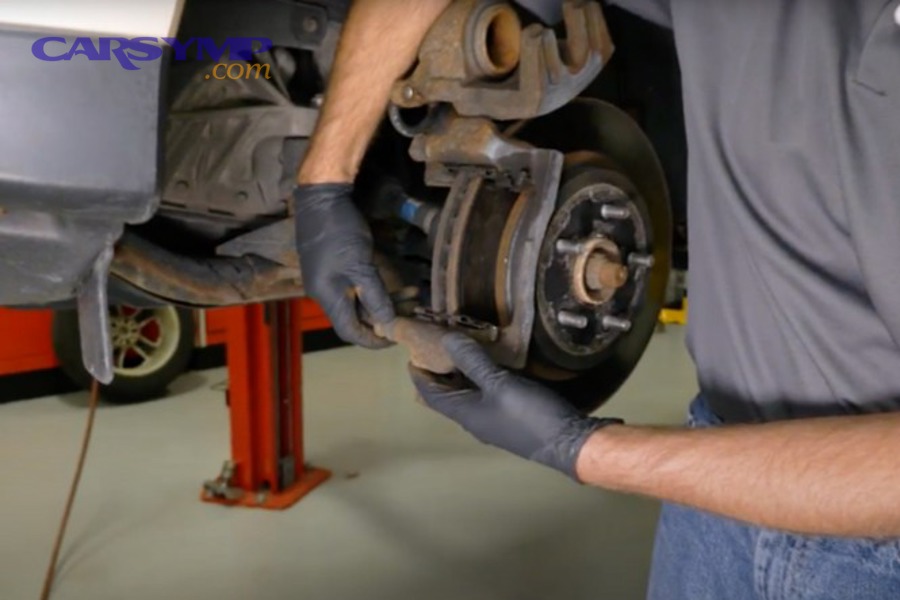
You inspect the bracket and clips by removing the pads, checking clip spring tension and seating, and verifying that pad ears slide freely on clean, rust-free abutment lands.
Next, think of this as “fit and glide”: the pad must move without force, but it must not rattle loose.
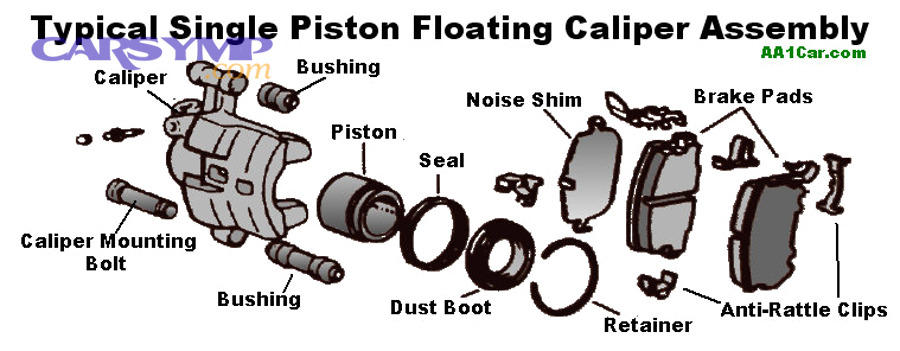
What does a “good” abutment clip look and feel like?
A good abutment clip sits flat, snaps into the bracket without rocking, and holds its shape without deep grooves, because it needs consistent contact pressure and a smooth pad track.
To connect feel to function, run a fingertip across the pad track area: it should be smooth, not sharp or hooked.
- Flat seating: no lifted corners, no wobble.
- Spring tension: clip resists removal but doesn’t deform easily.
- Track condition: minimal grooves, no severe pitting.
- Corrosion: light staining is okay; swelling or flaking is not.
How do you check pad ear clearance without guessing?
Check clearance by placing the pad into the bracket with clips installed and sliding it by hand; it should move with light finger force and return without sticking, because the caliper relies on that motion to release drag.
Next, if it binds, the fix is usually cleaning and restoring the bracket lands—not forcing the pad in.
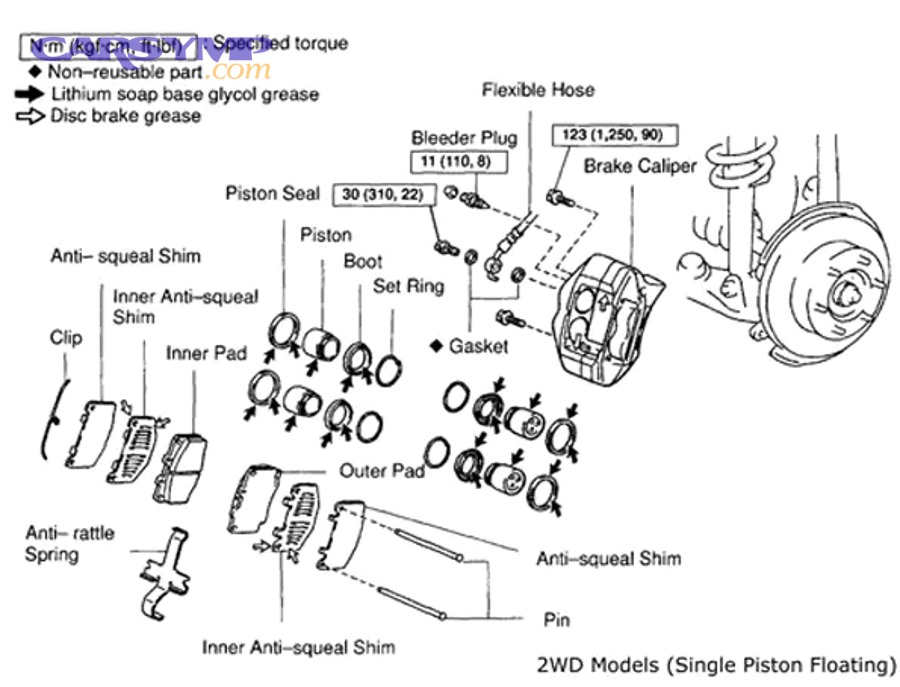
How do you clean bracket lands without damaging fitment?
Clean bracket lands with a wire brush or light abrasive, removing rust until the clip sits flat again, because excess rust “lifts” the clip and pinches pad ears.
Next, focus on removing corrosion, not removing base metal—over-grinding creates looseness and new noise.
- Brush until the surface is clean and level.
- Test-fit the clip frequently to avoid over-removal.
- Wipe debris away so it doesn’t sit under the clip.
- Use brake cleaner sparingly and let it dry.
How do you inspect slide pins, boots, and the caliper’s floating action?
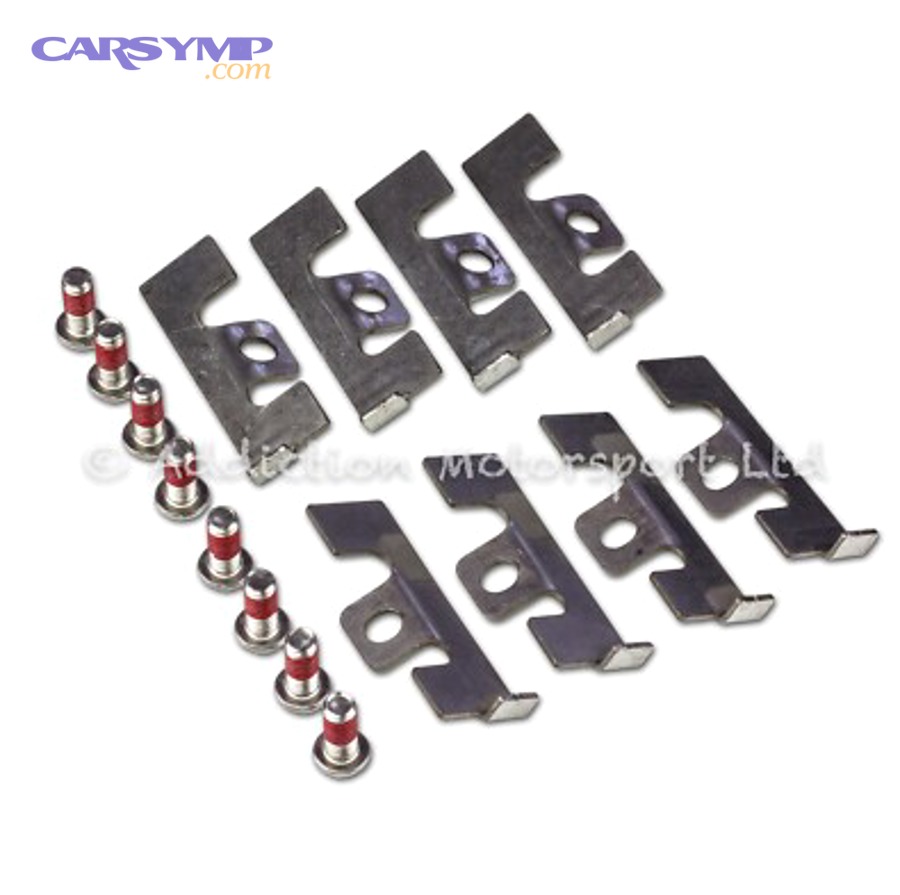
You inspect slide pins by removing them, checking for rust or scoring, confirming boots seal properly, and verifying the caliper can glide smoothly with even resistance.
Next, because floating action is a system behavior, you’ll check both the parts and the motion they create together.
What does a healthy slide pin surface look like?
A healthy slide pin surface is smooth, uniformly plated or polished, and free of deep corrosion pits, because pits hold moisture and create sticking that returns quickly after lubrication.
Next, compare both pins: one “good” pin and one “bad” pin is a common cause of one-sided pad wear.
- Normal: light staining, smooth travel marks.
- Concern: flaking rust, grooves you can feel with a fingernail.
- Replace: severe pitting, bent pin, damaged threads.
How do you tell if a boot is sealing or trapping moisture?
You can tell by checking boot elasticity, lip seating in its groove, and any presence of water or milky grease inside, because a failed seal lets moisture in and turns grease into abrasive paste.
Next, fix sealing first; lubrication without sealing is short-lived.
Where exactly should lubricant go—and where should it never go?
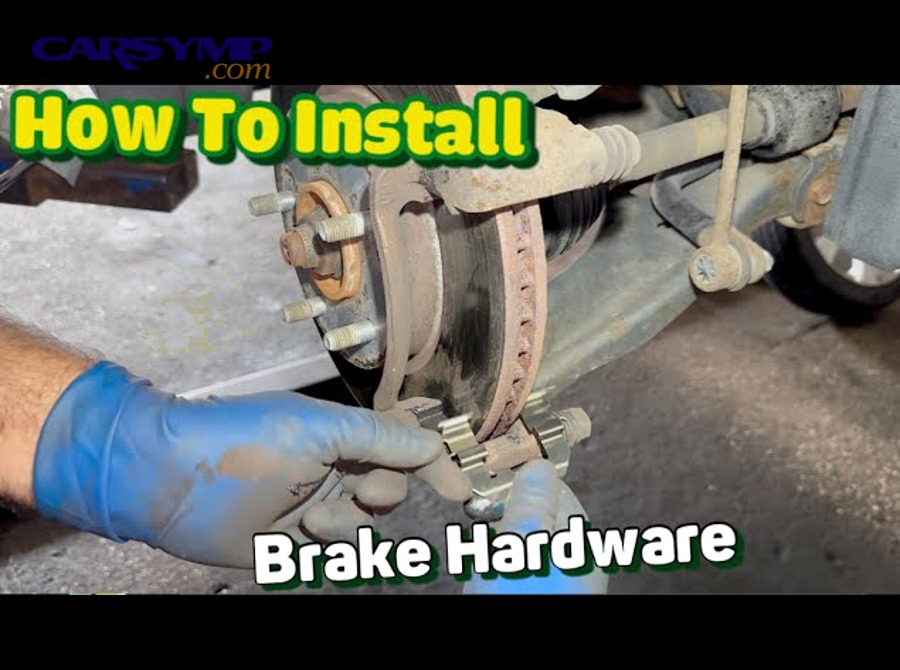
Lubricant should go on slide pins and inside boots (as specified for your brake design), while it should never go on pad friction faces or rotor surfaces because contamination reduces braking and can create persistent noise.
Next, apply thinly and precisely; more grease is not more protection if it migrates to the wrong place.
- Apply: a thin coat on the pin shaft and boot interior contact areas.
- Avoid: rotor, pad friction material, and any sensor surfaces.
- Use: brake-specific lubricant compatible with rubber boots.
How do you inspect pad shims and anti-rattle features for noise control?
You inspect shims and anti-rattle features by checking for missing layers, deformation, corrosion delamination, and correct seating on the pad backing plate so vibration is damped rather than amplified.
Next, because noise is often a “stack-up” problem, you’ll evaluate how the shim, clip, and pad fit as a single package.
What different shim designs might you see?
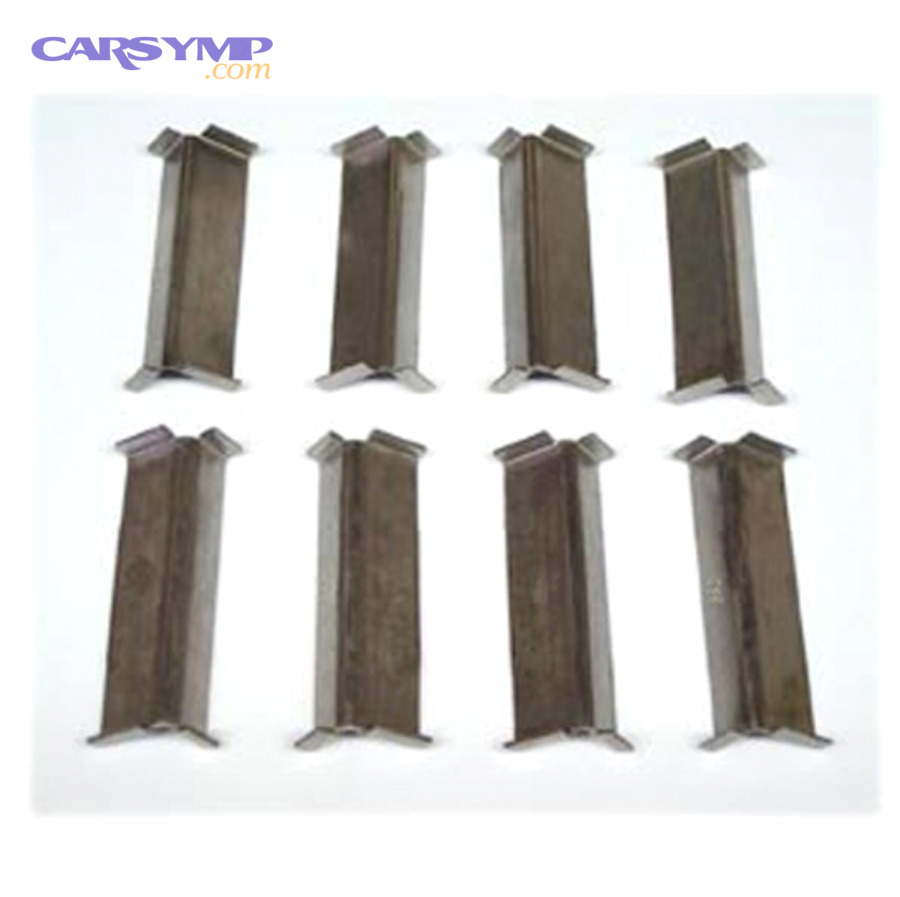
Common shim designs include bonded rubber-coated shims, multi-layer stainless shims, and clip-on shim plates, and each aims to reduce squeal by changing stiffness and damping at the pad-to-piston contact.
Next, match design to condition: a perfect design still fails if it’s bent, missing, or installed crooked.
- Bonded shim: adhered to pad; check for peeling edges.
- Multi-layer shim: stacked layers; check for separation.
- Clip-on shim: removable; check for tight engagement.
How do you know a shim is “bad” even if the pad is okay?
A shim is suspect if it is bent, cracked, missing sections, heavily corroded, or loose on the backing plate, because it can no longer maintain uniform contact and may itself become a vibrating part.
Next, if a shim is questionable, replace it or replace pads that come with new shim hardware, since reusing damaged shims often brings noise back.
Should you apply grease to shims?
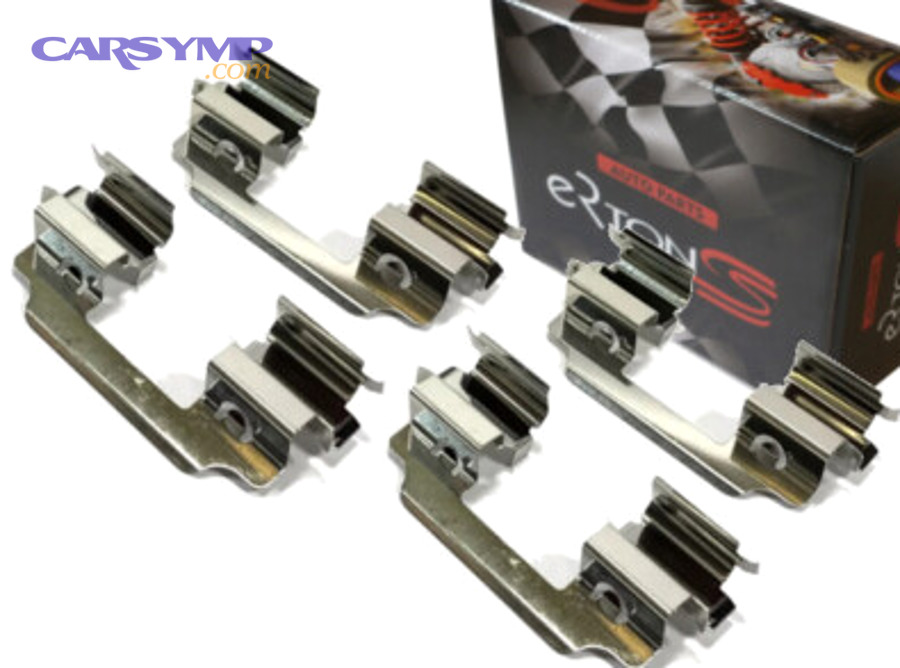
Sometimes yes: a very thin film on the shim-to-piston contact area can help, but only if your brake design and pad manufacturer allow it, because the goal is damping—not creating a slippery mess that migrates.
Next, the safe rule is “thin and targeted,” and if you’re unsure, use pads with integrated shims and follow their guidance.
- OK areas (often): shim-to-piston face, pad backing contact points.
- Never: pad friction surface, rotor, or any place grease can sling outward.
- Better option: new pads with fresh shims when noise persists.
How can you tell if the hardware is the root cause of a clicking, squeal, or grind?
You can link noise to hardware by matching when the sound happens to what the hardware does at that moment—movement noises point to looseness, constant scrape points to contact, and load-dependent squeal points to vibration control issues.
Next, use a simple “when/where/how” pattern so you don’t replace parts blindly.
What noise patterns often indicate loose or missing clips?
Single clicks on first brake application, clunks during direction changes, or a light tapping over bumps can indicate loose pad retention or missing anti-rattle components because the pad shifts before clamping force stabilizes it.
Next, verify clip presence and spring tension, then confirm pad ear fitment in the bracket.
- Click on first stop: pad shifting in bracket.
- Clunk in reverse/forward: loose hardware allowing pad “walk.”
- Tap over bumps: rattle from weak springs or worn clips.
What noise patterns suggest pad ears are sticking?
Squeal at very low speed that disappears after a few stops, or a dragging sound after releasing the brake, can suggest sticking pad ears because the pad doesn’t retract cleanly and keeps grazing the rotor.
Next, confirm by checking heat and wear patterns, then focus your effort on clip seating and bracket land cleaning.
How do you decide if a noise is unsafe to drive on?
It may be unsafe if the noise is paired with reduced braking, pulling, burning smell, smoke, severe vibration, or a pedal that changes suddenly, because these signs suggest overheating, component failure, or loss of effective friction.
Next, if any of those signs show up, stop driving and inspect immediately or seek professional help—hardware issues can escalate into rotor damage fast.
- Stop now: grinding with loss of braking feel, smoke, or fluid smell.
- Inspect soon: persistent squeal plus heat or pulling.
- Monitor: occasional squeak with normal braking and no heat imbalance.
How do you reassemble so the inspection actually “sticks” as a fix?
You reassemble correctly by installing clips squarely, confirming pad glide, torquing fasteners to spec, and doing a controlled bedding/road check so the hardware settles into its working position.
Next, reassembly is where most repeat noises are created, so slow down and verify each interface.
What is the correct order of checks before the wheel goes back on?
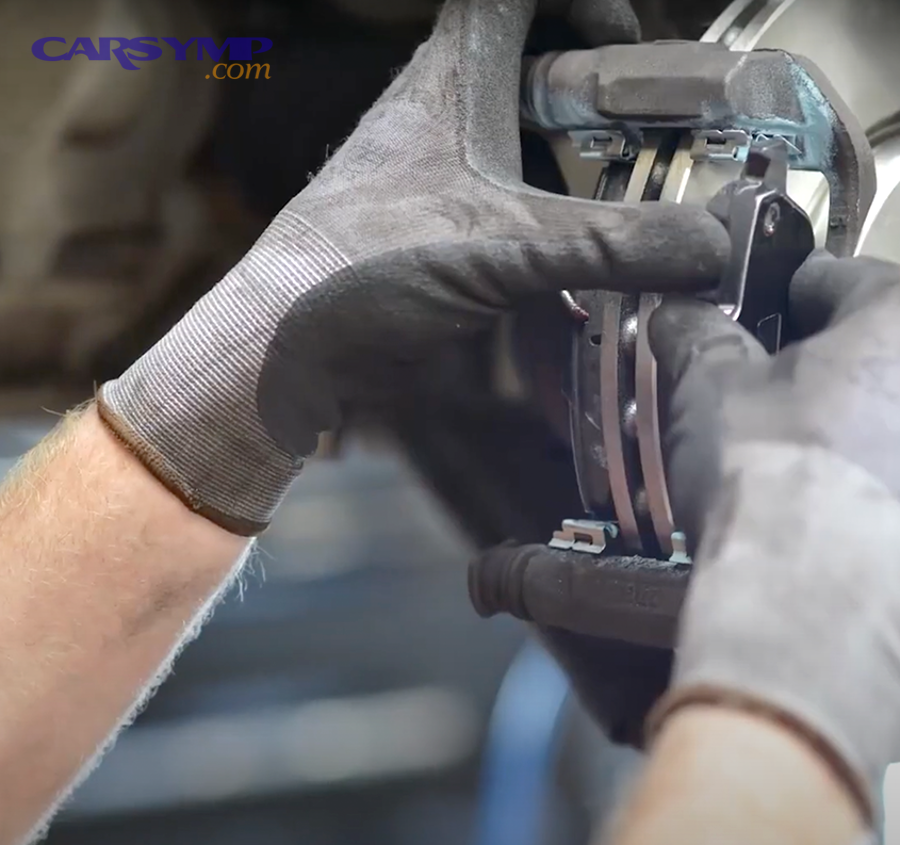
Before the wheel goes on, confirm the pads slide freely, the caliper floats smoothly, boots are seated, clips are fully engaged, and the rotor spins without obvious drag beyond normal light contact.
Next, treat this as a checklist you perform the same way every time to eliminate “maybe I forgot” failures.
- Clip seated flat and locked into bracket grooves.
- Pad ears slide with light finger force (no hammering).
- Slide pins move smoothly and boots seal at both ends.
- Caliper is supported and hose is not twisted or stretched.
- Fasteners started by hand, then torqued appropriately.
What torque and fastener habits prevent future issues?
Use clean threads, correct torque, and proper thread locking methods (only if specified), because over-torque can bind slides or strip threads and under-torque can let brackets shift and click.
Next, if you don’t have the torque spec, consult the service information for your exact vehicle rather than relying on “feel.”
How do you do a quick road check after reassembly?
Do a road check with low-speed stops first, then moderate stops, listening for repeat noises while verifying straight braking and normal pedal feel, because hardware problems often announce themselves immediately under gentle load changes.
Next, if the noise improved but didn’t vanish, you’ll revisit the most likely interface: pad ear glide and clip seating.
- Start with 5–10 gentle stops from 15–25 mph.
- Then 3–5 moderate stops from 30–40 mph (safe area).
- Re-check wheel heat side-to-side after the test if possible.
What checklist helps you document findings during inspection?
A simple checklist helps you record what you saw (rust, missing parts, binding points) so you can correct the actual cause instead of swapping random parts.
Next, the table below organizes the inspection into “part, condition, and action” so the fix becomes obvious.
This table contains common caliper hardware and shim checkpoints and shows what each finding usually means and what action it supports.
| Checkpoint | What to Look For | What It Usually Means | Suggested Action |
|---|---|---|---|
| Abutment clips | Rocking, deep grooves, heavy rust swelling | Pad ear pinch or rattle | Replace clips; clean bracket lands; re-test pad glide |
| Pad ear movement | Needs force to slide; sticks and snaps free | Binding at bracket/clip interface | Clean lands; confirm clip seating; avoid over-grinding |
| Slide pins | Pitting, dry areas, uneven wear between pins | Caliper not floating evenly | Clean/replace pins; correct grease; verify boot seal |
| Boots | Tears, loose lips, moisture inside | Water intrusion and recurring corrosion | Replace boots; confirm proper seating in grooves |
| Shims | Bent, peeling, missing layers, loose fit | Reduced damping; higher squeal risk | Replace shims or pads with new integrated shims |
| Anti-rattle springs | Weak tension, deformation, incorrect placement | Pad chatter and clicking | Install correctly; replace if shape is compromised |
Contextual Border: Up to this point, you’ve inspected the core hardware interfaces that directly control pad movement and caliper floating. Next is a focused expansion into less obvious, “nearby” noise contributors and how to connect them back to hardware decisions.
Supplementary: How do you prevent repeat noise by controlling nearby contact points?
You prevent repeat noise by confirming that neighboring metal parts don’t touch the rotor/caliper during motion and by verifying your hardware choices match the brake system’s vibration behavior.
Next, this is where small “almost touching” issues become big “always noisy” complaints.
How does rotor and shield proximity affect what you hear?
Even if the caliper hardware is perfect, a slightly bent backing plate can create a constant scrape that mimics pad drag, so you should check clearance around the rotor’s outer edge and hat area while rotating the hub.
Next, if you find contact, adjust the shield carefully and then re-check the hardware for any signs of heat or uneven wear that contact may have caused.
In many cases, drivers fix this with a targeted Brake dust shield rubbing fix—the key is confirming the scrape line matches the contact point rather than blaming the pads.
How do you connect hardware inspection to a systematic noise workflow?
Hardware inspection becomes more effective when you tie your findings to a consistent workflow: identify “when the noise happens,” verify movement interfaces, then confirm non-brake contacts and re-test under controlled stops.
Next, this is where a structured brake noise diagnosis approach reduces guesswork, because you’re matching symptoms to interfaces instead of swapping parts.
Which installation choices reduce squeal without overusing grease?
You reduce squeal by using fresh clips/shims, ensuring pad ear glide, and keeping lubrication thin and precise, because damping and fitment do more for noise control than heavy grease that migrates.
Next, if squeal persists, focus on replacing compromised shims or switching to pads designed with better integrated damping rather than adding more lubricant.
What quick signs suggest the situation is more than “just noise”?
Warning signs include rapid heat buildup, pulling, smoke, or a sudden pedal change, because these point to drag, component failure, or unsafe friction conditions rather than harmless vibration.
Next, if those appear, apply the principle of When noise means unsafe to drive: stop and inspect immediately rather than “waiting to see if it goes away.”
FAQ
Can worn caliper hardware cause new pads to wear out quickly?
Yes, worn or rust-swollen hardware can cause new pads to bind or retract poorly, which creates constant light contact, heat, and accelerated wear even if the pad material is high quality.
Do I have to replace hardware every time I replace pads?
Not always, but it is often wise: clips and springs are inexpensive compared with rotor and pad replacement, and fresh hardware restores the designed fit and tension that old, heat-cycled parts may have lost.
Why did the noise start right after a brake job?
Noise after a brake job commonly comes from clips seated incorrectly, pad ears binding on rust, missing shims, or grease applied to the wrong interface, so re-checking fitment and seating is usually the fastest fix.