


An OBD2 scanner lets you read your car’s stored diagnostic information in minutes, so you can move from “something feels off” to a clear starting point for troubleshooting at home.
It also helps you decide whether a problem is urgent, drivable, or likely emissions-related, especially when a warning light appears and you need a calm, repeatable process.
Beyond codes, the real value is learning what the car was “seeing” when the fault happened, then using live sensor data to confirm whether your next step actually fixed anything.
To begin, here’s how to connect properly, read the right data, and interpret it with a workflow that keeps you safe, avoids wasted parts, and builds confidence with each scan.
What does an OBD2 scanner actually do inside your car?
An OBD2 scanner reads standardized diagnostic data from your car’s computer to reveal stored trouble codes, snapshot conditions, and readiness status. To start, it helps you identify which system reported a fault before you touch a wrench.
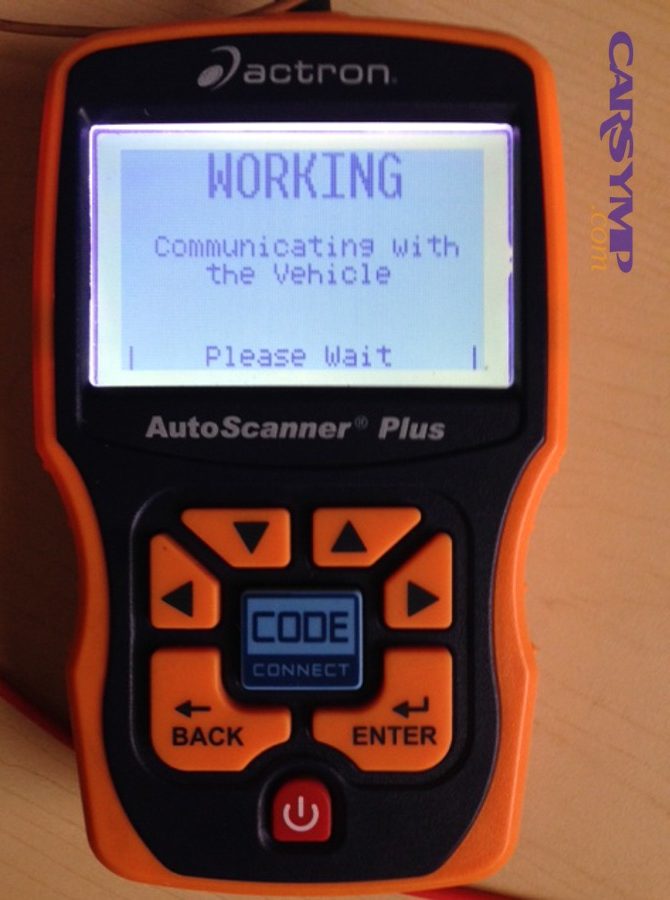
In plain terms, your car’s control modules monitor sensors, actuators, and emissions performance. When a value goes outside an expected range (or a test fails), the module can set a diagnostic trouble code (DTC) and may turn on the malfunction indicator light. Your scanner is the bridge that translates that stored information into something you can read.
Specifically, an OBD2 scanner can usually do five practical jobs at home: (1) read codes (current, pending, and history), (2) show freeze-frame data captured at the moment a fault was detected, (3) display live data (sensor readings in real time), (4) show readiness monitors (whether self-tests have completed), and (5) clear codes after appropriate repairs.
Not all scanners are equal. Basic code readers mostly handle generic powertrain codes and readiness. More advanced scan tools can read manufacturer-specific codes, access ABS/airbag modules, display enhanced live data, and perform special tests. Still, even the simplest reader can dramatically improve your first diagnostic step: stop guessing and start collecting evidence.
Theo nghiên cứu của Cơ quan Bảo vệ Môi trường Hoa Kỳ (EPA) từ Office of Transportation and Air Quality, vào Tháng 8/2002 (Rev 9/2012), kiểm tra OBD trong chương trình kiểm định tập trung mất trung bình năm phút hoặc ít hơn.
Where is the OBD2 port and how do you connect safely?
The OBD2 port is usually under the dashboard on the driver’s side, and connecting safely means plugging in firmly, powering the vehicle correctly, and keeping your feet clear of pedals. Next, you’ll confirm the scanner powers on and can communicate with the vehicle.
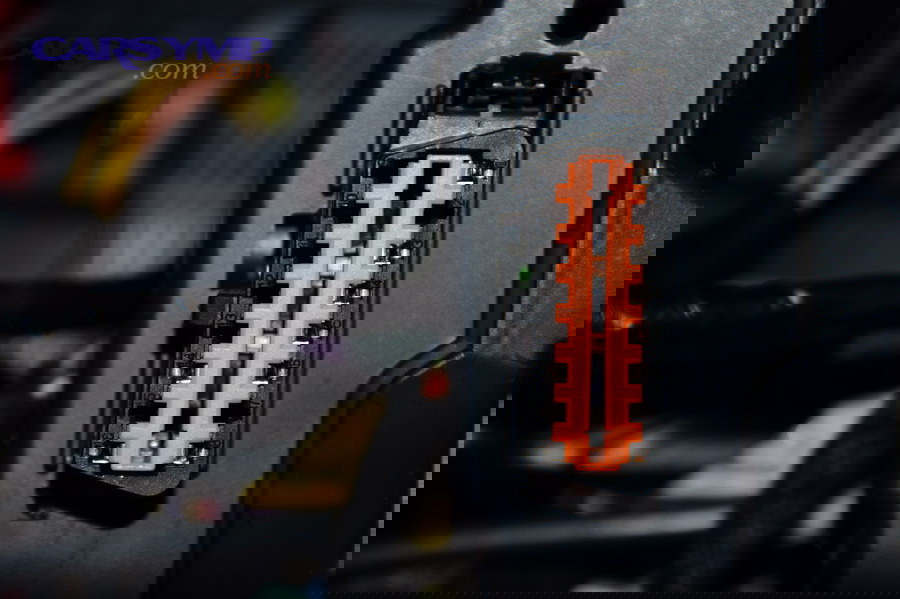
Start with a quick “connection checklist” to prevent common mistakes:
- Park safely: Flat ground, parking brake set, transmission in Park (or Neutral for manual), and good ventilation.
- Battery health: Low voltage can cause communication errors or false codes. If the car cranks slowly or lights flicker, consider charging the battery first.
- Locate the port: Look below the steering column, near the hood release, fuse panel, or lower dash trim. Some cars hide it behind a small cover.
- Plug in gently but fully: The connector is keyed; never force it. A loose plug can cause intermittent “link error.”
Then choose the right ignition state. Many cars allow scanning with the key in “ON” (engine off), which powers modules without engine noise and vibration. Others require the engine running for stable live data, especially for misfire counters, fuel trims, and oxygen sensor switching. If you’re unsure, begin with key ON/engine OFF to read codes and freeze-frame, then start the engine for live data checks.
After plugging in, your scanner may ask for vehicle details (year/make/model). That helps it choose the best communication protocol automatically. If it fails, try these quick fixes: cycle the key OFF then ON, reseat the connector, turn off aftermarket accessories plugged into the port, and confirm the car’s battery is healthy.
Finally, keep your workflow safe: don’t scan while driving unless you have a passenger operating the tool, and never place cables where they can interfere with steering or pedals.
How do you read codes and freeze-frame data step-by-step?
You read codes by pulling stored and pending DTCs, then you use freeze-frame data to learn what conditions triggered the fault. After that, you’ll write down the results before clearing anything, because the first scan is your best snapshot of the problem.
What is the fastest “first scan” routine that works on most cars?
A reliable first scan is: read stored codes, read pending codes, view freeze-frame, check readiness monitors, then save your notes. Next, you’ll decide whether you need live data or a basic physical inspection first.
Here’s a practical order you can repeat every time:
- Read stored (confirmed) codes: These are faults that met the criteria to set a code.
- Read pending codes: These are early detections that may become confirmed if they repeat.
- Open freeze-frame: Record RPM, coolant temp, vehicle speed, load, short/long fuel trim, and any relevant sensor values your tool shows.
- Check readiness monitors: Note which monitors are “complete” vs “not ready.”
- Document everything: Code numbers, code descriptions, freeze-frame values, and the date/time.
If your scanner supports it, also capture “I/M status” and “MIL status.” Those small flags can clarify whether the light is commanded on now or the code is stored historically.
How should you interpret generic code formats without overreacting?
A generic code points to a system and test result, not a guaranteed failed part. To understand it better, you’ll pair the code family (P0xxx) with freeze-frame conditions and a quick symptom check before buying anything.
For example, a “lean” code often indicates unmetered air, low fuel delivery, or sensor skew—not automatically a bad oxygen sensor. A catalyst efficiency code can mean a tired converter, but also misfires, exhaust leaks, or fuel trim issues upstream. Treat codes as a map marker, not a verdict.
What should you write down so you don’t lose the best evidence?
You should record the code list, freeze-frame values, readiness status, and whether the engine was hot or cold when scanned. Next, you’ll add your own observations like rough idle, fuel smell, stalling, or recent repairs to create a complete diagnostic snapshot.
One simple method is a “scan note template” on your phone:
- Date:
- Vehicle: Year/Make/Model/Engine
- Stored codes:
- Pending codes:
- Freeze-frame: RPM, coolant temp, speed, load, trims
- Readiness: Complete / Not Ready
- Symptoms observed:
This documentation becomes your baseline to compare after any repair, and it also makes it easier to ask better questions if you later consult a technician.
How do you interpret codes without replacing parts blindly?
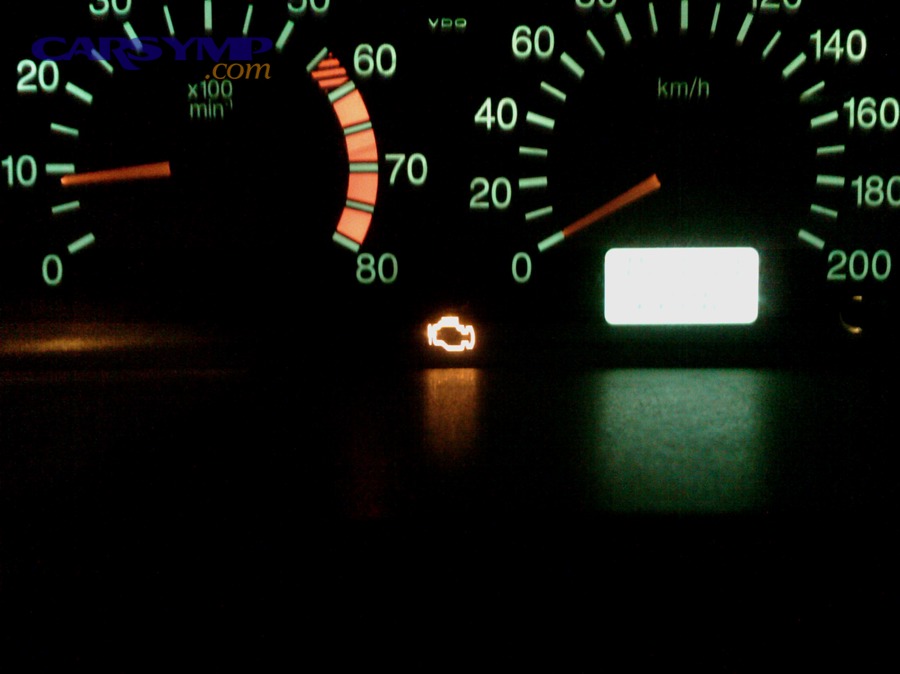
You interpret codes correctly by combining the code family, freeze-frame context, and one targeted test that can confirm or rule out a common cause. Next, you’ll prioritize “cheap checks” first, because the simplest failures often mimic expensive ones.
How can you turn a code into a short list of likely causes?
A strong method is to translate the code into “what the computer detected,” then list causes that can create that same detection. After that, you’ll pick the fastest confirmation test for each cause, starting with the easiest to inspect.
Use this mental model:
- Detection: What did the module observe (too lean, too rich, misfire counts, sensor stuck, response too slow, leak detected)?
- Conditions: When did it happen (cold start, idle, cruise, heavy load)?
- Systems involved: Air, fuel, spark, exhaust, EVAP, electrical, or mechanical.
- Confirmation: A specific test (visual, smoke test, fuel pressure, coil swap, sensor graph) that proves it.
At this stage, you can naturally expand into check engine light diagnosis using the same structure: detection → conditions → systems → confirmation. Done well, it prevents the classic trap of “code says sensor, so replace sensor.”
What patterns help you connect codes to symptoms fast?
Patterns matter because the same code can behave differently depending on symptoms like rough idle, hesitation, or fuel odor. Next, you’ll use symptom-based grouping to choose the right test path instead of chasing every possibility.
The table below contains common symptom patterns, the diagnostic direction they point to, and a “first confirmation” test you can do at home with basic tools plus an OBD2 scanner.
| Symptom pattern | Most likely direction | Best first confirmation |
|---|---|---|
| Rough idle + random/multiple misfire code | Vacuum leak, ignition weakness, low fuel delivery | Check fuel trims at idle vs 2500 RPM; inspect intake hoses; swap coil if single-cylinder code |
| Hesitation under load + lean codes | Fuel delivery restriction, MAF skew, intake leak | Watch long-term fuel trim under load; compare MAF g/s to RPM/load; inspect air ducting |
| Fuel smell + EVAP leak codes | Loose cap, cracked vapor lines, purge/vent issues | Inspect cap seal; check purge command vs idle behavior; look for obvious hose cracks |
| High fuel consumption + O2-related codes | Sensor response issues, exhaust leak, rich/lean root cause | Graph upstream sensor switching; confirm trims; inspect exhaust leaks upstream of sensor |
This is also where Common check engine light causes by symptoms becomes practical: you’re not listing causes, you’re matching symptom clusters to the fastest proof.
How do you separate “system code” from “component code”?
System codes report performance failures (like efficiency or trim) while component codes often report electrical faults (like circuit high/low). Next, you’ll decide whether your next step is a wiring check, a leak check, or a performance verification using live data.
As a rule of thumb: if a code mentions “circuit,” “voltage,” “range/performance,” or “heater,” you should consider wiring, connectors, fuses, and grounds early. If it mentions “efficiency,” “lean/rich,” “flow,” or “incorrect purge,” think about air/fuel/exhaust dynamics and leaks. This distinction saves time because it points you to the correct kind of test first.
When you’re sorting these, it’s helpful to frame your next step as Misfire vs EVAP vs oxygen sensor diagnosis by asking: is this a combustion quality problem, an emissions/vapor containment problem, or a sensor/reporting problem? Your scanner can support that decision with misfire counters, purge commands, trims, and sensor graphs.
How do you use live data to confirm what the code is hinting at?
You use live data by watching a small set of “decision signals” like fuel trims, oxygen sensor behavior, coolant temperature, and airflow while reproducing the conditions in the freeze-frame. Next, you’ll compare what you see at idle, steady cruise, and light acceleration to spot patterns.
Which live data PIDs are the most useful for home diagnostics?
The most useful PIDs are those that help you validate air-fuel control and engine operating state. Next, you’ll focus on a short list instead of watching dozens of numbers, because clarity beats volume.
- Coolant temperature (ECT): Confirms warm-up, thermostat behavior, and whether the engine is in closed loop.
- Short-term and long-term fuel trim (STFT/LTFT): Shows how much the computer is correcting fuel delivery.
- Oxygen sensor or wideband AFR signals: Helps verify switching/response and mixture control.
- MAF (g/s) or MAP (kPa): Indicates airflow/load behavior and can expose intake issues.
- RPM and load: Helps reproduce freeze-frame conditions consistently.
- Misfire data (if available): Reveals whether misfires are concentrated in one cylinder or spread.
Focus on relationships: trims + airflow + sensor response. A single value is rarely decisive, but a pattern across these signals is powerful.
How do you use fuel trims to find vacuum leaks vs fuel delivery issues?
Fuel trims tell you whether the engine is being corrected richer or leaner, and the pattern across idle vs higher RPM can suggest the root cause. Next, you’ll compare trims at idle and at 2500 RPM steady, because vacuum leaks often show strongest at idle.
General interpretation (always confirm with testing):
- High positive trims at idle that improve at 2500 RPM: Often points to vacuum leaks or unmetered air.
- High positive trims at idle and remain high under load: More consistent with low fuel delivery, MAF under-reporting, or multiple air leaks.
- High negative trims: Suggests rich condition—leaking injectors, high fuel pressure, sensor bias, or purge issues.
After you form a hypothesis, validate it with a specific check: inspect intake boots, listen for hissing, smoke test if available, verify fuel pressure if you have a gauge, and look for obvious exhaust leaks before the upstream sensor.
How can oxygen sensor data help without falling into the “replace the O2 sensor” trap?
Oxygen sensor behavior can reveal mixture control problems, but the sensor often reports a real issue rather than being the issue itself. Next, you’ll confirm whether the sensor responds appropriately to controlled changes like a brief throttle snap or a small vacuum leak simulation.
If your scanner graphs data, look for consistent switching at warm idle (for narrowband sensors) and reasonable response to throttle changes. Slow response can be due to a tired sensor, but it can also be caused by exhaust leaks, contamination, or mixture control problems. Treat the sensor as a witness: test whether the witness is reliable, then investigate what it is reporting.
How do readiness monitors help you confirm a repair and avoid repeat lights?
Readiness monitors show whether the car has completed its self-tests since the last code clear or battery disconnect, and they’re essential for confirming repairs and passing emissions checks. Next, you’ll learn which monitors matter, how they reset, and how to drive to set them.
What are readiness monitors in everyday terms?
Readiness monitors are the vehicle’s built-in “self-check reports” for systems like catalyst, EVAP, oxygen sensors, EGR, and misfire detection. Next, you’ll use them as proof that the vehicle ran its tests and did not detect the fault again under required conditions.
When you clear codes, many monitors reset to “Not Ready.” That doesn’t mean something is broken; it means the car hasn’t had the chance to run certain tests yet. Different tests require different conditions—some need a cold start, some need steady cruising, and EVAP often requires specific fuel level and soak time.
How do you use readiness to validate the fix instead of trusting the light?
A light staying off for a short drive is not proof; a completed monitor with no returning code is stronger evidence. Next, you’ll check which monitor was related to the original fault and verify it completes successfully after your repair.
For example, if you repaired an EVAP leak and cleared codes, you want to see the EVAP monitor eventually complete without a new pending code. If you repaired a catalyst-related issue, you want the catalyst monitor to complete without setting efficiency faults. Monitoring this progression prevents premature celebration and helps you avoid repeated surprises days later.
How do you approach a basic drive cycle without making it complicated?
A simple approach is to recreate normal driving conditions that include warm-up, steady cruise, and gentle deceleration while avoiding aggressive throttle. Next, you’ll check readiness after each trip and stop once the relevant monitor completes rather than chasing a perfect “one trip sets all” drive cycle.
If your scanner app shows “monitor status since DTCs cleared,” use it after each day of normal driving. Many vehicles complete most monitors naturally over a few trips when the repair is truly solved.
When should you clear codes, and when should you stop and fix first?
You should clear codes only after you’ve recorded data and either repaired the root cause or completed a diagnostic step that justifies resetting the test. Next, you’ll treat clearing codes as “resetting the experiment,” not as “turning off the light.”
Is it ever okay to clear codes immediately?
Yes, but only in specific situations where you are intentionally resetting data to see what returns under controlled conditions. Next, you’ll make sure you’ve saved freeze-frame and code history first, because clearing deletes valuable evidence.
Examples where clearing can be reasonable after documentation:
- After tightening a loose gas cap: You can clear and then watch EVAP readiness and pending codes to confirm.
- After repairing an obvious fault: Such as a disconnected sensor connector you can visually verify.
- When you need to see what comes back first: In multi-code situations, clearing can help identify which code is primary—after you save the original scan.
When should you avoid clearing codes and diagnose deeper first?
You should avoid clearing codes if the engine is misfiring, overheating, running dangerously lean, or exhibiting severe drivability symptoms. Next, you’ll treat those as “protect the engine first” conditions and perform immediate checks or seek professional help if needed.
Clearing codes can hide ongoing damage patterns, especially with misfires that can overheat the catalyst or cause severe drivability issues. If the light is flashing, treat it as urgent: reduce load, avoid hard acceleration, and address the cause rather than resetting the warning.
This decision point is exactly what When to clear codes vs fix the issue is about: clear only when it supports your diagnostic logic or follows a confirmed repair, not when it replaces one.
How do you handle “code comes back immediately” vs “code returns later”?
An immediate return often indicates a hard fault (electrical open/short, disconnected component, or severe leak), while a delayed return can indicate a conditional fault that needs specific driving conditions. Next, you’ll use that timing to choose your next test: wiring inspection for immediate faults, live-data reproduction for delayed ones.
For immediate returns, re-check connectors, fuses, damaged wiring, and sensor power/ground. For delayed returns, compare new freeze-frame data with the original and look for repeated conditions (temperature, speed, load) that trigger the test failure.
What are the most common mistakes people make with OBD2 scanners at home?
The most common mistakes are clearing codes too early, misreading code descriptions as parts diagnoses, and ignoring freeze-frame and readiness data. Next, you’ll avoid these by using a disciplined workflow and by validating with one proof test before replacing components.
Which scanning mistakes waste the most money?
The biggest money-wasters are “parts darts,” buying the named sensor without confirming the cause, and replacing multiple parts without a baseline scan. Next, you’ll slow down for five minutes to document codes and freeze-frame so every step you take has a measurable before/after comparison.
Another common waste is ignoring pending codes. Pending codes can be early warnings that help you catch a problem before it becomes severe, but only if you treat them as clues and watch whether they repeat.
Which mistakes create misleading data?
Misleading data usually comes from low battery voltage, scanning with inconsistent ignition states, and using unstable wireless dongles during critical tests. Next, you’ll stabilize power, keep conditions consistent, and use wired tools when you need maximum reliability.
If your readings look impossible (for example, wildly fluctuating voltage or temperatures that don’t match reality), verify battery and grounds, then confirm with a second scan session. Also ensure you are viewing the correct sensor (some apps label manufacturer-specific PIDs in ways that can confuse beginners).
What safety and privacy issues should you take seriously?
You should take safety seriously by keeping cables away from pedals and never scanning while driving alone, and you should take privacy seriously by limiting wireless exposure. Next, you’ll use secure pairing, reputable apps, and remove dongles when not needed—especially in shared parking areas.
Wireless OBD2 dongles can create an unnecessary attack surface if they broadcast openly or lack authentication. Even if your goal is simple home diagnostics, choose tools that allow secure pairing and avoid leaving them plugged in 24/7.
Contextual Border: Up to this point, you’ve learned the core home workflow: connect safely, read codes, interpret with context, validate with live data, and confirm repairs with readiness. Below, we’ll expand into tool choice, advanced capabilities, and data security so you can level up without overbuying or taking on unnecessary risk.
Advanced home scanning: choosing the right scanner and protecting your vehicle data
Advanced home scanning is about picking the right tool type, using deeper diagnostic modes when needed, and keeping your car’s data and control networks protected. Next, you’ll match features to your real goals—basic emissions troubleshooting, drivability diagnosis, or multi-module scanning—while staying mindful of security and reliability.
Which scanner type fits your needs: basic reader, Bluetooth dongle, or full scan tool?
A basic reader is best for straightforward code checks and readiness, a Bluetooth dongle is best for live data convenience, and a full scan tool is best for multi-module depth and reliability. Next, you’ll decide based on what you actually diagnose most: occasional MIL events, recurring drivability issues, or deeper system faults.
If your focus is occasional warning lights, a dependable wired code reader is often the least frustrating. If you enjoy learning through graphs and logs, a Bluetooth dongle with a good app can be excellent. If you maintain multiple vehicles or want ABS/airbag access, a more capable scan tool that supports those modules is worth it.
What advanced features actually matter at home?
The most valuable advanced features are enhanced live data, accurate graphing, permanent code access, and readiness detail, while bidirectional controls can be helpful but are not required for most DIYers. Next, you’ll use advanced features only when they shorten the path to proof.
Examples of useful “advanced at home” capabilities include: viewing misfire counters by cylinder (if supported), graphing oxygen sensor behavior, monitoring purge command and fuel trims, and exporting logs for comparison. Some tools also show Mode $06 test results (on-board test values) that can help you see borderline performance before a code sets.
How do you reduce security and privacy risk with wireless dongles?
You reduce risk by choosing reputable hardware, pairing securely, turning off unnecessary permissions, and unplugging the dongle when you’re done. Next, you’ll treat the diagnostic port like a network access point: convenient, but not something to leave exposed all the time.
Theo nghiên cứu của USENIX Security Symposium từ nhóm nghiên cứu DONGLESCOPE, vào Tháng 8/2020, mỗi trong 77 wireless OBD-II dongles được thử nghiệm đều lộ ít nhất hai loại lỗ hổng, cho thấy rủi ro bảo mật phổ biến trên thị trường.
Practical safety steps include: avoid dongles that broadcast without authentication, update apps regularly, do not share vehicle data logs publicly if they contain VIN or location data, and remove the dongle from the port when parking in public areas for long periods.
How do you use readiness strategically for inspection and long-term confidence?
You use readiness strategically by clearing codes only when appropriate, then confirming monitor completion without returning pending codes. Next, you’ll stop relying on “light is off” and start relying on “tests completed and passed,” which is a stronger indicator of a stable repair.
Theo nghiên cứu của Cơ quan Bảo vệ Môi trường Hoa Kỳ (EPA) từ Office of Transportation and Air Quality, vào Tháng 8/2002 (Rev 9/2012), xe cơ giới vẫn đóng góp tỷ lệ lớn vào ô nhiễm không khí, nên kiểm tra OBD trong chương trình kiểm định được dùng để phát hiện lỗi trước khi phát thải tăng cao.
In practice, once your repair is done, drive normally for a few trips and check readiness and pending codes. If the relevant monitor completes and stays complete, you have stronger proof that your fix holds under real conditions.
FAQ
Can an OBD2 scanner tell me exactly what part to replace?
No, an OBD2 scanner usually tells you what system test failed, not the guaranteed failed part. Next, you’ll confirm the cause with freeze-frame context, live data patterns, and one targeted proof test before replacing anything.
Why do I get a “link error” even though the scanner powers on?
A “link error” often means the scanner cannot establish communication due to ignition state, protocol selection, low voltage, or a poor connector fit. Next, you’ll cycle the ignition, reseat the plug, verify battery health, and try manual protocol selection if your tool supports it.
What’s the difference between stored and pending codes?
Stored codes are confirmed faults that met the criteria for setting a DTC, while pending codes are early detections that may become confirmed if the fault repeats. Next, you’ll watch pending codes as early clues and use them with live data to catch problems sooner.
Why did my readiness monitors reset after a battery change or code clear?
Readiness resets because the vehicle needs to rerun self-tests to confirm emissions systems are working under required conditions. Next, you’ll drive through normal warm-up and cruise conditions and recheck readiness after each trip until the relevant monitor completes.
Is it safe to leave a Bluetooth OBD2 dongle plugged in all the time?
It can be risky because some dongles can drain the battery and may expose the vehicle network to unnecessary wireless access. Next, you’ll unplug it when not actively using it and choose a dongle that supports secure pairing and sleep behavior.