


Getting diagnostics in writing is the simplest way to turn a confusing warning light into a clear, verifiable plan: you request a written diagnostic report printout (OBD-II scan report) that lists the codes, supporting data, and the shop’s findings so you can decide what to fix—and what to question—before spending money.
Next, many drivers want to know whether it’s reasonable to ask for this documentation before approving repairs, and how to do it without sounding confrontational; the answer is yes, and a short “repair-order note” usually works better than a long debate at the counter.
Then, once you have the printout, you need a practical way to use it: you should be able to read the report well enough to compare estimates, request a second opinion, and avoid paying twice for the same “scan” that doesn’t include real testing.
Introduce a new idea: the easiest way to keep control is to treat the written report as a deliverable—like a receipt for professional thinking—so the next sections give you exact wording, a step-by-step checklist, and the red flags that tell you when the paperwork is incomplete.
What is a written diagnostic report printout (OBD-II scan report) from a repair shop?
A written diagnostic report printout (OBD-II scan report) is a documented record of what the vehicle computer reported and what the technician concluded, typically including codes, code status, supporting data (like freeze frame), and recommended next steps in writing.
To better understand what you’re asking for, it helps to separate “a piece of paper with a code” from a report that can actually support a repair decision.
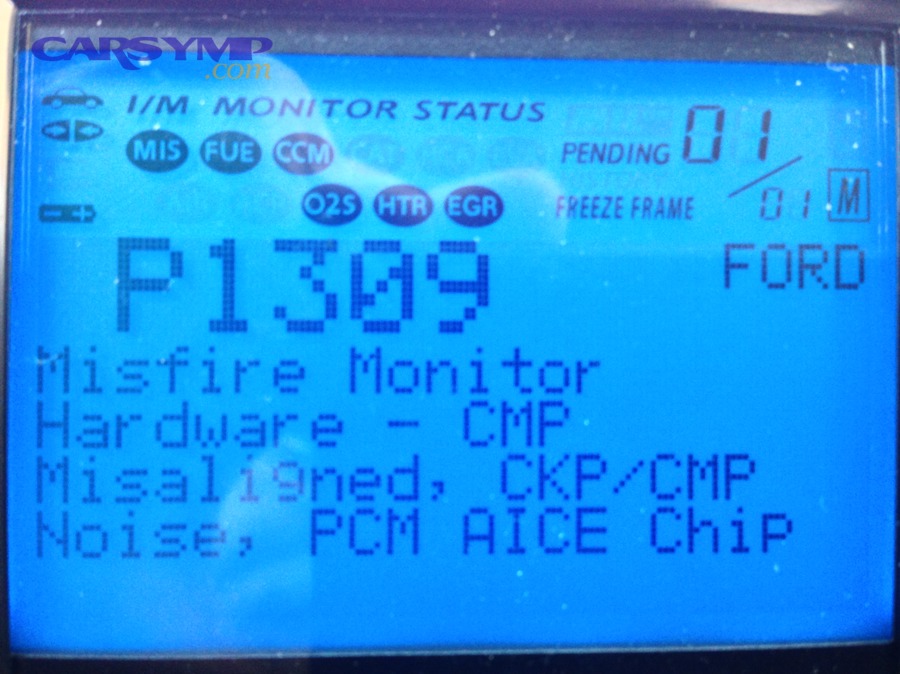
A practical way to think about this report is: the scan is the symptom snapshot; the diagnosis is the explanation; the report is the proof trail. Some shops print it; others email a PDF; others share a digital inspection link. Any format is fine as long as it’s readable, saved, and tied to your vehicle and repair order.
Before you go deeper, here’s a simple checklist of what a legitimate printout should contain. The table below shows minimum items (what you should expect almost everywhere) and strong additions (what higher-skill diagnostics typically include).
Table context: The table below lists the key elements of a diagnostic printout, why each element matters, and what to expect at a minimum versus what you might see in a more thorough report.
| Report element | Why it matters | Minimum expectation | Strong addition |
|---|---|---|---|
| Vehicle identifiers | Proves it’s your car | Year/Make/Model, VIN or plate, mileage, date/time | Repair order (RO) number, technician ID/initials |
| DTC list (codes) | States what the system detected | Full code numbers (e.g., P0301), brief descriptions | Module-wide scan (ABS/SRS/body), not engine-only |
| Code status | Tells urgency & repeatability | Stored vs pending | History vs current, “confirmed” flags |
| Supporting data | Shows conditions when fault occurred | Freeze frame (if available) | Live-data highlights, Mode $06 results |
| Technician findings & next steps | Turns data into action | Written summary of likely cause | Tests performed + results (smoke test, pressure test) |
| Recommendations | Helps compare options | Repair recommendation | Options + priority + verification plan |
Does a code read printout count as a full diagnostic report?
A code read printout does not automatically count as a full diagnostic report because it usually lists what the computer noticed, not why it happened, and it often lacks test results that confirm the root cause.
More specifically, a basic code read is like seeing “fever” on a thermometer: real diagnosis explains whether the cause is flu, dehydration, or something else. In automotive terms, the same code can be triggered by wiring, sensors, vacuum leaks, mechanical issues, or software behavior. That’s why shops that do high-quality diagnosis will write down what they tested and what the test showed, not only the code.
- Code read = “Here are the codes.”
- Diagnostic report = “Here are the codes and the evidence we used and our findings.”
- Confirmed diagnosis = “Here’s the verified cause and how we know.”
What should a legitimate diagnostic printout include at minimum?
There are 6 minimum elements a legitimate diagnostic printout should include: (1) vehicle identifiers, (2) full DTCs, (3) code status, (4) at least one supporting data point, (5) written findings, and (6) a repair-order reference.
Specifically, if you want diagnostics in writing that you can use for a second opinion, insist on these items:
- Vehicle & visit info: date/time, mileage, and ideally VIN (or at least plate/RO number)
- Full codes: the complete code number(s), not “misfire code” or “O2 code”
- Status: stored/active vs pending (and if it’s intermittent)
- Snapshot data: freeze frame when available (RPM, coolant temp, load, speed)
- Technician notes: what symptoms were verified and what was observed
- Next step: either “recommended repair” or “recommended tests to confirm”
If the report has these elements, you can usually compare quotes, ask smarter questions, and avoid paying for guesswork.
Can you ask for diagnostics in writing before authorizing repairs?
Yes—you can ask for diagnostics in writing before authorizing repairs because (1) it clarifies what you’re paying for, (2) it helps you approve only necessary work, and (3) it protects both you and the shop from misunderstandings later.
Next, the key is how you phrase the request: you’re not accusing anyone; you’re simply setting expectations for documentation.
A calm, standard approach is to treat the written report as part of the process—like asking for a written estimate. Many shops are already used to customers requesting documentation, especially when the vehicle has intermittent faults or when the customer may seek warranty coverage.
What exact words should you use to request a written report and printout?
Use this script: “Please provide the diagnostic results in writing—either a printout or emailed PDF—with the codes, code status, freeze frame (if available), and a brief note of the findings and recommended next steps.”
Then, make it easy for the advisor to comply by asking them to attach it to the repair order:
- “Can you note on the RO: Provide scan report/diagnostic report to customer?”
- “I’m authorizing diagnostic time, but no repairs until I approve the written estimate.”
This wording does two important things: (1) it defines what “in writing” means (printout/PDF), and (2) it separates diagnosis authorization from repair authorization.
When should you request the printout—drop-off, after diagnosis, or at pickup?
Request the printout at drop-off and confirm it again when the diagnostic fee is approved, because that timing prevents the common problem of “we already cleared it / we didn’t save it / we can’t print it now.”
- At drop-off: you set expectations and get it on the RO while the shop is calm and organized.
- After diagnosis call/text: you confirm the report will be provided with the findings, not only after repairs.
- At pickup: you verify the report is in hand before you leave—because later retrieval can be harder.
A good flow is: drop-off request → diagnostic authorization → written findings + estimate → your approval → repair → final invoice + documentation.
What is the step-by-step checklist to get a diagnostic report printout from a shop?
Use a 7-step request-and-verify checklist—from booking to pickup—to reliably get a written diagnostic report printout (OBD-II scan report) that includes codes, supporting data, and documented findings.
Then, the most important step is to put the request in writing inside the repair order notes, because verbal requests get lost when the shop gets busy.
- Book with clarity: describe the symptom and ask if they provide scan reports/diagnostic notes.
- Ask at drop-off: request “printout or PDF” and have it written on the RO.
- Authorize diagnosis only: approve diagnostic time/fee, not repairs yet.
- Request findings in writing: ask for codes + freeze frame + tests performed/results.
- Review before approving repairs: compare findings to the estimate.
- Approve repairs (if you choose): confirm what will be fixed and what will be verified afterward.
- Collect documentation at pickup: report + estimate + invoice + any parts/warranty notes.
What should you do before the appointment to make the printout more useful?
Do 4 preparations before the appointment: record symptom conditions, capture warning lights, gather recent history, and decide your documentation goal (repair approval, second opinion, or warranty documentation).
- Symptom timeline: when it started, how often it happens, and what triggers it (cold start, highway, rain, after fuel fill)
- Photos/video: dash lights, noises, smoke, rough idle, or scan screenshots if you already have them
- Recent work history: battery replacement, spark plugs, oxygen sensors, collision repair, or any recent modifications
- Your goal: “I want a written report for decision-making / second opinion / warranty documentation.”
This preparation helps the technician run targeted tests and write more meaningful notes, instead of producing a generic code list.
What should you ask the service advisor to attach to the repair order (RO)?
Ask the advisor to attach 5 RO notes: provide the report, include supporting data, document tests performed, no repairs without approval, and keep removed parts (if applicable).
- “Provide diagnostic report/scan report to customer (printout or PDF).”
- “Include DTCs + code status + freeze frame (if available).”
- “Document tests performed and results used to confirm findings.”
- “No repairs beyond diagnosis without customer approval.”
- “Save replaced parts for customer review (if replaced).”
That last note is optional, but it discourages vague upsells and improves transparency.
What should you do if the shop only offers a digital report link?
Yes, you can accept a digital report link if it’s downloadable and tied to your vehicle and RO; otherwise, request a PDF or printed copy.
- Ask for a PDF export (most systems can email a PDF)
- Screenshot key pages (codes, freeze frame, findings, estimate summary)
- Verify identifiers (VIN/mileage/date/RO number) appear somewhere
- Save it immediately in a folder named with date + mileage
If the shop can’t export, ask them to paste the diagnostic findings into an email or into the invoice notes so you still have the information in writing.
What should you receive if you pay a diagnostic fee?
A diagnostic fee should purchase documented diagnostic work—not just a quick scan—so you should receive a written summary of findings plus the scan results or supporting data that led to those findings.
Next, this is where many misunderstandings happen, because shops may use the word “diagnostic” to mean anything from a 2-minute code read to a multi-hour electrical fault isolation. A clear deliverable prevents confusion.
This is also the right place to clarify Diagnosis vs estimate vs inspection differences:
- Diagnosis answers: What is causing the symptom, and how do we know?
- Estimate answers: What will we do and what will it cost?
- Inspection answers: What condition issues do we see right now?
A diagnostic fee generally ties to diagnosis, but it can overlap with inspection time and lead into the estimate.
Now, it’s also important to know that When diagnostics require teardown costs, the shop may need separate authorization because disassembly consumes time and can create new gaskets/seals/fluids needs. Teardown can be reasonable; surprise teardown is not.
Does paying a diagnostic fee guarantee you’ll get a printout?
No, paying a diagnostic fee does not automatically guarantee a printout at every shop, but you can make it effectively guaranteed by requesting the written report/PDF as a documented deliverable before you approve the fee.
Specifically, treat it like this: you are not buying “a code.” You are buying diagnostic time and documented findings. So ask: “Before I approve the diagnostic fee, can you confirm I’ll receive the diagnostic results in writing (printout or PDF) with codes and findings?”
According to a report by Carnegie Mellon University’s Software Engineering Institute, in 2016, the OBD-II interface was created as a standardized way for vehicles to interoperate with independent repair shops for emissions-related testing—meaning the system is built around shareable diagnostic information, not secrecy.
How can you avoid paying twice for the same diagnostic work at different shops?
You can avoid paying twice by bringing the first shop’s written diagnostic report printout and asking the second shop to quote confirmatory testing only, while understanding that a reputable second opinion may still charge to verify liability and accuracy.
More specifically, what transfers well between shops is the DTC list and status, freeze frame conditions, any documented tests performed + results, and the first shop’s written logic: “We tested X, got Y, therefore Z.” What usually does not transfer cleanly is liability for diagnosis without re-checking, vehicle condition changes since the first visit, and intermittent faults that cannot be reproduced.
A practical script for the second shop: “Here’s the written report and scan data. Can you review it and tell me what testing you’d repeat or add to confirm the root cause—and what that confirmation would cost?”
This keeps the second visit focused and reduces the chance you pay for another vague “scan.”
How do you read the diagnostic printout to decide what to do next?
To read a diagnostic printout, focus on code status, freeze frame conditions, and the shop’s documented test results, then use that information to decide whether the recommended repair is confirmed, merely suspected, or still needs additional testing.
Then, once you know how to interpret those three elements, you can compare the report against the estimate and confidently ask for clarification when something doesn’t match.
If you want a fast refresher on freeze frame (one of the most useful parts of a report), this video gives a clear, driver-friendly explanation:
Use the “3-question” method when you look at the printout:
- What did the car report? (codes + status)
- Under what conditions did it happen? (freeze frame)
- What did the tech prove? (tests + results)
If the report answers all three, you’re usually dealing with real diagnosis. If it answers only #1, you’re dealing with code reading.
Which parts of the report matter most for getting a second opinion?
The most important parts for a second opinion are (1) full DTCs with status, (2) freeze frame snapshot, (3) documented tests performed and results, and (4) the written findings/recommendation.
- Exact codes (not paraphrased)
- Stored vs pending (and whether the light is currently on)
- Freeze frame values (RPM, coolant temp, speed, fuel trim/load)
- What was tested already (smoke test results, compression numbers, electrical checks)
- What parts were suggested and why
If the first shop’s paperwork lacks tests, the second opinion may start from scratch because the report doesn’t show proof—only opinion.
How do you compare the diagnostic report against the written estimate?
Compare the diagnostic report against the estimate by checking whether each major line item on the estimate is supported by a stated finding or test result on the report, and whether the estimate separates “confirmed fix” from “possible fix.”
However, estimates often bundle tasks in a way that hides uncertainty. Do this instead:
- Match each recommended part to a reason in the diagnostic notes.
- Look for confirmation language: “confirmed,” “verified,” “failed test,” “leak found,” “voltage drop measured.”
- Watch for vague language: “suggest,” “likely,” “could be,” “recommend based on code.”
If the estimate contains expensive replacements (catalytic converter, transmission, engine internal work) but the report shows only a generic code list with no tests, treat the recommendation as unconfirmed until the shop explains the evidence.
According to a study by the University of California, Riverside’s Center for Environmental Research and Technology (CE-CERT), in 2021, repairing vehicles based on OBD-related findings produced large measured reductions in nitrogen oxides after repair in tested vehicles—showing why documentation that connects “OBD finding → repair action → result” matters for real outcomes.
What are the red flags that a “diagnostic printout” is incomplete or misleading?
There are 7 major red flags that a diagnostic printout is incomplete or misleading: missing identifiers, missing code status, no supporting data, no tests/results, vague findings, parts recommended without evidence, and pressure tactics tied to withholding documentation.
Next, red flags matter because a diagnostic report printout should reduce uncertainty—not increase it. If the paperwork is weak, you lose the ability to compare options, verify necessity, and avoid repeat charges.
- No date/mileage/vehicle identification (can’t prove it’s your visit)
- Only a code number with no status (stored/pending matters)
- No freeze frame or context when the fault should have it
- No written findings—only “replace part X”
- No tests listed for expensive recommendations
- “We cleared the codes” before documenting them (especially before your approval)
- Refusal to share results unless you authorize the repair immediately
Is it a red flag if the shop refuses to share codes or freeze frame data?
Yes, it is usually a red flag if a shop refuses to share codes or freeze frame data, because those items are basic diagnostic outputs and sharing them supports transparency, informed consent, and accurate second opinions.
However, there are a few legitimate exceptions: the shop’s process is fully digital and they need time to export/share it; the vehicle’s fault produced no freeze frame (not all situations store it); or the shop is still in the middle of diagnosis and hasn’t finished documenting. Even in those cases, the shop should be able to say: “We’ll provide the report when diagnosis is complete,” not “We don’t give that information.”
If you encounter refusal, keep it calm: “I’m happy to pay the diagnostic fee. I just need the diagnostic results in writing so I can make a decision.”
What should you do if the recommended repair doesn’t match the evidence shown?
If the recommended repair doesn’t match the evidence, ask the shop to connect the dots in writing: what test failed, what measurement was out of range, and what result would confirm the repair fixed the problem.
- “What test did you perform that proves this part is bad?”
- “What data point on the report supports replacing this component?”
- “Is this repair confirmed, or is it the next step to test a hypothesis?”
- “If we do this repair, what will you verify afterward to confirm the fix?”
If the shop can’t answer, treat the recommendation as unconfirmed and consider a second opinion—especially for high-cost repairs or situations where When diagnostics require teardown costs and the recommendation involves disassembly. Teardown can be appropriate, but only when the shop documents why it’s necessary and what they expect to learn from it.
What can you do if you can’t get a diagnostic printout (or need documentation for claims/disputes)?
You can still protect yourself by using 4 documentation alternatives—exported digital reports, screenshots, written findings in an email, or a second shop’s report—so you have diagnostics in writing even when a traditional printout isn’t provided.
Next, the goal is not to “win an argument”; the goal is to build a clean paper trail that supports your decision-making and helps with warranty, insurance, or disputes if needed.
What alternatives can you use if a shop won’t provide a printout—scan screenshots, portal exports, or a second shop’s report?
There are 4 practical alternatives: (1) PDF export from the shop’s inspection software, (2) screenshots of codes and freeze frame, (3) emailed written findings tied to the RO, and (4) an independent scan/report from another reputable shop.
- PDF export: Ask for “a PDF copy of the inspection/diagnostic results.”
- Screenshots: Take screenshots of the scan tool screen (codes/status/freeze frame).
- Email documentation: Ask the advisor to email: “Codes, status, findings, and recommendation.”
- Second shop report: Pay for a documented second opinion if the first shop won’t document.
Even a simple email can be powerful if it includes identifiers (date, mileage, vehicle, RO number) and the key diagnostic details.
How is a written diagnostic report different from a written estimate, inspection checklist, or warranty claim packet?
A diagnostic report explains why a problem is happening, an estimate explains what will be done and how much it costs, an inspection checklist explains what condition issues exist, and a warranty claim packet collects all documents needed to justify coverage.
However, many drivers get these confused, which leads to the classic conflict: “I thought you diagnosed it,” when the shop only provided an estimate based on a code list. Use this simple map:
- Diagnostic report (OBD-II scan report + findings): codes, data, tests, conclusion
- Estimate: labor hours, parts pricing, taxes/fees, authorization terms
- Inspection: tread depth, leaks, brakes, battery, safety checks
- Claim packet: diagnostic documentation + estimate + invoice + proof of failure/verification
If your goal is “getting diagnostics in writing,” prioritize the diagnostic report first; everything else attaches to it.
Which documents should you collect for warranty, insurance, or a repair dispute?
Collect 6 documents: diagnostic report, written estimate, authorization record, final invoice, supporting photos/data, and a communication log.
- Diagnostic report printout/PDF (codes + findings + tests)
- Written estimate (itemized parts/labor)
- Authorization proof (signed RO, text/email approval, recorded calls if legal in your state)
- Final invoice (what was actually done, with part numbers if possible)
- Evidence attachments (photos, scan screenshots, digital inspection report)
- Communication log (dates, names, what was said/approved)
If the dispute involves major work, add teardown authorization details, because When diagnostics require teardown costs, you want written proof that you approved disassembly and understood the goal of that teardown.
How should you store and share diagnostic reports safely (privacy and data retention)?
Store and share diagnostic reports by keeping a dated folder, saving PDFs/screenshots immediately, and sharing only the pages necessary, because the report can contain identifiers like VIN and repair history that you may not want widely distributed.
- File naming:
2026-01-31_Mileage123456_OBD-Report_ShopName.pdf - Backup: one cloud + one local copy
- Redaction: if sharing publicly, obscure VIN/plate/address info
- Retention: keep at least until the issue is resolved (and longer if warranty-related)
Finally, remember the goal: the best diagnostic paperwork makes the repair decision easier. If a shop is transparent and documents well, you’ll feel it immediately—because the report reads like a clear story: symptom → data → tests → conclusion → repair plan → verification.