


STEP 1 — Title & outline analysis (quick):
– Main keyword (focus): verifying repair with scan data
– Predicate (main action): verify / confirm
– Central entity: scan tool data (OBD-II data: DTCs, freeze frame, readiness, live PIDs, Mode $06)
– Relations lexical used: Comparison (Pre-Scan vs Post-Scan), plus Meronymy (scan-data “parts”: DTCs, freeze frame, readiness, PIDs)
– Search intent type from outline: mostly Definition + How-to + Grouping, with some Boolean checks (e.g., “Do readiness monitors confirm the fix?”)
Repairs are truly “done” only when scan data shows the fault condition is gone and the system operates normally under the same conditions that set the code in the first place. That’s what verification means: not guessing, but proving with pre-scan baselines, post-scan confirmation, and live data that matches expected behavior.
Next, you’ll learn exactly what to capture before clearing codes—like freeze-frame snapshots, monitor status, and live PID baselines—so you can compare “before vs after” without relying on memory or vague symptoms.
Then, you’ll follow a practical post-scan checklist that closes the loop end-to-end: correct DTC status interpretation, readiness verification (especially for emissions issues), and commanded-versus-actual comparisons for components and sensors.
Introduce a new idea: once you can document scan-data proof clearly, you reduce comebacks, prevent disputes, and make your repair decisions (cleaning vs replacing, calibrating vs updating, rechecking wiring vs swapping parts) far more confident.
What does “verified repair” mean when you’re using scan tool data?
A verified repair is a confirmed fix where scan data shows the fault does not return, the system passes its self-tests, and live PIDs behave normally under comparable operating conditions—typically proven by pre-scan baselines, post-scan results, and monitor completion.
To better understand why this matters, think of verification as moving from “it feels better” to “the ECU agrees it’s better,” using repeatable evidence rather than a one-time test drive.

What’s the difference between “code cleared” and “repair verified”?
Clearing a code only removes the warning from the dashboard and resets certain diagnostic memory; it does not prove the underlying failure is gone. A repair is verified when:
- The same monitor that detected the fault runs again and passes (or at least shows normal margins in Mode $06 where applicable).
- The DTC does not return as pending or confirmed after comparable conditions.
- Live data trends (fuel trims, sensor switching, actuator feedback, misfire counters, etc.) match normal patterns for that engine family.
In practice, “code cleared” can happen in 10 seconds, while “repair verified” may require a targeted road test, a full drive cycle, and a second scan to confirm nothing is quietly rebuilding toward failure.
Why scan-data verification reduces comebacks more than test driving alone
A test drive is subjective; scan data is structured. Verification reduces comebacks because it:
- Recreates the trigger conditions: freeze-frame and Mode $06 help you target the conditions that caused the code.
- Catches silent failures: many issues don’t light the MIL immediately, but show up as pending codes, incomplete monitors, or failing Mode $06 margins.
- Provides documentation: a saved report can show a customer (or your future self) what changed and why the repair was justified.
Which scan data should you capture before clearing codes to verify the repair later?
There are 3 main categories of pre-clear scan data you should capture—DTC context, operating conditions, and system status—so you can compare “before vs after” and prove the repair addressed the real failure.
Next, the key is to capture enough information to replicate conditions later, without wasting time logging random PIDs you’ll never use.
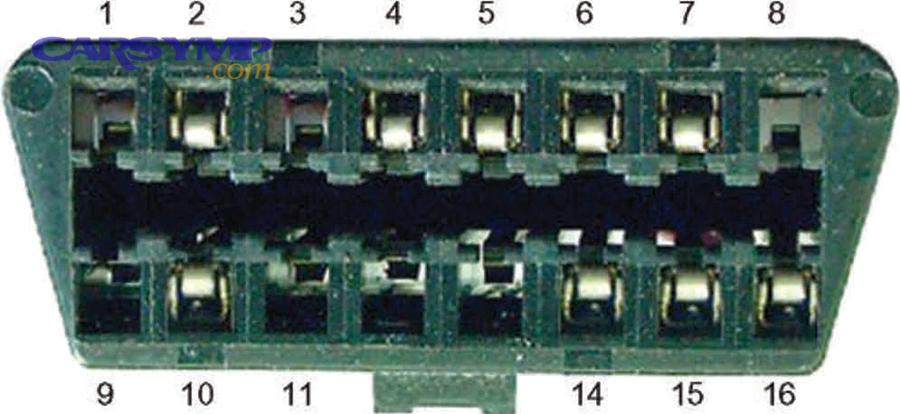
What pre-scan items are non-negotiable for verification?
At minimum, save or screenshot:
- All DTCs (current/confirmed, pending, history) across all modules if you have bidirectional/full-system capability.
- Freeze-frame data for each emissions-related DTC (Mode $02 / OBD freeze frame).
- Readiness monitor status (which monitors are complete / incomplete).
- MIL status and DTC count.
- Battery voltage and engine coolant temperature at scan time (low voltage can create misleading module faults).
If your tool supports it, also record Mode $06 results for the monitor related to the fault (misfire, catalyst, O2, EGR, EVAP, etc.), because it can show whether you’re close to failing even if no code is set. Mode $06 is commonly used to understand monitor behavior and margins once the monitor has run. (alldata.com)
Which baseline live PIDs matter most (and which are a waste)?
A strong baseline focuses on PIDs that explain why the code happened, not generic engine telemetry. Here’s a practical “baseline set” you can adapt:
The table below shows common repair types, the baseline PIDs that best support verification, and why those PIDs matter when you compare “before vs after.”
| What you’re verifying | Baseline PIDs worth saving | Why it helps later |
|---|---|---|
| Fuel control / lean/rich codes | STFT/LTFT (both banks), O2/AF sensor signals, MAF g/s, MAP kPa, RPM, load | Confirms fueling correction, airflow plausibility, and sensor behavior |
| Misfires | Misfire counters (if available), Mode $06 misfire data, RPM/load | Shows if misfire moved cylinders or is still accumulating |
| Catalyst / O2 efficiency | Upstream/downstream O2 switching, Mode $06 catalyst test, closed-loop status | Verifies cat monitor readiness and signal patterns |
| EGR flow issues | Commanded EGR, EGR position feedback (if equipped), MAP change, DPFE (older systems) | Confirms flow and feedback agreement |
| EVAP | Fuel tank pressure (FTP), purge command, vent command, Mode $06 EVAP | Helps verify leak detection ran and passed |
The wasteful approach is logging 40 PIDs “just in case.” Instead, tie each PID to a hypothesis: this PID must change in this direction if the repair is real.
How do you run a post-scan checklist that confirms the repair end-to-end?
A reliable post-scan checklist is a 6-step process: post-scan all modules, confirm DTC state, verify readiness, compare key PIDs to baseline, confirm no new side-effects, and save the final report—so you can prove the repair is complete.

Then, you finish by recreating the conditions that originally set the fault, using freeze-frame and targeted driving rather than random mileage.
What is a practical “6-step” post-scan workflow you can repeat every time?
Use this as a consistent workflow:
- Full-system post-scan (not just engine): confirm no unrelated module now has new faults.
- Confirm DTC state logic: no confirmed/current codes; review pending carefully.
- Verify readiness monitors: confirm required monitors complete for the repair type and local rules.
- Compare critical “before vs after” PIDs: fuel trims, sensor signals, actuator feedback, misfire counters.
- Check for side-effects: new codes from unplugged connectors, low battery voltage, adaptation resets.
- Save/export reports: before-and-after snapshots and the road test conditions.
Shops using structured pre- and post-scan practices often emphasize the value of documenting the vehicle state before and after repairs for transparency and proof. (snapon.com)
How do you design a road test that actually validates the fix?
A verification drive should mimic the fault trigger. Use freeze-frame to replicate:
- RPM range and engine load
- Coolant temperature (cold start vs hot soak)
- Speed range and gear
- Closed-loop status
- EVAP prerequisites (fuel level windows are common)
For example, if a lean code set at steady cruise with warmed coolant, a 2-minute idle test won’t verify anything. Instead, recreate the cruise/load window and watch trims stabilize near baseline.
How do you interpret DTC states after repairs so you don’t misread “fixed”?
You interpret DTC states correctly by treating confirmed/current, pending, and history/permanent as different signals: confirmed means the fault is present or recently verified, pending means the monitor suspects an issue, and history/permanent may remain until monitor conditions are met again.

More specifically, you need to know which states should disappear immediately and which require a successful monitor run.
What do confirmed, pending, history, and permanent codes actually mean?
A practical interpretation:
- Confirmed/Current (MIL on): the failure met the threshold; it’s not “maybe.”
- Pending: the monitor saw a failure trend once; it may clear if the monitor passes next run.
- History/Stored: a record of a previously detected fault; may clear after no recurrence.
- Permanent (emissions OBD): can remain even after clearing until the ECU confirms the fix via a successful monitor run and enabling conditions.
So if you repaired an EVAP leak and the permanent code stays, that does not automatically mean the repair failed—it can simply mean the EVAP monitor has not completed yet.
When should you not clear codes during verification?
Avoid clearing codes when:
- You still need freeze-frame context (clearing often erases it).
- You are trying to see if a pending code matures into confirmed under a known condition.
- You’re diagnosing an intermittent fault and need history to see patterns.
- You’re in the middle of verifying an emissions repair and need monitors to complete naturally.
Clearing is a tool—use it intentionally, not reflexively.
Which live PIDs and system statuses should you compare “commanded vs actual” to validate the repair?
There are 5 high-value commanded-vs-actual comparisons—actuators, airflow, fueling, sensor rationality, and misfire/combustion stability—that validate repairs because they prove the ECU is requesting an action and the system is physically delivering it.
Next, the goal is to pick comparisons that must agree if the fix is real, and that cannot be faked by clearing codes.
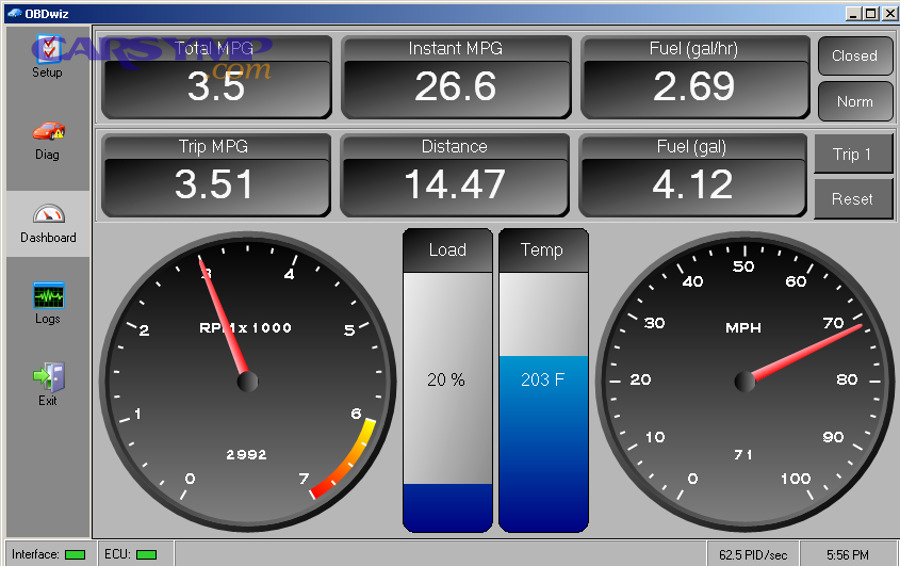
Which systems are most “verifiable” with commanded vs actual checks?
Start with systems that have both a command and feedback:
- Throttle control: commanded throttle vs actual throttle position
- EGR systems: commanded EGR vs EGR position feedback / inferred flow
- EVAP purge: purge command vs fuel tank pressure response
- Variable valve timing (VVT): commanded cam angle vs actual cam angle
- Fueling: commanded equivalence/AFR targets (if available) vs O2/AF response and trims
When these disagree, verification should pause—because the system is not doing what the ECU expects.
How do you apply commanded-vs-actual logic to EGR and smoke complaints?
This is where scan verification becomes extremely practical for emissions complaints and drivability symptoms:
- If you completed an EGR valve repair, you can compare commanded EGR to feedback position (or inferred flow via MAP change, depending on platform). When the ECU commands EGR open, you should see a predictable airflow/pressure response and stable combustion.
- If you’re deciding between Cleaning an EGR valve vs replacing it, scan data helps you avoid guessing: a sticky valve may show delayed feedback or inconsistent movement, while a clogged passage may show “commanded open” with little inferred flow change.
- For complaints involving Exhaust smoke and EGR connection, verification often requires checking whether EGR is overactive (excess dilution) or if related systems (turbo, DPF/SCR on diesels) are interacting—because EGR changes combustion temperature and can influence smoke behavior depending on engine strategy.
- In labor planning, documenting your commanded-vs-actual findings supports estimates tied to EGR valve replacement labor time, because you can justify why access and replacement was needed instead of repeated cleaning attempts.
For a research-backed example of EGR’s measurable impact, Harbin Engineering University (College of Power and Energy Engineering) reported in 2019 that a venturi high-pressure EGR setup achieved a maximum NOx emissions reduction of 30.6% in their experimental study. (pubmed.ncbi.nlm.nih.gov)
How do readiness monitors and monitor status confirm the fix (especially emissions-related)?
Yes—readiness monitors help confirm the fix because (1) the ECU reruns the diagnostic tests that originally detected the failure, (2) monitors passing reduces the chance of hidden pending faults, and (3) readiness status provides objective proof the system met its enable criteria and completed evaluation.

Then, readiness becomes your “closure signal,” especially after emissions-related repairs where permanent codes and monitor completion matter.
Which monitors matter most after common repairs?
Focus on monitors tied to the repair:
- Catalyst / O2 / O2 heater after sensor or exhaust work
- EVAP after leak, purge, vent, or cap replacement
- EGR after EGR flow codes or drivability tied to recirculation
- Misfire after ignition/fueling repairs
- Fuel system / comprehensive components after many engine control fixes
If the relevant monitor is incomplete, you don’t yet have strong scan-data proof. If it completes and passes without new pending/confirmed faults, your verification confidence increases substantially.
How do you use Mode $06 to verify a “near-fail” before it becomes a comeback?
Mode $06 can reveal the test results that many monitors use to decide pass/fail—often showing margins and thresholds. If your scan tool exposes Mode $06 clearly, you can:
- Confirm the monitor ran (it has test data).
- See whether values are comfortably within limits or barely passing.
- Catch borderline issues before they trigger a pending code.
This is especially useful when a vehicle “seems fixed,” but the underlying component is still marginal and likely to return.
As a broader example of how program-level verification impacts outcomes, a 2002 analysis discussed in a University of Vermont publication reports that the Air Quality Laboratory at Georgia Institute of Technology found Atlanta’s enhanced I/M program was achieving about 83% of its targeted emissions reductions, and estimated CO emissions reductions of 26% for cars and 20% for trucks over the first two years. (uvm.edu)
How do you document scan-data proof to prevent comebacks and disputes?
You document scan-data proof by using a 3-part package—before-scan snapshot, after-scan confirmation, and a short interpretation note—so a customer, manager, or future technician can understand what failed, what changed, and what now passes.

Next, the trick is to document only what proves the claim, not a 40-page dump nobody can interpret.
What should be included in a “before vs after” scan report?
A strong report usually contains:
- Vehicle identifiers: VIN (or last 8), mileage, date/time
- Pre-scan: all module DTCs, freeze-frame, readiness status
- Repair summary: what was done and why (1–3 sentences)
- Post-scan: DTC states, readiness, key PID comparisons
- Evidence screenshots: the 2–5 data points that prove success
- Technician note: “Verified under conditions similar to freeze-frame: ___”
If your tool exports PDFs, save them. If it doesn’t, screenshots with timestamps still work.
How do you write a verification note that’s clear but not overcomplicated?
Use this template:
- “Customer concern: ____”
- “Pre-scan: DTC ____ (confirmed/pending), freeze-frame at ____”
- “Repair performed: ____”
- “Post-scan: No confirmed/pending codes; monitor ____ complete; key PID change: ____; road test conditions: ____.”
That’s enough to prevent most disputes because it ties the repair to objective scan results.
What are the most common mistakes when verifying repairs with scan data—and how do you avoid them?
There are 7 common verification mistakes—including clearing too early, ignoring readiness, and failing to compare baselines—and you avoid them by following a repeatable workflow that ties scan data to the original fault conditions.

Then, verification becomes a habit instead of a one-off effort that depends on who’s holding the scan tool.
What verification errors create the most “false confidence”?
Common mistakes:
- Clearing codes before saving freeze-frame (you lose the trigger context).
- Declaring victory without checking pending codes (the comeback is already forming).
- Ignoring readiness (the monitor that matters never ran).
- Logging the wrong PIDs (data doesn’t prove the hypothesis).
- Not reproducing freeze-frame conditions (you didn’t really test the fix).
- Confusing permanent codes with current faults (you mislabel a good repair as failed).
- Skipping module-wide scans (a new problem was introduced during repair).
Avoiding these is less about skill and more about discipline: capture pre-scan context, validate post-scan status, and confirm monitors.
How do you prevent scan-tool limitations from sabotaging verification?
Your tool might not show everything. To compensate:
- Use generic OBD plus enhanced data where available.
- If Mode $06 is poorly labeled, cross-check your tool’s Mode $06 mapping or use a different platform that clarifies TIDs/MIDs.
- Record what you can reliably interpret (DTC states, readiness, trims, misfire data).
- Don’t overclaim. If you can’t access a module, document that limitation.
Also consider tool setup and battery support during scanning—low voltage and unstable comms can create misleading results that look like real faults.
Which advanced scan-tool features help verify complex or comeback repairs beyond basic PIDs?
There are 4 advanced scan-tool feature groups—Mode $06 analysis, bidirectional actuation tests, data logging/playback, and report/export automation—that help verify complex repairs because they expose margins, confirm actuator response, reveal intermittent patterns, and create audit-ready documentation.

Next, these features matter most when a vehicle is borderline, intermittent, or customer trust is already strained from repeat repairs.
How does Mode $06 “test result” data shorten verification on borderline problems?
Mode $06 can show whether a component is barely passing or comfortably within limits, which helps you:
- Confirm a repair moved the value away from the threshold
- Decide whether an “okay for now” component is actually a near-fail
- Prioritize what to recheck before releasing the vehicle
This is particularly useful for reducing OBD-related comebacks when the MIL isn’t on yet but the monitor is trending toward failure. (alldata.com)
When should you use bidirectional controls to verify an actuator repair?
Use bidirectional tests when the ECU can command the component directly and you can observe an immediate response, such as:
- EVAP purge/vent tests with FTP sensor response
- Cooling fan commands and temperature behavior
- EGR actuation tests (where supported) to confirm movement and response
- VVT solenoid commands to confirm cam angle change
Bidirectional confirmation is often the fastest way to prove “the ECU can command it and it responds.”
How does data logging and playback prove intermittent faults are really gone?
Intermittent faults can “pass” a short road test. Logging helps you:
- Capture the exact moment trims spike, misfires count, or a sensor drops out
- Replay and compare to baseline after repair
- Document that the symptom does not occur in the same scenario
For comebacks, a before/after log is often the clearest proof you can provide.
What automated reporting features make verification easier for busy shops?
If your tool supports one-tap reports (pre/post scans, shareable PDFs, cloud storage), use them because:
- Reports reduce arguments (“here’s the before and after”)
- They standardize documentation across technicians
- They save time compared to manual screenshots
Many professional diagnostic workflows highlight structured reports to communicate scan results clearly to customers and third parties. (snapon.com)