


If your scan tool shows “Not Ready” or “Incomplete,” you can usually fix it by meeting the monitor prerequisites and completing a structured drive cycle that lets the car run its built-in emissions self-tests—then rechecking readiness before you head to inspection. (dmv.ny.gov)
Then, you’ll want to understand why readiness gets wiped in the first place, because the most common reason drivers get stuck in “not ready” is clearing codes or losing battery power right before a test—resetting monitors even when the car feels fine. (dmv.ny.gov)
Next, you need a reliable way to confirm what’s actually blocking readiness—stored or pending trouble codes, incorrect fuel level for EVAP testing, or a cold-soak requirement you didn’t meet—so you don’t waste time “just driving around” with the wrong conditions. (ww2.arb.ca.gov)
Introduce a new idea: once you can read readiness correctly and control the prerequisites, you can follow a repeatable drive-cycle pattern and targeted monitor troubleshooting to move the vehicle from “Incomplete” to “Ready” with far less guesswork. (motor.com)
What are OBD-II readiness monitors (and what does “Not Ready/Incomplete” actually mean)?
OBD-II readiness monitors are built-in emissions self-tests that your car runs under specific driving conditions, and “Not Ready/Incomplete” means one or more of those self-tests have not successfully completed since the last reset. (motor.com)
To better understand why this matters, focus on the core link: an emissions/smog inspection often checks whether these monitors have completed, because completion confirms the vehicle has evaluated key emissions systems under real conditions. (dmv.ny.gov)
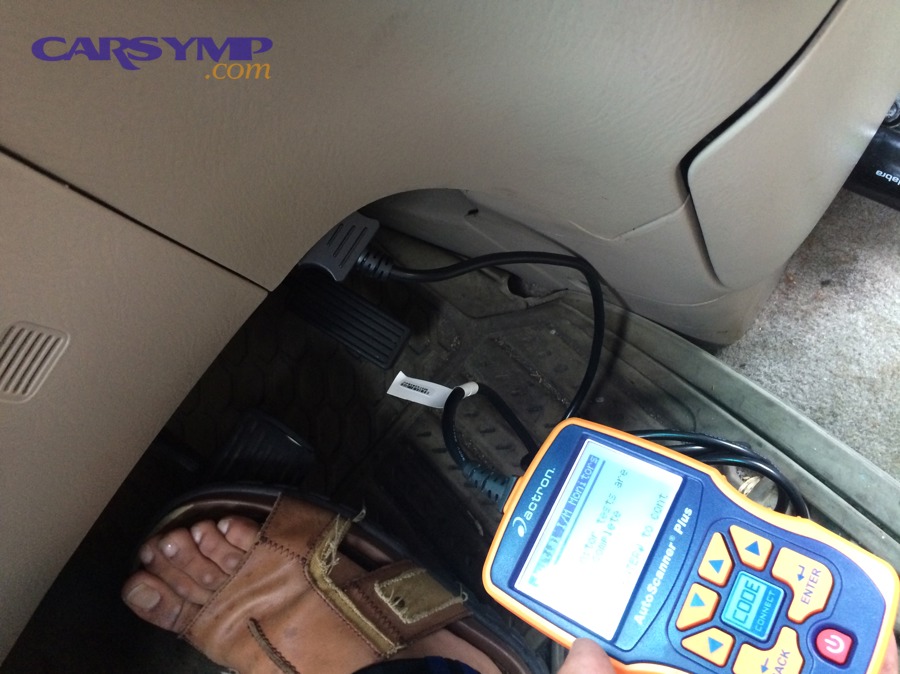
Readiness monitors are not “repairs,” and they are not “parts.” They are test routines inside the engine computer (ECU) that evaluate systems like:
- Catalyst efficiency
- Oxygen sensor response
- Oxygen sensor heater operation
- EVAP (fuel vapor control) leak checks
- EGR or secondary air (if equipped)
Some monitors are continuous, meaning the ECU watches them nearly all the time the engine runs (for example, misfire detection). Others are non-continuous, meaning they only run when prerequisites are met and the vehicle experiences a specific pattern like steady cruising followed by deceleration. (motor.com)
A practical way to think about “Not Ready/Incomplete” is this: your ECU is saying, “I haven’t had the correct conditions to run (and pass) this test yet.” That can happen after you clear codes, disconnect the battery, replace the ECU, or sometimes after certain repairs that reset learned values.
Is “Not Ready” the same as having a check engine light on?
No—“Not Ready” is not the same as a check engine light—because readiness is about test completion, the check engine light is about a detected fault, and the two can exist independently. (dmv.ny.gov)
More specifically, three common real-world scenarios explain the difference:
- MIL off, Not Ready present: You cleared codes or the battery was disconnected, so the ECU hasn’t re-run tests yet—even though no fault is currently confirmed.
- MIL on, readiness may still show Ready for some monitors: The ECU can complete certain monitors and still detect a fault in another system.
- MIL off, Ready, but still fails tailpipe (in some programs): “Ready” means the ECU can report on that system; it does not guarantee the vehicle’s actual tailpipe emissions are clean in every testing method.
The key habit is to treat readiness and DTCs as two separate dashboards:
- Readiness answers: “Have the tests run and completed?”
- DTCs/MIL answers: “Did the ECU detect a problem worth flagging?”
Which readiness monitor statuses can a scan tool show (Ready, Not Ready, N/A, Unsupported)?
Readiness status screens typically show four main states—Ready/Complete, Not Ready/Incomplete, N/A, or Unsupported—based on whether the monitor exists on your vehicle and whether its self-test has completed. (wisconsinvip.org)
- Ready / Complete: The monitor has run since the last reset and completed.
- Not Ready / Incomplete: The monitor has not completed since the last reset.
- N/A: The scan tool or ECU indicates the monitor is not applicable in the current configuration (sometimes loosely used by tools).
- Unsupported: The ECU does not support that monitor for that vehicle/engine family.
On cheap scan tools, “N/A” and “Unsupported” can be confusing or misreported. If your tool looks inconsistent, verify with a better scanner or a trusted shop’s scan tool—because chasing a monitor that doesn’t exist wastes time and can send you down the wrong repair path.
According to a study by University of California, Riverside (CE-CERT) in 2001, OBD-II vehicles with illuminated MILs and DTCs showed measurable emissions-related issues in controlled testing, supporting the need to interpret OBD results (including readiness and DTC context) as part of emissions evaluation. (4cleanair.org)
Why do readiness monitors become “Not Ready” after repairs, battery disconnects, or clearing codes?
Readiness monitors become “Not Ready” because clearing codes or losing ECU keep-alive power resets monitor completion history, forcing the ECU to re-run non-continuous emissions self-tests under the right conditions before it can mark them complete again. (motor.com)
To illustrate why this traps so many drivers, connect the cause to the symptom: you fix a part, clear a code, and the car drives “better”—but readiness goes incomplete, and the emissions station sees “tests not done.” (dmv.ny.gov)
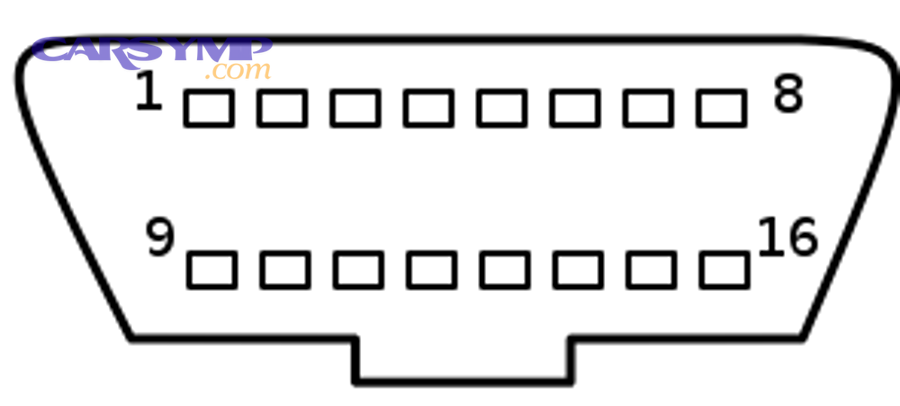
The most common triggers are:
- Clearing DTCs with a scan tool
- Disconnecting the battery or a dead battery
- Replacing the ECU or reprogramming it
- Sometimes: voltage drops, blown ECU fuse, or major repairs affecting learned values
This is exactly why a “last-minute” code clear is one of the Common reasons emissions tests fail—it removes the very evidence (monitor completion) that inspection programs want to see. You’ll fix the light but create a readiness failure.
Does disconnecting the battery reset readiness monitors?
Yes—disconnecting the battery often resets readiness monitors because it can remove keep-alive power, clear adaptive memory, and force the ECU to restart its self-test tracking. (wisconsinvip.org)
More importantly, it happens for three practical reasons:
- Keep-alive memory can be lost: Many ECUs rely on continuous power to retain certain learned states.
- Voltage stability is part of readiness logic: Some monitors won’t run if the ECU sees low voltage or unstable electrical conditions.
- The ECU treats it like a “fresh start”: After a reset, non-continuous monitors typically return to incomplete until conditions are met.
So if you’re troubleshooting readiness, treat battery health as part of your checklist. A weak battery can keep resetting your progress or keep monitors from running.
Can clearing codes make the car fail an emissions test even if it runs fine?
Yes—clearing codes can make a car fail an emissions test even if it runs fine because it resets readiness, removes completed monitor history, and may hide pending faults that still prevent monitor completion. (dmv.ny.gov)
Then, the fix is not “drive randomly.” The fix is to:
- Confirm there are no stored or pending emissions-related codes
- Meet the prerequisites (fuel level, cold soak, temperature)
- Complete a structured drive cycle
- Re-check readiness before the inspection lane
According to guidance published by a state inspection program, vehicles that are “Not Ready” for OBD testing can receive a rejection result because the inspector cannot override what the vehicle reports, highlighting why code-clearing right before a test frequently backfires. (wisconsinvip.org)
How do you check which monitors are not set before you drive a mile?
You check which monitors are not set by using an OBD-II scan tool to read readiness status and stored/pending DTCs in a short sequence—then you drive only after confirming there’s no active issue preventing monitors from running. (dmv.ny.gov)
Next, treat this like a pre-flight checklist: your goal is to avoid wasting a full drive cycle when a single pending code or an out-of-range fuel level will block completion anyway. (ww2.arb.ca.gov)
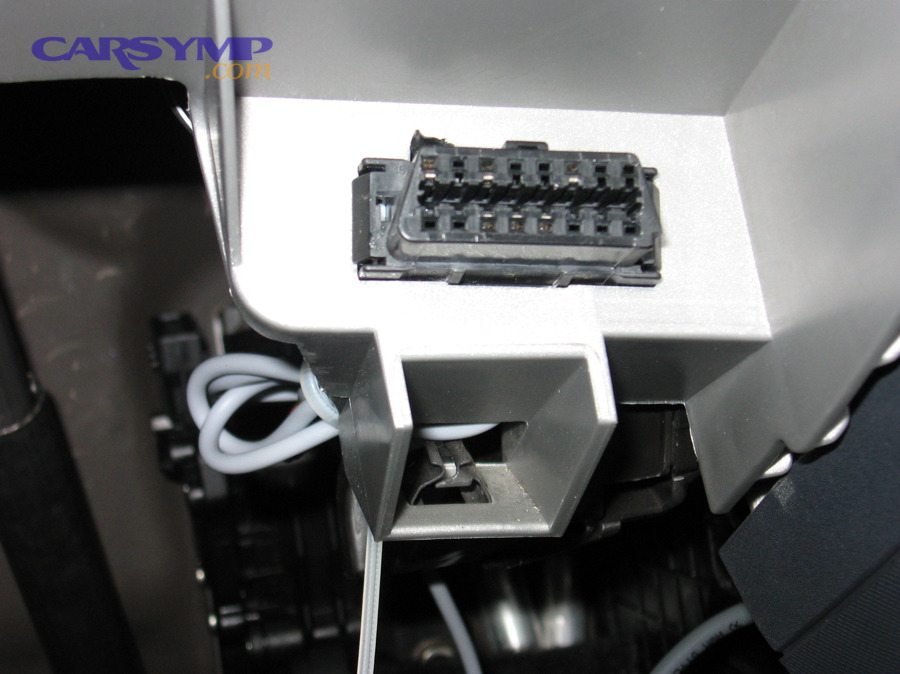
A practical “before you drive” sequence looks like this:
- Read stored DTCs (if any are present, identify whether they’re emissions-related).
- Read pending DTCs (these often explain why a monitor won’t set even when the light is off).
- Check readiness monitor status (note which are incomplete).
- Record freeze-frame data if a code exists (helps diagnose conditions that triggered faults).
- Do not clear codes again unless you are intentionally restarting after repairs.
This approach supports a clean emissions test failure fix workflow: you don’t guess, you verify the blockers first, then you drive with purpose.
Which scan tool screens or fields should you verify first (DTCs, pending codes, freeze frame, readiness)?
There are four scan tool areas you should verify first—stored DTCs, pending DTCs, freeze-frame (if codes exist), and readiness status—because they tell you whether your drive cycle can succeed and what’s likely blocking completion. (motor.com)
- Stored DTCs: Confirmed faults; many will fail you immediately.
- Pending DTCs: Early detection; these can block readiness without turning the MIL on yet.
- Freeze frame: The “snapshot” conditions; it helps you replicate or avoid trigger conditions.
- Readiness: The finish line; it tells you which tests still need to run.
A useful habit is to take a photo of the readiness screen before you start. That gives you a baseline so you can tell whether your drive cycle is actually changing anything.
Should you stop and fix issues if you see pending codes—even with the MIL off?
Yes—you should address pending codes before chasing readiness because pending faults can prevent a monitor from running, can mature into a stored code, and can waste multiple drive cycles by keeping tests from completing. (motor.com)
More specifically, pending codes matter because:
- The ECU may suspend the monitor: The vehicle won’t run a self-test it expects to fail.
- The code can become confirmed: After repeated detection, the MIL may turn on.
- Your “readiness driving” becomes noise: You’re driving for completion, but the ECU is refusing to test.
According to the California Air Resources Board’s OBD readiness criteria for enforcement programs, readiness and DTC conditions are evaluated together, reinforcing that “no relevant DTCs” is often a prerequisite for readiness acceptance. (ww2.arb.ca.gov)
What prerequisites must be true for readiness monitors to set successfully?
There are six main prerequisites for readiness monitors to set successfully: stable battery voltage, no emissions-related stored/pending DTCs, proper engine temperature progression, correct fuel level for EVAP, a true cold soak when required, and driving conditions that match the monitor’s test logic. (motor.com)
Then, the reason this section is so important is simple: most “I drove 200 miles and it’s still not ready” stories happen because one prerequisite was never met—especially for EVAP. (motor.com)
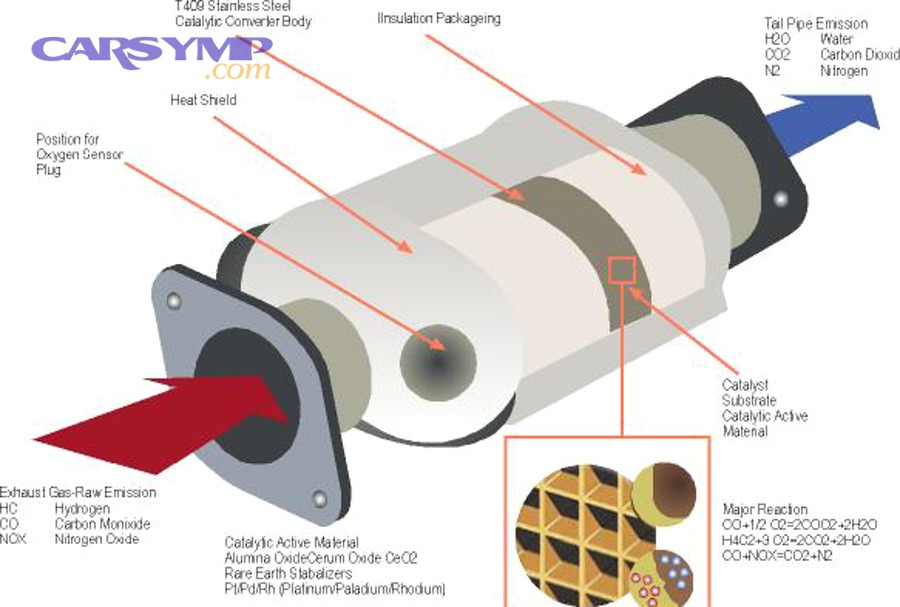
Here is a quick table of common prerequisites and what they influence (so you can connect cause to effect rather than guessing):
| Prerequisite | Why it matters | Most affected monitors |
|---|---|---|
| No stored/pending emissions codes | ECU won’t run tests it expects to fail | Catalyst, O2, EVAP, EGR |
| Cold start / cold soak | Some tests require a true cold start | EVAP, O2 heater, secondary air |
| Fuel level in a mid-range window | EVAP leak checks often require it | EVAP |
| Stable cruising + decel events | Enables catalyst/O2 evaluation patterns | Catalyst, O2 sensor |
| Closed-loop operation | ECU must be using O2 feedback | O2 sensor, catalyst |
| Stable battery voltage | Prevents test aborts and resets | Many non-continuous monitors |
Do fuel level and temperature conditions matter for setting EVAP and other monitors?
Yes—fuel level and temperature conditions matter because EVAP tests often require a mid-range fuel level, a cold soak or stable ambient conditions, and a predictable warm-up pattern that lets the ECU run leak checks reliably. (motor.com)
More specifically, EVAP logic tries to avoid false results. If the tank is too full or too empty, vapor pressure behavior changes. If temperatures swing wildly, vapor dynamics change again. That’s why “drive more” without controlling fuel level and cold soak often fails.
If EVAP is your last incomplete monitor, treat fuel level and cold soak as your “two levers”:
- Plan an overnight cold soak.
- Start the drive with fuel in the typical middle zone.
- Avoid rapid load changes and erratic speeds that interrupt test conditions.
Which common “invisible” problems block readiness (thermostat, weak battery, O2 heater, vacuum leaks)?
There are four common “invisible” problems that block readiness—thermostat issues, weak battery/charging, O2 heater faults, and vacuum/EVAP leaks—because they disrupt the ECU’s prerequisites or cause pending faults that suspend monitors. (motor.com)
More importantly, these issues create the exact pattern that confuses drivers: the car starts and drives, but the ECU won’t complete tests.
- Thermostat stuck open: Engine may not reach or hold the target temperature range long enough; catalyst/O2 tests may not run.
- Weak battery or alternator issues: Voltage dips can abort tests or reset keep-alive memory.
- O2 heater fault: O2 sensors may not reach operating temp quickly, delaying closed-loop operation and blocking downstream monitors.
- Vacuum or EVAP leaks: ECU may detect abnormal conditions and keep EVAP incomplete (or set pending codes).
If you need an Emissions repair cost estimate, these “invisible blockers” often determine whether you’re facing a low-cost fix (thermostat, small vacuum line, gas cap) or a higher-cost diagnostic path (EVAP leak detection, oxygen sensor replacement). Avoid guessing—scan first, then quote.
According to a study by the University of California, Riverside (CE-CERT) in 2001, OBD-II diagnostic findings before and after repair were linked to measured emissions outcomes under controlled test cycles, supporting the real-world impact of correcting underlying faults rather than only chasing readiness flags. (4cleanair.org)
How do you complete a general drive cycle to set most monitors (without guessing)?
You complete a general drive cycle by following a structured pattern—cold start, controlled idle, steady cruise, steady deceleration, and mixed driving—because non-continuous monitors require specific operating conditions to run and mark “Ready.” (motor.com)
Below, the goal is to replace “random miles” with repeatable conditions that monitors recognize, so you can see readiness change after each trip instead of hoping it happens. (motor.com)

A safe, practical generic drive-cycle template (not manufacturer-specific) looks like this:
- Cold soak (overnight if possible).
- Cold start and idle for a short stabilization period (avoid immediate aggressive driving).
- City driving with gentle acceleration to normal speeds.
- Highway steady cruise (hold a steady speed long enough to stabilize conditions).
- Controlled deceleration/coast (lift off the throttle and coast when safe).
- Mixed driving (a blend of steady cruise and stop-and-go).
- Key-off and recheck readiness after the trip.
If your vehicle has a known manufacturer drive pattern, use that instead. But even this generic structure often moves multiple monitors to complete because it includes the two most missing ingredients: steady cruise and clean decel events.
What is a “drive cycle” and how is it different from “just driving around”?
A drive cycle is a purposeful sequence of operating conditions that triggers emissions self-tests, while “just driving around” is unpredictable and often fails to provide the steady cruise, warm-up stability, and deceleration patterns the ECU needs to complete non-continuous monitors. (motor.com)
For example, a drive cycle intentionally includes:
- A cold start (for certain tests)
- A period of stable, steady speed
- One or more closed-throttle decelerations
- Enough runtime for closed-loop fuel control
Random driving often includes hills, traffic, short trips, and inconsistent throttle—conditions that can repeatedly interrupt tests.
How long and how many trips does it usually take to set readiness monitors?
It usually takes multiple trips over several drive sessions to set all readiness monitors because some tests require cold soak conditions, others require steady highway operation, and EVAP often runs only when fuel level and ambient conditions are within specific windows. (obdautodoctor.com)
To make this actionable, think in “cycles,” not “miles”:
- Trip 1: Sets many basics after warm-up and steady cruise.
- Trip 2: Completes additional non-continuous tests under improved prerequisites.
- Trip 3+: Often needed for EVAP or for stubborn cases where conditions were interrupted.
According to a state inspection guidance document, readiness completion depends on the vehicle’s own self-test process and required conditions, which is why a vehicle can be “Not Ready” for a period after resets and still be functioning normally. (wisconsinvip.org)
Which monitors are usually the last to set ?
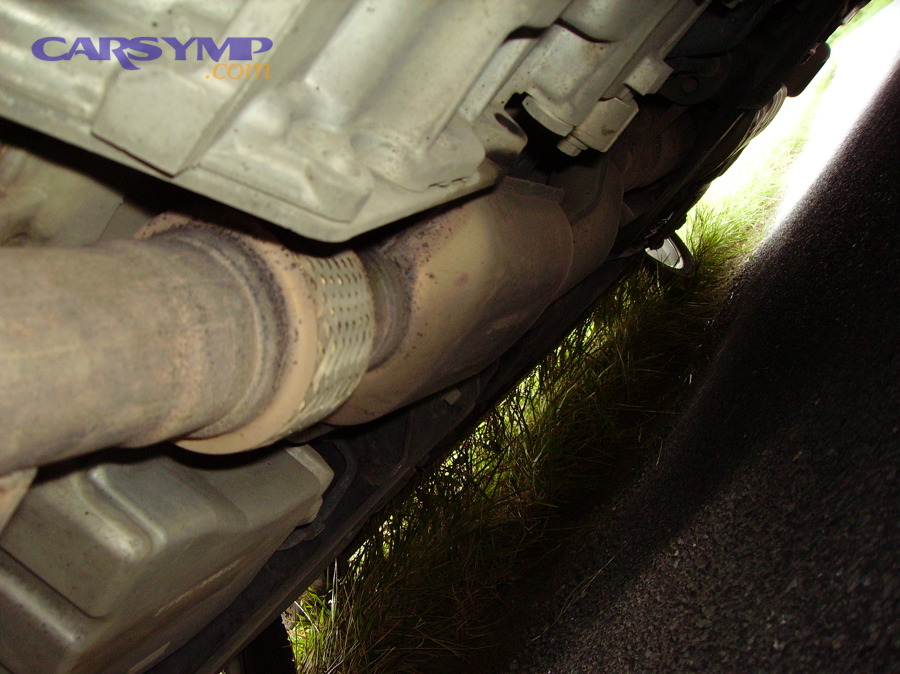
There are four monitors that are usually the last to set—EVAP, catalyst, O2 sensor, and O2 heater—based on how strict their prerequisites are and how often typical driving fails to match the ECU’s test conditions. (motor.com)
More specifically, you troubleshoot “last-to-set” monitors by working backward from prerequisites: verify no pending codes, confirm the temperature behavior and fuel level windows, then repeat a drive pattern that triggers the specific monitor’s logic. (motor.com)
Is EVAP the most common monitor that stays “Not Ready”?
Yes—EVAP is commonly the last monitor to set because it often requires a cold soak, a specific fuel level window, stable ambient conditions, and a drive pattern that allows the ECU to run leak checks without interruption. (motor.com)
To begin troubleshooting EVAP effectively, use this checklist in order:
- Check for EVAP-related pending codes (even if MIL is off).
- Set fuel level to a typical mid-range (avoid very full or very empty).
- Plan an overnight cold soak (true cold start matters).
- Avoid aggressive driving or steep hills during the segment where EVAP might run.
- Repeat one controlled drive cycle and then recheck readiness.
If EVAP refuses to set after correct prerequisites, stop repeating cycles and diagnose the EVAP system. The most common failure modes are leaks, purge/vent valve issues, or sensor problems—issues that also appear in “Common reasons emissions tests fail.”
How do you compare catalyst vs O2 monitor completion (what conditions each one needs)?
Catalyst readiness typically completes under stable warmed-up cruising that allows downstream O2 behavior to be evaluated, while O2 readiness depends more on closed-loop operation and sensor response checks—so catalyst can be blocked even when O2 sets, and vice versa. (motor.com)
However, the practical comparison is this:
- O2 monitor completes when: the ECU sees the sensor switching/response behavior it expects in closed loop.
- Catalyst monitor completes when: the ECU can compare upstream vs downstream behavior under stable conditions long enough to judge catalyst efficiency.
If O2 is complete but catalyst is not, suspect:
- Interrupted steady cruise segments
- Temperature not stable long enough
- A pending code related to catalyst efficiency or sensor plausibility
If catalyst is complete but O2 is not, suspect:
- O2 heater issues (slow warm-up)
- Wiring/connectors
- Sensor aging that delays response
What should you do if only one monitor won’t set after multiple correct drive cycles?
Yes—if only one monitor won’t set after correct cycles, you should stop “driving it out” and diagnose the blocker, because a single unresolved prerequisite, a monitor-specific fault, or a tool misread is usually preventing completion. (motor.com)
Specifically, take these steps:
- Recheck pending codes after the last drive cycle (new pending codes often appear only after conditions are met).
- Verify prerequisites for that monitor (fuel level for EVAP, temperature stability for catalyst/O2).
- Confirm the monitor is supported (avoid chasing “N/A/Unsupported” confusion).
- Inspect the most likely fault path (EVAP leaks; O2 heater; thermostat; vacuum leaks).
- Get a targeted diagnostic if needed—this is where an Emissions repair cost estimate becomes meaningful, because testing narrows costs better than guessing.
According to criteria described by California’s air quality authority for OBD readiness, readiness acceptance can involve both monitor completion and DTC status, reinforcing that a stuck monitor is often a symptom of an unresolved fault or unmet conditions—not just insufficient miles. (ww2.arb.ca.gov)
Can you pass emissions with one monitor “Not Ready,” and what should you do if your test deadline is close?
Passing emissions with one monitor “Not Ready” depends on your jurisdiction and vehicle year, but the best deadline strategy is to avoid resetting the ECU, run a planned cold-soak drive cycle, and confirm readiness immediately before visiting the test station. (dmv.ny.gov)
Next, treat this as a decision problem: if you are close to the test date, your goal is to maximize the chance of readiness completion while minimizing actions that reset progress—because a last-minute reset is one of the fastest ways to trigger an emissions test failure fix scenario. (dmv.ny.gov)
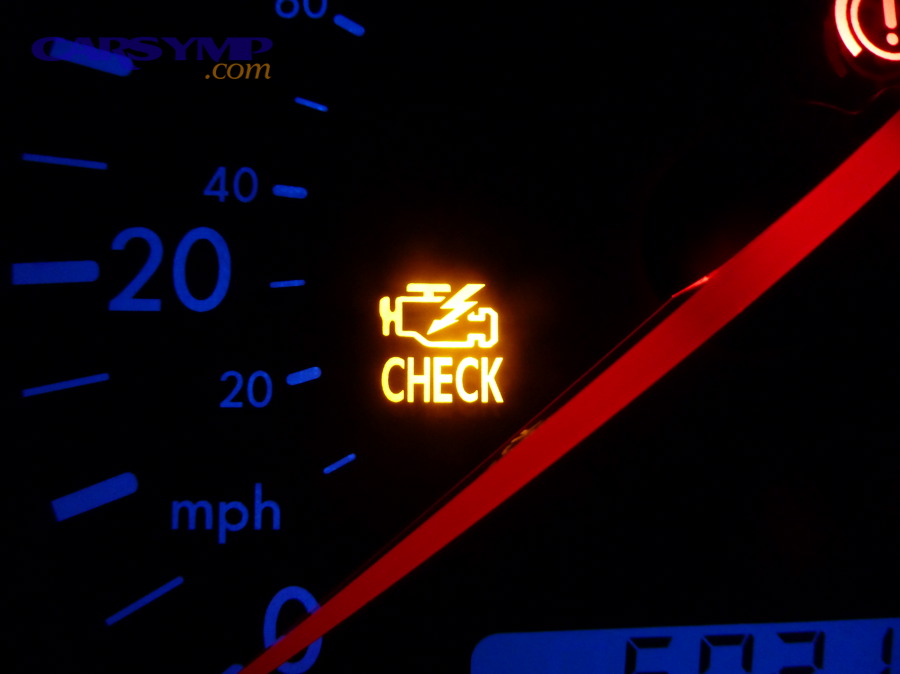
In some programs, guidance based on EPA allowances is summarized as:
- Certain older model years may allow more than one incomplete monitor
- Newer vehicles may allow fewer incomplete monitors
- Some programs are stricter and require all monitors set
Also note that rules can change. For example, California’s Bureau of Automotive Repair has published updates explaining changes to readiness monitor requirements in the Smog Check program. (bar.ca.gov)
Should you clear codes right before an emissions test to turn the light off?
No—you should not clear codes right before an emissions test because it resets readiness monitors, removes completed test history, and often creates an immediate readiness-based rejection even if the check engine light turns off. (dmv.ny.gov)
More importantly, three reasons make this a “lose-lose” move:
- You trade a visible MIL problem for an invisible readiness failure.
- You may hide a fault temporarily, but the ECU still hasn’t validated systems.
- You restart the time requirement (cold soak + correct conditions) right when you have the least time.
If you need the car to pass soon, the smartest path is to fix the underlying issue, keep the ECU stable, and drive the monitor-setting pattern.
What is the best “48-hour plan” to set monitors when time is tight?
There are three steps in the best 48-hour plan: prepare prerequisites, run a cold-soak drive cycle, and verify readiness right before the test, because this compresses the conditions most monitors require into a predictable schedule. (motor.com)
Then, follow this timeline:
Day 1 (Evening) — Preparation
- Stop clearing codes.
- Ensure battery/charging is stable.
- Set fuel to a typical mid-range.
- Confirm no stored and no relevant pending emissions codes.
Day 2 (Morning) — Cold-soak drive
- Start from a true cold soak.
- Drive a structured pattern with steady cruising and safe deceleration segments.
- Avoid aggressive throttle and erratic speed changes.
- Park and recheck readiness after the trip.
Day 2 (Later) — Verification and backup
- If one monitor remains incomplete, repeat the most relevant segment (highway steady cruise for catalyst/O2; cold soak + EVAP-friendly drive for EVAP).
- Recheck readiness again.
- Go to inspection only when the readiness screen matches your program’s requirements.
According to a state DMV explanation referencing EPA readiness guidelines, certain model years may be allowed a limited number of “not ready” monitors, which is why verifying the exact number on your readiness screen before heading to inspection can prevent avoidable failures. (dmv.ny.gov)
What are the less common reasons readiness monitors won’t set even after a correct drive cycle?
There are four less common reasons readiness monitors won’t set even after a correct drive cycle: an ECU reflash/reset loop, an aftermarket tune or modified emissions configuration, permanent DTC behavior, or scan tool misreporting of “N/A/Unsupported” as “Not Ready.” (ww2.arb.ca.gov)
In addition, these edge cases matter because they explain the frustrating situation where you did everything “right,” but readiness stays stuck—so the correct next step is deeper verification, not more random driving. (ww2.arb.ca.gov)
Can an ECU reflash or software update change readiness behavior or delay monitor completion?
Yes—an ECU reflash or software update can delay readiness completion because it may reset learned values, restart internal counters, and change the conditions under which specific monitors are allowed to run. (bar.ca.gov)
More specifically:
- Resets can mimic a full “codes cleared” state, returning monitors to incomplete.
- Updated logic can alter prerequisites, making your old drive habit insufficient.
- Some programs evaluate readiness more strictly over time, so timing matters.
If you recently had dealer work or software updates, treat the vehicle like it’s freshly reset: do not clear codes again, run a cold-soak drive cycle, and confirm readiness after each trip.
Can aftermarket tunes or modified emissions components prevent monitors from ever setting?
Yes—aftermarket tunes or modified emissions components can prevent monitors from ever setting because altered calibrations may suppress monitor logic, fail plausibility checks, or create permanent incomplete states that the ECU will not mark complete. (ww2.arb.ca.gov)
More importantly, this scenario changes your troubleshooting approach:
- You are no longer “setting monitors.”
- You are diagnosing why the ECU cannot legitimately validate emissions systems.
If readiness remains incomplete despite correct prerequisites and repeated structured drive cycles, verify vehicle configuration and consult a qualified emissions diagnostic technician—because repeated attempts can waste time and money, especially when the root cause is calibration or hardware configuration.
What are “permanent DTCs,” and can they keep readiness from completing even if the MIL is off?
Permanent DTCs are fault records that can persist until the ECU confirms conditions are repaired and sufficient driving verification occurs, and yes, in some cases they can be associated with readiness acceptance rules even when the MIL is off—depending on the program and criteria. (ww2.arb.ca.gov)
However, the practical takeaway is this: if your scan tool shows “permanent” emissions-related codes, you should:
- Avoid clearing codes repeatedly (it usually doesn’t remove permanent records)
- Drive the vehicle through verification cycles
- Confirm what your local program considers acceptable
This is one reason “I cleared the code and it came back” shows up as a top driver complaint in readiness-related failures: the system is designed to require proof, not just a reset.
Is “N/A/Unsupported” different from “Not Ready,” and how can scan tools misreport it?
Yes—“N/A/Unsupported” is different from “Not Ready” because it indicates a monitor is not applicable or not supported by the ECU, while “Not Ready” means the monitor exists but has not completed; some scan tools misreport these states due to limited PID interpretation. (motor.com)
Specifically, misreporting happens when:
- Generic tools oversimplify manufacturer-specific readiness reporting.
- The tool doesn’t update correctly after key cycles and shows stale results.
- The vehicle uses variations in monitor support that the tool labels incorrectly.
If you suspect misreporting, validate with another scanner or a shop’s professional diagnostic tool. This single step can save you from chasing a “phantom” monitor and paying for repairs you don’t need.
According to a study by the University of California, Riverside (CE-CERT) in 2001, OBD-II diagnostic results were evaluated alongside emissions testing before and after repairs, underscoring that accurate interpretation of diagnostic information—not just repeated resets—is essential when resolving inspection-related emissions problems. (4cleanair.org)