


Noisy blower motor causes are usually traceable, and yes—you can diagnose most of them by matching the sound (squeal, chirp, rattle, thump, or hum) to the condition that triggers it (fan speed, temperature, turns, bumps, or A/C on). The most common culprits are bearing wear, debris in the squirrel-cage fan, fan imbalance, and housing contact, all of which amplify into cabin noise because the HVAC case acts like a resonator.
Beyond the noise itself, you also want to know whether the problem is mechanical or electrical, because symptoms like intermittent operation, speed-only issues, or heat-damaged plugs often point away from the motor and toward wiring, the resistor, or the control module. This is where pattern-based checks save time and prevent unnecessary parts replacement.
Many drivers also care about the “real-world” decision point: is it safe to keep driving, can you quiet it temporarily, and when does it justify replacement? The answer depends on whether the noise indicates imminent seizure (common with dry bearings) or a benign vibration (often from leaves or foam insulation contact).
To begin, “Giới thiệu ý mới”: you’ll learn the top causes by noise type, the fastest tests to isolate each cause, and practical next steps—from cleaning and inspection to repair strategy—without losing the thread between symptoms and the component that creates them.
What are the most common noisy blower motor causes by sound pattern?
There are five main noisy blower motor causes: bearing wear (squeal), debris contact (tick/scrape), fan imbalance (vibration/hum), housing contact (rub/thump), and electrical arcing or voltage drop (buzz). Next, you can pinpoint the cause faster by matching the noise to fan speed, airflow mode, and vehicle movement.
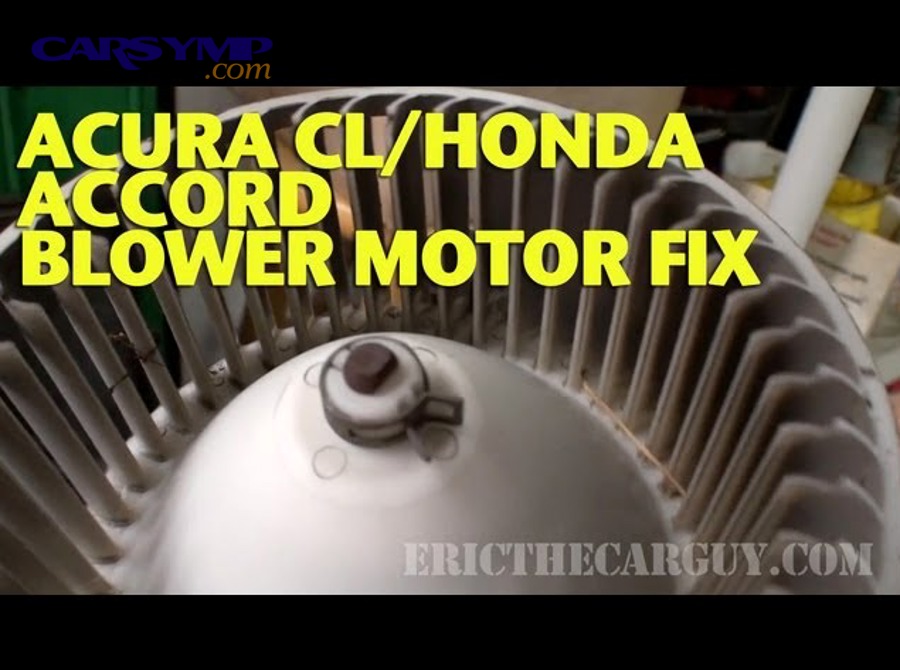
Does a high-pitched blower squeal usually mean bad bearings?
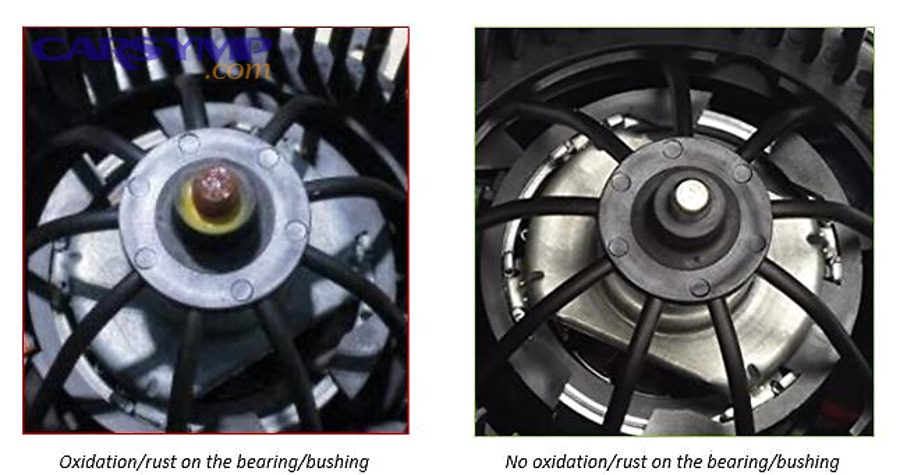
Yes—blower squeal most often means the motor’s sleeve or ball bearings are dry or worn, and it worsens as the bearing clearance increases and lubrication breaks down. Next, confirm by listening for squeal that changes sharply with fan speed and persists regardless of vents selected.
Specifically, bearing squeal tends to be most noticeable at startup or at certain mid-speeds where resonance peaks. If you briefly switch from low to high and the pitch rises smoothly, that linear change typically supports a mechanical bearing source rather than an intermittent electrical buzz.
In practical terms, a squealing blower can run for weeks, but the risk is progressive drag that increases current draw and heat. Over time, that heat can stress connectors, melt plugs, or overload a resistor circuit—so the “noise” can become an electrical reliability problem.
What does a clicking, scraping, or ticking sound indicate?
A clicking or scraping blower noise usually indicates debris hitting the blower wheel or a cracked wheel rubbing the housing. Next, verify by switching between recirculation and fresh-air modes; debris often shifts when airflow doors change.
For example, leaves, pine needles, and small twigs can drop into the blower case from the cowl intake—especially if a cabin filter is missing, incorrectly seated, or torn. A small piece can “tap” each rotation and sound like a rhythmic tick that speeds up with fan speed.
Another common scenario is deteriorated foam from blend doors or seals that breaks off and gets pulled into the fan. This can create intermittent contact that disappears after a bump, then returns later.
Why does the blower hum or vibrate more at certain fan speeds?
Humming or vibration at specific speeds usually indicates fan imbalance (debris stuck to blades, missing balance weight, warped wheel) or a motor mount that transmits vibration into the HVAC case. Next, isolate by running the blower at multiple speeds and noting if the vibration peaks at a narrow band.
Concretely, a squirrel-cage blower wheel is lightweight and sensitive: a small chunk of leaf or moisture-soaked debris stuck to one side can cause uneven mass. The result is a “woofer-like” hum that feels through the dashboard, sometimes louder than you’d expect for a small fan.
If the vibration is worst only on high speed, suspect imbalance plus worn bearings. If it’s worst on low or mid speed, suspect resonance or loose housing screws that let the case act like a drum.
What does a thump, knock, or rubbing sound suggest?
A thump or knock usually suggests housing contact: the blower wheel is rubbing the case, the motor shaft has play, or the wheel is cracked and wobbling. Next, confirm by changing cabin airflow direction; sometimes the case flex changes contact points.
More specifically, if the blower wheel wobbles, it can strike the scroll housing once per revolution, creating a repeating thump. If the motor is mounted with rubber isolators that are torn or missing, the motor can shift under load and let the wheel kiss the housing.
In some vehicles, the blower sits close to wiring or insulation; a loose harness clip can drift into the wheel path and create a rub that sounds like sandpaper.
How can you diagnose a noisy blower motor in a safe, step-by-step way?
You can diagnose a noisy blower motor in six steps: identify the noise type, map it to speed dependence, test vent modes, check cabin filter and intake, inspect for housing looseness, and then verify motor condition with hands-on play and current draw clues. Next, follow the steps in order to avoid unnecessary disassembly.
Step 1: How do you use fan-speed changes to isolate the cause?
Use fan-speed changes to decide whether the issue is rotational or electrical: rotational noises rise smoothly with RPM, while electrical noises can appear in bursts or at one setting. Next, do a quick sweep from low to high and back to low while listening for consistent pitch changes.
To illustrate, a bearing squeal often ramps up with speed and may “sing” at a particular RPM. A debris tick usually speeds up with RPM but may vanish after a moment if the debris shifts. A wiring or control issue may cause buzzing only on one speed or only when the blower first kicks on.
Step 2: What does changing vent mode or recirculation tell you?
Changing vent mode or recirculation helps determine whether debris is entering from the intake path or whether case doors are shedding foam. Next, toggle recirculation on/off and swap between face/feet/defrost while keeping fan speed constant.
If the sound changes significantly when you select recirculation, the intake path and cabin filter area become prime suspects. If the sound changes when you move the temperature or mode door, suspect deteriorated foam, door interference, or a loose internal piece contacting the wheel.
Step 3: How do you inspect the cabin filter and intake area quickly?
Inspect the cabin filter and intake area by removing the filter, checking for leaves and tears, and shining a light toward the blower inlet. Next, clean visible debris and ensure the filter is seated correctly with the airflow arrow aligned.
A filter that is bowed, wet, or installed backward can collapse and shed fibers. Those fibers can get pulled into the blower wheel and produce a fluttering or scraping sound that mimics mechanical failure.
Step 4: How can you check for blower wheel rubbing without full removal?
You can check for rubbing by gently tapping the HVAC housing while the blower runs and listening for changes, then turning the blower off and manually rotating the wheel if access allows. Next, look for vibration that changes when you apply light pressure to the housing—often indicating loose fasteners or misalignment.
When the wheel rubs, you may also notice airflow variation or a “cyclic” sound that matches rotation speed. If the sound disappears when you press on a specific panel, the case or mounting is likely contributing.
Step 5: What hands-on checks confirm a failing blower motor?
A failing blower motor is confirmed by shaft play, rough rotation, or heat smell after short operation. Next, with power off and safe access, gently wiggle the motor shaft or wheel hub; noticeable side-to-side play often correlates with bearing wear.
Also pay attention to odor: a burnt electrical smell can indicate overheated windings or connector resistance. A “hot plastic” smell near the passenger footwell often points to a resistor connector getting too warm due to high current draw.
Step 6: When does noise imply urgent replacement?
Noise implies urgent replacement when it’s paired with intermittent operation, smoke or strong burning smell, a blower that slows under load, or a fuse that blows repeatedly. Next, treat these as priority because a dragging motor can overheat circuits and cause repeated electrical failures.
In other words, “just noise” can become “no heat/defrost when you need it” at the worst time—so urgency depends on both sound and reliability symptoms.
Can a noisy blower motor be caused by electrical issues instead of mechanical wear?
Yes—a noisy blower motor can be caused by electrical issues, especially when the sound is a buzz, chirp, or rapid flutter that correlates with specific speeds or with the blower turning on/off. Next, check for voltage drop, overheating connectors, and control components before condemning the motor.
What are the most important Electrical connector and fuse checks?
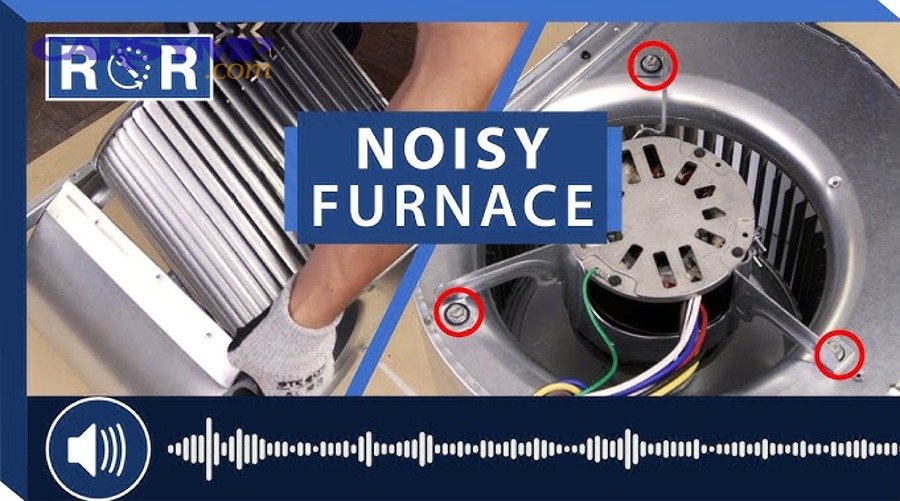
Electrical connector and fuse checks include verifying the correct fuse rating, inspecting the blower connector for heat damage, and ensuring tight, clean terminals. Next, look for discoloration, melted plastic, or a loose pin fit—these are common causes of buzzing and intermittent blower behavior.
Specifically, a high-resistance connection can create heat and micro-arcing. That arcing can sound like a faint crackle or buzz and may be accompanied by a blower that surges or changes tone as load varies.
Also check the ground point: a poor ground can cause unstable motor speed and extra heat in the circuit, sometimes producing audible electrical “chatter” through the motor windings.
How does a failing blower resistor affect noise and speed behavior?
A failing blower resistor can cause noise indirectly by forcing the motor to run at abnormal speeds, creating surging airflow and vibration, or by overheating connectors that then arc. Next, suspect the resistor if only certain speeds work or if the blower cuts out and returns after tapping the dash.
On many vehicles, the resistor pack sits in the airflow path to cool it. If airflow is restricted by a clogged cabin filter, resistor temperature rises, connectors degrade, and electrical issues become more likely—creating a feedback loop of heat and failure.
What is the role of the blower relay or control module in “buzzing” noises?
The blower relay or control module can create buzzing when contacts chatter or when pulse-width modulation (PWM) control causes vibration in the motor at certain duty cycles. Next, if the noise happens only at one “automatic” climate setting and not in manual modes, consider control logic as a contributor.
That said, PWM-related noises are typically mild and consistent from day one; a noise that starts suddenly or worsens quickly more often points to mechanical wear or connector heat damage.
How do you perform Blower resistor vs motor diagnosis without guesswork?
You can perform Blower resistor vs motor diagnosis by matching the symptom type to component behavior: resistor issues typically cause missing speeds and heat damage, while motor issues cause noise, drag, and inconsistent airflow even when voltage is stable. Next, use the comparison table to decide what to test first.
This table helps you separate motor problems from resistor or wiring faults by pairing symptoms with the most likely root cause and the best first check.
| Symptom | More Likely Cause | Why It Fits | Best First Check |
|---|---|---|---|
| Squeal that rises smoothly with fan speed | Blower motor bearings | Rotational noise tracks RPM | Check shaft play, rough rotation |
| Tick/scrape that changes after bumps | Debris in blower wheel | Debris shifts position | Inspect cabin filter and inlet |
| Works only on high speed | Resistor pack (common failure mode) | High speed often bypasses resistor | Inspect resistor connector, test speeds |
| Intermittent blower + hot plastic smell | Connector resistance / overheated plug | Heat increases resistance, causes dropout | Inspect terminals for melt/discoloration |
| Buzzing only at certain auto settings | Control module / PWM characteristic | Duty-cycle can excite motor vibration | Compare manual vs auto operation |
| Airflow weak even on high + motor hot | Motor drag or wheel rubbing | Mechanical load reduces speed | Check wheel contact, bearing drag |
Why does “only high speed works” point to the resistor more than the motor?
Only-high-speed operation usually points to the resistor because many systems feed high speed through a relay or direct path while lower speeds rely on resistor stages. Next, confirm by checking whether the blower is quiet and strong on high but dead on lower settings, which fits a resistor circuit failure pattern.
However, if high speed works but the motor is extremely noisy or smells hot, you may have a mixed scenario: a worn motor drawing excessive current can accelerate resistor and connector damage.
When does a noisy blower indicate the wheel, not the motor?
A noisy blower indicates the wheel when the sound changes with bumps, when there’s a rhythmic tick without heat symptoms, or when the noise disappears after cleaning the intake area. Next, inspect the wheel for cracks, missing fins, or heavy contamination that can unbalance it.
A cracked wheel can create a wobble that mimics bearing failure, but a close look often reveals stress marks near the hub or missing plastic sections.
How can current draw clues guide diagnosis without specialized tools?
Current draw clues show up as slow startup, dimming lights when the blower kicks on, warm connectors, or repeated fuse stress—signs of a motor dragging mechanically. Next, if you notice these, prioritize motor inspection because a struggling motor can damage the rest of the circuit.
While a clamp meter is ideal, you can still infer abnormal load from heat and behavior patterns, especially when noise and intermittent operation occur together.
What quick fixes reduce blower noise, and when are they only temporary?
Quick fixes can reduce noise when the cause is debris, loose mounting, or minor case resonance, but they’re temporary when bearings are failing or the wheel is cracked. Next, try the low-risk actions first—cleaning and reseating—before considering deeper repairs.
Which cleaning steps work best for debris-related noises?
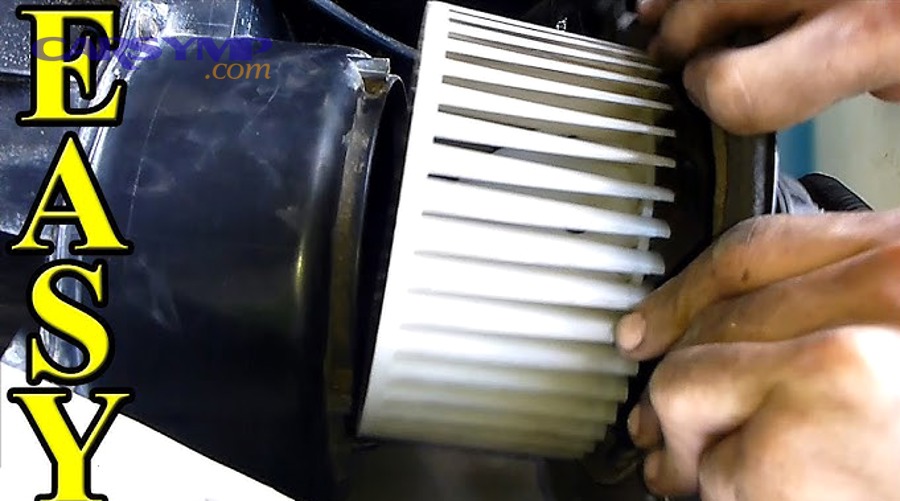
Cleaning works best when you remove the cabin filter, vacuum the filter housing, and clear the cowl intake drains, then run the blower briefly with the filter out to confirm the noise change. Next, reinstall a correctly sized filter to prevent recurrence.
Be careful not to blow debris deeper into the HVAC case. If you use compressed air, keep pressure moderate and direct it outward when possible.
Can lubrication stop blower squeal safely?
Lubrication can reduce squeal in some older motors with accessible bushings, but it is often temporary and can attract dust that worsens noise later. Next, if the motor design is sealed or hard to reach, avoid forcing lubricants into the case because overspray can contaminate the resistor or collect on the wheel and create imbalance.
In many modern units, the better long-term answer is replacement once the squeal is clearly bearing-based and worsening.
How do you reduce case resonance and vibration?
Reduce resonance by tightening mounting screws, ensuring clips are seated, and replacing missing foam isolators that prevent plastic-to-plastic vibration. Next, confirm by lightly pressing on nearby panels while the blower runs; if pressure changes the sound, vibration control is relevant.
Sometimes the “noise” is amplified by a loose glovebox, trim piece, or wiring harness that vibrates sympathetically with the blower’s airflow pulses.
How do you decide between repair and blower motor replacement?
You decide between repair and replacement by evaluating severity (noise progression), reliability (intermittent operation), and secondary damage risk (heat at connectors). Next, use a simple decision rule: if the noise is debris-related and fixes with cleaning, repair; if it’s bearing squeal or wobble, replace.
What symptoms strongly justify blower motor replacement?
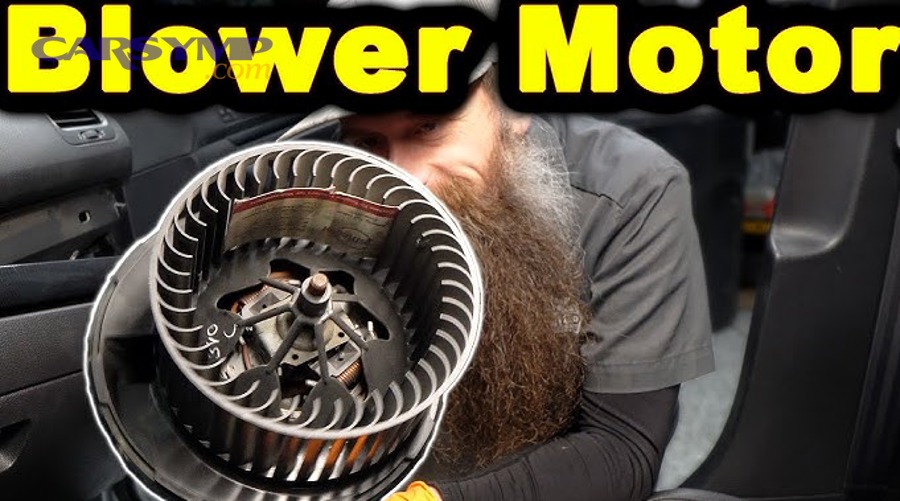
Symptoms that strongly justify blower motor replacement include persistent squeal, shaft play, rubbing that returns after cleaning, overheating smell, or repeated electrical stress signs like warm connectors. Next, remember that a failing motor can draw higher current and accelerate failures in resistors, relays, or control modules.
If defrost performance becomes unreliable, replacement becomes a safety-driven choice, not just a comfort choice.
What does Blower motor replacement labor time typically depend on?
Blower motor replacement labor time depends on access: some vehicles place the motor under the glovebox with simple screws, while others require removing trim, under-dash panels, or portions of the HVAC case. Next, estimate complexity by checking whether the motor is visible in the passenger footwell and whether a cabin filter housing blocks it.
As a practical guide, straightforward access often takes about an hour or less for an experienced technician, while deeper access can take several hours when dash components obstruct the motor.
What should you replace with the motor to prevent repeat noise?
Replace or service related items that cause repeat noise: cabin air filter, any damaged wheel or seals, and heat-stressed connectors. Next, ensure the intake path is clean so the new motor doesn’t ingest debris immediately and become unbalanced again.
If the connector shows melting or looseness, a pigtail repair can be the difference between a quiet long-term fix and another failure months later.
How do you confirm the fix after replacement or repair?
Confirm the fix by running all fan speeds, toggling recirculation, and testing airflow modes while listening for any residual vibration or scraping. Next, do a short drive to ensure bumps and turns don’t reintroduce contact noises from loose trim or harness routing.
Also confirm that the blower starts promptly from a stop and that no hot-plastic smell appears after several minutes of operation.
———- Contextual Border ———-
What rare or overlooked causes make a blower noisy only sometimes?
Some noisy blower motor causes are rare because they require a specific condition—humidity, temperature, vehicle angle, or control logic—to trigger them: ice formation, water intrusion, door-foam shedding, harness contact, or PWM resonance. Next, use these clues when the noise seems “unrepeatable” in the shop.
How can water intrusion create intermittent blower noise?
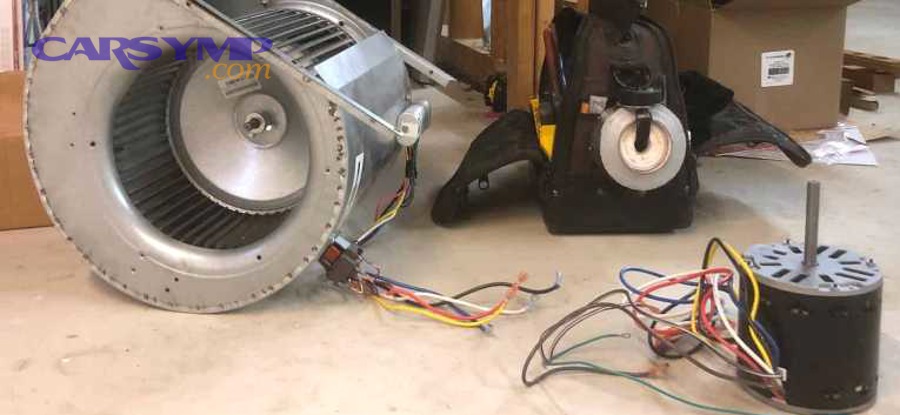
Water intrusion can create intermittent noise when moisture carries debris into the wheel, promotes corrosion, or causes the wheel to load unevenly as wet debris clumps. Next, inspect cowl drains and look for signs of dampness near the cabin filter housing after rain or car washes.
In colder climates, moisture can also freeze and temporarily alter clearances, creating rubbing that disappears once the cabin warms up.
Why does the noise appear only on turns or bumps?
Noise only on turns or bumps often indicates a loose harness, clip, or insulation piece shifting into the wheel path. Next, inspect nearby wiring and ensure clips and retainers hold the harness away from any rotating components.
Another possibility is a wheel with a hairline crack that opens under vibration, producing a thump that’s difficult to reproduce when stationary.
Can HVAC door foam or seals cause a “mystery” scraping sound?
Yes—degrading foam seals can shed fragments that get pulled into the blower or lodge near the scroll housing, causing intermittent scrape noises. Next, if the noise changes when you adjust temperature or mode doors, suspect internal foam degradation even if the blower motor itself feels fine.
This issue can be more common in older vehicles where foam adhesive dries out and flakes under airflow and temperature cycles.
When is the control system itself the reason for a mild buzz?
The control system can be responsible when PWM operation produces a mild, consistent buzz at specific duty cycles, especially in automatic climate modes. Next, if the system has done this since new and it doesn’t worsen, it may be a characteristic rather than a failure—unlike bearing noise, which typically progresses.
If the buzz is new or getting louder, return to connector inspection and motor drag checks, because deterioration often changes electrical and mechanical behavior together.
FAQ
Is it safe to drive with a noisy blower motor?
It depends: it’s generally safe for short periods if airflow is stable and there’s no burning smell, but it becomes unsafe when defrost reliability is compromised or electrical overheating signs appear. Next, treat smoke, melting odor, or repeated fuse issues as a reason to stop using the blower until repaired.
Why does my blower squeal only when it’s cold outside?
Cold temperatures thicken lubricant and shrink clearances, making worn bearings noisier until the motor warms up. Next, if the squeal returns every cold start and slowly worsens over weeks, it strongly suggests bearing wear rather than debris.
Why did my blower get louder right after changing the cabin air filter?
It can happen if the filter is the wrong size, installed backward, or not seated, allowing edges or debris to contact airflow and vibrate. Next, re-check fitment, airflow arrow direction, and ensure the filter frame isn’t rubbing the housing.
Can a bad resistor make the blower sound noisy?
Yes, indirectly: a failing resistor or overheated connector can cause surging and buzzing, and it can also push the motor into abnormal operation at certain speeds. Next, if you have missing speeds plus heat damage at the connector, prioritize the resistor circuit inspection.
How do I know if I should replace the wheel or the entire motor?
Replace the wheel if it’s cracked, missing fins, or heavily contaminated and cannot be cleaned without warping; replace the motor if you have squeal, shaft play, rough rotation, or heat symptoms. Next, if both wobble and squeal are present, replacing the complete assembly is often the most reliable path.