


If your rotors are still within spec, smooth, and stable, you can often change pads without replacing rotors—but certain wear patterns and defects make rotor replacement the safer, quieter, and more durable choice.
Besides safety, the real decision is about consistency: even “okay-looking” rotors can create vibration, noise, and uneven bite if thickness, runout, or surface condition isn’t right.
Cost matters too, yet it’s not just parts pricing—downtime, repeat labor, comebacks, and premature pad wear can make the “cheapest” option the most expensive.
To introduce a new idea, the most reliable approach is to inspect and measure rotors like a checklist: decide with evidence, not guesses, and the main sections below show exactly what to look for.
Do you always replace rotors when changing pads?
No—rotors don’t always need replacement with new pads because many rotors remain serviceable if they meet thickness and condition limits, run true, and have a stable friction surface. Next, the key is knowing which “pass/fail” checks matter most so you don’t reuse a rotor that will instantly ruin the new braking feel.
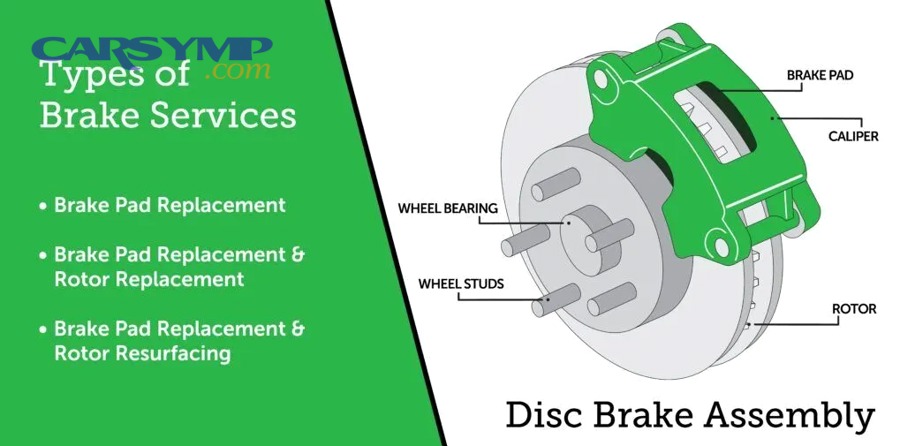
Three reasons you can reuse rotors (and still get great results)
First, rotor thickness is above the minimum specification, so heat capacity and structural strength remain adequate. Second, rotor runout and surface variation are low enough that the pads can bed evenly instead of “chasing” high spots. Third, the friction face is free of deep grooves, cracking, heavy corrosion, and localized hard spots, allowing new pads to transfer a uniform friction film.
After that, the practical sign of a reusable rotor is consistency: it should look and measure similar all the way around, not like a record with ridges or a patchwork of shiny and dull islands.
Three reasons you should replace rotors even if they “look fine”
First, thickness may be borderline: a rotor that is barely above minimum can overheat faster, distort more easily, and wear below spec quickly. Second, hidden runout can cause pedal pulsation, steering shake, or uneven pad imprinting. Third, surface damage like heat-check cracking or hard spots may not be obvious until you feel chatter, vibration, or hear cyclic scraping after installation.
To connect this to action, the safest habit is simple: measure and inspect every time, because visual judgment alone misses the problems that matter most.
What measurements decide whether a rotor is reusable?
The decision is primarily based on thickness, thickness variation, and lateral runout because these measurements predict heat handling, vibration risk, and even pad contact. Next, you’ll see how to measure each one quickly and what the results mean for replacement versus reuse.
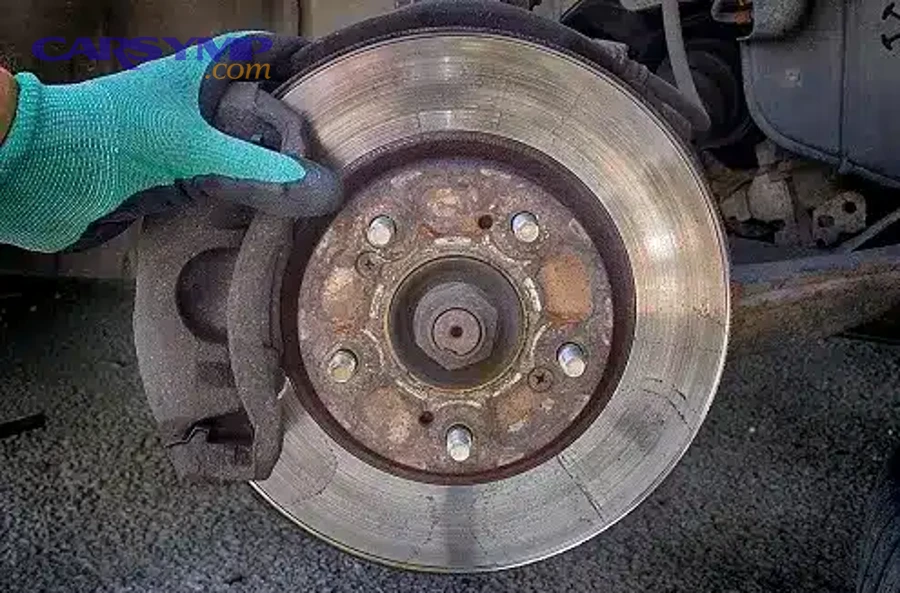
How to check thickness and minimum spec the right way
Measure rotor thickness with a micrometer at multiple points around the rotor—at least 6–8 equally spaced locations—and always measure the friction surface area (not the outer lip). Then compare the lowest reading to the rotor’s minimum thickness (often cast into the rotor hat or listed in service data).
To illustrate, the “thick enough” question is not about the average; the lowest point is what determines safety margin and future life.
How to spot thickness variation that creates pulsation
Even when the rotor is above minimum thickness, uneven thickness around the disc can create pulsation, because the caliper squeezes a “wavy” rotor differently as it rotates. A quick clue is uneven pad deposits or a repeating high/low feel during braking, but the reliable method is measuring multiple points and looking for a consistent pattern of variation.
Next, remember this: what many drivers call a “warped rotor” is often thickness variation or uneven friction film, so the measurement step prevents misdiagnosis.
How to measure runout and why it matters
Use a dial indicator on the rotor face while rotating the hub to measure lateral runout. If runout is excessive, the rotor may push the pads back, cause pedal travel changes, and trigger uneven pad transfer, especially after heat cycles.
To move from diagnosis to fix, you must also consider the hub: rust, debris, or uneven torque on lug nuts can create runout even with a good rotor, so clean mounting surfaces and torque properly before deciding to replace parts.
Which rotor defects require replacement instead of resurfacing?
Replace rotors when defects compromise structure, heat integrity, or long-term stability, such as cracking, severe corrosion, deep scoring beyond cleanup, or damage that would machine the rotor below minimum thickness. Next, the categories below help you classify what you see and choose the safest path.
Cracks and heat-checking: when “lines” are not cosmetic
Fine heat-check lines can appear after repeated high-temperature stops, but visible cracks that look like sharp splits, especially those that grow toward the rotor edge or appear on drilled holes/slots, are a replacement condition. Specifically, cracking indicates the rotor has been stressed beyond normal thermal cycling and may worsen quickly with new pads that bite harder.
Next, if you can catch a crack with a fingernail or you see branching patterns, treat it as structural risk, not a noise issue.
Severe corrosion and rotor “scaling” at the friction face
Surface rust after rain is normal, but heavy pitting, flaking, or scaling that reduces contact area can prevent a stable friction film and cause grinding or a crunchy feel, especially at low speed. If corrosion reaches the rotor edges, vents, or causes chunks to break away, replacement is usually the only durable fix.
To connect the symptoms to the cause, corrosion changes the rotor’s effective friction surface and can make the pads wear unevenly from day one.
Deep grooves, scoring, and metal-to-metal damage
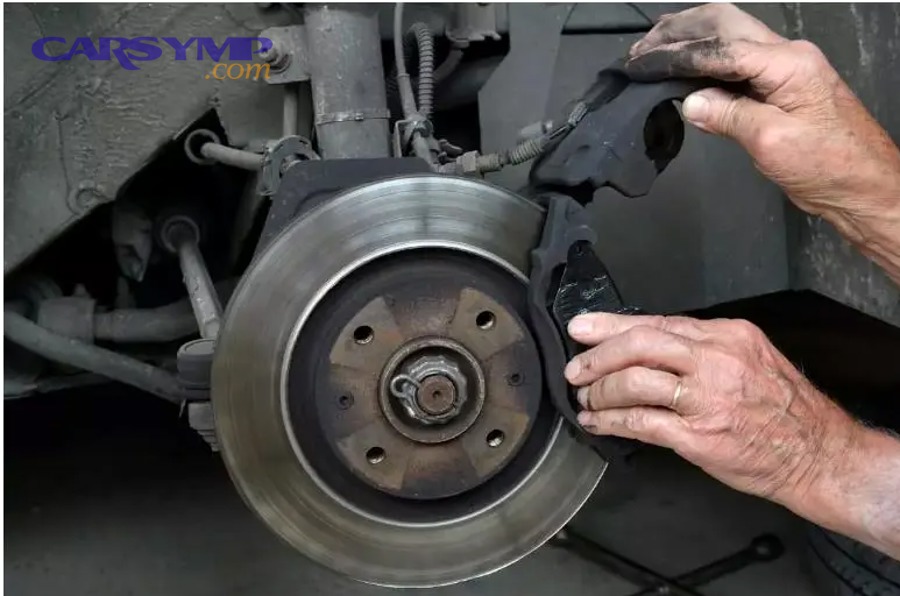
When pads have worn down to backing plates, the rotor can be scored deeply with ridges that a light cut cannot remove. If machining to clean the surface would push thickness below minimum, you must replace the rotor. Likewise, if scoring is uneven or includes localized “trenches,” the new pads may never bed evenly, leading to noise and reduced braking smoothness.
After that, the rule is simple: if the rotor can’t be restored while staying within spec, it doesn’t qualify for reuse.
Hard spots, discoloration, and repeated overheating
Blue or purple discoloration can indicate overheating and microstructural changes. Hard spots can create a cyclic grab-release sensation, and resurfacing may not remove the underlying thermal damage. If overheating is severe or repeated, replacement is often the more predictable solution, especially for drivers who experienced vibration after high-speed braking.
Next, if you suspect thermal damage, also check why it happened—sticking calipers or driver habits—so the new parts don’t suffer the same fate.
When is resurfacing acceptable, and when is it a bad idea?
Resurfacing is acceptable when it restores a smooth, true surface while keeping the rotor above minimum thickness and preserving good heat capacity; it’s a bad idea when it removes too much material, masks deeper defects, or leaves a rotor prone to fast overheating. Next, compare the two outcomes so you can choose what actually lasts.
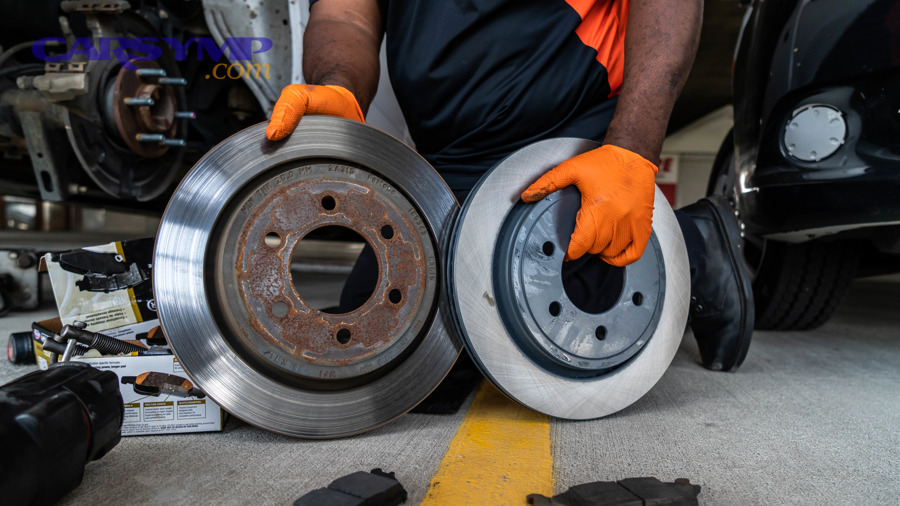
Resurfacing works best for light scoring and mild surface unevenness
If the rotor has minor grooves, glazing, or small high spots that are purely surface-level, machining can create a uniform finish that helps new pads establish an even transfer layer. To begin, the rotor must start with enough thickness margin so the final cut does not approach minimum spec too closely.
Next, a uniform surface finish matters: too smooth can reduce initial bite, while too rough can accelerate pad wear, so quality machining and proper pad bedding are part of the same system.
Resurfacing fails when thickness is marginal or thermal damage exists
If the rotor is already close to minimum thickness, resurfacing may “work” today but fail tomorrow by overheating, distorting, or dropping below spec after a short service interval. Likewise, if the rotor has heat-check cracking, hard spots, or severe corrosion pitting, machining can leave weak areas that quickly reintroduce vibration and noise.
To connect the logic, resurfacing is only as good as the rotor’s remaining material and integrity—if either is compromised, replacement is the safer bet.
What “on-car” vs “bench” machining changes in real results
Bench machining can create a clean finish, but it does not automatically correct hub-related runout. On-car machining can compensate for hub/rotor stack-up by cutting the rotor true to the vehicle’s mounting plane, which can reduce comebacks for pulsation in certain cases.
Next, whichever method you use, hub cleaning and correct torque are still critical; otherwise runout can return even on a freshly machined surface.
How do you inspect rotors so you don’t miss hidden problems?
You inspect rotors by combining visual checks with measurement and mounting-surface verification, because many “hidden” problems come from the hub, hardware, or uneven contact rather than the rotor face alone. Next, follow this step sequence to catch the issues that typically cause immediate noise or vibration after the job.
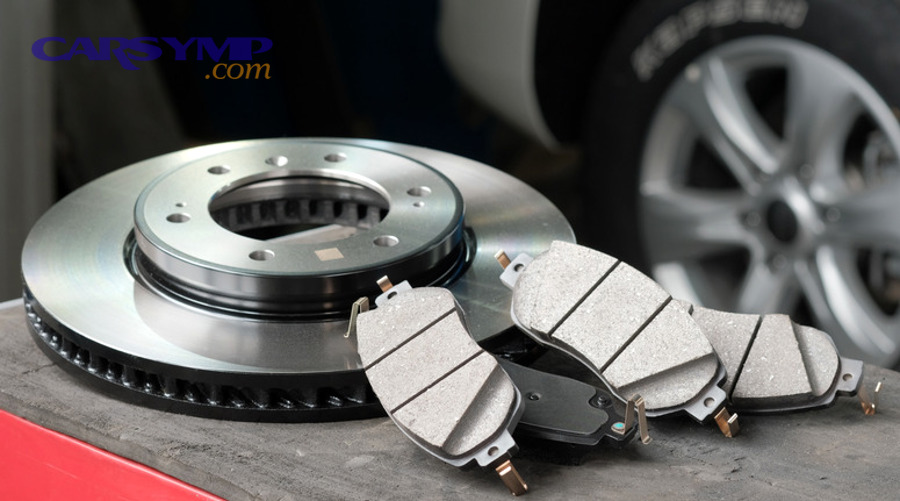
Step 1: Read the wear pattern like a story
Look for matching patterns: if one side of the rotor is shiny while the other is patchy, it can indicate caliper slide issues, seized pistons, or uneven pad pressure. If the rotor shows a ring-shaped wear band, it can signal pad overhang mismatch or a rotor/pad sizing issue.
Next, treat patterns as clues: they tell you whether replacement alone will fix the root cause or just hide it temporarily.
Step 2: Check the rotor hat, vents, and edges for structural clues
Inspect vented rotors for packed rust, cracks, or flaking. Check the outer edge for a heavy lip and the inner edge for corrosion that reduces effective pad contact. These areas often indicate how the rotor has been heat-cycled and whether it can remain stable under load.
After that, if vent corrosion is advanced, replacement is usually the only option that restores cooling and strength.
Step 3: Verify the hub face and mounting cleanliness
Rust scale or debris between the hub and rotor can create a tilt that reads as runout. Clean the hub face thoroughly and confirm the rotor seats flush. Uneven lug torque can also distort the rotor, so tightening in a star pattern and using a torque wrench protects your results.
Next, this is where many “new rotor” comebacks are born: a perfect rotor mounted on a dirty hub behaves like a bent rotor.
Step 4: Make a quick “spin and listen” check before final assembly
With the rotor mounted, spin it and listen for cyclic scraping that can indicate a bent dust shield, trapped debris, or an uneven rotor edge. This quick step can save you from reinstalling wheels just to diagnose a noise that was present before the first test drive.
Next, once you confirm free rotation, you can move confidently to pad installation and final torque.
What happens if you install new pads on bad rotors?
Installing new pads on defective rotors often causes immediate noise, vibration, uneven braking, and rapid pad wear because the pad cannot establish a uniform friction film on an unstable or damaged surface. Next, understand the failure modes so you can predict problems before they show up on the road.
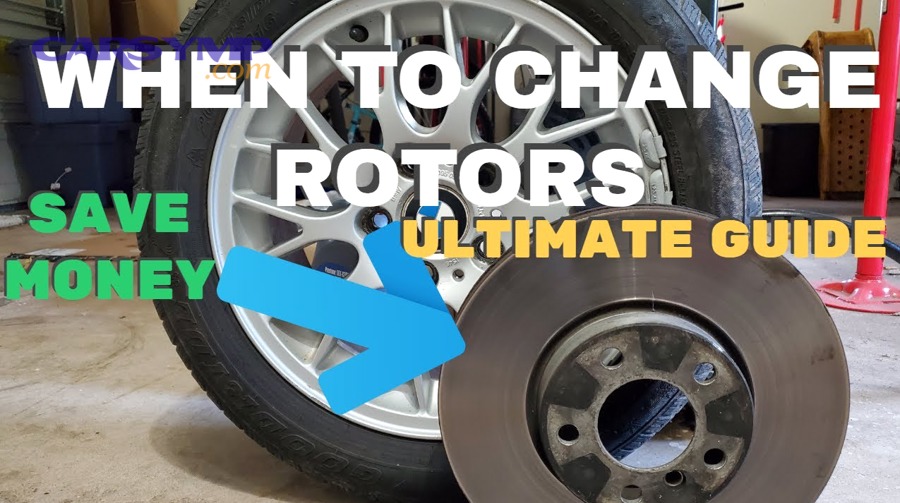
Noise that repeats with wheel speed: why it starts right away
Deep grooves, rust pitting, or hard spots create repeating contact disruptions as the rotor rotates. The pad “skips” across surface defects, and the vibration translates into squeal, scraping, or a rhythmic “shhh-shhh” sound. This is why the car may sound worse after the job even though the pads are new.
Next, when noise repeats with speed, you should suspect the rotor surface and runout before blaming pad compound alone.
Pedal pulsation and steering shake: what you’re really feeling
Pulsation often comes from thickness variation or runout-driven uneven pad deposits. New pads can accelerate this because they lay down transfer film quickly; if the rotor is not true, the film becomes uneven and creates a repeating brake torque variation. The driver feels it as pulsing in the pedal and sometimes vibration through the steering wheel.
After that, the fix is not “drive it more” if the measurements are out of range—correct the surface and geometry first.
Reduced stopping consistency: the overlooked safety risk
Even if peak stopping power feels okay in one hard stop, bad rotors can reduce consistency across repeated stops by overheating faster, glazing pads, and producing unpredictable friction changes. That inconsistency is the real danger in traffic or downhill driving: you need the same pedal effort to deliver the same deceleration every time.
Next, consistency comes from stable rotor mass and a uniform friction layer—both are compromised when the rotor is below spec or damaged.
How do driving conditions change when rotors should be replaced?
Driving conditions matter because heat, moisture, load, and stop frequency directly affect rotor wear, corrosion, and thermal stress, making replacement more likely in certain environments. Next, use these scenarios to predict rotor life and plan the right service strategy.
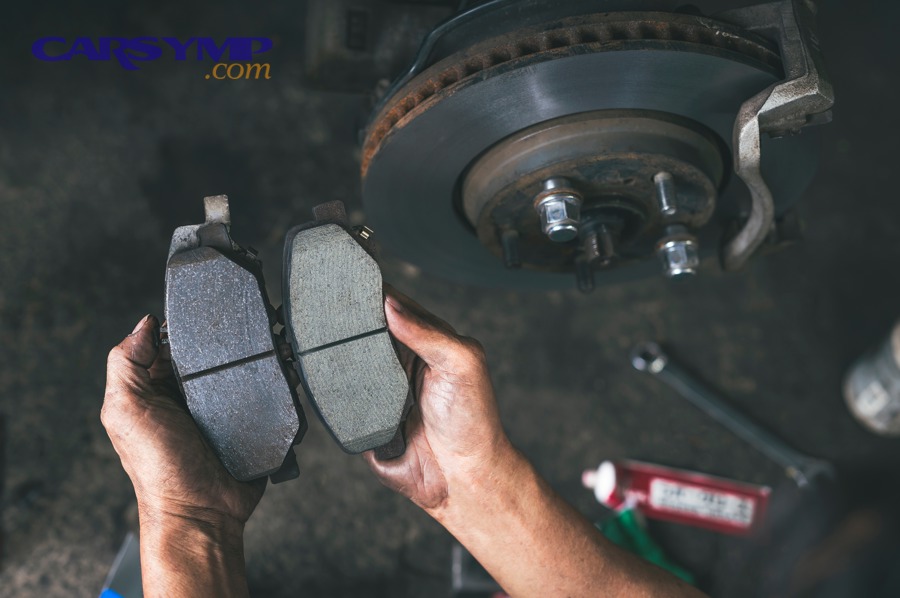
City stop-and-go vs highway cruising
Stop-and-go driving increases brake applications, creating more heat cycles and more opportunities for uneven transfer film if the rotor surface isn’t ideal. Highway cruising may involve fewer stops, but when stops do happen, they can be higher-energy, which stresses marginal-thickness rotors more severely.
Next, if the vehicle is used for rideshare, delivery, or constant traffic, rotor condition should be judged more strictly because small defects amplify quickly.
Mountain driving, towing, and heavy loads
Downhill braking and towing raise rotor temperatures and can expose weaknesses like near-minimum thickness, prior overheating, or uneven metallurgy. In these conditions, resurfaced or thin rotors can fade sooner and distort more easily, so replacement becomes the more conservative choice for safety and durability.
After that, the best “upgrade” is often not a bigger pad, but restoring rotor mass and integrity—replacement does exactly that.
Wet climates and road salt corrosion
Frequent moisture and salt accelerate rotor pitting and rust scale, especially on vented rotors and at edges. Even if braking feels normal today, corrosion can create rough contact zones that shred pads or cause low-speed grinding later. In severe cases, the friction surface becomes uneven enough that replacement is the only way to regain smoothness.
Next, if you regularly see heavy rust rings or pitting, plan on rotor replacement more often than drivers in dry climates.
Performance driving and repeated hard stops
Track days or aggressive driving can produce heat-checking, hard spots, and accelerated wear. When the rotor shows repeated thermal stress signs, replacement is usually more predictable than resurfacing, because machining may not remove the underlying heat damage.
Next, if the vehicle is driven hard, your inspection should prioritize cracks, discoloration, and runout—these are the early warning signals.
What’s the smartest decision process for DIYers and shop visits?
The smartest process is a measured decision tree: confirm rotor specs, inspect for defects, measure runout/thickness variation, then choose reuse, resurface, or replace based on whether the rotor can deliver stable, quiet braking with enough safety margin. Next, align the decision with your tools, time, and risk tolerance.
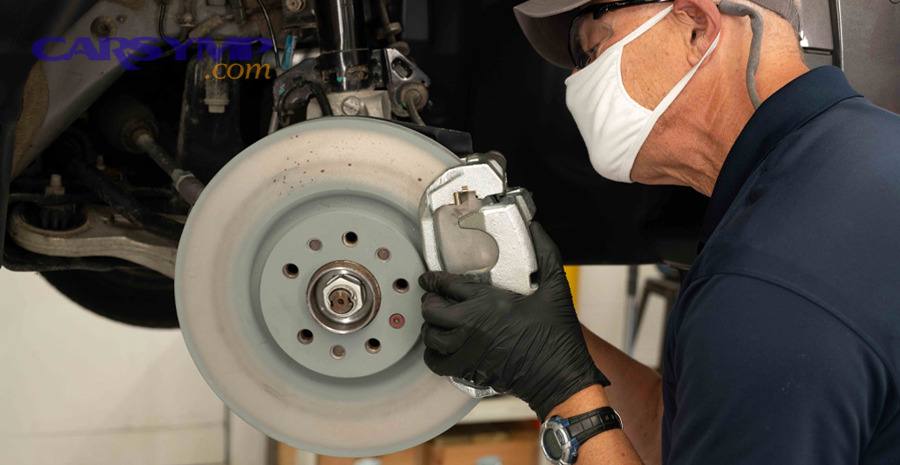
A simple decision tree you can follow in minutes
Start by checking minimum thickness and your measured lowest thickness. If it’s below spec or too close for comfort, replace. If thickness is good, check for cracks, severe corrosion, deep grooves, or hard spots—if present, replace. If the surface is mostly healthy, check runout and look for uneven contact patterns; if runout is high due to hub debris, correct mounting and re-measure before deciding.
Next, if the rotor passes measurements but has light scoring or glazing, resurfacing may be reasonable—provided the final thickness stays comfortably above minimum.
What to ask a shop so you’re not guessing
Ask for the measured rotor thickness (lowest reading), the minimum spec, and whether runout was checked. Ask whether the hub faces were cleaned and whether lug torque will be applied with a torque wrench. Request to see the old rotors if replacement is recommended, and ask which specific defect triggered the decision: cracking, thickness below spec, corrosion pitting, scoring, or heat damage.
Next, good shops don’t just “recommend rotors”—they show you the reason and the measurement that made the decision.
Where the real risk lives when you do it yourself
The highest DIY risk is not the removal; it’s the decision quality and the mounting cleanliness. Reusing rotors without measuring can produce pulsation that you’ll blame on parts quality, and mounting a good rotor on a rusty hub can mimic rotor warp. That’s why measuring tools and cleaning supplies often matter more than speed.
Next, if you’re already planning brake pad replacement, treat rotor evaluation as part of the job—not an optional extra—because rotor stability determines whether your new pads will ever feel “new.”
How to connect rotor choice to the rest of the brake system
Rotor condition interacts with caliper slides, piston retraction, pad hardware, and wheel bearing play. If you see uneven wear patterns or repeated overheating signs, address root causes too. Otherwise, even brand-new rotors can suffer the same fate quickly.
Next, if you’ve experienced Brake pad wear symptoms like persistent squeal, vibration, or rapid pad loss, rotor inspection should be more strict because those symptoms often reflect uneven contact or heat stress in the whole assembly.
Is replacing rotors more cost-effective than resurfacing long-term?
It depends: replacing rotors is often more cost-effective long-term when resurfacing would leave minimal thickness margin, when comebacks are likely, or when corrosion and heat damage shorten the life of machined rotors. Next, compare options using both immediate cost and future risk.
Before the table, this table helps you decide based on rotor condition and expected outcome, so you can choose the option that best balances safety, noise control, and total cost.
| Rotor Condition | Most Reliable Action | Why It Works | Common Risk If Ignored |
|---|---|---|---|
| Below minimum thickness or near-minimum | Replace | Restores heat capacity and safety margin | Overheating, distortion, fast drop below spec |
| Cracks, heavy heat-checking, severe hard spots | Replace | Structural/thermal integrity is compromised | Vibration, noise, crack growth |
| Severe pitting/scaling corrosion | Replace | Restores contact area and predictable friction | Grinding, uneven pad wear, poor bedding |
| Light scoring/glazing, thickness comfortably above minimum | Resurface or reuse (if smooth and true) | Creates uniform surface for stable transfer film | Noise or uneven bite if surface remains uneven |
| Good thickness, smooth surface, low runout | Reuse | Preserves material and avoids unnecessary cost | Problems only if measurements were skipped |
Why “thin but okay” rotors become expensive fast
A rotor that is barely within spec can pass today but fail soon after, which means paying labor twice, dealing with noise or vibration complaints, and potentially damaging new pads prematurely. That’s why replacement can be the cheaper option over the full service interval, even if resurfacing seems cheaper at checkout.
Next, the more heat your driving produces, the more important thickness margin becomes—thin rotors punish you later.
Why resurfacing is only valuable when it improves stability
Resurfacing is valuable when it corrects surface texture and geometry enough to reduce vibration risk and improve pad bedding. If machining simply removes material without solving runout, corrosion, or thermal damage, it becomes wasted cost and can shorten rotor life.
Next, if the shop cannot state the post-machine thickness and confirm it remains comfortably above minimum, replacement is usually the safer purchase.
What labor and downtime do to the “best choice”
Even modest savings on parts disappear if you lose time returning to the shop or redoing the work. In real life, the best choice is the one that delivers quiet, stable braking the first time, especially for daily drivers who can’t afford repeat repairs.
Next, if you’re doing DIY brake pad replacement steps, factor in your personal time: repeating the job because rotors were borderline is the most common regret.
Contextual Border: The main decision logic above focuses on safety and measurable pass/fail criteria. Next, the supplementary section expands into micro-context—practical tips, common myths, and quick FAQs that help you communicate clearly with shops and avoid repeated issues.
Practical tips, myths, and FAQs about rotor replacement timing
Use these micro-context points to avoid common misinterpretations and to make faster, more confident decisions with the same measurements you already learned. Next, the questions below address frequent confusion that leads to unnecessary rotor sales—or risky rotor reuse.
Myth: “All pulsation means the rotor is warped”
Many pulsation complaints come from thickness variation or uneven friction transfer rather than a permanently bent rotor. Specifically, pad deposits can create a repeating torque variation that feels like warp. Next, measuring thickness at multiple points and checking runout helps you identify the true cause and choose the correct fix.
Tip: Always clean hub faces before judging rotor runout
Hub rust and debris can create the illusion of rotor defects by tilting the rotor at installation. Clean the hub, seat the rotor fully, and torque evenly before deciding a rotor is “bad.” Next, this one habit prevents a huge percentage of vibration comebacks.
FAQ: Can I replace pads now and rotors later?
Yes, but only if the rotors are clearly within spec and in good condition; otherwise you risk poor bedding, noise, and uneven pad wear that forces you to redo the work. Next, if the rotors are borderline, doing both together usually saves time and protects the new pads.
FAQ: What’s the fastest “red flag” sign that rotors must be replaced?
Cracks, severe corrosion pitting/scaling, or thickness at/below minimum are the fastest red flags because they indicate structural or thermal limitations that machining cannot reliably restore. Next, when any of those appear, replacement is the most predictable path to quiet, stable braking.
Entity map: brake rotor, disc thickness, minimum thickness, runout, thickness variation, heat checking, corrosion pitting, scoring, hard spots, resurfacing, on-car machining, hub cleaning, lug torque, friction transfer film.