


Clearing (erasing) OBD-II trouble codes is only “correct” when it’s done after a real fix—and when you immediately confirm the problem is gone by re-scanning, checking live data, and completing the drive conditions that prove monitors will pass. This guide shows the exact workflow DIY car owners use to clear codes without losing clues, then verify the repair with confidence.
Next, you’ll learn how readiness monitors and a basic drive cycle work, because clearing codes resets monitor status and can make your car show “Not Ready” even though the check engine light is off. That “Not Ready” state is one of the most common reasons people get stuck after a repair. (obdautodoctor.com)
Then, we’ll cover the mistakes that make codes come back—like clearing too soon, ignoring freeze-frame data, or relying on a battery disconnect that resets more systems than you expect. You’ll also learn how to interpret “pending” versus “confirmed” codes so you don’t declare victory too early.
Introduce a new idea: some codes can’t be erased at all with a scan tool—especially Permanent DTCs—so we’ll close with the “why won’t it clear?” scenarios and what actually proves resolution in those edge cases. (bar.ca.gov)
What does it mean to “clear (erase) OBD-II trouble codes,” and what does it reset?
Clearing (erasing) OBD-II trouble codes is a scan-tool command that removes stored Diagnostic Trouble Codes (DTCs) and typically turns off the MIL, while also resetting readiness monitors and many learned values your ECU uses to fine-tune engine control.
More specifically, this matters because “clear” changes what your car remembers—so you must record key data first, then verify the fix afterward.
Are “clear,” “erase,” and “reset the check engine light” the same thing?
They are synonyms in everyday use, but they are not the same in meaning if you care about diagnosis and verification.
Specifically, “clear/erase codes” describes the action; “reset the check engine light” describes the visible outcome; and “reset” can also imply clearing readiness data or adaptive learning that affects drivability.
- Clear / Erase codes (scan tool): deletes stored DTCs and resets monitor status; it’s a deliberate diagnostic step.
- Reset check engine light: could be done by clearing codes, fixing the issue long enough for the light to go out, or sometimes by a temporary battery disconnect.
- Reset ECU: may imply broader resets (fuel trims, idle learn, throttle adaptation, radio presets) beyond just DTC memory.
Why it matters: if you only chase the light, you can miss the underlying fault that will return under the same conditions—like an intermittent wiring issue that fails only on cold starts.
Does clearing codes fix the problem by itself?
No—clearing codes does not fix the underlying problem because (1) the fault condition can still exist, (2) monitors will re-test and re-flag failures, and (3) you may erase the freeze-frame snapshot that helps you confirm the repair.
Then, once you drive the car, the ECU runs self-check routines again and will often set the code right back if the root cause remains. (obdautodoctor.com)
There are a few reasons people think it “worked”:
- Intermittent faults (loose connector, moisture intrusion) might not fail immediately.
- Enable conditions weren’t met yet (for example, EVAP tests may require certain fuel level and temperature windows).
- Two-trip logic means some codes become confirmed only after repeated failures, so you may only see “pending” at first.
If you just completed a coolant temperature sensor replacement, for example, clearing the code is reasonable—but the “fix” is proven only when the sensor reading stays plausible across a cold start and a full warm-up and the code does not return under the same conditions that triggered it.
Which data should you save before clearing codes (codes, freeze frame, live data)?
You should save three categories of information before clearing: (A) code details, (B) freeze-frame data, and (C) a short live-data snapshot—because those are the fastest ways to confirm the repair later without guessing.
- A) Code details
- Full DTC number (e.g., P0118), status (stored/pending/permanent), and any sub-status notes your tool shows.
- B) Freeze-frame data
- The captured “moment in time” when the ECU decided the fault was real (RPM, coolant temp, load, fuel trims, speed).
- C) Live-data snapshot (30–60 seconds)
- Key PIDs related to the fault (coolant temp, intake air temp, short/long fuel trim, O2 sensor switching, misfire counters if available).
This is especially valuable when you’re tracking Effects on fuel economy and starting after a repair. For instance, a skewed coolant temp signal can enrich fueling like a perpetual cold-start, hurting MPG and causing hard starts—so comparing pre- and post-repair live data helps you prove the car is behaving normally.
Evidence: According to a report prepared by the University of California, Riverside’s Bourns College of Engineering—Center for Environmental Research and Technology (CE-CERT), in 2023, improving inspection/diagnostic performance was associated with an estimated ~56 tons per day reduction of ROG+NOx under a “high performing stations” scenario—highlighting why accurate OBD evaluation and follow-through matters after faults and repairs. (bar.ca.gov)
How do you clear codes correctly with an OBD-II scanner (step-by-step)?
The correct method is: scan → record → repair → clear → rescan → road-verify, and it works because you remove the stored DTC only after you’ve addressed the cause and confirmed the ECU sees normal signals again.
Next, the step-by-step sequence below prevents the most common DIY mistake: clearing first and diagnosing later.
What steps should you follow to clear codes without losing important clues?
Follow these steps in order (this is the practical “no regrets” routine):
- Plug in your scan tool with ignition OFF
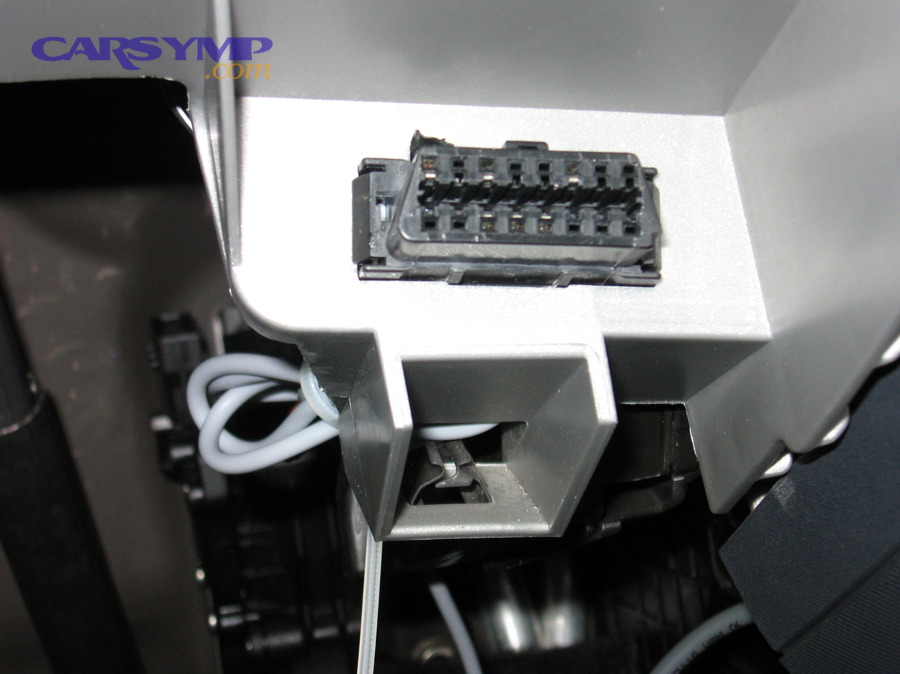
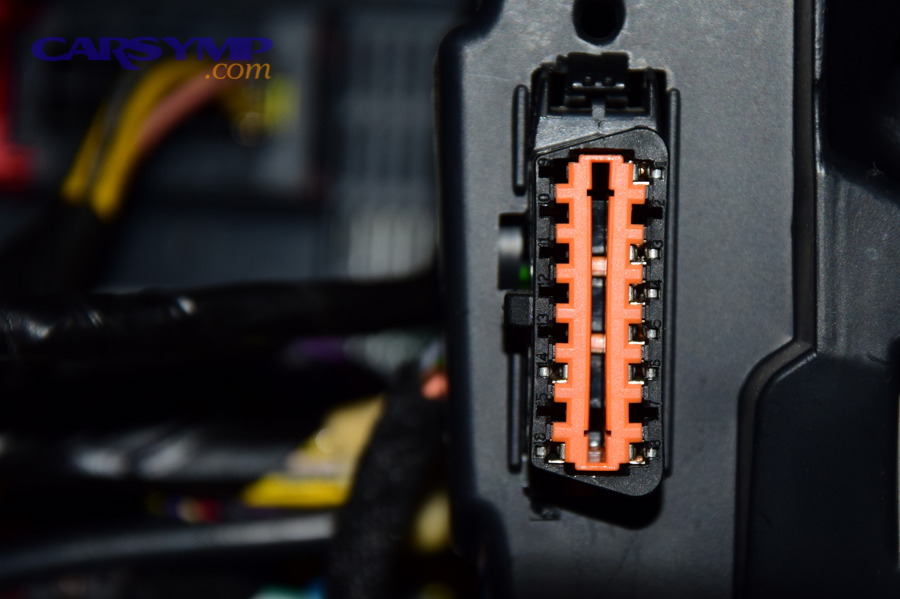
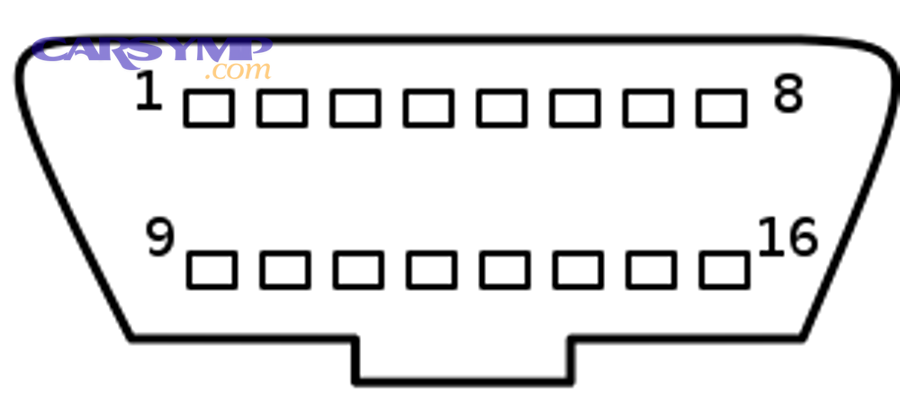
- Locate the 16-pin OBD-II connector (usually under the dash, driver side).
- Turn ignition ON (KOEO), engine OFF
- Let modules wake up; some cars need 10–20 seconds to fully initialize.
- Read codes and status
- Record Stored, Pending, and Permanent if your tool supports them.
- Save freeze frame
- Either screenshot it, export it, or write down key values.
- Check a small set of live data
- Confirm the signal isn’t obviously impossible right now (e.g., coolant temp reading -40°F or 300°F).
- Perform/confirm the repair
- This is where parts and workmanship matter: connectors fully seated, no pin push-out, correct torque, no air leaks.
- Clear codes
- Use the scan tool’s “Erase/Clear DTC” function.
- Rescan immediately
- Ensure Stored codes are gone; note whether any remain as Pending or Permanent.
- Run verification drive
- Short drive + monitor checks (details in later sections).
If you’re budgeting work, a quick Coolant temp sensor replacement cost estimate can help you decide whether you’ll DIY or pay a shop—but regardless of cost, the verification steps stay the same: you clear codes only after the physical fix and then prove the sensor behaves correctly.
Is disconnecting the battery a good way to clear codes compared with a scanner?
A scanner is better because it is (1) controlled, (2) information-preserving, and (3) verification-friendly—while a battery disconnect can reset many learned values and create new drivability issues that muddy your post-repair confirmation.
However, battery disconnect is sometimes used as a last resort when you have no scan tool, the vehicle is older, or a module is locked up.
Before the table: this summarizes what each method clears, what you lose, and what risks you introduce, so you don’t trade one problem for three new ones.
| Method | What it clears | What you lose | Common risks |
|---|---|---|---|
| Scan tool “Clear DTC” | Stored codes; usually resets readiness | Freeze frame (often); monitor status | Minimal if used after repair |
| Battery disconnect | Codes + many adaptations | Radio presets; idle learn; throttle/adaptive values | Rough idle, shifting relearn, clock reset |
| “Wait for it to go away” | Sometimes MIL turns off if fault doesn’t reoccur | You still don’t know if repaired | Code may return at worst time |
Key takeaway: if you’re trying to verify a repair cleanly, use a scan tool so your workflow stays diagnostic rather than disruptive.
What should the scanner show immediately after clearing (MIL, DTC list, monitor status)?
Immediately after clearing, you should see three expected outcomes: (1) MIL often turns off, (2) Stored DTC list becomes empty, and (3) readiness monitor status resets to “Not Ready” for many non-continuous monitors. (obdautodoctor.com)
What “good” looks like right away:
- Stored (Confirmed) codes: none
- Pending codes: ideally none, but sometimes a pending remains if the condition is still present or the car re-failed instantly
- Permanent codes: may remain even after clearing; that’s normal for PDTC scenarios (explained later)
- Readiness: many monitors show incomplete until you drive the right conditions
Evidence: California’s Bureau of Automotive Repair notes that Permanent DTCs cannot be erased by clearing with a scan tool or battery disconnect; they clear only when the OBD system verifies the defect is no longer present. (bar.ca.gov)
How do you verify the repair is actually fixed after clearing codes?
You verify a repair by confirming no codes return, the relevant live data is plausible and stable, and the vehicle completes the self-tests (readiness monitors) that would fail if the defect still existed.
Then, you repeat the conditions that used to trigger the problem, because “verification” means proving the fault can’t reproduce.
What is the fastest “repair verification checklist” you can run in 10 minutes?
There are five fast checks that catch most failed repairs before you waste an hour driving:
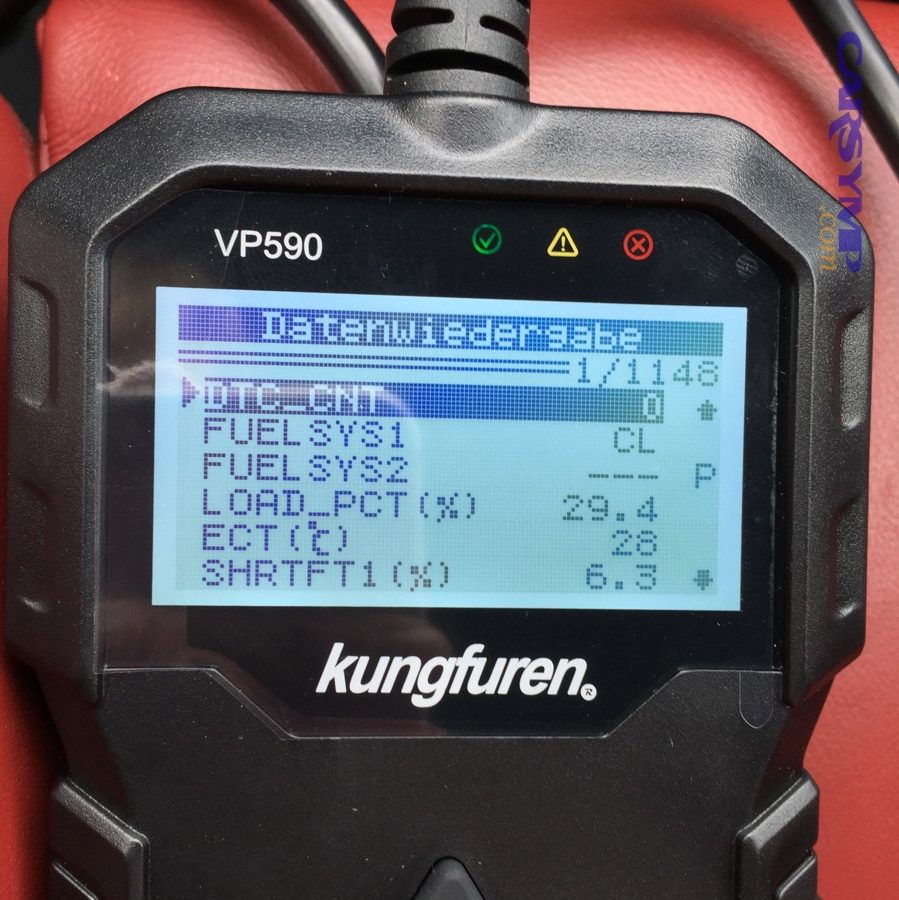
- Immediate rescan (1 minute)
- Confirm Stored codes are gone; note any Pending that appeared instantly.
- Cold-start sanity check (when possible)
- Coolant temp should start near ambient; RPM and idle should stabilize within normal time.
- Live data plausibility (2 minutes)
- Look for “impossible” sensor values (e.g., coolant at -40°F, O2 sensors stuck flat, MAF at zero while revving).
- Short road loop (5 minutes)
- Light acceleration, steady cruise, and one decel; observe drivability and scan tool data if it supports recording.
- Post-drive rescan (2 minutes)
- Confirm no new Pending codes are present.
Example: after a coolant sensor repair, your “pass/fail” is not the absence of the code alone; it’s whether the coolant temp rises smoothly from ambient to operating range, and whether fuel trims settle into a normal band—because those are the signals tied to Effects on fuel economy and starting.
How long should you drive before re-scanning, and what should you look for?
You should re-scan in three phases—immediately, after a short drive, and after a full warm-up (and ideally next-day cold start)—because different faults appear under different conditions.
More specifically, your goal is to see the ECU “try” to fail the system and not succeed.
- Phase 1: Immediately after clearing
- Expect readiness resets; check for instant pending codes.
- Phase 2: After 5–15 minutes mixed driving
- Look for pending codes, abnormal trims, sensor dropouts, intermittent misfires.
- Phase 3: After full warm-up + highway steady cruise
- Many monitors need stable conditions; check readiness progress.
- Phase 4: Next-day cold start (best practice)
- Many coolant/air/temp and intermittent electrical issues reveal themselves cold.
If your original complaint was “Overheating reading vs actual temp mismatch,” the next-day cold start is critical: it’s when a marginal connector, poor ground, or wrong sensor curve often shows up again.
What’s the difference between pending vs confirmed codes when verifying a repair?
Pending codes are early warnings, while confirmed (stored) codes represent faults that met the ECU’s criteria (often repeated or severe enough) to be recorded and potentially command the MIL.
However, pending matters more during verification because it tells you the system is still “seeing something wrong,” even before the MIL turns back on.
Practical verification rule:
- Pending appears after your verification drive: treat it as “the repair is not proven yet.”
- Pending stays clear across repeated conditions: you’re trending toward a verified fix.
- Confirmed returns: the repair failed, or there’s a related underlying issue.
You don’t need to memorize every manufacturer’s logic to use this: just use pending as your “early smoke detector” after a repair.
What is a drive cycle, and how do readiness monitors prove the fix?
A drive cycle is a set of operating conditions (cold start, warm-up, steady cruise, decel, idle) that allows the ECU to run emissions self-tests called readiness monitors, which prove a repaired system passes its checks after codes were cleared.
Next, you’ll learn which monitors matter, why they reset, and how to complete a basic cycle safely.
Which readiness monitors matter most after a repair (catalyst, O2, EVAP, misfire)?
There are two main groups of monitors—continuous and non-continuous—and which ones matter depends on what you repaired and what you’re trying to prove.
Continuous monitors (run frequently):
- Misfire
- Fuel system / fuel trim
- Comprehensive components
Non-continuous monitors (need specific conditions):
- Catalyst
- Oxygen sensor
- Oxygen sensor heater
- EVAP system
- EGR / VVT (vehicle-dependent)
- Secondary air (vehicle-dependent)
Why this matters after clearing codes: clearing often resets non-continuous monitors to “Not Ready,” so your car may be fixed but not yet “proven” by completed tests. (obdautodoctor.com)
What is a “basic drive cycle” a DIY owner can follow to set most monitors?
A basic DIY drive cycle is 5 stages (cold start → warm-up idle → steady cruise → deceleration → mixed driving) designed to give the ECU stable conditions long enough to run multiple monitors and mark them complete.
Then, repeat the stable parts safely and legally until monitors complete.
A common “generic” routine (always obey traffic laws and road conditions):
- Cold start
- Start after sitting several hours; avoid heavy throttle immediately.
- Idle 1–2 minutes
- Let the engine stabilize.
- Steady cruise 5 minutes
- Hold a constant speed (often 45–60 mph range works for many vehicles).
- Decel event
- Lift off throttle and coast down gradually (when safe) to help certain tests run.
- Mixed driving 10–15 minutes
- Combine stop-and-go, short cruises, and a couple steady stretches.
If your goal is emissions readiness, some jurisdictions and OEMs require more specific patterns, and EVAP is famously picky—so “basic cycle” is your starting point, not always the finish line.
Why do monitors stay “Not Ready” even when the code is gone?
Monitors stay “Not Ready” because (1) clearing codes resets monitor status, (2) the ECU requires specific enable conditions to run each test, and (3) short trips or the wrong fuel/temperature window can prevent certain monitors (especially EVAP) from completing. (obdautodoctor.com)
Common enable-condition blockers:
- You never reached stable cruise long enough.
- You didn’t start from a true cold start.
- The fuel level is outside the EVAP test window on many cars.
- Ambient temperature is outside a range the ECU expects.
- A different underlying fault prevents prerequisite tests from passing.
Evidence: California BAR’s OBD test reference notes that certain readiness and verification behaviors (including Permanent DTC handling) are enforced in inspection contexts, reinforcing that “MIL off” is not the same as “system verified.” (bar.ca.gov)
What common mistakes make codes come back (or make verification misleading)?
The most common mistakes are (1) clearing before recording data, (2) verifying with too short a drive or wrong conditions, and (3) mistaking “no light” for “no problem,” which causes codes to return later and wastes time.
Moreover, these mistakes often hide a second issue—like wiring damage or a vacuum leak—that the first repair didn’t address.
Should you clear codes before you repair anything?
No—you should not clear codes first because (1) you can erase freeze-frame clues, (2) you reset readiness which delays verification, and (3) you may mask intermittent patterns that help you find the root cause.
Then, the only exception is when you’ve already captured the data and you’re clearing as a controlled step after diagnostics or as part of a documented procedure.
Good habit: always “read → record → fix → clear → verify.”
What should you do if the same code returns after clearing?
If the same code returns, you should assume either the root cause wasn’t fixed, the repair introduced a new issue, or the ECU is still seeing the same abnormal input—so you must re-check the repair mechanically and electrically before buying more parts.
Specifically, use a tight triage:
- Re-check the connector
- Fully seated, no bent pins, no corrosion, no pin push-out.
- Verify the part
- Correct part number; correct sensor type/curve; correct installation.
- Check the circuit
- Power, ground, reference voltage, and signal continuity.
- Recreate the trigger
- If it failed on cold start, test cold; if it failed at cruise, test at cruise.
Example: If a coolant temp code returns after coolant temperature sensor replacement, don’t assume the new sensor is bad. A damaged harness near the thermostat housing, coolant intrusion in the connector, or a poor ground can recreate the same signal fault.
What should you do if a different code appears after the repair?
If a different code appears, the “new” code is either related (a cascade from the original repair area) or unrelated (a separate fault surfaced now that conditions changed), so you should compare symptoms and data before deciding.
However, you can usually classify it quickly:
- Related codes often involve the same system family (cooling, fuel/air, EVAP) or appear after you disturbed nearby connectors.
- Unrelated codes often point to low voltage, communication issues, or a separate component that happened to fail at the same time.
A smart move is to check charging voltage and grounds before chasing a surprise new code—especially if you did a battery disconnect “reset” and now the car behaves differently.
Why won’t some codes clear (and what proves they’re resolved)?
Some codes won’t clear because they are stored as Permanent DTCs, or because the ECU won’t mark a system “good” until specific monitors run and pass—so the only proof is repair plus completed self-tests under the right conditions.
Next, you’ll learn the edge cases that confuse DIY owners even when the actual repair was successful.
What is a Permanent DTC, and can you erase it with a scanner?
A Permanent DTC is a special emissions-related code record that cannot be erased by a scan tool or battery disconnect; it clears only after the vehicle’s OBD system confirms the fault is gone by running and passing the relevant monitor(s). (bar.ca.gov)
Then, this is why people panic when the scanner says “permanent code present” even though the MIL is off.
California BAR’s reference explains this clearly and also notes a practical detail used in inspection logic: PDTC presence may be ignored under certain conditions after sufficient warm-up cycles and mileage since clearing in some contexts. (bar.ca.gov)
Which conditions prevent EVAP and catalyst monitors from running (fuel level, temperature, short trips)?
There are four common blockers that prevent EVAP and catalyst monitors from running:
- Fuel level outside the ECU window
- Many vehicles require a mid-range fuel level (not full, not nearly empty).
- Ambient temperature out of range
- EVAP testing often needs a temperature window; extreme cold/heat can block it.
- No steady cruise
- Catalyst/O2-related tests often require stable speed/load.
- Too many short trips
- The ECU never sees the complete sequence it needs (cold start → warm-up → stable cruise → decel).
This is why “I drove around for 20 minutes” can still be insufficient: if your drive never included stable cruise or a true cold start, you may not have provided the enable conditions.
How can Mode $06 results help verify a repair before the MIL returns?
Mode $06 is a set of on-board test results that shows the measured values and pass/fail thresholds the ECU uses internally for certain monitors, so it can reveal “almost failing” behavior before a code becomes confirmed.
More specifically, Mode $06 can help you confirm a borderline catalyst, O2 sensor behavior, or EVAP-related performance by showing the monitor test data rather than waiting for a MIL.
It’s not required for most DIY verification, but it is powerful when:
- A code returns only after many trips.
- You suspect a marginal component.
- You want to validate improvement after a repair without waiting weeks.
When should you stop DIY verification and seek a smoke test / professional diagnosis?
Yes—you should stop DIY verification and seek professional testing when (1) the same code returns after careful re-checks, (2) multiple system codes appear together, or (3) the symptoms create safety or engine-damage risk.
Then, a shop’s tools (smoke machine for EVAP/vacuum leaks, lab scope for signal integrity, bidirectional controls) can prove what a generic scanner can’t.
Seek help sooner if you have:
- Repeated overheating symptoms (real overheating, not just a sensor reading issue)
- Severe drivability (stalling, misfiring under load)
- Evidence of coolant/oil mixing or abnormal exhaust behavior
- Persistent Permanent DTCs that won’t clear after the correct drive conditions
Evidence: California BAR states Permanent DTCs cannot be erased by scan tool or battery disconnect and only clear once the OBD system verifies defects are no longer present—so repeated PDTC persistence after proper driving is a strong reason to escalate diagnosis. (bar.ca.gov)