


A door lock actuator replacement overview explains what fails, how to confirm it, and what “replacement” really means inside a modern door latch. If your lock button clicks but nothing moves, or one door lags behind the others, the actuator is often the culprit—not the key or your habit.
Drivers also want to know how to separate an actuator fault from a bad switch, a weak battery, or a communication problem in the vehicle network. That distinction matters because it changes the test you run, the part you buy, and whether the fix lasts beyond a week of “it works again.”
Finally, most people want a realistic replacement path: what the job looks like, what typically breaks during trim removal, and which steps are “must-do” for safety and water sealing. In other words, you want an overview that prevents the common “I replaced it and nothing changed” outcome.
To begin, here’s the core idea: an actuator is a small motorized device that turns an electrical command into mechanical movement in the latch—so the rest of this guide focuses on confirming that translation step, then replacing it correctly.
What does a door lock actuator do inside the latch?
A door lock actuator is a small electric motor-and-gear unit that moves the lock mechanism in the door latch when you press lock/unlock. To be specific, it converts a signal from your switch or remote into a push/pull motion on the latch’s internal lock lever.
Next, understanding where it sits in the system helps you diagnose faster: it’s downstream of the switch and wiring, and upstream of the latch’s lock/unlock lever and linkages.
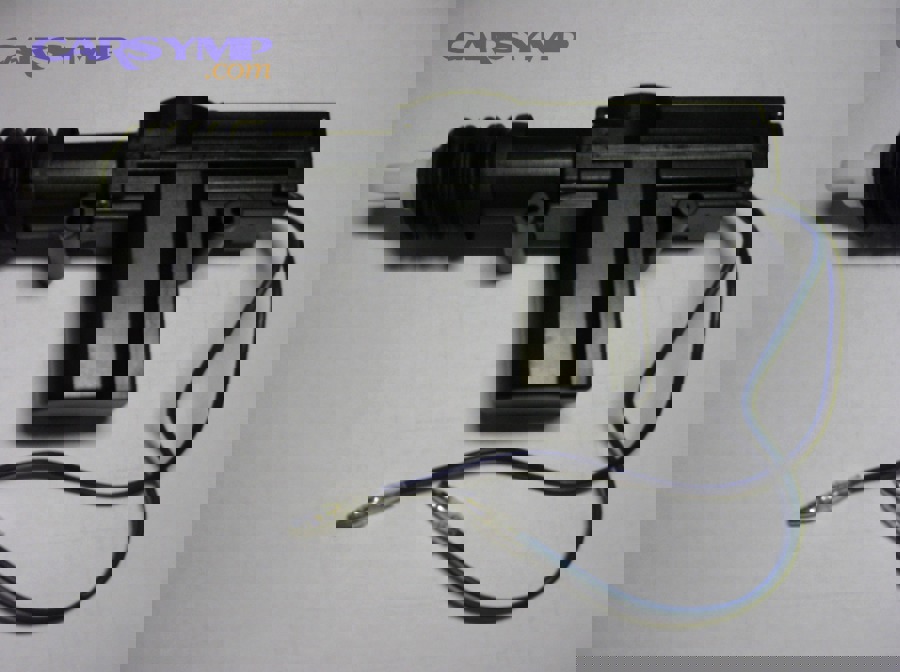
In most vehicles, the actuator is either:
- Integrated into the latch assembly (the actuator and latch are sold together as one unit).
- Bolted to the latch or carrier (replaceable separately on some models).
- Remote style with rods/cables (more common on older designs, using link rods and plastic clips).
To illustrate the system relationship, “power door locks” are a convenience layer that lets one command lock/unlock multiple doors at once, but the actuator is the device that actually performs the lock movement in each door.
Because the actuator performs a mechanical action, it tends to fail in mechanical ways (worn gears, weak motor torque, binding) and electrical ways (corroded connector, high resistance, broken internal brush contact). In real defect investigations, NHTSA has documented powered door lock malfunctions where deterioration over time and use is discussed as a root cause pattern in the locking system’s failure behavior.
Which symptoms point to a failing actuator rather than a switch or fob?
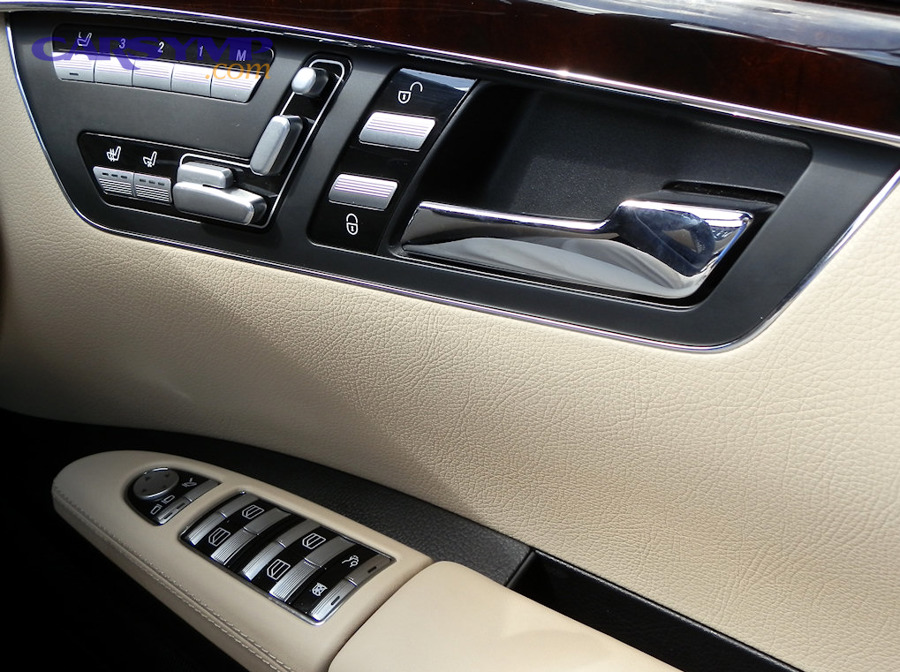
Actuator-related symptoms usually show a command is being sent, but the door’s lock mechanism doesn’t move correctly. Specifically, you’ll often see inconsistent movement, weak motion, or a “try and fail” behavior in one door while others work normally.
Next, use symptom patterns to “triangulate” the fault before removing trim, because symptom grouping can quickly separate actuator failure from input-device issues.
What symptoms are most strongly actuator-like?
Actuator-like symptoms are those where you can hear/feel a command event but the lock doesn’t complete its travel. To be specific, common indicators include intermittent operation, one door failing while others work, or a buzzing/clicking inside the door during lock/unlock attempts.
After that, confirm the symptom under multiple inputs (door switch, remote, passive entry if equipped) to see if the behavior stays localized to one door, which is a strong “meronymy” clue: one actuator within the larger central locking system is failing.
- One door won’t lock/unlock but the rest do (local door hardware issue).
- Lock works only sometimes or only when you slam the door (binding or weak actuator torque).
- Buzzing/clicking in the door without full movement (motor spins but cannot drive the mechanism).
- Manual lock knob feels stiff (mechanical resistance that can burn out a marginal actuator).
Some service-oriented references describe actuator failure signs like in-door noises and inconsistent operation as typical symptom clusters that push diagnosis toward the actuator rather than the switch.
When does the switch or remote become more likely than the actuator?
Switch/fob issues become more likely when multiple doors fail together, or when the failure follows the input method (remote fails but interior switch works, or vice versa). In other words, if the problem “moves” with the input, it’s upstream of the actuator.
Next, treat “all doors fail” as a system-level clue: power supply, fuse/relay, body control module logic, or network communication becomes the first check—not the actuator in one door.
- All doors stop responding at once (power, module, or shared circuit issue).
- Remote fails but door switch works (key fob battery, receiver, or remote programming).
- Door switch fails but remote works (switch, connector, or local wiring at the door panel).
How can you do a fast “no-tools” comparison test?
A quick comparison test is: lock/unlock from three sources (driver switch, passenger switch if available, remote) and watch whether only one door behaves differently. To be specific, a single-door lag or failure across all command sources points to the actuator/latch path in that door.
Then, add a tactile test: lightly rest your fingers on the interior trim near the latch while someone triggers lock/unlock; a faint thump with no movement suggests an actuator struggling against resistance.
Can you replace a door lock actuator yourself, and when should you not?
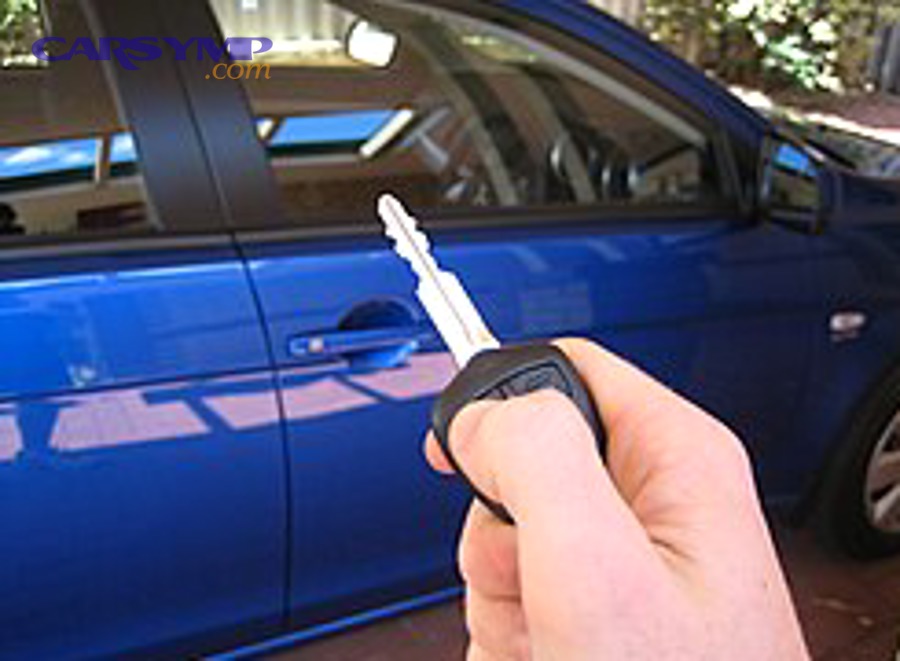
Yes, many drivers can replace a door lock actuator if they can remove trim carefully and follow a step sequence, but you should not DIY if the door has side airbags you can’t safely manage, or if the latch is riveted and requires special tooling. In short, DIY is possible, but not universal.
Next, decide using a risk-and-access checklist, because the hardest part is rarely the actuator itself—it’s preventing broken clips, torn vapor barriers, or airbag-related mistakes.
What makes actuator replacement “DIY-friendly”?
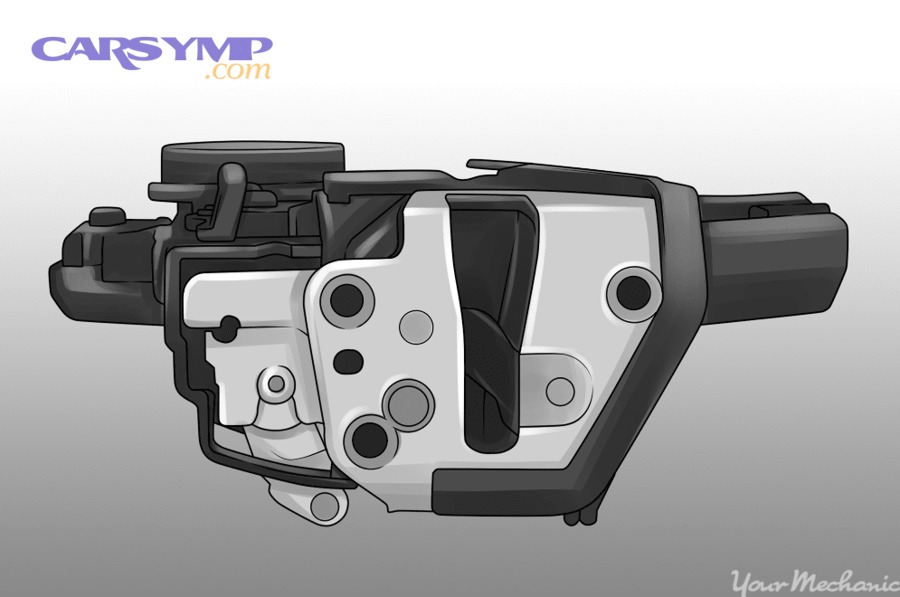
DIY-friendly replacement usually means the latch/actuator is bolted, the window glass does not need removal, and the electrical connector is accessible through the service opening. To be specific, you can typically finish without drilling rivets or disturbing regulators.
After that, your success depends on controlling small parts: rods, clips, and fasteners that love to fall into the door shell.
- Bolted latch/actuator with clear access holes.
- Standard screws (Torx/Phillips/10mm) and reusable clips.
- Minimal cable/rod complexity (fewer linkage points).
When is professional help the smarter choice?
Professional service is smarter when the latch is riveted, the vehicle uses complex keyless access calibration, or the door contains side-impact airbags integrated into the panel where you must disconnect power safely. To be specific, you should avoid accidental deployment risk and avoid water leaks from improper resealing.
Next, treat intermittent “network-like” failures as a caution sign: if multiple doors fail together or the car logs body control module faults, you may need deeper electrical diagnosis before any parts swapping.
- Riveted latch assemblies or hidden fasteners that require drilling.
- Side airbags in the door and uncertain depowering procedures.
- Repeated failures after prior parts replacement (points to wiring/module issues).
How is the replacement done step by step without breaking trim?
The safest replacement method is a controlled, step-by-step process: depower, remove trim, peel the vapor barrier cleanly, access the latch, swap the actuator/latch, then reseal and test. Specifically, the “no-break” goal is to keep clips intact and restore water sealing exactly as it was.
Next, treat the vapor barrier as a functional component, not packing material, because water management failures create electrical corrosion that can mimic actuator problems later.
What is the high-level replacement sequence?
A practical sequence is: (1) disconnect battery or follow OEM depower guidance, (2) remove trim panel, (3) disconnect switches, (4) peel vapor barrier, (5) unclip rods/cables, (6) remove latch/actuator fasteners, (7) install new unit, (8) reassemble and test. To be specific, you test before fully reinstalling the trim.
After that, keep the door glass position in mind: some models require the window to be fully up or partially down to access screws or to remove the latch cleanly.
- Depower and protect: battery negative off (or OEM procedure) and protect paint edges.
- Panel removal: remove hidden screws, then pop clips with a trim tool.
- Connector management: unplug window/lock switch harnesses carefully.
- Water barrier: peel adhesive slowly; avoid tearing; keep it clean.
- Linkages: note rod routing; open plastic retainers instead of forcing rods.
- Latch/actuator removal: remove edge screws (often Torx) and any carrier bolts.
- Swap and pre-test: reconnect harness, command lock/unlock, confirm smooth motion.
- Reseal and reassemble: restore barrier adhesion, reinstall panel, then final test.
Which “small mistakes” cause the biggest comebacks?
The biggest comebacks come from broken rod clips, misrouted cables, and poor vapor barrier resealing. To be specific, one broken clip can create partial travel that looks like a weak actuator, and a poor seal can drip water onto connectors and cause repeat faults.
Next, avoid overtightening latch screws: stripped threads or misalignment can increase friction and shorten actuator life.
- Forgetting to reconnect the lock switch harness before testing.
- Breaking plastic rod retainers and “making it work” with improvised ties.
- Leaving the vapor barrier loose, inviting water intrusion and corrosion.
- Pinching the harness under the trim panel during reassembly.
Video walkthrough example for visual learners
A step-by-step visual can help you understand clip locations and latch screw access on a real door. For example, parts retailers publish vehicle-specific replacements that demonstrate trim removal, latch access, and testing steps.
What parts, tools, and compatibility checks matter before buying?
The correct part depends on whether your actuator is integrated with the latch, whether it uses a cable or rod design, and whether the connector and mounting points match. Specifically, matching by VIN or exact trim level prevents the common “it plugs in but doesn’t fit” scenario.
Next, use a compatibility checklist so you don’t discover differences after the door is already apart.
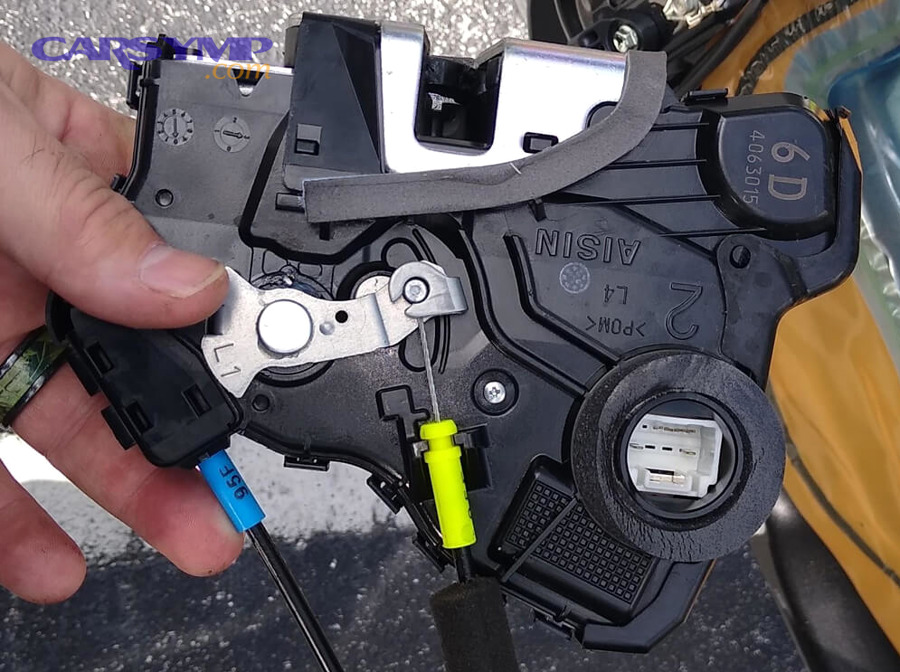
Which actuator “types” should you recognize?
There are three common replacement patterns: latch-with-actuator assemblies, separate actuators mounted to a carrier, and older rod-driven units. To be specific, the assembly type is most common in modern cars because it reduces adjustment points and packaging complexity.
After that, treat “same door, different options” as normal—keyless access, child locks, and deadlock features can change latch variants.
- Latch + actuator assembly: easiest to match, often higher cost, fewer adjustments.
- Actuator-only: lower parts cost, but requires careful transfer and alignment.
- Rod/cable variants: clip and linkage differences matter as much as the motor.
What tools are typically required?
Most jobs require trim tools, screwdrivers, and sockets/Torx bits. To be specific, Torx fasteners are very common on the door edge where the latch is mounted.
Next, plan for lighting and retrieval: a headlamp and a magnetic pickup tool can turn a frustrating “dropped screw” into a 10-second fix.
- Trim removal tools (plastic pry tools to avoid marring).
- Torx bits (commonly T20–T30) and a ratchet with extensions.
- Needle-nose pliers for clips and rods.
- Work light and magnetic pickup.
Which compatibility checks prevent wrong-part headaches?
Compatibility checks include connector shape, mounting ears, and whether the latch includes the same lock cylinder interface and cable routing points. To be specific, even “left vs right” and “front vs rear” can look similar but mount differently.
After that, confirm the electrical behavior: some systems use polarity reversal at the motor, while others route through modules—your replacement must match the expected motor and connector style.
How do you test the new actuator and confirm the fix?
You confirm the fix by testing both electrical command and mechanical movement, then verifying real-world behavior: lock/unlock repeatedly, from multiple inputs, with the door open and closed. Specifically, you want consistent full travel without hesitation or grinding.
Next, test before full reassembly so you can correct rod routing or connector seating without removing the panel again.
What is the best “before panel on” test routine?
A good routine is 10–20 lock/unlock cycles using the interior switch, the remote, and (if equipped) passive entry. To be specific, watch the lock lever and listen for strain: a smooth thunk is normal; repeated buzzing is not.
After that, test manual operation: the inside lock knob and exterior handle should feel normal and not bind, because mechanical friction can overload even a new actuator.
- Cycle test: repeated lock/unlock with the harness connected.
- Door-open vs door-closed: some binding only appears when the door is latched.
- Manual feel check: lock knob/handle should move smoothly.
How do you avoid false “still broken” conclusions?
False conclusions come from forgetting to reconnect a switch harness, leaving the child lock engaged on a rear door, or mis-seating a rod clip so the lock doesn’t fully travel. To be specific, verify every connector clicks into place and every linkage is fully seated.
Next, if the new actuator behaves correctly but the door still won’t respond to remote commands, shift diagnosis upstream—receiver, module, or programming—rather than blaming the brand-new part.
What does replacement typically cost and how long does it take?
Replacement cost varies by whether the actuator is sold with the latch, the door location, and labor time in your region. Specifically, front doors often cost more due to more wiring, more controls, and more frequent use.
Next, treat time estimates as “door complexity,” not just the actuator: trim type, airbag presence, and latch access holes change labor more than the part itself.
This table contains a practical planning view: what typically drives time and cost, and what each factor changes in the job.
| Factor | What it affects | Practical takeaway |
|---|---|---|
| Actuator-only vs latch assembly | Parts price, alignment effort | Assemblies cost more but reduce adjustment risk |
| Door location (front/rear/sliding) | Labor time, access difficulty | Front doors often have more harnesses and controls |
| Fastener type (bolts vs rivets) | Tooling and time | Rivets can turn a 1-hour job into a longer procedure |
| Side airbag in door | Safety procedure | Follow depower guidance to reduce risk |
| Water barrier condition | Repeat-failure risk | Reseal carefully to prevent moisture-related issues |
Some labor-time references for actuator-related repairs cluster around roughly an hour for straightforward doors, but complexity can push it higher when latch access is limited or when extra trim and carriers must be removed.
What diagnostic “proof” helps you avoid replacing the wrong part?
The best proof is evidence that power and command reach the door, but mechanical movement fails at the latch. Specifically, you want a localized confirmation: the same command source works for other doors, yet one door does not move or moves weakly.
Next, move from “symptom” to “testable checkpoints” so you can stop guessing.
Which checkpoints build a confident diagnosis?
Checkpoints include: (1) input consistency, (2) sound/tactile feedback at the door, (3) manual movement smoothness, and (4) connector integrity. To be specific, if manual movement is stiff, you may need to address binding before blaming electronics.
After that, consider this research-style anchor: according to a technical report by NHTSA’s Vehicle Research and Test Center, in a door latch integrity study covering failure mechanisms, multiple failure modes were identified and evaluated rather than relying on a single test—highlighting why latch/lock problems often require more than one checkpoint to isolate the weak link.
- Consistency test: does the same command fail only on one door?
- Mechanical resistance: does the lock knob feel abnormally stiff?
- Connector check: is there looseness, corrosion, or water staining?
- Door-jamb flex: does opening/closing the door change behavior (wiring fatigue clue)?
Contextual Border: The sections above cover the main replacement overview and the core decision logic. Below, we expand into edge cases, prevention, and high-signal FAQs that help you choose between replacing parts and diagnosing the system around them.
Edge cases, prevention, and decision support for lock actuator work
In real ownership, actuator replacement is rarely isolated: weather, wiring flex, and module logic can either cause the failure or bring it back. Specifically, the goal here is to prevent repeat symptoms and to handle special situations without guessing.
Next, you’ll see practical micro-context checks that help you decide whether to replace, repair, or diagnose deeper.
When should you suspect wiring or a module instead of the actuator?
Suspect wiring or a control module when multiple doors fail together, when symptoms change with door movement, or when the problem appears after water intrusion or body repairs. To be specific, the door jamb harness flexes thousands of times and can break conductors internally.
After that, keep system phrases in your mental map without forcing them into headings: Keyless entry module troubleshooting is relevant when the remote/push-button logic fails across multiple doors, while Central locking not working causes becomes the umbrella when the issue is system-wide rather than door-local.
In an NHTSA engineering analysis report about malfunction of electric powered door locks, the investigation context discusses failure/malfunction modes and deterioration patterns over time and use—reminding you that the fault can be in the powered lock system behavior, not just one mechanical part.
How do you reduce the chance of repeat actuator failure?
You reduce repeat failure by reducing friction and moisture exposure: keep linkages moving freely, restore the vapor barrier seal, and avoid forcing a stiff manual lock knob. Specifically, repeat failures often come from a new actuator fighting the same old binding or corrosion.
Next, think in “cause-control” steps:
- Restore water management: reseal the vapor barrier and ensure drain paths are clear.
- Reduce friction: confirm rods/cables route smoothly and clips are intact.
- Protect connectors: ensure connectors are fully seated and not under tension.
- Fix root causes: if the lock is stiff manually, address latch binding before it burns out the motor.
Also, keep the broader service vocabulary in the body where it belongs: central locking repair is appropriate when you correct shared power/logic issues, while Key fob vs door switch vs actuator diagnosis is the decision tree that prevents wrong-part replacements. And if you’re organizing your learning notes for a site like Car Symp, this micro-context belongs in your “prevent repeat fault” cluster rather than in the headline structure.
What special cases change the job plan?
Special cases include sliding doors, frameless windows, deadlock features, and vehicles that require additional disassembly to access latch fasteners. Specifically, any design that hides the latch behind carriers or requires glass/regulator movement increases time and risk.
Next, use a quick special-case list before you start:
- Sliding doors: larger assemblies and different latch retention geometry.
- Deadlock/superlock: actuator commands may be different and more sensitive to low voltage.
- Aftermarket alarm/remote start: splices can create voltage drop and intermittent lock behavior.
- Recent body/door work: misalignment can increase latch friction and mimic actuator weakness.
FAQ: Quick answers drivers actually need
Is it safe to drive with a bad door lock actuator? It’s usually drivable, but not ideal: you may not be able to secure the vehicle, and a door that won’t reliably latch/lock should be treated as urgent. If the latch itself is compromised, stop and fix it.
Will replacement fix a system-wide lock problem? Not if all doors fail together. In that case, diagnose power supply, control logic, and shared circuits first; the actuator is a door-local component.
Should you replace one actuator or all of them? Replace the failed door first unless your vehicle has a known pattern across doors. If multiple doors show the same delayed or weak motion, check voltage and mechanical binding before buying multiple parts.
What is the most common “I replaced it and it still fails” reason? Misdiagnosis (the issue was upstream), broken linkage clips, or water intrusion that wasn’t corrected—so the new part is fighting the same resistance or corrosion again.