


When a warning light comes on, using an OBD2 scanner is the fastest way to turn guesswork into a clear plan: connect to the car’s computer, read the trouble codes, capture freeze-frame data, and confirm the most likely cause before you buy parts or book a shop visit.
Next, you’ll need to know where the OBD2 port is, what “key on/engine off” really means, and what basic safety checks keep you from chasing false faults or accidentally resetting important data.
Then, you’ll learn how to interpret code families (like P0xxx vs P1xxx), link codes to real-world symptoms, and use live data to tell the difference between a one-time glitch and a repeatable failure.
Introduce a new idea: once you understand the scanning workflow, you can make smarter decisions about urgency—especially when the warning light is tied to overheating, braking, or stability control—so you protect the car and your wallet.
What is an OBD2 scanner for warning lights?
An OBD2 scanner for warning lights is a diagnostic tool that connects to your vehicle’s 16-pin OBD2 port to read fault codes, sensor data, and system status so you can identify why a dashboard warning light is on and what to check next. To better understand why this matters, start by separating what an OBD2 tool can do from what it can’t do—and where “code reader” fits in.

Is an OBD2 scanner the same as a code reader?
Yes—a code reader is a type of OBD2 scanner, but not all OBD2 scanners are just code readers, for three practical reasons: data depth, system coverage, and test capability.
- Data depth: A basic code reader mainly reads and clears engine/emissions codes. A more advanced scan tool adds freeze-frame details, live data graphs, and readiness monitors.
- System coverage: Many “OBD2” tools only access the engine computer (powertrain). Better tools also read ABS, traction/stability, airbag/SRS, and sometimes body modules.
- Test capability: Some scan tools can run actuator tests, initiate EVAP tests, or do bidirectional controls on supported vehicles—features a code reader won’t have.
If your goal is “Why is this light on right now?” a code reader can be enough. If your goal is dashboard warning lights diagnosis across multiple systems, you’ll want more than a bare-bones reader.
What warning lights can an OBD2 scanner read?
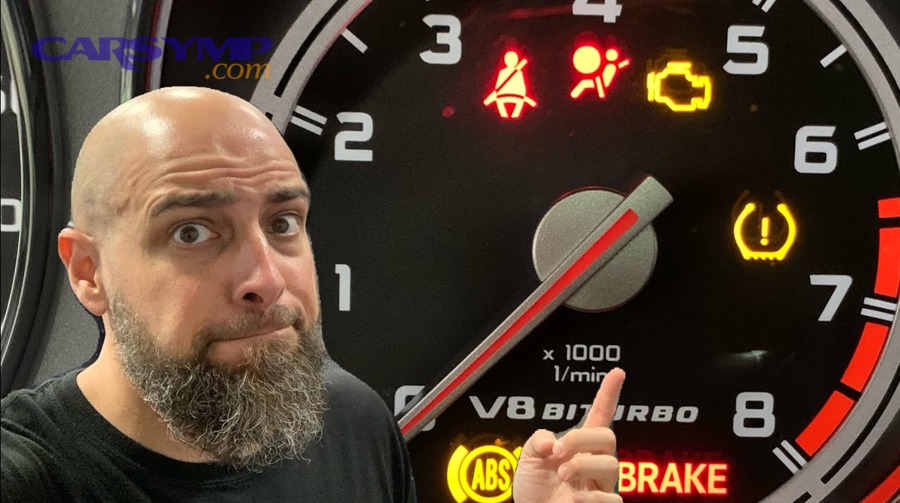
An OBD2 scanner can reliably help with warning lights tied to emissions and powertrain—especially the check engine light (MIL)—and may also help with ABS, traction/stability, brake, and airbag/SRS lights if the tool supports those modules.
In real life, that means your scanner might diagnose:
- Check engine / service engine soon
- Misfire/rough running-related warnings
- Fuel/air sensor issues (O2 sensor, MAF/MAP, fuel trim problems)
- Catalyst efficiency and EVAP leaks
- ABS/traction/stability faults (tool must support ABS/ESC modules)
- Airbag/SRS faults (tool must support SRS module)
What can’t an OBD2 scanner tell you?
An OBD2 scanner can’t magically identify the failed part without confirmation, for three common reasons:
- A code points to a system, not always a component. Example: “O2 sensor circuit” can be wiring, exhaust leak, sensor heater, fuse, or the sensor.
- A symptom can trigger multiple codes. A vacuum leak may set fuel trim codes, misfire codes, and catalyst-related codes.
- Some faults aren’t electronically monitored. A slipping belt, low coolant, or mechanical brake wear can cause Car Symptoms without an OBD2 code.
That’s why good scanning is a workflow: code → context → confirm → fix.
Where is the OBD2 port, and what do you need before you plug in?
The OBD2 port is a standardized 16-pin diagnostic connector—usually under the driver’s side dash—used to connect a scan tool to the vehicle’s computers for reading codes and data. Next, you’ll avoid the most common “no communication” or “random codes” problems by prepping the vehicle and your scanner the right way.
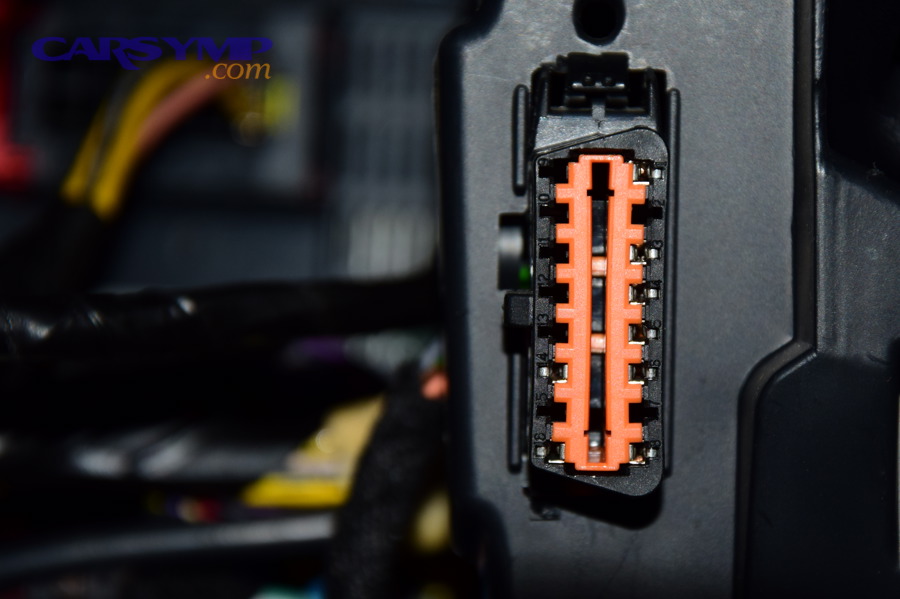
Where is the 16-pin DLC usually located?
Most vehicles place the DLC in easy reach of the driver area—often:
- Under the steering column
- Left side lower dash panel
- Driver footwell near the fuse panel
- Near the center console or knee bolster
If you can’t find it quickly, check the owner’s manual. Don’t force panels—some cars hide it behind a small cover.
What safety checks should you do first?
Before you plug in, do these quick checks to prevent bad reads and avoid chasing false issues:
- Battery health: Low voltage can cause communication faults and weird sensor data.
- Ignition position: Know whether you’re using KOEO (key on, engine off) or KOER (key on, engine running).
- Warning light severity: If you see overheating, brake failure warnings, or a flashing check engine light, prioritize safety over scanning.
- Secure connection: Seat the connector fully; a half-connected plug can cause dropouts.
This is where you protect the workflow: you want accurate data once, not five partial scans.
What vehicles are OBD2 compliant?
Most 1996+ gasoline vehicles and many later diesels use OBD2-style diagnostics, and they use the system to self-test emissions components via readiness monitors. (dmv.ny.gov) Practically, if your car has the 16-pin port and standard readiness monitors, you’re in the OBD2 world.
How do you scan dashboard warning lights with an OBD2 scanner step by step?
To scan warning lights correctly, use a three-pass method—(1) connect and identify the vehicle, (2) pull codes + freeze-frame, and (3) review live data + monitors—so you capture what happened and what’s happening now. Then, once the scan is complete, you can triage urgency and plan the next diagnostic step instead of guessing.
How do you connect the scanner (KOEO vs KOER)?
Use this simple rule:
- KOEO (Key On, Engine Off): Best for reading stored codes, module communication, and basic system status.
- KOER (Engine Running): Best for live data, misfire counters, fuel trims, and verifying sensor behavior.
Step-by-step:
- Turn the car off. Plug the scanner into the DLC.
- Turn key to ON (or press start without brake on push-start cars) for KOEO.
- Let the scanner connect and, if prompted, enter VIN/vehicle profile.
- Read codes (stored + pending) before clearing anything.
- If you need live data, start the engine and switch to KOER.
How do you pull codes, freeze frame, and live data?
A strong scan captures three layers of truth:
- Stored codes: The primary reason the light came on.
- Pending codes: Issues the car is seeing but hasn’t confirmed enough to turn the light on.
- Freeze-frame data: A snapshot of conditions when the code set (RPM, coolant temp, load, speed, fuel trims).
- Live data: What sensors are doing right now.
Use this practical sequence:
- Record all codes first. Screenshot or write them down.
- Open freeze-frame for the most important code (usually the first listed).
- Check live data for “sanity”:
- Coolant temp rising normally
- O2 sensors switching (on many gasoline engines)
- Fuel trims not extreme
- MAF/MAP readings plausible for RPM/load
- Battery voltage stable
- Check I/M readiness monitors if inspection readiness matters.
One quick win: freeze-frame tells you whether the issue happened cold, hot, at idle, at highway speed, or under load—which can narrow the cause dramatically.
How do you prioritize “red/yellow” warning light situations?
Not all lights are equal. Use this triage logic:
- Stop/urgent (red behavior):
- Flashing check engine (possible catalyst-damaging misfire)
- Brake warning + poor braking feel
- Overheat warning or rising temp gauge
- Caution (yellow behavior):
- Steady check engine
- ABS/traction/stability lights (braking still works, but safety systems may be disabled)
- Informational:
- Service reminders (not a fault code)
This is where your scanner supports safer decisions—especially in a Coolant temp warning and overheating response, because overheating can damage the engine long before a code becomes “helpful.”
What do OBD2 codes mean for common warning lights?
OBD2 codes translate warning lights into standardized fault categories—powertrain (P), body (B), chassis (C), and network (U)—so you can identify which system flagged a problem and what conditions triggered it. More specifically, once you understand code structure and system coverage, you can match the right scan strategy to each dashboard light.
How is an OBD2 code structured (P0xxx, P1xxx, etc.)?
Most DIY scanning revolves around P-codes:
- P0xxx: Generic powertrain codes (standardized across brands)
- P1xxx: Manufacturer-specific powertrain codes
- B-codes: Body (airbag, HVAC, etc.)
- C-codes: Chassis (ABS, traction, steering systems)
- U-codes: Network/communication (CAN bus issues)
A quick interpretation habit:
- P0 codes are easier to research and often have clearer diagnostic paths.
- P1 codes may require brand-specific data or a better scan tool.
Which codes commonly trigger the check engine light?
Common check engine triggers include:
- Misfire codes (P0300–P030x): Random or cylinder-specific misfires
- Fuel/air metering: MAF/MAP issues, fuel trim lean/rich codes
- O2 sensor and heater circuits
- Catalyst efficiency (often P0420/P0430)
- EVAP leaks (gas cap, purge/vent faults)
Here’s why urgency matters: misfires can be emission-related or catalyst-damaging. A Chalmers University of Technology master’s thesis from the Department of Applied Mechanics (Division of Combustion) explains that continuous catalyst temperatures around 900–1000°C can cause irreversible damage and notes OBD-II misfire requirements tied to protecting the catalyst. (publications.lib.chalmers.se)
That’s why a flashing MIL is a “stop diagnosing casually” moment—your scanner is telling you to act fast, not just collect codes.
How do ABS vs traction vs brake light differences affect scanning?
The ABS vs traction vs brake light differences determine whether a basic OBD2 reader is enough:
- ABS light: Fault in ABS system (wheel speed sensor, tone ring, ABS module). Engine-only readers often can’t pull C-codes.
- Traction/stability light: Often linked to ABS wheel speed data, yaw sensors, steering angle sensors, or engine torque management. Needs chassis module access.
- Brake warning light: Can be low brake fluid, parking brake, hydraulic issues, or electronic brake module faults. Some causes won’t show as OBD2 codes.
Practical takeaway: if you’re trying to diagnose ABS/traction/brake lights, you usually need a scanner that can read chassis modules, not just generic engine codes.
How do you turn code results into a real diagnosis and repair plan?
You turn code results into a diagnosis by combining codes + freeze-frame + a confirmation test so you fix the root cause instead of swapping parts based on guesses. Next, you’ll use a simple decision framework to choose the right confirmation steps, prioritize repairs, and reduce repeat failures.
How do you confirm a code with tests before buying parts?
Use a “confirm before you buy” checklist:
- Verify the symptom in live data
- Example: If the code suggests the engine is running lean, look at fuel trims.
- Inspect the basics
- Loose intake clamps, cracked hoses, damaged wiring, blown fuses
- Use a targeted test
- Smoke test for EVAP/vacuum leaks (often at a shop)
- Multimeter check for sensor power/ground
- Visual check for coolant leaks if temperature behavior is odd
A code is a clue; a test is proof.
What are fast “high-probability” fixes vs deeper diagnostics?
Fast fixes (often DIY-friendly) usually involve:
- Loose gas cap or obvious EVAP hose damage
- Vacuum leaks you can see/hear
- Damaged connector pins or corroded grounds
- Simple sensor replacement after confirmation (like a failed upstream O2 heater circuit)
Deeper diagnostics (often needs tools/experience):
- Intermittent wiring faults (wiggle tests, scope work)
- Catalyst efficiency failures (requires upstream cause analysis)
- Network (U-code) communication issues
- ABS module or stability sensor calibrations
A useful habit is to rank fixes by:
- Cost
- Likelihood
- Risk of collateral damage
- Time to confirm
When should you stop DIY and go to a professional?
Go pro when:
- The light indicates a safety-critical system (brakes, airbag faults you can’t interpret)
- The engine is overheating (you need immediate Coolant temp warning and overheating response)
- The MIL is flashing and you can’t identify/stop a misfire quickly
- You need specialized tests (smoke machine, oscilloscope, bidirectional controls)
A scanner gets you to the correct next step—sometimes that next step is “book a diagnostic.”
When and how should you clear codes and reset warning lights?
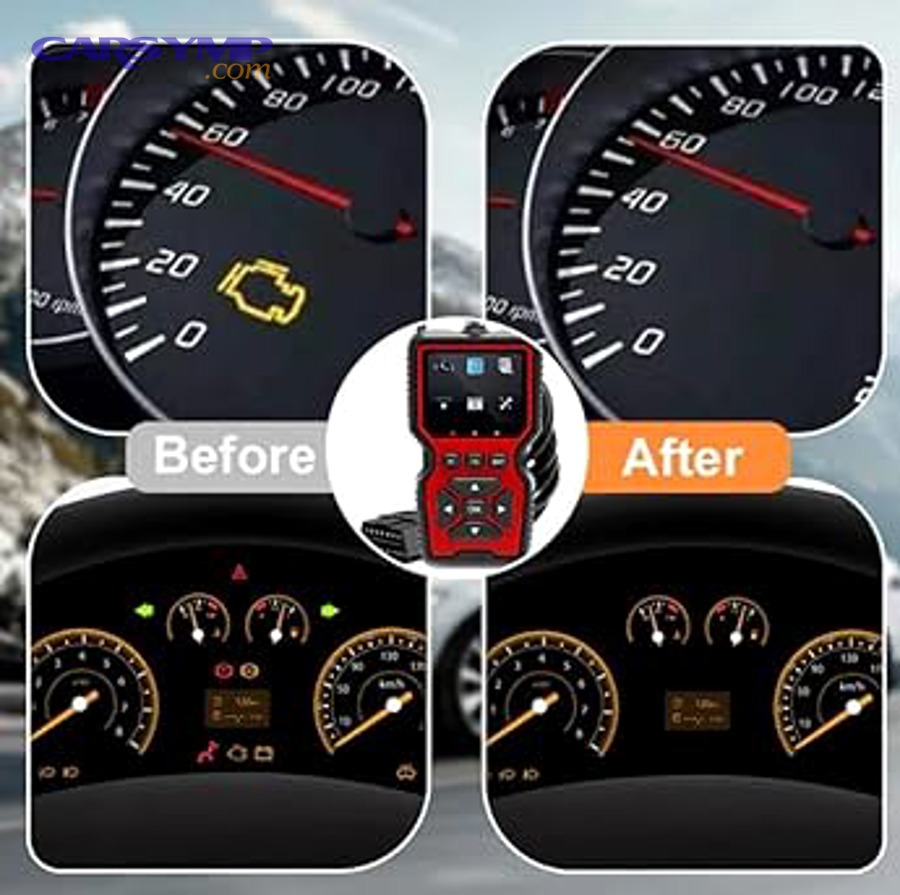
No—you should not clear codes immediately unless you’ve recorded them, because clearing can erase freeze-frame context and reset monitors that you may need for diagnosis and inspection readiness. Then, once you’ve documented everything, you can clear codes strategically and confirm the fix with a controlled drive and rescan.
Should you clear codes right away?
No, and here are three reasons:
- You lose context: Freeze-frame data is often the best “what happened” snapshot.
- You may hide intermittents: A pending issue might disappear until it returns worse.
- You reset readiness monitors: That can create a “not ready” inspection failure situation. (dmv.ny.gov)
How do you clear codes safely and keep data for later?
Use this safer workflow:
- Save the scan report (screenshots, app export, or written notes).
- Fix or confirm the suspected cause.
- Clear codes with the scan tool (not by disconnecting the battery unless you must).
- Drive and rescan after the light stays off through mixed conditions (idle, cruise, light load).
If your scanner/app supports it, export a “before” and “after” report. That’s how you build a personal maintenance history.
What happens to readiness monitors when you clear codes?
Clearing codes often resets readiness monitors to “not ready,” and your vehicle needs drive cycles to rerun emissions self-tests. A New York State DMV guide explains that clearing DTCs (or disconnecting the battery) is a common cause of “not ready,” and that vehicles won’t pass inspection unless required monitors are ready. (dmv.ny.gov)
To make this more concrete, here’s a quick table showing what typically resets when you clear codes—so you know what you’re trading off.
| Action | What you gain | What you lose |
|---|---|---|
| Clear codes after recording data | Fresh baseline to verify repair | Freeze-frame context + monitor readiness resets |
| Clear codes without recording data | Fast “light off” moment | Diagnostic history, freeze-frame, inspection readiness |
| Disconnect battery | Forces reset if tool can’t clear | Resets learned values, radio settings, monitor readiness |
Which OBD2 scanner (code reader vs scan tool) should DIY drivers buy?
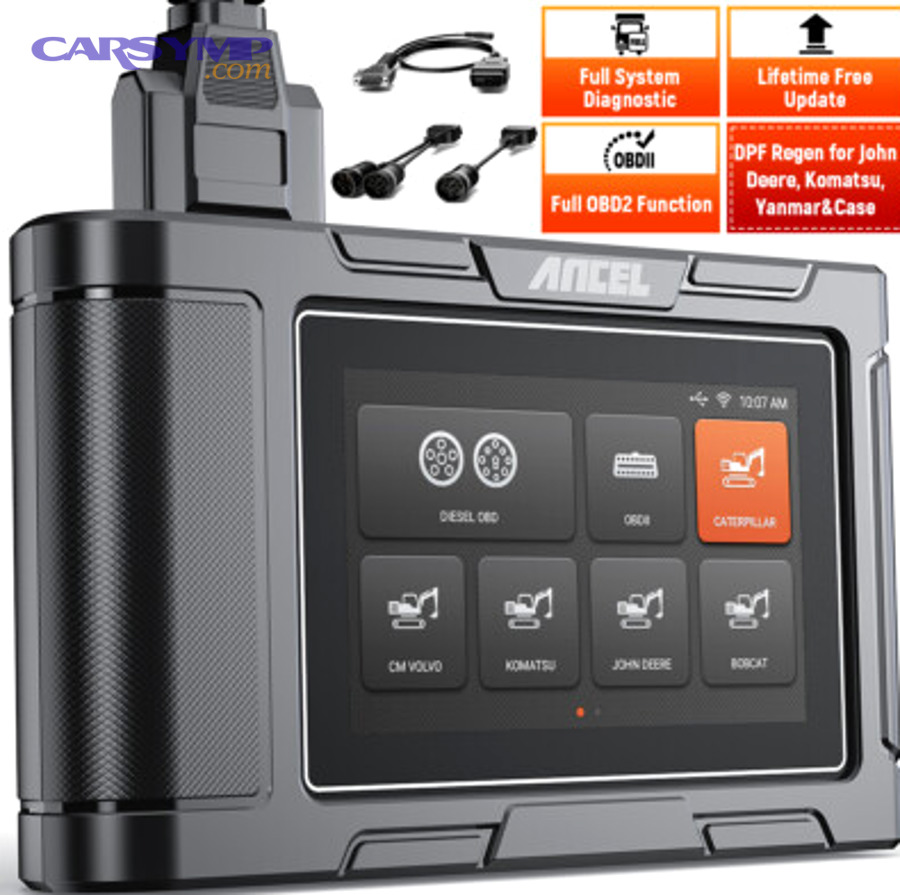
A scan tool is best for multi-system warning lights, while a code reader is best for quick check engine diagnostics—because scan tools win in coverage, data features, and future-proof value, and code readers win in simplicity and price. On the other hand, the “right” pick depends on what lights you want to diagnose and how often you’ll use it.
What features matter most (live data, enhanced codes, ABS/SRS)?
For DIY drivers focused on warning lights, prioritize:
- Live data + graphing (fuel trims, coolant temp, O2 sensor behavior)
- Freeze-frame access
- I/M readiness monitors
- ABS module support (if you care about braking/stability lights)
- SRS/airbag support (if you want to read/clear airbag codes responsibly)
- Clear explanations (built-in code library or quality app)
If your content or workflow includes diagnosing multiple systems, these features turn “code reading” into real dashboard warning lights diagnosis.
Bluetooth dongle vs handheld scanner vs tablet: which wins?
Use this comparison mindset:
- Bluetooth dongle + app
- Best for: convenience, data logging, phone-based UX
- Watch out for: app quality, vehicle compatibility, subscription traps
- Handheld scanner
- Best for: reliable plug-and-play, no phone pairing
- Watch out for: limited updates on cheaper models
- Tablet-style scan tool
- Best for: deeper system coverage, professional-style workflow
- Watch out for: cost, complexity (but often worth it if you DIY a lot)
If you’re frequently dealing with ABS/traction lights and broader Car Symptoms, a tablet-style tool (or a high-end handheld) usually delivers more value than repeated parts guessing.
What budget ranges make sense for DIY drivers?
A practical budget approach:
- Entry (~$20–$50): Engine codes, basic clearing, limited data
- Mid (~$60–$150): Better live data, freeze-frame, readiness monitors, sometimes ABS
- Higher (~$200+): Multi-system diagnostics (ABS/SRS), better apps, more reliable updates
Think like this: if one avoided “wrong part” purchase saves you $100–$200, a better scanner can pay for itself quickly.
What does “not ready” mean after clearing codes, and how do drive cycles affect inspections?
“Not ready” means your car’s OBD2 system has not yet completed required self-tests (readiness monitors) after codes were cleared or power was reset, so the inspection system may reject the vehicle until those monitors run and report “ready.” In addition, knowing how many monitors can remain incomplete, what a generic drive cycle does, and how permanent codes behave helps you clear warning lights without creating a new inspection headache.
How many readiness monitors can be “not ready” and still pass?
Rules vary by state/program, but the New York DMV guide notes EPA guidelines that allow up to two monitors “not ready” for 1996–2000 model years and one monitor “not ready” for 2001+ model years. (dmv.ny.gov) So if you cleared codes yesterday and your test is tomorrow, you may be setting yourself up to fail on readiness—not because the car is broken, but because the tests haven’t rerun.
What is a generic drive cycle and why does it matter?
A drive cycle is a set of operating conditions (cold start, steady cruise, decel, idle, etc.) that lets the ECU rerun monitors. The NY DMV guide explains that drive cycles reset monitors back to “ready,” and some cases require multiple cycles with a cool-down period. (dmv.ny.gov)
Practical tips:
- Start from a cold engine if your vehicle’s cycle requires it (many do).
- Combine city + highway driving.
- Avoid clearing codes again during the process.
What are permanent DTCs and why won’t they erase?
Permanent DTCs are codes that cannot be erased by a scan tool clear or battery disconnect; they clear only after the vehicle verifies the fault is gone. California’s Bureau of Automotive Repair notes that permanent DTC checks were added to inspections and that PDTCs can only be cleared by the OBD II system once it confirms the defect is no longer present. (bar.ca.gov)
This is why “just clear it” can fail—your scanner can hide a regular code, but permanent codes require an actual fix plus verified operating conditions.
How do you avoid “not ready” failures next time?
Use this prevention checklist:
- Don’t clear codes right before inspection unless you’re forced to.
- Fix the cause first, then drive enough to set monitors.
- Check readiness on your scanner before you go.
- If you’re stuck, consult manufacturer drive cycle info (some cars are picky).
According to a dissertation by Georgia Institute of Technology from the School of Civil and Environmental Engineering, in 2013, a vehicle sample used in emissions-related analysis showed an average annual mileage of about 16,650 miles/year across 98,572 samples, which helps explain why “normal driving” often sets monitors for many drivers—but not for low-mileage or short-trip patterns. (nctspm.gatech.edu)