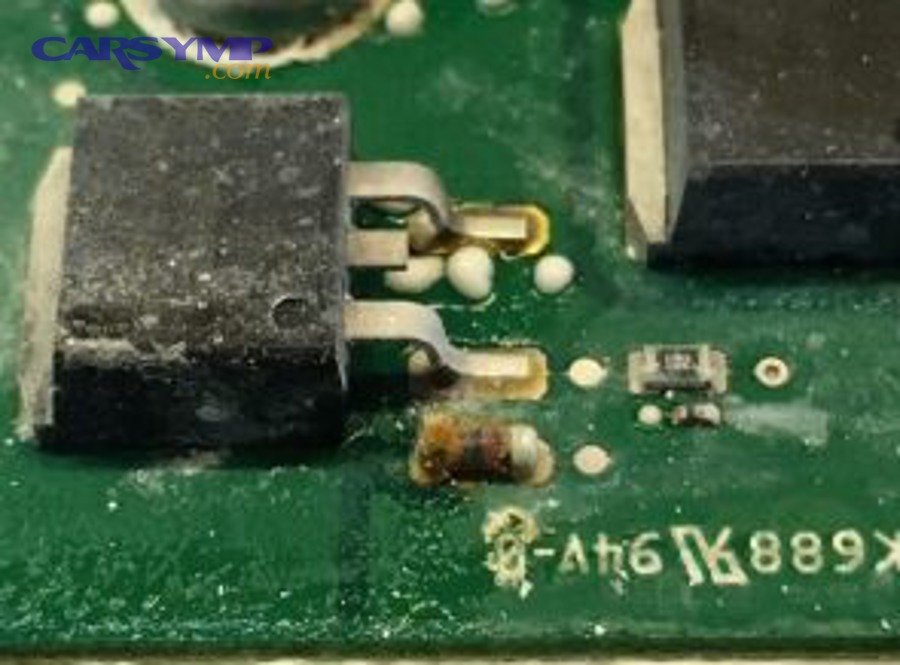
If you suspect water intrusion, the fastest way to protect your vehicle is to inspect the ECU in a strict order—connectors first, then the housing, then the circuit board (only when safe)—so you can confirm corrosion risk before it turns into a no-start or repeated electrical faults.
Next, you’ll learn what water damage and corrosion actually look like, why they often cause intermittent problems, and how to separate cosmetic residue from the kind of corrosion that changes electrical signals.
Then, you’ll get a practical prep plan: basic tools, safety steps, and documentation, so your inspection doesn’t create new problems and your findings can be verified quickly by a technician.
Introduce a new idea: once you understand the signs and the safe workflow, you can follow the connector-to-circuit-board checklist below to decide whether you should clean, dry, repair, or replace—and what a shop will typically do during an ECU check.
What is “ECU water damage and corrosion,” and why can it cause intermittent faults?
ECU water damage and corrosion is moisture-driven contamination or oxidation that attacks ECU connectors, terminals, and circuit-board metals, often creating high resistance, signal distortion, or short paths that show up as intermittent faults before total failure.
More importantly, water problems are deceptive: a vehicle can run “fine” until humidity, heat cycles, or vibration changes the contact quality. That is why a structured inspection matters more than guesswork.
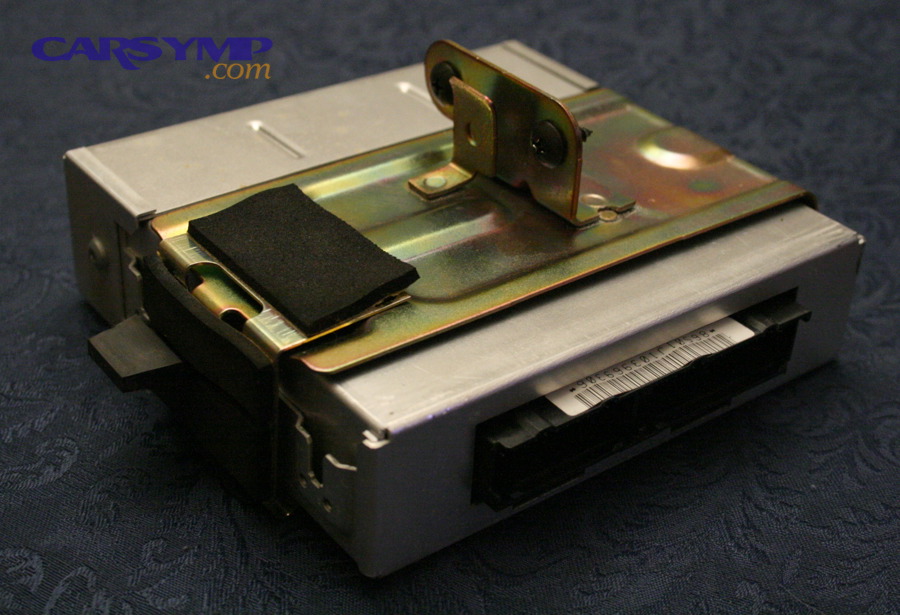
What are the most common signs of water intrusion on an ECU and its connectors?
Water intrusion signs cluster into three visible groups—moisture evidence, residue evidence, and leak-trail evidence—based on where the water traveled and what it carried with it.
Moisture evidence (what you can feel or smell):
- Damp connector cavity, damp loom tape, or wet foam insulation near the ECU mount
- Musty odor, mildew smell, or “wet carpet” smell in the cabin (common when the ECU sits under the cowl or passenger footwell area)
- Condensation droplets inside a connector shell (often after a temperature swing)
Residue evidence (what water leaves behind):
- White chalky film or crystalline deposits on plastic edges or terminal faces (often dried mineral salts)
- Sticky film on connector faces (can be road spray mixed with grime, or degraded seal lubricant)
- Dark streaking where dust stuck to a wet surface and dried
Leak-trail evidence (what shows the route):
- Water lines on the ECU case or bracket
- Dirt “paths” that look like runoff marks
- Debris packed into cowl drains or drip channels above the ECU location
A key inspection habit: always compare the clean side vs the suspect side. If one connector is spotless and the adjacent one shows residue, you likely have a directional leak path instead of general aging.
What does corrosion look like on ECU pins, terminals, and housings?
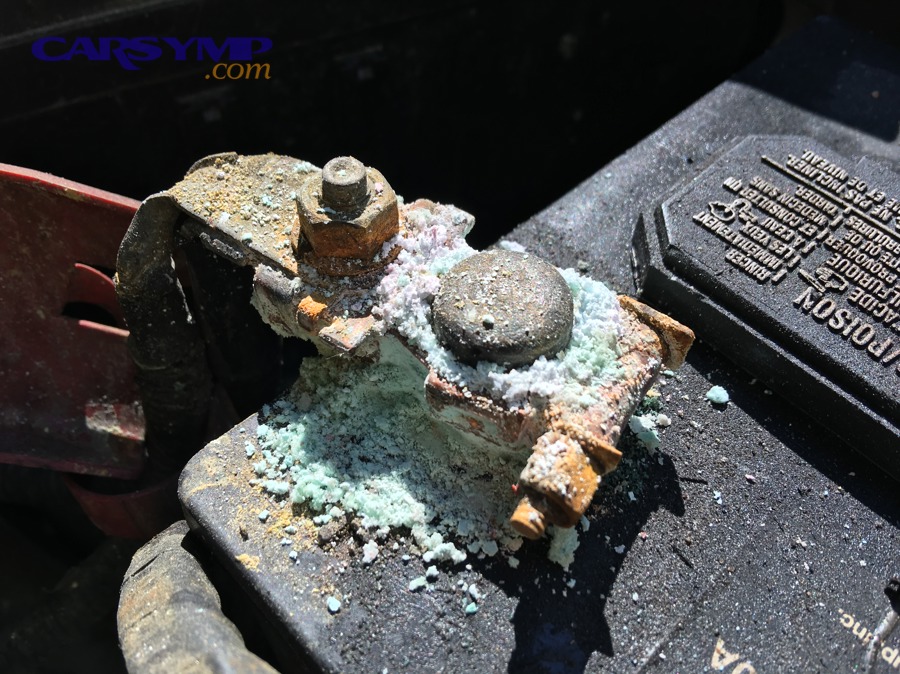
Corrosion is metal degradation caused by chemical or electrochemical reactions, and in automotive connectors it typically shows up as color, texture, and fit changes that increase resistance or create intermittent contact.
Common visual patterns you can identify quickly:
- Green/blue corrosion (typical of copper alloys): fuzzy green crust near pin bases or inside terminal barrels
- White powder (common on aluminum surfaces or mixed deposits): chalky buildup around case seams or terminal faces
- Dark/blackened terminals: oxidation, heat staining, or contaminated films that interfere with low-voltage signals
- Pitting: tiny crater-like marks where metal has been eaten away
- Swollen or cracked seals: water got past the barrier and stayed long enough to attack metal surfaces
Corrosion also changes “feel.” A connector that used to click smoothly may now:
- Require abnormal force to latch
- Feel gritty during insertion
- Refuse to seat fully because deposits change the geometry
Can an ECU still work with mild corrosion, and should you keep driving?
Yes, an ECU can still work with mild corrosion, but you should treat driving as risky because (1) corrosion often worsens with heat/humidity cycles, (2) vibration can turn “barely contacting” terminals into intermittent open circuits, and (3) conductive contamination can trigger unpredictable shorts.
Next, connect this to real symptoms: if your vehicle shows random stalling, sudden limp mode, multiple unrelated warning lights, or communication codes, continuing to drive can escalate a small connector issue into a repeated failure that becomes harder (and more expensive) to diagnose.
A practical rule:
- Drive only if necessary and avoid heavy rain/water exposure until you inspect and address the leak path.
- If the car already has no-start or severe misfire, prioritize inspection/tow because repeated cranking with unstable power/ground can complicate diagnosis.
Evidence (why intermittent contact is a known failure pattern): According to a study by University of Leeds from the School of Mechanical Engineering, in 2006, fretting-corrosion in electrical contacts is described as a degradation process that leads to increased or intermittent contact resistance faults, directly aligning with the intermittent behavior drivers experience.
What tools and safety steps do you need before inspecting an ECU?
You need basic hand tools, safe power isolation, and careful handling so you can inspect ECU connectors and surfaces without shorting pins, damaging seals, or introducing static or debris that changes the evidence.
Then, use that preparation to keep your inspection repeatable: the goal is to observe and document, not to “scrub until it looks fine” before you know what you’re dealing with.
Do you need to disconnect the battery before unplugging the ECU?
Yes, you should disconnect the battery before unplugging the ECU because (1) it reduces the chance of accidental shorting across terminals, (2) it protects the ECU from voltage spikes or unintended wake-up states, and (3) it prevents arcing or partial-contact events when connectors are pulled at an angle.
Next, do it in a controlled way:
- Turn the ignition off and remove the key (or power down the vehicle per manufacturer steps for push-button systems).
- Wait a few minutes so modules go to sleep.
- Disconnect the negative terminal first (typical best practice).
- If the ECU is in a sensitive area (footwell), protect carpets with a towel so you don’t drag moisture into the workspace.
What basic tools make ECU corrosion inspection easier without special equipment?
There are 8 basic tools that make ECU inspection clearer and safer, based on visibility, access, and documentation:
- Bright flashlight or headlamp (strong beam reveals residue textures)
- Inspection mirror (lets you see behind mounting brackets)
- Magnifier or phone macro mode (helps spot pitting or green fuzz)
- Trim tools/screwdrivers (for covers without breaking clips)
- Nitrile gloves (keeps skin oils off terminals and keeps contaminants off you)
- Zip ties or labels (mark connector positions so nothing gets swapped)
- Clean, lint-free cloth (wipe exterior surfaces lightly—after photos)
- Contact-safe cleaner category (only if you’re cleaning after documenting; avoid oily sprays that attract dirt)
If you plan to open a serviceable ECU case, add an ESD-safe habit: touch a grounded metal point before handling the board and avoid rubbing plastic bags or synthetic fabric near exposed electronics.
What should you document so a shop can confirm the diagnosis faster?
You should document four proof layers—symptoms, codes, visuals, and environment—so the shop doesn’t waste time recreating the same observations during the ECU testing process at a shop.
Document this in order:
- Symptoms timeline: when it happens (rain, car wash, after sitting overnight), how long it lasts, and whether it’s getting worse
- DTCs and freeze-frame data: even a basic scan helps; do not clear codes yet
- Photos before touching anything: connector faces, pin cavities, ECU case seams, nearby drains/grommets
- Environment clues: wet carpet, clogged cowl drains, water trails, condensation marks
This documentation directly reduces paid diagnosis time because the shop can start with targeted verification instead of open-ended exploration.
How do you inspect ECU connectors and harnesses for water damage step by step?
Use a 7-step connector-to-harness method that starts with external observation and ends with close-up terminal inspection, so you can identify corrosion severity and water travel without guessing.
Specifically, connectors are the highest-yield inspection point because most ECU water damage begins as a seal failure or water path that reaches terminals before it ever reaches the circuit board.
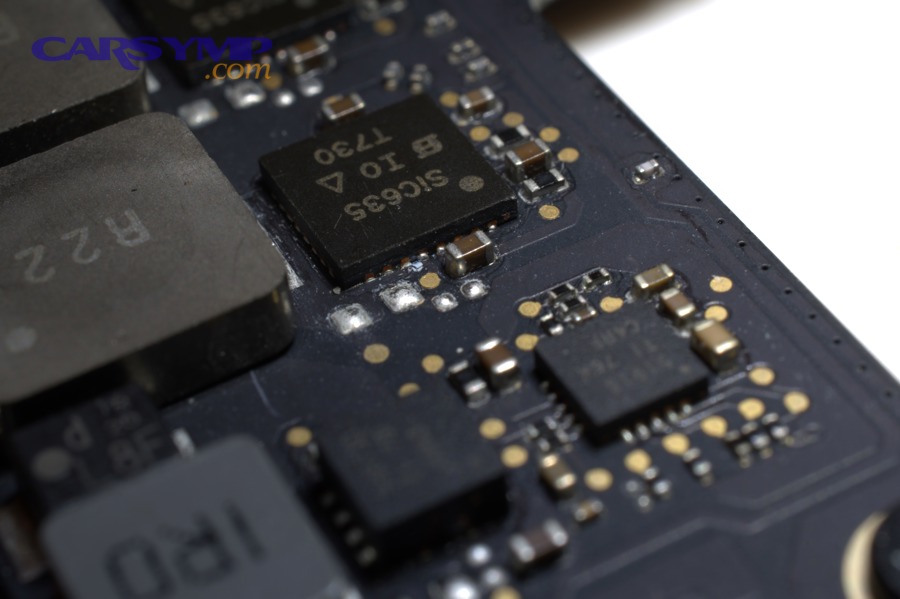
Is there visible corrosion or moisture in the connector cavity and around the seals?
Yes or no—answer it like a checklist, because a clear decision point prevents you from “half-cleaning” something that should be repaired or replaced.
If YES (you see moisture, green crust, white powder, or wet residue):
- Photograph the connector face from multiple angles first
- Look for the seal lip condition (cracks, flattening, missing sections)
- Check the latch and secondary lock (a loose latch can allow micro-movement and water ingress)
- Inspect whether corrosion is localized (one or two pins) or widespread (a leak path that soaked the cavity)
If NO (connector looks clean and dry):
- Still inspect the harness routing and nearby drains
- Look for moisture further back in the loom (wicking can hide inside conduit)
To connect this to outcome: a connector can appear “dry” while still having a contamination film that changes resistance under humidity—so you’re looking for both obvious and subtle signs.
What are the most common water entry paths that wet the ECU harness?
There are 6 common water entry paths that wet ECU harnesses, grouped by where the water starts:
From above (gravity-fed leaks):
- Cowl drain blockage (leaves/debris cause water to pool and spill into the electronics area)
- Windshield seal leaks that drip behind trim and onto harness runs
- Sunroof drains that overflow into pillars and footwells
From inside (condensation or drain failure):
- A/C evaporator drain blockage that dumps water into the passenger area
From the firewall and underbody (spray/wicking):
- Firewall grommet leaks where harness passes through
- Wheel-well splash reaching connectors mounted low or behind liners
The practical logic: if you can identify the path, you can stop repeat corrosion—because cleaning a connector without fixing the leak is a short-lived win.
How can you tell if water wicked through the wiring loom (capillary action)?
Wicking happens when moisture travels inside the harness wrapping or along wire strands, so you should look for remote corrosion—damage that appears away from the obvious leak point.
Signs that strongly suggest capillary action:
- Green staining or residue under loom tape when you gently peel back a small section
- Corrosion on terminals that are not the lowest point (meaning water traveled internally)
- Moisture trapped inside split loom conduit
- Multiple connectors showing similar residue patterns along the same harness branch
This matters because harness wicking can keep feeding moisture to the connector even after the cabin “looks dry,” which is why intermittent problems can return days after a storm.
Evidence (why vibration + corrosion becomes intermittent): According to a study by University of Leeds from the School of Mechanical Engineering, in 2006, fretting-corrosion is linked to vibration-driven micro-displacements that lead to increased or intermittent contact resistance, which matches real-world cases where faults appear while driving and disappear when parked.
How do you inspect the ECU housing and mounting area for water exposure?
Inspect the ECU housing by checking case seams, gaskets/vents, and the mounting environment so you can determine whether water reached the module externally before you even consider opening it.
Moreover, the mounting area often tells the story: water stains on brackets, pooled debris, and drip trails are “map marks” that explain why corrosion started.
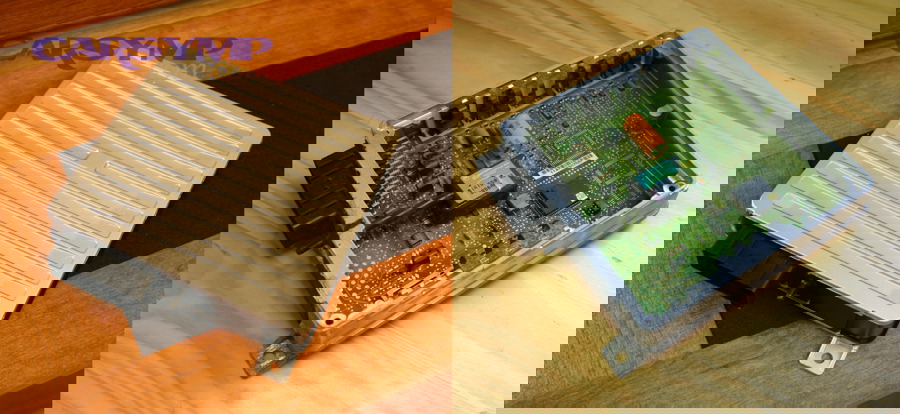
Does the ECU case show water lines, residue, or compromised gaskets/vents?
Yes or no—confirm it with three checks, because the housing is your first clue about exposure severity: (1) case surface staining, (2) seam integrity, and (3) vent/gasket condition.
Check 1: Case staining and residue
- Look for water lines that stop sharply (pooling)
- Look for dirt stuck to one side (water ran along that face)
Check 2: Seam and fastener area
- Check screw heads for rust staining
- Check seam edges for white residue (often dried minerals)
Check 3: Gaskets and vents (if present)
- Some ECUs are sealed; others have venting strategies
- A compromised gasket can let humid air in repeatedly, not just liquid water once
Interpretation rule: a single splash event often leaves localized marks, while repeated seepage usually leaves layered residue and broader staining.
What should you check around the ECU that confirms the source of the leak?
You should check the “upstream environment” in a tight radius so you can connect the ECU damage to a fix:
- Above the ECU: cowl drains, weather stripping, windshield corners, drip rails
- Beside the ECU: harness routing clips, grommets, and foam insulation that can hold moisture against the case
- Below the ECU: pooled water marks, dirty tide lines, or corrosion on brackets
A powerful technique is to look for the highest point that shows water evidence—that point is often closer to the source than the ECU itself.
How do you inspect the circuit board for corrosion if the ECU can be opened safely?
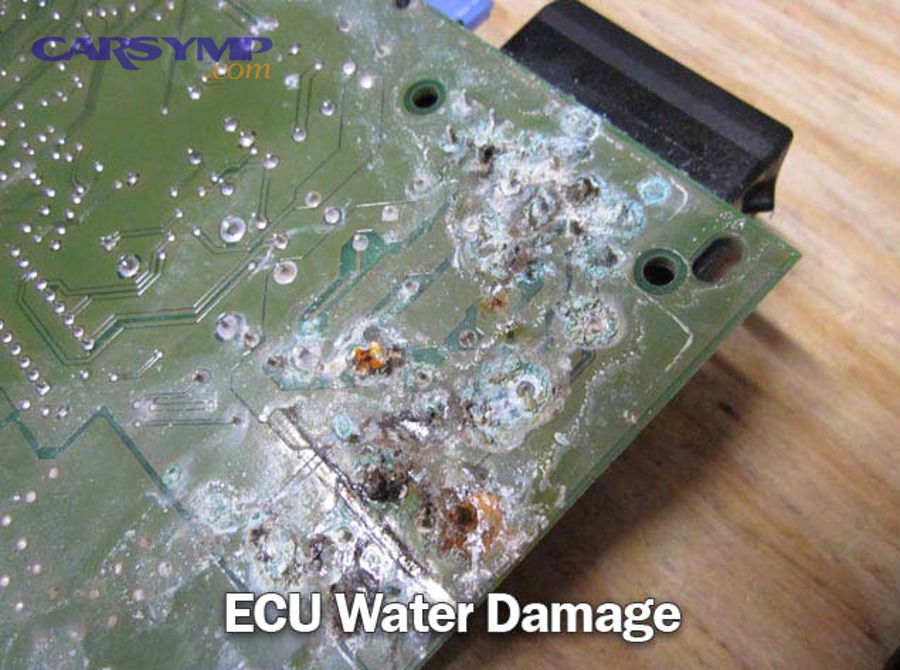
Circuit-board inspection is a controlled, last-step procedure where you open the ECU only if it’s designed to be serviced, then look for corrosion patterns that indicate high failure risk such as trace damage, bridged deposits, or under-coating oxidation.
However, not all ECUs should be opened: many are sealed or potted, and forcing them can cause more harm than the original leak.
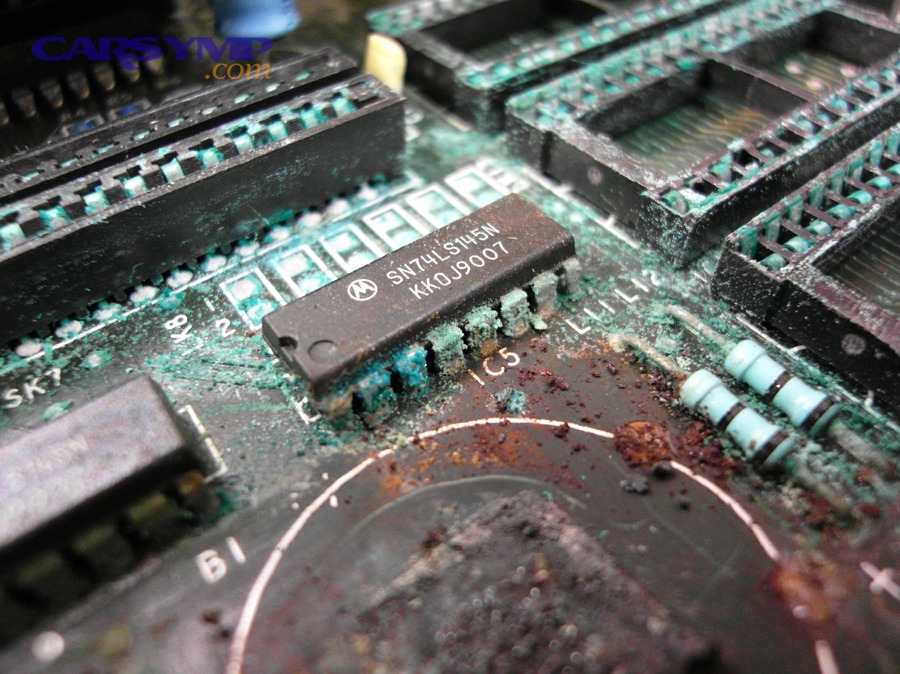
Should you open the ECU yourself, or is it better to stop at external inspection?
Opening the ECU yourself is best only when external inspection strongly suggests internal exposure and the unit is serviceable, while professional service is safer when sealing, immobilizer/programming, or potting makes DIY risky.
To make this decision clearly, compare the two paths:
DIY opening is reasonable when:
- The ECU uses screws and a removable cover designed for service
- You can re-seal properly (or you’re only inspecting before professional repair)
- You have clear water evidence and need confirmation of internal corrosion
Stop and go professional when:
- The ECU is potted or sealed in a way that requires special resealing
- The vehicle has immobilizer/coding considerations and module integrity matters
- You see widespread connector corrosion that suggests deeper electronic damage
This decision also affects cost and time: a shop’s ECU diagnosis often includes verification steps you can’t replicate at home, such as signal integrity checks and module communication validation.
What corrosion patterns on the PCB indicate high risk of failure?
There are 5 high-risk PCB corrosion patterns that signal likely failure, based on how they affect current paths and component legs:
- Green “fuzz” or crystalline growth on solder joints (can become conductive in humidity)
- White crust under components (suggests trapped contamination and ongoing reaction)
- Darkened or overheated zones near power regulators or driver circuits
- Lifted pads or damaged traces where copper has delaminated or thinned
- Corrosion bridging between fine pins (especially risky for sensor and communication circuits)
A key hook: corrosion is not just “dirty metal.” It can create new electrical paths that weren’t designed, which makes the ECU behave inconsistently rather than simply “dead.”
Is there evidence of shorting, overheating, or component damage near corroded areas?
Yes—if you see signs of shorting or overheating, you should stop and treat it as a high-risk ECU condition because (1) heat marks often indicate sustained abnormal current, (2) shorts can damage downstream sensors/actuators, and (3) repeated powering can worsen board damage.
Then, look for these specific cues:
- Melted plastic near connector headers
- Burnt odor localized to a board region
- Soot-like discoloration or blistered coating
- Charred components or cracked IC packages
If those appear, document and move toward repair/replacement decisions instead of “clean-and-hope.”
How do you judge severity and decide: clean, repair, or replace the ECU?
Cleaning wins for mild external corrosion, repair is best for localized internal damage, and replacement is optimal for widespread corrosion, trace damage, or recurring water exposure—because reliability is the deciding criterion, not just whether the car starts today.
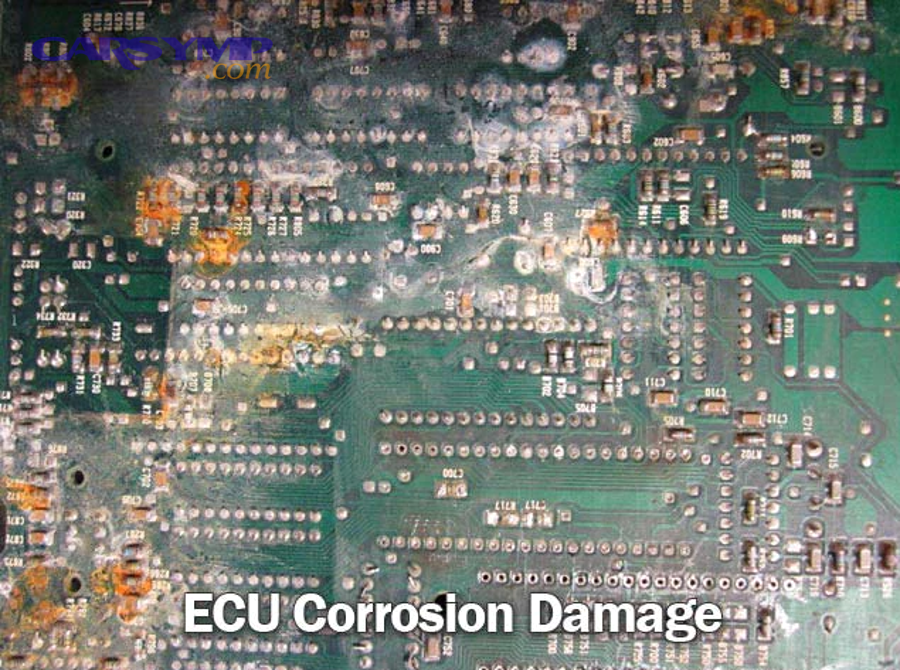
To make this practical, you need a severity framework you can apply consistently before spending money on parts or labor.
What’s the difference between surface corrosion and functional (conductive) corrosion?
Surface corrosion is mostly visual and resistive (it blocks contact and increases resistance), while functional corrosion becomes electrically active (it can create leakage currents, intermittent bridging, or altered sensor/reference signals).
Use these differentiators:
- Surface corrosion (often recoverable with cleaning + sealing fixes):
- Light discoloration, minimal pitting
- Terminal geometry intact
- No evidence of moisture retention behind seals
- Functional corrosion (often requires repair or replacement):
- Deposits between pins or under components
- Evidence of wicking moisture in harness branches
- Intermittent communication faults that return after cleaning
This distinction matters because cleaning only addresses what you can reach; it does not reverse hidden damage inside terminal barrels or under coatings.
When is cleaning connectors enough, and when is the ECU likely compromised?
Cleaning connectors is enough when corrosion is localized, shallow, and dry, and when you can also correct the leak source; the ECU is likely compromised when corrosion is widespread, recurring, or internal.
Use this decision table to apply the logic quickly (the table summarizes the inspection outcomes and what they typically imply):
| Finding (what you observe) | Likely severity | Best next step (why) |
|---|---|---|
| Light residue, no pitting, seals intact | Low | Clean + dry + fix leak path (prevents recurrence) |
| Green corrosion on a few pins, terminals still shaped | Moderate | Clean + inspect terminal tension; consider repair if faults persist |
| Multiple connectors affected + harness wicking evidence | High | Address harness, not just connector; ECU diagnosis recommended |
| PCB corrosion, lifted traces, bridged fine pins | Critical | Repair specialist or replace ECU for reliability |
Next, connect this to your wallet: if you skip severity grading, you may pay twice—once for cleaning and again for replacement after recurrence.
This is also where your ECU diagnosis cost estimate becomes important: you’re not paying for a scan alone; you’re paying for time, verification, and a controlled decision that prevents repeated failures.
Do you need ECU programming, immobilizer matching, or coding after replacement?
Yes, you may need programming or coding after ECU replacement because (1) many vehicles pair modules to the immobilizer/security system, (2) the ECU may require calibration or software configuration, and (3) some replacements must be “introduced” to the vehicle network.
Then, plan for it:
- Ask whether the replacement is new, used, or remanufactured
- Confirm if the module is “plug-and-play” or requires coding
- Budget time for post-install verification and road testing
Evidence (why connector degradation is a major reliability concern): According to a study by Auburn University from the Mechanical Engineering Department, in 2009, fretting corrosion is identified as a major failure mechanism in electrical contacts and the research emphasizes modeling and experimental validation to predict vibration-induced fretting propensity—supporting why “it works sometimes” is not a stable endpoint for corroded connectors.
What should you do immediately after you find moisture or corrosion?
After you find moisture or corrosion, you should document, dry, stabilize, and prevent repeat exposure before you attempt deeper cleaning—because acting too aggressively can erase evidence and damage terminal surfaces.
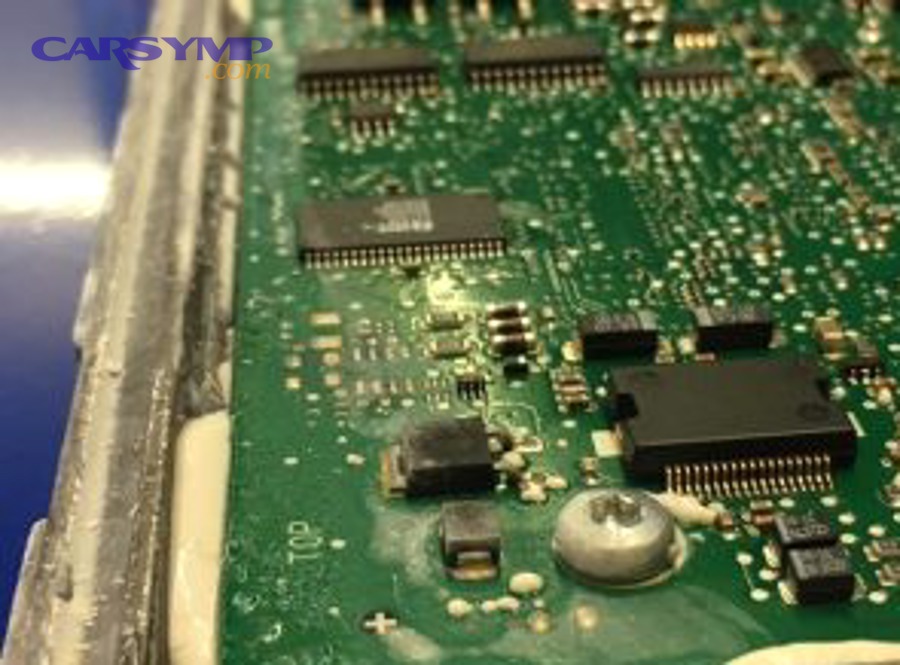
In addition, this is the point where many owners unintentionally waste money: they clear codes, dry the area briefly, and the problem returns because the leak and the contamination remain.
Should you use contact cleaner, compressed air, or heat to dry the ECU area?
Yes, you can use contact-safe cleaner and gentle air, but you should avoid high heat because (1) aggressive heat can warp plastics and seals, (2) it can drive moisture deeper into crevices, and (3) it can accelerate residue bonding.
Then, follow a safe drying order:
- Photograph first (evidence preservation)
- Blot visible moisture with lint-free cloth
- Use gentle compressed air from a safe distance
- Use contact-safe cleaner only after you’ve documented the condition
- Let the area air-dry fully before reconnecting
If you’re unsure about the ECU case integrity, prioritize drying the surrounding area and let a shop handle internal module drying.
Now connect this to professional service: ECU diagnosis at a shop often includes verifying power/ground integrity and checking network communication after drying/cleaning, which is where many “looks fine” modules reveal hidden faults.
What should you avoid doing that can make ECU corrosion worse?
There are 7 actions to avoid, based on how they damage terminals or hide the real cause:
- Scraping pins aggressively (removes plating and accelerates future corrosion)
- Using oily sprays as a “fix” (can trap dirt and interfere with low-voltage signals)
- Reconnecting while still damp (creates active electrochemical conditions)
- Clearing codes repeatedly before documenting (erases useful fault context)
- Ignoring harness wicking (moisture returns even after cleaning)
- Forcing connector latches when misaligned (bends terminals and reduces tension)
- Opening a sealed/potted ECU without resealing capability (introduces new moisture paths)
If you do only one thing correctly, do this: fix the leak path—because prevention is the difference between a one-time cleanup and a recurring electrical headache.
To set expectations on cost: AAA notes that mechanic labor rates can range from under $100 to over $200 per hour depending on location and shop type, which is why diagnostic pricing varies and why it’s smart to arrive with clear photos and symptom timing already documented.
How can you prevent ECU water intrusion and corrosion from coming back after repairs?
You prevent repeat ECU water intrusion by eliminating the leak source, restoring sealing and harness routing, and verifying dryness under real conditions, which turns a short-term cleanup into a durable fix.
Below, the key is micro-level discipline: corrosion returns when moisture keeps finding the same path, especially in salt exposure or trapped-humidity environments.
Which leak sources should you fix first to prevent repeat ECU damage?
Fix leak sources in priority order based on how often they deliver water to the ECU zone:
- Cowl drains and debris traps (high frequency, high volume)
- Sunroof drain routing (quiet leak that floods footwells)
- Windshield seal seepage (drips onto harnesses behind trim)
- A/C evaporator drain blockage (creates persistent cabin moisture)
- Firewall grommet leaks (spray and wicking into loom)
- Wheel-well liner gaps near low-mounted modules
A practical verification technique: after repairs, do a controlled water test (light flow, not pressure) and check for new drip trails before reinstalling protective covers.
How does saltwater or coolant contamination change the corrosion risk compared to fresh water?
Saltwater and coolant contamination are higher-risk than fresh water because they leave conductive residues that continue reacting even after the surface looks dry, while fresh water is more likely to evaporate without leaving aggressive ions behind.
Use these comparisons:
- Saltwater (road salt spray): high conductivity, fast terminal attack, strong residue retention
- Coolant exposure: sticky film that can trap dirt and moisture; may creep into terminal barrels
- Fresh water: still harmful, but typically less conductive once evaporated—unless it carries minerals
This is why the “looks dry” standard is not enough; the correct standard is clean + dry + sealed + verified.
Can galvanic corrosion or electrochemical migration cause ECU failure even after it looks “clean”?
Yes, galvanic corrosion and electrochemical migration can still cause failure after it looks clean because (1) dissimilar metals can continue reacting in thin moisture films, (2) microscopic conductive paths can form between conductors, and (3) residues under coatings may keep driving corrosion.
Next, apply the practical takeaway:
- If you see repeated issues after cleaning, assume hidden contamination
- At that stage, professional repair is often cheaper than repeated downtime
Evidence (micro mechanism relevance): According to a study by University of Leeds from the School of Mechanical Engineering, in 2006, corrosion products and environmental factors like humidity are directly linked to fretting-corrosion behavior and contact resistance instability, reinforcing why “clean today” can become “fault tomorrow” without controlling the environment and sealing.
What’s the opposite of a ‘quick fix,’ and what does a durable ECU protection plan include?
A quick fix is drying and reconnecting without stopping water, while the durable opposite is a 3-layer protection plan: (1) stop the leak path, (2) restore connector integrity, and (3) verify with repeatable tests.
A durable plan includes:
- Leak-source repair + drain clearing
- Connector inspection with terminal tension and seal checks
- Harness routing that avoids low points and water traps
- Protective covers reinstalled correctly
- Post-repair verification: scan results, road test, and re-check for moisture
Finally, if the problem persists, treat it as a workflow issue, not bad luck: a shop-grade approach typically confirms power, grounds, communication integrity, and signal plausibility during the ECU testing process at a shop—so you’re paying for controlled proof, not guesswork.
Evidence (if any)
University-based evidence included in-section as required, referencing University of Leeds (School of Mechanical Engineering) and Auburn University (Mechanical Engineering Department) for corrosion/contact reliability mechanisms and vibration-induced fretting corrosion research.