


Corroded battery terminals and weak grounds can absolutely cause hard starting, random warning lights, slow cranking, and “no-start” moments—often without a truly bad battery.
To make the problem actionable, this guide breaks symptoms into what you can feel (start behavior, lights, electronics), what you can see (powdery buildup, loose clamps, frayed straps), and what you can confirm (quick voltage-drop checks).
We’ll also separate “connection problems” from look-alikes like charging issues, failing starters, and parasitic drains—so you don’t replace parts that aren’t guilty.
Giới thiệu ý mới: Next, you’ll learn the exact symptom patterns that point to corrosion or grounding, then move into simple tests and lasting fixes.
What are the most common corroded terminal symptoms during starting and idling?
Yes—terminal corrosion commonly causes slow cranking, intermittent no-start, and dimming electronics because it adds resistance right where the vehicle needs maximum current.
Next, focus on the “pattern” of the symptoms, because corrosion often behaves inconsistently—worse in humidity, worse after sitting, and sometimes “fixed” temporarily by wiggling the cable.
Which start-up behaviors are most typical?
Corrosion typically shows up as a slow crank (starter turns lazily), a single click with no crank, or a start that succeeds only after a second try because current flow is restricted at the post-to-clamp interface.
To illustrate, corrosion can act like a “narrow bottleneck”: headlights may look normal, but the starter demands 100–200+ amps, and the voltage drop across the crusty connection becomes dramatic.
- Slow crank that improves after driving (heat and vibration can change contact pressure).
- Intermittent no-crank where dash lights still come on.
- Starts with a jump more easily than expected because the jumper clamps bypass part of the bad contact.
What does corrosion do to lights and electronics at idle?
Corroded terminals can cause momentary resets, flickering interior lights, or infotainment glitches because small loads are sensitive to unstable voltage—especially when the alternator load changes at idle.
More importantly, if you turn on the blower, rear defroster, or headlights and the idle voltage seems to “wobble,” a high-resistance connection is a prime suspect.
- Radio resets when you crank or when the cooling fan kicks on.
- Power windows slow down noticeably at idle.
- Random “low voltage” behavior that disappears after you rev slightly.
What visible clues confirm it’s more than “just dirt”?
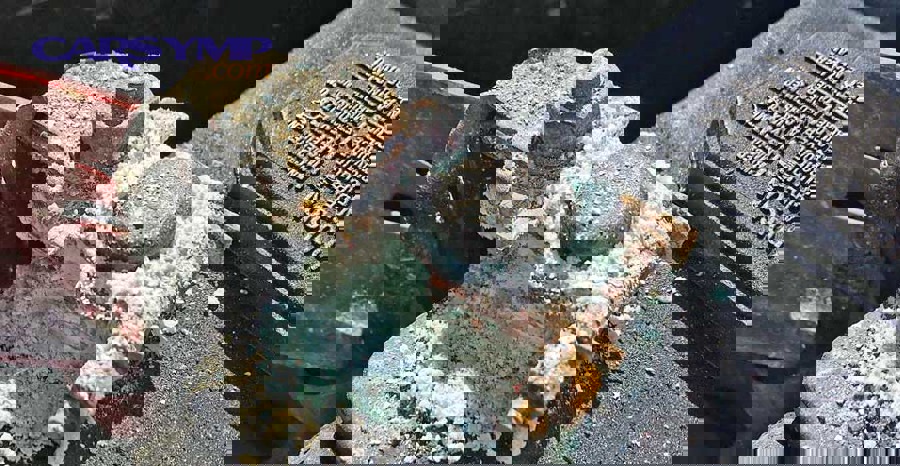
Terminal corrosion is usually powdery and white/blue/green, often building around the post base and creeping between clamp surfaces where it’s hardest to see.
In practice, the most telling clue is corrosion inside the clamp seam or under a rubber boot—because the outside can look “okay” while the contact surfaces are insulated by buildup.
- Powdery crust around the post and clamp seam.
- Clamps that look swollen, pitted, or “chalky” under the bolt.
- Cable ends that feel stiff, brittle, or bulged near the terminal.
Which symptoms point to a bad ground strap or failing ground point?
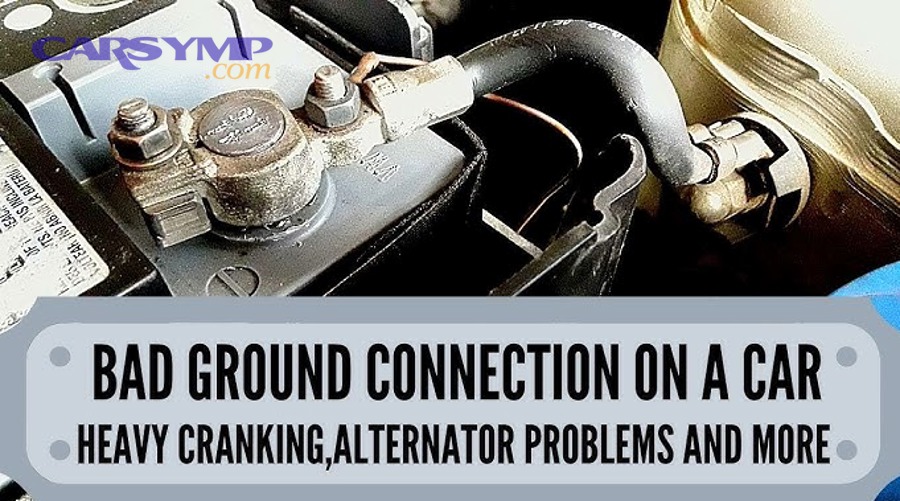
Yes—a bad ground can cause erratic electrical behavior, sensor weirdness, and hard starting because the return path is as important as the power feed.
Next, watch for “multiple systems acting strange at once,” because grounds are shared pathways and failures often ripple across unrelated components.
How does a bad ground feel compared to corrosion?
A bad ground often feels more “chaotic” than corrosion: you might get slow cranking plus strange dash behavior, fluctuating gauge readings, or intermittent warning lights that don’t match a single failed part.
To understand why, a weak ground can force current to return through unintended paths (small wires, sensor grounds, or accessory circuits), creating voltage offsets that modules interpret as faults.
- Hard start with flickering dash or gauges dropping during crank.
- Headlights brighten/dim with engine movement or bumps.
- Random ABS/traction/battery light appearances that come and go.
What “heat and load” signs suggest a ground problem?
Ground issues can worsen as components heat up or as electrical load increases, because poor contact areas become hotter and resistance rises further.
More importantly, you may notice a faint burning smell near a strap, or a strap that’s discolored—signals that current is struggling through a too-small or compromised contact patch.
- Symptoms appear after 10–20 minutes of driving, then vanish when cooled.
- Heater blower or headlights make problems noticeably worse.
- Visible strap fraying, cracked braiding, or loose mounting bolts.
Which ground locations fail most often?
The most common failures are at the battery negative-to-body ground, the engine block-to-chassis strap, and any ground point exposed to water, road salt, or paint/powder coat under the lug.
In other words, the “best-looking bolt” can still be a bad ground if the metal underneath isn’t bare, clean, and tightly clamped.
- Battery negative to fender/body ground lug.
- Engine/transmission braided strap to chassis.
- Ground distribution studs near fuse/relay boxes.
Can corrosion or bad grounds mimic a weak battery, alternator issues, or a drain?
Yes—connection faults can mimic battery failure, alternator trouble, and even intermittent drains because low voltage events look identical from the driver’s seat.
Next, use symptom timing and a few quick checks to prevent the classic parts-cannon cycle of replacing batteries and alternators when the real problem is resistance in a cable or ground.
What symptom timing helps separate the suspects?
If the vehicle starts fine after a jump but quickly acts unstable again, that can be a clue that the battery is not being used effectively due to poor connections—not necessarily that it can’t store energy.
However, if you’re living the “battery keeps dying” cycle after sitting overnight, you must consider both connection resistance and real discharge causes—because they can exist together.
- Worse right after sitting: could be drain, weak battery, or a connection that cools and contracts.
- Worse during crank only: often points to terminals/cables/grounds or starter load.
- Worse while driving: may indicate charging control, belt slip, or severe ground offsets.
How can you sanity-check alternator vs battery without guessing?
A quick sanity approach is to check charging voltage at the battery, then compare it to voltage at key points under load; a healthy alternator can still look “bad” if voltage can’t travel through corroded connections.
To keep it organized, many DIYers use an Alternator vs battery vs parasitic draw checklist so each measurement leads to one logical next step instead of random part swaps.
- Measure charging voltage at idle and with accessories on.
- Compare battery-post voltage to clamp voltage under crank (connection test).
- Confirm the ground path with a voltage-drop reading while cranking.
What are the “connection look-alikes” that fool people?
Loose clamps, hairline cracks in lead terminals, corrosion hidden under boots, and internal cable corrosion can all create a “dead battery” feeling because they prevent high current flow even when the battery is charged.
In particular, internal corrosion can travel under insulation where it’s invisible, so the outside looks fine while resistance climbs.
- Battery tests “good” at a shop but still cranks poorly in the car.
- Jump-start works only when clamps are placed in a slightly different spot.
- Problems appear after rain or washing (moisture activates corrosion paths).
How do you test terminals and grounds with voltage-drop checks at home?
Use voltage-drop testing: measure how much voltage is “lost” across a cable or ground during cranking, because high current makes resistance visible.
Next, treat the test like a map—each drop reading tells you where electrical pressure is being wasted as heat instead of doing useful work.
What tools and setup do you actually need?
You need a basic digital multimeter, decent probe contact, and a helper (or a remote starter switch) so you can read the meter while the engine cranks.
Specifically, voltage-drop is safest when you keep probes on solid metal points and avoid shorting tools between the battery post and nearby grounded metal.
- Digital multimeter with DC volts (0–20V range).
- Gloves and eye protection (battery residue can be caustic).
- Wire brush and terminal wrench for follow-up fixes.
How do you test the positive side (battery to starter feed)?
Place the red probe on the battery positive post (not the clamp) and the black probe on the starter’s main positive stud, then crank; the reading is the voltage lost across the positive path.
Then, narrow it down by moving the black probe step-by-step along the path (clamp, cable end, distribution stud) until you find the segment with the biggest jump.
- High drop suggests corrosion at clamp, damaged cable, or loose fastener.
- Low drop suggests the positive path is likely okay.
How do you test the ground side (starter case to battery negative)?
Place the red probe on the starter housing (clean metal) and the black probe on the battery negative post, then crank; the reading is ground-path loss.
In the same way, you can isolate by checking engine block to chassis, chassis to battery negative, and specific ground lugs under load.
- A high ground drop strongly points to a bad strap, loose lug, or contaminated mounting surface.
- If ground drop is low but the engine still cranks slowly, suspect starter load or battery condition.
This table contains common voltage-drop targets during cranking and what they usually imply, so you can interpret your readings without guessing.
| Test segment (during crank) | Typical target | If higher than target, likely cause |
|---|---|---|
| Battery + post to starter + stud | ≤ 0.5 V | Corroded clamp, loose fastener, damaged positive cable |
| Starter case to battery – post | ≤ 0.3 V | Bad engine ground strap, corroded ground lug, painted mounting surface |
| Battery post to battery clamp (either side) | ≤ 0.1–0.2 V | Hidden corrosion between post and clamp, cracked clamp, poor clamp tension |
| Engine block to chassis ground point | ≤ 0.2 V | Frayed strap, loose bolt, oxidation between lug and metal |
How do you confirm corrosion at the clamp versus a deeper cable issue?
Measure directly from the battery post to the clamp while cranking; if that drop is high, your problem is right at the terminal interface.
Otherwise, if post-to-clamp is fine but post-to-starter is high, the loss is farther down the cable or at a distribution connection.
- High post-to-clamp drop = terminal cleaning/repair needed.
- High cable segment drop = cable end corrosion or internal cable damage.
How do you clean corroded terminals and restore a solid ground safely?
Clean and neutralize corrosion, then restore bare-metal contact surfaces and correct clamping force so resistance stays low under high current.
Next, treat cleaning as only half the job; the lasting fix is proper contact geometry, protection, and torque so the connection doesn’t loosen or re-oxidize quickly.
What is the safest cleaning sequence?
Disconnect the negative terminal first, then the positive, to reduce the chance of accidental shorting to chassis ground.
After that, neutralize residue with a baking-soda-and-water solution solution applied carefully to the terminal area, then rinse and dry thoroughly.
- Wear gloves and eye protection.
- Disconnect negative first, then positive.
- Brush off loose buildup (dry) before introducing liquid.
- Apply baking soda solution to fizz and neutralize residue.
- Rinse lightly, then dry completely.
How do you restore a ground point the right way?
Remove the ground bolt, clean the lug and the metal surface to bright bare metal, then reassemble tightly with a corrosion inhibitor where appropriate.
Importantly, paint, powder coat, and undercoating can act like insulators—so “tight” is not the same as “electrically clean.”
- Use a wire brush/sandpaper on both mating surfaces.
- Ensure the lug sits flat (no stacked rust flakes or distorted metal).
- Re-torque firmly and recheck after a few heat cycles.
Which protective steps prevent quick recurrence?
Once clean and dry, apply a thin protective layer that resists moisture and acid vapor without preventing metal-to-metal contact at the clamped surfaces.
To keep the flow practical, apply protection after the connection is assembled and tight, not before, unless the product is designed for assembly use.
- Terminal protectant spray or a thin film of dielectric grease on exposed surfaces (not between contact faces).
- Felt terminal washers if appropriate for your battery setup.
- Boots or covers to reduce splash and salt exposure.
When should you replace terminals, battery cables, or ground straps instead of cleaning?
Replace parts when metal is structurally compromised, corrosion has migrated inside the cable, or clamping force can’t be restored—because cleaning alone won’t reliably reduce resistance long-term.
Next, use a “repair vs replace” checklist that prioritizes safety and repeatability over short-term improvement.
What physical damage means cleaning isn’t enough?
Any cracking, severe pitting, melted insulation, or “soft” lead around the clamp indicates the connection may fail under load or vibration.
In particular, overheated terminals can lose spring tension, meaning the clamp can never hold the post properly again.
- Cracked terminal ends, broken bolt ears, or stripped threads.
- Green/blue corrosion traveling under insulation for several inches.
- Heat damage: shiny melted spots, brittle insulation, burnt odor.
What performance clues suggest internal cable corrosion?
If voltage-drop tests stay high even after thorough cleaning, internal corrosion or broken strands are likely limiting current flow inside the cable.
In that case, replacing the cable is often cheaper than repeated no-start incidents and repeated labor.
- High post-to-starter drop persists after terminal cleaning.
- Cable feels stiff, swollen, or lumpy near the end.
- Cranking improves when you flex the cable (broken strands make intermittent contact).
How do you decide on “When to replace battery cables” in a practical way?
Use a simple decision: replace if the cable can’t pass a low voltage-drop test under crank, or if the cable end cannot be re-terminated to clean copper reliably.
Equally important, replace if the clamp design can’t maintain torque without deforming—because repeat looseness is repeat resistance.
- Replace if you see corrosion deep under insulation or persistent high drop.
- Replace if the terminal clamp won’t tighten securely to spec.
- Replace if ground straps are frayed, cracked, or missing strands.
What mistakes make corrosion return, and how do you prevent it long-term?
Corrosion returns when moisture, acid vapor, and dissimilar metals keep reacting—especially if the connection wasn’t cleaned to bare metal and protected afterward.
Next, prevention is about reducing the conditions that feed corrosion and ensuring every high-current joint stays tight and clean over time.
Which installation habits trigger repeat problems?
Common repeat offenders include over-tightening lead terminals (cracking or deforming them), under-tightening (micro-arcing), and applying grease between contact faces (insulating the joint).
To make results stick, the contact surfaces must be clean, flat, and clamped with correct pressure—then protected on the outside.
- Grease applied between post and clamp instead of after assembly.
- Clamps tightened onto dirty/oxidized metal.
- Battery hold-down missing or loose (vibration loosens terminals).
How do environment and driving patterns influence corrosion?
Short trips can accelerate corrosion symptoms because the battery may spend more time partially charged and venting differently, while road salt and humidity add electrolyte pathways on the surface.
In colder climates, winter salt spray plus underhood temperature swings can make corrosion return faster unless the terminals are protected.
- Coastal/salt regions: rinse and inspect more frequently.
- Short-trip vehicles: check charging and terminal cleanliness regularly.
- Off-road/wet use: protect ground lugs from splash and mud packing.
What is a simple long-term inspection routine?
Monthly visual checks plus seasonal torque/cleanliness checks prevent most “mystery no-start” events, especially before winter or long road trips.
More importantly, repeat your voltage-drop check once or twice a year; it’s the quickest truth test for high-current connections.
- Inspect for powder buildup and loose clamps.
- Check ground straps for fraying and secure bolts.
- Do a quick cranking voltage-drop test after any battery service.
Contextual Border: Up to this point, we’ve covered the main symptom patterns and the standard tests/fixes. Next are deeper, less obvious edge cases that can still present as “corroded terminals” or “bad grounds,” especially on modern vehicles and harsh environments.
Deeper electrical edge cases that still look like corrosion or bad grounds
Some failures hide under insulation, under coatings, or inside shared return paths—so the symptoms resemble simple corrosion even after you’ve cleaned the obvious spots.
Next, use these rare-but-real patterns to decide whether you need deeper inspection, re-terminating, or professional diagnostics.
Hidden corrosion inside insulation and under heat-shrink
When acid vapor or moisture wicks into stranded copper, corrosion can travel under the jacket, increasing resistance far from the visible terminal area.
As a result, cleaning the clamp looks like it “worked” for a day, then the problem returns because the cable itself is compromised.
- Look for bulging, stiffness, or a green tint creeping under insulation.
- Check voltage drop along the cable length in segments.
- Consider re-terminating to clean copper or replacing the cable.
Painted, powder-coated, or aluminum interfaces acting as insulators
Many ground points are bolted onto painted metal or mixed metals; oxidation and coatings can create a stubborn insulating layer even when the bolt is tight.
Therefore, the correct fix is removing the coating at the contact patch and using a proper lug and fastener stack-up for reliable clamping.
- Scrape to bare metal at the lug footprint.
- Ensure the lug is flat and the bolt clamps firmly without bottoming out.
- Protect exposed metal afterward to prevent rapid re-oxidation.
High-current accessories stressing marginal grounds
Aftermarket amplifiers, winches, auxiliary lighting, and inverters can expose weak grounds by increasing current demand and heating poor connections.
In that situation, improving grounds (bigger gauge, better lugs, cleaner metal) can eliminate voltage sag and electrical noise.
- Check for voltage sag when accessories activate.
- Confirm accessory grounds terminate to clean, robust chassis points.
- Upgrade engine-to-chassis bonding if you see high ground drop.
Water intrusion and salt exposure patterns
Repeated splash on one corner of the engine bay can corrode a single ground lug, creating intermittent faults that feel random and weather-dependent.
Accordingly, follow the “wet clue”: if symptoms worsen after rain or washing, focus on low-mounted grounds, fuse-box studs, and cable boots.
- Inspect low grounds and shield them from direct spray paths.
- Dry and protect after cleaning; consider better boots/covers.
- Recheck torque after a week of driving to confirm stability.
FAQ
Can corroded terminals cause a car to die while driving?
Yes, especially if the connection intermittently opens under vibration or heat; however, stalling while driving also overlaps with charging and ignition issues, so confirm with voltage-drop and charging checks.
Is it okay to just scrape corrosion off and reconnect?
Scraping helps, but the reliable fix is cleaning both mating surfaces to bare metal, tightening to proper clamping force, then protecting the exposed area to slow recurrence.
Why do problems sometimes disappear after jump-starting?
Jumper clamps can temporarily bypass a bad post-to-clamp interface or improve contact pressure, making the vehicle start even though the underlying resistance problem still exists.
What if I cleaned terminals but the car still cranks slowly?
If post-to-clamp voltage drop is now low but total positive/ground drop remains high, suspect internal cable corrosion, a failing ground strap, or a starter drawing excessive current.
Should I replace the battery immediately when I see corrosion?
Not necessarily; corrosion can happen even with a usable battery. Start by restoring connections and testing under load, then replace the battery only if it fails capacity or load testing.