


Battery terminal corrosion cleaning and terminal protection is a practical way to restore reliable starting and charging by removing high-resistance buildup and sealing the connection against moisture, acid vapors, and road salt.
You’ll also learn how to recognize when corrosion is only a symptom of a bigger issue—like loose clamps, battery venting, or charging-system overheat—so you don’t keep “cleaning the same problem” every month.
Next, you’ll get a tool-and-product decision guide (DIY solution, spray cleaners, brushes, greases, washers) and a clear order of operations so you can clean safely without sparks, stripped bolts, or damaged posts.
To introduce a new idea, the real win is not just making terminals look shiny today—it’s building a protection routine that keeps them clean through seasons, humidity swings, and vibration.
What is battery terminal corrosion, and why should you remove it early?
Battery terminal corrosion is an insulating, crusty chemical buildup on posts and clamps that increases contact resistance, reducing current flow to the starter and alternator circuit.
To begin, it helps to separate the

Most drivers notice the “snowy” white-blue powder first, but the more important damage is often underneath the clamp: pitting, dull gray/green films, and micro-gaps that behave like a resistor. The starter motor demands a brief surge of high current; when corrosion adds resistance, the voltage at the starter drops, cranking slows, and the car may click instead of start.
Corrosion forms because the battery environment is chemically active. A lead-acid battery vents trace acid vapors; heat accelerates reactions; humidity adds moisture; road salt contributes ions that speed corrosion. Copper clamps and cable ends can react with sulfuric gases, producing compounds that look blue-green and “grow” outward, especially near the positive terminal where venting is more noticeable.
However, corrosion is not only cosmetic—it can become a reliability risk. If the clamp loosens from corrosion debris, vibration can intermittently break contact, causing random no-starts or electronics resets. If corrosion creeps into the cable strands under insulation, it can wick moisture and create a long, hidden high-resistance section that cleaning the outside will not fix.
The key concept is that electricity is picky about surfaces: it flows through microscopic high points (asperities). When those are coated, the “true contact area” shrinks sharply.
Theo nghiên cứu của Simon Fraser University từ School of Engineering Science, vào April/2011, electrical contact resistance in automotive connections was shown to cause notable energy-flow losses (reported up to ~20% in the study’s context), emphasizing why clean, stable contacts matter.
Tóm lại, treat corrosion like a performance limiter: remove it early, then protect the interface so it doesn’t return.
Can corrosion really cause no-start symptoms, and how do you confirm it?
Yes—corrosion can cause no-start or slow-crank by restricting current, and you confirm it by combining visible clues with a quick voltage-drop check under load.
Next, use a simple “symptom-to-proof” flow so you don’t blame the battery when the real issue is the terminal interface.

Start with visible and smell clues (fast screening):
- Crust at the post base (where clamp meets post) is more meaningful than crust on top.
- Green/blue tint near the cable end can indicate copper-salt formation and possible wicking into strands.
- Rotten egg odor suggests overcharging or battery venting; that often accelerates corrosion.
- Wetness around the case or tray hints at leakage—cleaning alone may be unsafe.
Then confirm with function clues (driving behavior):
- Slow crank, single click, or “starts on the second try.”
- Headlights dim noticeably during crank.
- Intermittent electrical resets after hitting bumps.
- Charging warnings that appear and disappear.
Finally, confirm with a voltage-drop test (most decisive):
- Set a multimeter to DC volts.
- Place one lead on the battery post (not the clamp) and the other on the clamp or cable lug.
- Have a helper crank the engine (or run a high-load accessory briefly).
- A higher-than-expected drop across that single joint indicates resistance at the interface.
To illustrate, you may see a “good” open-circuit voltage at the battery, yet the starter sees less because the loss happens at the connection. This is why cleaning terminals can “magically” fix a car that otherwise tests fine on a quick battery check.
Theo nghiên cứu của Universal Technical Institute từ UTI Editorial Team, vào April/2021, corrosion was described as increasing circuit resistance enough to disrupt starting current, which is why visible deposits plus electrical symptoms are a strong diagnostic pair.
Ngược lại, if your terminals look clean but symptoms persist, shift suspicion to the battery’s internal health, starter draw, grounds, or charging control—because “no corrosion” is evidence too.
How do you clean battery corrosion safely, step by step, without damaging posts?
Clean corrosion safely by disconnecting power, neutralizing residue, scrubbing contact surfaces to bare metal, rinsing carefully, drying fully, then reconnecting tightly in the correct order.
Below is a repeatable sequence that prioritizes safety first, then surface quality, then long-term stability.
Safety setup (do this every time):
- Work in ventilation; keep sparks/flames away from the battery area.
- Wear gloves and eye protection; corrosion residue can be acidic and irritating.
- Remove jewelry (rings, watches) to reduce short-circuit risk.
- Have water ready for rinsing accidental splashes.
Disconnecting sequence (to minimize short risk):
- Turn the vehicle off; remove the key/fob from the area.
- Loosen and remove the negative terminal first.
- Then remove the positive terminal.
Neutralize and loosen (chemical step):
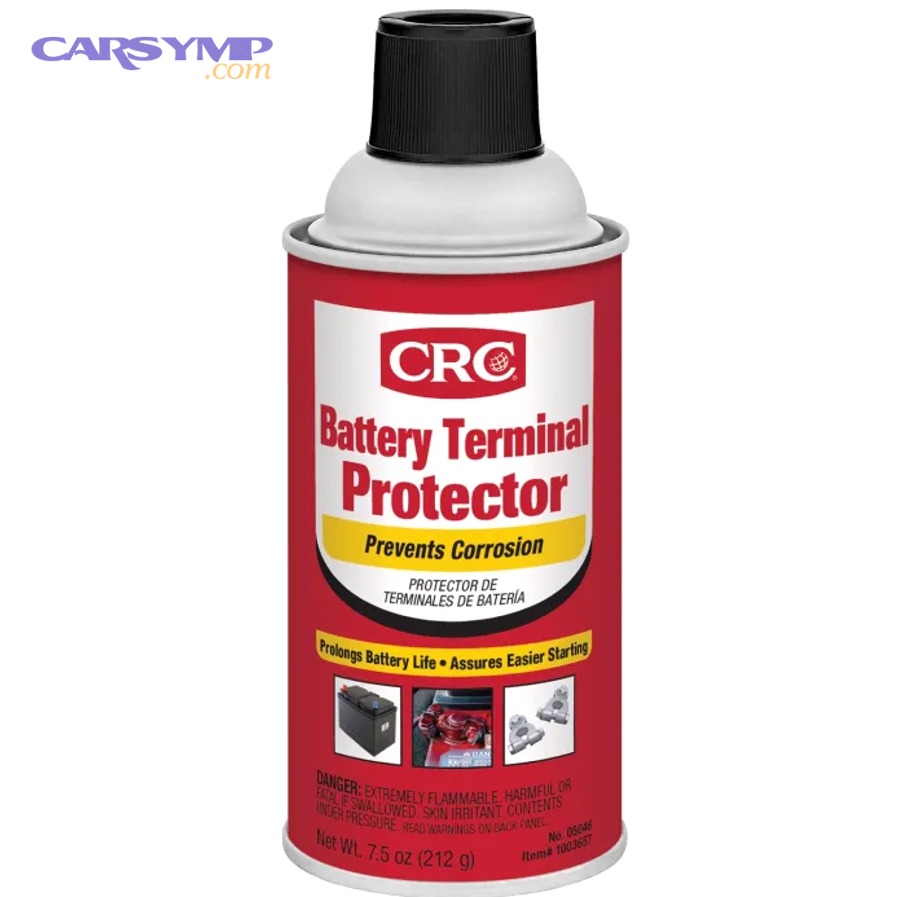
- Apply a baking-soda-and-water mix or a battery terminal cleaner spray to the crust.
- Let it fizz briefly; bubbling indicates neutralization activity.
- Use a toothbrush or terminal brush to break up deposits gently.
Scrub to bare metal (surface step):
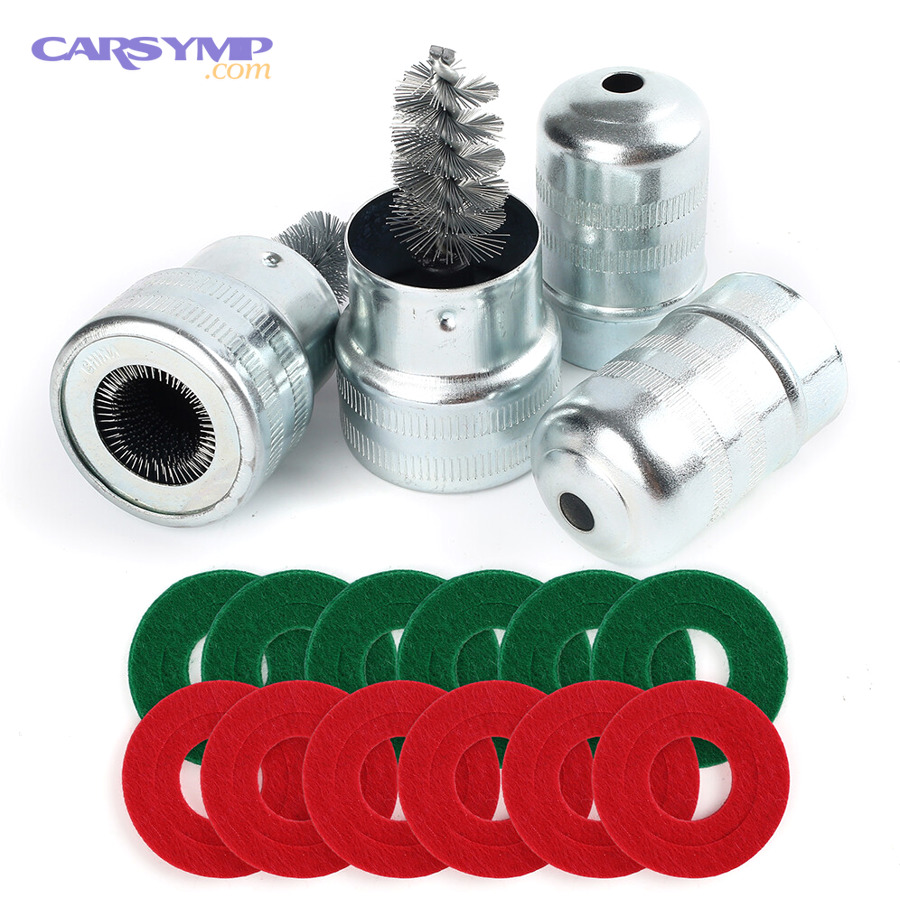
- Use a terminal brush tool for clamp interiors and a post brush for the battery posts.
- Scrub until the metal looks clean and uniform, not just “less dusty.”
- Avoid aggressive grinding that removes too much post material.
Rinse and dry (the step most people rush):
- Rinse residue away carefully; keep water out of vent openings when possible.
- Wipe and air-dry until the area is fully dry; moisture invites repeat corrosion.
Reconnect and secure (stability step):
- Reconnect positive first, then negative.
- Tighten clamps so they do not rotate by hand on the posts.
- Start the vehicle and confirm stable cranking and steady lights.
To reinforce the process visually, here’s a practical demonstration video you can follow while working.
Quan trọng hơn, if you’re doing this during a larger maintenance moment (for example, when you change car battery), do the cleaning before you install the new unit so you don’t contaminate fresh terminals with old residue.
Theo nghiên cứu của Universal Technical Institute từ UTI Editorial Team, vào April/2021, the recommended approach included disconnecting cables first and using a baking soda and water mixture with a wire brush—matching the safest “neutralize then scrub” logic.
Which cleaners and tools work best for different corrosion types and terminal designs?
The best cleaner-tool combo depends on corrosion severity, terminal style (top-post vs side-post), and whether residue is only external or has crept into the cable strands.
To understand this better, group your options by what they do: neutralize acid, dissolve residue, or mechanically restore metal contact.

1) Neutralizers (best for white/blue powder from acid vapor):
- Baking soda + water: classic neutralizer for acidic residue; ideal for routine buildup.
- Battery terminal cleaner spray: fast, convenient, often color-changing so you can see coverage.
2) Mechanical tools (best for restoring true metal-to-metal contact):
- Terminal brush tool: cleans clamp interiors and post surfaces evenly.
- Small wire brush/toothbrush: reaches corners and cable-lug edges.
- Fine abrasive pad: useful for light oxide films, but don’t over-sand posts.
3) Finishing rinses (best for preventing residue films):
- Distilled water: reduces mineral residue compared with hard tap water.
- Alcohol wipe (light use): helps remove oily films before applying protectants.
Top-post vs side-post considerations:
- Top-post corrosion is often visible and easier to scrub; focus on the clamp’s inner ring and the post’s circumference.
- Side-post issues often involve bolt threads and sealed interfaces; be careful about fluid intrusion and stripped threads.
When tools are not enough: If the cable end feels stiff, swollen, or shows green corrosion under insulation, the problem may be inside the strands. In that case, “shiny outside” can still mean “high resistance inside,” and replacement becomes the smarter fix.
To connect this to safe workflow, keep your supplies consistent—think of it like having a personal Battery safety and tools checklist so you don’t improvise with unsafe substitutes near acid and high current.
Theo nghiên cứu của Simon Fraser University từ School of Engineering Science, vào April/2011, contact resistance in automotive electrical joints was highlighted as a meaningful contributor to losses, which supports using tools that restore stable metal-to-metal contact rather than only dissolving visible crust.
How do you protect terminals after cleaning so corrosion doesn’t come back quickly?
Protect terminals by sealing out moisture and acid vapors with the right protectant—applied in the right place—while keeping the actual current-carrying contact surfaces clean and tightly clamped.
After cleaning, the next step is to choose a protection method that matches your environment: humidity, road salt, heat, and how often you service the vehicle.

Protection methods that work (and where to apply them):
- Terminal protectant spray: apply on the exterior of the connection after clamps are installed and tight; it creates a barrier film.
- Dielectric grease: apply lightly around the outside/top area to repel moisture; do not pack it between clamp and post where current must flow.
- Petroleum jelly: a budget barrier option; works but may soften/flow more under heat than silicone-based products.
- Felt anti-corrosion washers: sit at the base of the post to absorb/neutralize vapors before they reach the clamp area.
Where protection goes wrong (common mistakes):
- Grease between clamp and post: dielectric grease is not meant to improve conductivity at the primary contact area; it can interfere if misapplied.
- Protectant before tightening: if you coat everything first, you can trap debris and prevent a firm seat.
- Loose clamps: a slightly loose terminal acts like a micro-welder—arcing and heat accelerate corrosion and surface damage.
A simple “protect right” sequence:
- Clean to bare metal and dry completely.
- Install any felt washers (if used).
- Reconnect and tighten clamps firmly.
- Apply protectant spray or a light barrier coat around exposed metal surfaces.
To connect this to broader ownership habits, corrosion prevention is also about heat and charging behavior: batteries that vent more due to overcharging will “feed” corrosion no matter how well you grease the outside.
Theo nghiên cứu của Elsevier (Journal of Advanced Joining Processes) từ Volume 10, vào November/2024, accelerated testing of automotive electrical joints showed resistance instability and failure linked to media penetration into contact zones, reinforcing why sealing out moisture matters after cleaning.
Ngoài ra, if you’re selecting a new battery later, choosing the correct spec reduces stress on the system; that’s where planning around How to choose correct battery size and CCA can indirectly reduce the conditions that worsen corrosion.
When is cleaning not enough, and when should you replace terminals, cables, or the battery?
Cleaning is not enough when metal is physically damaged, cable strands are corroded internally, bolts/threads are compromised, or battery venting/leakage keeps reintroducing corrosive material.
Next, use a decision checklist that focuses on safety and electrical integrity—not just appearance.

Replace the terminal clamp if you see:
- Cracks, distortion, or a clamp that will not tighten enough to stop rotation.
- Deep pitting where the metal has become thin or flaky.
- Stripped clamp bolts that cannot hold torque.
Replace the cable (or cable end) if you see:
- Green corrosion creeping under insulation for more than a small edge.
- Stiff, swollen cable near the lug, suggesting wicking and strand damage.
- Heat discoloration, melted insulation, or repeated voltage-drop failures after cleaning.
Replace (or professionally test) the battery if you see:
- Case cracks, wet acid around the tray, or persistent venting/odor.
- Repeated heavy corrosion returning within weeks even after correct protection.
- Aging signs plus performance symptoms that don’t improve after clean terminals.
Replace or repair the charging system when corrosion is a symptom: If the battery is being overcharged, it can vent more gases and accelerate corrosion. In that scenario, cleaning becomes a temporary cosmetic fix unless the charging issue is addressed.
To link this to responsible ownership, plan disposal correctly—when a battery truly needs replacement, Recycling old battery properly is both safer and better for the environment than storing it in a garage corner.
Theo nghiên cứu của Universal Technical Institute từ UTI Editorial Team, vào April/2021, corrosion was connected to age-related battery conditions and electrical disruption; the same context emphasizes that cleaning helps, but worn or damaged parts may still require replacement to restore reliable current flow.
Tổng kết lại, cleaning is a high-value first step, but replacement is the right answer when the metal or strands are no longer structurally sound.
How often should you inspect and maintain terminals, and what routine keeps protection effective?
Inspect terminals at least twice per year (and more in humid or salty regions), then refresh protection whenever you see early residue, looseness, or moisture films.
To keep it simple, build a routine that fits real life: seasonal checks, quick wipe-downs, and a repeatable recoat schedule.

A practical routine that works for most drivers:
- Every 6 months: visual inspection, gentle wipe, check clamp tightness (no rotation by hand).
- After extreme weather: check after salt-season driving, heavy rain seasons, or prolonged heat waves.
- After service events: inspect after engine work, battery charging/jump-start events, or vibration-heavy trips.
What to look for during each check:
- Early powder at the post base (catch it before it hardens).
- Any clamp movement or “wiggle.”
- Damaged insulation, rubbing points, or stretched cables.
- Moisture pooling in the tray or around cable routes.
When to reapply protection:
- If the barrier film looks washed away or patchy.
- If you cleaned even lightly—freshly exposed metal should be protected again.
- If you see repeated early crust in the same season, upgrade the method (add washers + better barrier, not just “more grease”).
Besides, remember that good protection is more than chemicals: clamp tightness, clean contact surfaces, and stable routing prevent micro-movement that reintroduces oxygen and moisture into the joint.
Theo nghiên cứu của Universal Technical Institute từ UTI Editorial Team, vào April/2021, routine checks were recommended yearly (and more often in humid conditions), supporting a scheduled inspection approach rather than waiting for a no-start event.
Contextual Border
Beyond the core “clean and protect” workflow, the next section expands into less common patterns that explain why corrosion behaves differently across vehicles, climates, and electrical architectures.
What uncommon corrosion clues reveal deeper electrical or battery faults?
Uncommon corrosion patterns often reveal a root cause—like chronic overcharging, venting, hidden ground resistance, or side-post sealing issues—so treating the pattern prevents repeat failures.
Hãy cùng khám phá four high-signal clues that go beyond “it looks dirty.”
Why does corrosion return within weeks even after perfect cleaning?
If corrosion returns within weeks, the battery may be venting more than normal, clamps may be slightly loose, or moisture/salt exposure is overwhelming your protectant.
Cụ thể, “fast return” is usually not a cleaning failure—it’s a root-cause signal that the environment is continuously feeding the reaction.
Check charging voltage behavior, confirm clamp torque, and look for battery case swelling, acid wetness, or persistent odor. Upgrading to washers plus a proper exterior barrier can help, but if venting is the driver, you must address the battery or charging system.
What does green corrosion on the cable end (not just the post) mean?
Green corrosion on the cable end often indicates copper-salt formation and may mean corrosion has traveled into the strands under insulation.
Để minh họa, a cable can look fine at the clamp while internally becoming a long resistor that heats under load and drops voltage.
If you strip back a tiny section and see green powder in strands, replacement is typically more reliable than repeated cleaning. Treating only the terminal surface may temporarily improve starting but won’t restore full current-carrying capacity.
Do side-post batteries create different corrosion problems than top-post batteries?
Yes—side-post designs can hide corrosion at threads and seals, so you may get intermittent connection issues even when the exterior looks cleaner than a top-post setup.
However, the advantage is that side-post systems can stay cleaner externally when properly sealed and torqued, so recurring problems often point to stripped threads, bolt stretch, or sealing failure rather than “normal” surface crust.
Be cautious with thread damage: overtightening is common, and once threads strip, you can’t maintain stable contact pressure—leading to heat and repeat failure.
Why do grounds and body connections matter as much as battery terminals?
Ground connections matter because a weak ground is electrically “the same” as a corroded positive terminal—both add resistance and reduce delivered voltage under load.
Quan trọng hơn, many “mystery electrical gremlins” come from ground straps or body grounds that corrode quietly, especially in salty climates.
Theo nghiên cứu của Elsevier (Journal of Advanced Joining Processes) từ Volume 10, vào November/2024, resistance instability and failure were linked to media penetration into contact zones, which is a useful parallel for why protected, sealed grounds can be as important as protected battery terminals.
Frequently asked questions about corrosion cleaning and terminal protection
These answers focus on real-world “what should I do next” scenarios so you can act quickly without guessing.
Dưới đây are the most common questions that appear right after someone cleans terminals once and wants the fix to last.

Is baking soda always safe for cleaning battery corrosion?
Yes for most external terminal corrosion, because it neutralizes acidic residue, but you should avoid forcing liquid into vents or sensitive electronics nearby.
Besides, if you see cracks or active leakage, prioritize safety and testing over cleaning—because neutralizing surface crust won’t fix a failing case.
Should you use dielectric grease or terminal protectant spray—and which lasts longer?
Terminal protectant spray is often easier for exterior coverage, while dielectric grease is excellent as a moisture barrier when applied correctly around exposed areas without blocking contact surfaces.
Ngược lại, overusing dielectric grease between clamp and post can reduce true contact quality; so the “best” option is the one you apply in the correct location with tight clamps.
Do felt washers actually work, or are they just a gimmick?
Felt washers can work well by absorbing/neutralizing vapors at the post base, especially when combined with a proper exterior barrier and correct clamp torque.
To connect this to long-term maintenance, washers are not permanent; if you service the battery area, replace them when they look saturated or degraded.
Why did my car lose settings after I cleaned the terminals?
Some vehicles lose memory when power is disconnected; that’s normal for certain radios, windows, and modules depending on design.
However, if you need uninterrupted power during service, plan ahead with a memory-preservation method rather than improvising at the battery in the moment.
Can corrosion cause battery drain or only starting problems?
Corrosion mainly causes starting and charging problems by increasing resistance, but unstable connections can also create intermittent electrical behavior that looks like drain or resets.
To understand the difference, confirm whether the vehicle fails during crank (high-load event) or drains while parked (time-based event), then test accordingly.
What’s the biggest mistake people make after cleaning terminals?
The biggest mistake is stopping after “it looks clean,” then skipping full drying, proper clamp tightness, and protection reapplication—so moisture quickly restarts corrosion at the interface.
Tóm lại, clean-to-contact, dry-to-completion, tighten-to-stability, then protect-to-prevent is the sequence that makes the fix last.