


A memory saver is a simple way to keep your car’s electronics powered while you disconnect the main battery, so settings and learned values don’t reset during a battery swap.
Besides protecting convenience items like radio presets, it can also reduce the odds of annoying relearn routines, warning lights, or temporary drivability quirks after reconnecting power.
It’s not always mandatory, though—some vehicles tolerate a disconnect with minimal side effects, while others are sensitive because of how many modules and adaptive systems depend on constant power.
To start, let’s separate what a memory saver truly preserves, when it matters, and how to use one safely—so you don’t trade “saved settings” for blown fuses or module confusion.
What is a memory saver, and what does it actually protect?
A memory saver is a low-current external power source that keeps “keep-alive” circuits energized so your vehicle doesn’t lose stored settings and adaptive data when the main battery is disconnected.
To explain this clearly, we’ll map what’s protected, what isn’t, and why the vehicle behaves differently with and without continuous voltage.
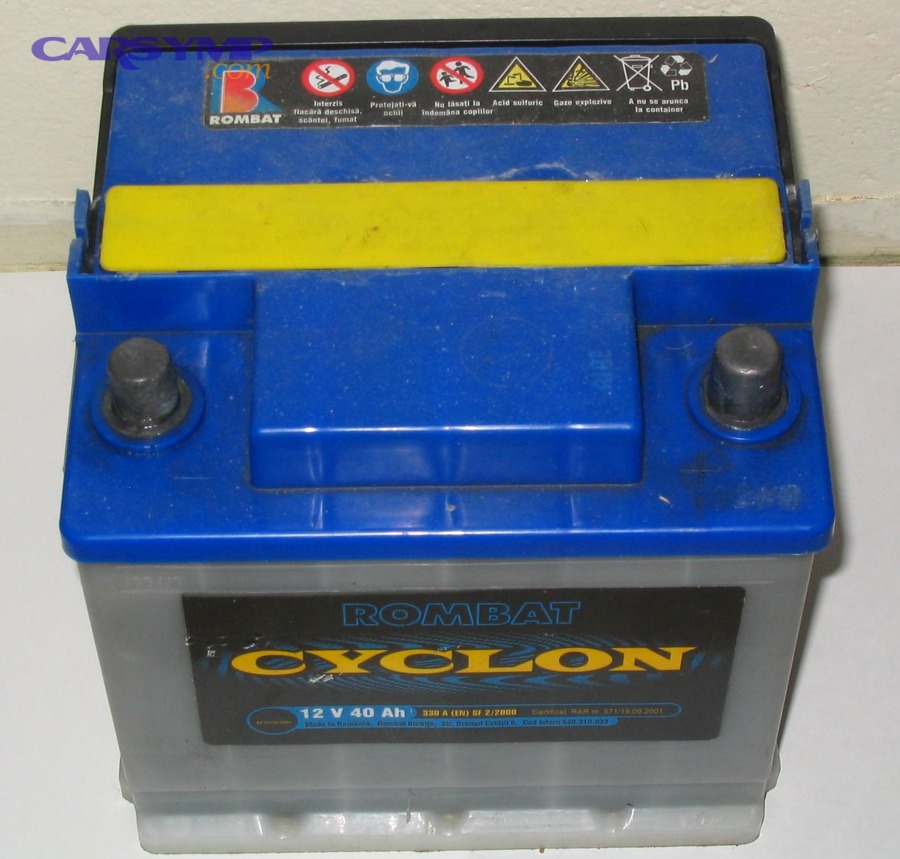
At a practical level, modern cars contain multiple control modules—engine, transmission, body, infotainment, gateway, security, and more—each with different memory types. Some data is written to non-volatile memory (it stays even when power is removed), while other information lives in volatile memory that needs a small, continuous supply (often called keep-alive memory).
Common items a memory saver helps preserve include radio presets, clock/time, one-touch window initialization states (in some cars), seat and mirror memory, navigation favorites, and certain personalization profiles. Many cars can recover these, but preserving them avoids re-entering settings and reduces post-swap “setup time.” Banner’s battery-knowledge guidance explicitly calls out comfort data such as navigation settings, phone book, radio station, and electronic seat position as examples of what’s remembered when voltage is maintained.
More important (and less obvious) is adaptive/learned data. Engine and transmission controllers learn over time: idle control adjustments, fuel trim baselines, throttle adaptation, shift timing preferences, and other “learned” parameters that smooth operation. When that learned data resets, the car may still run, but it can behave differently until it relearns.
The key nuance: a memory saver is not the same thing as a charger or jump starter. It is designed to supply a small, steady “maintenance” voltage, not to crank the engine. Think of it as a synonym for voltage maintainer in this specific use case: holding the electrical system up while the main battery is removed.
Theo nghiên cứu của California Air Resources Board từ Mobile Source Operations Division, vào 09/2018, tài liệu kỹ thuật về hiện tượng mất “keep-alive memory” mô tả rằng việc ngắt nguồn có thể làm mất dữ liệu học thích nghi của ECU và yêu cầu các bước “relearn” sau đó.
When is a memory saver truly needed, and when is it optional?
Yes, a memory saver is worth using when your vehicle is sensitive to power loss, you want to avoid relearn hassles, or you risk losing security/comfort settings; no, it’s optional when your car’s systems recover quickly and you can tolerate reinitialization.
Next, we’ll turn that into a decision checklist so you can choose confidently instead of guessing.
Use a memory saver (strongly recommended) when:
- Your car has many modules and personalization profiles (luxury brands, newer vehicles, advanced infotainment), because the user-experience “reset” can be significant.
- You’re troubleshooting intermittent electrical issues and don’t want to add new variables like cleared learned values.
- Your vehicle is known for post-disconnect relearns (idle/throttle relearn, window pinch-protection initialization, steering angle relearn, etc.).
- You’re swapping batteries in cold weather or under time pressure, where a clean restart matters and you don’t want “extra” warnings or odd behavior.
It’s usually optional when:
- The car is older and simple (basic radio, minimal driver-assist), and losing presets is not a big deal.
- You have easy access to reset procedures (owner’s manual steps) and you’re comfortable reinitializing windows, clock, or radio.
- You’re already planning module resets (for certain diagnostic workflows), where preserving previous learned values isn’t helpful.
A realistic expectation is that a battery disconnect can clear some learned data and settings; the bigger question is whether the inconvenience or drivability changes matter to you. CARB’s discussion of keep-alive memory loss frames the real-world consequence: some systems may need a relearn period after power is removed.
For many DIY drivers, the best “rule” is simple: if you care about avoiding surprises (lights, warnings, relearns), use the memory saver; if you’re fine reconfiguring, you can skip it with minimal risk on many vehicles.
Theo nghiên cứu của California Air Resources Board từ Mobile Source Operations Division, vào 11/2018, nội dung phiên họp và tài liệu liên quan nhấn mạnh rằng mất dữ liệu học thích nghi có thể dẫn đến yêu cầu hiệu chỉnh lại sau khi ngắt nguồn.
Which connection method is safest: OBD-II port, 12V socket, or jump posts?
OBD-II is commonly used because it’s accessible and standardized, but the safest method is the one your vehicle supports reliably without overloading circuits—often a dedicated under-hood jump post or an approved power point.
To make the choice easy, we’ll compare each method by stability, fuse risk, and compatibility.
1) OBD-II port (diagnostic connector)
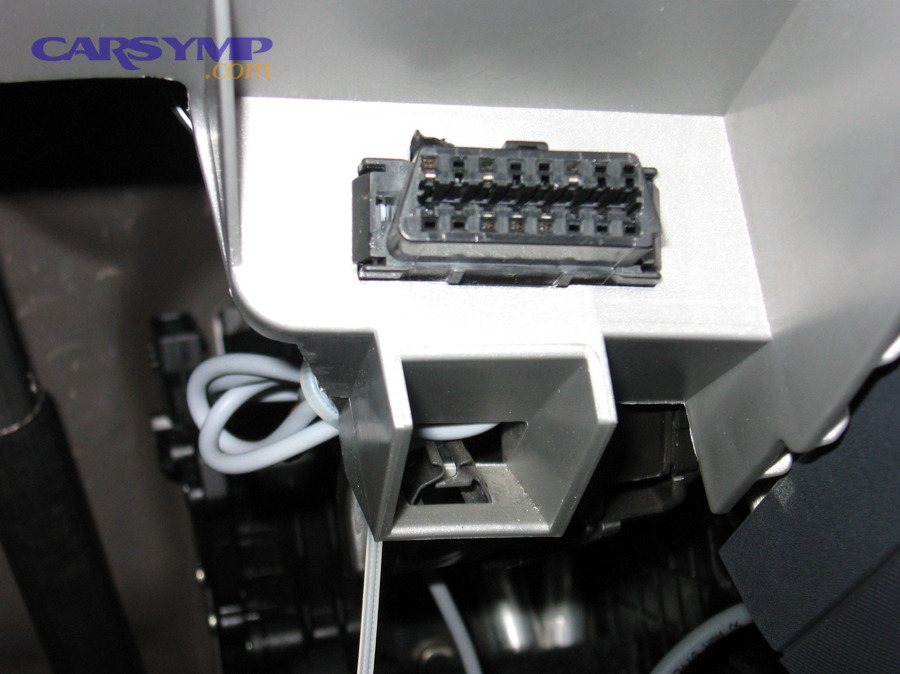
This is popular because many memory saver kits plug directly into the OBD connector under the dash. A key reason it works is that the diagnostic connector is designed with specified electrical circuits and pin usage. ISO 15031-3:2016 is an international standard that defines the diagnostic connector and related electrical circuits for emissions-related diagnostics.
However, it’s still a vehicle circuit—meaning it can be fused, shared, or sensitive. A high-quality answer on Motor Vehicle Maintenance & Repair Stack Exchange quotes SAE J1962 requirements that terminal 16 is “Unswitched Vehicle Battery Positive,” must be connected to battery positive, and must supply a minimum of 4.0 A, with recommended circuit protection.
2) 12V accessory socket (cigarette lighter / power outlet)
Some vehicles keep the outlet powered even with the ignition off; others switch it off. If it’s switched, it will not maintain memory when you remove the key. If it’s always hot, it can be a convenient connection point—yet you must verify it stays live during the entire battery removal window.
3) Under-hood jump posts / dedicated power terminals
Many modern cars provide dedicated jump-start posts or distribution points intended for external power. These can be more robust than the OBD circuit and reduce the chance of stressing interior wiring, but access varies by model.
Practical safety hierarchy: approved under-hood posts (best) → verified always-hot 12V outlet (good) → OBD-II (often fine, but be careful with fuse protection and correct polarity).
Theo nghiên cứu của International Organization for Standardization từ ISO/TC 22 (Road vehicles) Subcommittee SC 31, vào 04/2016, ISO 15031-3 nêu rõ phạm vi và yêu cầu cho “diagnostic connector and related electrical circuits,” làm nền tảng cho cách thiết bị bên ngoài kết nối an toàn với xe.
How do you use a memory saver step-by-step without creating a short?
The safest method is: power the vehicle through the correct port first, confirm stable voltage, then disconnect the battery terminals in the right order, replace the battery, and reconnect before removing the memory saver.
Now, let’s walk through the exact sequence so your tools never become the “short circuit” between metal and battery posts.
Step 1: Prepare the vehicle state. Turn off ignition, remove the key/fob from the cabin if your car is keyless, turn off lights, close doors (or latch the door striker carefully if you need a door open), and wait a minute so modules can go to sleep. This reduces current draw and helps the memory saver maintain steady voltage.
Step 2: Connect the memory saver to the vehicle first. If you’re using the OBD-II method, plug it in firmly. If using an outlet, ensure it’s an always-hot power point. If using under-hood posts, connect positive first, then negative to the approved ground point.
Step 3: Verify polarity and stability. Many better devices provide indicator lights. If you have a multimeter, confirm a stable 12V-ish supply at the vehicle terminals before loosening anything.
Step 4: Disconnect the battery terminals in the correct order. The commonly recommended order is negative first, then positive, to reduce accidental short risk. OBDeleven’s battery-change guide explicitly emphasizes starting with the negative terminal to prevent electrical shorts and sparks.
Step 5: Remove the battery safely. Keep tools away from bridging terminals. Lift out using proper technique (batteries are heavy). Inspect the tray and hold-down hardware.
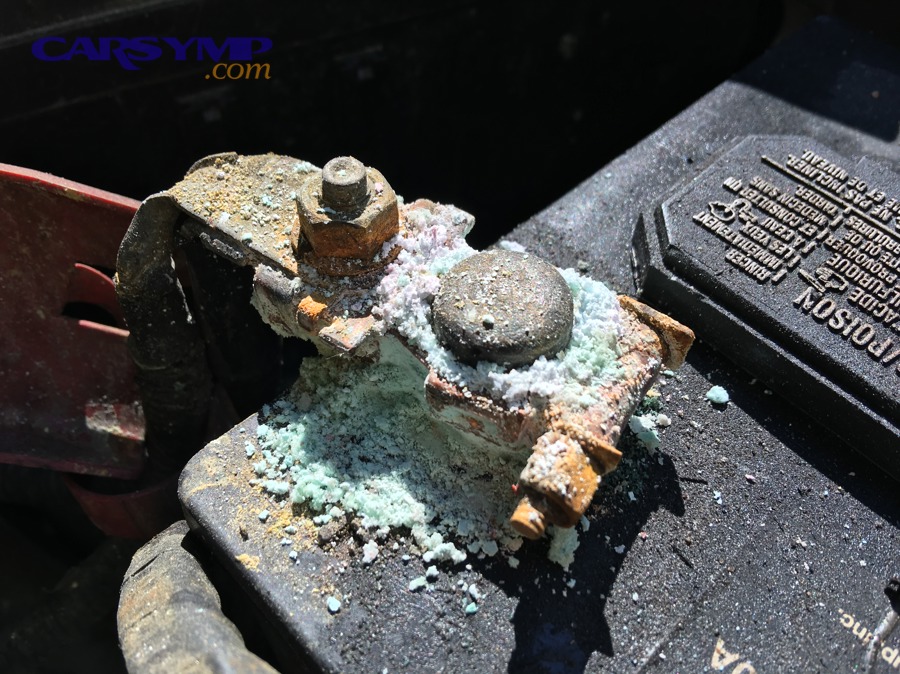
Step 6: Clean and protect connections. This is where you do Corrosion cleaning and terminal protection correctly: neutralize/clean corrosion, rinse carefully if appropriate, dry, and apply terminal protectant where recommended—so the new battery doesn’t start its life with high resistance at the clamps.
Step 7: Install the new battery and reconnect terminals (reverse order). Install and secure the battery, connect positive first, then negative. Tighten to proper clamping force (snug, not crushed).
Step 8: Remove the memory saver last. Once the battery is fully connected, remove external power. Then verify startup and check for warning messages.
To see the sequence visually (including a real battery swap workflow), you can follow a step-by-step demonstration video from OBDeleven.
Small but critical safety habits: keep a wrench from touching the body while on the positive terminal, avoid metal jewelry, and never let tools bridge the posts. OBDeleven specifically warns not to let a wrench touch the positive terminal and the body/fender at the same time.
Theo nghiên cứu của OBDeleven từ nhóm biên tập hướng dẫn bảo dưỡng, vào 06/2024, khuyến nghị thao tác “disconnect negative first” được nhấn mạnh để giảm nguy cơ chập điện và tia lửa khi thay ắc quy.
What can go wrong if you skip a memory saver?
Skipping a memory saver is usually not catastrophic, but it can cause lost settings, triggered warnings, and temporary drivability changes because some modules reset and must relearn or reinitialize after power is restored.
Next, we’ll group the consequences so you can decide whether the risk is “annoying” or “costly” for your specific car.
1) Convenience losses (common, low risk)
- Clock/time reset, radio presets, infotainment personalization.
- Seat/mirror memory or limited comfort features needing re-selection.
Banner’s guidance lists specific comfort data (navigation settings, phone book, radio station, electronic seat position) that can be preserved when voltage is maintained, implying these are typical losses when it isn’t.
2) Reinitialization tasks (moderate inconvenience)
- Power windows: one-touch up/down may need reinitialization.
- Steering angle sensor or stability systems: some cars may require a short drive for calibration.
- Throttle/idle relearn: idle might be rough briefly until the ECU adapts.
3) Temporary drivability quirks (usually self-resolving)
- Rough idle, unusual shift feel, or delayed throttle response immediately after reconnect.
- More aggressive charging behavior until systems settle.
4) Diagnostic noise (confusing during troubleshooting)
- New codes related to undervoltage events or module resets.
- Cleared readiness/adaptive states, complicating emissions testing timing in some regions.
CARB’s keep-alive memory discussion is relevant here because it highlights that certain learned values can be lost on disconnect, which explains the “why” behind relearn behavior.
Theo nghiên cứu của California Air Resources Board từ Mobile Source Operations Division, vào 09/2018, phần mô tả về mất “keep-alive memory” liên hệ trực tiếp đến việc xe cần thời gian học lại sau khi nguồn bị ngắt, gây ra cảm giác vận hành khác biệt tạm thời.
How long can you keep the vehicle “alive,” and what drains a memory saver?
A memory saver can hold keep-alive circuits for the entire battery swap, but its runtime depends on vehicle sleep state and current draw—if modules stay awake, even a good unit can sag or shut down.
To avoid that, we’ll focus on what increases draw and how to keep the car in a low-power condition.
What drains it fastest:
- Open doors / interior lights that keep body modules awake.
- Keyless proximity when the fob is nearby, triggering wake-ups.
- Infotainment screens or accessory mode left on.
- Aftermarket electronics drawing power from always-hot circuits.
How to keep current low: remove the key/fob, turn everything off, close doors, and wait briefly for module sleep. If you must keep a door open, use the mechanical latch trick carefully (and remember to unlatch before closing the door).
When using OBD power, remember the connector is intended to support diagnostic tools and is expected to be fused/protected; it is not a high-current supply for running accessories. The Stack Exchange answer’s quoted SAE requirement emphasizes both “unswitched battery positive” and minimum supply capability (4.0 A) along with recommended protection.
Time expectation: You’re not trying to power the whole car—just maintain memory. That means most swaps are well within capability as long as you keep the car asleep and don’t create unnecessary loads.
Theo nghiên cứu của SAE (trích dẫn theo thảo luận kỹ thuật trong Motor Vehicle Maintenance & Repair Stack Exchange), vào 04/2017, yêu cầu tối thiểu 4.0 A cho chân nguồn OBD cho thấy đây là mạch có bảo vệ và có giới hạn thiết kế—vì vậy việc giảm tải và giữ xe “ngủ” là then chốt khi dùng memory saver.
How do modern vehicles change the decision after you install a new battery?
Modern vehicles can require more than a simple swap because charging strategy and energy management may depend on telling the car a new battery has been installed, especially on start-stop and sensor-equipped systems.
To connect the dots, we’ll tie memory saving to what happens after the battery is physically in place.
First, let’s be clear: a memory saver mainly helps during the moment you change car battery by preventing a voltage interruption. But newer cars often add a second layer: energy management logic that needs to recognize the new battery’s characteristics and age.
That’s where Battery registration/coding on modern vehicles enters the story. OBDeleven’s guide explicitly frames battery replacement as more than “swapping old for new,” noting that you may need to register the battery so electrical systems function correctly.
Banner’s technical guidance describes Battery Energy Management (BEM) and notes that entering a BEM code resets stored configuration/actual values of the old battery in the control unit and records mileage.This is a strong clue that the vehicle’s charging behavior is not generic—it adapts based on stored battery information.
How does this affect the memory saver decision?
- With a memory saver: you avoid a full power interruption, which can preserve comfort settings and reduce post-swap reinitializations.
- Without a memory saver: you may still complete the replacement successfully, but you might face more resets and potentially more “noise” in module behavior immediately after reconnect.
Importantly, Banner states that maintaining voltage via the OBD socket can reliably prevent loss of vehicle data during battery replacement, and it also discusses how BEM-related behavior may require diagnostic tools.
Practical takeaway: if your car has start-stop, advanced energy management, or requires registration, treat the job as a two-part process: (1) stable swap (memory saver helps), and (2) correct initialization/registration if required (diagnostic tool helps).
Theo nghiên cứu của Banner Batterien từ mục Battery Knowledge, vào 07/2016, hướng dẫn nhấn mạnh rằng duy trì điện áp qua cổng OBD bằng Memory Saver giúp ngăn mất dữ liệu xe khi thay ắc quy và giải thích vai trò BEM trong việc cập nhật trạng thái ắc quy mới.
Contextual Border: Up to this point, you’ve learned the core “macro” decision—what a memory saver protects, when it’s needed, and how to use it safely. Next, we’ll expand into edge cases, myths, and uncommon scenarios that trip up DIY battery swaps.
Edge cases and myths that confuse memory saver use
Most confusion comes from mixing up devices, overestimating what gets “erased,” or using the wrong power point—so the best approach is to clarify what a memory saver is not and what special cases demand extra caution.
To keep this practical, we’ll address the most common myths in four targeted scenarios.
Is a jump starter the same as a memory saver?
No—while both provide voltage, a jump starter is optimized for high current bursts to crank an engine, whereas a memory saver is optimized for stable, low-current voltage maintenance during a disconnect.
So, use the jump starter for starting problems, and use the memory saver (voltage maintainer) for preserving keep-alive circuits.
The OBD connector’s intended function is diagnostic access; power through it is designed around external test equipment needs and protection, not engine starting.
Will you lose keys, immobilizer programming, or “ECU coding” if you disconnect the battery?
Usually no—security keys and ECU coding are typically stored in non-volatile memory, but you can lose convenience settings and certain learned adaptations that must be relearned after reconnecting power.
That distinction is why a memory saver reduces annoyance more than it prevents “catastrophic” loss for most vehicles.
CARB’s discussion focuses on keep-alive memory/adaptive values rather than permanent programming, reinforcing that the common effect is relearn behavior.
What about hybrids and EVs with a 12V battery?
Hybrids and EVs still use a 12V system to power modules and close contactors, so preserving low-voltage memory can matter; the difference is that you must follow manufacturer safety guidance because high-voltage systems add additional risks.
In other words, the memory saver concept still applies, but the “safe workflow” becomes non-negotiable.
Can a memory saver damage modules or blow fuses?
Yes, if you reverse polarity, create a short, or wake the vehicle into high draw while on a weak supply; no, if you connect correctly, keep the car asleep, and use an appropriate connection point with protection.
That’s why polarity checks and correct disconnect order matter, and why OBD power (pin 16) is typically fused/protected.
Theo nghiên cứu của OBDeleven từ nhóm biên tập hướng dẫn bảo dưỡng, vào 06/2024, cảnh báo về tránh chạm dụng cụ kim loại vào cực dương và thân xe cho thấy rủi ro chính là chập điện do thao tác, không phải do bản thân việc duy trì điện áp.
FAQ: Memory saver use and when it’s needed
These quick answers target the most common “last-minute” questions people ask right before a battery swap, so you can decide fast and avoid mistakes.
To keep the flow, each answer includes a direct takeaway and a next-step hint if your situation is special.
Do you always need a memory saver for a battery replacement?
No—many vehicles will be fine without one, but using a memory saver is smart when you want to preserve settings and minimize relearn behavior after reconnecting power.
To decide quickly, prioritize it on newer, module-heavy vehicles or when you want a “no surprises” restart.
Can I power the car through OBD-II safely for memory saving?
Often yes—OBD terminal 16 is intended as unswitched battery positive for test equipment, typically with fuse protection, but you must connect correctly and keep loads low.
So, confirm polarity, avoid waking modules, and don’t treat the port like a high-current supply.
What if my OBD port has no power?
Then the OBD method won’t work; choose an under-hood jump post or a verified always-hot outlet, and check the vehicle’s OBD fuse if appropriate.
Because OBD power is generally fused, a blown fuse can remove voltage at the port and prevent memory saving.
What order should I disconnect and reconnect battery terminals?
Disconnect negative first, then positive; reconnect positive first, then negative—this reduces accidental short risk against the vehicle chassis.
If you’re unsure, follow your vehicle manual and use insulated tools when possible.
Will a memory saver eliminate the need for battery registration?
Not necessarily—voltage maintenance helps preserve data during the swap, but some energy management systems still need battery initialization/registration so charging strategy matches the new battery.
If your car has BEM/start-stop logic, plan for a diagnostic step after installation.
What’s the most common mistake DIYers make with memory savers?
They keep doors open or the key nearby, waking modules and increasing current draw, which can cause voltage sag and resets even though the memory saver is connected.
So, keep the car asleep, work efficiently, and remove the external supply last.
Theo nghiên cứu của Banner Batterien từ mục Battery Knowledge, vào 07/2016, khuyến nghị “maintaining voltage via the OBD socket” nhằm ngăn mất dữ liệu ngầm cho thấy yếu tố cốt lõi là duy trì điện áp ổn định trong suốt quá trình thay.