


A car that won’t start is usually a battery problem you can confirm (or rule out) in minutes by checking power symptoms, terminal condition, and how the car reacts when you try to crank. This guide gives you a battery-first checklist so your next move is based on evidence—not guesses.
Next, you’ll learn how to read the most common “no-start sounds” and light behavior so you can tell a weak/dead battery apart from a loose or corroded connection—two issues that often feel identical from the driver’s seat.
Then, you’ll get a fast, practical workflow you can follow in real time, plus clear “if/then” outcomes that point you toward the right fix or the right next test.
Introduce a new idea: once the battery checks out, we’ll pivot into what to look at next (starter/charging clues) and the decision point for When to tow vs keep troubleshooting.
Is the battery the most likely reason your car won’t start? (Yes/No)
Yes—when a car won’t start, the battery is the most likely cause because battery output drops with age and cold, starting needs high current, and small connection problems at the battery terminals can block power even if the battery still has charge.
Next, because “battery problem” can mean either low battery power or poor power delivery, you’ll want to split your first checks into three quick evidence buckets: lights, sounds, and crank behavior.
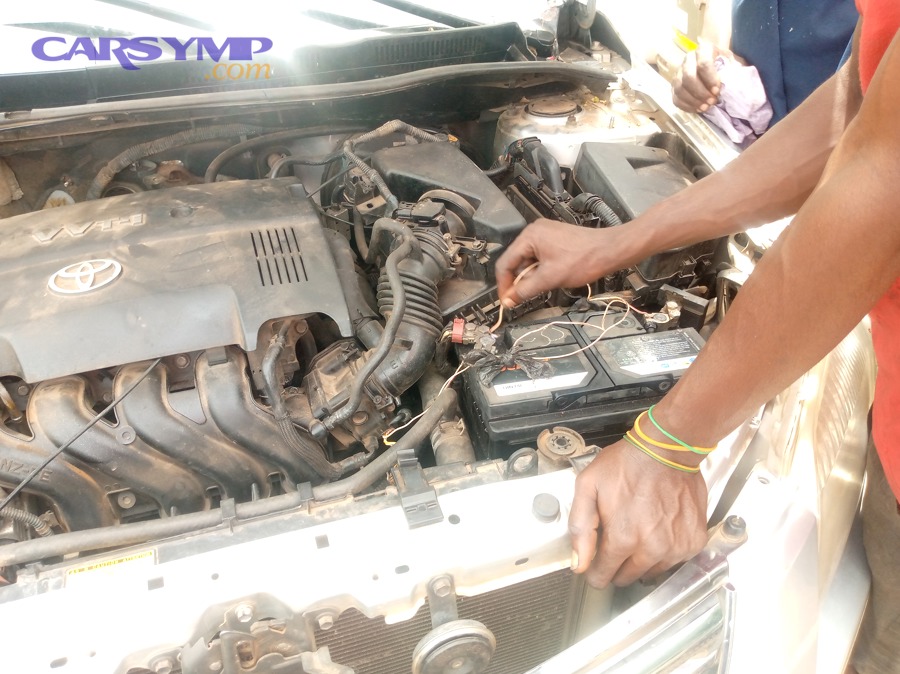
Do the headlights/dash lights look weak or dim (Yes/No)?
If your headlights and dash lights are noticeably dim, the answer is Yes: that strongly supports a low-charge or weak battery—because lighting is a simple “load” that reveals how much stable voltage the electrical system can maintain at rest.
Specifically, watch for these patterns that point toward a battery-first no-start diagnosis:
- Dim lights + slower and slower cranking: classic weak/dead battery behavior (voltage collapses under starter load).
- Dim lights + rapid clicking: battery can’t supply enough current to hold the starter solenoid engaged.
- Dim lights + no click/no crank: could be a very low battery or a severe connection issue—so you’ll use the next checks to separate them.
To illustrate what “not a battery” can look like: if the headlights are bright and stable but the engine does not crank, you should immediately suspect power delivery (terminals/cables/grounds) or the starter control side, not just battery charge.
Do you hear rapid clicking, one click, or nothing at all ?
Rapid clicking usually favors a weak battery, one solid click can point to a delivery or starter-side issue, and silence often means a power/connection interruption or a control/safety lockout.
However, the key is to compare sound with what the lights are doing, because the combination is far more diagnostic than either one alone.
Here’s a symptom comparison that drivers can use immediately:
- Rapid clicking + lights dim hard while you try to start → Battery can’t sustain voltage/current under load.
- One solid click + lights stay fairly bright → Battery may have voltage, but the starter motor isn’t turning (starter issue) or current isn’t reaching it (bad cable/ground/terminal).
- No sound + dash goes dead or resets → A loose terminal, badly corroded terminal, or main cable connection can cut power when load is applied.
- No sound + lights stay normal → Could be a neutral safety switch, clutch switch, start relay, immobilizer, or other non-battery issue (we’ll cover this after the checklist).
Did the car start after a jump (Yes/No)?
Yes—if the car starts after a jump, your battery or battery connections are the leading suspects because the jump source is supplying the missing voltage/current your system lacked.
Then, use the quality of the start and what happens afterward to tighten the diagnosis:
- Starts quickly and runs normally → Your battery was likely low (charge issue) or borderline weak.
- Starts only with the jump connected, then stalls or struggles → The charging system may not be replenishing, or the battery may be severely degraded.
- Still won’t crank even with a proper jump → This pushes suspicion toward connections, cables, grounds, or starter-side faults (not just “dead battery”).
At this point, you’re already doing what professional shops do early on: you’re sorting the problem into “power supply” vs “power delivery” vs “starter/control.” That’s the core logic behind effective Car Symptoms troubleshooting—and it prevents you from replacing parts blindly.
What is a “dead battery” vs a “loose terminal” in a no-start situation ?
A “dead/weak battery” is a low-output power source that can’t maintain voltage and current under starter load, while a “loose or corroded terminal” is a power-delivery failure where the battery may be fine but the connection adds resistance or intermittently opens.
More importantly, because both problems can produce clicking, dimming, and no-crank events, you need a simple comparison that focuses on consistency and intermittency.
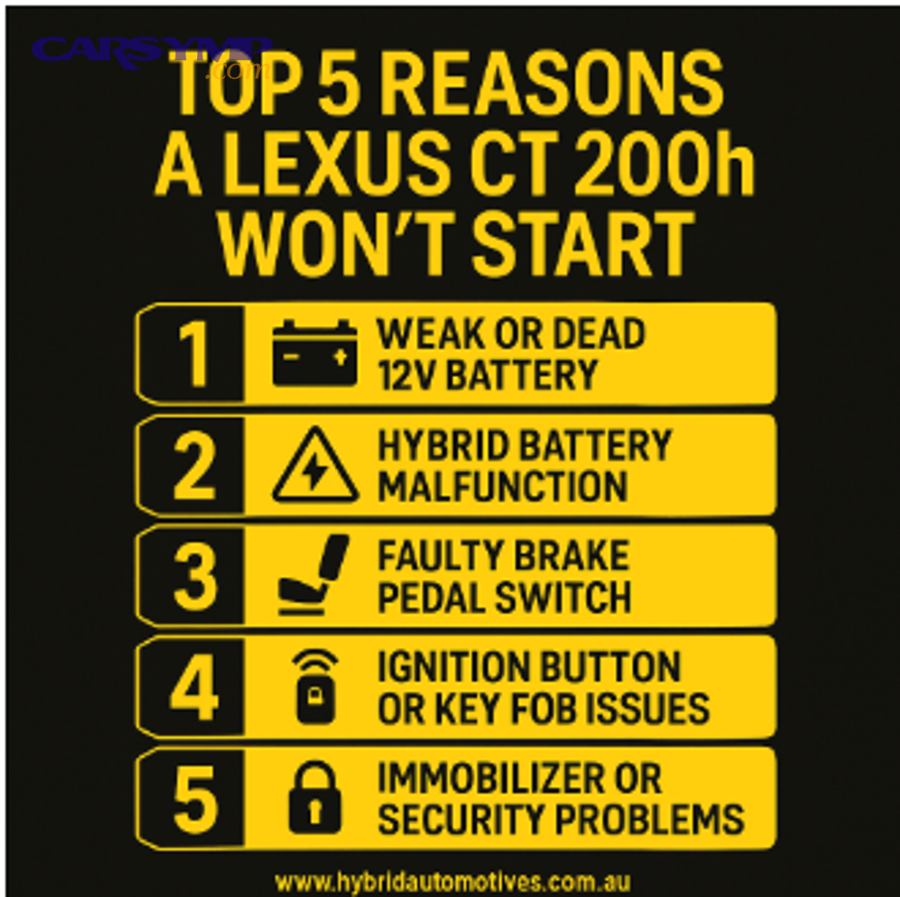
What does “dead/weak battery” mean in practical terms ?
A weak battery usually means one of two practical realities:
- Low state of charge (it’s discharged): the battery might still be healthy, but it’s simply not charged enough to crank.
- Low state of health (it’s worn out): the battery may show “okay” voltage at rest but collapses under load because its internal condition can’t deliver current.
For drivers, “weak battery” typically looks like a predictable pattern: it cranks slower, it struggles more after sitting, and the failure trend worsens over days or weeks. Cold weather intensifies this because chemical reactions slow and internal resistance rises, so a borderline battery becomes a no-start battery faster in winter. (electrochem.org)
Practical clues that favor a truly weak battery (not just a connection issue):
- The problem is consistent each time you try to start.
- Accessories (radio, blower, lights) dim noticeably when you attempt to crank.
- It happens more after short trips (battery never recharges fully) or after the car sits.
What does a “loose/corroded terminal” do to starting power ?
A loose or corroded terminal acts like a bottleneck: it introduces resistance or intermittent contact. The starter motor demands high current, and resistance turns that demand into voltage drop and heat instead of cranking power.
In plain terms: the battery may be capable, but the car can’t “drink” the power through a restricted straw.
Connection issues often show these “delivery failure” traits:
- The problem can be intermittent (it starts fine sometimes, fails others).
- You may see flickering lights or electronics resetting when the key is turned.
- You may notice visible corrosion (white/green crust), or the terminal can be moved by hand.
One reason terminals are so common is that corrosion doesn’t have to be dramatic to matter. A small layer at the contact point increases resistance, and starter current makes that resistance “loud” in the form of failure.
How can you tell “dead battery” vs “bad connection” by symptoms alone ?
Dead battery wins for consistent weak-crank and dimming, bad connection wins for intermittent power behavior and “everything seems fine until you turn the key” moments.
However, the fastest way to compare is to use a simple symptom matrix.
Below is a quick comparison table showing what the patterns usually mean (this table is not a substitute for testing, but it helps you choose the right next check).
| What you observe | More likely “dead/weak battery” | More likely “loose/corroded terminal” |
|---|---|---|
| Lights are dim before you start | ✅ | Sometimes |
| Lights are normal, then go dead/reset when cranking | Possible | ✅ |
| Problem is consistent every attempt | ✅ | Less common |
| Problem is intermittent (wiggle/temperature/bumps change it) | Less common | ✅ |
| Jump-start always helps immediately | Often | Often, if jump clamps bypass bad contact |
| Visible corrosion on terminal | Sometimes | ✅ |
The hook to remember: battery health is “how much power exists,” while terminal condition is “how well power travels.” That single idea sets you up for the 5-minute checklist.
What is the fastest battery-first no-start checklist you can do in 5 minutes ?
There are 4 main parts of a battery-first no-start checklist—observe symptoms, inspect terminals/cables, do a quick charge/voltage sanity check, and interpret the results—because those steps isolate “power supply” vs “power delivery” fast.
To better understand the outcome, treat this like a mini flowchart: each step either confirms a battery issue or pushes you to the next checkpoint.
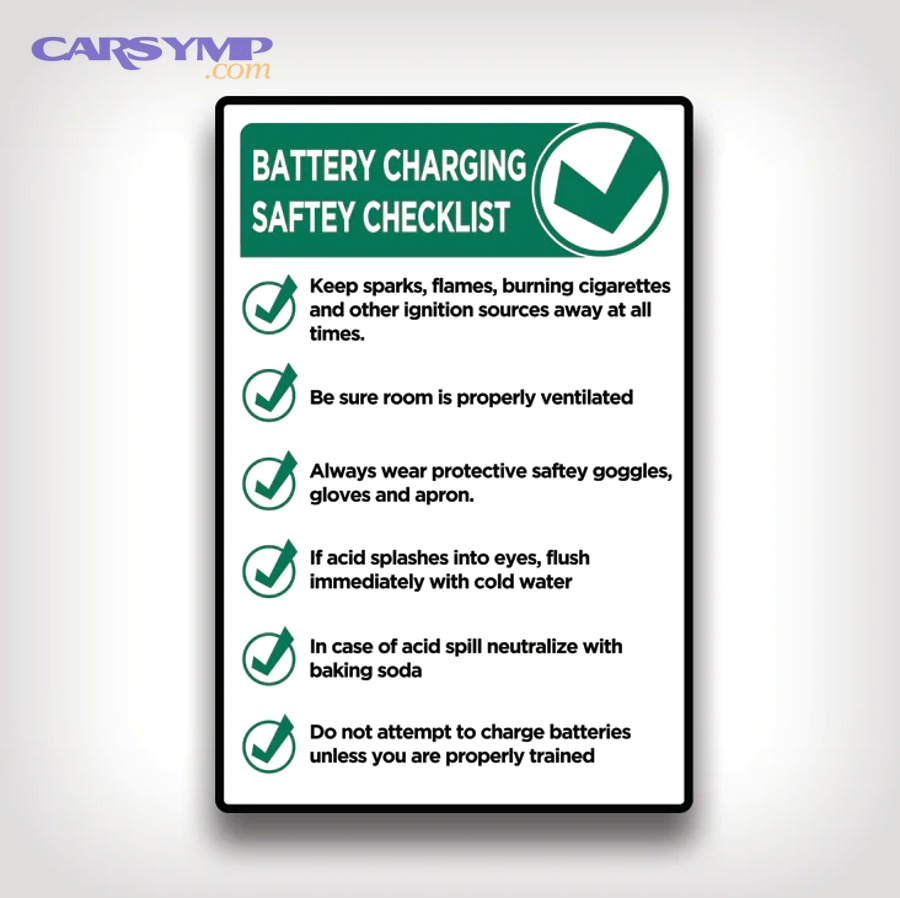
What should you inspect first under the hood ?
Start with an inspection that takes 60–90 seconds and requires no tools. Prioritize anything that can cause a big voltage drop under load.
1) Battery terminals (positive and negative)
- Look for white/green crust, dampness, or powdery buildup.
- Confirm the clamp sits fully down on the battery post (not perched high).
- Check for cracks or deformities in the clamp.
2) Cable ends and the first few inches of cable
- Look for frayed strands, swollen insulation, or obvious damage.
- Pay attention to “soft” or bulged sections—these can indicate internal corrosion.
3) Ground connection (negative cable to body/engine)
- Find where the negative cable bolts to the chassis or engine.
- Look for rust, looseness, or a broken ground strap.
4) Battery case condition
- If you see swelling, heavy leakage, or smell something sharp/chemical, stop and get professional help. Physical battery damage is not a DIY moment.
This inspection is not busywork. It directly targets the most common “false dead battery” scenario: a battery that’s fine but can’t deliver power due to terminal and ground issues.
Which simple checks can confirm a connection issue ?
Yes—you can confirm a likely connection issue if (1) the terminals move by hand, (2) corrosion is present at the contact area, and (3) the electrical system cuts out or resets when you try to crank.
Then, because those checks are “high confidence,” you can choose a safer next move: fix the connection before you consider replacing the battery.
Use these three yes/no confirmations:
- Yes/No: Can you rotate the terminal clamp by hand?
Yes → It’s too loose. A loose clamp can behave like a dead battery under starter load. - Yes/No: Is there visible crust at the terminal/post interface?
Yes → Corrosion is increasing resistance. Even a modest layer can stop cranking. - Yes/No: Do the lights/dash die when you turn the key, then come back?
Yes → Often indicates a main connection opening under load (terminal/cable/ground).
If you get “Yes” on even one of these, shift your attention to power delivery first. This is how you avoid the most common costly mistake in no-start diagnosis: buying a battery when the real issue is a $0–$30 terminal/cable fix.
What quick battery checks can indicate low charge ?
If your terminal and cable inspection looks decent, you can do quick “charge-level” checks.
Option A: No tools (behavioral checks)
- Dome light brightness at rest vs while cranking (does it collapse?).
- Does the starter crank speed drop rapidly over successive attempts?
Option B: Basic multimeter (fast and clearer)
- Measure battery voltage with the engine off (after letting it sit briefly).
- Then measure voltage while someone attempts to crank (if possible and safe).
If you want a visual walk-through, this video shows the basic multimeter approach in a driver-friendly way:
A helpful way to interpret quick results (without turning this into an electrical engineering class):
- Healthy resting voltage is usually around the mid–12V range when fully charged.
- A big drop during cranking strongly suggests the battery can’t supply current or you have a major resistance point in the cables/terminals.
Evidence: According to a study by North Carolina State University from the Electrical & Computer Engineering department, in 2024, researchers tested new vs aged sealed lead-acid batteries and reported an older battery retaining only about 20% of its maximum rated capacity, highlighting how dramatically battery health can decline over time. (pmc.ncbi.nlm.nih.gov)
If the battery seems fine, what else causes a no-start and how do you rule it out ?
If the battery seems fine, the next most common no-start buckets are starter-side faults, charging system issues that keep draining the battery, and control/safety lockouts; battery-only fixes won’t work because the failure is no longer “power supply.”
Besides, this is where your earlier observations (lights, clicks, jump-start behavior) become valuable—because they narrow which bucket is most likely.
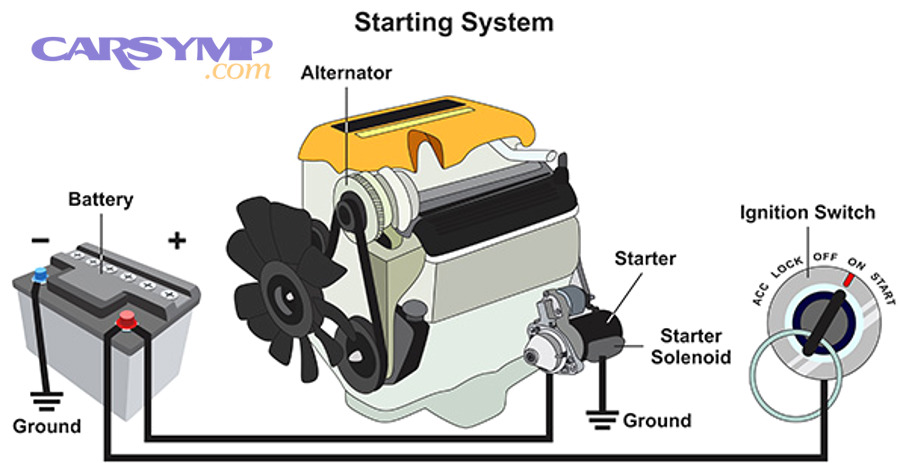
Is it a starter problem or a battery problem ?
Battery issues win on “slow crank + dimming,” while starter issues win on “lights stay bright but the engine won’t crank or only clicks once.”
Meanwhile, cable/ground problems can imitate either one, which is why the terminal/ground inspection is so important.
Use these comparisons:
- Battery-leaning pattern:
- Slow crank, repeated rapid clicking, lights dim strongly.
- Starter-leaning pattern:
- One solid click, lights remain bright, battery seems to have normal accessory power.
- Cable/ground-leaning pattern (the mimic):
- Dash resets, intermittent no-crank, problem changes with temperature or movement.
If you’re trying to avoid unnecessary spend, this is the moment to resist “part roulette.” Starter replacement is a meaningful job on many vehicles; you want at least one strong symptom cluster before you go there.
Could the alternator be the real issue even if it jump-starts ?
Yes—an alternator (or charging circuit) can be the real issue even if the car jump-starts because the jump can temporarily supply what the battery should have had, but the battery may not be getting recharged afterward.
More importantly, charging issues create a repeating pattern: you recharge or jump the car, it runs, then it’s dead again later.
Three reasons this can happen:
- The battery is constantly being drained (parasitic draw or a module staying awake).
- The alternator isn’t replenishing the battery at a sufficient rate.
- The battery is too degraded to accept/hold charge even if the alternator is working.
This is where your timeline matters. A battery that dies overnight or after a short drive often points to “drain or charge” rather than a one-time discharge event.
When should you stop troubleshooting and call for help ?
Yes—you should stop troubleshooting and call for help if (1) you smell burning/see smoke, (2) the battery case is swollen or leaking, or (3) repeated attempts create total power loss or sparking—because those signs suggest a safety risk or severe electrical fault.
More importantly, there’s also a practical stop line: when you’ve done the battery checklist and the results don’t agree, you’re likely at the point where professional testing saves money.
Use this decision list:
- Stop immediately if you see swelling, leaking, smoke, or melting insulation.
- Stop and call for help if cables get hot quickly or you hear abnormal buzzing/rapid relay chatter.
- Stop and consider towing if the car is in an unsafe location, you’re blocking traffic, or repeated attempts risk draining a battery you might still be able to save.
This is also where real-world cost enters the conversation. Diagnosis cost and common repairs often favor a short professional test over guessing: a shop or mobile tech can load-test the battery, check charging output, and verify voltage drop quickly—often preventing the wrong part replacement.
How can you prevent repeat no-start battery problems (and the opposite: avoid overcharging) ?
You prevent repeat no-start events by keeping the battery properly charged, reducing unnecessary drain, and maintaining low-resistance connections—while avoiding the opposite extreme, overcharging, by using the correct charger type and not “cooking” the battery for days.
Especially if your no-start happened once and you want it to stay a one-time story, prevention is where the biggest wins live.
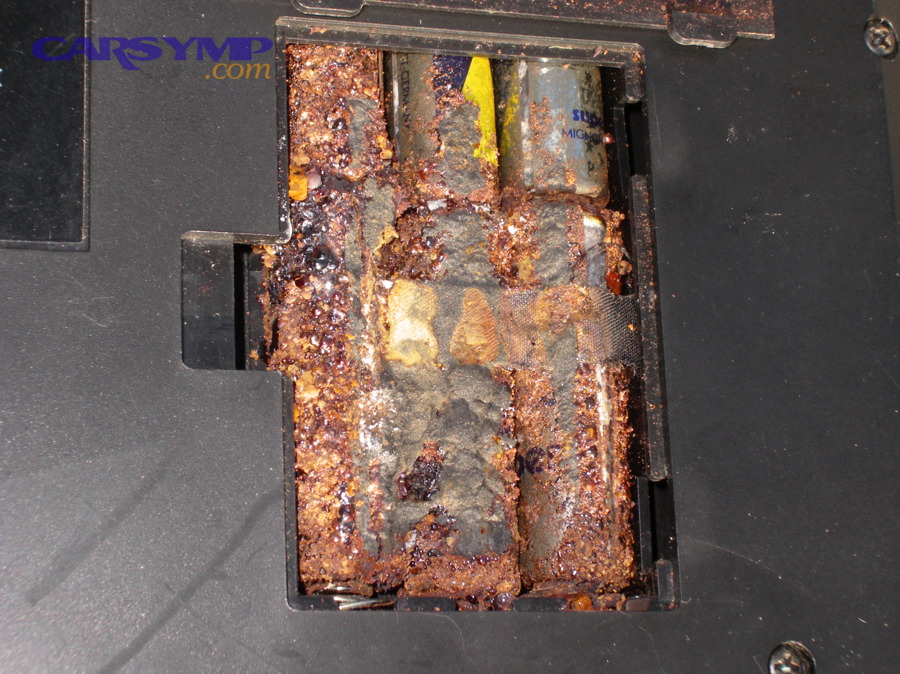
What habits drain a battery fastest and how do you reduce parasitic drain ?
Many repeat no-start complaints are not “bad luck”—they’re predictable drain patterns. Here are the biggest culprits and what to do:
Fast-drain habits
- Frequent short trips (battery never fully recharges).
- Sitting for long periods without a maintainer (especially in cold weather).
- Leaving accessories plugged in (some outlets stay live).
- Aftermarket devices wired incorrectly (dash cams, alarms, audio equipment).
How to reduce drain
- Drive long enough to recharge after heavy starting demand.
- If the car sits, use a quality battery maintainer appropriate for your battery type.
- If you suspect drain, measure it properly (many modern cars have normal “sleep” draw, but excessive draw is diagnosable).
Industry-facing automotive education sources commonly cite normal parasitic draw ranges in the tens of milliamps for many vehicles, with higher values indicating an issue that should be diagnosed rather than ignored. (uti.edu)
Does battery type matter (AGM vs flooded) for no-start behavior ?
AGM wins for spill resistance and often stronger performance under certain demands, flooded lead-acid wins on lower upfront cost, and the best choice depends on what your vehicle is designed to use—because charging strategy and fitment matter as much as the label.
However, the most important practical rule is simple: use the battery type and specification recommended for your vehicle whenever possible, because mismatches can lead to poor charging behavior or shortened life.
What drivers should understand:
- AGM batteries can be more sensitive to incorrect charging profiles.
- Flooded batteries can be more tolerant in some scenarios but still fail quickly if repeatedly undercharged.
- Either type will suffer if terminals corrode or the car regularly sits partially discharged.
What is voltage-drop testing and when is it worth doing ?
Voltage-drop testing is a method of finding hidden resistance in cables, terminals, and grounds by measuring how much voltage is “lost” across a connection while current is flowing—often during cranking.
In everyday terms: it answers, “Where is the power being wasted before it reaches the starter?”
It’s worth doing when:
- Your battery tests “okay,” but starting is still inconsistent.
- Terminals look fine, yet the dash resets or the starter behaves erratically.
- You’ve had repeat no-start events and want proof before replacing parts.
Voltage-drop testing is also one of the best anti-guess tools in no-start diagnosis because it can reveal a bad ground strap or corroded cable that visual inspection misses.
When should you replace the battery vs clean/tighten terminals ?
Replace the battery when repeated failures track with age/health decline, clean/tighten terminals when symptoms point to delivery failure, and do both when the battery is old and the connections are visibly compromised—because weak supply plus weak delivery compounds the problem.
In short, choose your fix based on what your checklist proved:
Replace (battery-leaning evidence):
- Battery is old and struggles more over time.
- It repeatedly fails after being charged.
- It shows strong voltage drop under crank even with good connections.
Service terminals/cables/grounds (connection-leaning evidence):
- Terminals move by hand.
- Corrosion is present at the interface.
- Power cuts out or resets when you crank.
Do both when:
- The battery is near end-of-life and the terminals show corrosion/looseness—because a new battery on bad terminals can still no-start, and clean terminals on a dead battery won’t create capacity.
Evidence (Summary)
According to a study by North Carolina State University from the Electrical & Computer Engineering department, in 2024, researchers observed severe capacity degradation in an aged sealed lead-acid battery—reporting it retained only about 20% of its maximum rated capacity—which supports why battery age and condition matter so much in real-world no-start diagnosis. (pmc.ncbi.nlm.nih.gov)