


Break-in and readiness monitors after replacement matter because your vehicle can be mechanically “fixed” yet still fail an OBD-based inspection until the computer finishes its self-tests and reports “Ready.”
Beyond passing an inspection, understanding readiness helps you avoid pointless parts-swapping, repeated code-clears, and the frustration of seeing “Not Ready” even after lots of driving.
It also protects you from accidental “reset loops” (battery disconnects, scan-tool clears, or low-voltage events) that silently restart monitors and erase the progress you’ve already made.
To begin, the goal is simple: drive in a safe, repeatable way that satisfies monitor enable criteria, then verify completion with a scan tool before you return for testing.
What do readiness monitors mean after replacement, and why do they reset?
Readiness monitors are the ECU’s built-in emissions self-tests, and after replacement they often reset to “Not Ready” because power loss or code clearing wipes the monitor completion flags.
Next, once you treat readiness as a checklist the computer must complete, you’ll stop guessing and start driving with purpose.

Definition: what the ECU is actually “checking”
In practical terms, each monitor is a structured routine that looks for expected sensor behavior and expected emissions-control response under specific operating conditions (temperature, speed, load, time, and sometimes ambient constraints).
More specifically, “Ready” means the ECU completed a test since the last reset event and found results within acceptable thresholds; “Not Ready” means the ECU hasn’t yet run that test (or it was interrupted and must be attempted again).
Continuous vs non-continuous monitors (why some look ready quickly)
Continuous monitors (often misfire, fuel system, and comprehensive components on gasoline vehicles) evaluate nearly all the time while the engine runs, so they typically show “Ready” soon after normal driving.
In contrast, non-continuous monitors (commonly catalyst, oxygen sensor, oxygen sensor heater, EVAP, EGR/VVT, secondary air) need specific “enable conditions,” so they can stay “Not Ready” for days if those conditions never happen.
Why “recent work” triggers Not Ready even when the fix was correct
Many normal repair events restart monitor status: clearing diagnostic trouble codes, disconnecting or replacing the battery, reflashing a module, or even a low-voltage event that causes the ECU to reboot.
That’s why the right approach is not “drive random miles,” but “complete the enabling patterns” and confirm completion before inspection.
How does break-in differ from monitor completion in real-world driving?
Break-in is the physical stabilization period of parts and temperatures, while readiness monitor completion is the ECU confirming system performance through repeated, valid test conditions.
After that distinction is clear, you can choose driving that warms the system safely and also triggers the self-tests efficiently.
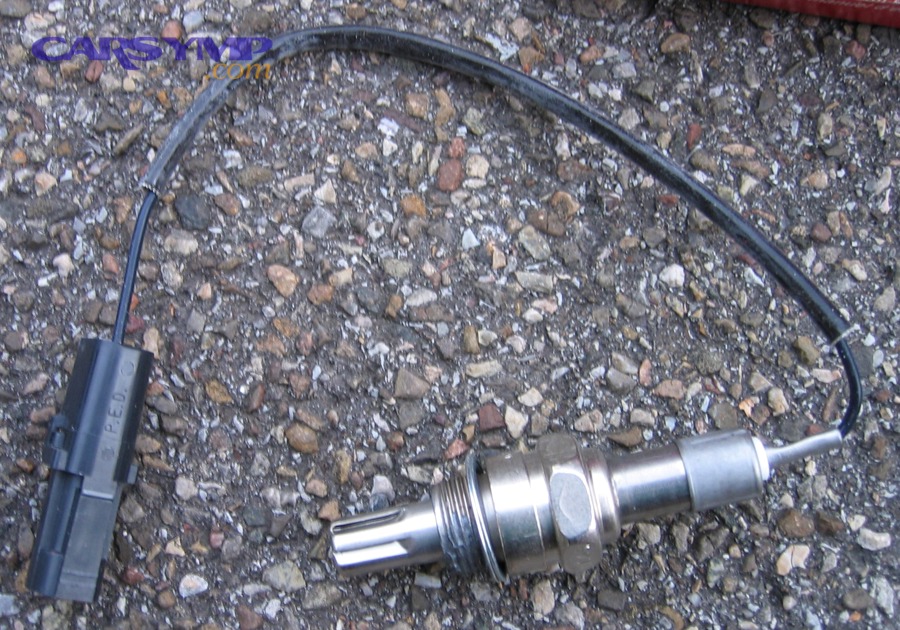
Warm-up is not the same as “passing the catalyst test”
Many drivers idle to “warm up,” but idling is often a poor strategy for readiness because several monitors prefer steady cruise, moderate load, and stable closed-loop operation—not prolonged stationary running.
According to a project report led by Utah State University and Weber State University (NCAST/UWRL), in 05/2017 cold-start emissions peaked in under 30 seconds and were optimized (95% of peak value) after about 1.5 to 2.5 minutes, supporting that lengthy warm-up idling is not required for effective catalytic converter performance.
“Light-off” and why early minutes matter
A catalyst must reach a functional temperature window where conversion becomes effective, and the transition from cold to active is the heart of “break-in” behavior you feel as drivability and emissions stabilize.
According to research by Clemson University from the Department of Mechanical Engineering (06/2016), the catalyst “light-off temperature” is defined as the temperature at which conversion efficiency reaches 50% of the maximum conversion efficiency.
Where “replacement work” typically happens in the emissions chain
For many vehicles, the post-repair period that drivers call “break-in” is actually the ECU rebuilding confidence in sensor feedback and catalyst behavior after the system has been disturbed.
For example, after catalytic converter replacement, the ECU may need multiple valid closed-loop driving segments before the catalyst monitor evaluates oxygen-storage capacity and switching behavior reliably.
Important context you should not confuse with the main topic
It’s common to mix inspection readiness questions with repair decision questions like “Can you drive with a bad catalytic converter,” but readiness strategy should focus on completing monitors after a confirmed repair, not on deciding whether to postpone the repair itself.
Which readiness monitors matter most for passing an OBD inspection?
The monitors that matter most are the ones your inspection program counts as “must be Ready,” and that list is often stricter for catalyst-related checks than drivers expect.
Next, once you know what your state allows to be incomplete, you can stop chasing the wrong monitor at the wrong time.

Start with the rule, not the rumor
Different jurisdictions allow different numbers (and types) of incomplete monitors; the same vehicle can “pass with one Not Ready” in one program and “fail with one Not Ready” in another.
For example, California BAR’s OBD test reference describes which incomplete monitors are allowed to pass by model year and fuel type, including the common gasoline rule where 2000+ typically may only have the EVAP monitor incomplete.
The catalyst monitor is usually non-negotiable
Even when one monitor is allowed incomplete, programs frequently treat the catalyst monitor as a “must be ready” item, because it directly reflects emissions-control effectiveness.
That means your plan should prioritize enabling conditions for the catalyst and oxygen-sensor-related tests first, then chase EVAP later if needed.
A simple grouping that keeps you focused
There are three practical groups: (1) quick-to-complete continuous monitors, (2) drive-pattern monitors (catalyst, O2, EGR) that need steady cruise and decel events, and (3) environment-dependent monitors (often EVAP) that may require fuel level and temperature windows.
In other words, if you try to “finish EVAP first,” you often waste days, while catalyst/O2 might have been completed with one correctly structured drive.
How can you complete a drive cycle efficiently without risky driving?
You complete a drive cycle efficiently by combining a cold start, a controlled warm-up, steady highway cruise, and safe deceleration segments that meet the ECU’s enabling criteria without speeding or aggressive maneuvers.
After that, you’ll treat each trip as a purposeful monitor run rather than a random mileage counter.
A safe, general-purpose “monitor completion” route (HOW-TO)
Method: Use a 7-part route that mixes city and highway so most non-continuous monitors get at least one valid opportunity to run.
Below is a broadly safe pattern that matches how many programs describe “normal city and highway driving for a few days” as sufficient for most vehicles, while still being structured.
- Cold start: Start after an overnight soak when possible; avoid immediate long idling.
- Gentle pull-away: Drive smoothly for 2–5 minutes to reach stable closed-loop (no hard acceleration).
- Steady cruise 1: Hold a consistent speed on a safe highway segment for 5–10 minutes.
- Coast-down event: Perform a safe, in-gear deceleration (no braking panic) when traffic allows.
- Steady cruise 2: Another 5–10 minutes at stable speed/load.
- City mixed loop: Several stops and moderate accelerations without wide-open throttle.
- Key-off soak: If you’re chasing EVAP, include a rest period per manufacturer strategy (often hours).
What to watch during the drive (so you don’t sabotage the test)
Avoid sudden battery disconnects, avoid clearing codes “just to see,” and avoid running the tank extremely low or topped off if you suspect EVAP needs a specific fuel level window.
Also avoid repeated short trips only; many catalyst and O2-related tests prefer stable temperatures and longer steady cruise segments than short errands provide.
One practical video walkthrough
This video is helpful for visualizing how scan tools display readiness and how a drive cycle is approached responsibly.
Why “more miles” can still fail
Driving 300 miles without the right conditions can leave the same monitor “Not Ready,” while a 25–40 minute structured route can complete it—because monitors are condition-gated, not distance-based.
So if you’re stuck, shift your strategy from “more driving” to “better enabling conditions” (steady cruise, correct temps, correct fuel level, correct decel events).
What conditions most often block catalyst and oxygen-sensor monitors from setting?
Catalyst and oxygen-sensor monitors most often fail to set when the engine never reaches stable closed-loop with consistent load, or when faults, trims, or exhaust leaks prevent the ECU from trusting sensor behavior.
Next, if you treat “Not Ready” as a symptom, you can diagnose the blocker instead of repeating the same unproductive route.
Group 1: temperature and closed-loop barriers
If the engine runs too cool (stuck-open thermostat) or never stabilizes in closed-loop due to sensor/trim issues, the ECU may postpone catalyst evaluation because the baseline fueling and switching behavior aren’t reliable.
In that case, your “drive cycle” won’t matter until the temperature and fuel-control foundation is corrected.
Group 2: exhaust integrity and sensor plausibility
Even small exhaust leaks upstream or near sensors can add oxygen and distort O2 readings, making the ECU delay or fail the monitor because the expected upstream/downstream relationship doesn’t appear valid.
Similarly, wiring faults, heater circuit problems, or slow sensor response can keep oxygen sensor or heater monitors from completing.
Group 3: underlying fault logic that prevents running the test
If the ECU sees pending faults, unstable fuel trims, misfires, or conditions that would invalidate the monitor, it may not run the test at all, leaving “Not Ready” as a byproduct.
This is where a scan tool matters: you want to know whether the monitor is “not run,” “in progress,” or “completed but failed” (often seen via Mode $06 on many vehicles).
One data point that reframes warm-up habits
According to the Utah State University / Weber State University project report (05/2017), idling for five minutes produced emissions roughly three, four, and ten times higher for NOx, VOCs, and CO, respectively, than a hot-start scenario after a five-minute soak—so long idling is not only unnecessary, it can be counterproductive.
Should you clear codes after replacement, or is that a mistake?
You should only clear codes after replacement when you need to erase old fault memory for confirmation, because clearing resets readiness and can create a cycle where you repeatedly delay completion of monitors.
After that decision, the next step is to verify what the ECU is currently seeing before you erase anything.
Boolean answer with the three most important reasons
Yes, sometimes clear codes—if you completed a repair and need to confirm the fault does not return under the same conditions, or if an inspection program requires the MIL to be off with no stored faults.
No, often don’t clear codes—because (1) it resets monitors to Not Ready, (2) it can hide intermittent clues you need for diagnosis, and (3) on many newer systems, certain codes persist as “permanent” until the ECU itself decides conditions have passed.
What to do instead of clearing “just in case”
First, read codes (stored and pending), freeze-frame data, fuel trims, and readiness status; then fix the root cause; then drive a structured route; then re-check—only clear if your diagnostic workflow requires it.
When you’re dealing with decision-making around “Replacement options: OEM vs aftermarket legality,” remember that legality and calibration compatibility can influence whether monitors complete, but you should still avoid unnecessary resets while you gather evidence.
Diesel timing is different (and the timeline can be much longer)
According to a U.S. EPA Office of Transportation and Air Quality best-practices memo (03/2013), a gasoline OBD system may typically run all monitors within about two weeks, while a diesel OBD system can take eight weeks or more to run all monitors, and the memo recommends instructing drivers to operate the vehicle for two or three weeks after codes are cleared before inspection in diesel applications.
This is crucial: if you apply gasoline expectations to diesel readiness, you can “do everything right” and still appear stuck.
How do you verify readiness correctly with a scan tool (and avoid false confidence)?
You verify readiness correctly by reading monitor status, ensuring no pending faults exist, and confirming that the monitors your program requires are complete—then double-checking with Mode $06 or equivalent test results when a monitor is stubborn.
Next, you’ll use verification to decide whether to drive more, change the route, or diagnose a real blocker.
Step-by-step verification (HOW-TO)
- Read readiness: Record each monitor as Ready/Not Ready/Not Supported.
- Read DTCs: Check stored and pending; pending issues can prevent monitor execution.
- Check live data basics: Coolant temp behavior, closed-loop status, O2 switching, and trims.
- Review Mode $06 if available: Look for “test results” that indicate marginal performance even if no DTC is set.
- Confirm program requirement: Compare against what your jurisdiction allows as incomplete (for example, some allow only EVAP incomplete on many gasoline 2000+ cases).
Why Mode $06 helps after a “successful” repair
Mode $06 often shows you a monitor is running but borderline (close to limits), which explains why it refuses to complete—or why it completes then later triggers a code under specific conditions.
This is especially helpful when the MIL is off but readiness or catalyst efficiency is still questionable.
A quick interpretation rule that prevents wasted trips
If a monitor remains Not Ready and you also see pending codes or abnormal trims, stop driving for readiness and return to diagnosis; if no codes exist and fundamentals look normal, adjust the drive pattern and conditions rather than replacing more parts.
What should you do if monitors won’t set before an emissions test date?
If monitors won’t set, the best move is to confirm you’re meeting enable conditions, ensure there are no hidden blockers, and then plan a targeted drive/soak routine—because repeated random driving rarely changes the outcome.
After that, you’ll choose the most efficient path: complete the right monitors, or prove a legitimate testability issue that needs repair.
Fast triage checklist (before you drive again)
- No pending DTCs: Pending faults can block monitor execution even if the MIL is off.
- Stable coolant temperature: Verify thermostat behavior and realistic warm-up.
- Fuel level sanity: Avoid extremes if EVAP is pending (many strategies won’t run EVAP near empty/full).
- Closed-loop confirmed: Ensure O2 feedback is active and trims aren’t wildly unstable.
- Exhaust leak check: Especially upstream of sensors.
When to stop “drive-cycling” and return to diagnosis
Stop trying to set monitors if you see repeating pending codes, fuel trim extremes, misfire counts, or a monitor that repeatedly attempts and fails (often visible via Mode $06 style results).
In those cases, the “Not Ready” state is not a time problem—it’s a correctness problem.
When normal driving is actually enough
Some programs explicitly note that a few days of normal city and highway driving commonly completes required monitors, especially after battery disconnect or recent repairs, though it is not guaranteed for all vehicles.
The key is verifying progress: check readiness every 1–2 days rather than waiting until the test lane to learn you reset something.
Contextual Border: The main workflow above covers the universal “set monitors safely, then verify.” The next section moves into edge cases where unique constraints, rules, or powertrain differences change what “normal” looks like.
Advanced edge cases and micro-diagnostics for stubborn Not Ready states
Advanced readiness problems usually come down to one of four factors: fuel/temperature gating, calibration/compatibility issues, permanent memory logic, or powertrain-specific monitor timelines.
Fuel level, ambient temperature, and EVAP logic
EVAP is commonly the last monitor to complete because it may require specific fuel level ranges, stable ambient temperatures, and soak periods; if you keep topping off or running nearly empty, you can block it indefinitely.
If you’re allowed one incomplete monitor and EVAP is the only one left, it may be smarter to verify the rule for your model year and proceed—rather than chasing EVAP for weeks.
Aftermarket parts, calibration fit, and compliance boundaries
Some “good enough” hardware can still fail monitor logic if the ECU sees response curves, oxygen storage behavior, or sensor dynamics that do not match expected patterns for that calibration.
This is why you should treat parts choice as both a mechanical and a software-compatibility decision, especially when emissions compliance matters and inspections are strict.
Permanent codes and why “clear” doesn’t always clear
On many newer vehicles, certain faults store as permanent records that cannot be erased by a scan tool and must be cleared by the vehicle itself after the system passes defined conditions.
That means the right strategy is not repeated clearing, but completing valid trips that allow the ECU to confirm the fix and self-erase the permanent record over time.
Diesel, DPF/SCR, and long readiness timelines
Diesel readiness can be linked to regeneration events and extended monitoring windows, so it can take far longer than gasoline to complete all monitors even when everything is functioning normally.
If you’re working on a diesel platform, build expectations around weeks—not days—and verify which monitors your program actually evaluates for pass/fail.
FAQ: Break-in and readiness monitors after replacement
How many miles does it take to set readiness monitors?
There is no universal mileage number because monitors are condition-based; a well-structured 25–60 minute route can complete some monitors, while hundreds of miles of the “wrong” driving can leave them Not Ready.
Can I idle the car to set readiness faster?
Idling rarely completes non-continuous monitors efficiently and can be counterproductive; evidence from a 05/2017 university-led emissions study supports that lengthy warm-up idling is not required for effective catalyst performance.
Why did my monitor reset again after it was Ready?
Common causes are battery disconnects, low voltage, a scan-tool “clear codes,” module reflash, or other events that reset ECU memory; confirm your electrical system is stable and avoid unnecessary resets.
Which monitor is usually the last to set?
EVAP is often last because it can be gated by fuel level, temperature, and soak requirements, but the “last” monitor varies by vehicle strategy and climate.
If I just did a repair, what is the smartest next step?
Read readiness and DTCs first, drive a structured route that includes steady cruise and safe decel segments, then re-check readiness; if a monitor remains Not Ready alongside pending faults, switch from driving to diagnosis.
Do inspection rules allow any Not Ready monitors?
Many programs allow limited exceptions depending on model year and fuel type; for example, California BAR publishes allowed incomplete monitor rules by category, and many gasoline 2000+ cases commonly allow only EVAP incomplete.