


If you want the repair to “stick,” you need a repeatable after-repair finish: confirm the fix, perform any required relearn, clear (erase) the DTC codes, then verify with a drive cycle and a rescan so you’re not guessing whether the problem is truly gone.
Then, you also need to understand what “relearn” actually changes inside the ECU/PCM—because the same repair can behave differently if the computer is still using old adaptive values, especially after power loss, throttle work, or emissions repairs.
Next, you must clear codes the right way: document what you saw, clear codes with a scan tool (when possible), and avoid clearing evidence too early, because clearing at the wrong time can hide the real cause and reset readiness monitors.
Introduce a new idea: a repair is only complete when you can prove it’s complete—no returning codes, no pending faults, and readiness monitors that finish—so the main content below walks you through a practical checklist you can follow on almost any OBD-II vehicle.
What does “post-repair relearn” mean, and why is it needed after fixing a fault?
Post-repair relearn is the ECU/PCM re-establishing adaptive settings after a repair by rebuilding learned fuel, airflow, idle, or shifting values so the vehicle runs correctly with the new parts and current conditions. (ohioecheck.info)
More importantly, relearn is where many “fixed-but-still-feels-wrong” cars finally become stable, because the computer stops compensating for an old problem that no longer exists.
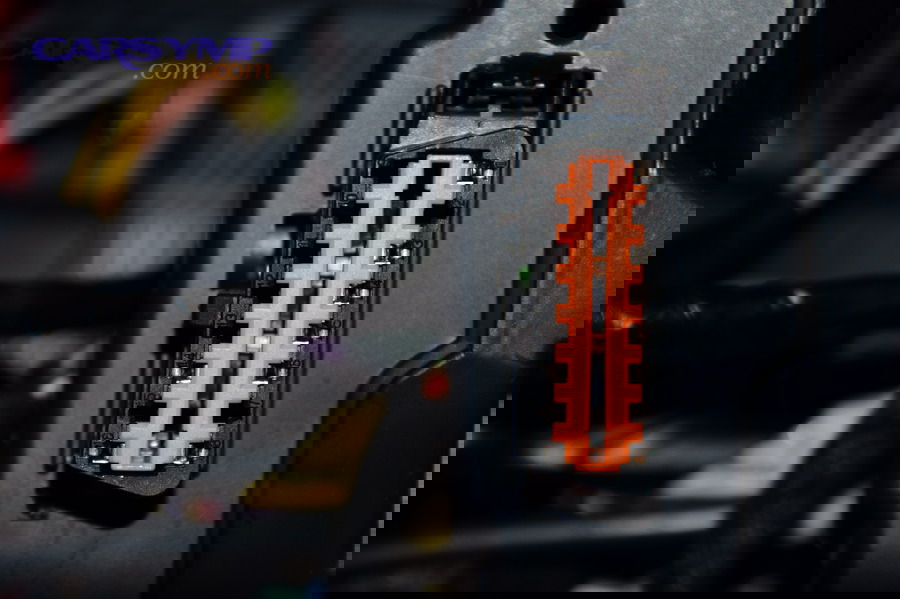
A modern engine controller doesn’t just follow fixed tables. It adjusts constantly—fuel trims, idle air control strategy, throttle angle targets, transmission shift pressure, and more. When a component was failing, the controller may have “learned around” that failure. After you replace the part, the computer may still be applying the old compensation. That mismatch is why a car can idle oddly, shift harshly, or feel sluggish even when the original broken part is gone.
Relearn matters most after repairs that change airflow, fueling, or emissions behavior. For example, after an emissions-related repair like EGR repair, your engine may need a period of stable driving to normalize fuel trims and run certain self-tests again, especially if you cleared codes and reset readiness monitors.
Is relearn always required after a repair?
No, relearn is not always required after a repair because (1) many repairs don’t change adaptive strategy, (2) some modules relearn automatically during normal driving, and (3) not every symptom you feel is an adaptive-value issue.
However, if you skip relearn when it is needed, you can end up chasing “phantom” issues that are really just old memory.
To reconnect this to real-world DIY outcomes, here are three practical reasons you sometimes must plan for relearn:
- The controller’s adaptive memory is still “biased” toward the old fault.
If the ECU learned extra idle airflow because of a vacuum leak, fixing the leak can make the same learned idle strategy run too high or too low until it re-adapts. - Some systems require a specific initialization event.
Certain throttle/idle systems, steering angle sensors, and transmission adaptations may require a defined procedure or at least a defined warm-up and drive pattern. - Clearing codes or disconnecting the battery can reset baseline values.
If you wiped learned data, the car can behave “raw” until it rebuilds trims and control targets.
A simple rule that stays reliable: if the repair changed how the engine breathes, meters fuel, or controls idle/torque, then relearn is at least worth verifying—even if the car eventually relearns on its own.
Which systems most commonly require relearn after repair?
There are 5 main types of post-repair relearn: (1) idle/throttle, (2) fuel/air adaptives, (3) transmission shift adaptives, (4) steering angle/yaw calibration, and (5) actuator end-stop calibration, based on which module must rebuild a baseline after parts or power changes.
Next, you can use that grouping to decide what to do—and what not to overthink.
- Idle/throttle relearn (most common DIY trigger)
- Common after throttle body cleaning/replacement, intake work, battery disconnect
- Symptoms if incomplete: unstable idle, stalling at stops, slow return to idle
- Fuel/air adaptive relearn (often invisible but important)
- Common after MAF, O2 sensor, vacuum leak, injector, emissions repairs
- Symptoms if incomplete: hesitation, mild surging, trims far from normal until it settles
- Transmission adaptive relearn
- Common after battery disconnect, TCM reset, valve body work, some fluid services
- Symptoms if incomplete: harsh shifts, delayed engagement, “hunting” gears
- Steering angle / stability control calibration
- Common after alignment, steering rack work, some battery disconnect events
- Symptoms if incomplete: traction/stability lights, steering angle mismatch
- Actuator end-stop calibration (HVAC, electronic park brake, etc.)
- Common after actuator replacement, module replacement, power loss
- Symptoms if incomplete: clicking actuators, limited range, error codes
The key is not memorizing every brand’s steps. The key is recognizing the category and confirming whether your vehicle needs an automatic drive relearn or a specific scan-tool guided procedure.
How do you clear (erase) DTC codes the right way after a repair?
You clear (erase) DTC codes correctly by reading and saving the codes first, fixing the root cause, clearing codes with a scan tool, and then verifying with a rescan after a drive—because clearing without verification only resets the warning, not the problem. (ohioecheck.info)
To make that result dependable, you need a sequence that preserves evidence and prevents you from “starting over blind.”
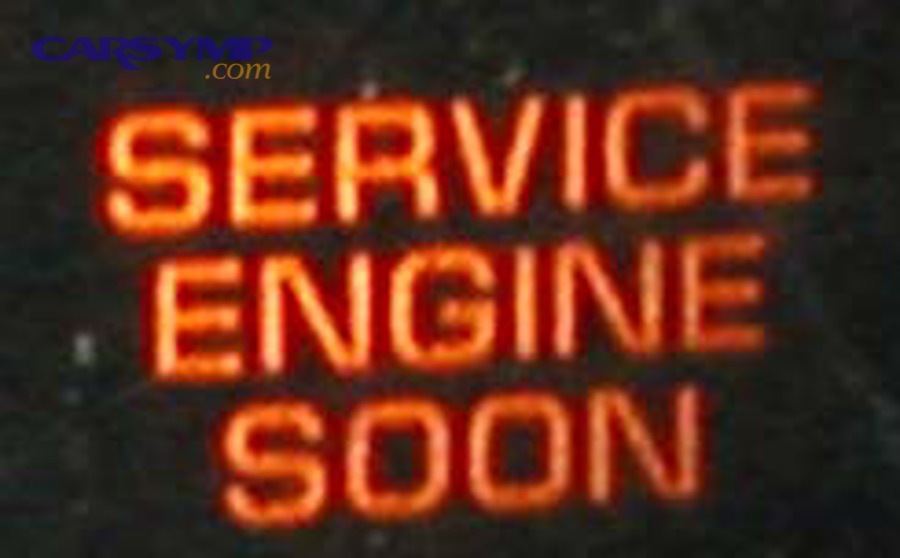
Before you touch the “Erase” button, think like a technician: the code is not just a number—it’s a breadcrumb trail. Freeze frame data can tell you whether the fault happened at idle, during cruise, under load, in cold start, or after warm-up. If you clear that too soon, you lose a lot of diagnostic clarity.
Here’s the clean workflow that reduces repeat comebacks:
- Step 1: Pre-scan and document
- Record stored codes, pending codes, and permanent codes if your tool shows them
- Save freeze frame (or take photos/screenshots)
- Step 2: Repair and sanity-check the repair
- Visual check: connectors seated, hoses routed, clamps tight
- Functional check: no vacuum hiss, no obvious misfires, no fuel smell
- Step 3: Clear (erase) codes using the scan tool
- Use the tool’s “Erase Codes” function
- Do not repeatedly erase codes as a “test”—erase once after the repair is real
- Step 4: Verify
- Start engine, confirm no immediate return
- Drive under varied conditions
- Rescan for pending codes and check readiness monitors
Because many DIYers fix the part but skip verification, the “right way” is less about the button press and more about what you do before and after that button.
Should you clear codes before or after you test the repair?
Clearing codes after you confirm the repair wins for diagnosis, clearing before a short verification can be useful for clarity, and clearing only after a full drive cycle is optimal when you need readiness proof—because each timing choice trades evidence for convenience. (ohioecheck.info)
To keep the workflow safe, pick the option that matches your goal.
- If your goal is “don’t lose diagnostic evidence”: clear after confirmation.
Start the car, confirm the obvious symptom is gone (no leaks, no misfire), then clear. - If your goal is “did the repair immediately solve it”: clear before a short controlled test.
This works when you already recorded freeze frame and you want to see if the code returns quickly. - If your goal is “prove the car is ready”: clear, then run a drive cycle and rescan.
This is the inspection-ready approach, because it focuses on readiness and absence of pending faults.
The consistent, low-regret move is: record everything first, then choose your clearing moment.
Can disconnecting the battery replace using a scan tool to clear codes?
A battery disconnect can clear some codes on some vehicles, but a scan tool is better because (1) it’s more consistent across vehicles, (2) it avoids unnecessary resets of learned data and readiness, and (3) it reduces side effects like idle/throttle re-adaptation problems. (bar.ca.gov)
In practice, “battery reset” is the blunt instrument; a scan tool is the precise tool.
- Scan-tool clear (preferred)
- More predictable
- Lets you confirm stored vs pending vs permanent
- Usually less disruptive to drivability re-learning
- Battery disconnect (sometimes helpful, sometimes annoying)
- Can reset multiple modules unintentionally
- Often resets readiness monitors (not ideal if you need inspection soon)
- Can trigger fresh relearn needs (idle, windows, steering angle, etc.)
If you already did a battery disconnect, don’t panic. Just treat it like a planned reset: expect the car to relearn, and expect readiness monitors to need time to complete again.
What is the exact step-by-step “after repair” checklist from start to finish?
There are 8 main after-repair steps—pre-scan, document data, confirm repair basics, clear codes, perform relearn, run a drive cycle, rescan for pending faults, and confirm readiness—based on the goal of proving the fix instead of hoping it holds. (ohioecheck.info)
Below is the checklist you can reuse any time you finish a repair.
- Pre-scan the vehicle (stored, pending, permanent, freeze frame)
- Write down what matters (codes, conditions, symptoms)
- Perform the repair (and double-check your work)
- Initial restart check (listen, idle, leaks, immediate codes)
- Clear (erase) DTCs (once, deliberately)
- Perform relearn / stabilization (idle stabilization + controlled driving)
- Drive cycle / mixed driving verification (city + steady cruise + decel)
- Post-scan confirmation (no pending returns + readiness progress)
To make this “stick” in your routine, focus on two proof points: (A) no returning faults and (B) readiness monitors that complete normally.
Before the next sub-steps, here’s a quick reference table so you interpret scan results correctly. The table below explains the most common DTC states you’ll see and what each one means for post-repair verification.
| DTC status | What it means | What you do after repair |
|---|---|---|
| Stored/Confirmed | Fault met criteria to set and was saved | Fix root cause, then clear, then verify |
| Pending | Fault was detected but not confirmed yet | Treat as a warning; drive and rescan |
| Permanent | Emissions-related fault stored until monitor runs and passes | Don’t chase it blindly—complete monitors and confirm pass |
What should you check on the scan tool before you erase anything?
There are 6 key things to check before you erase codes: stored DTCs, pending DTCs, permanent DTCs, freeze frame, readiness monitor status, and basic live data plausibility—because those six items tell you whether you’re fixing the cause or only removing the symptom. (bar.ca.gov)
Next, use each item to guide what you do, not just what you clear.
- Stored DTCs: the main fault(s) the vehicle committed to memory
- Pending DTCs: early warnings that can return after clearing
- Permanent DTCs: emissions-related records that don’t vanish instantly on many vehicles
- Freeze frame: the “snapshot” of when the fault occurred
- Readiness monitors: whether the self-tests have completed
- Live data sanity check: obvious red flags (implausible temperatures, MAF readings, O2 stuck)
If you’re doing emissions work, this is where you link codes to systems. For example, Common EGR codes often live in the P0400–P0409 range; recording those and their freeze frame conditions is especially helpful because EGR faults can be load- and temperature-dependent.
What should you do immediately after clearing codes?
There are 4 immediate actions after clearing codes: stabilize idle, confirm no instant return, drive gently through warm-up, and rescan for pending codes—based on catching “right away” failures before you waste time trying to set readiness. (bar.ca.gov)
Then, you can move into the longer verification drive cycle with confidence.
- Stabilize idle (2–5 minutes, no accessories if possible)
Let the engine settle. Watch for rough idle, stalling, surging, or an immediate MIL. - Confirm no instant code return
Some failures come back within seconds (disconnected sensor, vacuum leak, stuck actuator). - Gentle warm-up drive
Avoid aggressive throttle right away if you just reset adaptives. You want stable trims first. - Quick rescan for pending codes
Pending codes after a short drive are an early warning that the issue is not truly resolved.
This is also the moment to stop and reassess if drivability becomes worse after clearing. A sudden “new” symptom after clearing often points to a relearn need—or to a missed installation detail.
What is a drive cycle, and how do you use it to verify the repair and complete readiness monitors?
A drive cycle is a sequence of real driving conditions that allows the OBD system to run self-tests (readiness monitors) so you can confirm the repair didn’t just clear the light—it actually passes the system checks that would trigger the fault again. (ohioecheck.info)
More importantly, it’s the bridge between “no light right now” and “proven stable over operating conditions.”
Different monitors require different enabling conditions: coolant temperature, steady speed, deceleration, idle time, fuel level range, and more. That’s why a quick trip around the block may not prove anything—some tests simply won’t run.
If you cleared codes and you’re preparing for an inspection, readiness monitors matter because an inspection tool often checks whether the monitors are complete. A vehicle can have no check engine light and still fail readiness if the monitors haven’t run since the reset.
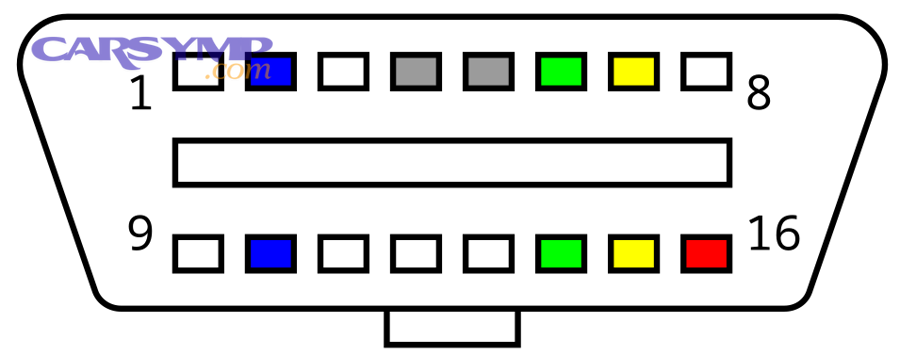
How do you complete a basic drive cycle safely on public roads?
There are 5 basic drive-cycle phases—cold start warm-up, steady cruise, varied city driving, controlled deceleration, and a short idle—based on giving the ECU a mix of conditions to run both continuous and non-continuous readiness monitors. (ohioecheck.info)
To keep it safe, the goal is normal driving with intentional steadiness, not risky maneuvers.
A safe, general-purpose pattern looks like this:
- Cold start and warm-up (parked + gentle drive)
- Start after sitting long enough to cool
- Idle briefly, then drive gently until normal operating temperature
- Steady cruise segment (highway or open road)
- Maintain a steady speed for several minutes when safe and legal
- Use smooth throttle to avoid unnecessary transients
- Mixed driving (stop-and-go + moderate acceleration)
- Several normal accelerations and stops
- Avoid wide-open throttle unless your OEM drive cycle explicitly requires it
- Controlled deceleration events
- Lift off throttle and allow the car to coast down when safe
- Do not create unsafe traffic situations—choose a safe road and time
- Short idle and shutdown (optional but helpful)
- Idle briefly, then shut off
- Some vehicles complete certain checks after key-off events
If your tool shows that certain monitors are still “not ready,” repeat the pattern across multiple trips rather than forcing one long, stressful session.
Here is one optional video that explains readiness monitors and how to think about completing them:
How do you know the repair is verified: no pending codes, no returns, and monitors complete?
Yes, the repair is verified when (1) no stored codes return, (2) no pending codes accumulate after driving, and (3) readiness monitors progress to complete under normal conditions, because those three checkpoints prove the system tested itself and passed. (bar.ca.gov)
Next, you can use a simple “proof checklist” so you don’t rely on the dashboard light alone.
- MIL stays off after multiple start/drive events
- No stored DTCs on a post-drive scan
- No pending DTCs after mixed driving
- Readiness monitors show completion (or show normal progress if your area allows limited “not ready”)
- No repeat symptom under the conditions that originally triggered the fault
This is where many DIYers save time: if a pending code appears, treat it like an early failure signal. Don’t keep “trying to set monitors” when the monitor is trying to tell you the underlying issue is still present.
According to a study by University of California, Riverside from CE-CERT, in 2019, normalized NOx emissions for tested Volvo engines were much higher at 50 mph and 200 hp load than at 30 mph and 100 hp, showing how verification under the right operating conditions matters when assessing pre- and post-repair performance. (ww2.arb.ca.gov)
What do you do if codes come back or monitors won’t set after the repair?
If codes come back or monitors won’t set, use a 4-step response—identify the return type, confirm enabling conditions, re-check the repair installation, and then re-diagnose the root cause—because returning faults are usually caused by either an incomplete fix or conditions that prevent self-tests from running. (bar.ca.gov)
More importantly, you should avoid the trap of repeatedly clearing codes, because that delays readiness and hides patterns.
Step-by-step:
- Identify what came back
- Stored vs pending vs permanent
- Same code vs different code
- Immediate return vs return after driving
- Confirm monitor enabling conditions
- Temperature, speed stability, fuel level range, etc.
- If conditions aren’t met, the monitor can’t complete
- Re-check repair basics
- Connectors, vacuum routing, gasket seating, clamp tension
- “Simple” mistakes are the most common comeback cause
- Re-diagnose with evidence
- Use freeze frame and live data
- Test, don’t guess—especially for wiring and intermittent faults
This is also where broader diagnosis terms become useful. For example, if an emissions code returns after you addressed EGR-related parts, you may need to revisit EGR vs intake carbon buildup diagnosis—because a restricted intake path can mimic EGR flow problems, and an EGR flow code isn’t always “the valve is bad.”
Does a returning code mean the repair failed?
No, a returning code does not always mean the repair failed because (1) the code may be a symptom of a different root cause, (2) the return may be pending (not confirmed yet), and (3) the monitor may be running under conditions you haven’t tested since the repair. (bar.ca.gov)
However, a returning code is still a signal that your verification process must get tighter.
Use these fast filters:
- If it returns immediately: suspect an installation/wiring issue or the wrong part/connection
- If it returns after a specific condition: suspect enabling-condition triggers (load, temp, speed) or an intermittent fault
- If it returns as pending only: treat it as “watch and verify,” not “ignore”
This mindset keeps you from replacing parts unnecessarily and helps you target the actual system behavior.
What’s the difference between pending codes and permanent codes after clearing?
Pending codes are early detections that haven’t met confirmation criteria, while permanent codes are emissions-related records that generally remain until the vehicle completes the related monitor and the system passes, so pending is about “maybe,” and permanent is about “prove it cleared via successful self-tests.” (bar.ca.gov)
Next, you can use the difference to decide whether you should keep driving, recheck your work, or start deeper diagnosis.
Practical interpretation:
- Pending code after repair
- Treat as a “warning ping”
- Drive and rescan; if it becomes stored, your fix likely didn’t address the root cause
- Permanent code after repair
- Don’t panic and don’t chase it with repeated clears
- Focus on completing the correct drive conditions so the monitor runs and passes
If your permanent code is related to emissions components, repeating the right driving conditions is often the correct response—assuming your scan data shows no active faults and the repair is sound.
What post-repair edge cases can block relearn, code clearing, or readiness completion on modern vehicles?
Post-repair edge cases include permanent-code persistence, OEM-specific relearn requirements, battery-reset side effects, and advanced data interpretation needs, because newer vehicles depend on stricter monitor logic and more module interaction than older OBD-II cars. (bar.ca.gov)
Below are the micro-level issues that often explain “I did everything, but it still isn’t done.”
Why do some “permanent” codes stay even after you clear (erase) DTCs?
Permanent codes can stay because they are designed to remain until the related readiness monitor runs and passes, which means you can erase stored/pending information and still need real driving conditions to demonstrate the fault no longer occurs. (bar.ca.gov)
In other words, the system is demanding proof, not a reset.
What to do instead of repeatedly erasing:
- Confirm there are no stored or pending returns
- Confirm the monitor prerequisites (temp, driving pattern)
- Drive normally across multiple trips and recheck monitor status
This approach prevents the endless loop of erase → reset readiness → delay readiness → erase again.
Which relearn procedures are make/model-specific (throttle/idle/transmission), and when do you need OEM steps?
There are 3 common relearn areas that are often make/model-specific—electronic throttle/idle learn, transmission adaptives, and steering angle calibration—based on which module requires a specific “teach” sequence rather than passive driving.
Next, decide you need OEM steps if your symptoms persist after normal stabilization.
Signals you may need a dedicated procedure or higher-level scan tool:
- Idle remains unstable after warm-up and mixed driving
- Transmission shift quality remains abnormal after multiple cycles
- Stability control/steering angle faults persist after alignment or battery events
When you hit these signals, DIY success often comes from switching from “drive and hope” to “follow the exact procedure.”
How can battery disconnect (reset) slow down readiness compared with proper scan-tool clearing?
Battery disconnect can slow readiness because it can reset more modules and learned values than necessary, which may require longer relearn time and additional driving for monitors to run again, while a scan-tool clear is usually more targeted and reduces side effects. (bar.ca.gov)
On the other hand, battery reset can still be useful in limited troubleshooting—but it’s rarely the fastest path to “inspection-ready.”
If your goal is speed and proof:
- Prefer scan-tool clearing
- Avoid unnecessary resets
- Plan for multiple trips to complete readiness after any major reset
What advanced scan data (Mode $06 / monitor status) can you use to confirm the fix beyond “no light”?
There are 3 advanced confirmation tools—monitor status details, Mode $06 test results, and trend checks in key live data—based on reading what the ECU saw during self-tests rather than relying on the dashboard.
Next, use advanced data when the issue is intermittent or emissions-related.
Practical micro-level examples:
- Monitor status detail: which monitor is incomplete and why (conditions not met vs test failed)
- Mode $06: test results that show margins (helpful when a fault is close to failing)
- Live data trends: fuel trim stability, O2 activity (where applicable), and misfire counters
One final caution that belongs in edge cases: EGR delete legality and risks can create persistent readiness failures, emissions violations, and drivability issues on many vehicles because monitor logic expects the emissions system to be present and functioning. If your goal is a stable, compliant daily driver, finishing the repair and verification process is the safer path than removing emissions controls.