


You can reset an oil life/service light safely by using the correct in-car reset routine for your vehicle, confirming the maintenance was actually completed, and then verifying the oil life percentage (or interval) updates immediately after the reset.
Most drivers get stuck because the same “service reminder” can be reset through different control paths—pedals, steering-wheel buttons, a touchscreen menu, or a scan tool—and the wrong path may look like it worked while the reminder returns at the next key cycle.
Another common issue is resetting too early (before the oil change is finished) or resetting the wrong reminder (maintenance minder vs. check engine), which leads to confusing warning behavior and missed maintenance timing.
To introduce a new idea, the most reliable approach is to treat the reset like a short diagnostic: identify the reminder type, use the method your car supports, confirm the result on-screen, and then keep a simple record so future service intervals stay consistent.
How do you reset an oil life/service light in a safe, universal way?
Reset the oil life/service light by selecting the oil-life reset function (or service reset) in your vehicle’s controls, confirming the reset prompt, and then verifying the oil-life value changes immediately—usually to 100% or a “Service reset complete” message.
To begin, think of the reset as a three-part routine: prepare, execute, and confirm—because confirmation is what prevents the light from returning unexpectedly.
What should you do before you touch any reset menu or buttons?
Before resetting, ensure the oil change is actually complete, the engine is off (unless your car requires ignition-on), and you can view the current oil life or service interval on the dash so you’ll recognize a successful update.
Next, set up the conditions that most vehicles require for a clean reset so you don’t have to repeat the procedure.
Step 1: Identify the reminder you’re seeing. “Oil life,” “maintenance,” “service,” and a wrench icon are typically maintenance reminders, while a check engine icon indicates an emissions-related fault that will not be cleared by oil-life reset steps.
Step 2: Finish the maintenance first. If you do your own maintenance and you plan to change engine oil at home, complete the entire job (including verifying oil level) before resetting so the reminder aligns with the real service date.
Step 3: Confirm the correct oil spec was used. The reset doesn’t validate oil quality, so your planning matters; use your vehicle’s manual and your own Oil type and viscosity guide process to select the correct grade and standard, then reset the reminder after that choice is final.
Step 4: Remove distractions. Close doors, buckle if needed, and keep the key fob inside the car; some systems won’t enter reset mode if the car is “half awake” or timing out.
What is the universal reset sequence that works as a framework?
The universal sequence is: ignition on (engine off) → open the oil-life/service menu → hold “OK/Reset” or confirm prompt → wait for completion message → cycle ignition → re-check oil life value.
After that, you can map your vehicle’s exact buttons onto the same framework.
Ignition state matters. Many cars require “ON” without starting the engine; push-button vehicles often need two presses without pressing the brake. If you start the engine, some dashboards will hide the reset menu or block confirmation.
Find the correct screen. Look for “Oil Life,” “Maintenance,” “Service,” “Vehicle Settings,” or “Information.” If there are multiple reminders, select the oil change or engine oil item specifically.
Perform the long-press or confirmation. Typical patterns include holding an “OK” button, holding a “Reset” button, or selecting “Reset” and confirming “Yes.” The long-press usually lasts 3–10 seconds.
Cycle the ignition. Turn the vehicle off, open/close the driver door if needed, then turn it back on to confirm the system stored the reset.
Verify the result. Oil life should change to 100% (or a full interval). If it stays the same, you were likely in the wrong menu or the car requires a different ignition state.
How do you confirm the reset is truly successful?
A reset is truly successful when the oil-life percentage or next-service mileage updates, the wrench/service icon clears, and the reminder does not return after a full key cycle and a short drive.
To understand it clearly, confirmation should be done in layers rather than trusting a single pop-up.
Layer 1: On-screen message. You may see “Reset complete,” “Oil life reset,” or a progress bar. Treat this as necessary but not sufficient.
Layer 2: Value change. Navigate back to the oil-life screen and confirm the value is refreshed (commonly 100%). If it changed only briefly then reverted, the reset wasn’t stored.
Layer 3: Key-cycle check. Turn the car off fully, wait 10–20 seconds, then turn it on again and re-check. Many failures reveal themselves right here.
Layer 4: Return check. If possible, drive for 5–10 minutes and restart. If the reminder returns, you likely reset the wrong maintenance item, or the vehicle needs a scan-tool reset, or a separate “service interval” is still due.
Which oil life reset method matches your vehicle: buttons, pedals, touchscreen, or scan tool?
There are four main oil-life reset methods—dash/steering-wheel buttons, accelerator/brake pedal sequences, infotainment touchscreen menus, and scan-tool/service-mode resets—so the correct method depends on your car’s control interface and model year.
Besides that, selecting the right method first saves time because many cars show a reset option that is visible but not functional unless you’re in the correct mode.
How does the steering-wheel or dash-button method work?
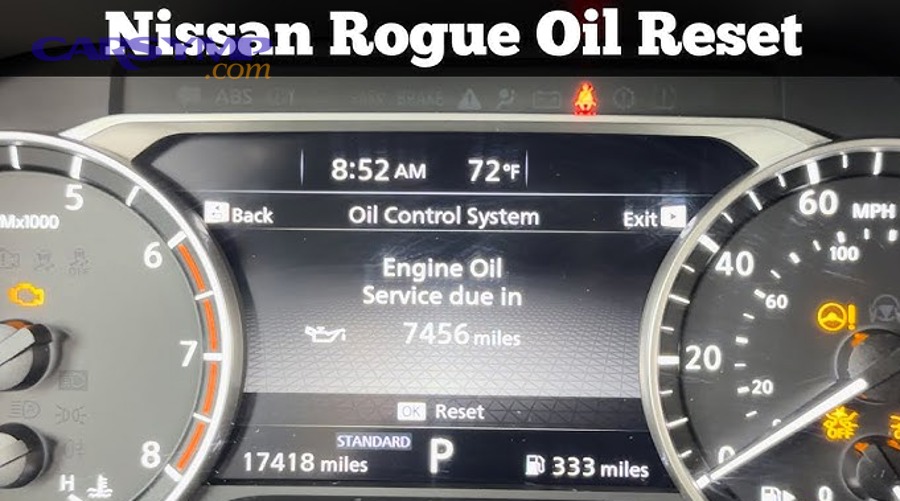
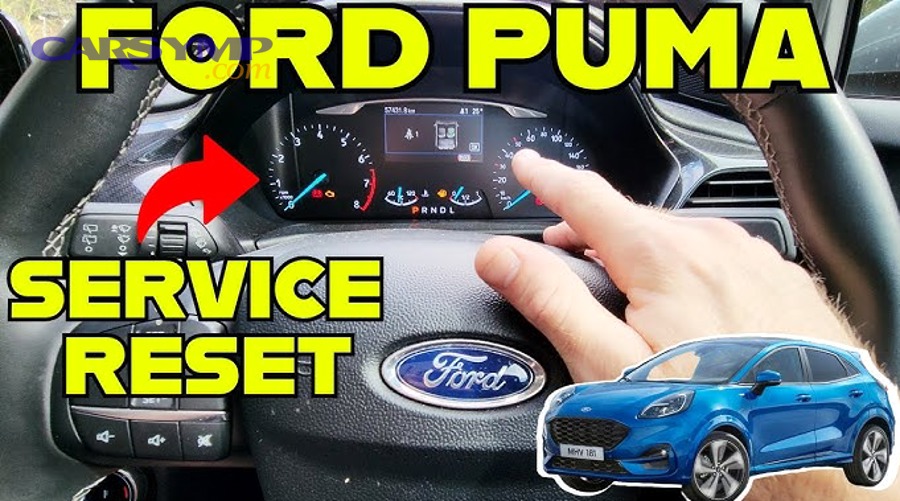
This method works by navigating to the oil-life or maintenance screen on the instrument cluster and confirming a reset using an “OK/Enter” long-press or a dedicated “Reset” button.
Next, use the cluster like a settings menu rather than guessing the button sequence.
Typical signs you’re in the right place: You see “Oil Life,” “Engine Oil,” “Maintenance Minder,” or a wrench icon menu item.
Typical action: Highlight the oil-life item → press and hold OK/Reset → confirm “Yes” if prompted.
Why it fails: You’re in “Trip” screens instead of “Vehicle Info,” you’re in accessory mode instead of ignition-on, or the car requires holding two buttons simultaneously (for example, “Back + OK”).
Practical tip: If your cluster has multiple maintenance items (oil, tire rotation, inspection), reset only the oil item unless you actually completed the others; otherwise your maintenance tracking becomes unreliable.
How does the pedal-sequence method work, and when is it used?
The pedal-sequence method resets oil life by detecting a timed pattern of accelerator (and sometimes brake) presses while the ignition is on and the engine is off, then confirming the reset on the dash display.
To illustrate, think of it as a “secret handshake” designed for vehicles without advanced menu navigation.
Common pattern family: Turn ignition on → press accelerator 3 times within 5–10 seconds → watch for the oil-life reset confirmation or message → turn ignition off.
When it’s used: Many older vehicles and some mainstream models that rely on simple dash logic rather than infotainment menus.
Why it fails: Timing is off, you started the engine, you pressed the brake (or didn’t) when required, or you’re performing the sequence while the dash is still booting.
Safety note: Do not attempt pedal sequences while the vehicle is in gear or moving; use Park with the parking brake set.
How does the infotainment touchscreen method work?
The touchscreen method resets oil life by navigating through a vehicle settings menu (often “Settings → Vehicle → Maintenance/Oil Life”) and selecting “Reset,” then confirming the prompt.
After that, treat the infotainment like a phone settings app: the reset is usually buried one level deeper than you expect.
Where it often lives: Settings, Vehicle, Maintenance, Service, Oil Life, or Driver Assistance submenus.
What to watch for: Some systems show both “Reset Oil Life” and “Reset Service Interval.” If your car displays both, choose the one that matches the reminder shown on your dash.
Why it fails: The vehicle requires a specific ignition state, the touchscreen reset only sets a reminder while the cluster displays a different reminder type, or a separate maintenance schedule (inspection/annual service) is still due.
Good habit: After reset, take a photo of the new oil-life value and date; it helps you correlate driving style with the percentage drop over time.
When do you need a scan tool or service-mode reset?
You need a scan tool or service-mode reset when the oil-life reset option is locked, the vehicle stores service intervals in a module that requires authorization, or the reminder returns because the system expects a “service function” reset rather than a simple display reset.
More importantly, this is common on some European vehicles and newer models with advanced service tracking.
Clues you may need a tool-based reset: The reset menu is greyed out, the dash says “Reset not possible,” you can reset but it returns instantly, or the vehicle has multiple service counters (oil service + inspection service).
What a scan tool does: It communicates with the vehicle’s service module to clear the relevant counter and confirm the new interval settings.
What you can do without a tool: You can still verify the reminder type, confirm oil life screens, and avoid resetting unrelated systems—then decide whether a shop or tool-based reset is warranted.
What should you check before and after resetting the oil life light?
Before and after resetting, you should check oil level and leaks, confirm the correct reminder type, ensure the reset value updated, and make sure no other warnings are being mistaken for a service reminder.
In other words, treat the reset as the final step of maintenance—not the first—so the reminder reflects reality.
Is it okay to reset the oil life light without changing oil?
No, you should not reset oil life without changing oil because it breaks your maintenance schedule, hides overdue service, and can lead to engine wear from degraded oil long before the reminder returns.
However, there are a few special cases where a reset may be legitimate, so it helps to separate exceptions from habits.
Reason 1: The system is a tracker, not a sensor. Oil life systems typically estimate remaining oil life based on time, temperature, load, and driving patterns; resetting without service makes the estimate meaningless.
Reason 2: It masks real maintenance risk. If you reset early, you may forget the actual service date and miss your intended interval.
Reason 3: It complicates troubleshooting. If a noise, leak, or consumption issue appears later, you lose a clean timeline of when the oil was last changed.
Valid exception examples: The oil was changed but the light wasn’t reset, the battery was disconnected and settings got scrambled, or a shop reset the wrong interval and you’re correcting it immediately after verifying service records.
What quick oil-and-filter checks prevent “reset regret” later?
Quick checks include verifying the oil level on the dipstick, inspecting the drain plug and filter area for leaks, and confirming the oil cap is installed—because a reset should only happen after the engine is safely returned to normal operating condition.
Next, do a short “walk-around + warm-up” routine so small mistakes don’t become big problems.
Oil level check: Park on level ground, follow your manual for hot vs cold checking, and ensure the level is within the safe range—not overfilled.
Leak check: Look under the car for fresh drips, then inspect around the drain plug and filter housing. A small seep can worsen after a few drives.
Filter correctness: Make sure the filter is seated and tightened properly. If you are learning Oil filter selection and replacement tips, apply them consistently so you don’t create sealing issues that only show up days later.
Used oil handling: If you performed the oil change yourself, handle waste responsibly; Proper disposal of used oil and filter is part of a complete service routine, not a separate afterthought.
How do you tell the difference between a service light and other warnings?
You can tell the difference by the icon and wording: a wrench or “maintenance due” message usually indicates service, while a check engine icon indicates a fault code, and a red oil can icon may indicate low oil pressure—which is urgent and unrelated to reset procedures.
To understand it clearly, categorize the warning by urgency and system type.
Maintenance reminder (service/oil life): Often amber, may say “Oil Change Required,” “Service Due,” or show a wrench; reset is expected after service.
Check engine (MIL): Engine outline icon; requires diagnosis, not an oil-life reset.
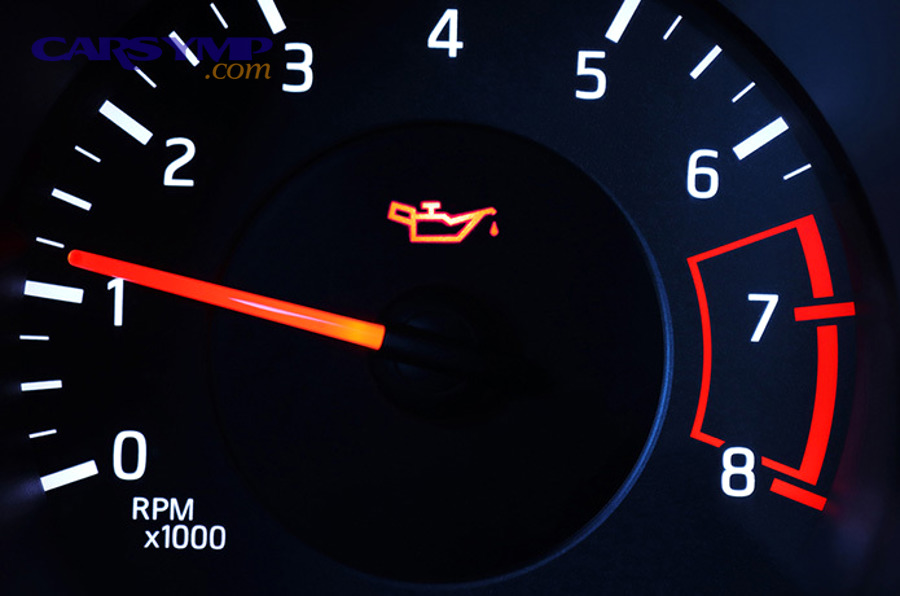
Oil pressure warning: Oil can icon (often red); stop engine and diagnose immediately. Resetting oil life will not fix oil pressure problems.
Low oil level (some vehicles): May show a separate oil level message; add oil and investigate consumption or leaks.
What should you do if the light comes back right after you reset it?
If the light returns immediately, you should re-check ignition mode, repeat the reset carefully, confirm you reset the correct maintenance item, and then consider whether the vehicle requires a scan-tool reset or has a separate service interval still due.
After that, use a simple elimination path rather than repeating the same failed steps.
Step A: Confirm mode. Make sure you used ignition-on/engine-off if required.
Step B: Confirm the menu item. Some dashboards show “Oil Life” and “Service Interval” separately; resetting one may not clear the other.
Step C: Confirm storage. Turn the car off fully, wait, restart, and check again. If it returns only after restart, the reset did not store.
Step D: Confirm there isn’t another due item. Tire rotation or inspection reminders can look similar and may share the same wrench icon.
Step E: Escalate appropriately. If it still returns, a tool-based reset or a model-specific procedure is likely required.
How can you reset oil life on common vehicle families without guessing?
You can reset oil life on common vehicle families by matching the interface style—cluster-menu, pedal sequence, touchscreen, or service-mode—because the family patterns repeat across many model years even when the exact button labels differ.
To introduce a new idea, focus on recognizing the “control architecture” first, then applying the correct reset motion.
What is the fastest way to identify your vehicle’s reset architecture?
The fastest way is to look at where the oil-life value is displayed: if it’s in the instrument cluster screens, you’ll reset with steering-wheel/dash buttons; if it’s in vehicle settings on the infotainment, you’ll reset in menus; if neither exists, a pedal sequence is likely.
Next, confirm by searching your dash screens for key phrases rather than relying on memory.
Cluster-driven systems: Oil life appears under “Vehicle Info,” “Info,” or a wrench icon screen.
Infotainment-driven systems: Oil life appears under “Settings → Vehicle → Maintenance” style menus.
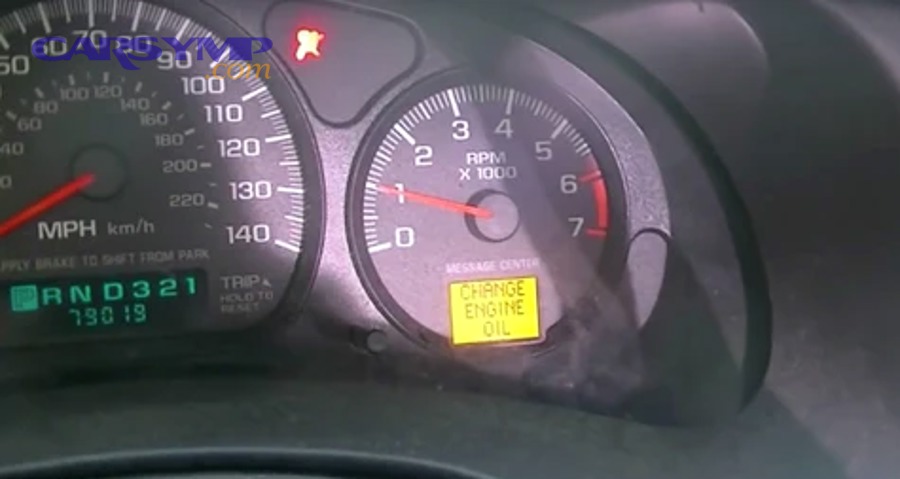
Pedal-driven systems: No clear oil-life percentage screen, or the dash shows a simple “Change Oil” message without an accessible menu tree.
How do cluster-menu resets typically work across many brands?
Cluster-menu resets typically work by navigating to the oil-life screen, selecting the oil item, and holding an OK/Reset control until the value resets and a confirmation appears.
After that, your main job is to find the oil-life screen consistently, not to memorize every possible button label.
Common button labels: OK, Enter, SEL/RESET, Menu, Back, Trip, or arrows.
Common confirmation cues: A progress bar, a chime, “Reset complete,” or the oil-life value jumping to 100%.
Common “gotchas”: You must be parked, you must be in accessory vs ignition-on (varies), or you must hold the button longer than you think (often 5–10 seconds).
Best practice: Once it resets, scroll away and back to the oil-life screen; seeing the new value twice reduces false confidence.
How do touchscreen resets vary, and what should you watch for?
Touchscreen resets vary mainly in menu names and whether the system tracks multiple maintenance items, so you should watch for separate counters and confirm you reset the one that matches the dash reminder.
Besides that, a quick on-screen verification prevents repeat warnings.
Common menu paths: Settings → Vehicle → Maintenance; Vehicle → Service; Apps → Vehicle Settings; or Car → Maintenance.
Multiple counters: Some systems offer “Oil Change,” “Inspection,” “Service A/B,” or “Rotation.” Reset only what you completed.
Reminder mismatch: If the dash shows “Service Due” but you reset “Oil Life,” the wrench may stay on because the inspection interval is still due.
One more check: If your vehicle supports it, verify the reset date or mileage field updated along with percentage.
How do you handle vehicles with both “oil service” and “inspection service” counters?
You handle dual counters by identifying which counter triggered the reminder, resetting only that counter, and leaving the other intact unless it was also serviced—because these are separate maintenance schedules with different intervals.
To illustrate, think of it as two clocks: one for oil, one for inspections.
Oil service counter: Tied to engine oil change interval; usually resets to 100% or a mileage/time interval.
Inspection/service counter: Often annual or mileage-based; may require a different reset screen, a longer confirmation, or a scan tool on some models.
Practical approach: If you only changed oil, reset oil only. If you performed a comprehensive service, reset both only after verifying each item is complete.
How do you avoid common mistakes when resetting oil life and keep your service schedule accurate?
You avoid common mistakes by resetting only after service is complete, confirming the new oil-life value stores across restarts, and recording the date/mileage—because the reminder is a schedule tool, and accuracy depends on your consistency.
More importantly, a few small habits prevent the two most frustrating outcomes: the light returning and the interval becoming meaningless.
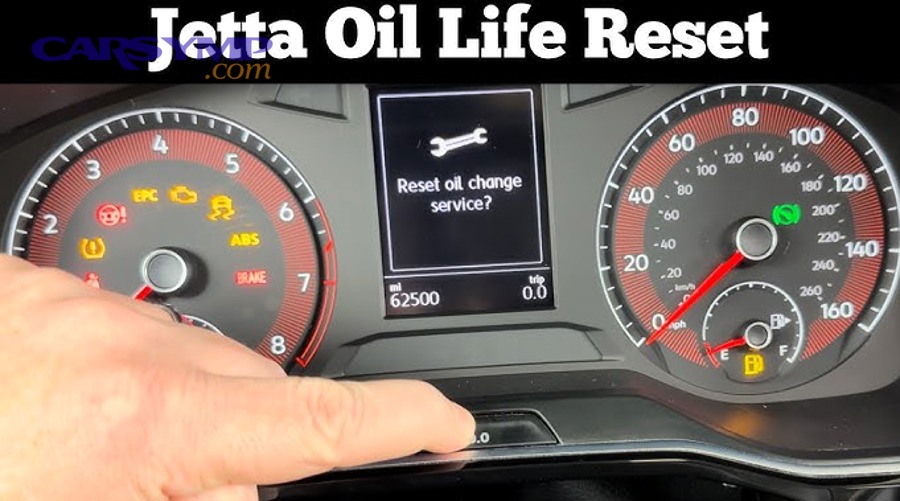
What are the top reset mistakes that cause the light to return?
The top mistakes are using the wrong ignition mode, resetting the wrong maintenance item, failing to confirm the value change, and exiting the menu before the system saves—each of which can make the light come back immediately or at the next start.
Next, use a quick “mistake filter” to diagnose your specific situation.
Mistake 1: Wrong ignition state. Accessory mode can show menus but won’t store the reset in some vehicles.
Mistake 2: Wrong item reset. Resetting “Rotation” won’t clear “Oil,” and resetting “Oil” may not clear “Inspection.”
Mistake 3: No storage confirmation. If you don’t key-cycle and re-check, you might miss that the reset didn’t persist.
Mistake 4: Rushing the long-press. Releasing early often cancels the save even if the screen flickers.
How do you build a simple record so oil life tracking stays meaningful?
Build a record by noting the date, mileage, oil specification, and reset result each time—because even the best oil-life algorithm can’t help you if you can’t recall what was done and when.
After that, the record becomes your “ground truth” if the reminder behaves oddly.
What to write down: Date, odometer, oil grade/spec, filter part number, and whether the oil-life reset showed 100% or a full interval.
Why it helps: If oil life drops unusually fast, you can correlate it with short trips, cold weather, towing, or heavy traffic—then adjust your maintenance habits accordingly.
Where to store it: A note app, glovebox notebook, or a photo album labeled “Maintenance.” Keep it simple so you actually use it.
How do you confirm your reset aligns with your driving style?
Confirm alignment by monitoring how quickly the oil-life percentage decreases over the first 500–1,000 miles and comparing it to your typical conditions, because frequent short trips and extreme temperatures can reduce oil life faster than highway driving.
Besides that, a short “trend check” prevents surprise reminders.
Highway-heavy pattern: Oil life often decreases more slowly and consistently.
City/short-trip pattern: Oil life may drop quickly due to frequent cold starts and shorter operating temperatures.
Severe-duty pattern: Towing, dusty conditions, or extreme heat/cold can accelerate the drop.
Actionable takeaway: If your oil life drops unusually fast compared to your record, verify that the reset stored correctly and that you reset the intended counter.
How do you reset the service light when your dashboard menu is confusing or missing?
When the dashboard menu is confusing or missing, you should first confirm the vehicle is in the correct ignition mode, then look for alternate access paths (wheel buttons, stalk controls, infotainment settings), and finally use a model-appropriate pedal sequence or scan-tool reset if required.
To begin, stop searching randomly and switch to a structured troubleshooting sequence.

What if your instrument cluster only shows trip data and no oil-life screen?
If you only see trip data, you should enter the vehicle information or settings screens using the menu button, steering-wheel arrows, or the stalk controls—because oil life is usually tucked under “Info/Vehicle/Settings,” not the trip pages.
Next, use deliberate navigation rather than tapping through screens aimlessly.
Try the stalk controls: Many vehicles use a button at the end of the turn-signal stalk to enter a deeper menu.
Try a long-press on “Menu” or “Back”: Some clusters open settings only via a long-press, not a short press.
Look for icons: A wrench, car symbol, or gear icon often indicates the maintenance/settings hub.
Fallback: If there is truly no oil-life display, the vehicle may use a simple “Change Oil” reminder that resets via pedal sequence or a specific dash-button procedure.
What if the reset option is present but greyed out or unavailable?
If the reset option is greyed out, the vehicle is usually not in the required mode (ignition state, parking status), or the system requires a scan tool/service mode to authorize the reset.
After that, you can test the most common unlock conditions quickly.
Unlock condition checks: Park the vehicle, apply parking brake, close doors, switch ignition to ON without starting, and wait for the cluster to finish booting.
Try switching user profiles: Some infotainment systems restrict service actions under certain profiles or valet modes.
Service mode: Some vehicles require entering a service/maintenance mode before the reset becomes active.
Escalation: If it stays locked, a scan tool or a shop reset is likely required, especially when the vehicle tracks service counters in a control module.
What if you accidentally reset the wrong service item?
If you reset the wrong item, you should not “guess-reset” everything; instead, document what changed, restore the correct service schedule using the appropriate menu (if the vehicle allows adjustment), and reset only the correct item after verifying the real service status.
Besides that, the goal is to protect your maintenance timeline.
First action: Write down which counter you reset (oil, rotation, inspection) and what it now shows.
Second action: Check whether the system allows setting an interval or date; if yes, set it to match your actual service records.
Third action: If the system does not allow restoration, keep a manual record so you don’t miss the real due date for the item you reset by mistake.
Contextual Border: Up to this point, you’ve learned the core reset methods and verification steps. Next, we’ll expand into exceptions, edge cases, and a compact FAQ so you can handle unusual dashboards, stubborn reminders, and post-reset confusion without losing your maintenance accuracy.
Advanced exceptions and FAQs for oil life/service light resets
This section covers unusual reset behaviors, brand-style counters, and fast answers to common questions—so you can troubleshoot confidently when the reminder doesn’t behave like a simple “reset to 100%” system.
In particular, these points help you recognize when a reset is blocked, when you’re dealing with multiple service counters, and when you should stop and diagnose a different warning instead.
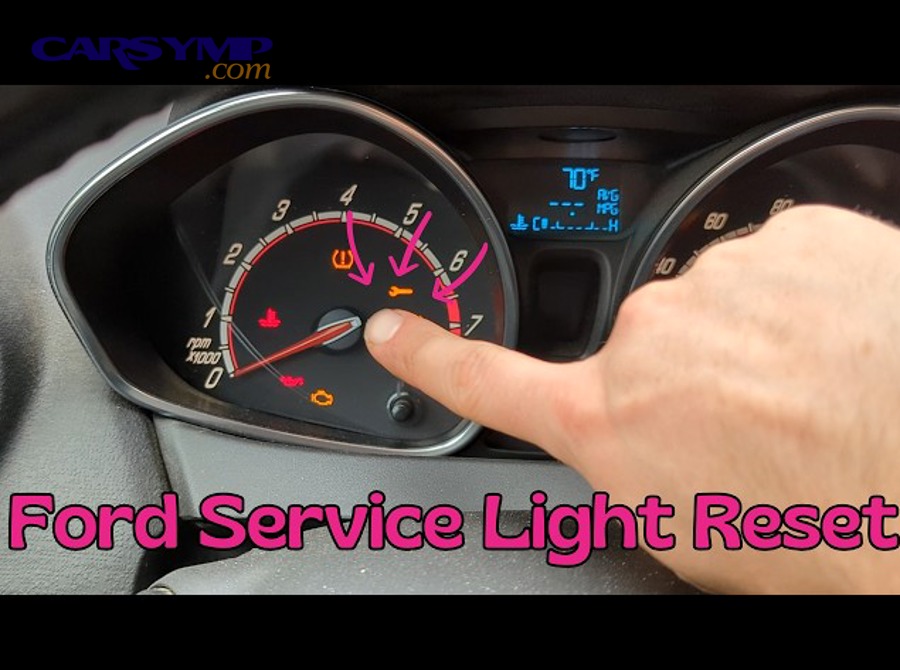
What if your oil life resets but the “service” message stays on?
If oil life resets but “service” remains, you are likely dealing with a separate inspection/service interval counter, a different maintenance minder item, or a reminder that requires a second confirmation step or scan-tool authorization.
Next, treat it as a dual-counter situation rather than a failed oil reset.
Check for separate counters: Look for “Inspection,” “Service,” “Maintenance,” or “Service A/B” entries distinct from oil life.
Check for a second reset layer: Some systems require selecting the service item, then holding OK to reset, then confirming again.
Check for stored service settings: A shop may have set a fixed service interval (time/miles) separate from oil life percentage.
What if the oil life resets to something other than 100%?
If the oil life resets to a value other than 100%, the system may be using a different scale (remaining miles/time), a partial reset mode, or a configurable interval that was previously set by the vehicle or service provider.
After that, verify the unit and meaning before assuming something is wrong.
Different display types: Some vehicles show “Next service in X miles,” others show “XX%,” and some show a date-based schedule.
Partial resets: A system may offer “Confirm service performed” vs. “Reset interval,” which can yield different outputs.
Configurable intervals: Fleet or dealer setups can alter baseline intervals; the “full” value may not be 100% but a mileage figure.
What if you changed the battery and now the maintenance reminders are strange?
If reminders act strange after a battery change, the vehicle may have lost certain settings, defaulted to a generic maintenance schedule, or temporarily shown reminders while modules re-initialize, so you should confirm the oil-life value, re-check for separate counters, and then perform a clean reset only after verifying the correct menu and ignition state.
Besides that, give the car a minute to fully boot and stabilize before you judge the result.
Stabilization tip: Turn ignition on, wait for the cluster and infotainment to finish loading, then enter maintenance screens.
Do not “clear everything” impulsively: Reset only the item you serviced to preserve accurate intervals.
If the warning is not maintenance-related: If you see a check engine icon or red oil-pressure icon, do not treat it as a reset problem.
FAQ: Quick answers + a helpful video reset walkthrough
Q: Can I reset the oil life light right after an oil change? Yes—reset immediately after completing the oil change and verifying oil level and leak-free operation so the interval starts from a clean baseline.
Q: Why does my oil life drop fast after reset? The algorithm may respond to short trips, cold starts, idling, towing, or heavy traffic; confirm the reset stored correctly, then monitor trends over a few hundred miles.
Q: Do I need special tools to reset? Many cars do not, but some vehicles require a scan tool or service-mode authorization, especially when multiple service counters are stored in control modules.
Q: Should I reset if I only topped off oil? No—topping off does not equal an oil change; resetting would make the reminder inaccurate.
Q: What’s the fastest way to avoid confusion next time? Take a photo of the oil-life screen after reset, log date/mileage, and keep your maintenance actions consistent.